
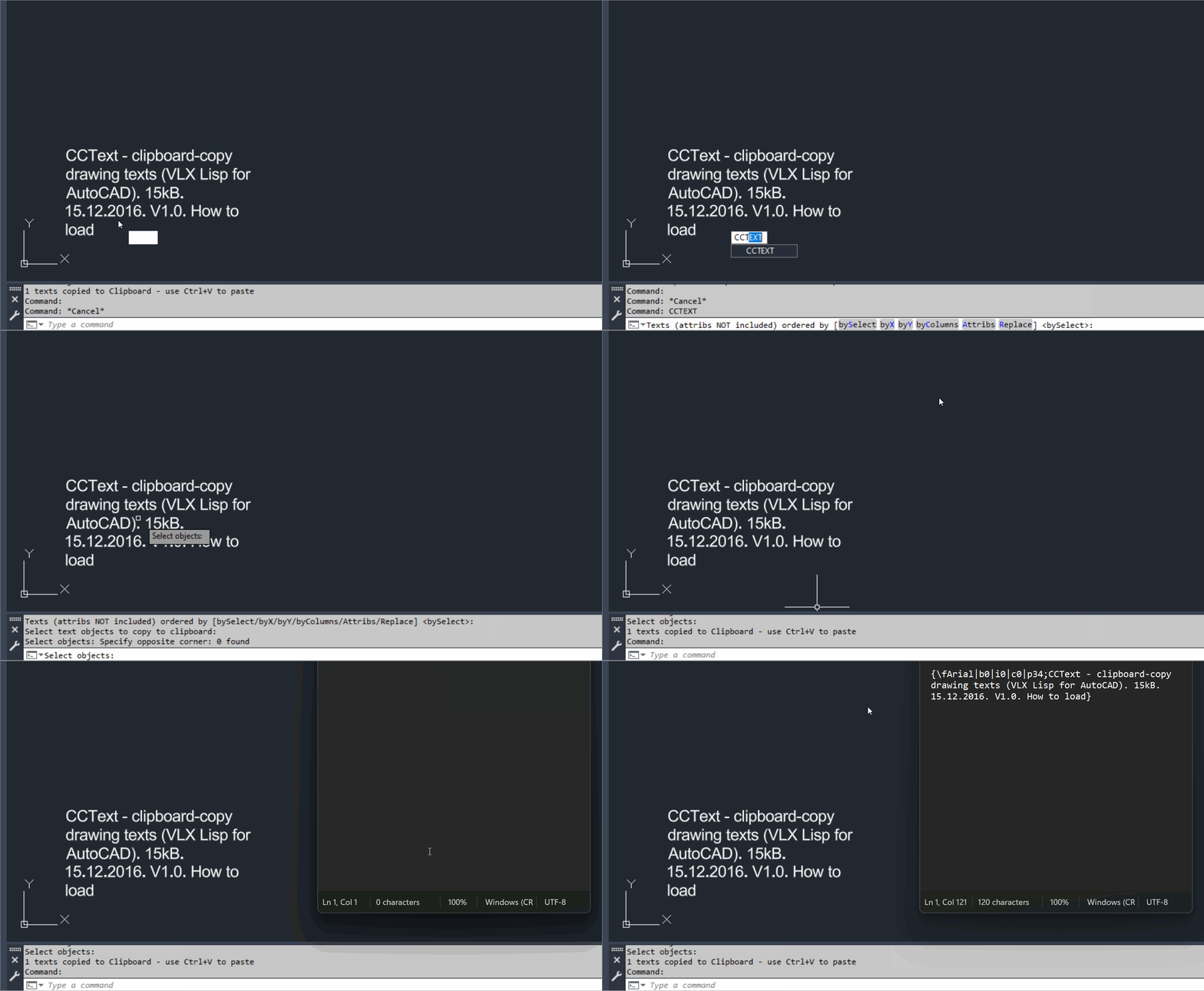
CopyClipboardText
Main command: CCTEXT
Load method: APPLOAD
Published version: 1.0 dated 15.12.2016Spline2Poly
Main command: Spline2Poly
Conversion engine: SPLINEDIT Convert to Polyline precision 1Slope_Ro
Main command: SLOPE_01
SelectStraightEntities
Main command: SelectStraightEntities
ParallelPolylinesOption
Main dialog: ParallelPolylinesOption
Direct close: CLOSEPARALLELPOLYLINES
Direct unclose: UNCLOSEPARALLELPOLYLINESPLTools
Available commands: PL-VFI, PL-CW, PL-CCW, lwcl, RL, ENTREV, ENTREVS, PL-L2A, PL-A2L, PL-JOIN, PL-JOIN3D, PL-DIV, PL-DIVALL, PL-VxAdd, Pl-VxRdc, Pl-VxDel, PL-VxOpt, PL-NOARC, PL-CLONE, PL-VxMove, PL-Vx1, R3P, PL-SgInfo, MPL, ConvTo2d, ConvTo3d, PL-SgWidth, PL-CSE, PL-P90, PL-MENU, PLTOOLS-MENU
OffsetAndLayer
Main command: OffsetAndLayer
MultiOffsetBothSidesWithLayer
Main command: MultiOffsetBothSidesWithLayerExtra
Alias: MOBSWLE
Dock: MOBSWLEDOCK
Undock: MOBSWLEUNDOCK
Predefined profiles: OLPredefinedProfiles
Diagnostics: OLDebug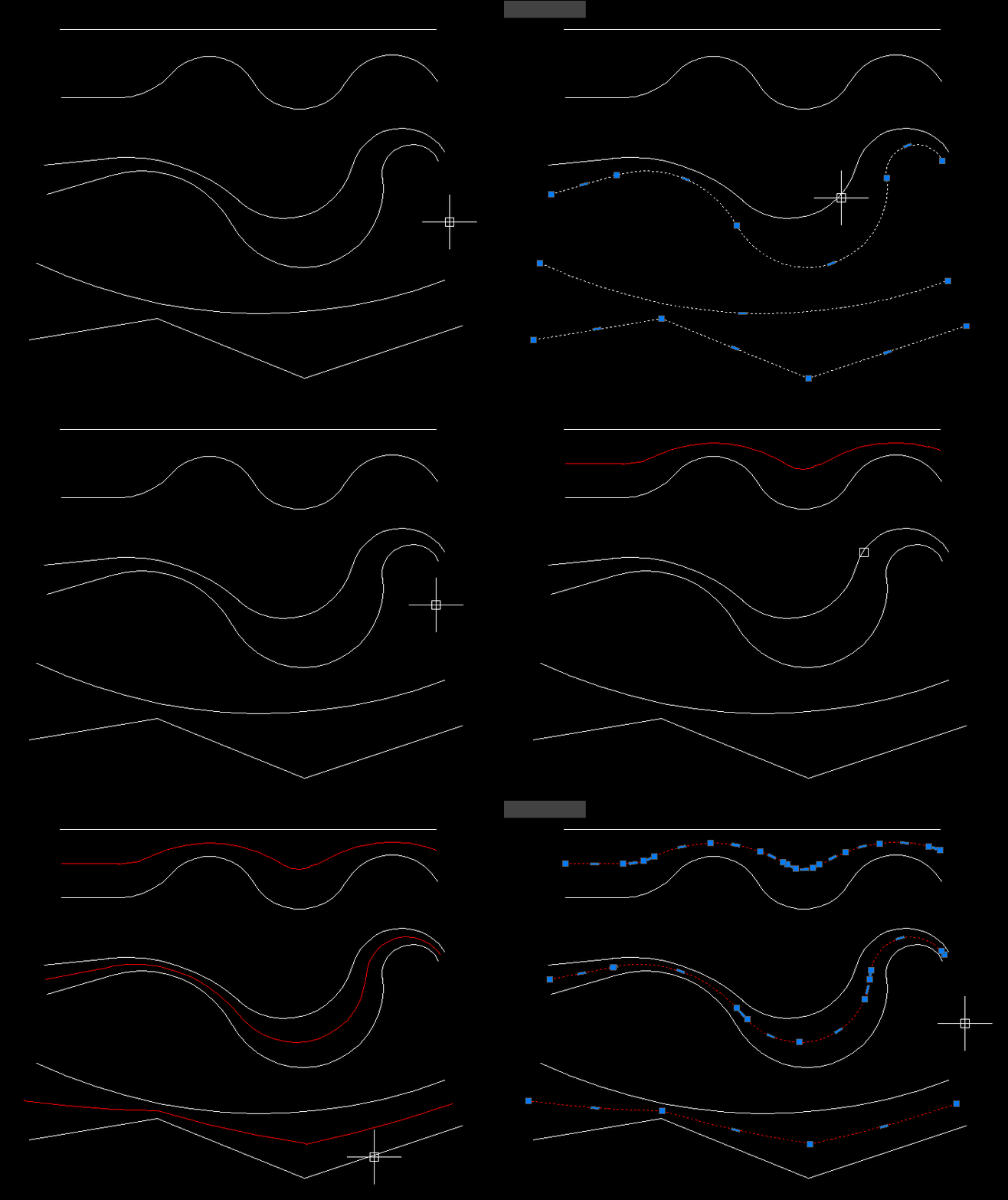
MiddleLinePolylines_2
Main command: CPL_2
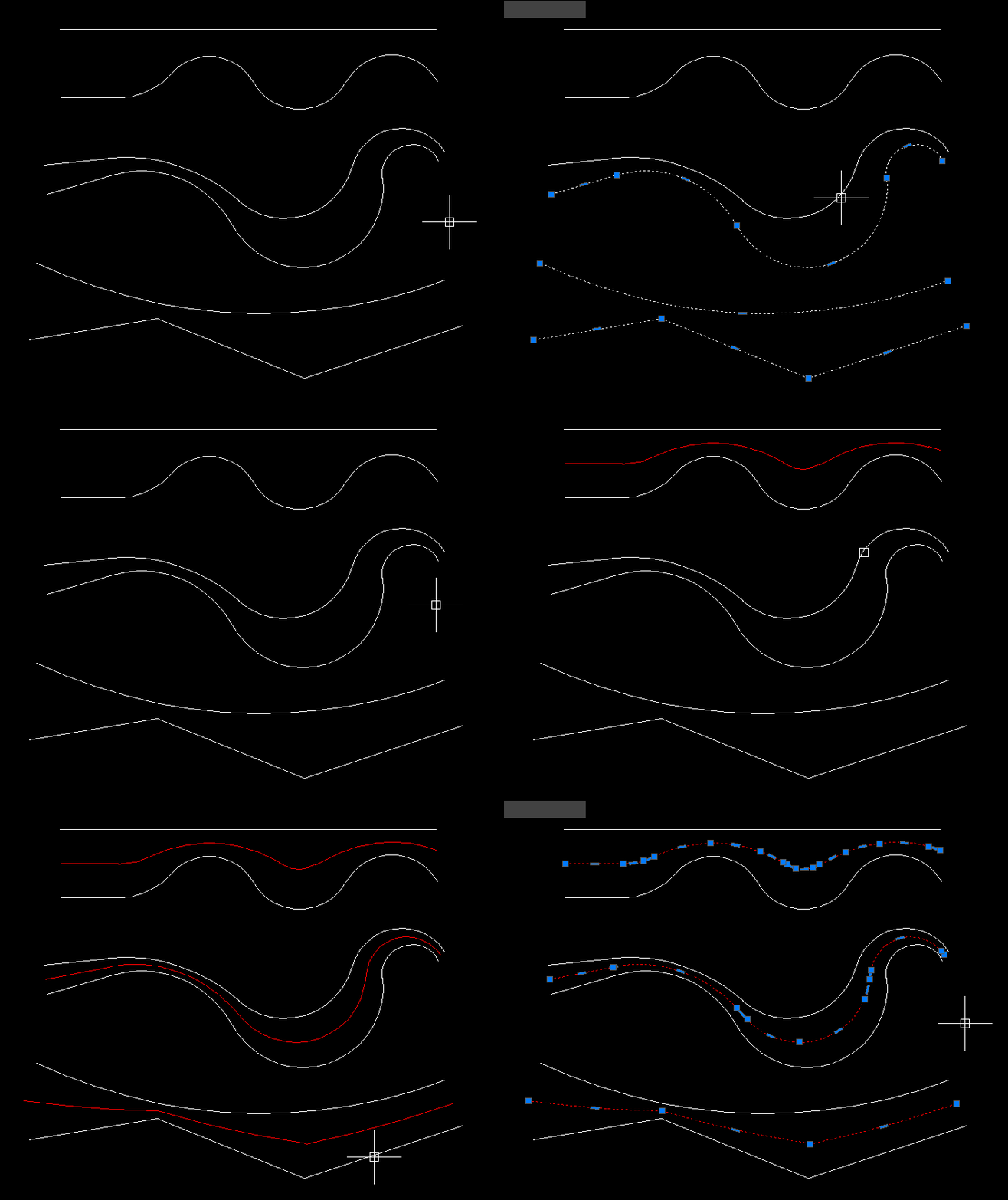
MiddleLinePolylines
Main command: CPL
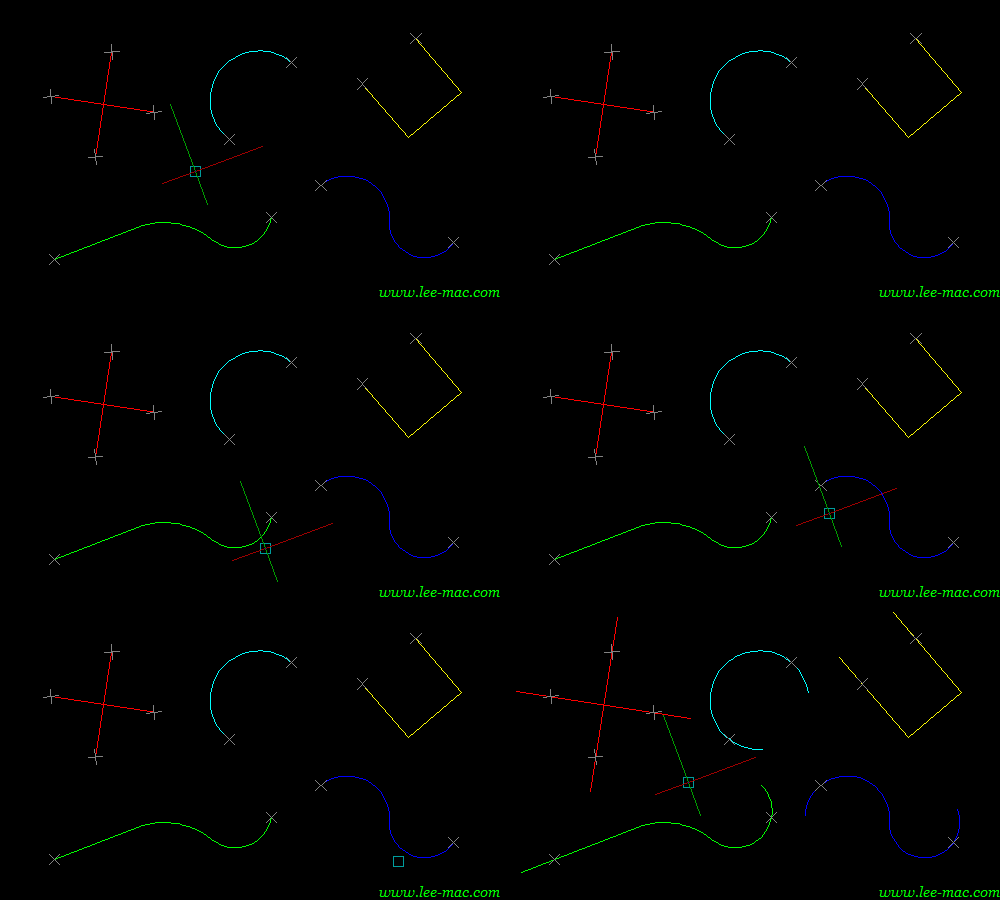
Lengthen
Main command: ExtendStartEndMultiple
Alias: DEX
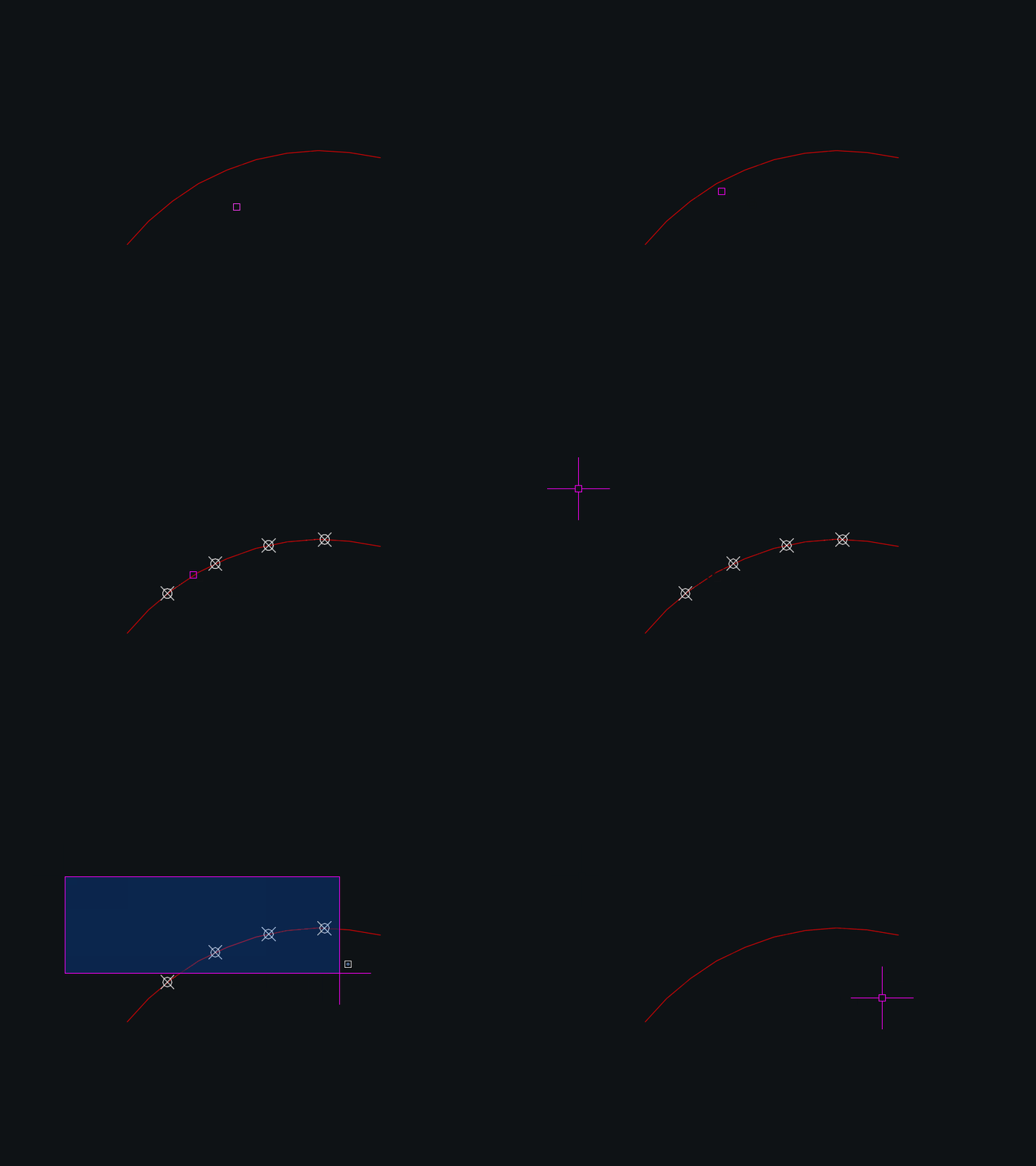
Debug command: DEXDEBUGInteriorPolylinesArea
Main launcher: BR2P
Break intersections: BreakAll
Boundary Offset: boffset
Region to Polyline: Region2Polyline
Delete open lines and polylines: DEL_OPEN_PL
Union areas: JoinAreasExtendStartEndMultiple
Main command: ExtendStartEndMultiple
DynamicDivide
Main command: DynamicDivide
DuplicateToNewLayer
Main command: DuplicateToNewLayer and CloseParallelPolylines
DoubleOffset
Main command: DoubleOffset
Alias: DOffConvertMultiplePolylines
🚀 Main command: ConvertMultiplePolylines
🎛️ Processing modes: Select entities or All entities in drawing
📏 Default joining fuzz distance: 0.01
🔗 Set joining fuzz distance to 0 for conversion onlyLispLoaderExtra
Main window: LISPLOADEXTRA
Last session report: LISPLOADREPORT
Loader diagnostics: LISPLOADDIAGLispLoader v1.0.000
Startup action: NETLOAD LispLoader.dll
Configuration file: LoaderConfig.txt
Log file: LispLoader.logLayoutVPOverrides
LayoutVPOverrides
Dan_alldlls
🚀 Startup behavior: the DLL loader runs when [username]_alldlls.lsp is loaded.
⚙️ AutoCAD loading command: NETLOAD
📄 Error report: load_report.txt in the configured Lisp_menu folder.@Dan_acaddoc
🚀 Startup behavior: the loader runs when acaddoc.lsp is loaded by AutoCAD.
⚙️ Main loading methods: load for LSP FAS and VLX files plus NETLOAD for DLL files.
📄 Report file: load_report.txt in the configured Lisp_menu folder.ViewportMatchOrientation
🚀 Main command: ViewportMatchOrientation
🧭 Select a source viewport, then select a target viewport, and the target receives the source TwistAngle.VportsPoly2Rectang
🚀 Main command: VportsPoly2Rectang
⚡ Alias command: VportShapeConv
🧰 Opens an enhanced DCL manager for detecting, filtering, locking, zooming, and converting rectangular and polygonal clipped viewports.PlotExtra
🚀 Main command: PLOTEXTRA018
🧾 Log command: PLOTEXTRALOG
🧰 Opens a Civil 3D styled .NET plot dialog with preview, logging, PDF/project settings, and plot configuration controls.PageSetupAllLayouts
🚀 Main command: cps
🧰 Load the LSP file with APPLOAD, then run the command from the AutoCAD command line.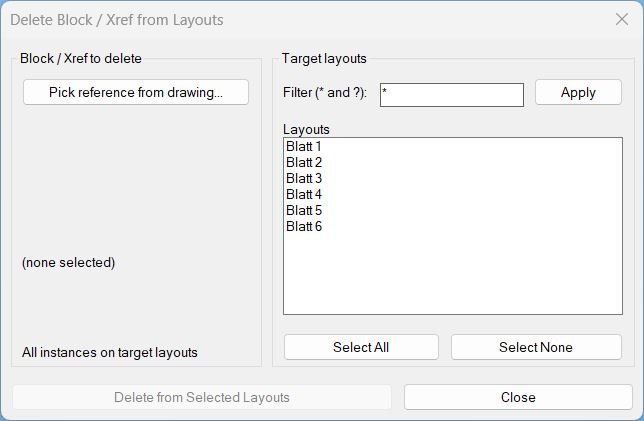
Delete2Layouts
🚀 Main command: Delete2Layouts
🔁 Alias command: _Delete2Layouts
🧰 Pick one block or xref reference, filter target layouts with * and ?, select layouts, then delete matching INSERT instances from those layouts.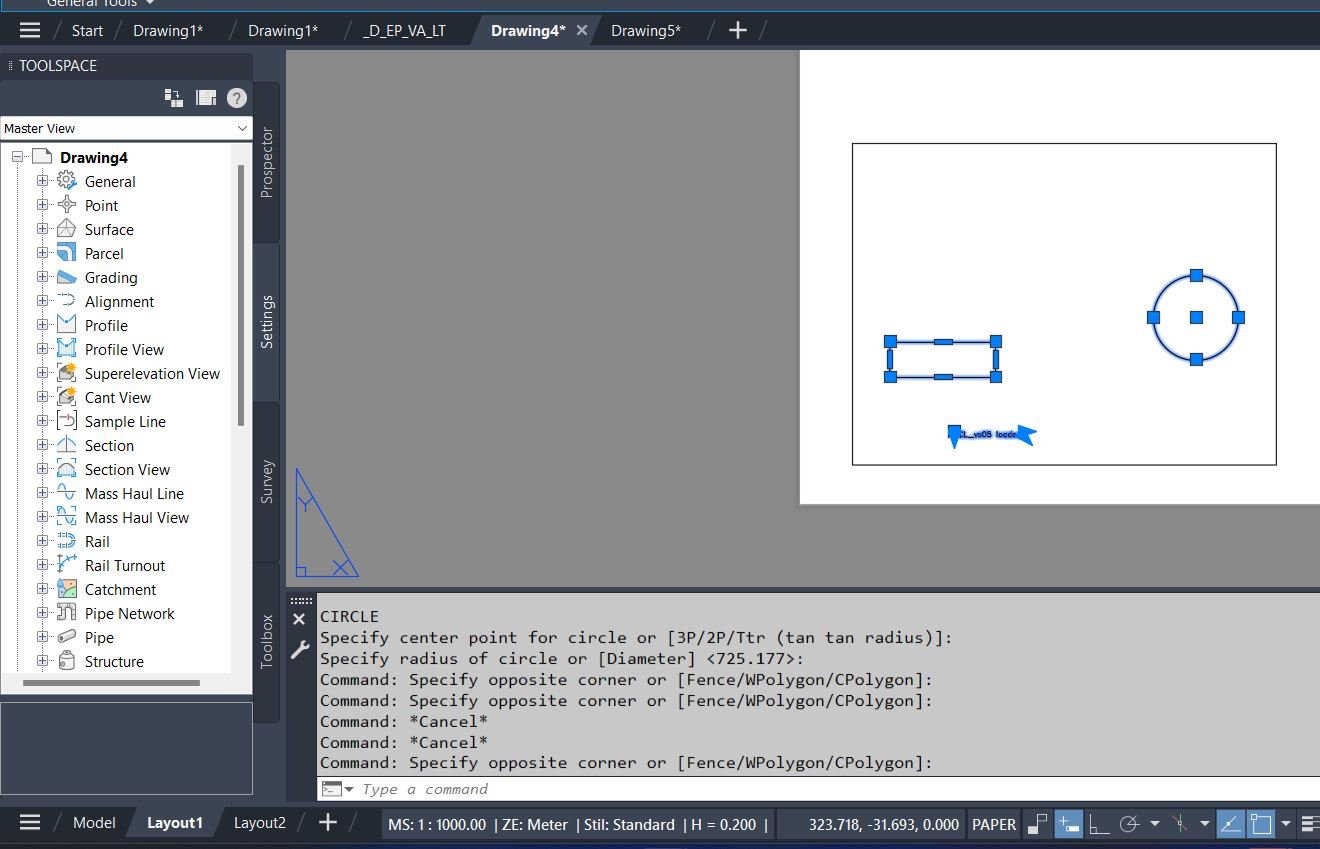
CopyPaper2Model
🚀 Main auto command: CPMS
📄 Paper Space to Model Space command: CopyPaper2Model
🖼️ Model Space to Paper Space command: MS2PS
🧰 The CPMS command auto-dispatches depending on the current space: Paper Space runs CopyPaper2Model, otherwise it runs MS2PS.SelectCreateLayerFilter
🚀 Main command: SelectCreateLayerFilter
⚡ Alias command: SCLF
🧰 Workflow: select drawing entities, review their unique layers in the dialog, filter names with * and ?, select the layers to include, then apply the generated AutoCAD layer filter expression.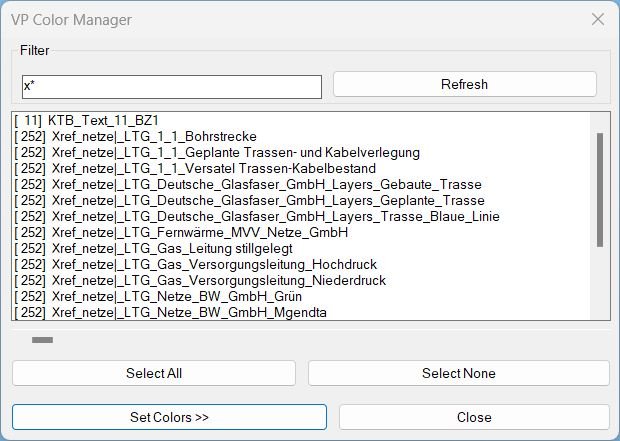
ChangeVPLayerColor
🚀 Main command: ChangeVPLayerColor
🎨 Main dialog: VP Manager v19.1 / VP Layer Color Tool
🧰 Workflow: filter layers, select layers, configure Bestand/Neu presets, choose colors, select target layouts, then apply viewport color overrides.Reconcill_All_Layers
🚀 Main command: Reconcill_All_Layers
🧰 Run the command in the active drawing to clear unreconciled-layer information for all layers and stop the repeated Unreconciled Layers notification workflow.Make_layers_linetypes_draw
🚀 Main command: DRAW_LTYPE_LAYERS
🧩 Load the LSP in AutoCAD or Civil 3D, then type the command at the command line.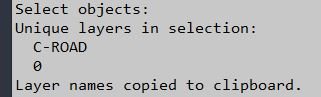
LayersName2Clipboard
🚀 Main command: LayersName2Clipboard
🧩 Load the LSP in AutoCAD or Civil 3D, then type the command at the command line.LayerImport
🚀 Main command: LayerImport
🧰 Utility command: LI_FOLDERS
🧩 Load the LSP in AutoCAD or Civil 3D, then type the command at the command line.LayerFilterFreezeThawOnPlotVPFreeze
🚀 Main command: LayerFilterFreezeThawOnPlotVPFreeze
🧰 Dialog workflow label: Layer Filters
🖼️ Viewport actions: VP Freeze and VP Thaw require selecting a paper-space floating viewport.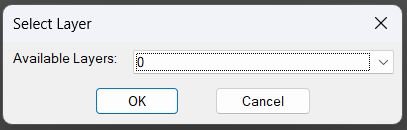
ChangeLayerToSelected_vs.01
🚀 Layer change command: ChangeLayerToCurrent – opens a searchable layer selector and moves selected objects to the chosen layer
ChangeLayerToCurrent
🚀 Layer change command: ChangeLayerToCurrent – opens a searchable layer selector and moves selected objects to the chosen layer
NamespaceFix
🚀 Load/install file: NamespaceFix.lsp
🧰 Startup Suite use: add the LSP to APPLOAD Startup Suite for automatic protection.
🧩 Internal repair functions: C3D-RestoreStar and C3D-RestoreStarCmd
🔄 Reactor: vlr-command-reactor with :vlr-commandEnded callback.ChangeBackgroundColor
🚀 Main command: BG
🧰 Dialog command: BGDCL
⚫ Quick command: BGBlack
⚪ Quick command: BGWhite
🩶 Quick command: BGGrey
🔄 Toggle command: BGT
🎨 The dialog provides global color mode, individual Model/Paper/Block Editor color selectors, Apply, OK, and Cancel.Text2Multileader_2
🚀 Main command: AM2
📝 Step 1: Select TEXT or MTEXT source objects.
📐 Step 2: Select a LINE, LWPOLYLINE, or POLYLINE to provide MLeader arrowhead and landing points.SetupOverriteDimStyles
🚀 Main command: SetupOverriteDimStyles
🖱️ The user first selects an object to use as the style source.
⚙️ The DCL dialog then lets the user choose which workspace settings to update: current layer, text style/text size, and dimension or MLeader style.MLeaderExtra
MLTOOLS – open the MLeader Vertex Tool panel.
MLADDVERT – select an MLeader and pick a new bend/inflection vertex.
MLADDVERT_HANDLE – add a vertex by entering an MLeader handle.
MLVERSION – print the loaded plugin version and build metadata.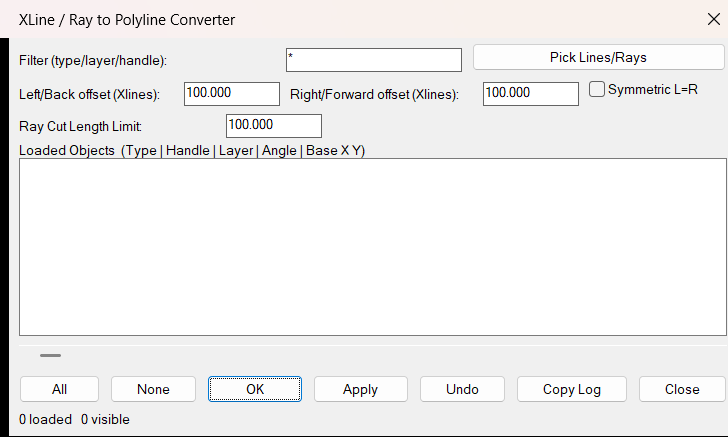
Xline2Poly
Xline2Poly
Xline2Poly_DEBUG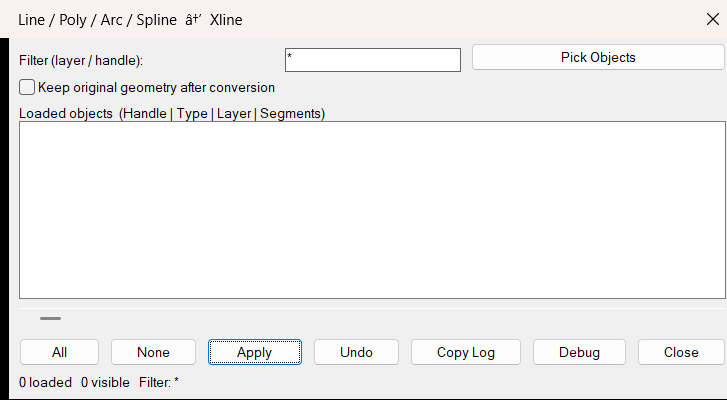
Poly2Xline
L2XL
L2XL_DEBUG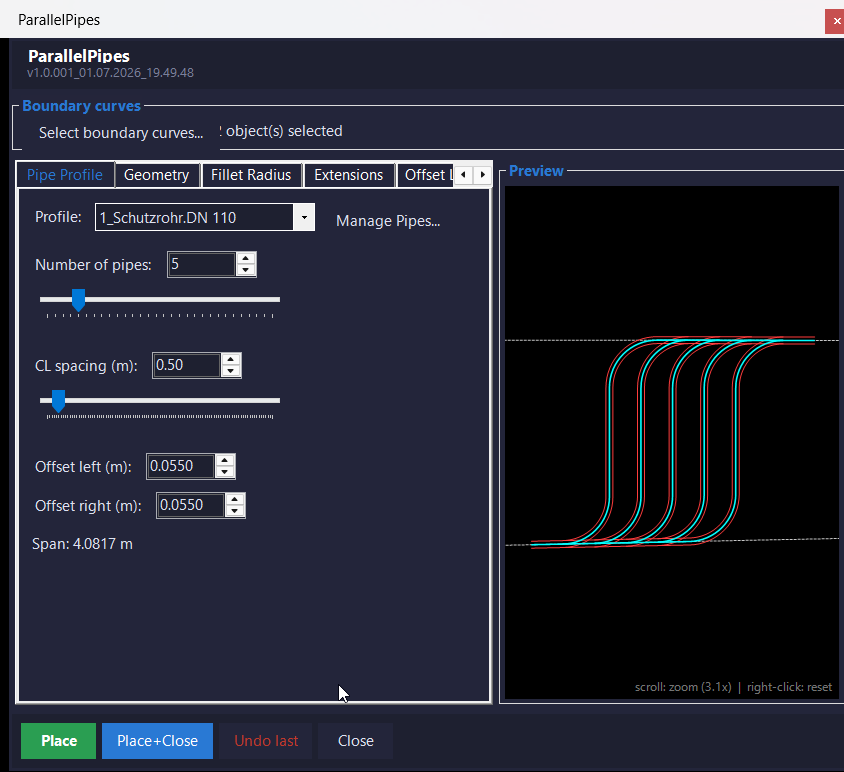
ParallelPipes.NET
NETLOAD ParallelPipesNet.dll, then run VTPCS at the AutoCAD command line.
30ParallelExisting
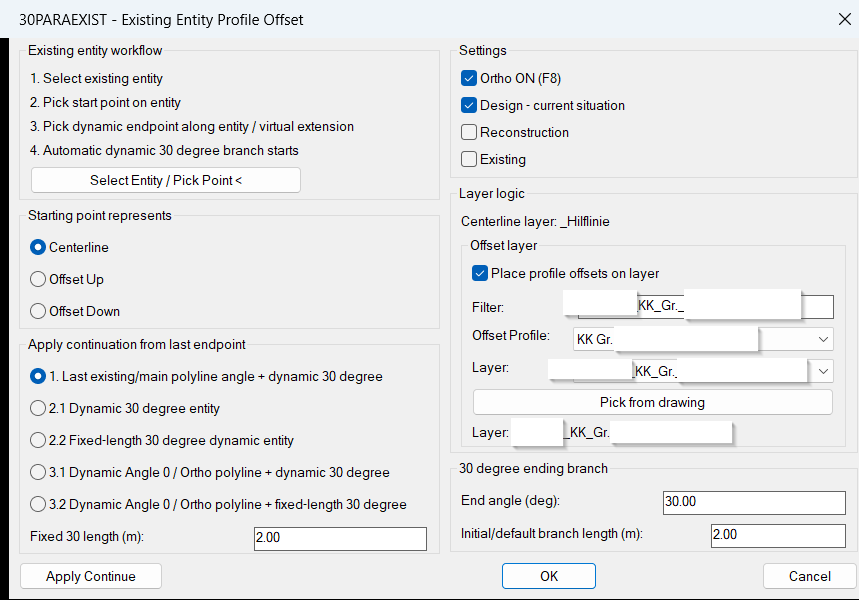
30PARAEXIST / PARA30EXIST
Lin_Shx_Loader
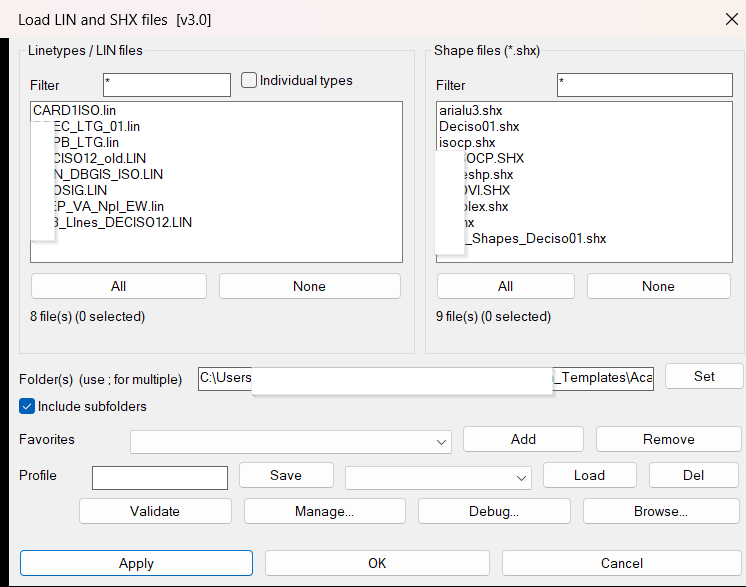
Lin_Shx_Loader
30Parallel
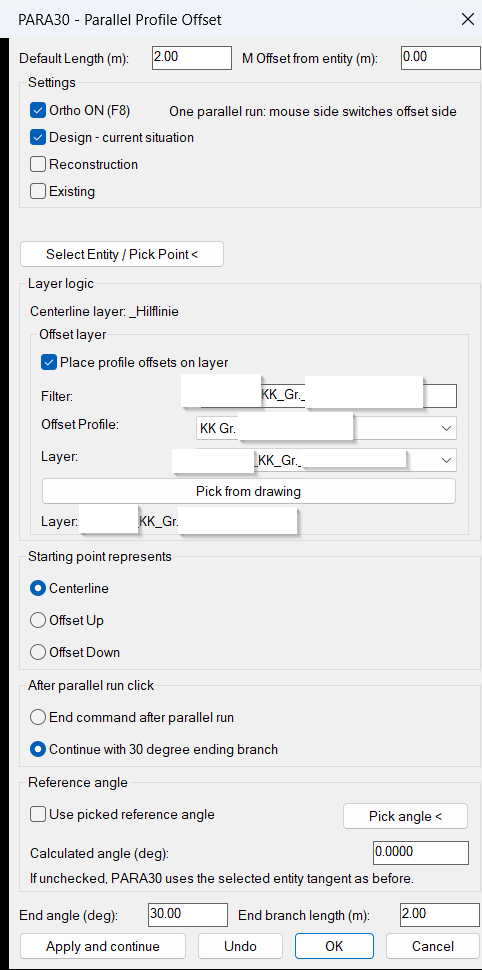
PARA30 / 30PARA
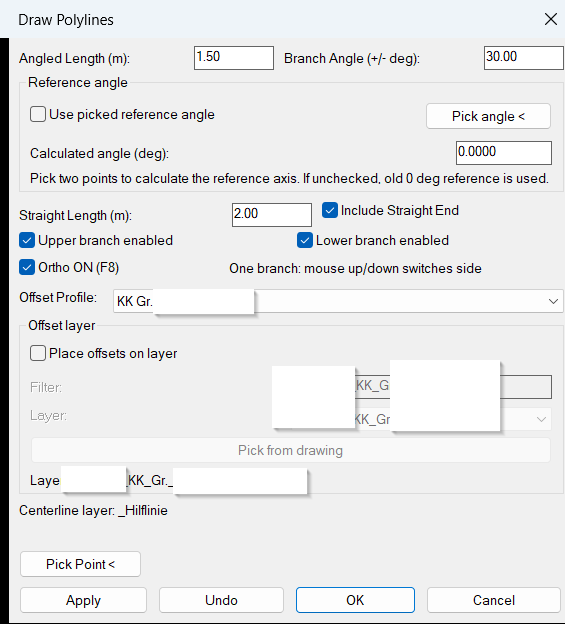
30Degree
Comming soon …ReplaceBlock
🚀 Command syntax: ReplaceBlock
Type ReplaceBlock in the AutoCAD command line, select one or more block references, choose the replacement block from the dialog list, then confirm with OK.
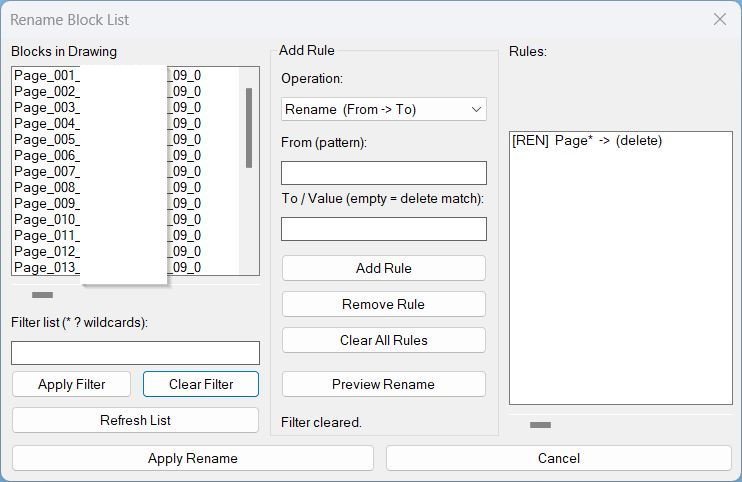
RenameBlockList
RenameBlockList
CopyRenameBlockChangeLayer
CopyBlockChangeLayer | RB
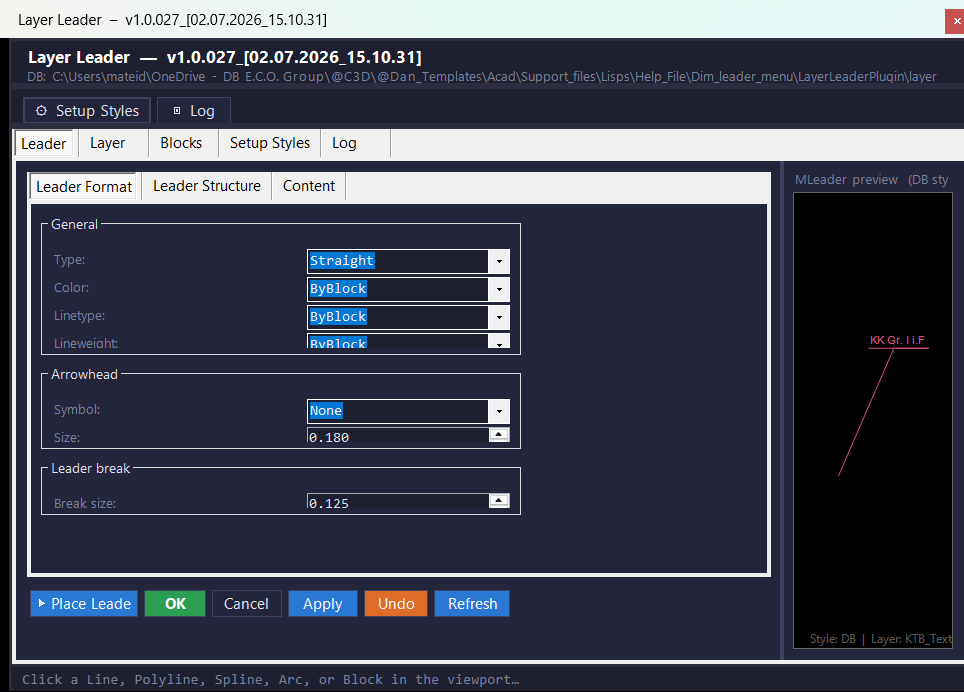
LayerLeaderPlugin
🧰 Main commands: LLP, SHOWPANEL, PLACELEADER, ADDLAYER, REMOVELAYER, LISTLAYERS, ADDBLOCK, REMOVEBLOCK, LISTBLOCKS, LLUPDATEFIELDS, SETUPDIMSTYLES, LOADSETUPDIMSTYLES. Run NETLOAD, load LayerLeaderPlugin.dll, then use LLP or SHOWPANEL to open the modeless Layer Leader panel.
NavvCubeDisplayOffOn
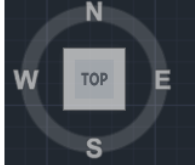
🚀 Main command: NavvCubeDisplayOffOn
🧰 AutoCAD system command used internally: NAVVCUBEDISPLAY
🔄 Internal sequence: NAVVCUBEDISPLAY 1, then NAVVCUBEDISPLAY 3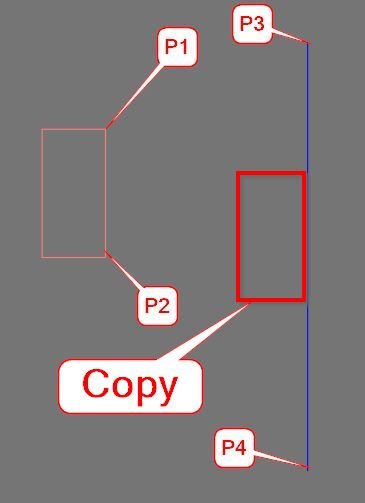
CopyMove2MidPoint_vs.01
🧰 Main commands:
– MMid2 – move selected AutoCAD objects from a calculated source midpoint to a calculated destination midpoint.
– CMid2 – copy selected AutoCAD objects and place the copied result from the same source midpoint to the destination midpoint.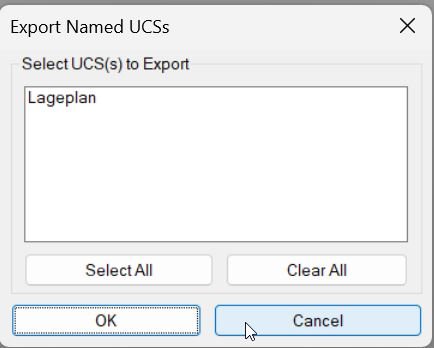
Export_Import_MS_UCS
🚀 Main export dialog command: EXPUCS_DIALOG
🚀 Main import dialog command: IMPUCS_DIALOG
📤 Raw export command: EXPUCS
📥 Raw import command: IMPUCS🧰 EXPUCS_DIALOG opens a save-file dialog for writing named UCS data to a .ucs file.
🧰 IMPUCS_DIALOG opens a file-selection dialog for importing UCS definitions from an existing .ucs file.
🔧 EXPUCS and IMPUCS are lower-level routines that receive a file path and perform the actual UCS write or read operation.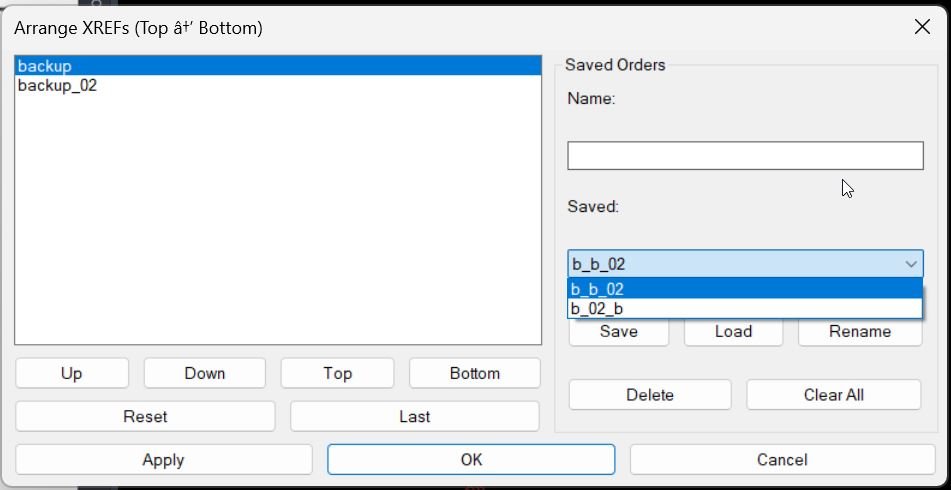
XrefDrawingOrder
🚀 Main commands:
– MXR
– MXR_DCL🧰 Run MXR or MXR_DCL in the AutoCAD command line to open the Arrange XREFs dialog.
ExpImpUCS
🚀 Main command: ExpImpUCS
📤 Export command: ExpUCS
📥 Import command: ImpUCS
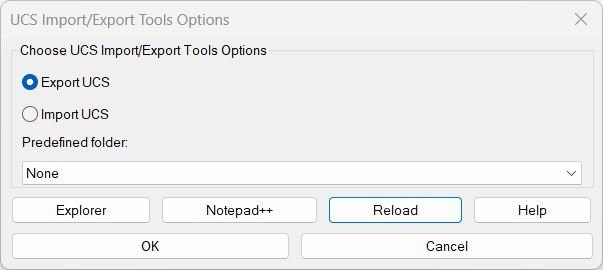
🧰 The ExpImpUCS dialog lets the user choose Export UCS or Import UCS, select a predefined project folder, open the LISP folder in Explorer, open the file in Notepad++, reload the script, or open the integrated help dialog.AreaCalc
🚀 Primary command: AC
Type AC in the AutoCAD command line to start the area calculation workflow.
🧭 The command first asks for an object filter:
ANY, POLYLINE, CIRCLE, ELLIPSE, REGION, SPLINE, or HATCH.🪟 After selecting valid closed objects, AreaCalc opens the Area Calc v2.1 DCL dialog where the user controls labels, units, precision, fields, and report output.
LinetypeWithCharacters2
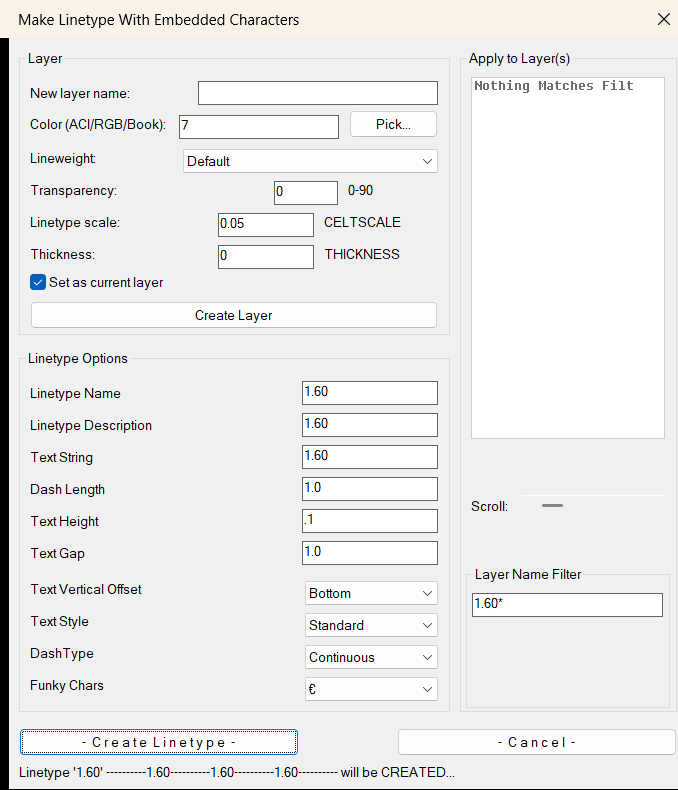
🚀 Primary command: MAKELT2
🧵 Alias helper: makelt2 calls c:makelt2.
🪟 Dialog title: Make Linetype With Embedded Characters.
🖊️ Main action button: Create Linetype.
LinFileDraw_vs.01
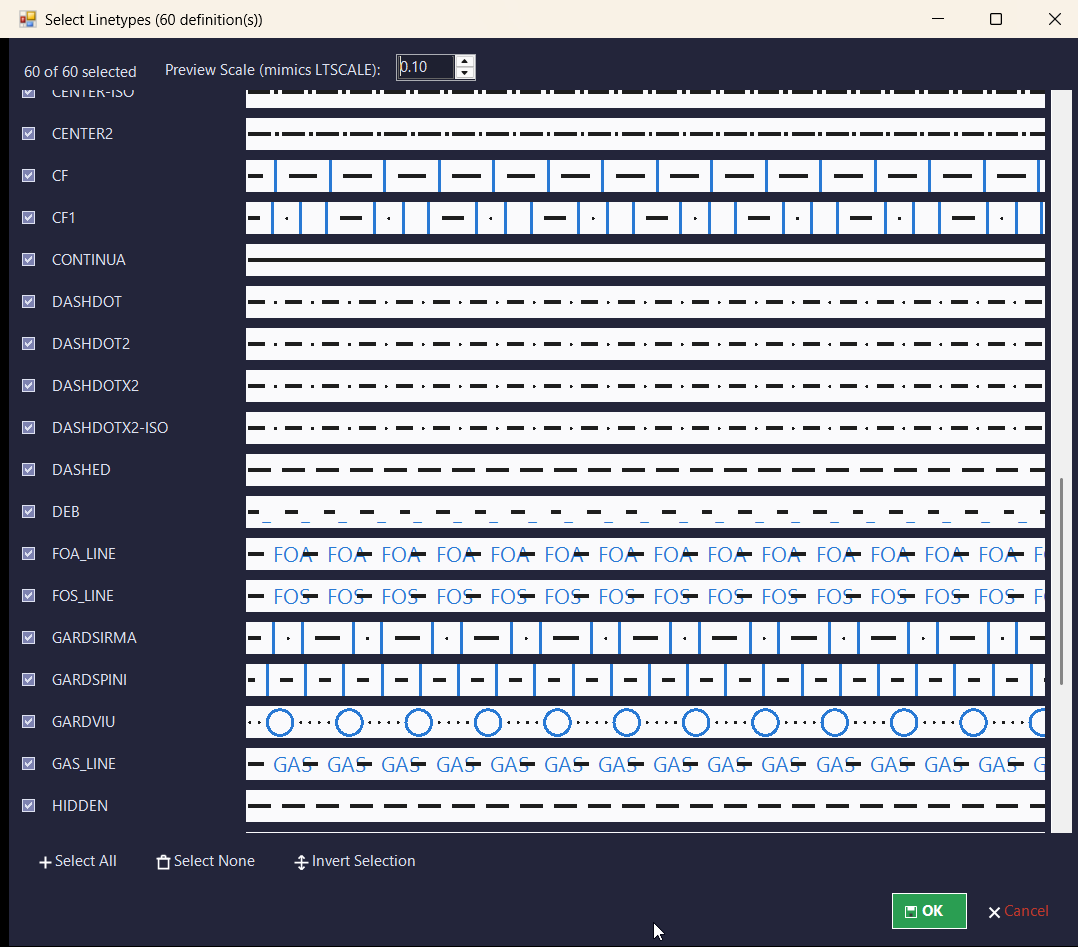
🚀 Primary commands:
– LINPL
– LINPOLY🧰 Command-line load message:
– LINPL 004 loaded. Run LINPL or LINPOLY.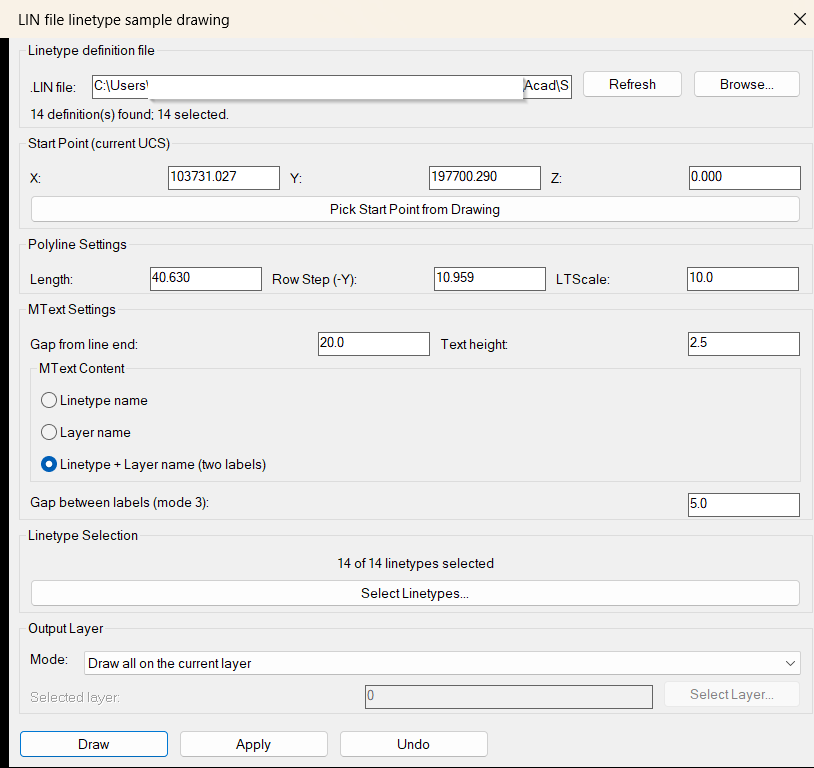
LinFileDraw
🚀 Primary commands:
– LINPL
– LINPOLY🧰 Command-line load message:
– LINPL 004 loaded. Run LINPL or LINPOLY.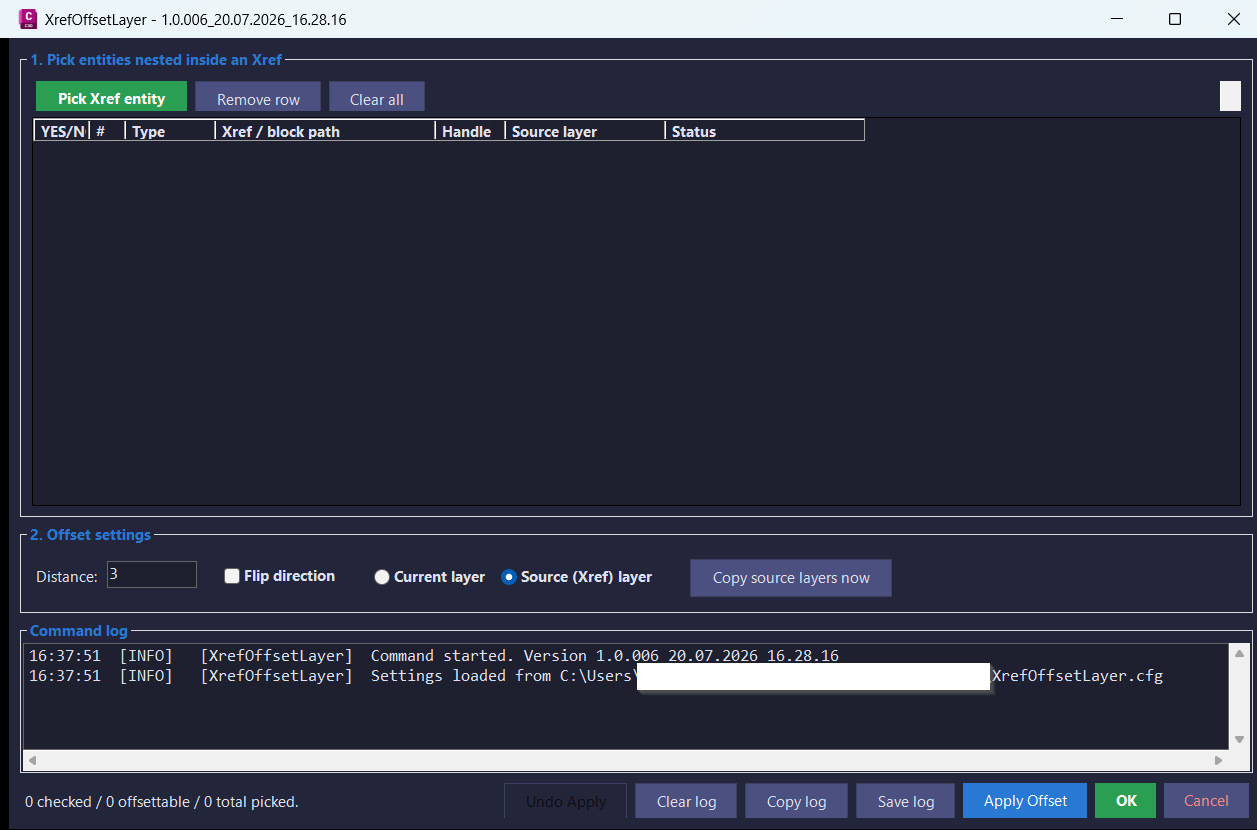
XrefOffsetLayer
XREFOFFSETLAYER
XREFOFFSETLAYER_006
XOL
XOFFSETCPLAYS
XOFFSETCPLAYS_006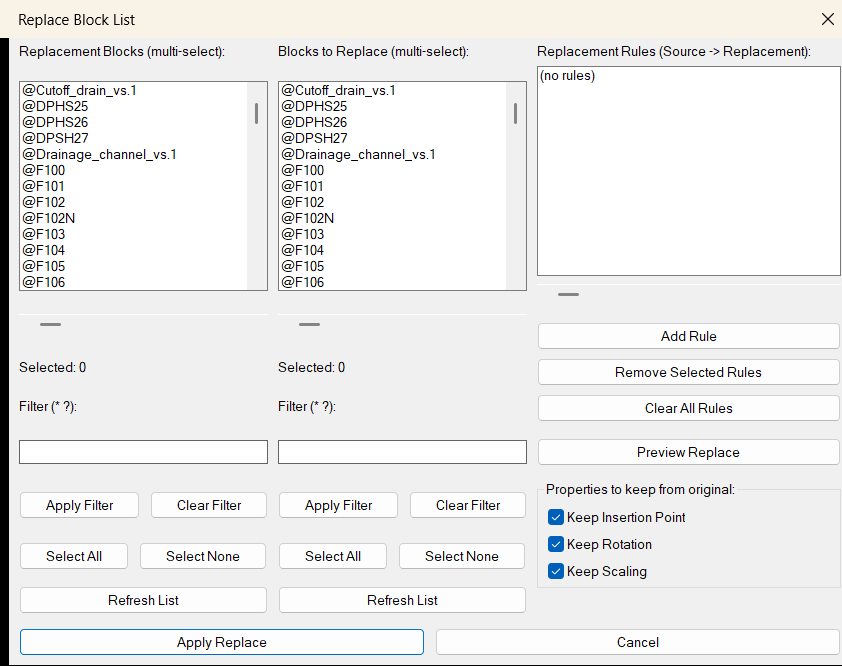
ReplaceBlockList
🚀 Main command:
ReplaceBlockList🧩 AutoLISP command definition:
(defun c:ReplaceBlockList ...)📌 Workflow:
1. RunReplaceBlockList.
2. Select one or more replacement blocks from the left panel.
3. Select the matching source blocks to replace from the right panel.
4. Add paired rules in the formatSourceBlock -> ReplacementBlock.
5. Preview the number of source instances that will be replaced.
6. Apply the replacement operation.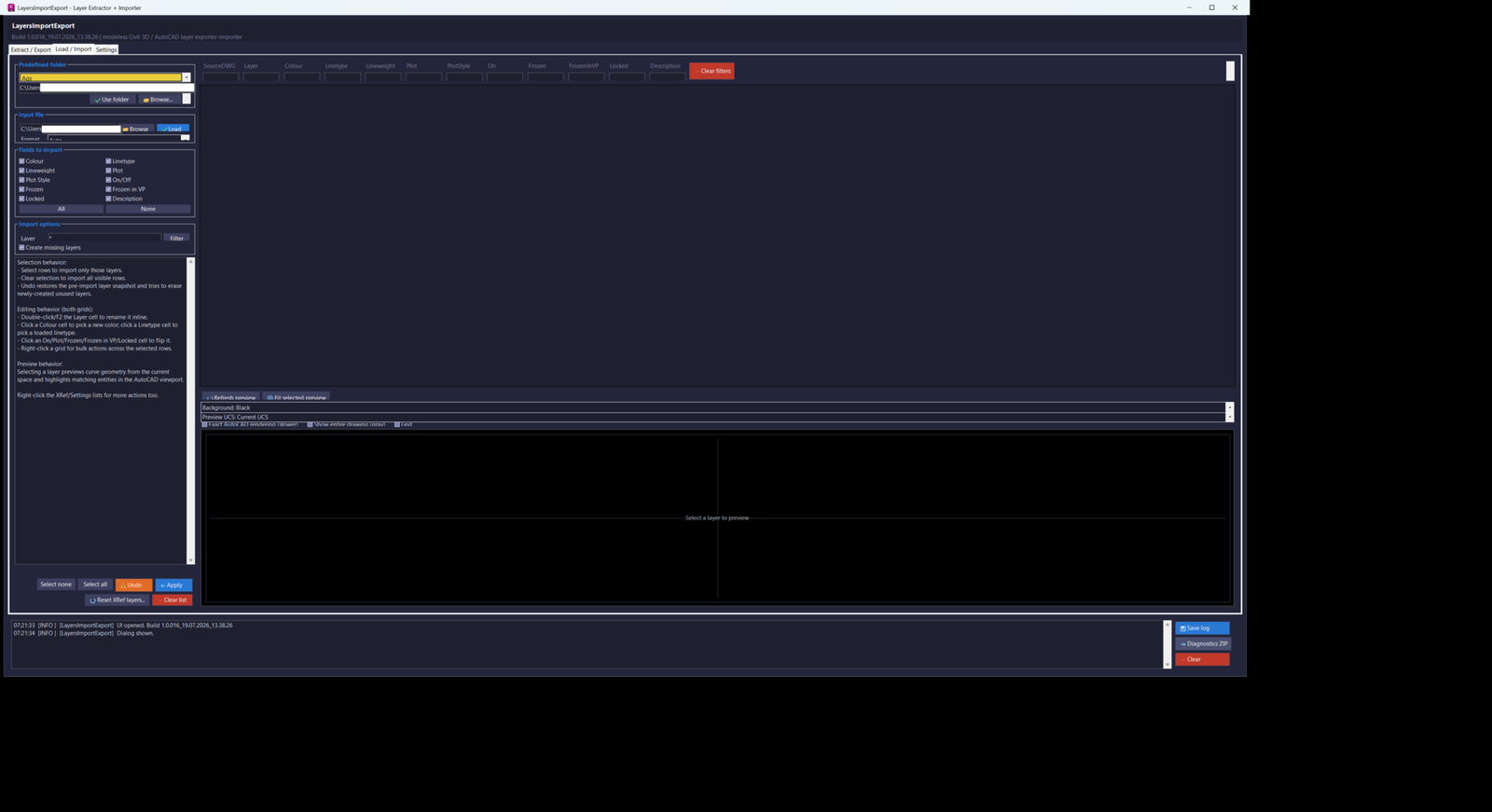
LayersImportExport
Primary command: LAYERSIMPORTEXPORT_016
Export command: LAYEREXPORT_016
Import command: LAYERIMPORT_016
Settings command: LAYERSETTINGS_016Run LAYERSIMPORTEXPORT_016 to open the combined dialog on the Extract / Export tab. Run LAYEREXPORT_016, LAYERIMPORT_016, or LAYERSETTINGS_016 to open the corresponding tab directly.
ChangeBlockLayer
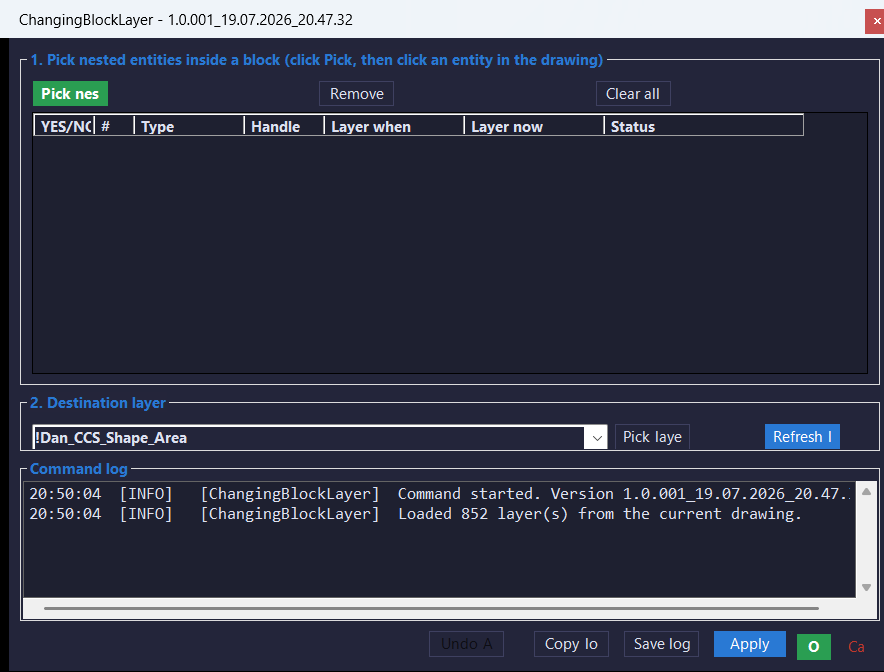
Primary command: CHANGEBLOCKLAYER_001
Secondary commands: CHANGEBLOCKLAYER, CNLRun CHANGEBLOCKLAYER_001 in the AutoCAD command line for the collision-safe build-specific command. Run CHANGEBLOCKLAYER or CNL as convenience aliases.
Entities2Layers
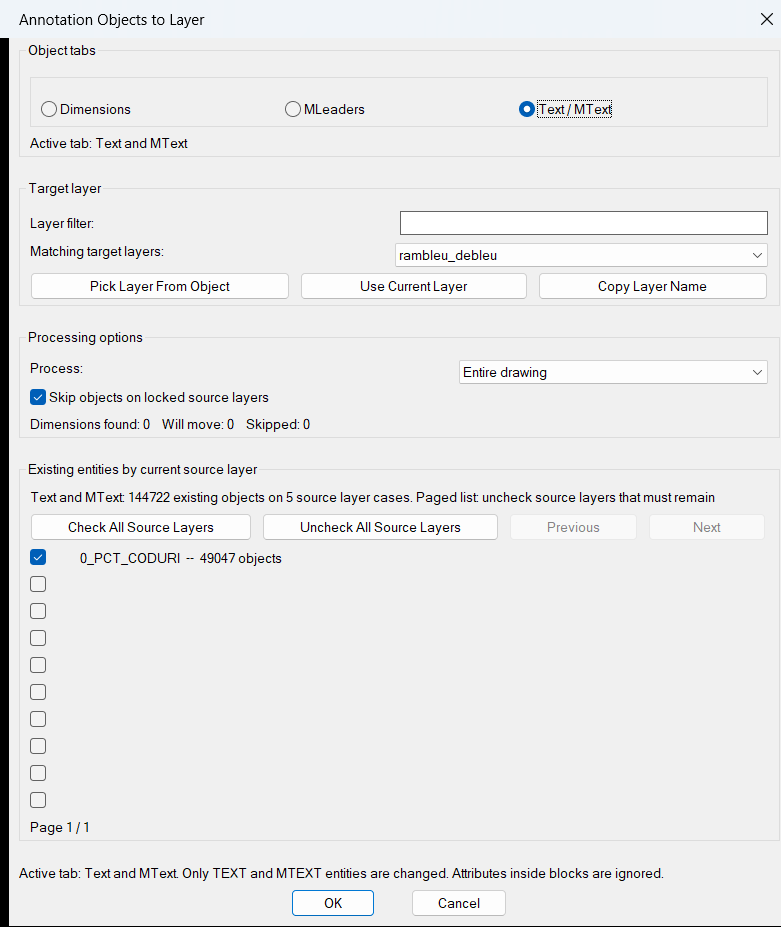
Primary command: ENTITIES2LAYERS
Secondary command: E2LRun ENTITIES2LAYERS or E2L in the AutoCAD command line to open the Annotation Objects to Layer dialog.
ExplodeLinetype
Primary command: ExplodeLinetype
Secondary command: LINEXPRun ExplodeLinetype in the AutoCAD command line to convert selected TEXT and MTEXT into line geometry and apply the standardized MISC-layer properties. Run LINEXP to use the underlying line-explosion routine without the final CHPROP standardization step.
AutoTrimExtendLines
TTT
TTTCLEAR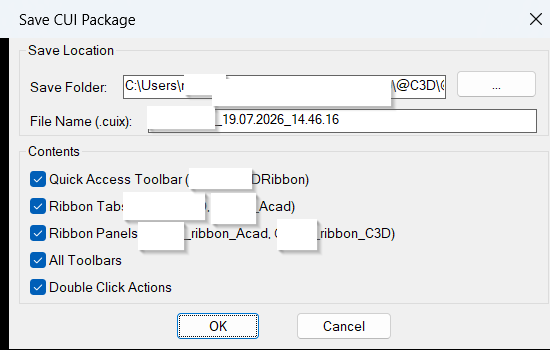
SaveCUIX
Run SaveCUIX in AutoCAD or Civil 3D to open the Save CUI Package dialog.
ToolPaletteExporter
Primary command defined in the uploaded source: ToolPaletteExporter
Diagnostic command: TPE_DIAG
Source note: the file header also mentions TPEXPORT, but this uploaded version defines C:ToolPaletteExporter and C:TPE_DIAG as command functions.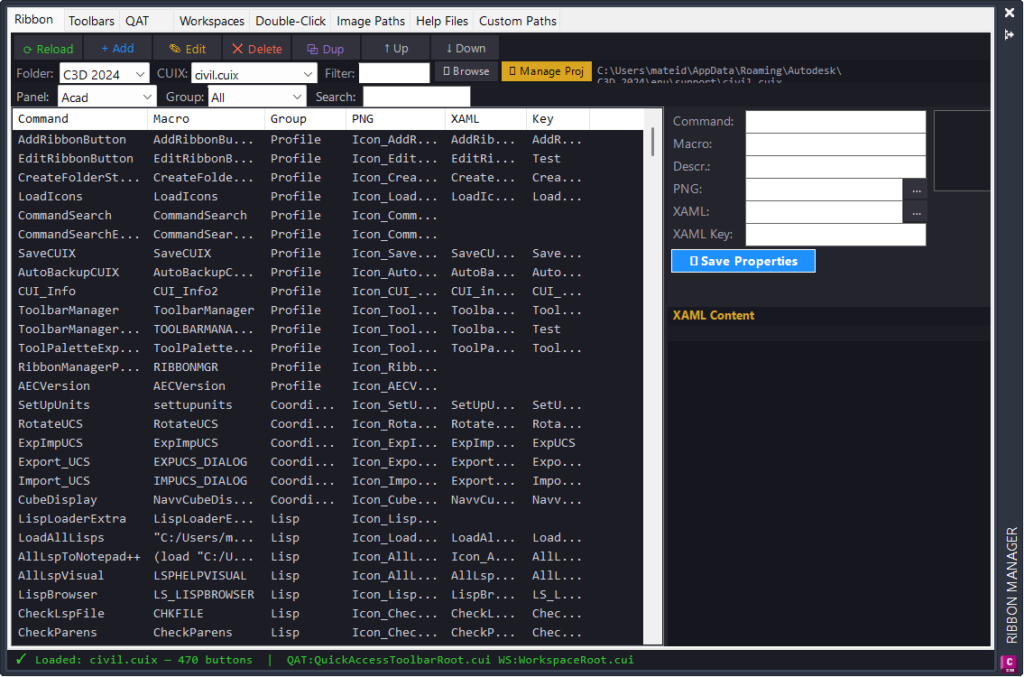
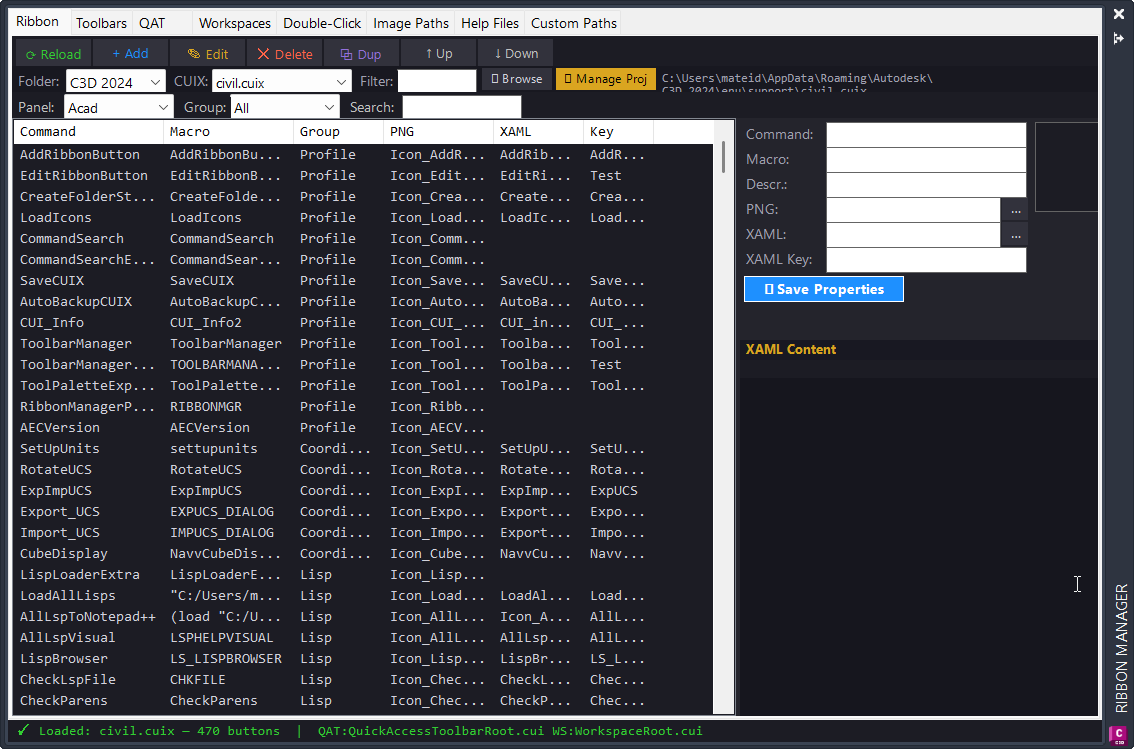
RibbonManagerPlugin
NETLOAD RibbonManagerPlugin.dll, then run RIBBONMGR to open the Ribbon Manager palette.
Run RIBBONMGRCLOSE to hide the palette without unloading the plugin.LoadIcons
Main commands:
LoadIconsandLoadAllIcons.LoadIconsscans the configured Help_File root forIcon_*.pngfiles, copies them to the configured Civil 3D support icon folder, and reloadsCIVIL.cuixwhen available.LoadAllIconsis an alias that runs the same workflow asLoadIcons.
EditRibbonButton
Command:
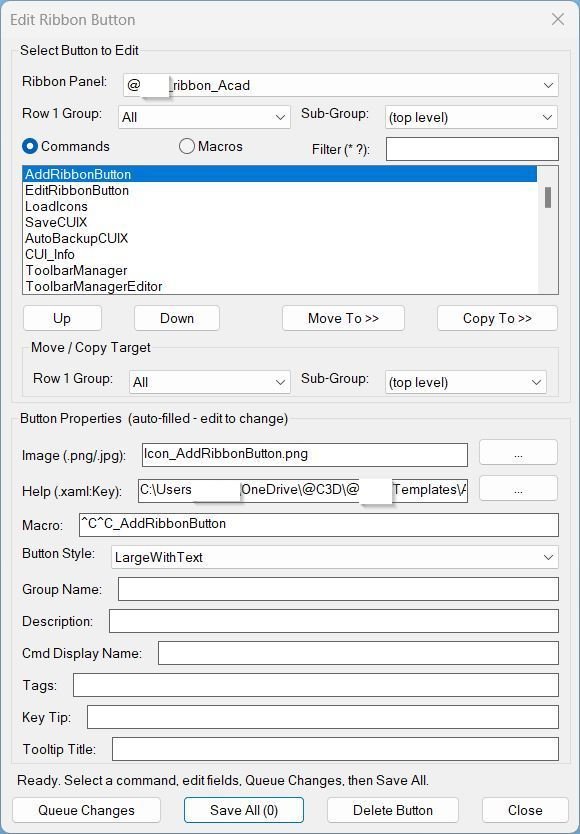
EditRibbonButtonDiagnostic command:
ERB_DebugRun
EditRibbonButtonin AutoCAD to open the ribbon button editor. RunERB_Debugto diagnose CUIX path discovery, cached ribbon structure, file access, and reload prerequisites.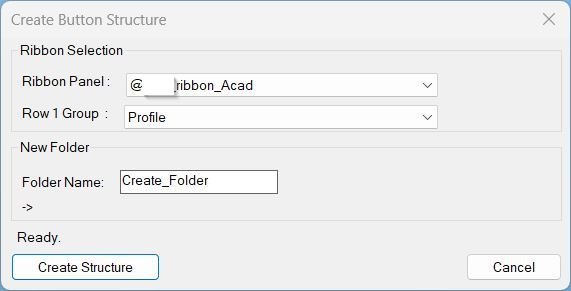
CreateFolderStructure
Primary command: CreateFolderStructure
Diagnostic command: CBS_DiagRun CreateFolderStructure to scan CIVIL.cuix, choose the target ribbon panel and Row 1 group, enter the new command folder name, preview the final path, and create the complete folder structure.
Run CBS_Diag to print and save a diagnostic report with configured paths, CIVIL.cuix detection, cached ribbon data, history values, and environment information.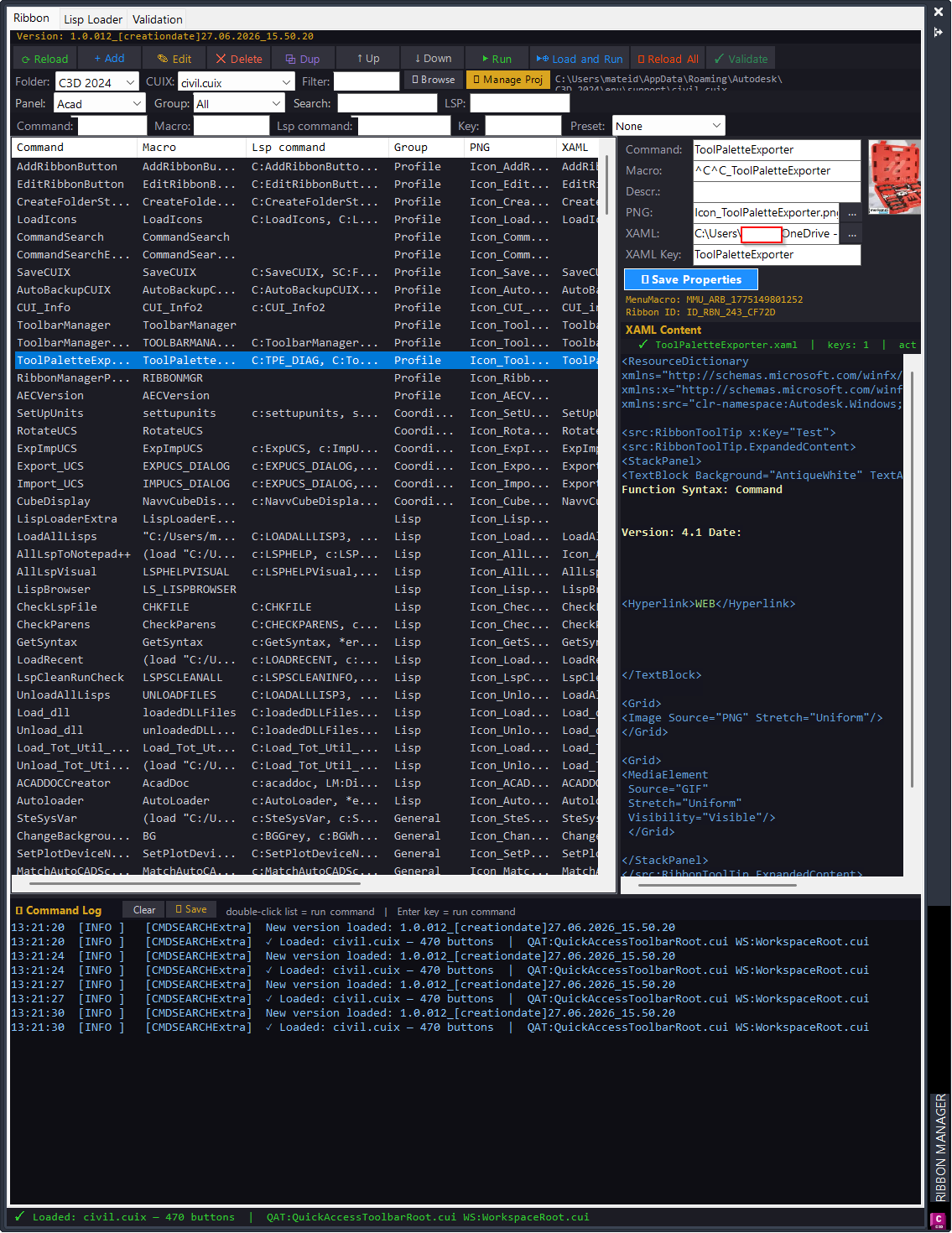
CommandSearchExtra
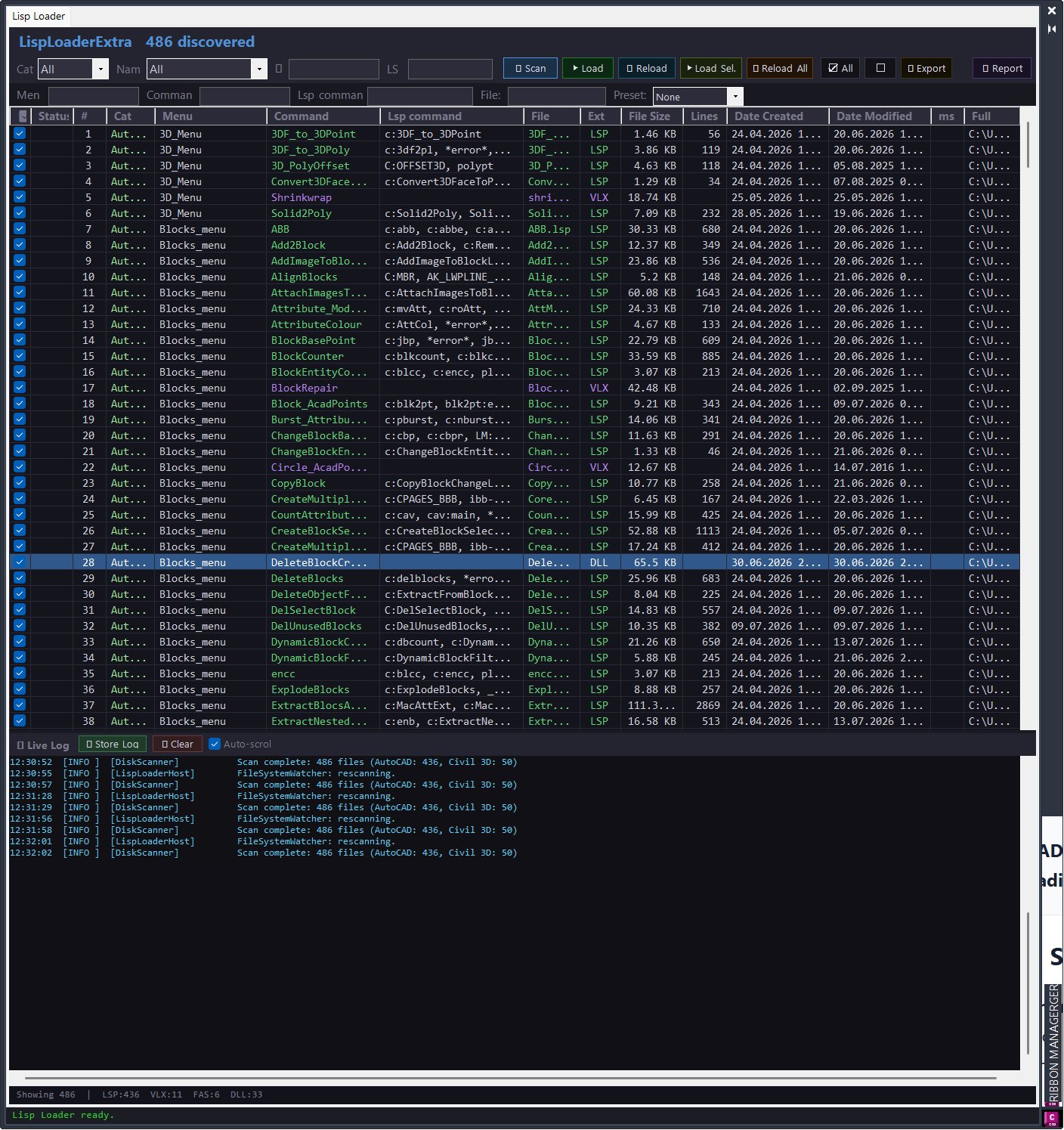
Primary commands: CMDSEARCHExtra opens the Command Search palette; CMDSEARCHExtraCLOSE closes it; LISPLOADEXTRA opens the standalone Lisp Loader; LISPLOADREPORT opens the load-session report; CMDSEARCHExtraTESTS runs parser and filter self-tests; LISPLOADDIAG writes LISP-related diagnostic method information to the log.
CommandSearch Lisp Loader Only
Main AutoCAD commands:
– CMDSEARCH opens the modeless Command Search palette.
– CMDSEARCHCLOSE closes the Command Search palette.
– LISPLOADEXTRA opens the standalone Lisp Loader window.
– LISPLOADREPORT opens the load session report.
– CMDSEARCHTESTS runs the internal parser and filter self-tests.
– LISPLOADDIAG scans loaded assemblies for LISP-related invocation methods and writes diagnostics to the log.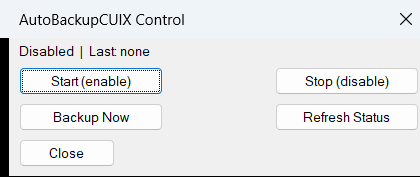
AutoBackupCUIX
Commands:
– AutoBackupCUIX_Start – enables the automatic command-reactor backup workflow.
– AutoBackupCUIX_Stop – disables the automatic backup reactor.
– AutoBackupCUIX_Now – runs the backup immediately.
– AutoBackupCUIX_Status – prints enabled state, reactor status, schedule, save path, and last backup date.
– AutoBackupCUIX_All – opens the AutoBackupCUIX Control dialog with Start, Stop, Backup Now, Refresh Status, and Close buttons.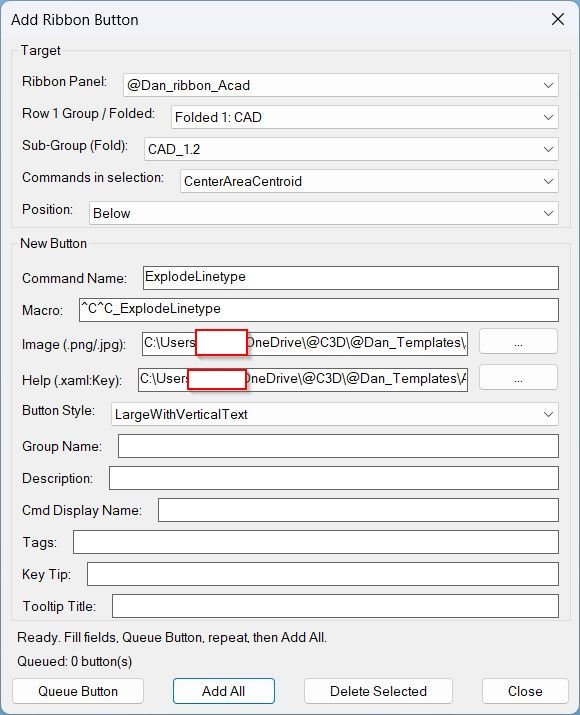
AddRibbonButton
Primary command: AddRibbonButton. Support commands: ARB_Debug, ARB_ApplyToCUI, and ARB_ApplyDebug.
AECVersionPlugin
Primary AutoCAD command documented by the project file:
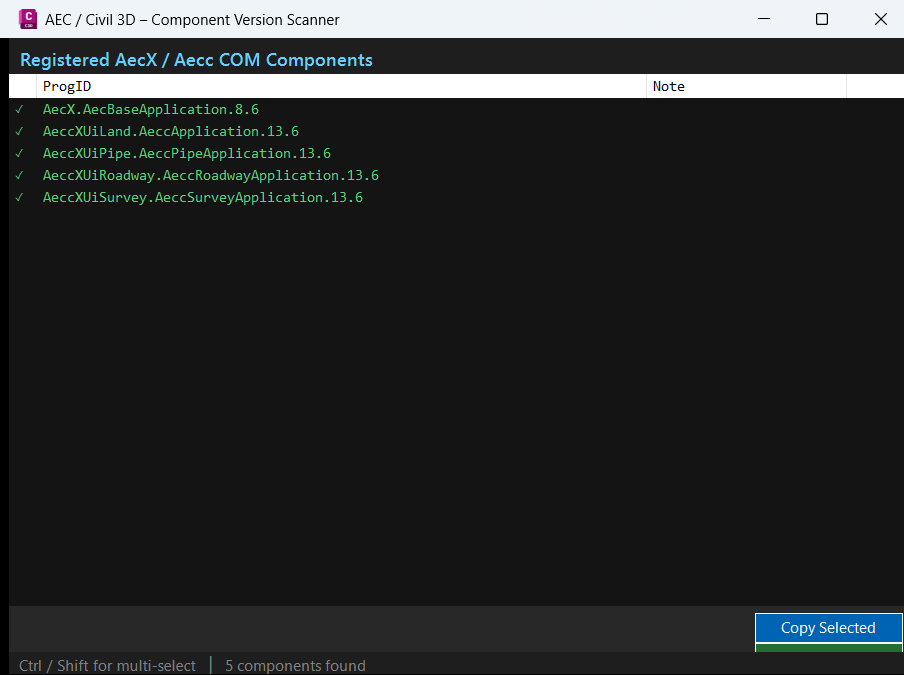
AECVERSION– loadAECVersionPlugin.dllwithNETLOAD, then run the command from the AutoCAD command line.
The uploaded file is the Visual Studio project file, so command implementation details depend on the C# source files used with this project.
ToolbarManager_vs.01
🧰 Load the compiled plugin with
NETLOADand selectToolbarManager_023.dllor the current build DLL generated fromToolbarManager_023.csproj.
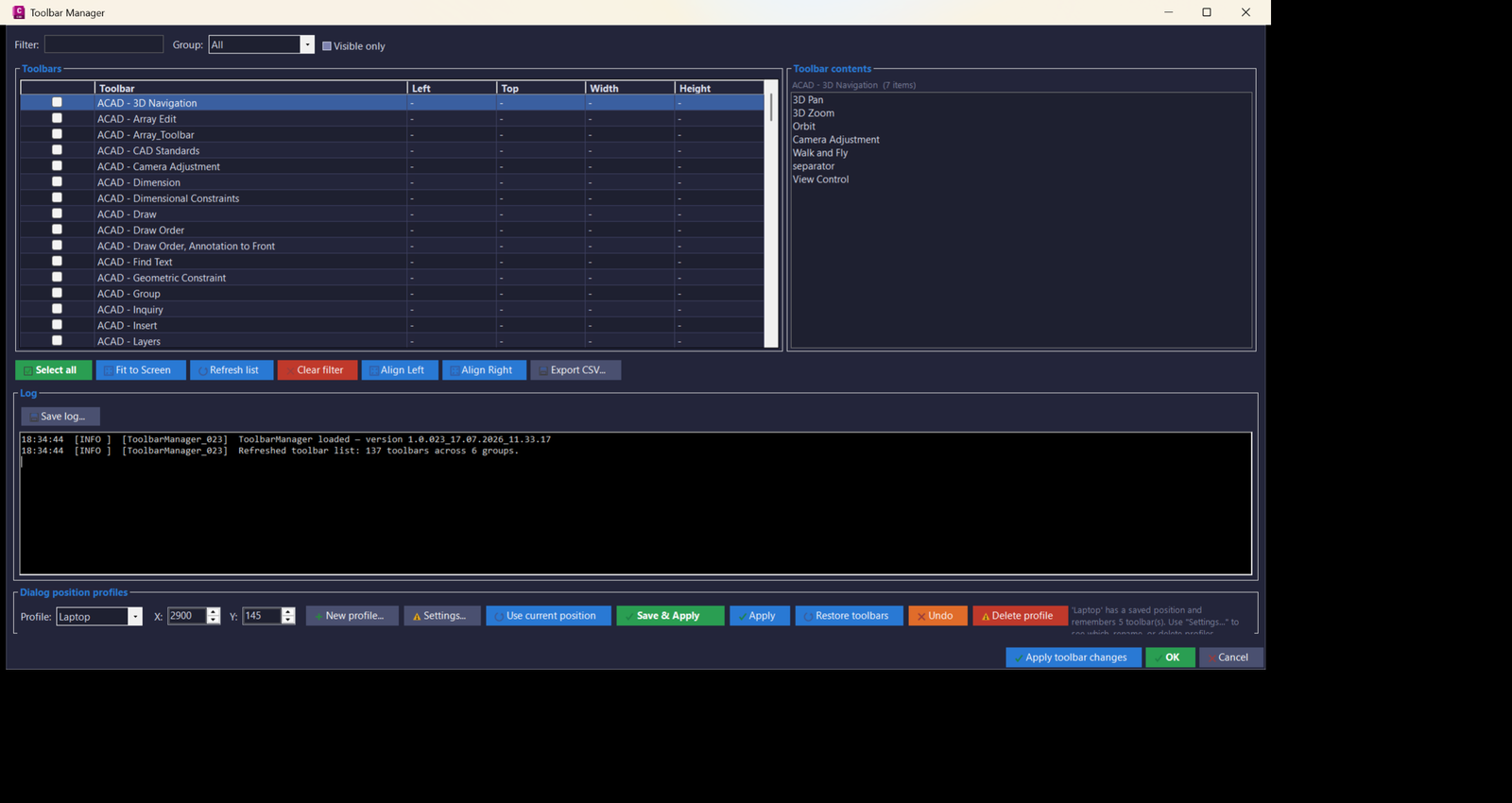
🚀 Run the generated commandTOOLBARMANAGER_023to open the modeless WinForms toolbar manager inside AutoCAD or Civil 3D.
📌 The command name is generated fromBQ_BuildthroughBuildConstants.CommandName, so future builds use the same pattern, for exampleTOOLBARMANAGER_024.
🧩 Target platform: AutoCAD Civil 3D 2024 x64, .NET Framework 4.8, WinForms, AutoCAD COM Interop, and ObjectARX managed references such asAcMgd.dll,AcDbMgd.dll,accoremgd.dll,Autodesk.AutoCAD.Interop.dll, andAutodesk.AutoCAD.Interop.Common.dll.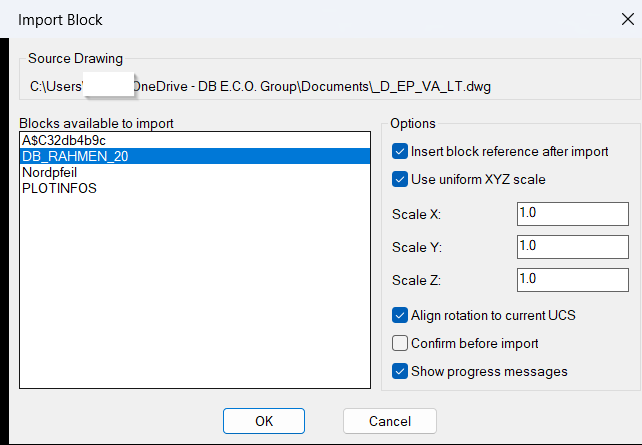
ImportBlock
🧰 Load the LISP file with
APPLOADor another AutoCAD LISP loading method, then runIBorImportBlock.
The command opens a file picker for a sourceDWG,DWT, orDWSfile, scans importable block definitions, displays them in a generatedDCLdialog, and optionally inserts the selected block reference into model space or paper space.
Main internal command functions includec:ib,c:ImportBlock,LM:GetDocumentObject,ib:import-block-definition,ib:list-importable-blocks, andib:write-dcl.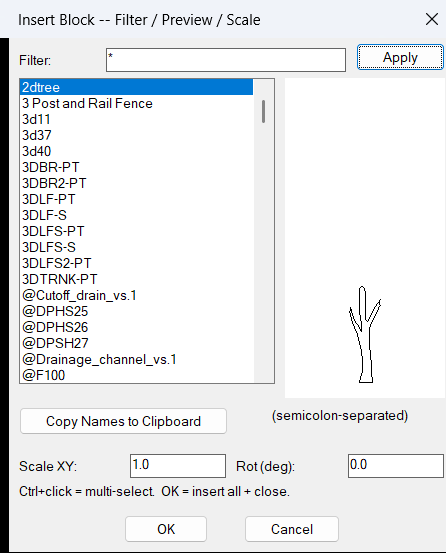
InsertBlockFilterScale
🧰 Load the LISP file with
APPLOADor another AutoCAD AutoLISP loading method, then runInsertBlockFilterScale.
The implemented command function isc:InsertBlockFilterScale.
The diagnostic command isIBB-DEBUG, implemented asc:IBB-DEBUG, and it prints the internal debug log to the AutoCAD command line.
The command opens a generated DCL dialog namedibb_dlgwith a filter field, block list, image preview, copy button, scale input, and rotation input.
Target platform: AutoCAD and Civil 3D with Visual LISP COM support throughvl-load-com.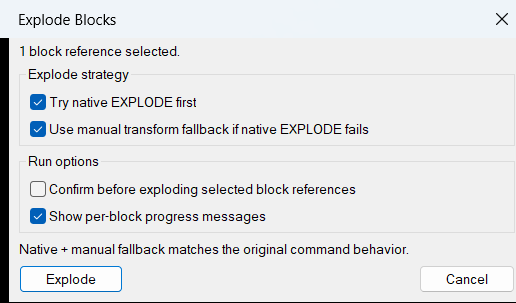
ExplodeBlocks
🧰 Load the LISP file with
APPLOADor another AutoCAD AutoLISP loading method, then runExplodeBlocks.
The implemented command function isc:ExplodeBlocks.
The file header mentionsXBas a command concept, but this uploaded code definesExplodeBlocksas the actual callable command unless a separate alias is added.
The command prompts the user to select block references usingssgetwith anINSERTselection filter, then processes each selected block reference in sequence.
Target platform: AutoCAD and Civil 3D with Visual LISP COM support throughvl-load-com.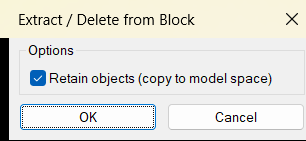
DeleteObjectFromBlock
🧰 Load the LISP file with
APPLOADor by using(load "DeleteObjectFromBlock.lsp")in AutoCAD.
RunExtractFromBlockto open the shared extraction dialog and pick nested block objects.
RunDeleteObjectFromBlockto open the same dialog and remove nested block objects from a selected block definition.
The target platform is AutoCAD and AutoCAD based vertical products using AutoLISP, Visual LISP COM, DCL dialogs, nested entity selection, and ActiveX database editing.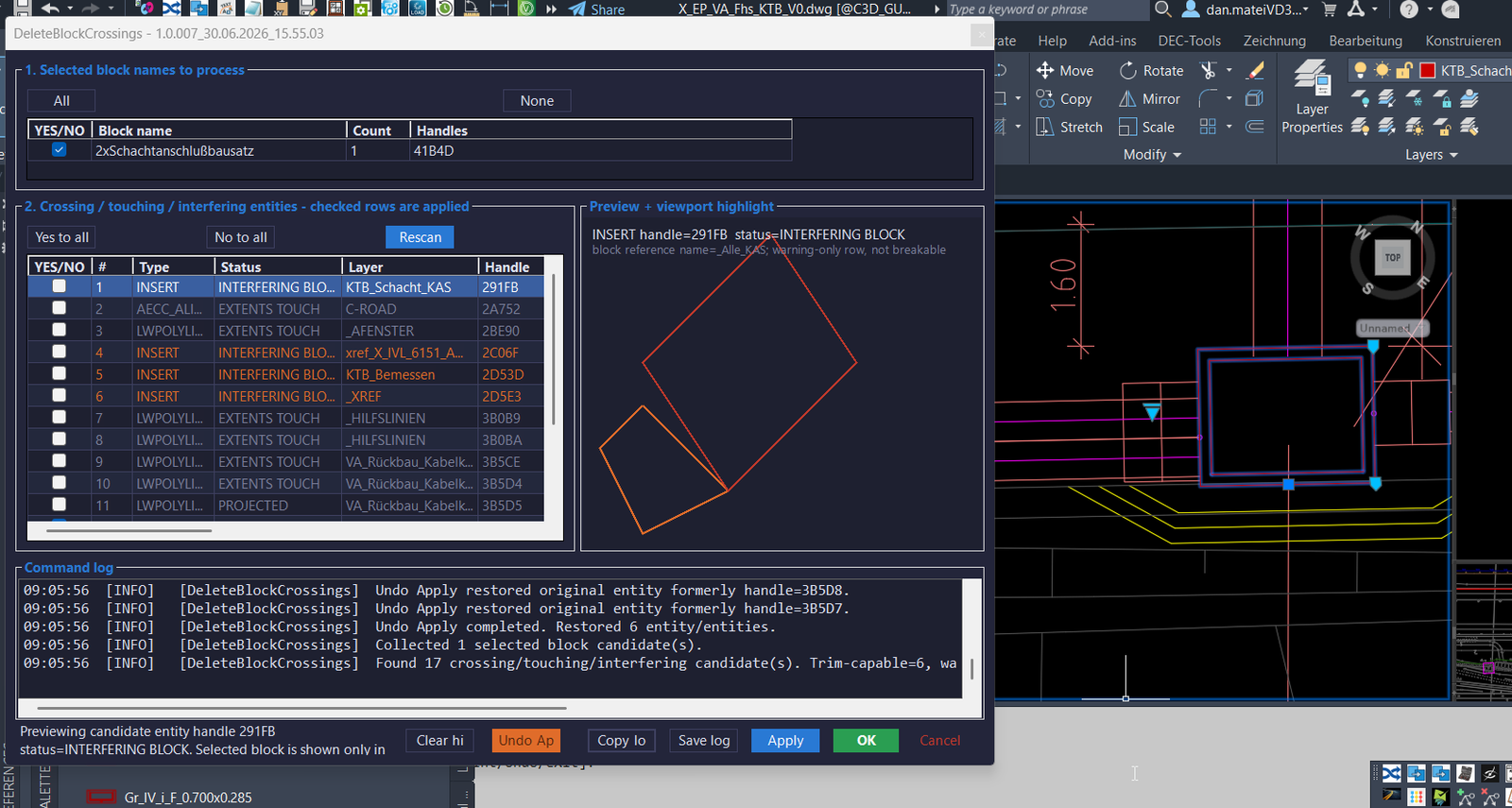
DeleteBlockCrossings
🧰 Load the plugin with
NETLOADby selecting the compiledDeleteBlockCrossings_yyyyMMdd_HHmmss.dllor the active build output DLL.
🚀 Main commands:DELETEBLOCKCROSSINGS,DBC, andABBScompatibility alias.
📌 The command can use an existing pickfirst block selection, or it prompts the user to select AutoCAD block references using anINSERTselection filter.
🧩 Target platform: AutoCAD and Civil 3D 2024 x64, C#.NET Framework 4.8, ObjectARX managed API, WinForms modeless dialog, and timestamped DLL build output to avoid AutoCAD file locking.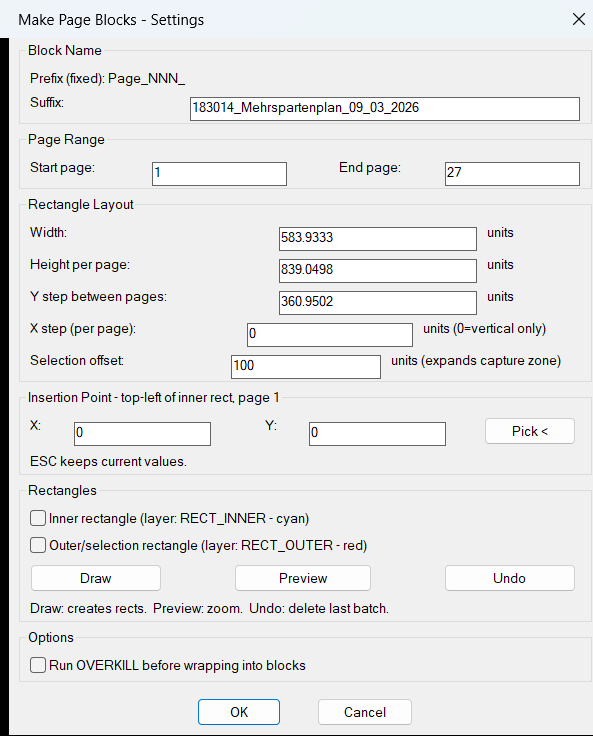
CreateMultipleRectangleBlocks
🧰 Load the AutoLISP file with
APPLOADorLOAD, then runCreateMultipleRectangleBlocksin AutoCAD or Civil 3D.
📌 The command opens a DCL dialog named Make Page Blocks – Settings where the user defines the block suffix, page range, rectangle width, rectangle height, vertical spacing, horizontal step, selection offset, insertion coordinates, rectangle drawing options, and optionalOVERKILLprocessing.
🎯 Target platform: AutoCAD and Civil 3D, using AutoLISP, Visual LISP ActiveX calls, DCL dialog controls,entmake,vla-ZoomWindow, and AutoCAD block table creation.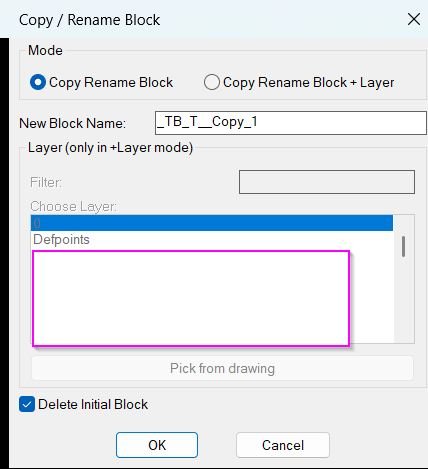
CopyBlock_vs.01
🧰 Load the LISP file with
APPLOADor a startup suite entry, then runCopyBlockChangeLayerin AutoCAD.
📌 The main AutoLISP entry point isc:CopyBlockChangeLayer, which callsLM:RenameBlockReferencein copy mode.
🧩 The tool opens a DCL dialog namedCopy / Rename Blockwith two modes:Copy Rename BlockandCopy Rename Block + Layer.
🎯 Target platform: AutoCAD and AutoCAD-based verticals that support Visual LISP, ActiveX COM, DCL dialogs,ObjectDBX, block references, layers, and standard DWG block table records.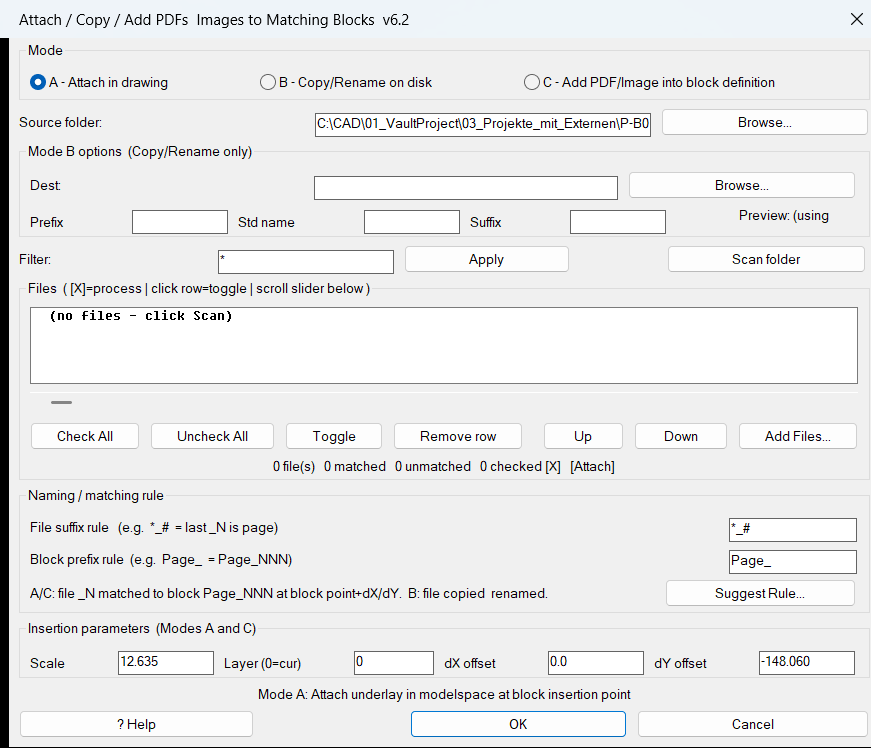
AttachImagesToBlocks
🧰 Load the LISP with
APPLOADor(load "AttachImagesToBlocks.lsp").
🚀 RunAttachImagesToBlocksfor Mode A, which attaches matched PDF or image files in model space at the matching block insertion point plus optionaldXanddYoffsets.
📤 RunCopyPDFsToBlocksfor Mode B, which copies and renames matched PDF files on disk without changing the drawing.
🧩 RunAddPDFsToBlockDefsfor Mode C, which attaches a PDF or image temporarily in model space, transforms it into the matched block definition, and removes the temporary model space copy.
📘 Target platform: AutoCAD and Civil 3D with AutoLISP, Visual LISP COM support, DCL dialog support, and the AutoCAD-ATTACHcommand.Convert3DFaceToPolyline
🧰 Load the AutoLISP routine that defines
Convert3DFaceToPolylinewithAPPLOADor the project ribbon/tool palette loader.
🚀 RunConvert3DFaceToPolylinefrom the AutoCAD command line or from the ribbon tooltip entry.
📌 Select one or more3D Faceor3DFACEobjects when prompted.
📐 The routine reads the vertex DXF data throughentget, builds point variables such aspt1,pt2,pt3, andpt4, and creates closed polylines with the AutoCADPLINEcommand.
📘 Target platform: AutoCAD and Civil 3D with standard AutoLISP command support.3DF_to_3DPoly
🧰 Load the LISP file with
APPLOADor(load "3DF_to_3DPoly.lsp").
🚀 Run the command3df2plin AutoCAD or Civil 3D.
📌 Select one or more3DFACEentities when prompted.
🧩 The routine creates a closed3DPOLYfor each selected face using the 3DFACE vertex DXF points10,11,12, and13.
📘 Target platform: AutoCAD and Civil 3D with Visual LISP and standard AutoLISP command support.BookmarkEntities
🧰 Load the AutoLISP file with
APPLOADor by using(load "BMEntityPos.lsp")in AutoCAD or Civil 3D.
🚀 RunBMEntityPosto open the DCL dialog named Bookmarked Entity Positions.
📌 UsePick from drawingto select supported entity types and append them as bookmark records.
🔍 UseZoomto return to the stored entity position or refreshed entity extents.
📝 UseSet,Duplicate,Delete,Clear,Save,Load, andImportto manage the bookmark list.
🔧 Target platform: AutoCAD and Civil 3D using AutoLISP, Visual LISP ActiveX, and a runtime-generated DCL user interface.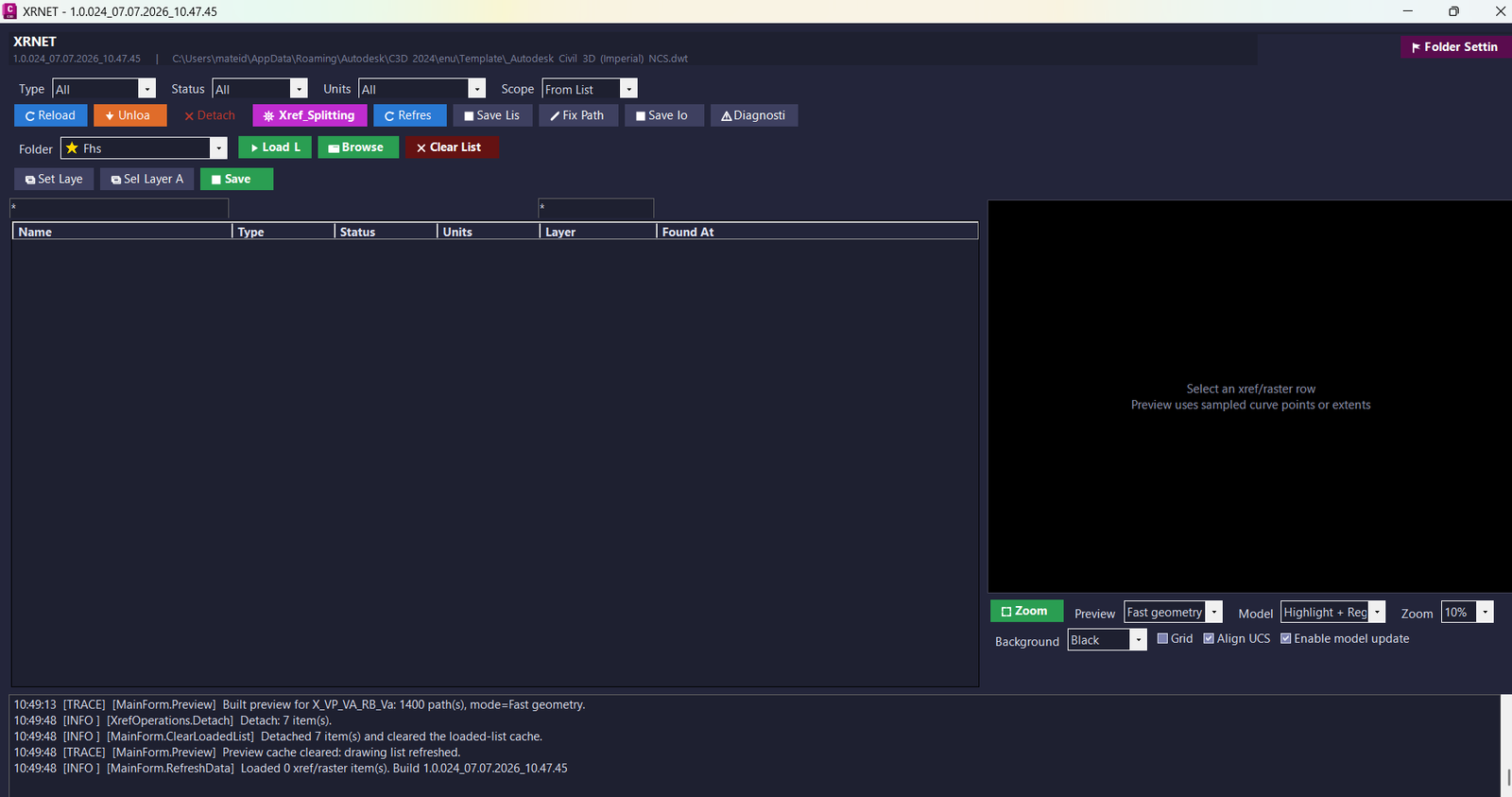
XrNet
🧰 Load the plugin with
NETLOADby selectingXRNET.dll.
🚀 RunXRNETto open the main modeless xref management window inside AutoCAD or Civil 3D.
🧩 RunXRSPLITto open the native xref splitter interface.
📘 RunXRPREDEFINEDFOLDERSto edit saved project folder shortcuts.
📤 RunXRSAVELOGto export the operation log.
🔧 Target platform: AutoCAD and Civil 3D x64 using a C#.NET Framework 4.8plugin.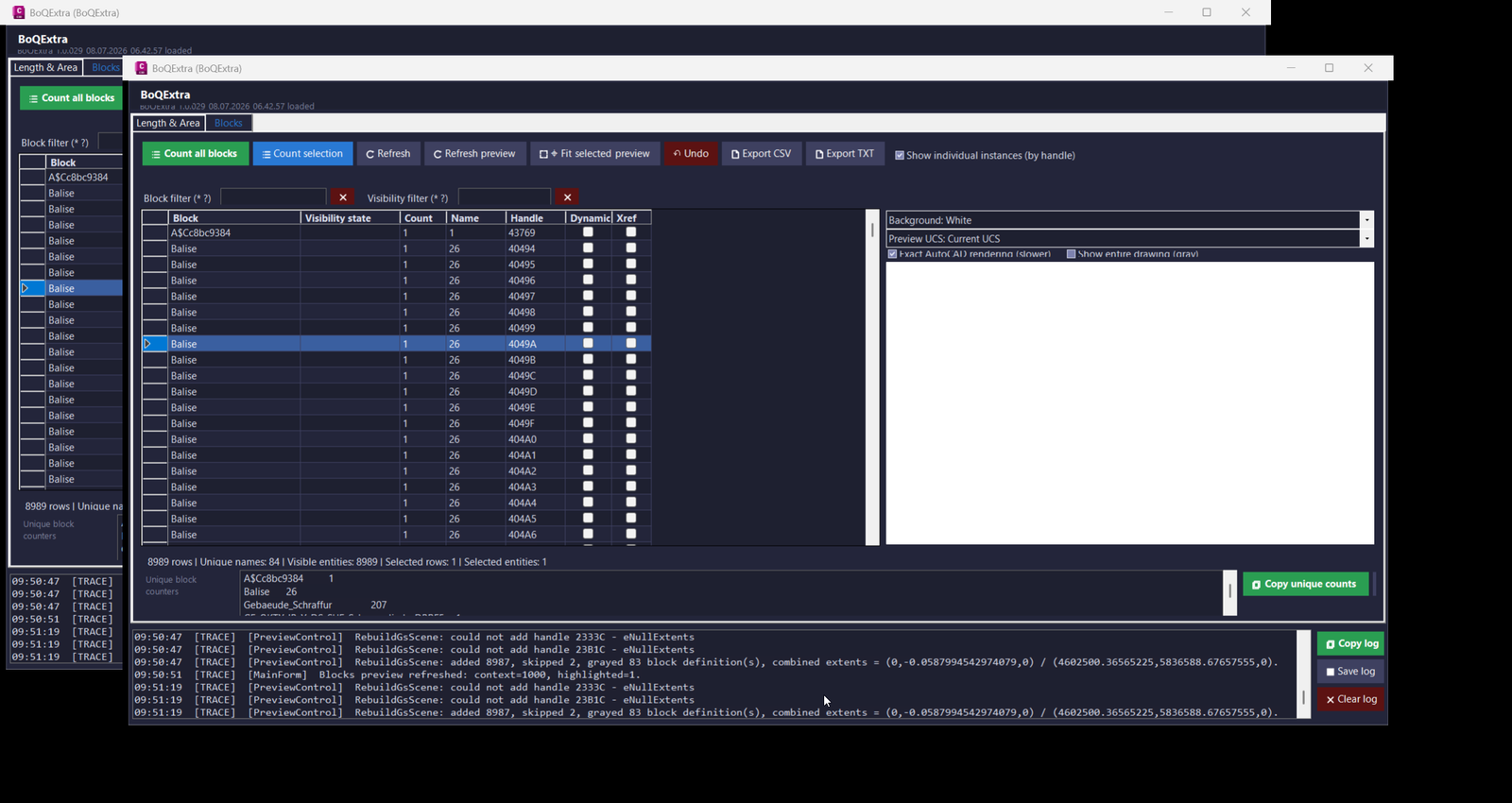
BoQExtra
🚀 Load the plugin with
NETLOAD, selectBoQExtra.dll, and run the commandBoQExtrainside AutoCAD or Civil 3D.🧩 Main project files include
BoQExtra.csproj,Commands.cs,MainForm.cs,LengthAreaEngine.cs,BlockCounterEngine.cs,SelectionEntityTools.cs,PreviewControl.cs,ProfileManager.cs, andAcadFieldBuilder.cs.📌 Main workflow: load
BoQExtra.dll, open the modeless interface withBoQExtra, select drawing entities or block references, review the Length and Area table or Blocks table, validate the preview, copy formulas, place MTEXT results in model space, edit layers or polylines, and export quantity data for BoQ documentation.🧰 Target platform: AutoCAD and Civil 3D using .NET Framework 4.8 and the AutoCAD managed .NET API.
SetPlotDeviceNames
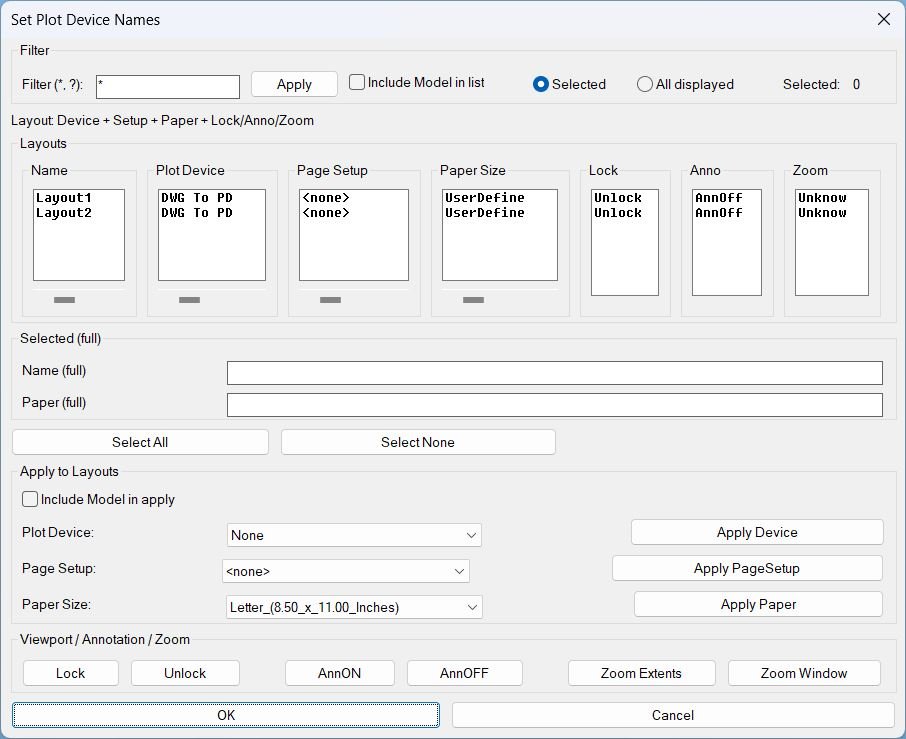
🚀 Main command: SetPlotDeviceNames
🔍 Layout filter: supports * and ? wildcard filtering.
🖨️ Apply actions: Apply Device, Apply PageSetup, Apply Paper.
🔒 Viewport tools: Lock, Unlock, AnnON, AnnOFF, Zoom Extents, Zoom Window.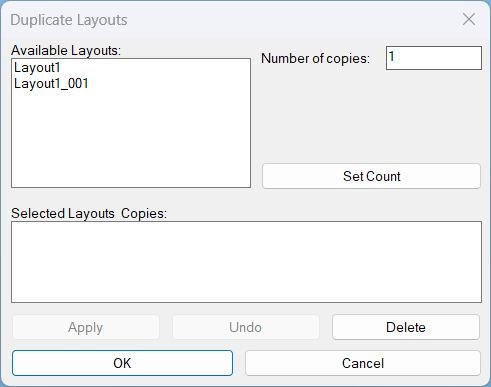
DuplicateLayouts
🚀 Main command: DuplicateLayouts
🧰 Load the LSP file with APPLOAD, then run the command from the AutoCAD command line.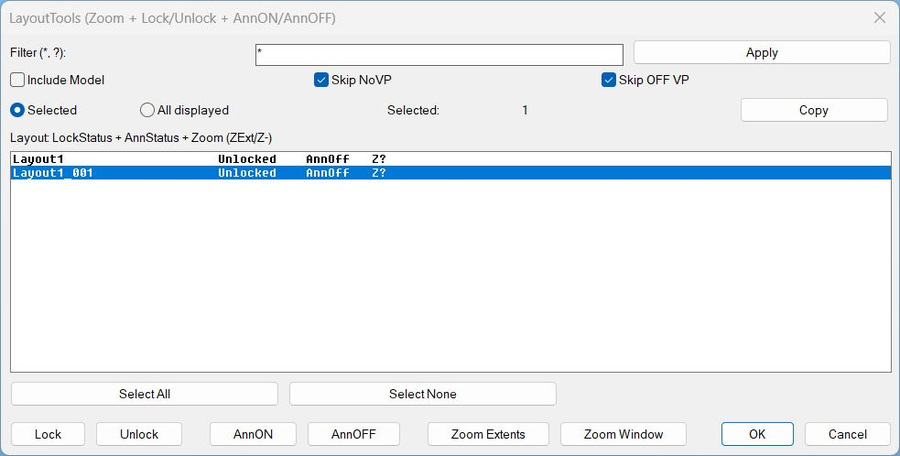
LayoutTools
🚀 Main command: LayoutTools
🔁 Alias command: _LayoutTools
🧰 Load the LSP file with APPLOAD, then run the command from the AutoCAD command line.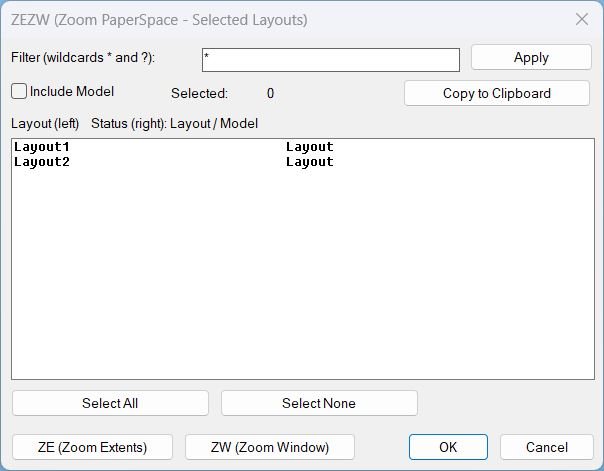
Zoom Extend Window
Commands- ZEZW Main command that launches the selection dialog and triggers zoom actions.
- ZEZW Alias command (same behavior).
- _ZEZW Alias command (same behavior).
LayerCreation
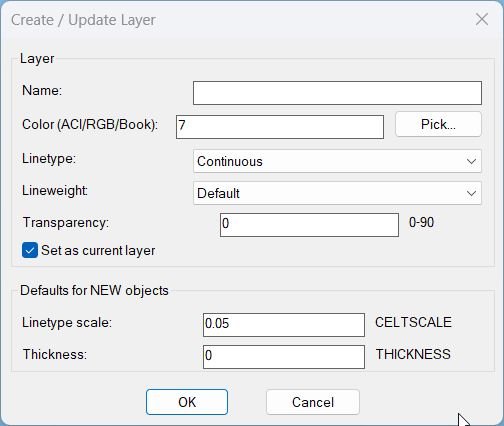
🚀 Main command: LayerCreation
⌨️ Command-line fallback: NEWLAYERCLI
🎨 Layer fields: Name, Color, Linetype, Lineweight, Transparency.
⚙️ New object defaults: CELTSCALE, CETRANSPARENCY, THICKNESS, and Set as current layer.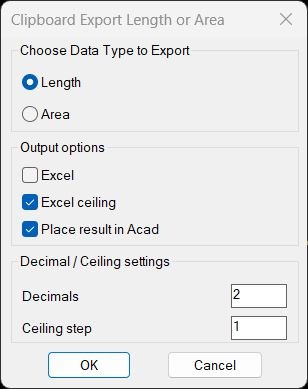
TotalLengthAreaDetailed
🚀 Main command: TotalLengthAreaDetailed. The command opens a DCL dialog where the user chooses Length or Area, Excel output, CEILING rounding, MTEXT placement, decimal precision, and optional Profile_002 profile conversion.
CopySelection_vs.01
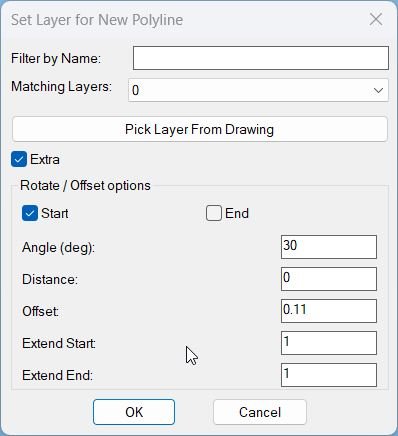
Command name: CopySelection How to run: Load the LISP file, then type CopySelection in the command line and press Enter. • Entity selection: First select one LWPOLYLINE when prompted “Select LWPolyline”; other entity types are rejected. • Point selection: Specify the first and second points on that polyline; the routine projects those picks onto the polyline and uses the segment between them as the base for the new geometry. • Dialog control: A dialog named PLDupeLayerEx is shown where you choose the target layer, filter layers by name, enable or disable Extra options, and use Apply, Undo, OK, or Cancel to control the operation.3DPolyVertex2Table
Main command: 3CORD
ToolbarManager
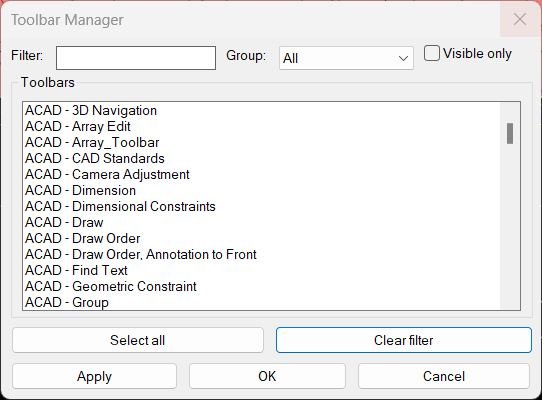
Command name: ToolbarManager How to run: Type ToolbarManager in the command line after loading the LISP and press Enter. • Dialog title: Opens a dialog labeled “Toolbar Manager” containing filter, group, visibility, and toolbar list controls. • Selection workflow: Adjust filter / group / visible only, select the toolbars you want active in the list, then use Apply or OK to update toolbar visibility.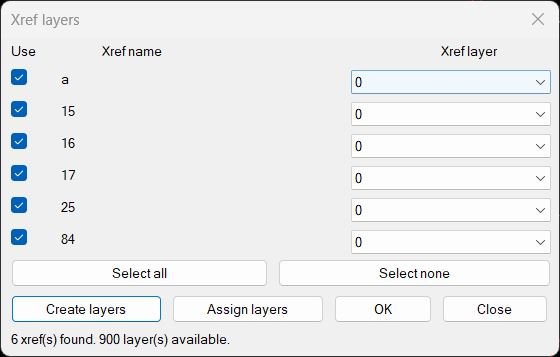
CreatesXrefsLayersAssign_vs.00
Command Name: CreatesXrefsLayersAssign Type CreatesXrefsLayersAssign in the AutoCAD command line to open the “Xref layers” dialog. If no xrefs are found the program prints “No xrefs found.” and exits cleanly.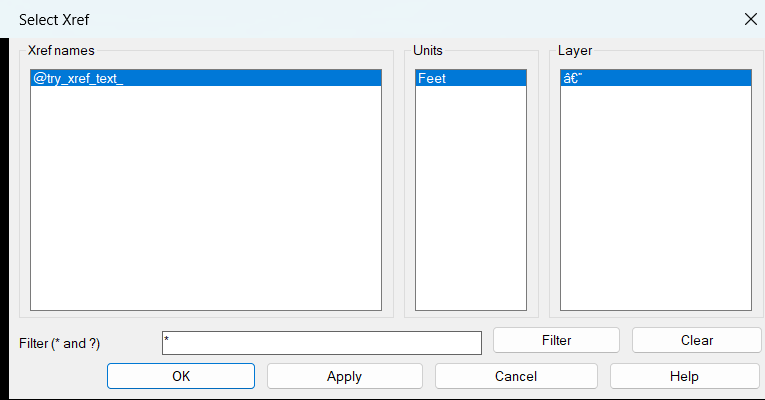
ZoomXref
ZOOMXREF, SELECTXREF
XRefs2Layers
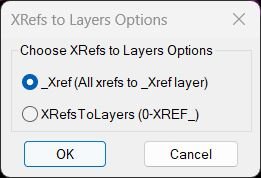
🚀 Primary command: XRefs2LayersOptions
🔘 Option 1: XRefsTo_Xref / X2_XREF — moves all detected XREF inserts to one layer named _XREF.
📂 Option 2: XRefsToLayers / X2L — moves each XREF insert to its own layer using the 0-XREF_ prefix.
🪟 Dialog helper: radioX2LDCL creates a small DCL option dialog for choosing the workflow.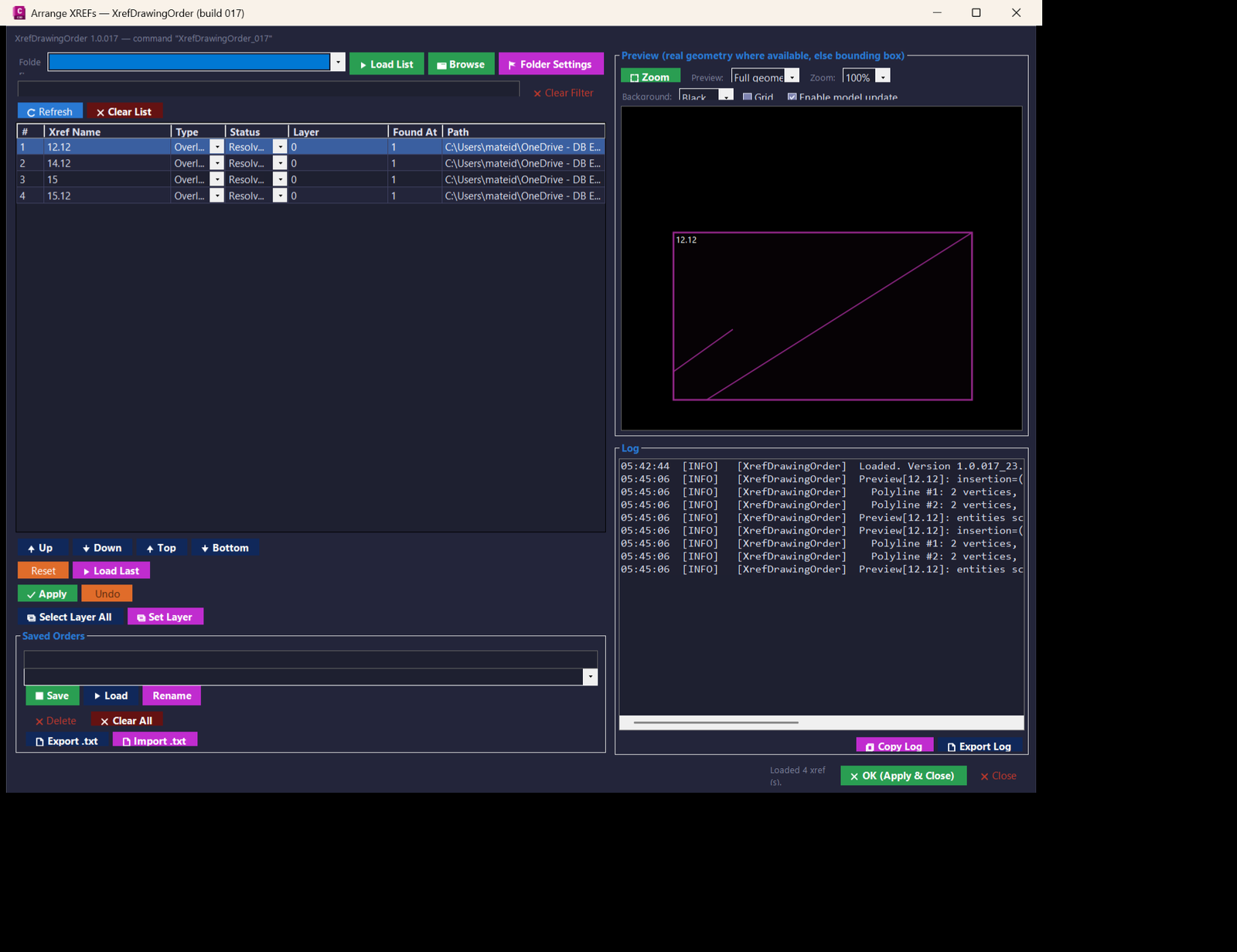
XrefsDrawingOrder
🧰 Main commands:
– XrefDrawingOrder_017 — opens the full XREF Drawing Order manager for build 017.
– XRDO_017 — short command alias for the same modeless dialog.🚀 Loading workflow:
– Build or locate XrefDrawingOrder_017.dll.
– Load it with NETLOAD in AutoCAD or Civil 3D.
– Run XrefDrawingOrder_017 or XRDO_017 from the command line.Multiple_text_mtext_2
Command name: T2M2 How to run: Load the LISP file, then type T2M2 in the command line and press Enter. • Selection: When prompted, select any combination of TEXT and MTEXT entities to be converted into one MTEXT object.Copy_to_Clipboard_Xref
Command name: CTC3 How to run: Type CTC3 in the command line and begin picking nested entities. • CTCCOPY: Runs automatically after picking finishes, collecting text and sending it to clipboard.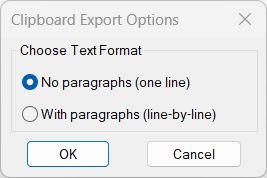
Copy_to_Clipboard
Command name: CTC How to run: Type CTC in the command line and press Enter to open the export options dialog. • CTC_1: Runs automatically if “No paragraphs (one line)” is chosen. • CTC_2: Runs automatically if “With paragraphs (line-by-line)” is chosen.RotateMtextVport
Command: RotateMtextVportLower
Command name: CASE How to run: Type CASE in the command line and press Enter.Upper
Command: TC — Converts the string contents of selected TEXT/MTEXT to uppercase.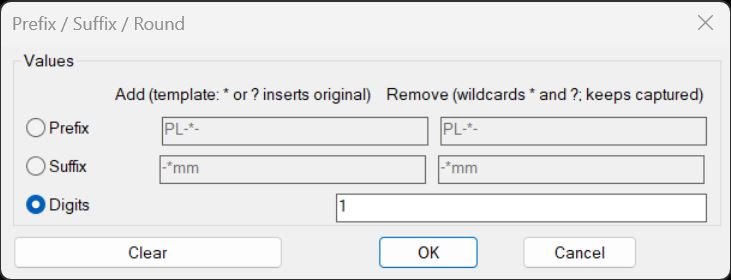
PrefixSuffixRound
Main command: PREF_SUFF_OKR_TXT — opens the Prefix/Suffix/Round dialog and applies the chosen operation Quick commands: • PREF — uses stored prefix Add/Remove values and applies prefix operation directly • SUFF — uses stored suffix Add/Remove values and applies suffix operation directly • OKR_TXT — uses stored digit count and rounds numeric text directly Selection: Prompts to select TEXT, MTEXT, INSERT (first ATTRIB only), and standalone ATTRIB entities for processingPlusMinusNumericValue
Command: PlusMinusNumericValue (sometimes documented as INV3) How to run: Type PlusMinusNumericValue in the command line and press Enter Dialog: “Plus / Minus” dialog with two edit boxes: • Plus or Minus value — amount to add or subtract (supports integer or real) • Location [1..n] — which numeric block(s) to change: number index, “All”, or left empty for default 1 Selection: After dialog, selects TEXT, MTEXT, ATTRIB, ATTDEF entities with ssget filterRegion2Polyline
Command name: Region2Polyline How to run: Type Region2Polyline or call c:Region2Polyline Selection mode: Automatically selects all REGION objects in the drawing (ssget “_x”) Operation: Converts each REGION into a closed LWPOLYLINE using Gilles Chanteau’s algorithmCopySelection
Command name: CopySelection How to run: Type COPYSELECTION and press Enter Prompts sequence: Select LWPolyline → Specify 1st Point → Specify 2nd Point → Choose Layer Selection rules: Command stops if selected object is missing or not a LWPOLYLINECopySelection_vs.03
Main command: CopySelection
Alias: CSELAll_inside
Main command: WPS
LoadRecent
Main command: LOADRECENT
Alternate command: LOADRECENT_DCLloadedDLLFiles
Load command: loadedDLLFiles
Unload command: unloadedDLLFilesCheckParens
Main command: CHECKPARENS
CheckLspFile
Main command: CHKFILE
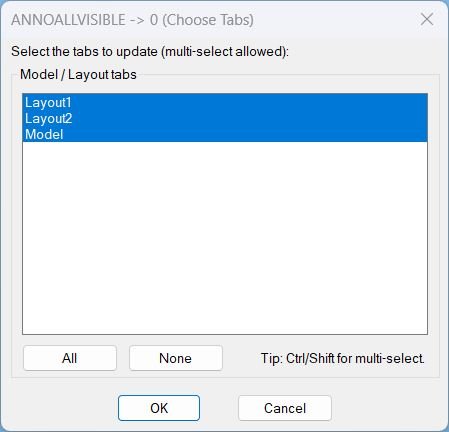
AnnoAllOff
🚀 Main command: AAOFF
🎛️ Dialog title: ANNOALLVISIBLE -> 0 (Choose Tabs)
🧭 Workflow: choose Model and/or Layout tabs, then apply ANNOALLVISIBLE = 0 to the selected tabs.SelectLayout
🚀 Main command: SelectLayout
🧰 Opens a DCL list of paper space layouts and switches AutoCAD to the selected layout tab.GoToLayout
🚀 Main command: GoToLayout
🧰 Load the LSP file with APPLOAD, then run the command from the AutoCAD command line.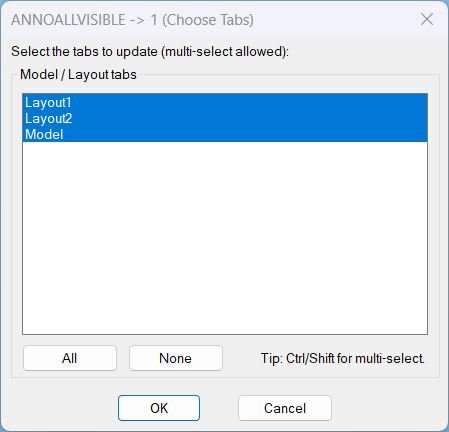
AnnoAllOn
- Command: AAON
Copy2Layouts
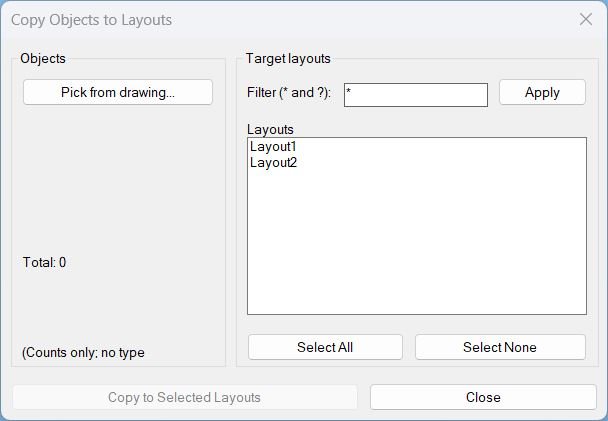
🚀 Main command: Copy2Layouts
🚀 Macro alias: _Copy2Layouts
🔍 Layout filter supports AutoCAD wildcard patterns using * and ?
🧰 The dialog lets the user pick objects, filter target layouts, multi-select layouts, and copy the selection to the selected layout blocks.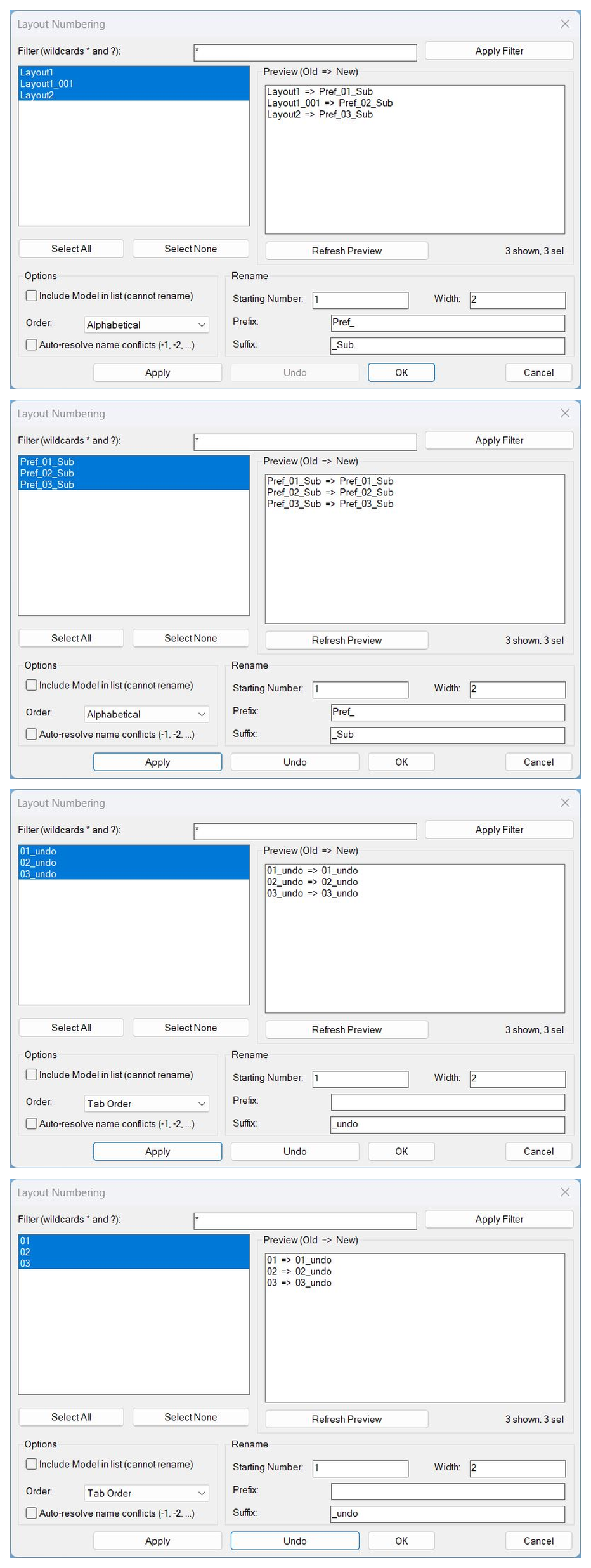
LayoutNum
🚀 Main command: LAYOUTNUM
🔁 Alias command: _LAYOUTNUM
🔁 Alias command: LayoutNum
🧰 Load the LSP file with APPLOAD, then run the command from the AutoCAD command line.LockAllVp
LOCKALLVP, LockAllVp, _LOCKALLVP
Zoom Extend
🚀 Main command: LZE
🔎 Opens a DCL layout selector to run Zoom Extents on selected paper space layouts.Zoom Window
🚀 Main command: ZEZW
⚡ Alias command: _ZEZW
🔎 Opens a DCL dialog for Zoom Extents or Zoom Window operations on selected layouts.All_Layouts_list
All_Layouts_list, ALL_LAYOUTS_LIST
FreezeLayersInVP
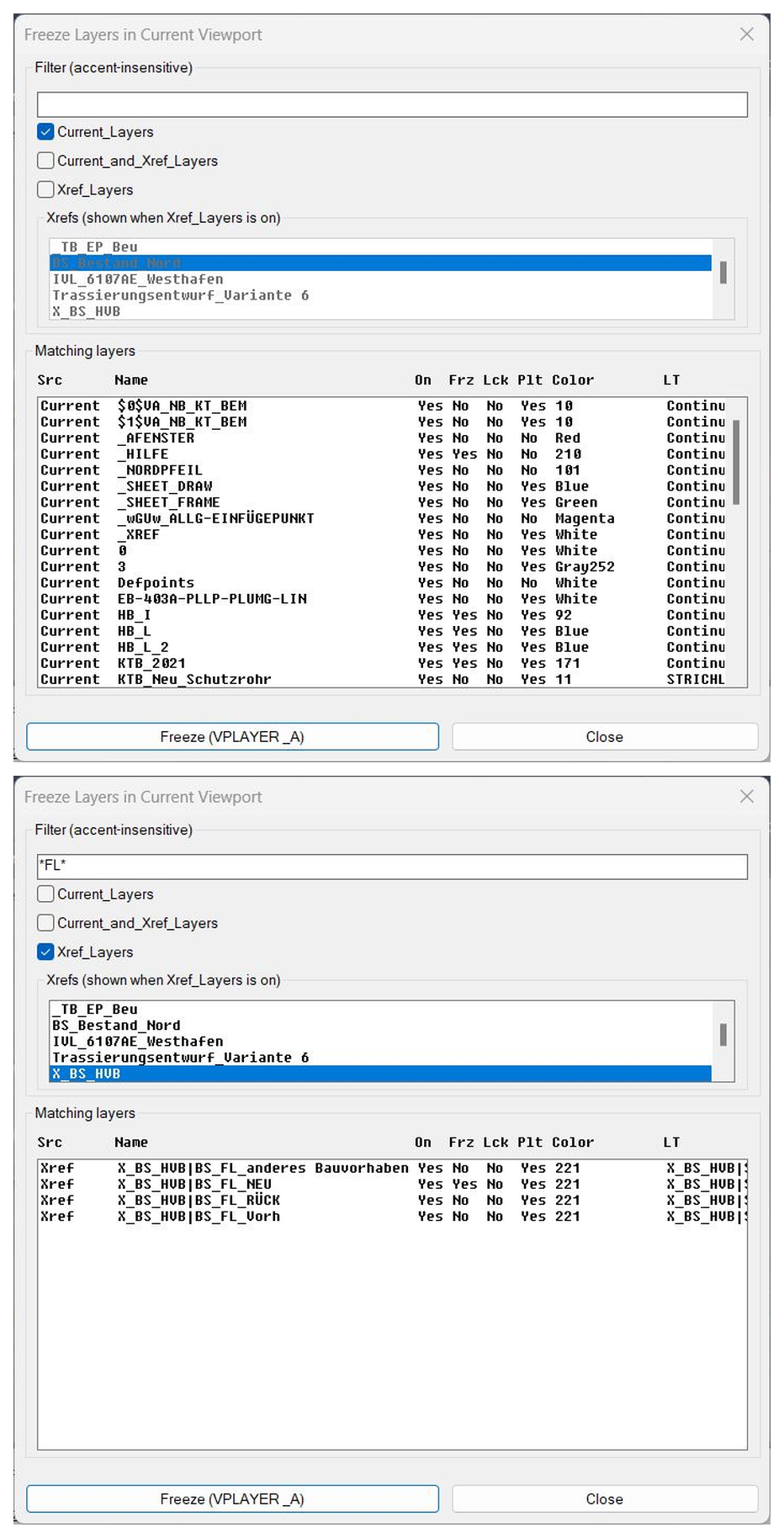
🚀 Main command: FreezeLayersInVP
🔁 Alias command: FLVP
🧰 Load the LSP file with APPLOAD, then run the command from the AutoCAD command line.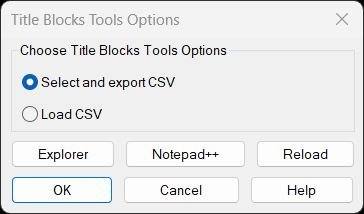
TitleBlocksTools
Commands: TitleBlocksTools, EXPTBCSV_EXPORT, UTB2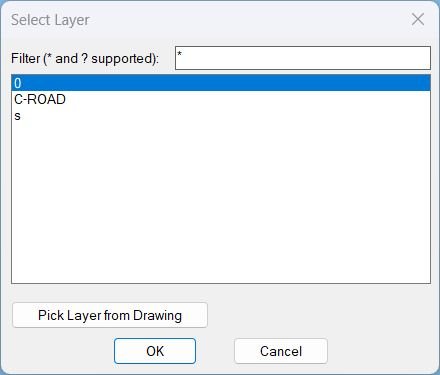
Zoom2Layer
- Command: Zoom2Layer
RenameLayer
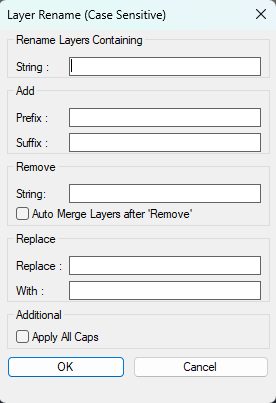
🚀 Main command: RenameLayer
🧩 Internal helpers: RL:SafeStr, RL:BuildList, RL:IdxToNames, RL:Replace, RL:ExecuteRename, RL:WriteDCL
🪟 Dialog title: Layer Rename v3.5
📄 Temporary DCL file: RL_Temp.dcl created under the AutoCAD ROAMABLEROOTPREFIX Support folder.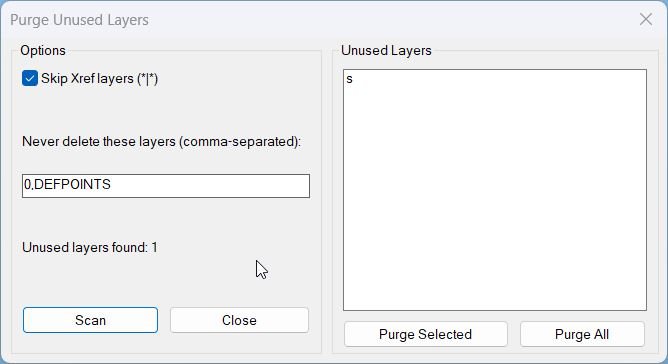
PurgeUnusedLayers
🚀 Main command: PURGEUNUSEDLAYERS
🧩 Load the LSP in AutoCAD or Civil 3D, then type the command at the command line.LayersNameToClipboard
🚀 Main command: LayersNameToClipboard
🧩 Load the LSP in AutoCAD or Civil 3D, then type the command at the command line.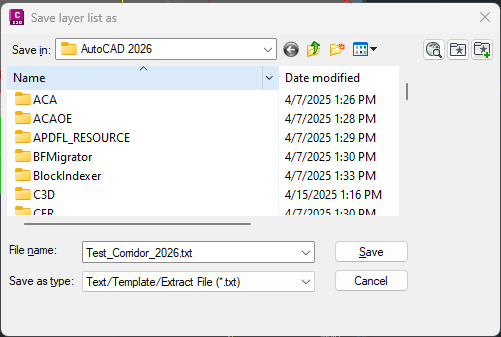
LayerList
🧰 Load the LISP file with
APPLOADor by using(load "LayerList.lsp").
🚀 RunLLFPto open a save-file dialog and export the current drawing layer list to a.txtreport.
📌 Main command function:c:llfp.
🧠 Main reporting helper:ax:layer-list.
📤 File writer helper:layer-list-fprint.
🎯 Target platform: AutoCAD and Civil 3D with Visual LISP COM support throughvl-load-com,vlax-get-acad-object, and the AutoCAD ActiveX layer collection.Import_Layer_Filter
🚀 Export command: ExpFltr
📥 Import command: ImpFltr
🗂️ Folder manager command: LfPredefinedFolders
📁 Import supports .lft, .dwg, and .dwt sources.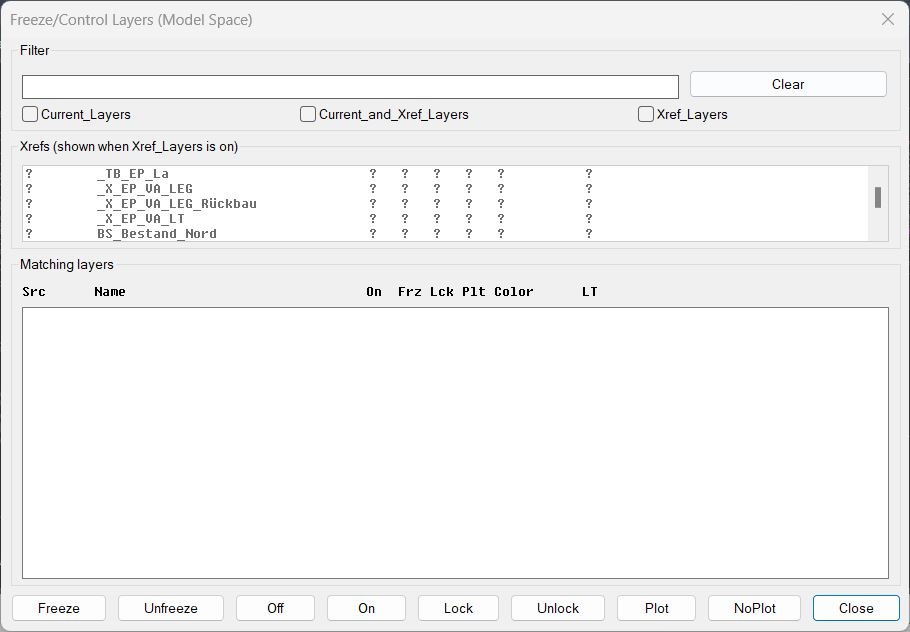
FreezeLayersInMS
🚀 Main command: FLMS3
🔍 Filter by current layers, xref layers, or current and xref layers together.
🧰 Apply Freeze, Unfreeze, Off, On, Lock, Unlock, Plot, or NoPlot to selected matching layers.Export_Layer_Filter
🚀 Export command: ExpFltr
📥 Import command included: ImpFltr
🧪 Debug command: ExpFltrDebug
🗂️ The DCL workflow supports Select All, Select None, Use Xref, Prefix, Suffix, predefined folders, and Manage Folders.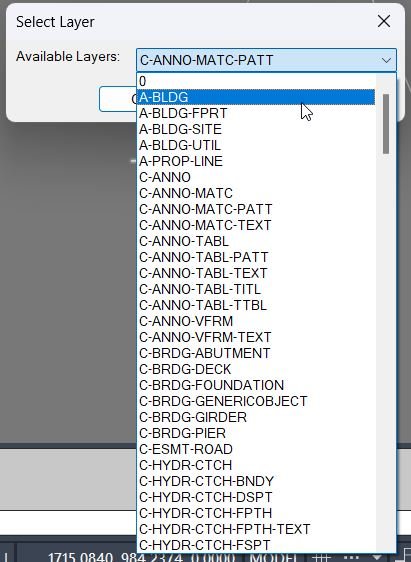
DuplicateToSelectedLayer
🚀 Main command: DuplicateToSelectedLayer
📋 Select entities first inside the command, choose the destination layer from the DCL list, then the routine creates same-position duplicates.
🧠 The last chosen target layer is persisted with the DuplicateToLayer_LastLayer environment variable.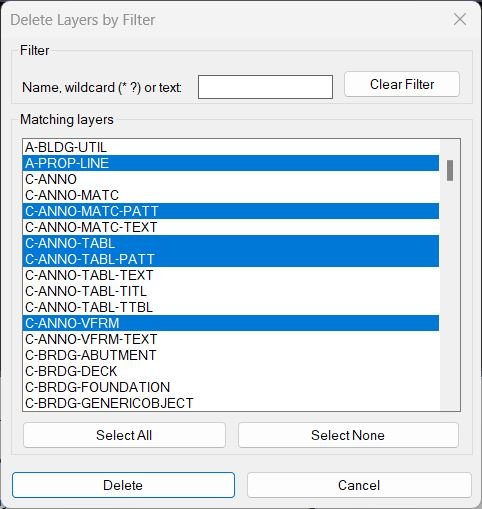
DeleteLayerByFilter
🚀 Main command: DeleteLayerByFilter
🧰 List-based command: LayDelByList
🖥️ The DeleteLayerByFilter dialog provides five layer filter boxes, Apply Filters, Clear All Filters, Civil_3D_Layers, Architecture, Survey, Structural presets, Save Preset, Load Preset, Export Selected, Export Displayed, Export All Matching, Delete Selected, Delete All Matching, and Cancel.Color2Llayers
🚀 Main color changer command: XCC – opens the Extended Layer Color Changer dialog
🚀 Lowercase alias: xcc – opens the same color changer dialog
🚀 Diagnostic command: XCCDEBUG – prints a debug report for DCL and environment troubleshooting
🚀 Test command: XCCTEST – prints a simple test confirmation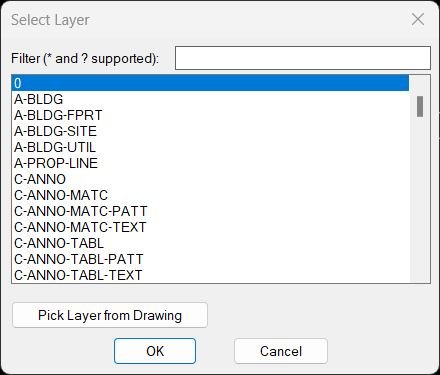
ChangeLayerToCurrent
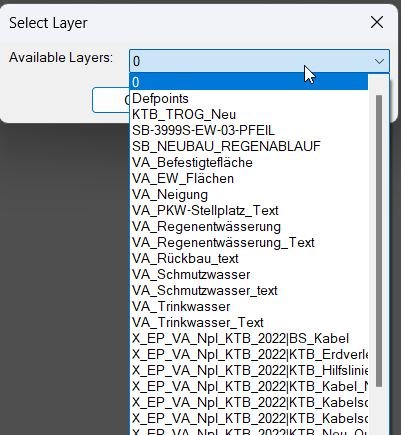
🚀 Layer change command: ChangeLayerToCurrent – opens a searchable layer selector and moves selected objects to the chosen layer
ChangeLayerToSelected
- ChangeLayerToCurrent
All_Color2Layers
🚀 Main dialog command: BYLAYERDLG – opens the ByLayer Tool DCL interface
🚀 Alias command: BYLAYER – runs the same DCL interface
🚀 Command-line mode: BYLAYERCMD – runs Color/Linetype/Both from the command line
🚀 Diagnostic command: BLDEBUG – writes a debug report for DCL/environment troubleshootingSplitHatch
🚀 Split hatch command: SplitHatch – separates selected multi-boundary hatch objects
MleaderStraight
🚀 Main command: MleaderStraightTools
📌 Selection mode: process preselected or interactively selected MULTILEADER objects.
📊 Current-space mode: process all MULTILEADER objects on the active CTAB layout using the 410 layout filter.ConvertLeaderAndText2Mleader
🧰 Main commands: LTM and Leader_To_Multileader. Run LTM for the short command alias or Leader_To_Multileader for the full command name.
AddVertex2Mleader
🚀 Main command: AddVertex2Mleader
Type AddVertex2Mleader in the AutoCAD command line, select a MULTILEADER object, then pick the point where the new leader vertex should be added.
FixLineTextOverlap
🧰 Main commands: FixLineTextOverlap, Line_Overlap, Text_Overlap, and Line_Overlap_Text_Overlap.
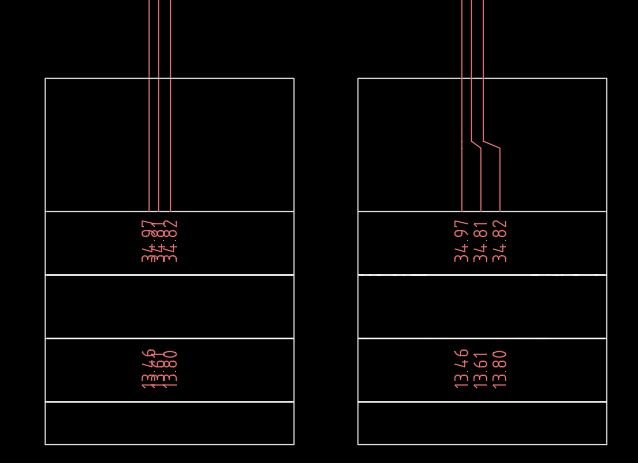
🔴 FixLineTextOverlap runs the complete workflow: first it spaces selected vertical LINE entities, then it spaces related TEXT and MTEXT using the same rail and spacing settings.
🔴 Line_Overlap spaces vertical lines along a picked crank point and replaces the original lines with clean stepped lightweight polylines.
🔴 Text_Overlap aligns and spaces TEXT and MTEXT labels along a chosen vertical rail, reusing the last rail from Line_Overlap when available.
🔴 Line_Overlap_Text_Overlap is a convenience alias that runs both operations in sequence.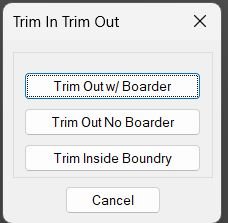
TrimIn_TrimOut_Boundary
CUT
SCB
SC
SCDNCopyExtra
NCopyExtra
NCopyExtraD
NCopyExtraW
NCopyExtraI
ClassicalNCopyCopyMove2MidPoint
🧰 Main commands:
– MMid2 – move selected AutoCAD objects from a calculated source midpoint to a calculated destination midpoint.
– CMid2 – copy selected AutoCAD objects and place the copied result from the same source midpoint to the destination midpoint.CookieCutter2
Primary command: CookieCutter2
Shortcut command: CC
Multi-boundary command: CookieCutter2Multi
Multi-boundary shortcut: CC2MRun CookieCutter2 or CC in the AutoCAD command line to select one closed trimming boundary, choose the side to process, and trim or erase geometry. Run CookieCutter2Multi or CC2M to keep objects inside any of several selected closed boundaries by erasing objects outside their combined areas.
CenterAreaCentroid
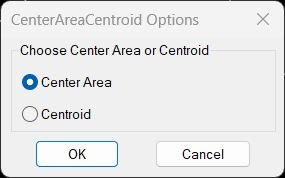
🚀 Main command: CenterAreaCentroid
📌 Center Area option: MostInnerPoint2
📌 Centroid option: get_centroidTotalLengthPolyline
TLEN

TotalLengthAreaDetailed_vs_01
Command name TotalLengthAreaDetailedTotalLengthAll
ELEN
TLength
TLENGTH
SumLengthField
🚀 Main commands:
– SumLengthField – creates a total length field using current drawing units.
– SumLengthField_1 – creates a total length field with a 0.001 conversion factor, useful for mm to m workflows.
– SumAreaField – creates a total area field using current drawing units.
– SumAreaField_1 – creates a total area field with a 1e-6 conversion factor, useful for mm² to m² workflows.
– SumLengthField_extended – creates the associative length field and adds extra MText annotations for copied result text and difference text.PolylineArea
🚀 Main command: POLYAREA
🧩 AutoLISP function: C:POLYAREA
📌 Object filter: *POLYLINE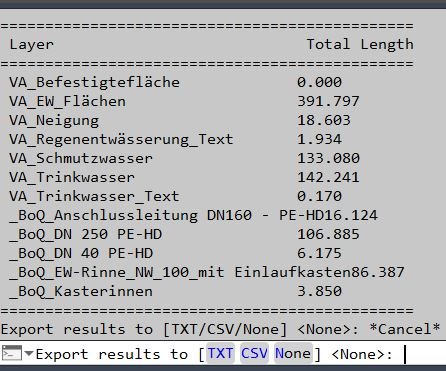
PLLengthByLayer
🚀 Command: PLLengthByLayer
LenCalc
LenCal
BookmarkEntities
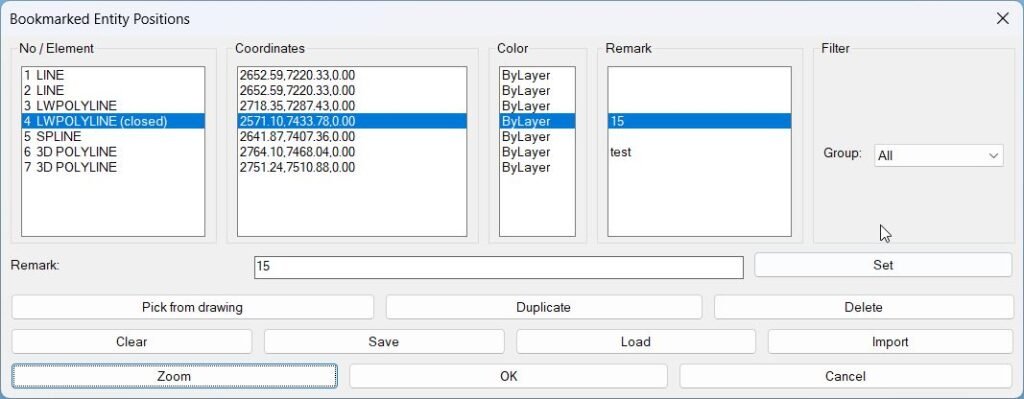
Main Command: • BMEntityPos – opens the “Bookmarked Entity Positions” dialog, where you manage all stored bookmarks (pick from drawing, zoom, remark, save, load, import, filter).Exp_Imp_NamedViews
ExpImpNVU, NVVIEWSIO, ExportViews, ImportViews, -ExportViews, -ImportViews
Add_Bookmark
Command: BMEntityPos Execution: Type BMEntityPos then press Enter Selection filter: Prompts for selection of TEXT, MTEXT, LINE, LWPOLYLINE, POLYLINE, CIRCLE, SPLINE, and INSERT entities Feedback: Prints how many entities are currently stored in *textPositions* after processingClear_Bookmarks
Command: ClearTextPos Input: Confirmation via alert dialog (OK / Cancel) Effect: Clears global bookmark storage list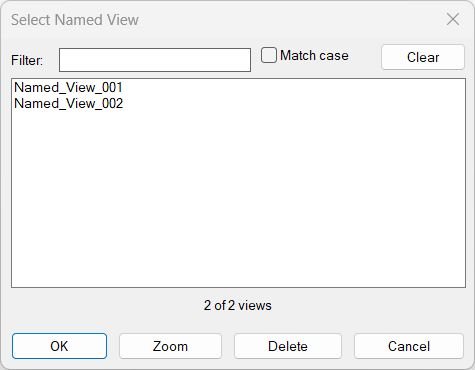
NamedViewList
🚀 Main command: NamedViewList
🧭 Entry point: C:NamedViewList
📌 AutoCAD operations used: _-VIEW R, ._RENAME VIEW, vla-get-Views, vla-SetView, vla-delete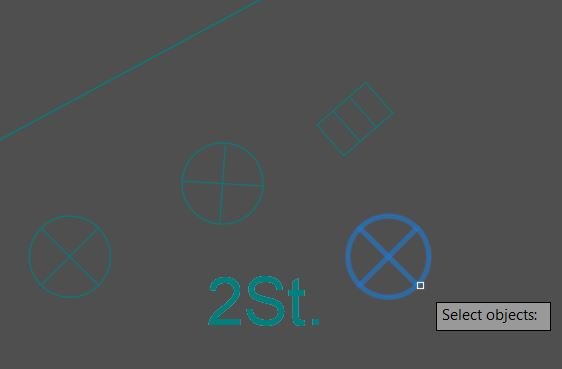
SwapBlockAssignLayer
SwapBlockAssignLayer
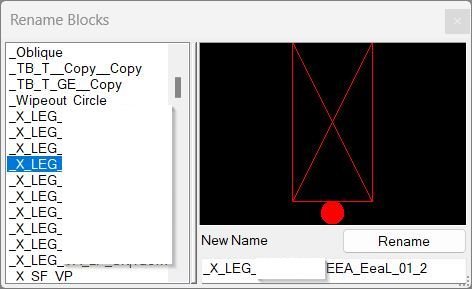
RenameBlockPreview
RenBlocks
RenameBlock
RenameBlock
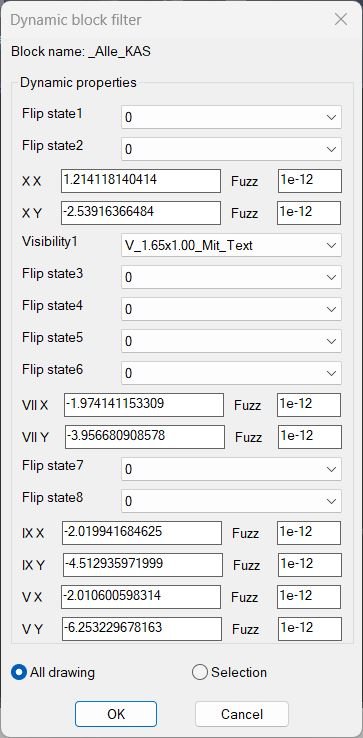
DynamicBlockFilter
🧰 Load the LISP with
APPLOADor by addingDynamicBlockFilter.lspto the AutoCAD startup suite.
▶️ RunDynamicBlockFilterat the AutoCAD command line to open the dynamic block property filter workflow.
⌨️ The internal function(DynamicBlockFilter)can also be typed at aSelect objects:prompt inside another AutoCAD modification command.
🎯 The user selects one source dynamic block, chooses property values in the generated DCL dialog, then the routine returns or highlights all matching block references.
🧩 Target platform: AutoCAD and Civil 3D with Visual LISP COM support throughvl-load-comand ActiveX dynamic block APIs.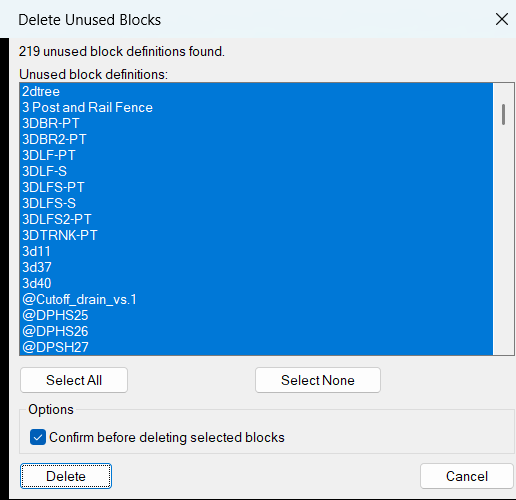
DelUnusedBlocks
🧰 Load the LISP file with
APPLOADor another AutoCAD startup loading method.
🚀 RunDelUnusedBlocksto open the generated DCL dialog namedDelete Unused Blocks.
📌 The target platform is AutoCAD with Visual LISP and ActiveX COM support throughvl-load-com.
📄 Main source file:DelUnusedBlocks_DCL.lsp.
💾 User settings are stored inDelUnusedBlocks.cfg, normally underROAMABLEROOTPREFIX, with fallback paths usingDWGPREFIX,TEMPPREFIX, or the current folder.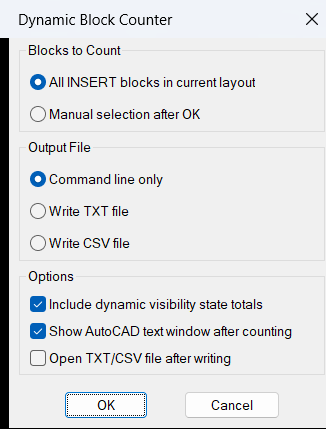
DynamicBlockCounter
🧰 Load the LISP with
APPLOADor by addingDynamicBlockCounter.lspto the AutoCAD startup suite.
▶️ RunDBCOUNTorc:dbcountto start the Dynamic Block Counter workflow.
📌 The command scansINSERTentities in the current AutoCAD layout, prompts the user to select blocks to count or press Enter to count all detected blocks, prints the summary to the command line, and optionally exports the result toTXTorCSV.
🎯 Target platform: AutoCAD and Civil 3D with Visual LISP COM support enabled byvl-load-com.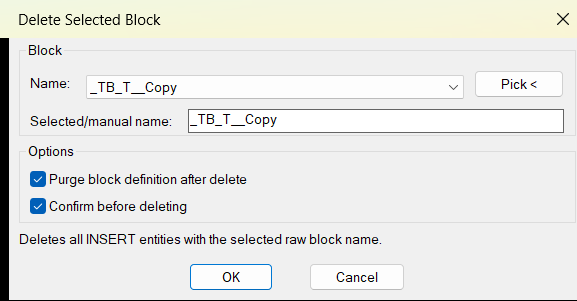
DelSelectBlock
🧰 Load the LISP file with
APPLOADor by loadingDelSelectBlock_DCL.lsp.
▶️ RunDelSelectBlockat the AutoCAD command line to open the generated DCL dialog.
📌 The workflow is: choose a block name from the list, type a block name manually, or usePick <to select a block reference from the drawing, then pressOKto delete all matchingINSERTentities.
🔒 The target platform is AutoCAD with Visual LISP COM support throughvl-load-com.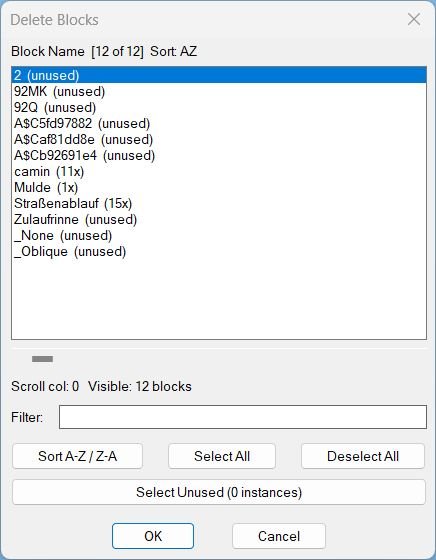
DeleteBlocks
🧰 Load the LISP file with
APPLOADor by using(load "DeleteBlocks.lsp").
RunDELBLOCKSto open the DCL block deletion dialog.
The main AutoLISP entry point isc:delblocks.
The tool targets AutoCAD and AutoCAD-based platforms that support AutoLISP, Visual LISP COM, and DCL dialogs.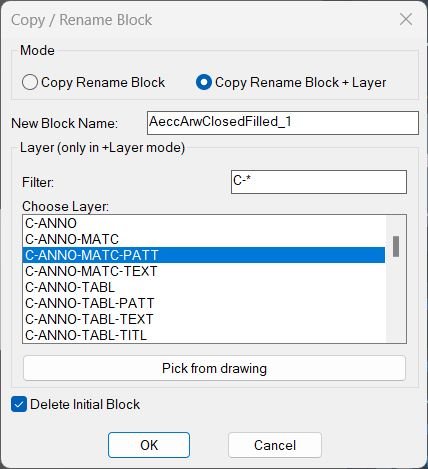
CopyBlock
Command name: CopyBlockChangeLayer How to run: Load the LISP file, then type CopyBlockChangeLayer in the command line and press Enter. • Selection: You are prompted to select a single block reference that is not on a locked layer. • Dialog: After selection, a dialog opens with mode selection, new block name, optional layer tools, and a “Delete Initial Block” toggle.ChangeBlockEntitiesLayer
Command name: ChangeBlockEntitiesLayer How to run: Type ChangeBlockEntitiesLayer in the command line and press Enter. • Selection: When prompted, select one or more block references (INSERT objects) whose internal entities you want to move to the block layer.3D_PolyOffset
- Command name: OFFSET3D
- Select a 3D polyline when prompted.
- Enter the offset distance via keyboard input.
SteSysVar
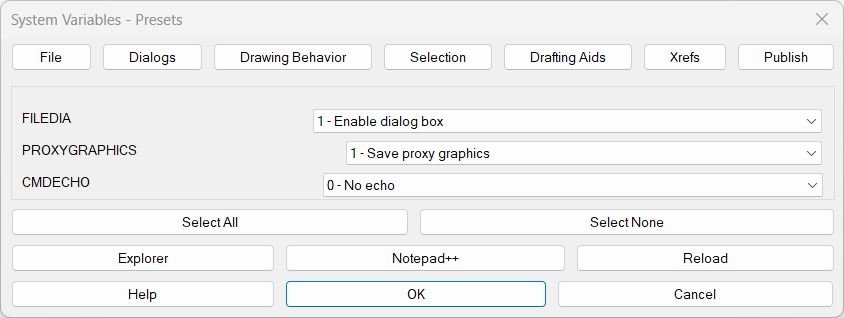
🧰 Main command: SteSysVar. Optional command: SteSysVarPublish. SteSysVar opens the full environment tuner starting on the File tab. SteSysVarPublish opens directly on the Publish tab for quick access to PUBLISHCOLLATE.

Hide / Show Objects
Command: c:HS Opens the “Display Objects Options” dialog where you can select whether to isolate selected objects, hide them, or show all objects again.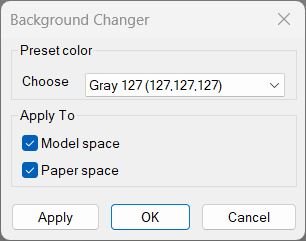
Change Background Color
Command: c:BG Opens a DCL-based “Background Changer” dialog allowing you to pick a background color preset and apply it to Model and/or Paper space.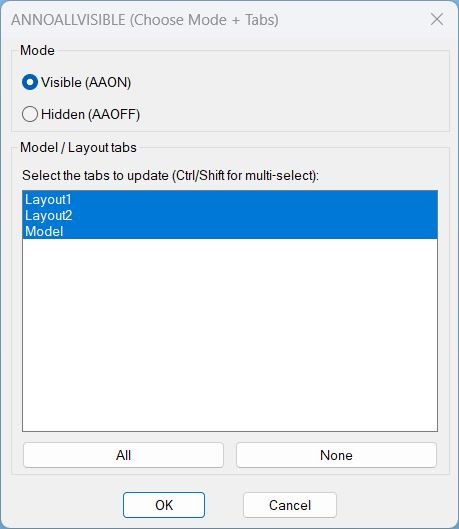
AnnoAllOnOff
🚀 Main command: AAOFF
🎛️ Dialog title: ANNOALLVISIBLE -> 0 (Choose Tabs)
🧭 Workflow: choose Model and/or Layout tabs, then apply ANNOALLVISIBLE = 0 to the selected tabs.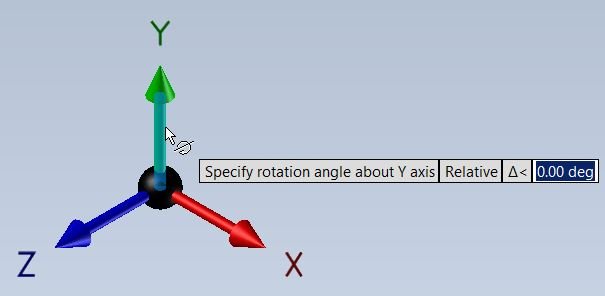
RotateUCS
Command: C:RotateUCS When run, it switches to World UCS first, then asks for an angle, rotates the UCS, prints the angle, and then asks whether to save the UCS with a name.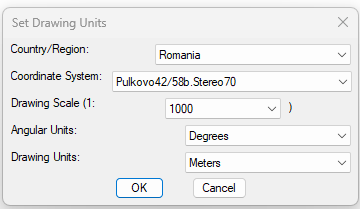
SetUpUnits
🚀 Main command defined in the uploaded code: SETTUPUNITS
🧰 Main settings routine: setunits
📐 Civil 3D drawing settings updated: coordinate system code, drawing scale, angular units, and drawing units.C3D_NamespaceFix
🚀 Startup behavior: the diagnostic runs immediately when C3D_NamespaceFix.lsp is loaded.
⚙️ Recovery attempt: vl-load-com can be called up to two times when the multiplication symbol is not reported as a SUBR.
📊 Output: C3D Namespace Report in the AutoCAD command line.LayerFilterFreezeThaw
🚀 Main dialog command: LFM
⚡ Quick Kable commands: FKABLE, TKABLE, OKABLE, XFABLE, FKABLEI, TKABLEI
🧪 Verification command: VERIFYKABLE
🧰 Helper command: LFM-Kable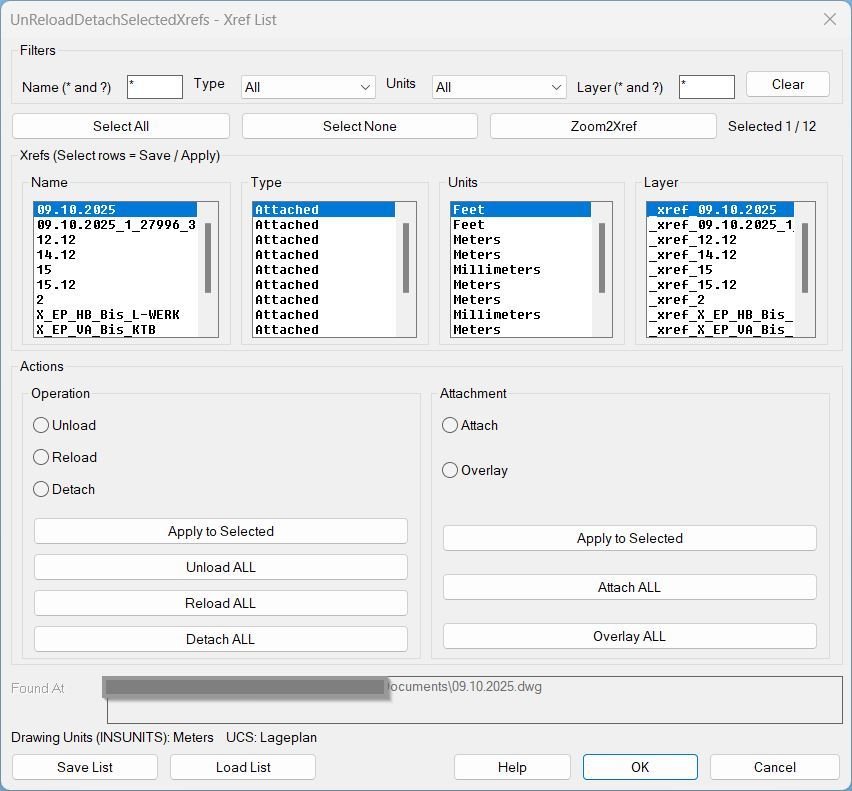
UnReloadDetachSelectedXrefs_00
Command:- UnReloadDetachSelectedXrefs — Opens the main dialog window.
- UI buttons — Execute actions and return to the dialog; the dialog closes only via OK or Cancel.
(UnReloadDetachSelectedXrefs)
SetPlotDeviceNames_00
- • SetPlotDeviceNames
ConvertPolylineAndText2Mleader
P2L
CopyPaste2BasePoint
🚀 Main commands:
– Copy2BasePoint: selects drawing entities and runs AutoCAD COPYBASE using 0,0,0 as the base point.
– PasteBasePoint: runs AutoCAD PASTECLIP using 0,0,0 as the insertion point.
🧩 Header reference:
– CB: documented as copy with base point 0,0,0 in the original header.
– PB: documented as paste with base point 0,0,0 in the original header.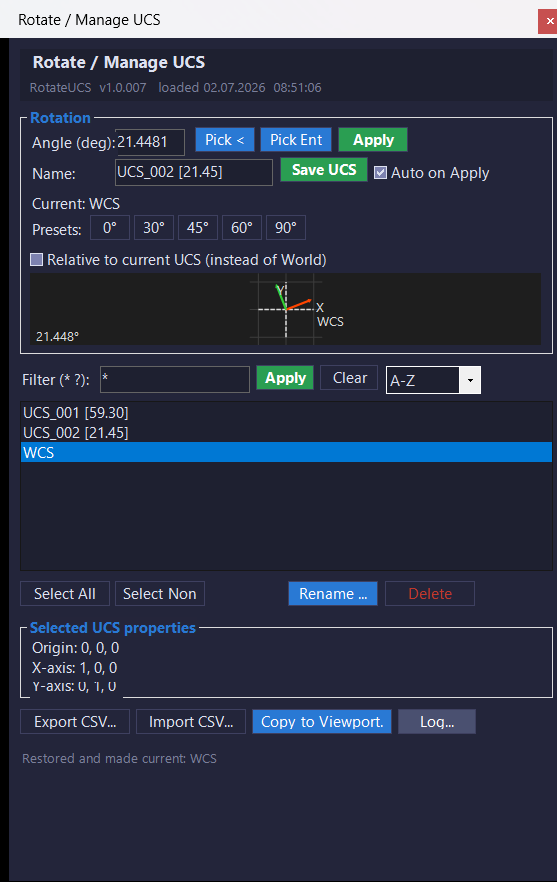
RotateUcs_vs.01
📌 Main commands:ROTATEUCSandRUCS.
⚡ Quick angle command:RU1asks for an angle, rotates the UCS, auto-saves the UCS, restores it, and aligns the view.
📐 Quick entity command:RUEasks the user to select an entity, extracts its angle, rotates the UCS, auto-saves the UCS, restores it, and aligns the view.
🧰 Loading method: buildRotateUcsCs.csprojasx64, then loadRotateUcsCs.dllin AutoCAD or Civil 3D usingNETLOAD.
🪟ROTATEUCSandRUCSopen a modeless WinForms palette namedRotate / Manage UCS.
📘 On load, the plugin prints the version banner fromBuildInfo.BuildStampand lists the available commands.
🎯 Target platform: AutoCAD and Autodesk Civil 3D with .NET Framework 4.8, x64, Windows Forms, AutoCAD managed APIs, and references such asAcCoreMgd,AcDbMgd,AcMgd, andAcWindows.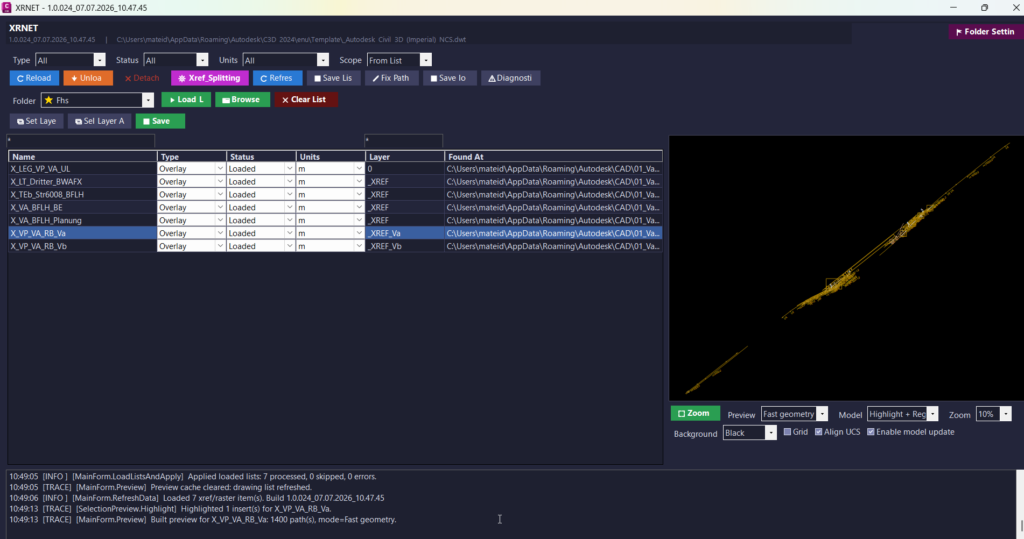
UnReloadDetachSelectedXrefs_vs.02
🧰 Load the plugin withNETLOADby selectingXRNET.dll. The main command isXRNET, which opens the main modeless xref management window inside AutoCAD or Civil 3D. Additional commands includeXRSPLITfor the native xref splitter interface,XRPREDEFINEDFOLDERSfor saved project folder shortcuts, andXRSAVELOGfor exporting the operation log. The target platform is AutoCAD and Civil 3D x64 using a C#.NET Framework 4.8plugin.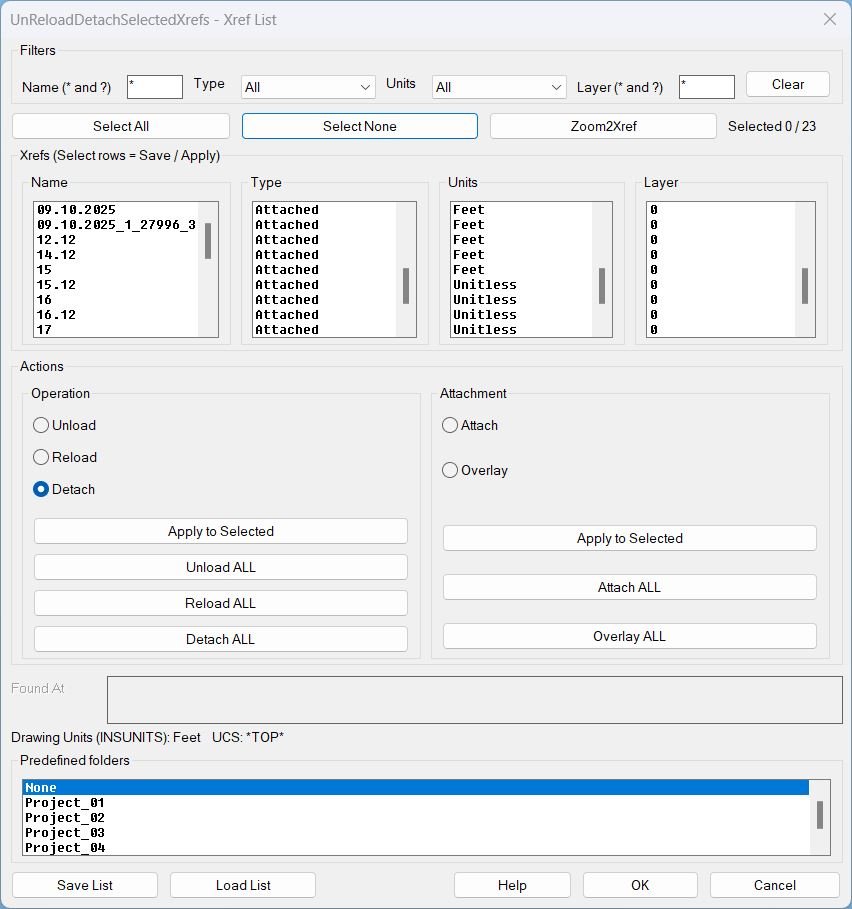
UnReloadDetachSelectedXrefs_01
Command UnReloadDetachSelectedXrefs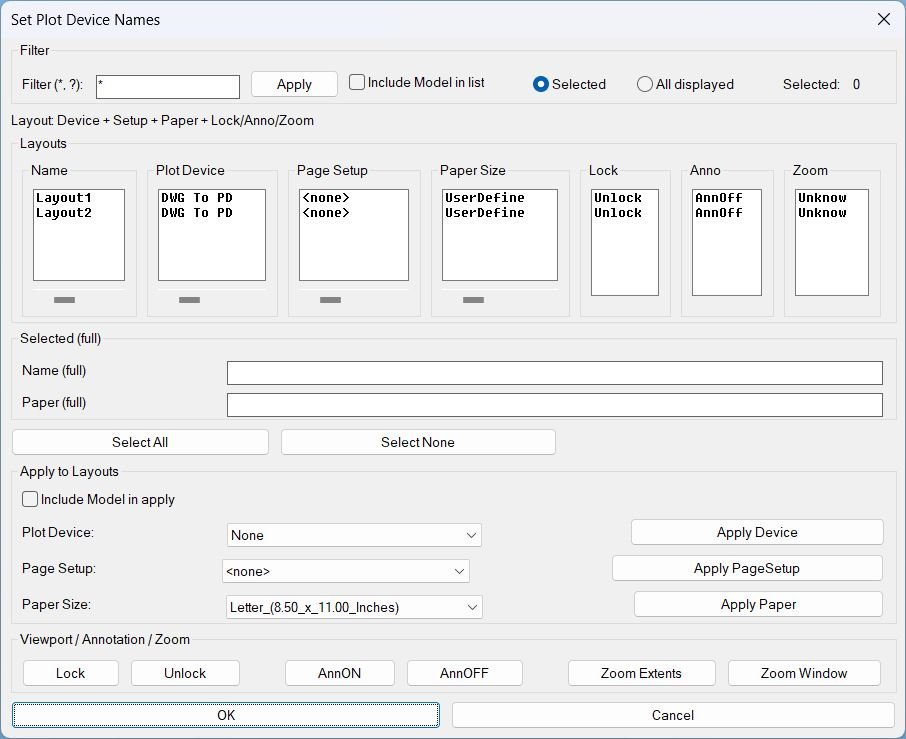
SetPublishLocation_01
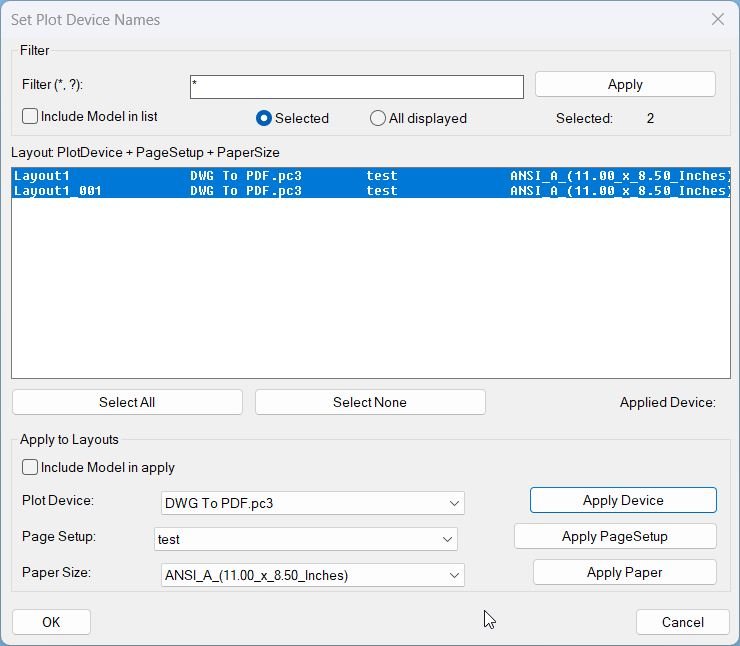
Command- Run: SetPlotDeviceNames
- Opens the DCL dialog for layout review and batch actions.
DuplicateLayouts_01
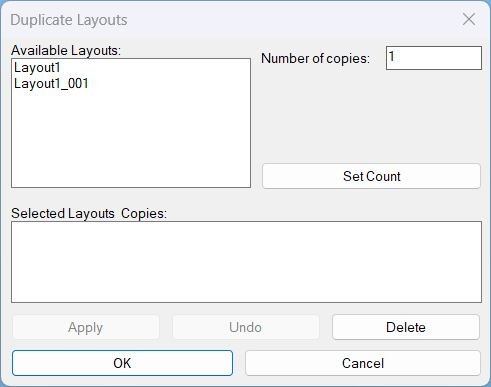
Commands- DuplicateLayouts opens the dialog and runs the full tool workflow.
CreatesXrefsLayersAssign_01
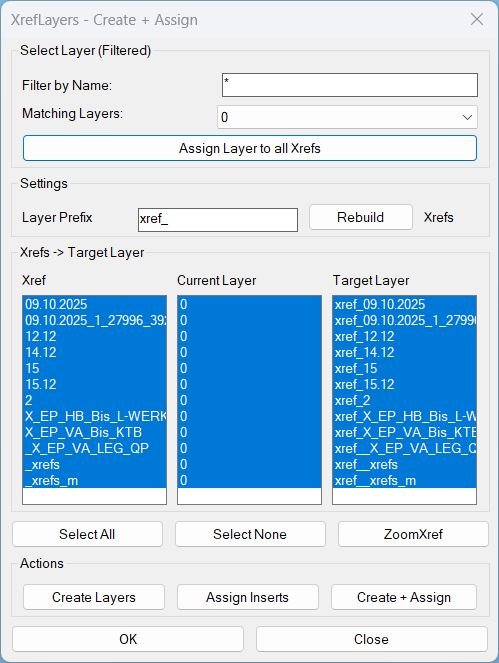
- XrefLayers Opens the dialog window.
- CreatesXrefsLayersAssign Alias that opens the same dialog window.
Slope_01
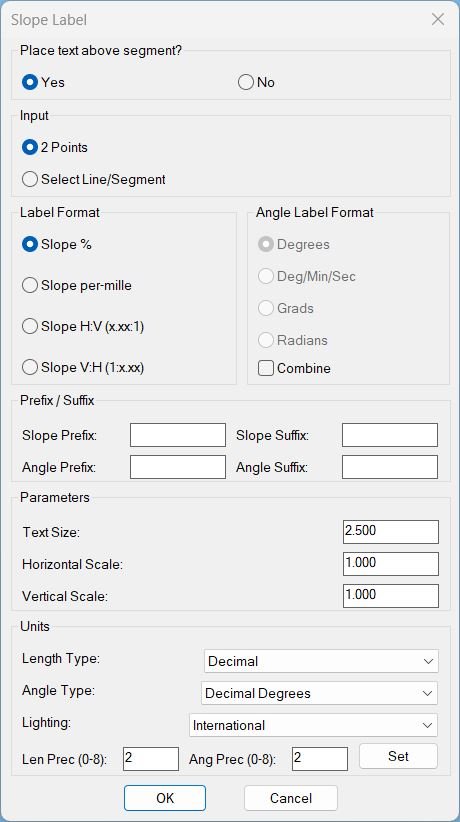
Command name: SLOPE_P Entry: Type slope_p in the command line and press Enter.Slope_00
Command name: slope_p Execution: Enter slope_p to open the configuration dialog Dialog file: Uses slope_p.dcl, found by findfile or via SLP_DCL_PATH Dialog options: • Below — Yes / No • Text height — label size & offset distance • H scale — horizontal run multiplier • V scale — vertical rise multiplier • Precision — decimal digits displayed • Format — % , H:V , V:H , H:V (x.xx:1) , V:H (1:x.xx)CloseParalelPolylines
Command name: CloseParallelPolylines How to run: Type CLOSEPARALLELPOLYLINES and press Enter User prompt: Select two open polylines, arcs, splines, or lines Selection filter: Only accepts LWPOLYLINE, LINE, ARC, SPLINE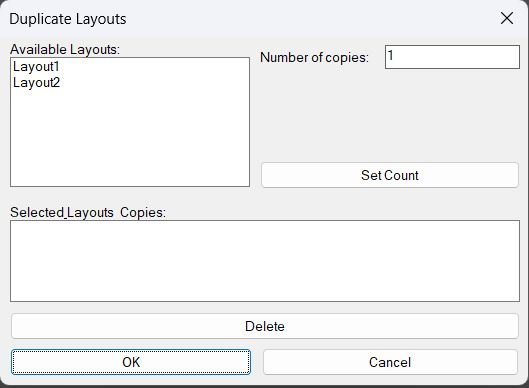
DuplicateLayouts_00
- Command: DuplicateLayouts
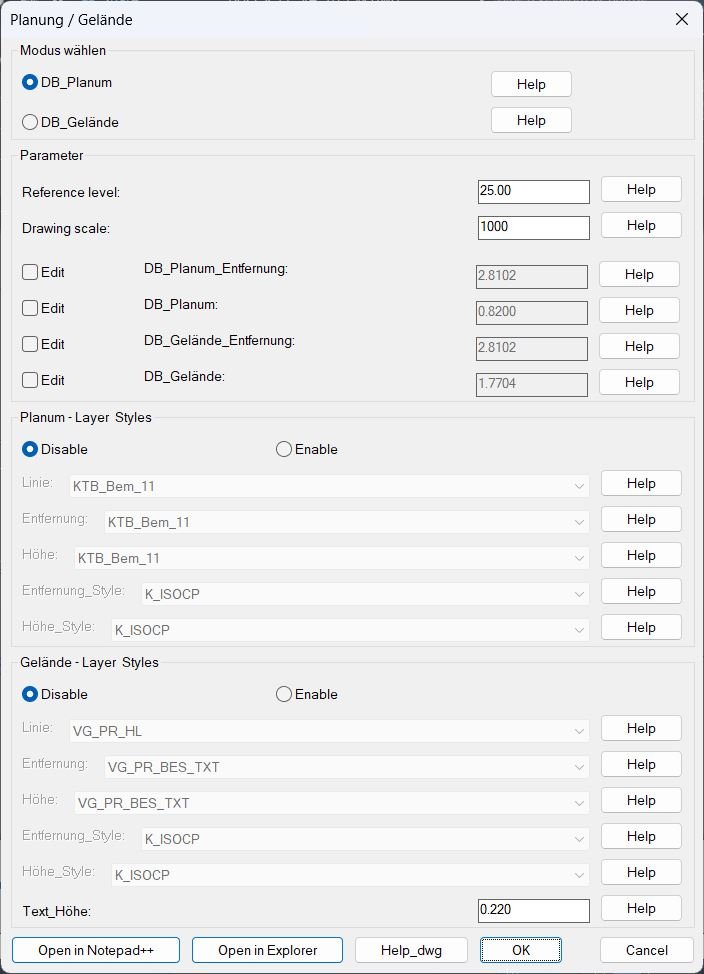
DB_Planung_Gelände
Main commands: DB_P_G, _DB_P_G, DBPG • How to run: Load the LISP file, then type DB_P_G (or DBPG) and press Enter to open the configuration dialog. • Mode selection: Inside the dialog choose between DB_Planum (radio rb01) or DB_Gelaende (radio rb02). • Geometry commands: The dialog launcher calls C:DB_Planum or C:DB_Gelaende to actually draw leader lines and text labels after the settings are accepted.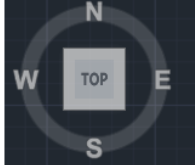
CubeDisplay_Off_On
Command: c:NavvCubeDisplayOffOn When executed, this command uses ActiveX and vla-sendcommand to issue system commands that control the ViewCube visibility state.