
CopyClipboardText
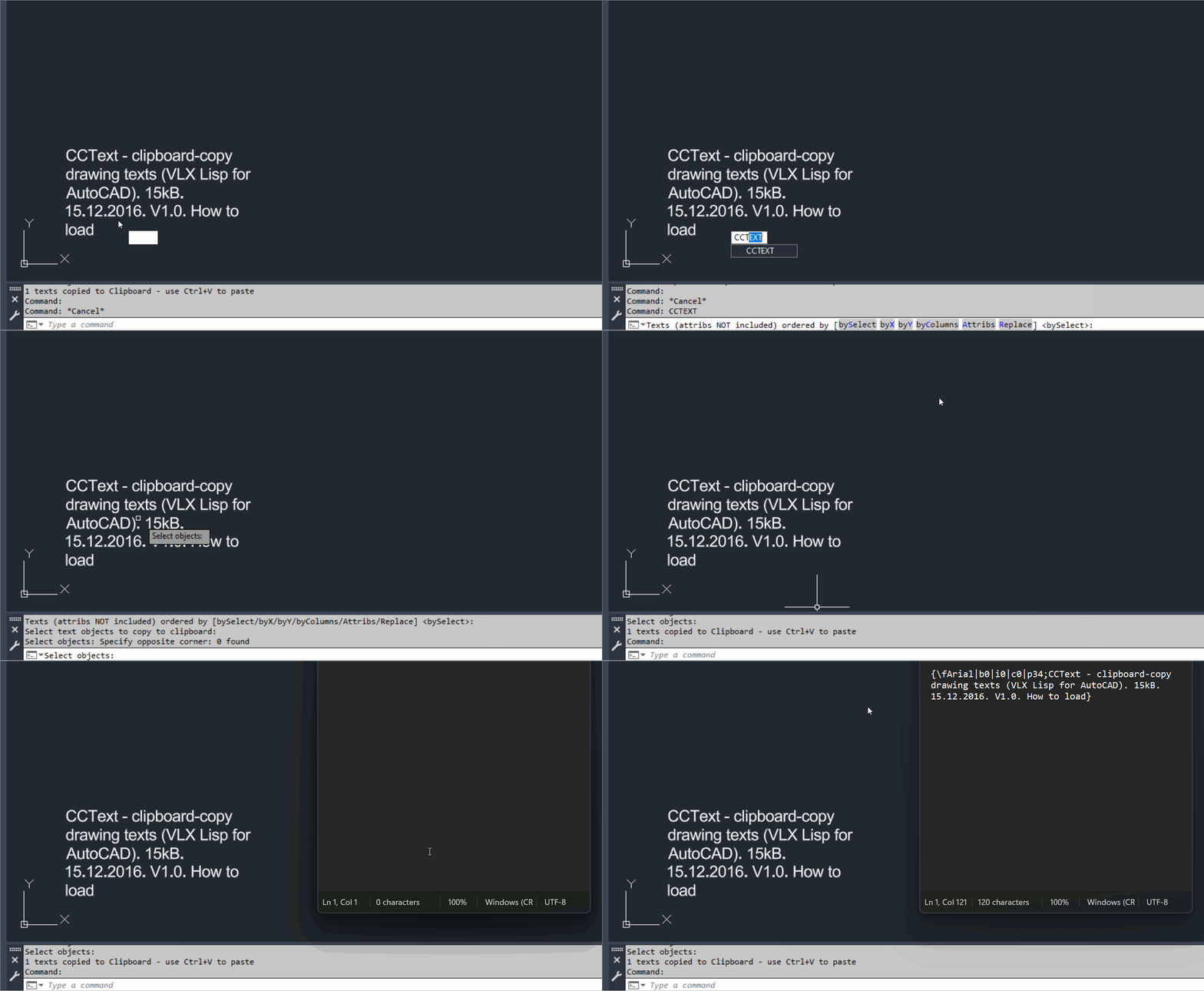
🧩 CopyClipboardText is the CADforum CCText v1.0 VLX utility for mass copying selected AutoCAD drawing text to the Windows Clipboard.
📋 Selected line text paragraph text and optionally block attributes can be transferred to Word or other Windows applications with normal Ctrl+V paste.
↕️ Clipboard text can be ordered by selection order X position Y position or column order before it is copied.Spline2Poly
🧩 Spline2Poly converts AutoCAD SPLINE entities to polylines using SPLINEDIT Convert to Polyline with precision 1.
🎛️ A dynamically generated DCL lets the user choose manual spline selection or conversion of all splines in the entire drawing.
💾 Selection mode and dialog position are remembered in the AutoCAD configuration and during the current session.Slope_Ro
🧩 Slope_Ro calculates a slope ratio and angle from two user picked points.
📏 The current routine uses a fixed vertical run reference of 12 and reduces the calculated integer ratio using the greatest common divisor.
📢 The computed slope ratio and angle in degrees are displayed in an AutoCAD alert dialog.SelectStraightEntities
🧩 SelectStraightEntities automatically finds and selects orthogonal LINE LWPOLYLINE and POLYLINE geometry in the current AutoCAD layout.
📐 Accepted segments must run at approximately 0 90 180 or 270 degrees and lightweight polylines must contain no bulged arc segments.
🚫 Geometry on layer PAGE_LIMIT_02 is explicitly excluded.ParallelPolylinesOption
🧩 ParallelPolylinesOption is a DCL utility for closing two parallel open curves into one joined polyline or reopening a closed lightweight polyline into two parallel open sides.
➗ Both close and unclose workflows can automatically generate a midpoint centerline polyline on layer _HILFSLINIEN.
🎛️ The dialog provides Close Unclose Centerline Apply Undo OK and Cancel controls.PLTools
🧩 PLTools is a large AutoCAD and Civil 3D AutoLISP polyline editing toolbox containing more than thirty callable commands.
🧰 The suite covers vertex insertion reduction deletion and movement segment conversion polyline joining reversing 2D and 3D conversion chain selection segment information centerline style geometry and other advanced polyline operations.
🎛️ PL-MENU and PLTOOLS-MENU provide a launcher for commands from the combined toolbox.OffsetAndLayer
🧩 OffsetAndLayer offsets selected planar curve objects inward or outward by a chosen distance and assigns the new offset geometry to a selected drawing layer.
🎛️ A DCL dialog provides Inward or Outward direction offset distance layer name filtering and a layer dropdown.
💾 The last offset value selected layer and direction are stored in the AutoCAD environment for reuse.MultiOffsetBothSidesWithLayer
🧩 MultiOffsetBothSidesWithLayer is the M_07 C# AutoCAD and Civil 3D offset project for generating structured left and right parallel geometry from selected centerline objects.
🎛️ The current project uses a modeless WinForms interface with profiles pipe counts left and right offsets extra ducts target layers closing centerline source handling live preview Apply and Undo last controls.
📦 The current source build number is 1.0.006 and the physical Visual Studio project name is shortened to MOBSWLE.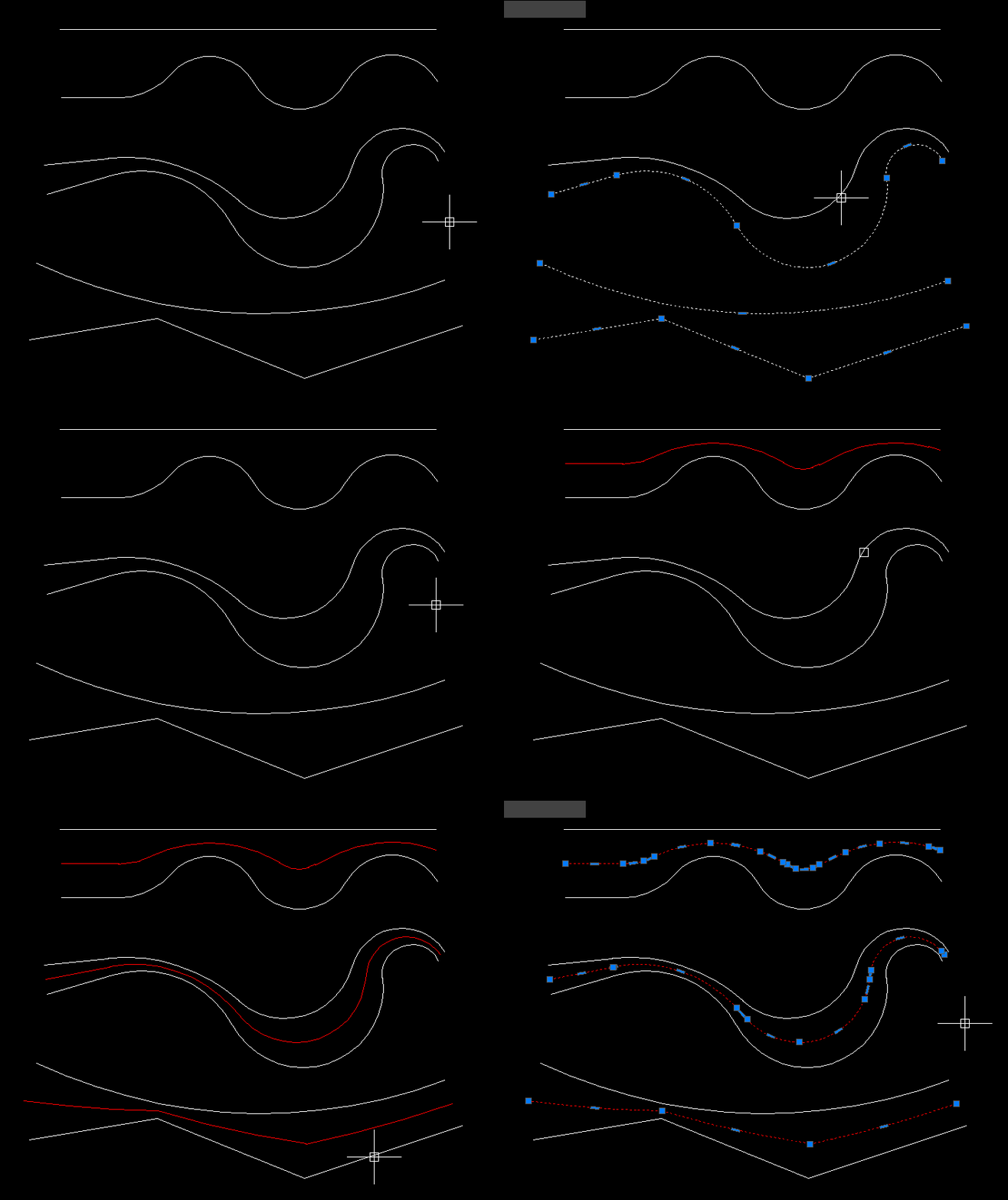
MiddleLinePolylines_2
🧩 MiddleLinePolylines_2 provides the CPL_2 command for generating a simple two vertex centerline between two open curves.
📍 The routine averages the start points of the first and last selected curve and averages their end points.
📐 A new two vertex LWPOLYLINE is created in ModelSpace from those two midpoint positions.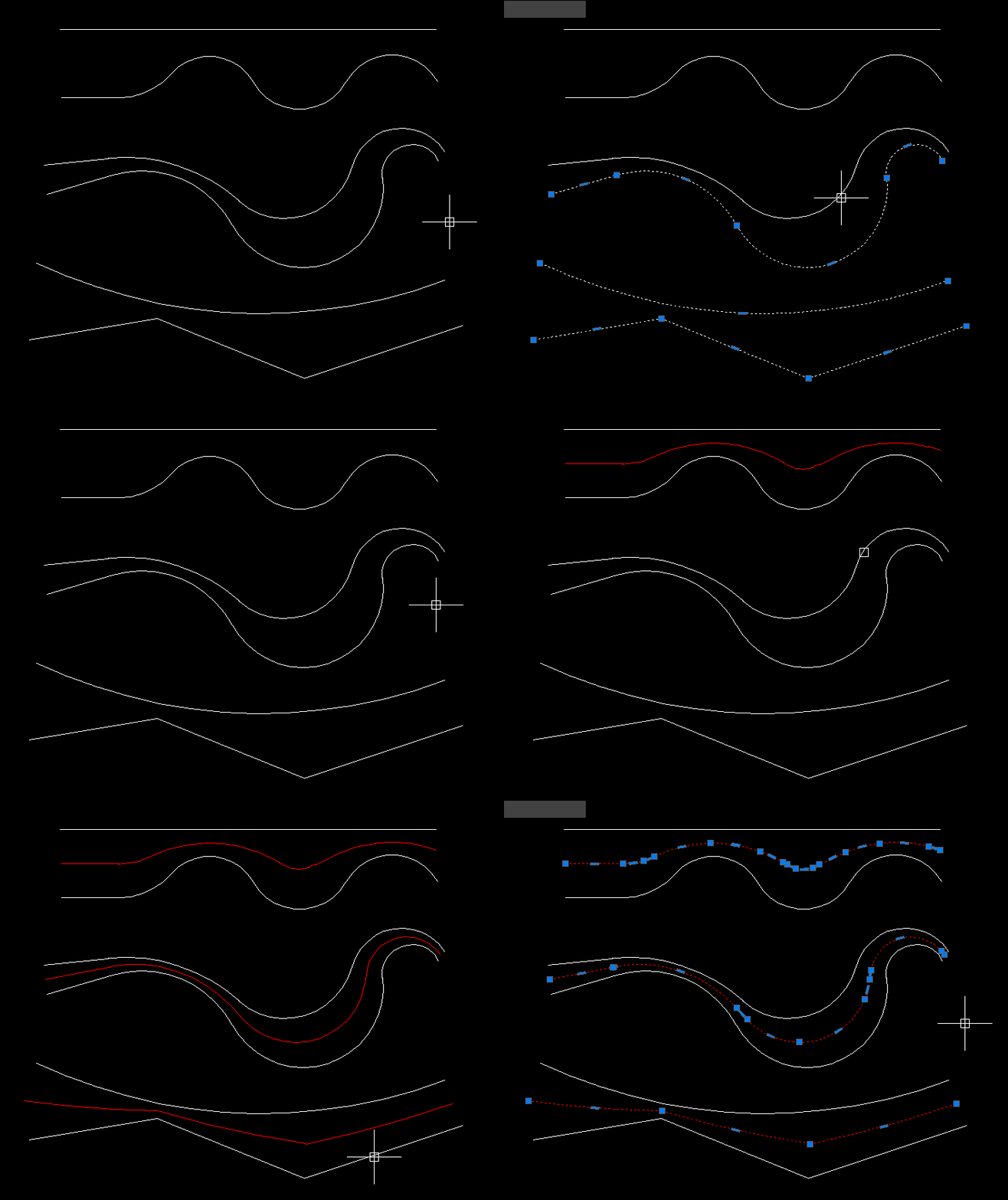
MiddleLinePolylines
🧩 MiddleLinePolylines provides the CPL command for creating a centerline between two selected open AutoCAD curves.
📐 The current version accepts general open vlax curve objects such as LINE LWPOLYLINE POLYLINE SPLINE and ARC rather than only polylines.
🧠 The algorithm uses temporary curve copies offsets lofted geometry and geometric intersection processing to derive the middle path.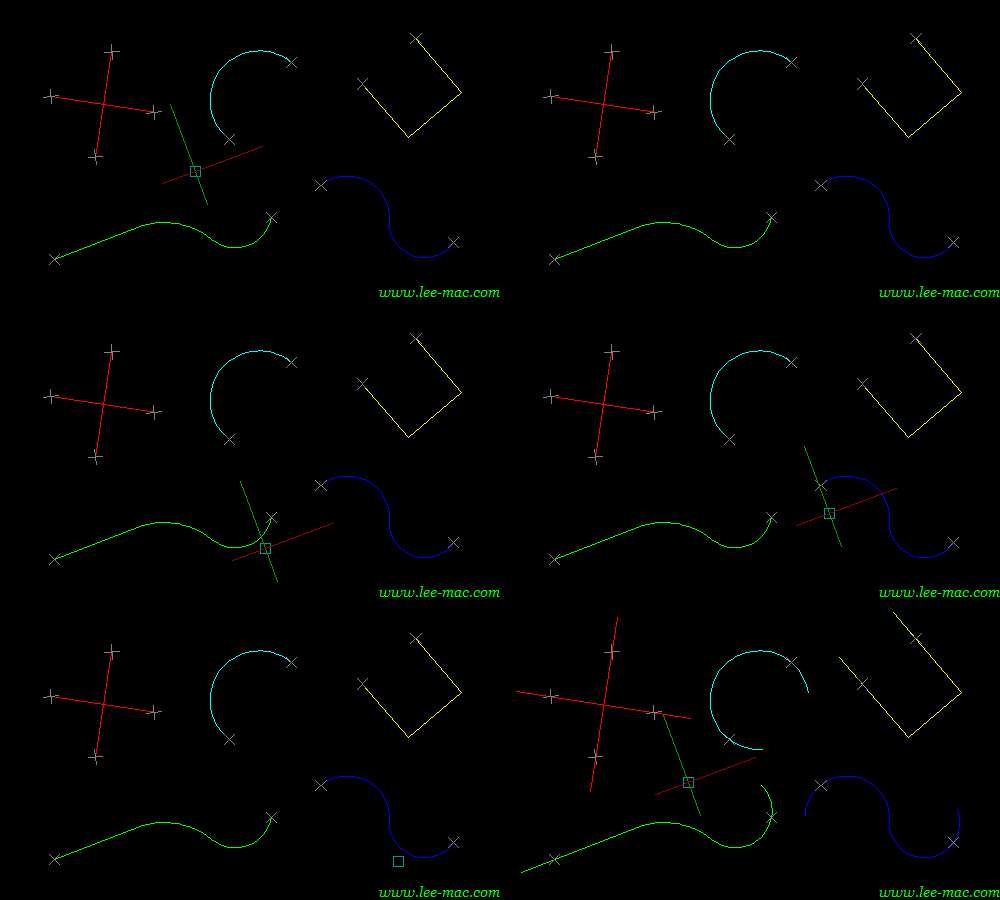
Lengthen
🧩 Lengthen is an enhanced Double Extend style AutoLISP tool for extending multiple selected LINE ARC LWPOLYLINE and POLYLINE entities at both ends.
🎛️ The DCL first workflow includes object picking highlighting separate Start and End extension values a Both Ends Slot option dynamic drag preview Apply Undo Debug OK and Cancel.
🧪 The file also provides DEX and DEXDEBUG aliases for the main tool and its diagnostic report.InteriorPolylinesArea
🧩 InteriorPolylinesArea is a DCL catchment area and closed polyline generation suite combining seven boundary cleanup and area creation workflows.
🎛️ The BR2P launcher can run BreakAll Boundary Offset Region2Polyline combined sequences closed polyline cleanup or JoinAreas.
🗺️ The toolset is intended for creating the smallest useful closed areas from intersecting planar curve networks.ExtendStartEndMultiple
🧩 ExtendStartEndMultiple extends the start and end of multiple selected LINE ARC LWPOLYLINE and POLYLINE objects using independent extension values.
🎛️ The DCL interface provides separate Start and End values together with Apply Undo OK and Cancel.
↩️ Apply can be tested repeatedly and Undo reverses the most recent Apply while Cancel restores the geometry changed during the current run.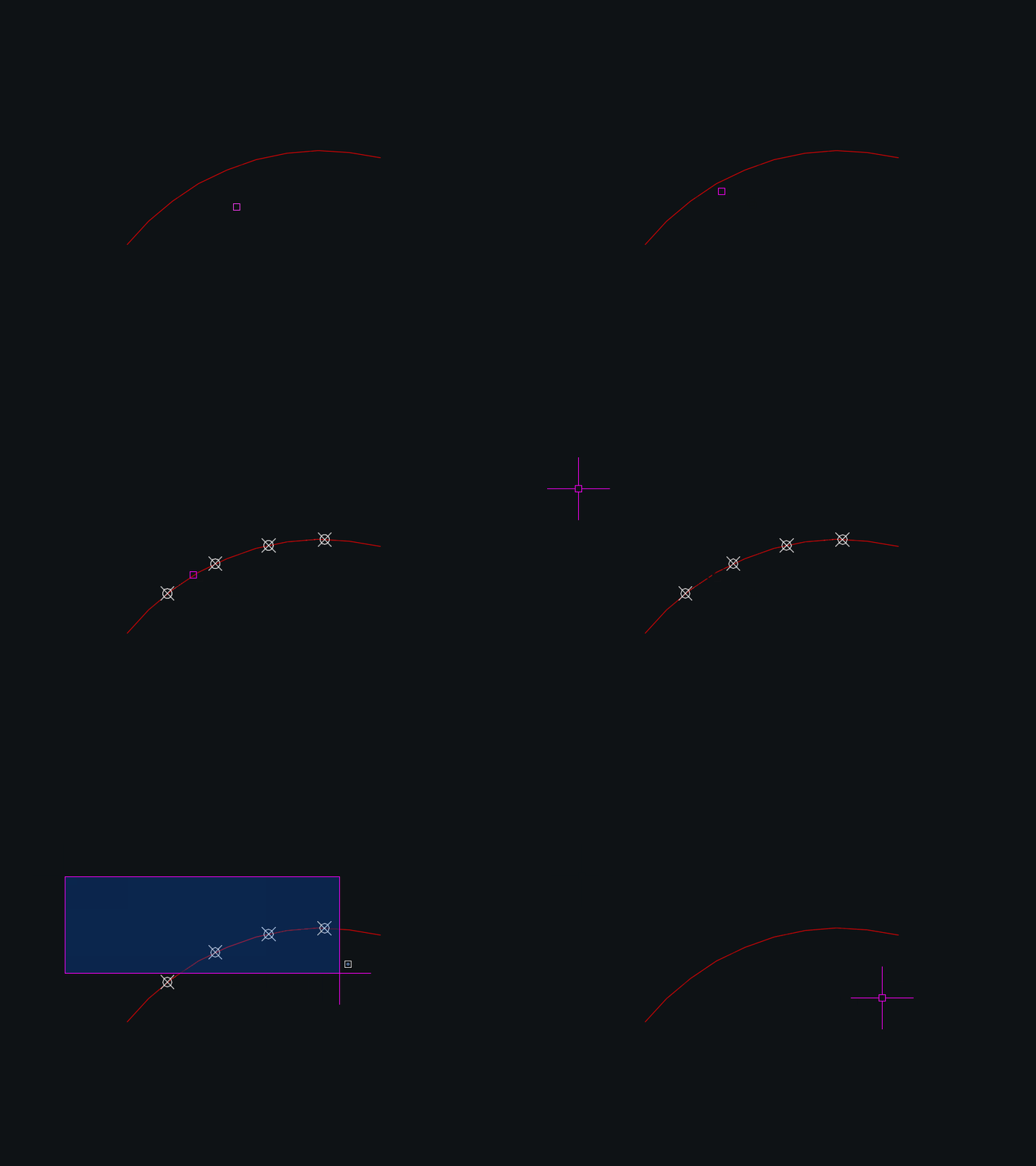
DynamicDivide
🧩 DynamicDivide is an AutoCAD AutoLISP utility that dynamically divides a LINE ARC or LWPOLYLINE into equal segments using POINT entities.
👁️ Moving the cursor over a supported object displays temporary division points before the user commits the operation.
⌨️ The number of divisions can be changed interactively with plus and minus keys or entered directly from the keyboard.DuplicateToNewLayer
🧩 DuplicateToNewLayer and CloseParallelPolylines is an AutoCAD and Civil 3D DCL offset utility for creating left and right offsets from selected LINE LWPOLYLINE POLYLINE SPLINE and ARC geometry.
🎛️ The interface combines offset profiles independent left and right distances target layer controls optional source deletion parallel closing optional centerline generation Apply Undo OK and Cancel.
📚 Built in profiles cover Profile_000 cable channel sizes and Profile_003 through Profile_003 duct bundle configurations.DoubleOffset
🧩 Double Offset is a Lee Mac AutoLISP utility that offsets a selected curve to both sides using one offset distance or a through point.
🎛️ The command includes options for deleting the source object and placing the new offsets on the current layer or the source layer.
📐 Supported objects include ARC CIRCLE ELLIPSE SPLINE LWPOLYLINE XLINE and LINE.ConvertMultiplePolylines
🧩 ConvertMultiplePolylines is an AutoCAD AutoLISP utility for converting LINE and legacy 2D POLYLINE geometry into a modern lightweight polyline workflow.
🎛️ The embedded DCL dialog lets the user process selected entities or all compatible entities in the drawing and define a joining fuzz distance.
🔗 A positive fuzz distance activates PEDIT joining with Extend jointype while a value of 0 performs conversion without joining.LispLoaderExtra
🧩 LispLoaderExtra v1.5.000 is a modeless AutoCAD and Civil 3D .NET loader for scanning filtering selecting loading and reloading LSP VLX FAS and DLL files from a structured CAD tool library.
🎛️ The plugin provides a dark themed WinForms interface with category and name filters search checkboxes status columns a live log pane and load controls.
🛡️ Files are loaded through the AutoCAD application context with isolated results so one failed tool does not have to stop the rest of the selected load sequence.LispLoader v1.0.000
🧩 LispLoader v1.0.000 is an AutoCAD and Civil 3D .NET startup loader that reads LoaderConfig.txt and safely processes configured LSP VLX FAS and DLL program files.
📄 One configured file failing does not intentionally stop the remaining load sequence and all results are written to the AutoCAD command line and a rolling disk log.
⚙️ The plugin starts its configured load sequence immediately when the compiled LispLoader DLL is loaded into AutoCAD.LayoutVPOverrides
🎛️ AutoCAD VPLAYER batch override tool for applying viewport layer overrides across selected layouts.
Dan_alldlls
🧩 [username]_alldlls is an AutoCAD and Civil 3D startup routine that attempts to NETLOAD a predefined set of custom .NET DLL tools.
📦 The current file contains five DLL load attempts for Civil 3D profile COGO point and label related utilities.
📄 Failed DLL paths are written to load_report.txt while a command line message reports success or the number of failures.@Dan_acaddoc
🧩 acaddoc is an AutoCAD and Civil 3D master startup loader for a large custom CAD tool library.
📦 The current configuration attempts to load 426 program files consisting of 413 LSP or FAS files 9 VLX files and 4 DLL files.
🧪 The loader records successful loads skipped dependencies and failures in a detailed load report.ViewportMatchOrientation
🧭 ViewportMatchOrientation is an AutoCAD and Civil 3D AutoLISP utility for matching paper space viewport orientation. 🔄 It copies the TwistAngle from one viewport to another so layouts can share the same rotated view direction.
VportsPoly2Rectang
🪟 VportsPoly2Rectang is an AutoCAD and Civil 3D AutoLISP viewport shape conversion manager. 🔄 It detects rectangular and polygonal clipped viewports across layouts, supports filters and selection tools, and converts viewport clipping boundaries with undo-aware batch controls.
PlotExtra
🖨️ PlotExtra is an AutoCAD and Civil 3D .NET plotting interface that recreates and extends the plot dialog workflow with a styled WinForms UI. 📐 It includes layout preview, page setup controls, PDF project management, logging, and reusable C3D themed controls.
PageSetupAllLayouts
🖨️ PageSetupAllLayouts is an AutoCAD and Civil 3D AutoLISP plotting utility for batch-updating plotter configuration names across all paper-space layouts.
📄 The command loops through every layout except Model and changes each layout’s ConfigName based on the current configured plot device.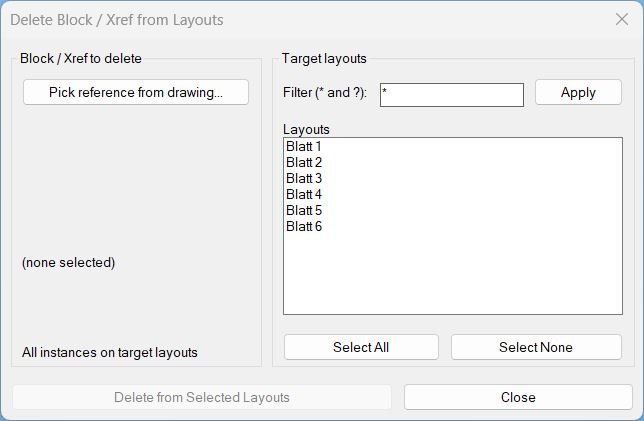
Delete2Layouts
🗑️ Delete2Layouts is an AutoCAD AutoLISP utility for deleting all instances of one selected block or xref from chosen paper-space layouts.
🗂️ It provides a temporary DCL dialog with layout filtering, Select All/None controls, and a clear delete workflow for layout-based cleanup.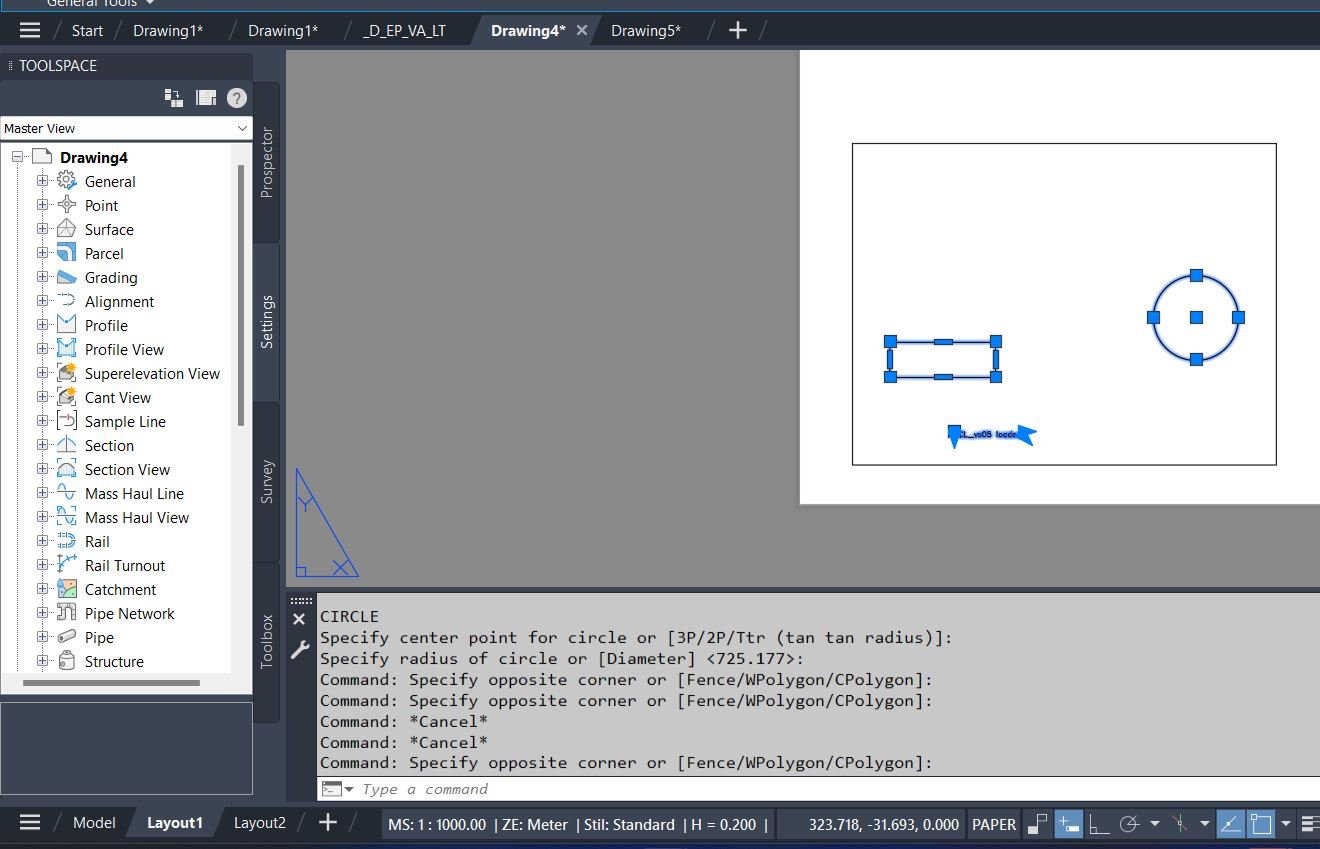
CopyPaper2Model
🔁 CopyPaper2Model is an AutoCAD and Civil 3D AutoLISP utility for transferring objects between Paper Space and Model Space through layout viewports.
📐 It uses viewport context, CHSPACE, VLA copy logic, layout filtering, and temporary DCL dialogs to preserve scale and placement during production drawing cleanup.SelectCreateLayerFilter
🔎 SelectCreateLayerFilter is an AutoCAD and Civil 3D AutoLISP tool that builds a layer Properties Filter from the layers found in a selected set of drawing objects.
🧰 It adds a practical DCL interface for naming the filter, choosing the parent filter, filtering layer names with wildcards, selecting layers, copying the expression, and applying the result directly through the AutoCAD LAYER filter command.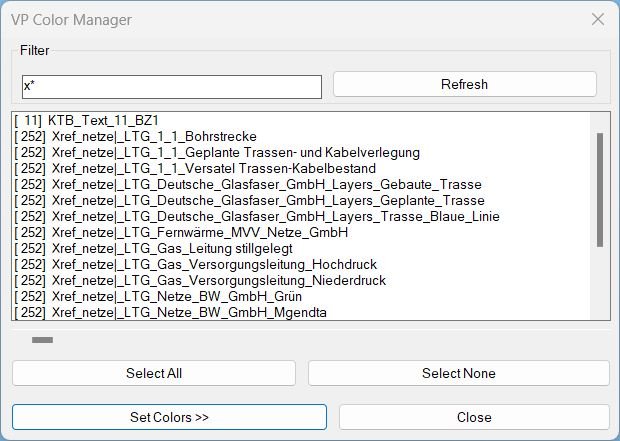
ChangeVPLayerColor
🎨 ChangeVPLayerColor is an AutoCAD and Civil 3D AutoLISP VP Manager for applying viewport layer color overrides across selected layout viewports.
🧰 It provides filtered layer selection, Bestand/Neu color presets, paginated preset configuration dialogs, target-layout selection, and VPLAYER-based VP color assignment.Reconcill_All_Layers
🧹 Reconcill_All_Layers is an AutoCAD and Civil 3D AutoLISP utility for clearing unreconciled-layer data from the active DWG.
🔕 It removes AutoCAD layer reconciliation markers and disables new-layer evaluation warnings by setting LAYEREVAL and LAYERNOTIFY to 0.Make_layers_linetypes_draw
🧾 Make_layers_linetypes_draw is an AutoCAD AutoLISP linetype catalog generator that draws sample polylines and MTEXT labels for loaded linetypes.
🎛️ It uses DCL dialogs for start point, length, row spacing, linetype scale, label content, wildcard filtering, paging, and linetype selection.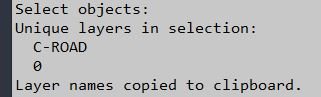
LayersName2Clipboard
📋 LayersName2Clipboard is an AutoCAD AutoLISP utility that extracts unique layer names from selected entities and copies them to the Windows clipboard.
🔎 It is useful for quick layer reporting, documentation, filters, QA lists, and transferring selected layer names into Excel, Notepad, scripts, or CAD management tools.LayerImport
🧩 LayerImport is an AutoCAD and Civil 3D AutoLISP layer standards importer for restoring layer properties from CSV or XML files through a production-friendly DCL interface.
📥 It is designed for CAD template recovery, layer-state transfer, project standardization, and Civil 3D drawing cleanup where layer properties must be copied accurately between drawings.LayerFilterFreezeThawOnPlotVPFreeze
❄️ LayerFilterFreezeThawOnPlotVPFreeze is an advanced AutoCAD DCL layer filter manager for Freeze, Thaw, On, Off, Lock, Unlock, Plot, No Plot, VP Freeze, and VP Thaw.
🖼️ It reads AutoCAD layer filter xrecords, supports inverted filter logic, remembers last settings, and applies viewport freeze or thaw through ACAD XDATA.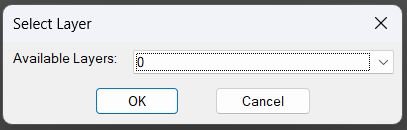
ChangeLayerToSelected_vs.01
🗂️ ChangeLayerToCurrent is an AutoCAD AutoLISP layer reassignment tool with a dynamic DCL layer selector, filtering, pick-from-object support, and clipboard helper.
🎯 It changes multiple selected objects to a chosen layer and optionally preserves original displayed linetype, linetype scale, and lineweight/width.ChangeLayerToCurrent
🗂️ ChangeLayerToCurrent is an AutoCAD AutoLISP layer reassignment tool with a dynamic DCL layer selector, filtering, pick-from-object support, and clipboard helper.
🎯 It changes multiple selected objects to a chosen layer and optionally preserves original displayed linetype, linetype scale, and lineweight/width.NamespaceFix
🛠️ NamespaceFix is an AutoCAD/Civil 3D AutoLISP repair utility that restores the built-in multiplication operator * when another LISP routine overwrites it.
🔄 It installs a command reactor so the repair is checked automatically after SAVE or QSAVE workflows.ChangeBackgroundColor
🎨 ChangeBackgroundColor is an AutoCAD and Civil 3D AutoLISP utility for changing Model Space, Paper Space, and Block Editor background colors from commands or a DCL dialog.
🖱️ It also adjusts crosshair, AutoTracking vector, and AutoSnap marker colors so the interface remains readable after the background change.Text2Multileader_2
📐 Text2Multileader_2 is an AutoCAD and Civil 3D AutoLISP utility for converting selected TEXT or MTEXT into one MLeader using a selected LINE or POLYLINE as the leader geometry guide.
📝 The routine reads source text, derives the arrowhead and landing points from the guide object, creates the MLeader, and removes the original guide and text objects.SetupOverriteDimStyles
🧰 SetupOverriteDimStyles is an AutoCAD and Civil 3D AutoLISP workspace manager that matches current Layer, Text Style, Dimension Style, MLeader Style, and Text Size from a selected object.
📊 It displays a 4-column DCL comparison matrix with current settings, current drawing quantities, selected-object settings, and selected-setting quantities.MLeaderExtra
AutoCAD/Civil 3D .NET plugin for adding an extra inflection or bend vertex to an existing MLeader, with command-line tools, handle-based editing, modeless WinForms UI, preview/highlight support, logs, and versioned NETLOAD build output.
Xline2Poly
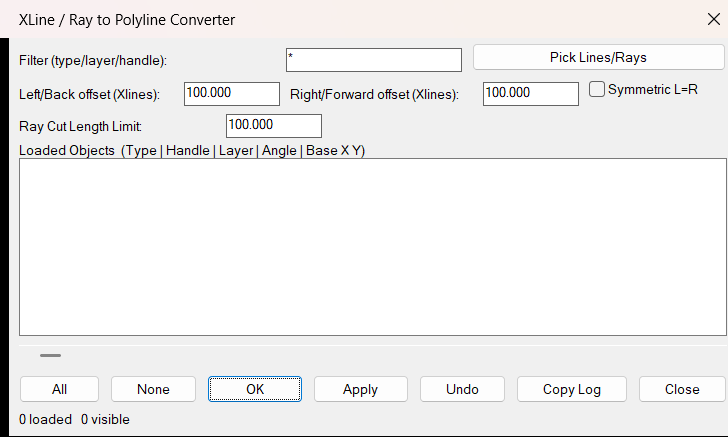
Converts AutoCAD XLINE and RAY entities into finite LWPOLYLINE segments using configurable offsets and a dialog-based workflow.
Poly2Xline
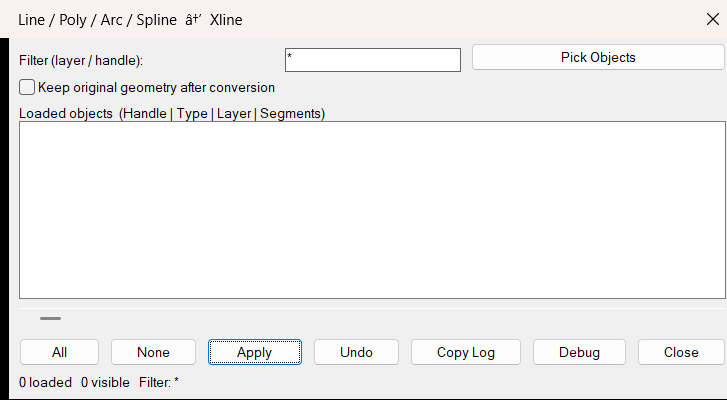
Converts selected LINE, LWPOLYLINE, POLYLINE, ARC, and SPLINE entities into AutoCAD XLINE geometry using a DCL selection dialog.
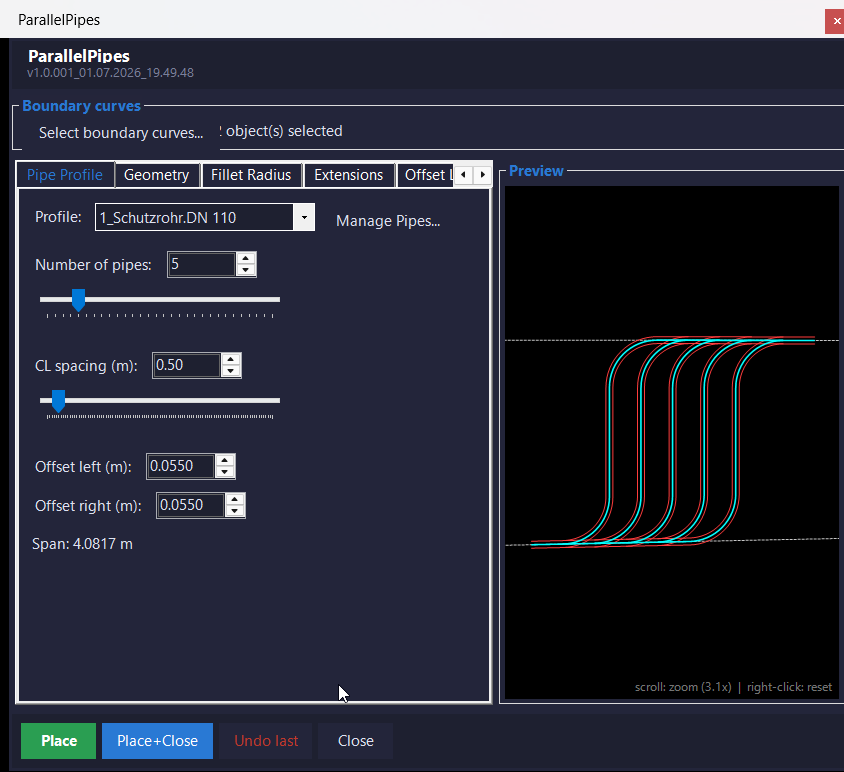
ParallelPipes.NET
AutoCAD / Civil 3D .NET plug-in for placing multiple parallel Profile_000 pipe bundles between selected boundary curves with live model-space preview, profile management, radius presets, offset-layer control, grouping, logging, and undo support.
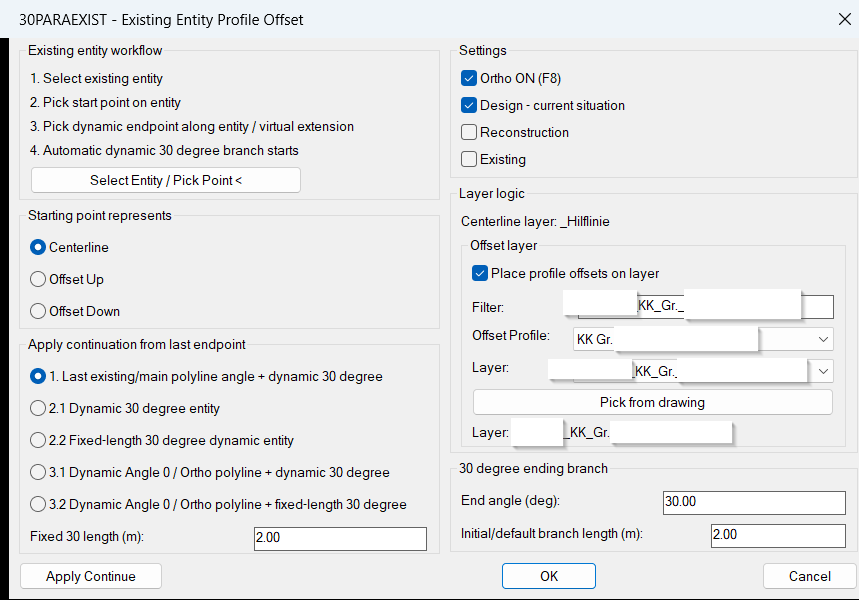
30ParallelExisting
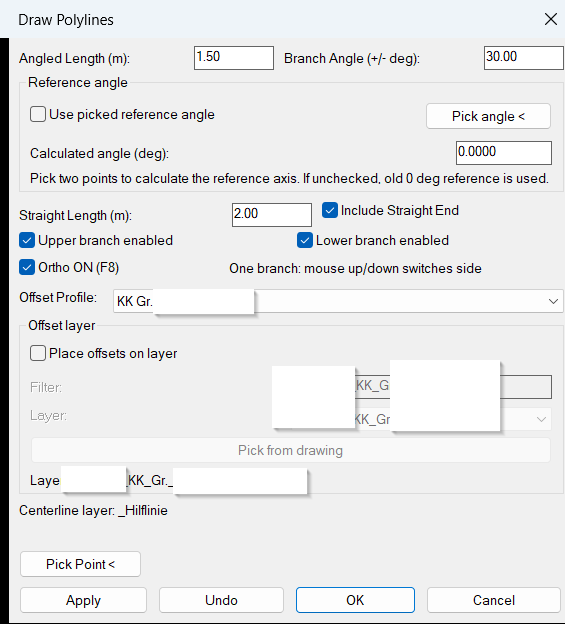
📐 AutoCAD AutoLISP tool for creating profile offsets from existing entities with native OFFSET behavior, 30 degree branch continuation, and design reconstruction existing layer modes.
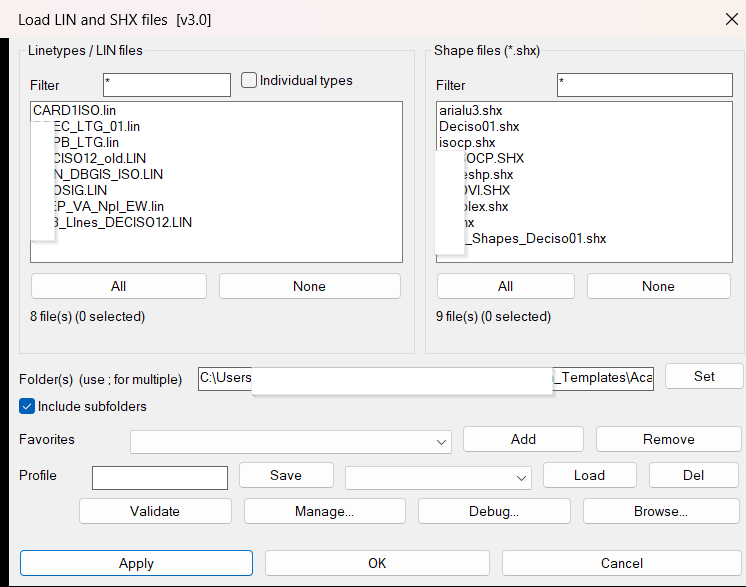
Lin_Shx_Loader
DCL-based AutoCAD utility for loading LIN linetype definitions and SHX shape files from selected folders, including subfolders and multiple search paths.
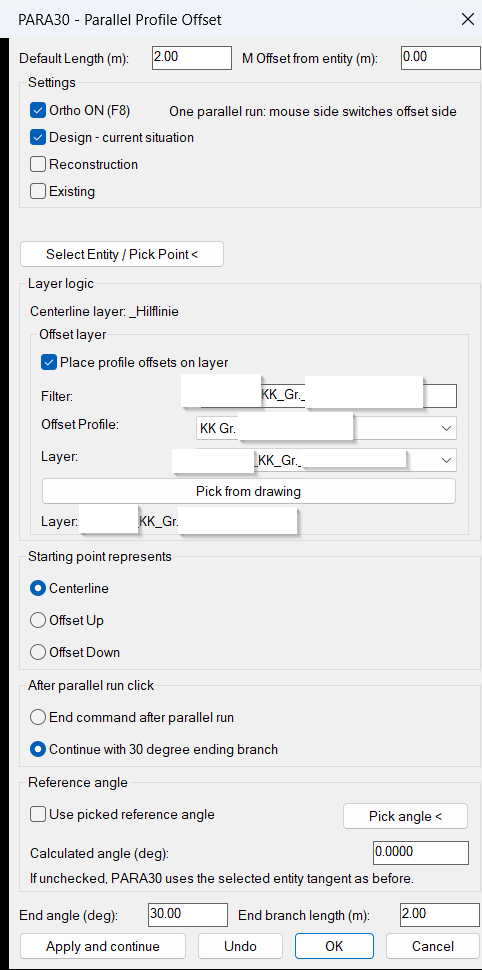
30Parallel
📐 AutoCAD AutoLISP tool for drawing parallel utility profile geometry with centerline offsets, 30 degree branch continuation, layer automation, and dynamic preview.
30Degree
Comming soon …ReplaceBlock
🔄 ReplaceBlock is an AutoCAD AutoLISP utility that replaces selected block references with another block definition from the active drawing while keeping the original insertion point, scale, rotation, layer, and color.
RenameBlockList
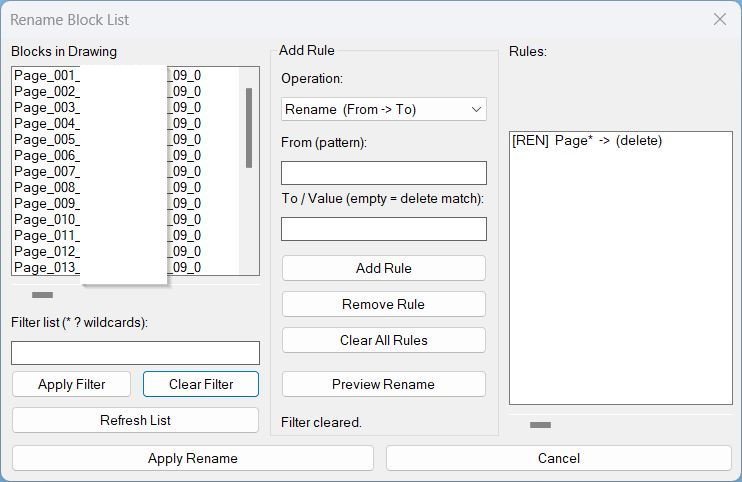
🔁 RenameBlockList is an AutoCAD AutoLISP batch block renaming utility that renames multiple block definitions from a dialog using wildcard filters, rename rules, prefix rules, suffix rules, and a preview workflow before applying changes.
CopyRenameBlockChangeLayer
🚀 Copy, rename, and relayer a selected AutoCAD block reference by creating a new independent block definition, preserving dynamic block behavior, and optionally updating all entities inside the copied block to ByLayer display properties.
LayerLeaderPlugin
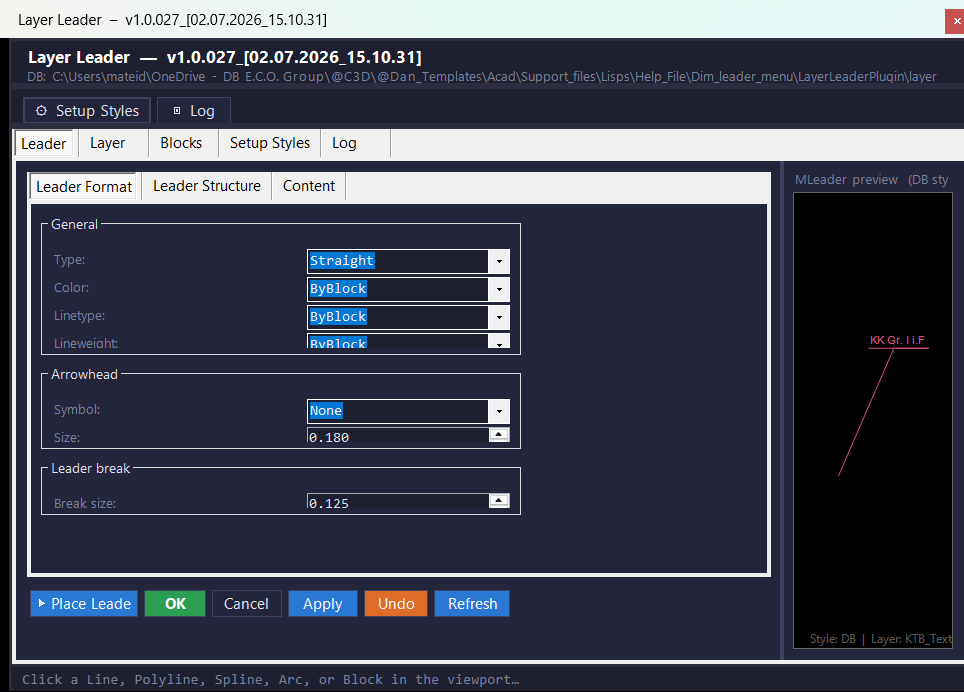
🏷️ LayerLeaderPlugin is an AutoCAD and Civil 3D .NET WinForms plugin for placing DB-standard MLeader labels from layer names, dynamic block visibility states, and managed JSON label databases.
NavvCubeDisplayOffOn
🧭 NavvCubeDisplayOffOn is a compact AutoCAD AutoLISP utility for resetting the Navigation Cube display state with one command.
🔄 It runs the AutoCAD NAVVCUBEDISPLAY command sequence automatically, helping CAD users restore the ViewCube or NavVCube display without searching through interface settings.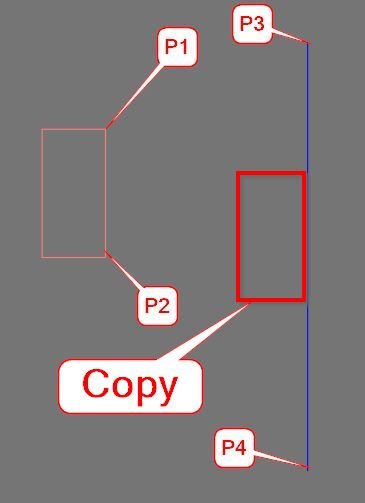
CopyMove2MidPoint_vs.01
📐 MTM2 is an AutoCAD AutoLISP midpoint move and midpoint copy utility that relocates selected drawing objects from a source midpoint to a destination midpoint using UCS-aware coordinate transformation.
Export_Import_MS_UCS
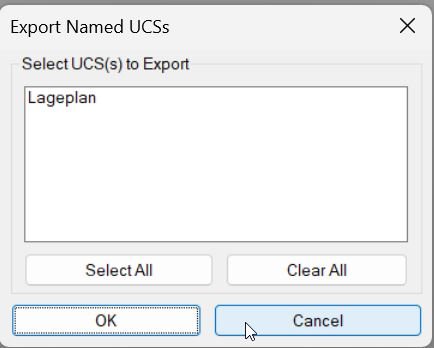
🧭 Export_Import_MS_UCS is an AutoCAD AutoLISP utility for exporting and importing named UCS definitions through portable .ucs files.
📤 It helps CAD users transfer model-space UCS setups between drawings, preserve project coordinate systems, and reuse named UCS standards in AutoCAD and Civil 3D production workflows.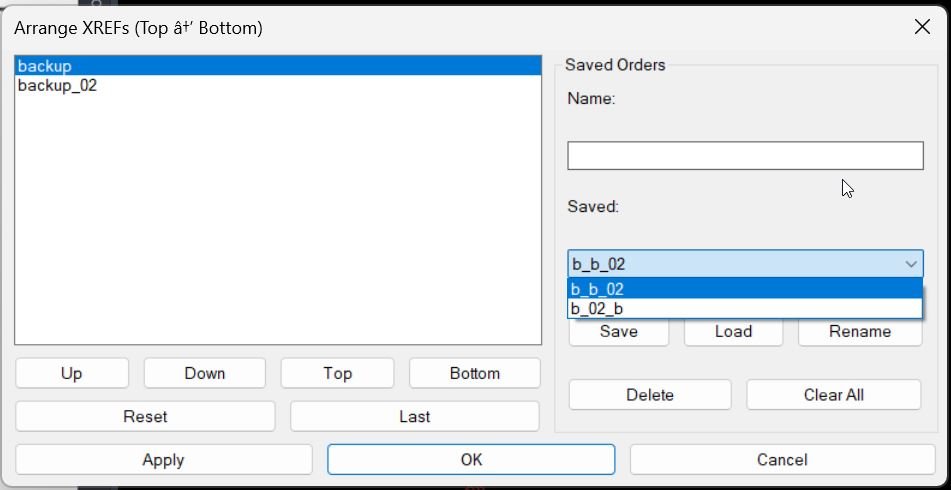
XrefDrawingOrder
🧩 AutoCAD XrefDrawingOrder is a dialog-driven AutoLISP tool for arranging XREF draw order directly from a clear DCL interface.
📐 It helps CAD users, Civil 3D designers, BIM coordinators, and CAD managers control which external references appear above or below other xrefs in complex drawings.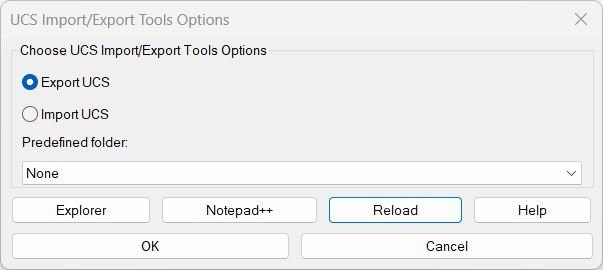
ExpImpUCS
🧭 ExpImpUCS is an AutoCAD and Civil 3D AutoLISP utility for exporting and importing named UCS definitions through a practical DCL dialog.
📤 It helps CAD users save UCS setups to portable .ucs files, restore coordinate systems in another drawing, and reuse project-specific UCS_Lageplan folders with fewer manual steps.AreaCalc
📐 AreaCalc is an AutoCAD AutoLISP area calculation utility that selects closed objects, converts measured areas between drawing units, labels each area, and creates LineText, AutoCAD Table, TXT, or CSV reports.
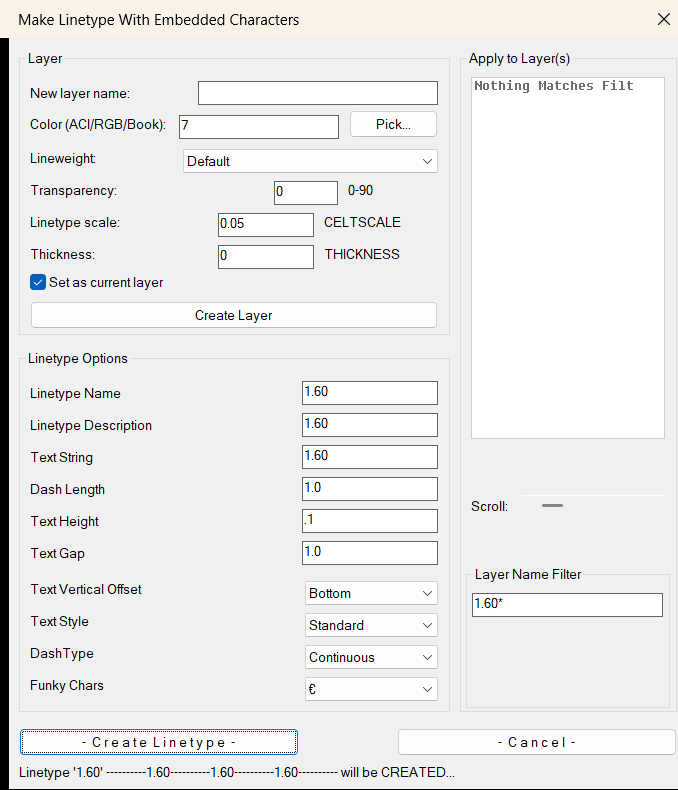
LinetypeWithCharacters2
🧵🔤 Create and apply AutoCAD linetypes with embedded text characters, layer creation, TrueColor selection, lineweight, transparency, CELTSCALE, THICKNESS, and multi-layer assignment.
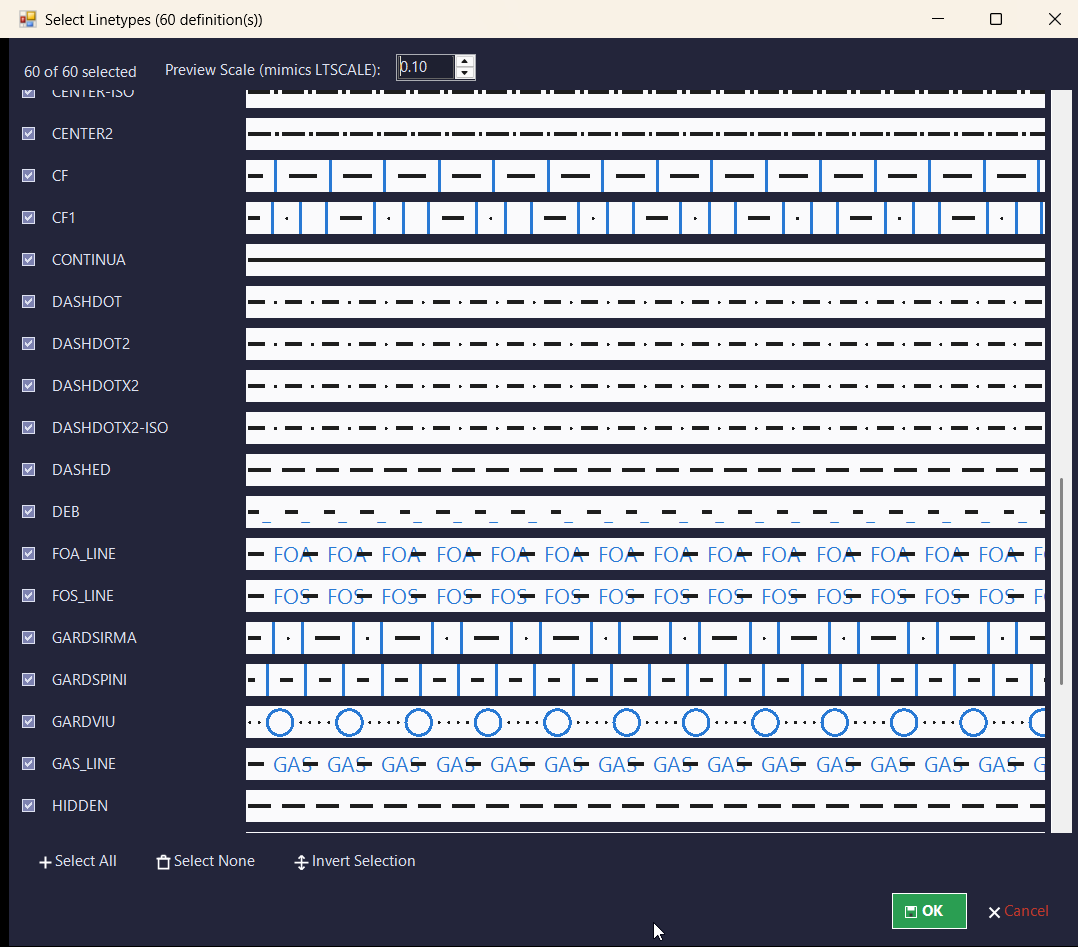
LinFileDraw_vs.01
📐 LinFileDraw is an AutoCAD AutoLISP and DCL utility for reading linetype definitions from a selected *.LIN file and drawing clean sample polyline rows with MText labels in the current UCS.
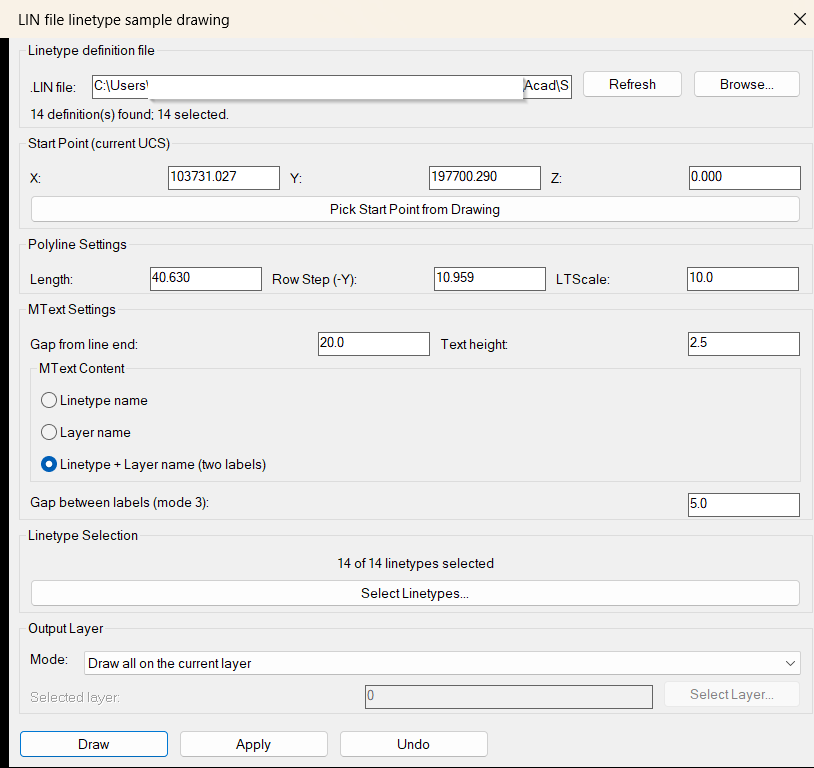
LinFileDraw
📐 LinFileDraw is an AutoCAD AutoLISP and DCL utility for reading linetype definitions from a selected *.LIN file and drawing clean sample polyline rows with MText labels in the current UCS.
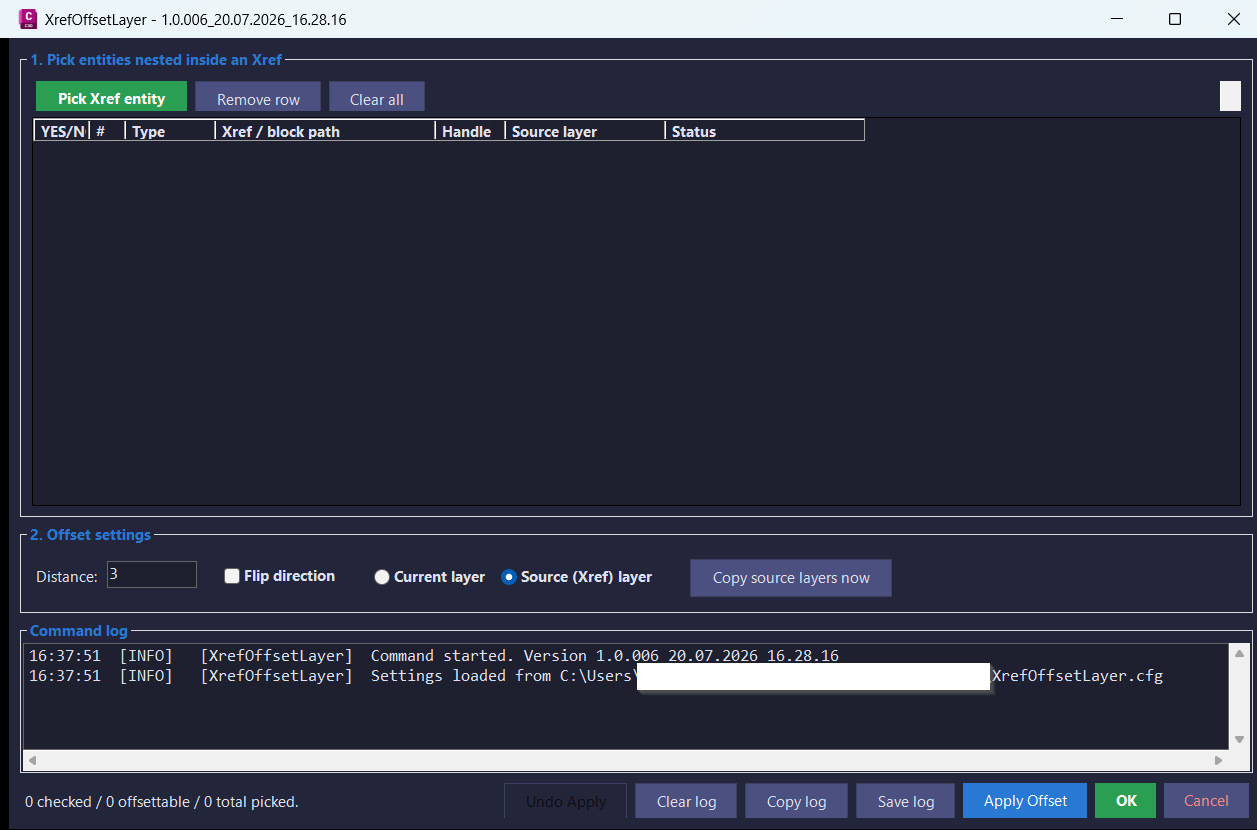
XrefOffsetLayer
Offset supported curve geometry nested inside AutoCAD and Civil 3D Xrefs into the host drawing with a modeless picker dialog, layer-copy support, flip direction control, undo, and diagnostic logging.
ReplaceBlockList
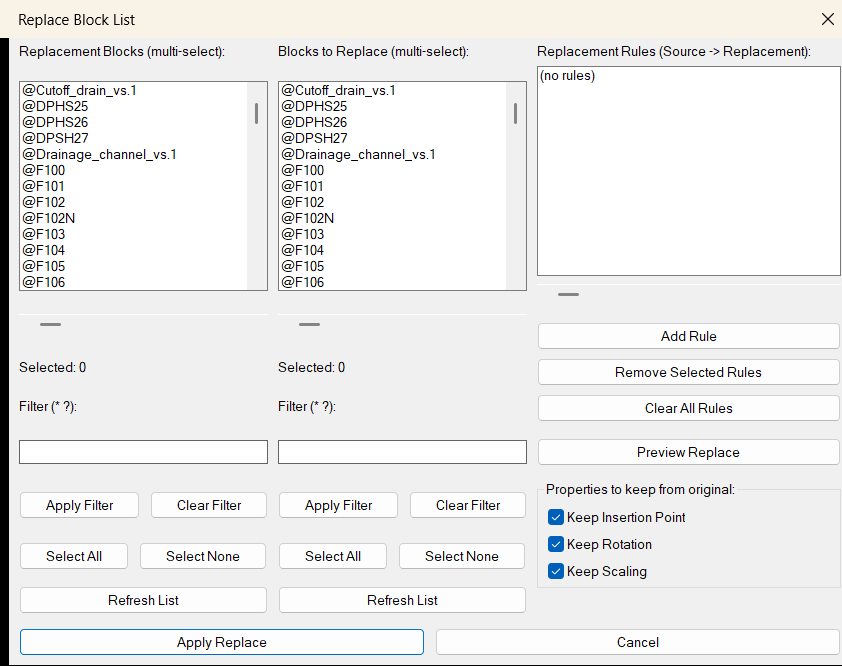
🔁 SEO-friendly AutoCAD LISP tool for replacing multiple block types in one workflow using a visual DCL rule list, dual block selectors, wildcard filters, preview counts, and optional preservation of insertion point, rotation, and scale.
LayersImportExport
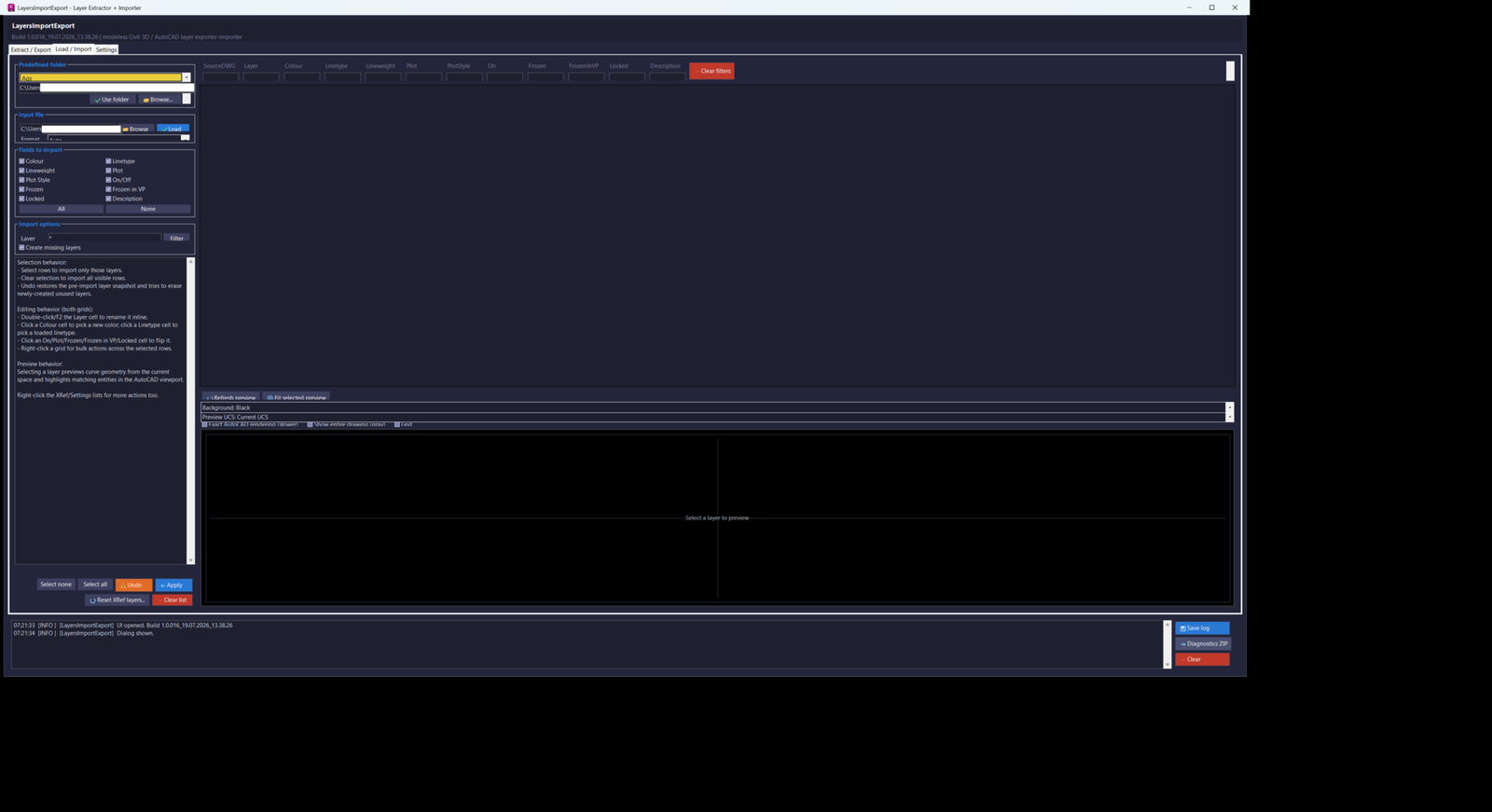
LayersImportExport_016 is an AutoCAD and Civil 3D 2024 .NET layer-management utility with a modeless C# interface for extracting, editing, exporting, importing, previewing, applying, and restoring drawing and Xref layer properties through CSV or XML workflows.
ChangeBlockLayer
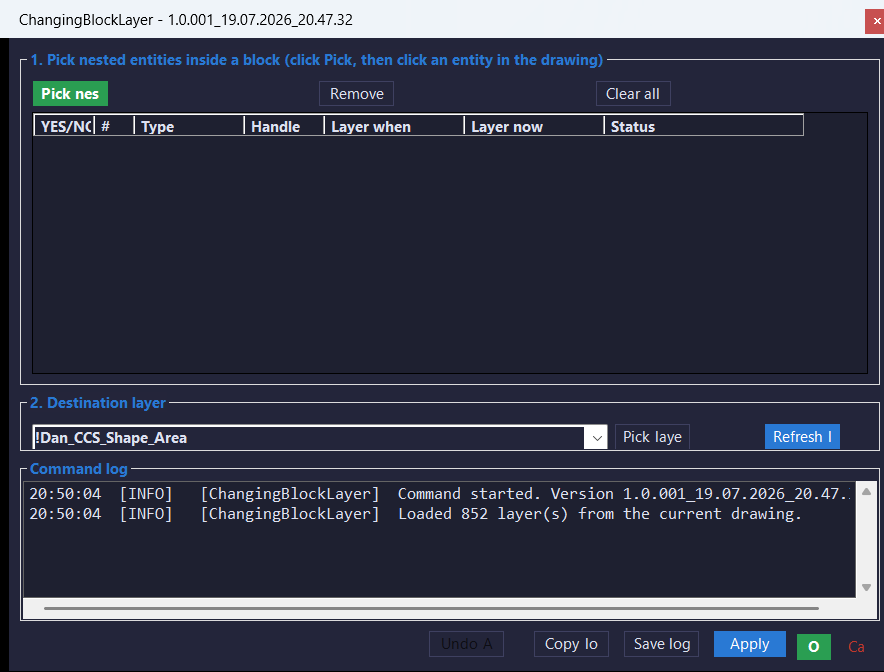
ChangingBlockLayer_001 is an AutoCAD and Civil 3D 2024 .NET utility with a modeless C# interface for selecting real entities nested inside block references and changing their layer through a reviewable grid with individual highlighting, Xref protection, selective Apply, and session-level undo.
Entities2Layers
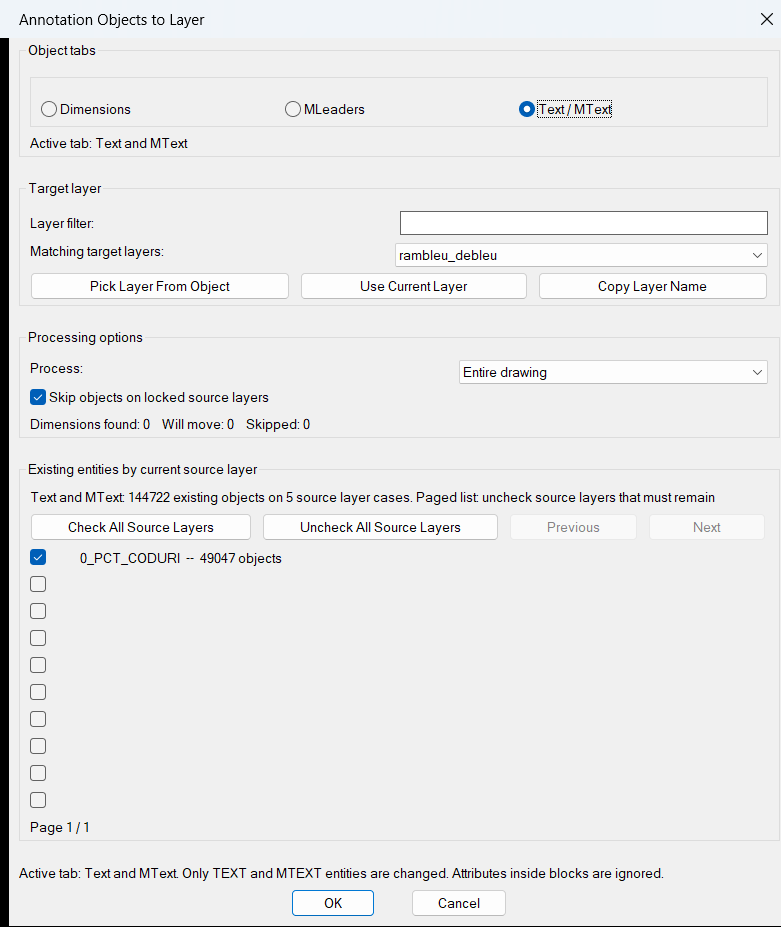
Entities2Layers is an AutoCAD and Civil 3D AutoLISP layer-management utility that moves dimensions, multileaders, text, and mtext objects to a selected target layer through a visual DCL dialog with scope filtering, source-layer controls, and optimized large-drawing processing.
ExplodeLinetype
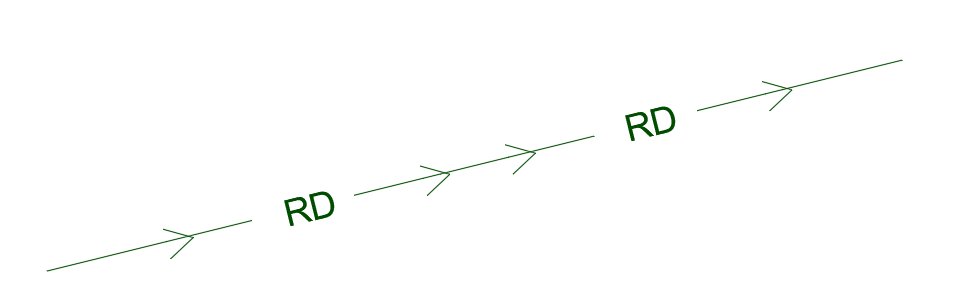
ExplodeLinetype is an AutoCAD AutoLISP text-explode utility that converts selected TEXT and MTEXT objects into editable line geometry, then assigns the result to the MISC layer with Continuous linetype and ByLayer color and lineweight.
AutoTrimExtendLines
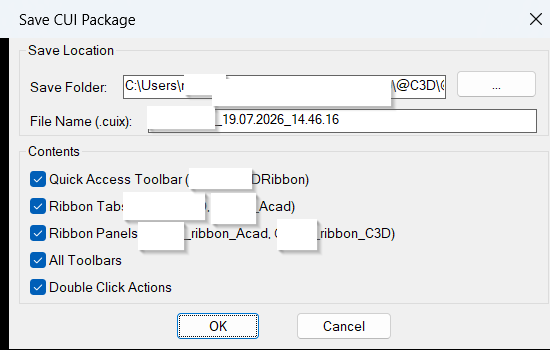
🚀 AutoCAD AutoLISP trim and extend utility with a DCL dialog for trimming, extending, and cleaning selected drawing geometry to bounding edges.
SaveCUIX
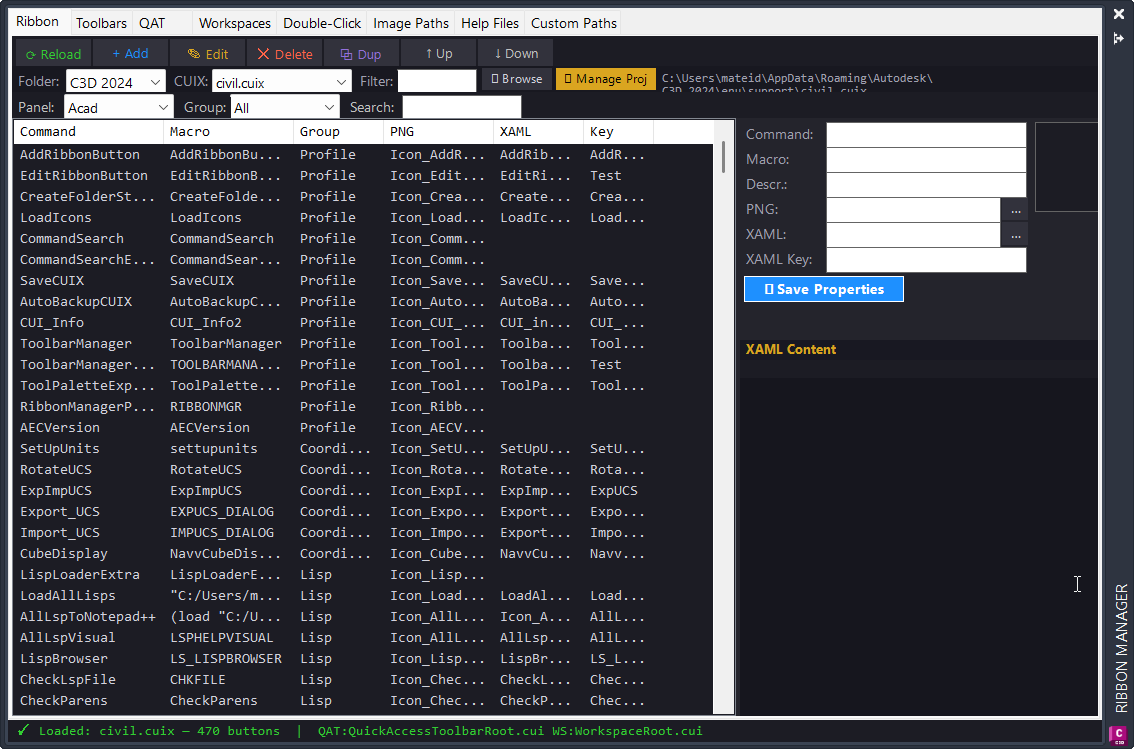
AutoCAD AutoLISP utility that exports a filtered CIVIL.cuix package containing selected [username] ribbon tabs, ribbon panels, QAT content, toolbars, and double-click actions.
ToolPaletteExporter
ToolPaletteExporter is an AutoCAD AutoLISP utility for exporting Tool Palette XTP files with their referenced source files, palette images, and a missing-file report in one organized ZIP archive.
RibbonManagerPlugin
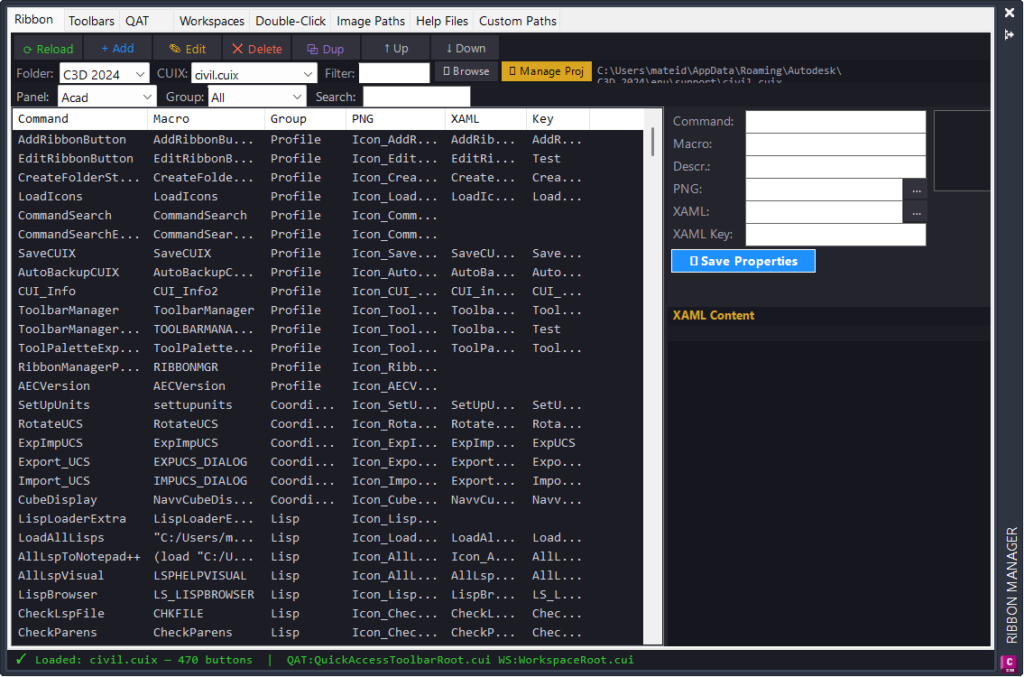
AutoCAD and Civil 3D .NET ribbon manager for searching, editing, adding, duplicating, deleting, reordering, auditing, and repathing ribbon buttons directly from a modeless palette.
LoadIcons
AutoCAD and Civil 3D LISP utility that copies Icon_*.png ribbon icon files from the Help_File structure into the Civil 3D support Icons folder and reloads CIVIL.cuix so updated ribbon images can appear immediately.
EditRibbonButton
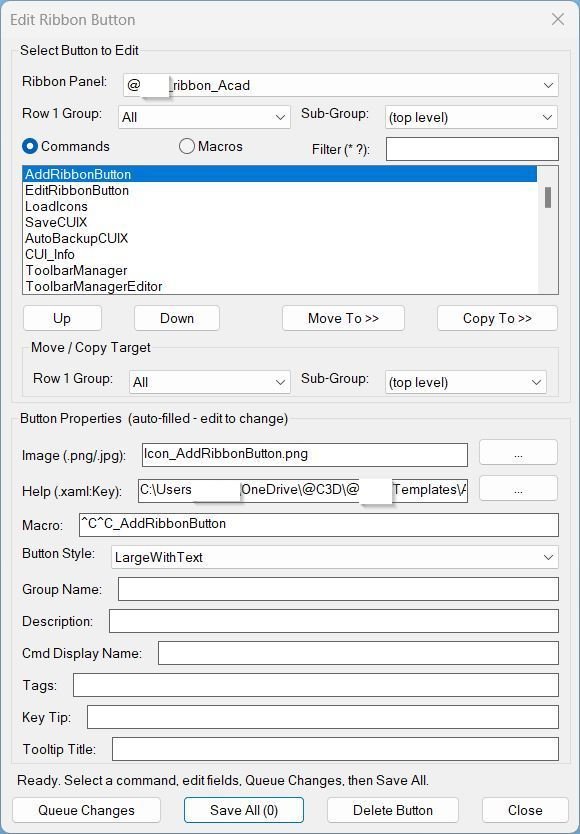
AutoCAD ribbon button editor for updating custom CUIX command buttons, images, XAML help links, macros, metadata, order, and panel placement from a DCL dialog.
CreateFolderStructure
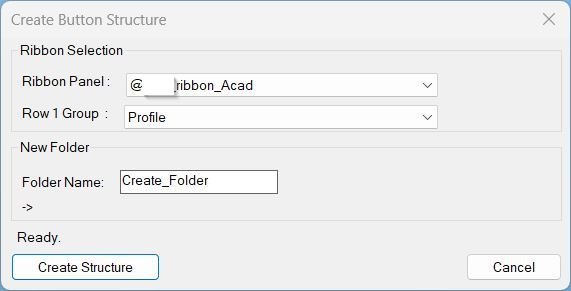
CreateFolderStructure is an AutoCAD AutoLISP utility that builds a complete Help_File command folder for a new ribbon button by reading CIVIL.cuix, selecting a [username]_ribbon_* panel, choosing a Row 1 group, and generating the required LISP, XAML, icon, screenshot, and VLX/FAS support folders.
CommandSearchExtra
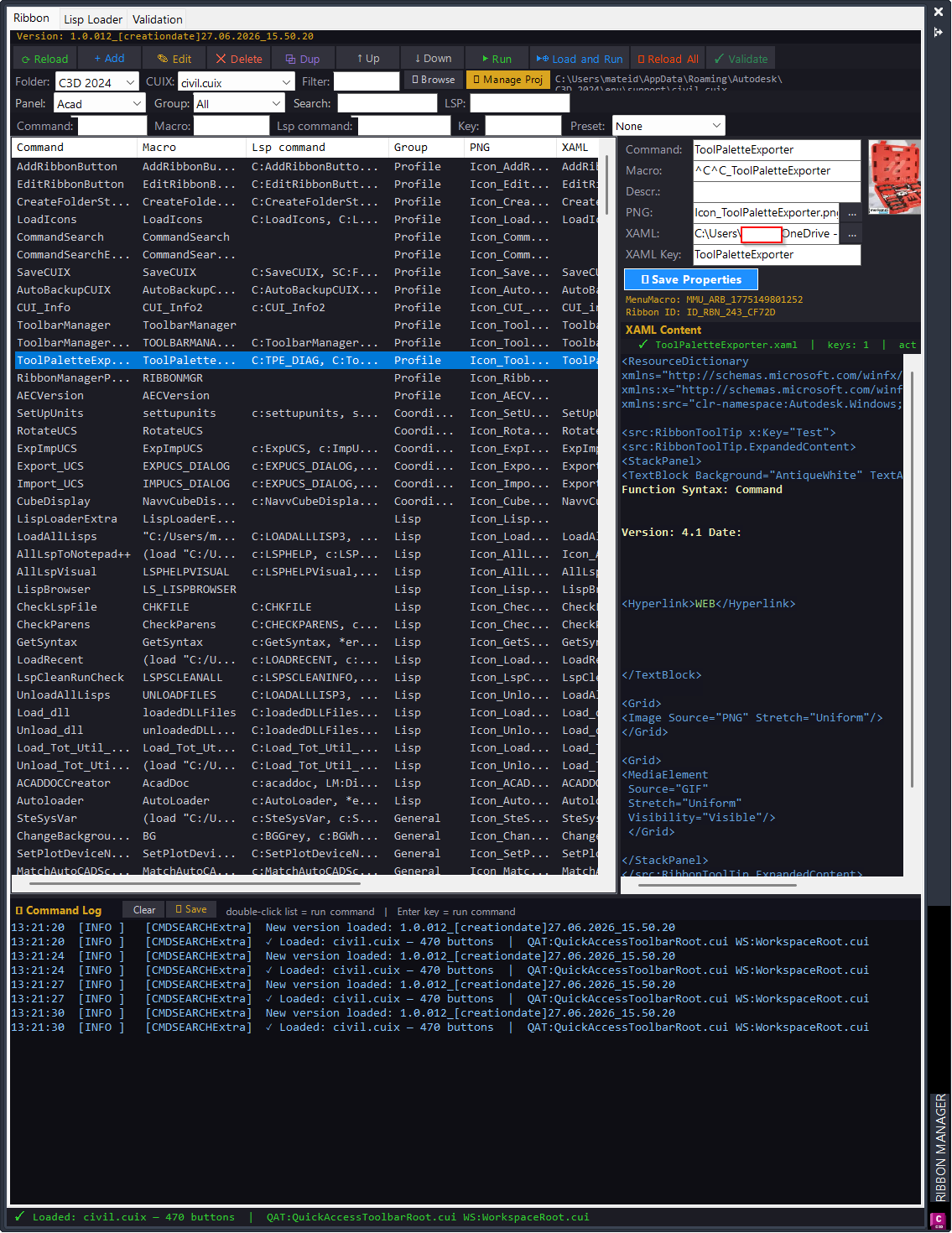
CMDSEARCHExtra is an AutoCAD and Civil 3D .NET command search, Ribbon CUIX manager, and Lisp Loader utility that helps CAD users find commands, audit Ribbon metadata, load LSP/VLX/FAS/DLL tools, validate support files, and export command documentation from one productivity palette.
CommandSearch Lisp Loader Only
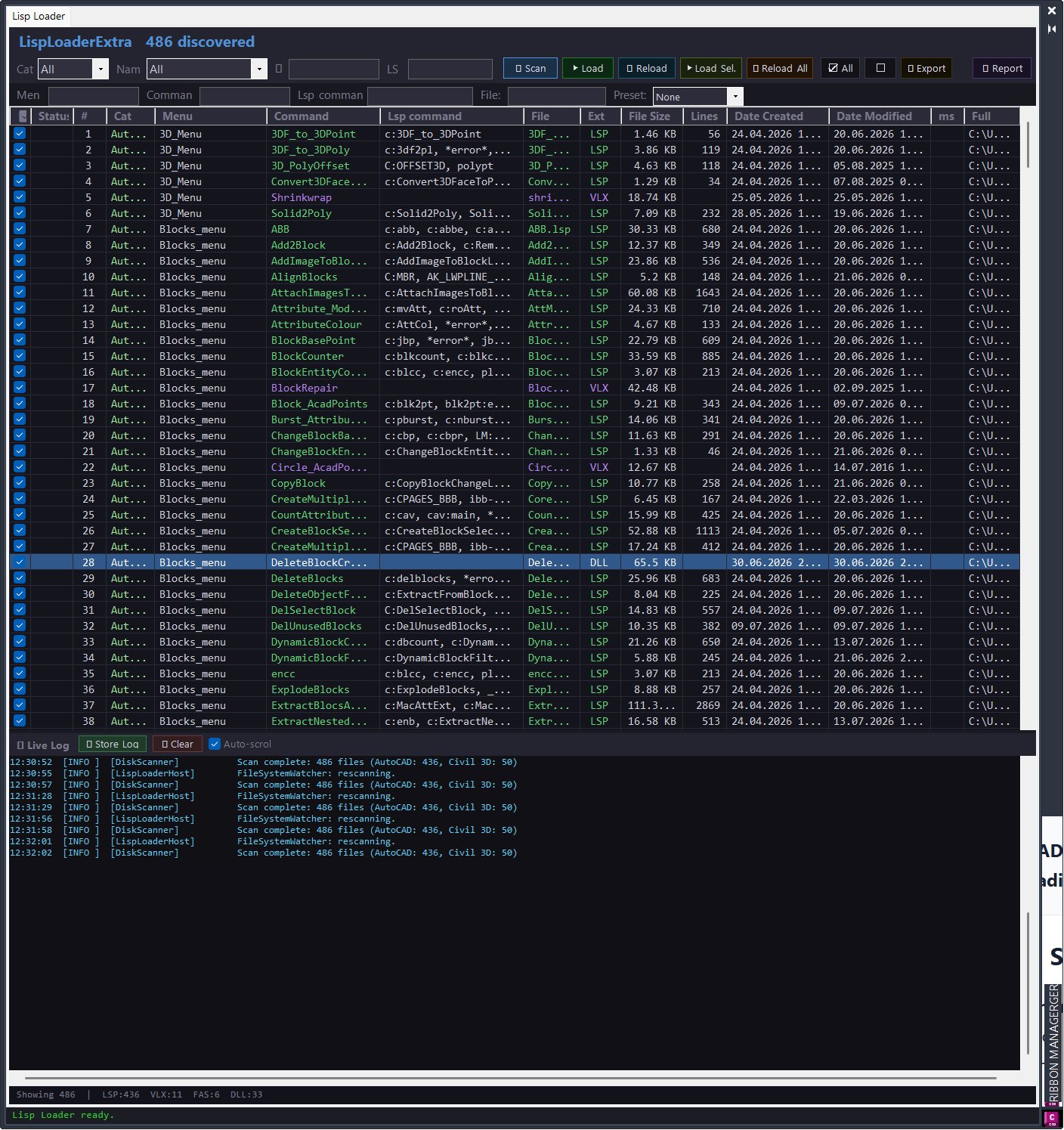
AutoCAD and Civil 3D .NET utility for searching ribbon commands, auditing CUIX button data, and loading LSP, VLX, FAS, and DLL tools from a structured Help_File library.
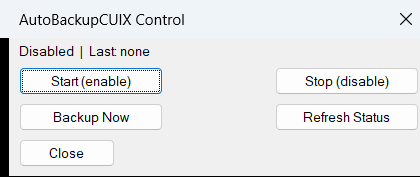
AutoBackupCUIX
AutoBackupCUIX is an AutoCAD and Civil 3D AutoLISP utility that automatically creates a daily filtered backup of CIVIL.cuix at 17:00, with manual start, stop, status, backup-now, and DCL control dialog commands.
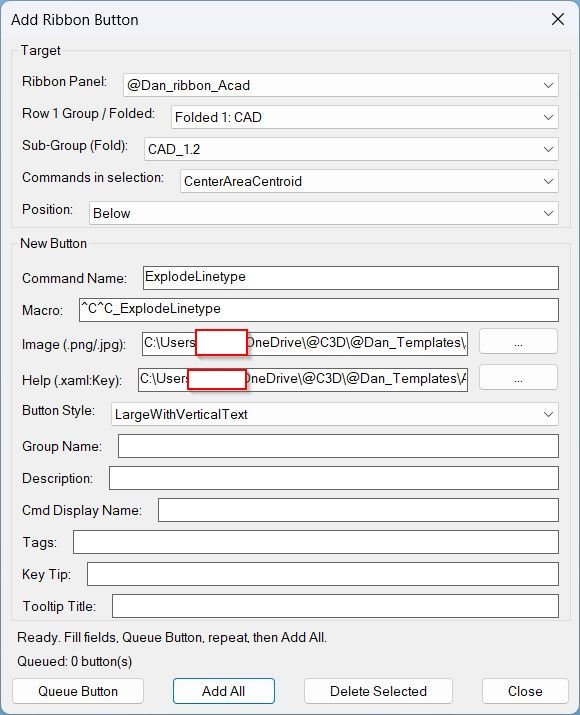
AddRibbonButton
AutoCAD AutoLISP utility for adding, queueing, deleting, and debugging ribbon buttons inside CIVIL.cuix through a DCL-driven Ribbon Button Manager workflow.
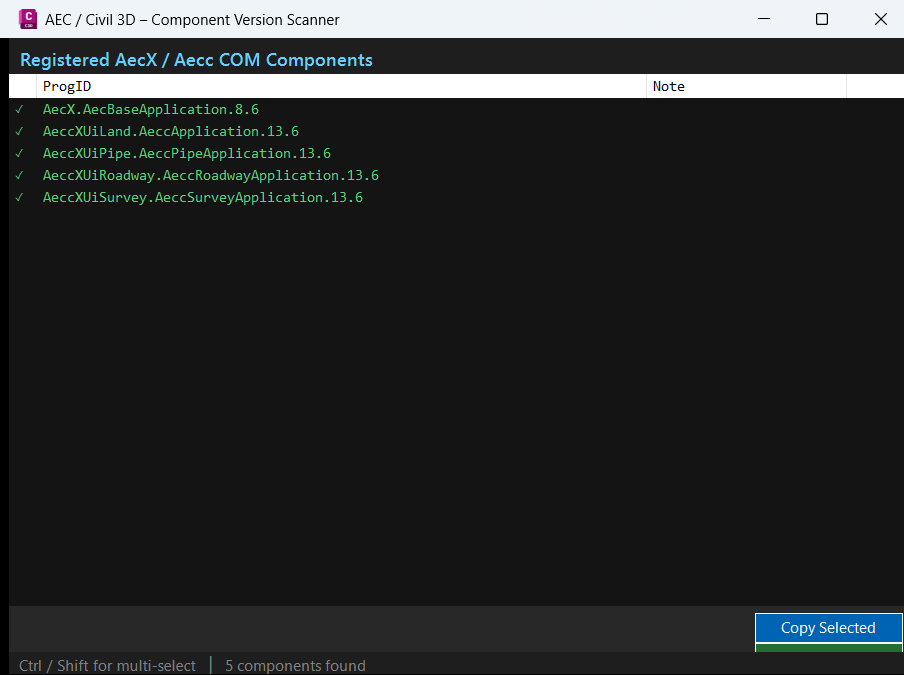
AECVersionPlugin
AutoCAD .NET Framework 4.8 project configuration for building the AECVersionPlugin diagnostic command, designed for Civil 3D and AutoCAD AEC version checking workflows.
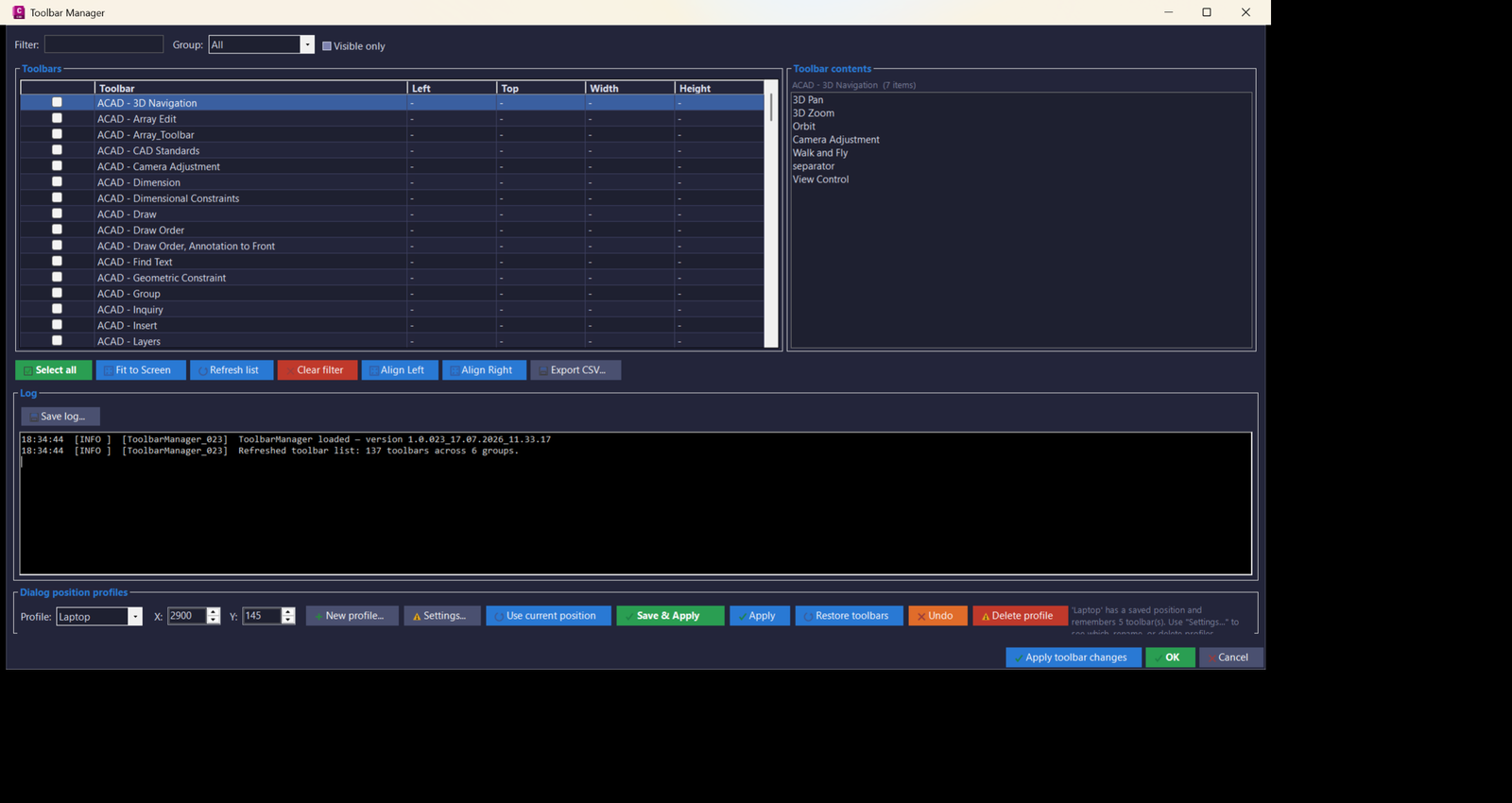
ToolbarManager_vs.01
🚀 ToolbarManager is an AutoCAD Civil 3D .NET Framework 4.8 plugin for managing, filtering, saving, restoring, exporting, and repositioning AutoCAD toolbars across monitor setups. It helps CAD users create repeatable toolbar profiles, fix floating toolbar positions, audit toolbar contents, and improve productivity in multi-monitor Civil 3D production environments.
ImportBlock
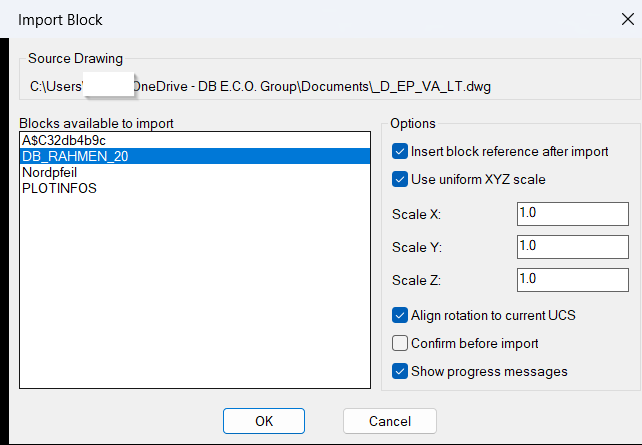
🚀 ImportBlock is an AutoCAD and Civil 3D AutoLISP utility for importing selected block definitions from an external DWG, DWT, or DWS file into the active drawing.
It uses an embedded DCL dialog, ObjectDBX drawing access, saved user settings, optional insertion, scale controls, UCS-aware rotation, and safe source drawing validation to speed up block library reuse and CAD production workflows.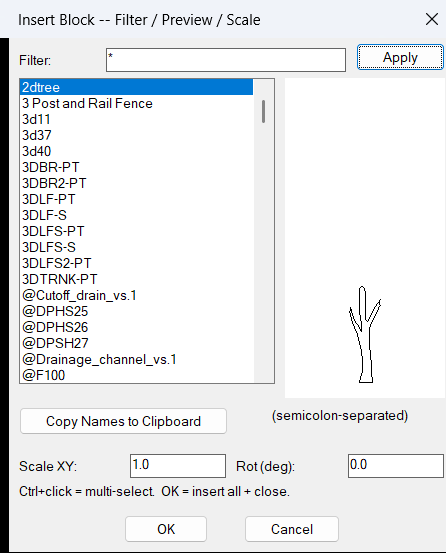
InsertBlockFilterScale
🚀 InsertBlockFilterScale is an AutoCAD and Civil 3D AutoLISP block insertion utility that helps users quickly filter, preview, copy, and insert existing block definitions from the active DWG.
It provides a DCL-based block browser with wildcard filtering, multi-select insertion, scale control, rotation control, block preview, and saved user settings for faster CAD drafting workflows.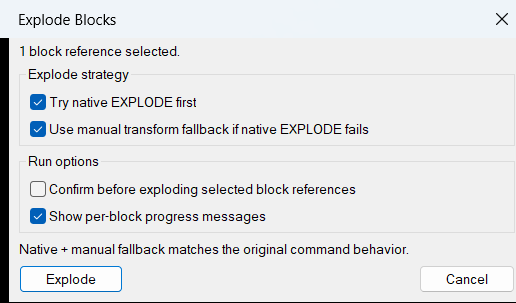
ExplodeBlocks
🚀 ExplodeBlocks is an AutoCAD and Civil 3D AutoLISP utility for exploding difficult block references that standard AutoCAD
EXPLODEmay refuse, including protected block definitions and non-uniformly scaled blocks.
It helps CAD users convert selectedINSERTblock references into editable drawing geometry for cleanup, editing, coordination, and DWG production workflows.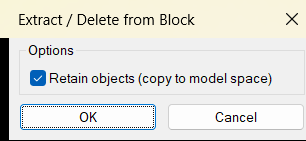
DeleteObjectFromBlock
🚀 DeleteObjectFromBlock is an AutoCAD AutoLISP and DCL utility for extracting or deleting nested objects from block definitions directly from the drawing editor. It helps CAD users clean block content, move nested geometry back to model space, and remove unwanted block definition entities faster while keeping a controlled undo workflow.
DeleteBlockCrossings
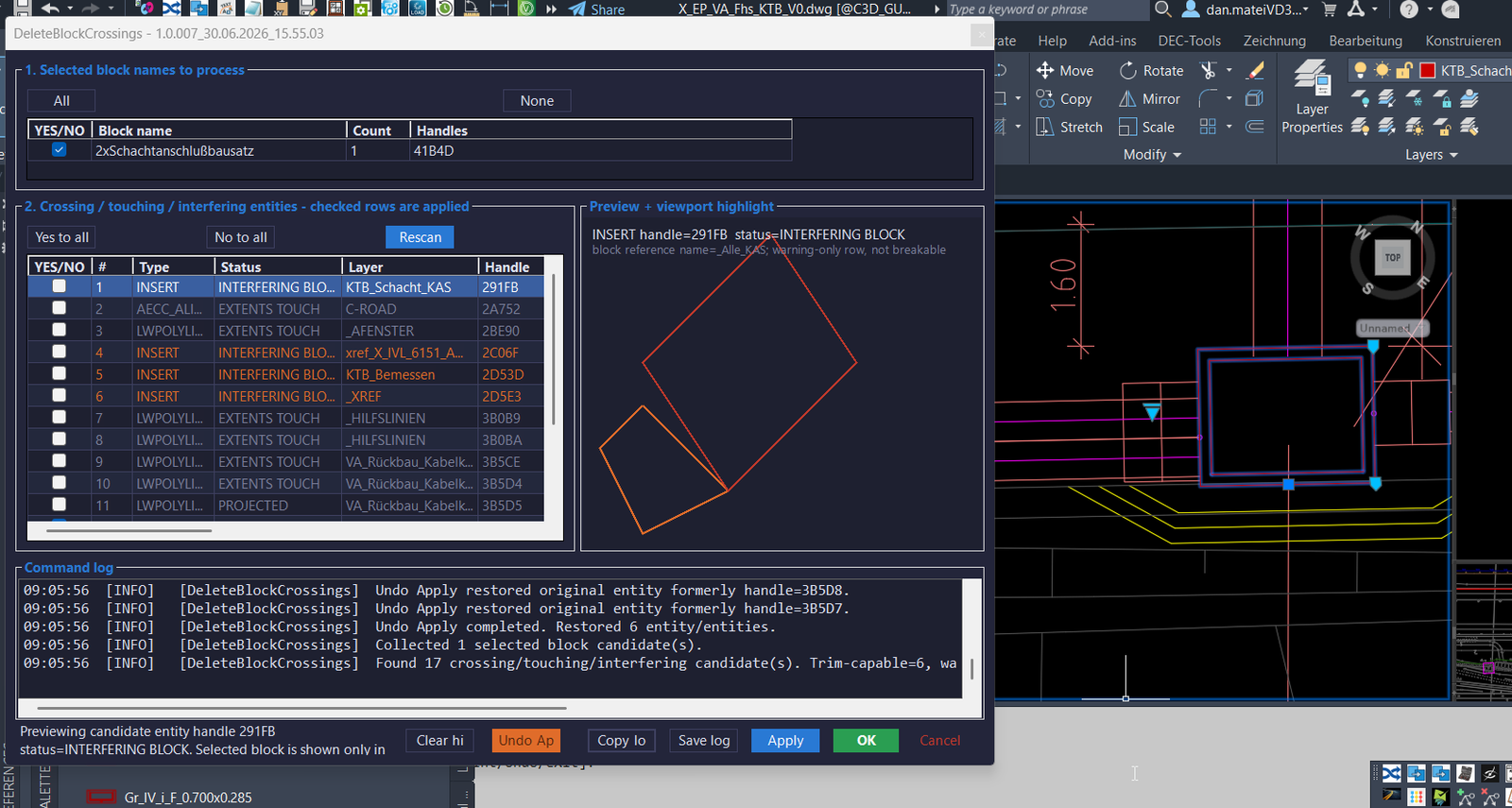
🚀 DeleteBlockCrossings is an AutoCAD and Civil 3D 2024 .NET plugin for detecting and trimming curves that cross selected block references. It replaces the older
ABBSworkflow with a modeless C# interface, crossing diagnostics, preview feedback, apply control, undo support, and exportable logs for faster DWG cleanup and CAD production quality control.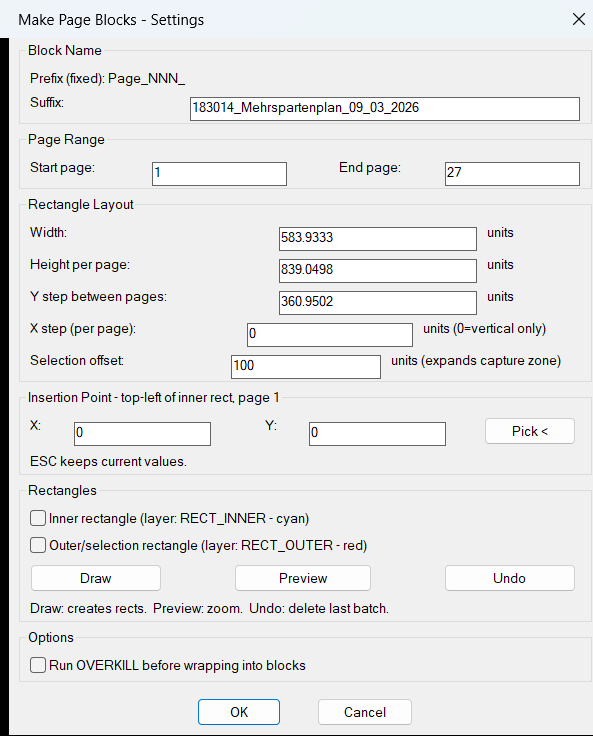
CreateMultipleRectangleBlocks
🚀 CreateMultipleRectangleBlocks is an AutoCAD and Civil 3D AutoLISP DCL utility for creating repeated page rectangles and converting drawing content into organized page block definitions. It helps CAD users automate sheet-area selection, page block creation, rectangle layout preview, and batch block generation directly inside the active DWG.
CopyBlock_vs.01
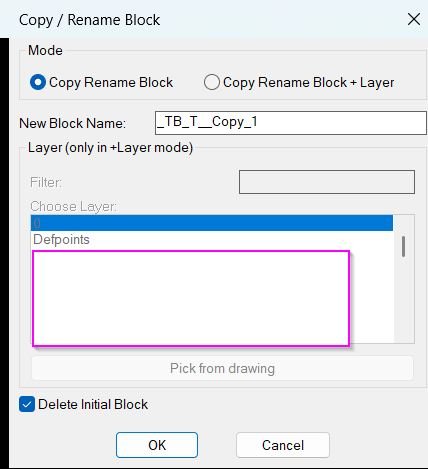
🚀 CopyBlockChangeLayer is an AutoCAD AutoLISP and DCL utility for copying a selected block reference, creating a renamed block definition, optionally changing its layer, and optionally deleting the original block reference. It helps CAD users create clean block variants faster while keeping block naming, layer assignment, and block-content ByLayer cleanup under control.
AttachImagesToBlocks
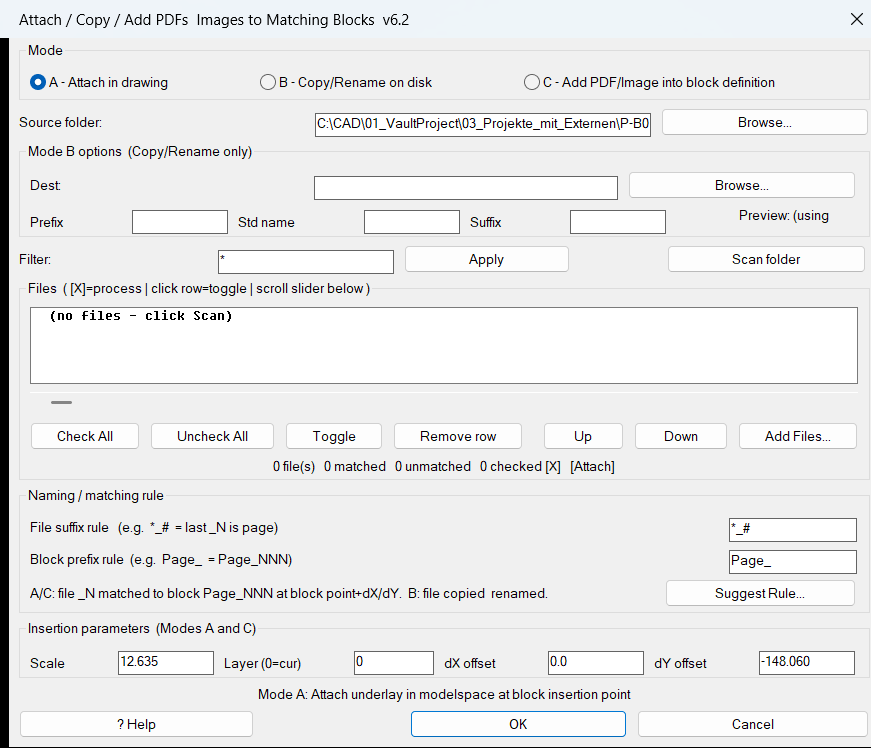
🚀 AttachImagesToBlocks is an AutoCAD and Civil 3D AutoLISP utility for matching PDF files and raster images to drawing block references, then attaching, copying, renaming, or embedding those files using a shared DCL dialog. It helps CAD users automate sheet-image placement, page-to-block matching, block-based underlay workflows, file renaming, and drawing production cleanup.
Convert3DFaceToPolyline
🚀 Convert3DFaceToPolyline is an AutoCAD and Civil 3D AutoLISP tooltip and command description for converting selected 3D Face objects into closed Polyline boundaries. It helps CAD users transform face-based DWG geometry into editable polyline outlines for drawing cleanup, drafting review, and Civil 3D production preparation.
3DF_to_3DPoly
🚀 3DF_to_3DPoly is an AutoCAD and Civil 3D AutoLISP utility that converts selected 3DFACE entities into closed 3D polylines while preserving the original vertex elevations. It helps CAD and Civil 3D users transform face-based geometry into editable 3D polyline boundaries for cleanup, drafting, terrain preparation, and production drawing workflows.
BookmarkEntities
🔖 BMEntityPos is an SEO-friendly AutoCAD AutoLISP and DCL bookmark manager for saving, filtering, and revisiting important drawing entity positions.
It helps CAD users pick drawing objects, store their bounding box coordinates, add remarks, organize bookmarks by entity group, and zoom back to saved locations inside the DWG.
The main benefit is faster drawing navigation, better object tracking, cleaner review workflows, and improved AutoCAD and Civil 3D productivity for large production drawings.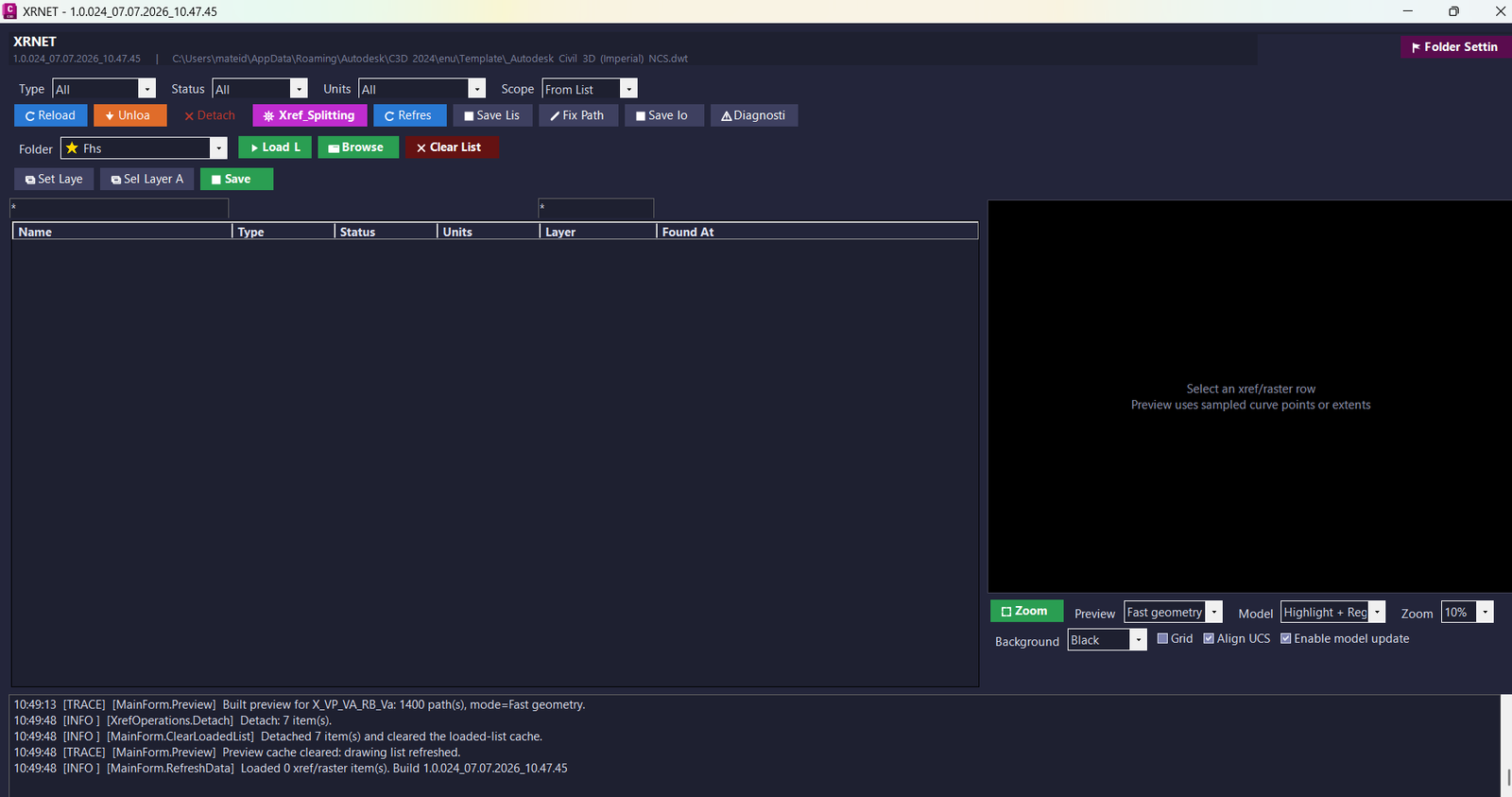
XrNet
🚀 XRNET is an SEO-friendly AutoCAD and Civil 3D .NET Framework plugin for fast DWG xref and raster image reference management. [username]
It helps CAD users inspect, reload, unload, detach, validate, preview, export, repair, and apply external references from the active drawing.
The main benefit is faster drawing cleanup, better xref control, fewer missing reference issues, and improved AutoCAD Civil 3D productivity.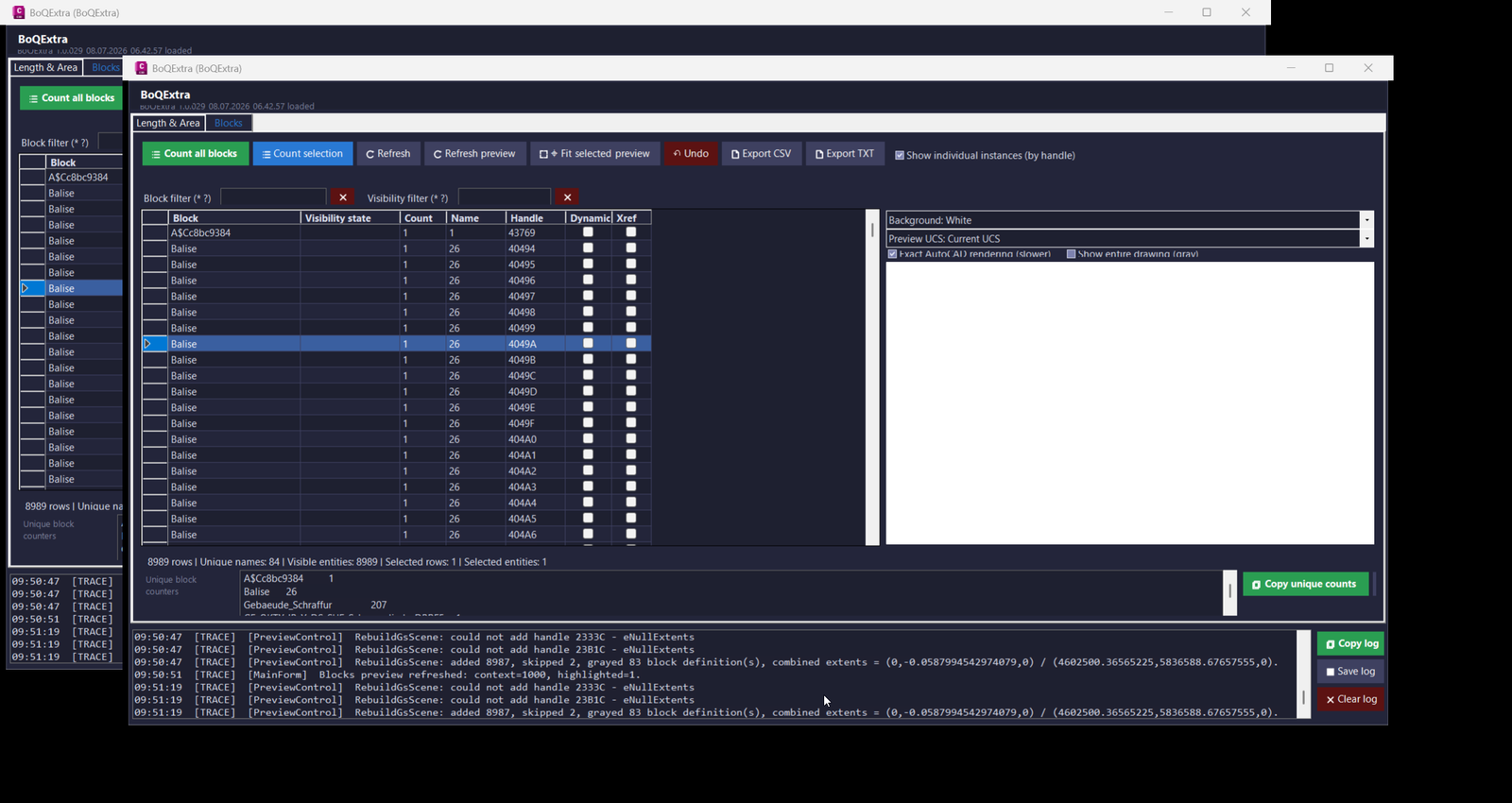
BoQExtra
🚀 BoQExtra is an AutoCAD and Civil 3D C# .NET plugin for Bill of Quantities automation, length and area calculation, dynamic block counting, model-space selection control, object-field MTEXT output, clipboard formulas, and CSV or TXT export. The plugin helps CAD technicians, Civil 3D designers, BIM coordinators, and infrastructure drafting teams create faster, cleaner, and more traceable BoQ data directly from DWG geometry and block references.
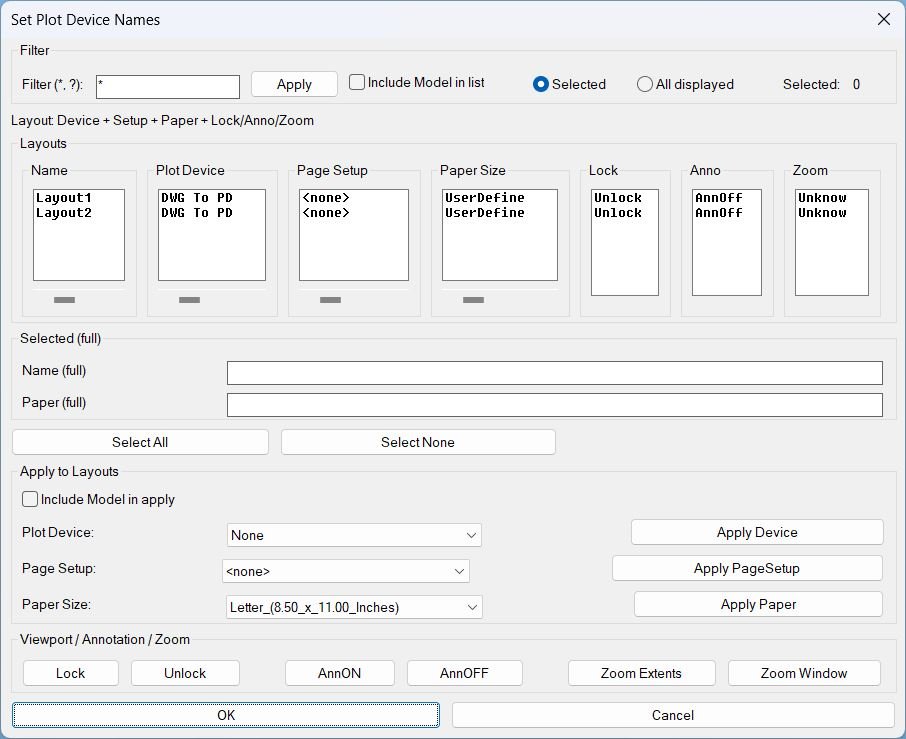
SetPlotDeviceNames
🖨️ SetPlotDeviceNames is an AutoCAD/Civil 3D AutoLISP DCL manager for batch editing layout plot devices, page setups, paper sizes, viewport locks, annotation visibility, and zoom settings.
📐 It provides filtered layout selection, synchronized columns, per-column horizontal scrolling, and apply tools for production plotting workflows.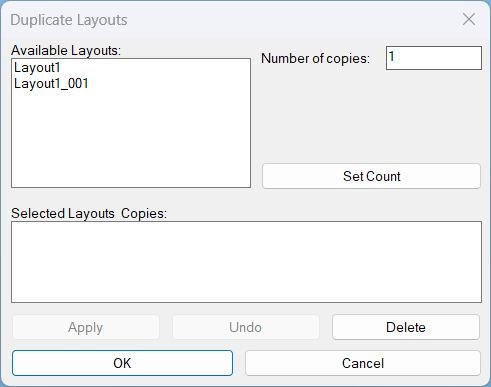
DuplicateLayouts
📄 DuplicateLayouts is an AutoCAD and Civil 3D AutoLISP utility for duplicating layout tabs from a dialog-driven workflow.
🔁 It lets CAD users select one or more existing paper-space layouts, assign copy counts, create unique layout names automatically, and manage layout duplication without manually repeating the AutoCAD LAYOUT Copy command.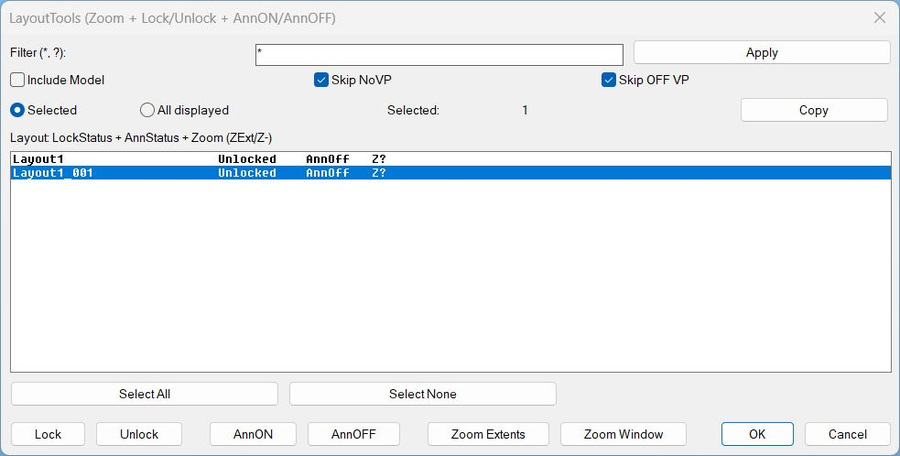
LayoutTools
🧰 LayoutTools is an AutoCAD and Civil 3D AutoLISP layout management dialog for zooming layouts, locking and unlocking viewports, and toggling ANNOALLVISIBLE.
📑 It supports filtered layout selection, selected or all-displayed scope, viewport lock status, annotation visibility status, zoom status tracking, clipboard copy, and batch paper-space operations.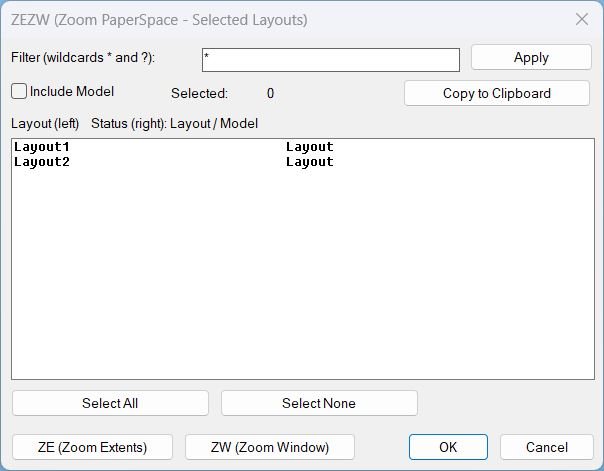
Zoom Extend Window
What this LISP does ZEZW opens a DCL dialog to multi-select layouts and then applies Zoom Extents or Zoom Window in Paper Space on the selected layouts. Key concept The zoom action runs after the dialog closes for stability and predictable execution.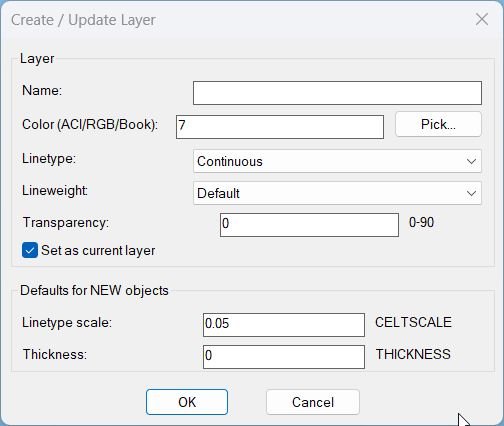
LayerCreation
🧱 LayerCreation is an AutoCAD and Civil 3D AutoLISP tool for creating or updating layers with color, linetype, lineweight, transparency, and default object settings.
🎨 It supports ACI colors, RGB true color, color books, a DCL dialog, and a reliable command-line fallback.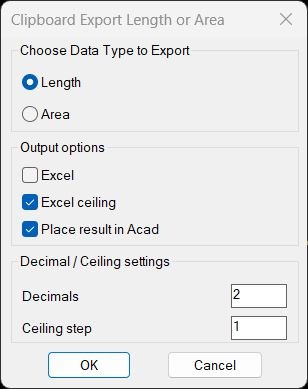
TotalLengthAreaDetailed
📏📐 AutoCAD AutoLISP utility for calculating total length or total area from selected CAD entities, copying Excel-ready formulas to the clipboard, and placing UCS-aware dynamic MTEXT field results in the drawing.
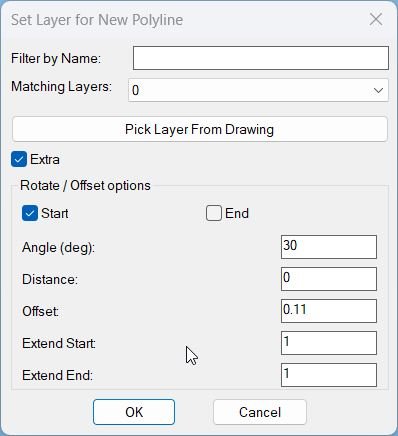
CopySelection_vs.01
Sort / Purpose: Create a new polyline segment copied between two picked points on an existing LWPOLYLINE, place it on a chosen layer, and optionally extend, rotate, move, and generate multiple offset copies via an interactive dialog with Apply and Undo. • Scope: Works only on a selected LWPOLYLINE, extracting the portion between two points along the polyline and building a new, separate polyline from that segment. • Goal: Speed up creation of repeated pipe or band segments with controlled layer assignment, geometric extension at ends, rotation, perpendicular distance, and multiple parallel offsets using presets.3DPolyVertex2Table
🧩 3DPolyVertex2Table creates an AutoCAD table containing the X Y and Z coordinates of every vertex from a selected 3DPolyline.
🔢 The selected polyline vertices are marked in the drawing with matching numeric labels and small red circles.
📋 After the coordinate table is generated the user places it at the required drawing location.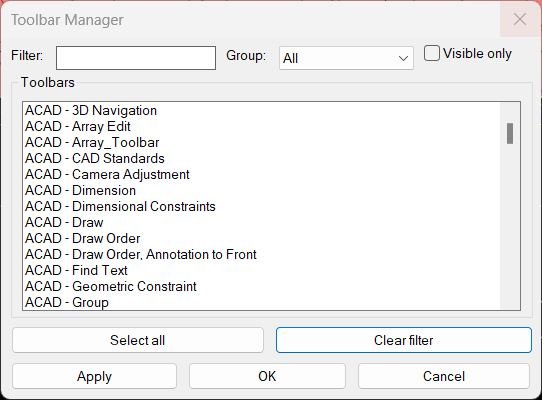
ToolbarManager
Sort / Purpose: Interactive manager for showing and hiding AutoCAD toolbars using a filterable, grouped list dialog. • Scope: Reads all toolbars from all menu groups, displays them with their group names, and lets you control visibility in bulk. • Goal: Quickly create, recall, and adjust toolbar layouts without hunting through CUI, using saved filter and group selections between runs.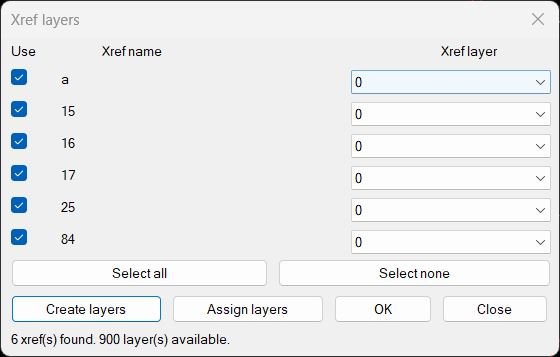
CreatesXrefsLayersAssign_vs.00
Xref → Own Layer Manager This AutoLISP routine scans the current drawing for attached xrefs, shows them in a dialog with a checkbox and a per xref layer popup, and lets the user create or assign layers for those xrefs in one place. The dialog is generated dynamically so it always shows the exact xrefs that exist in the drawing at that moment.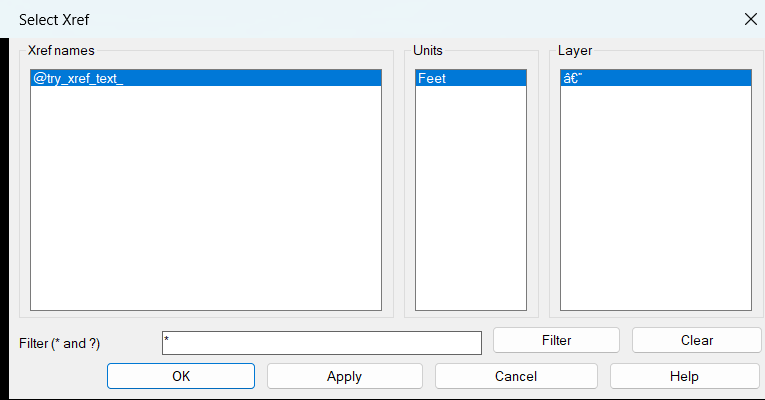
ZoomXref
AutoCAD LISP utility for listing loaded Xrefs in a dialog, filtering them with wildcards, and zooming directly to the selected Xref extents.
XRefs2Layers
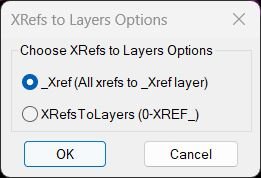
🔗📂 Move all AutoCAD XREF block references onto clean XREF layers using either one shared _XREF layer or individual 0-XREF_ layers.
XrefsDrawingOrder
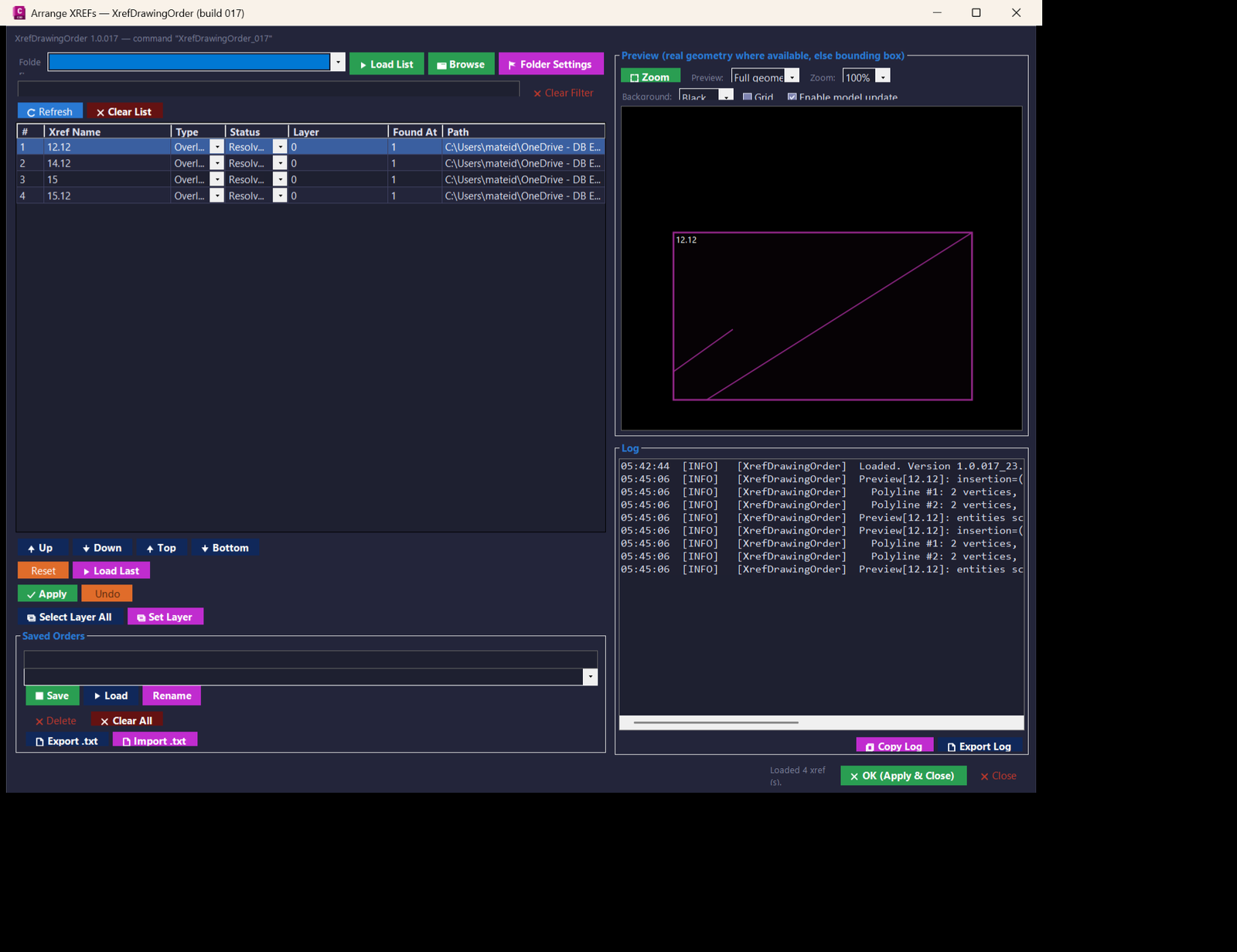
🧭 AutoCAD and Civil 3D .NET tool for managing XREF draw order with a modeless WinForms dialog, live preview, Apply and Undo, saved xref order presets, folder favorites, xref reload/unload controls, layer updates, and diagnostic logging.
Multiple_text_mtext_2
Sort / Purpose: Convert multiple selected TEXT and MTEXT entities into a single MTEXT object while keeping each original line as a separate paragraph. • Scope: Works on standard text objects in the current space and merges them into one formatted MTEXT container. • Goal: Simplify editing and formatting by replacing several separate text items with one unified MTEXT that preserves visual layout and underlines.Copy_to_Clipboard_Xref
Sort / Purpose: Interactively pick nested TEXT, MTEXT, DIMENSION, LEADER, and BLOCK entities, extract their text and send it to the clipboard, then clean up temporary copies. • Scope: Works on nested entities inside blocks or references using CTC3 as a “pick-through” text exporter. • Goal: Quickly grab text content from visually picked nested items, copy that text to the Windows clipboard, and automatically delete the intermediate copied entities from the drawing.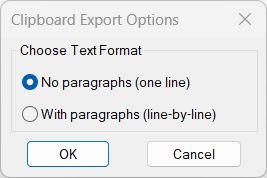
Copy_to_Clipboard
Sort / Purpose: Export cleaned text from selected drawing annotations directly to the Windows clipboard in a copy ready format. • Clipboard Export: Gathers text from TEXT, MTEXT, attributes, dimensions, multileaders, and blocks, then sends the processed result to the clipboard. • Two Output Styles: Lets you choose between one line concatenated text without paragraphs or line by line text keeping logical paragraphs. • Formatting Cleanup: Strips MText formatting codes and Unicode markers so that the clipboard content is clean, readable, and ready for pasting into external applications.RotateMtextVport
Rotate Text and Mtext in Viewport Aligns TEXT objects to viewport rotation while resetting MTEXT to horizontal orientation.Lower
Sort / Purpose: Convert selected TEXT and MTEXT entities to either all upper case or all lower case in a single operation. • Scope: Operates only on existing TEXT and MTEXT objects that you select in the drawing. • Goal: Standardize the letter case of annotations quickly for consistent drawing documentation.Upper
Short LISP to convert selected TEXT and MTEXT objects to uppercase.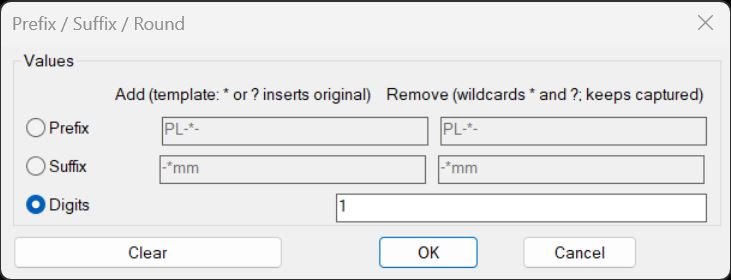
PrefixSuffixRound
Purpose: Add or remove prefixes and suffixes (with wildcard patterns) and round numeric text content for TEXT/MTEXT/ATTRIB/INSERT attributes Core idea: Use fixed-string and wildcard-based string comparisons to strip or template-rebuild text, plus optional rounding of numeric strings Persistence: Remembers last-used settings in environment variables (PSOT_*) for fast reuse across sessions and commandsPlusMinusNumericValue
Purpose: Increment or decrement numeric values inside TEXT, MTEXT, ATTDEF, and ATTRIB strings using a dialog-driven plus/minus value and target position Scope: Works on selected text-based entities, parsing each string to find embedded numbers, then modifies one or more of those numbers according to user settings Persistence: Stores last used increment value and location in the Windows registry under HKCUSoftwarePlusMinusNumericValue for reuse across sessionsRegion2Polyline
Purpose: Convert REGION objects into closed LWPOLYLINEs while preserving curve continuity and arc bulges Typical use: Cleanup of Boolean-created geometry or boundary extractions that output REGION entities Input object: REGION only — all selected REGIONs are processed Output format: Clean, closed LWPOLYLINE with correct bulges and segment orderingCopySelection
Purpose: Duplicate only a chosen segment of a LWPolyline between two picked points and generate it on a selected layer Supported objects: Single LWPOLYLINE only Usage style: Extract partial polyline segments and place them on a different layer using a filterable layer picker dialogCopySelection_vs.03
🧩 CopySelection v8 is an AutoCAD and Civil 3D AutoLISP curve duplication and transformation utility for creating new polyline geometry from selected portions of one or multiple source curves.
🎛️ Its DCL interface combines curve selection layer assignment rotation translation repeated offsets endpoint extension optional parallel closing optional centerline creation Apply Undo OK Cancel and model space interaction.
📐 Supported source curves include LWPOLYLINE LINE ARC and legacy POLYLINE entities.All_inside
🧩 All_inside provides the WPS command for selecting drawing objects located inside selected circles and lightweight polylines.
🪟 The routine builds Window Polygon selection boundaries from each selected bounding object and combines the detected interior objects into the final selection set.
📦 After selection the user can optionally create an AutoCAD group containing the bounding objects and the objects found inside them.LoadRecent
🧩 LoadRecent is an AutoCAD AutoLISP DCL manager for finding reviewing loading running editing and promoting recently created LSP files from a predefined @try development folder.
🎛️ The interface separates the newest LISP file from the complete file list and displays file size creation date modification date and detected commands.
📦 Version 06 also adds promotion into the Help_File menu structure with optional source deletion loader registration and timestamped loader backup.loadedDLLFiles
🧩 @loadedDLLFiles is an AutoLISP utility for loading and unloading a predefined group of AutoCAD and Civil 3D .NET DLL assemblies.
⚙️ The loader builds each DLL path from the current USERPROFILE value and a predefined relative OneDrive path then calls NETLOAD for files that exist.
📋 Successfully loaded DLL paths are stored in the global *loadedDLLFiles* list so the companion unload command can later call NETUNLOAD on the tracked assemblies.CheckParens
🧩 CheckParens is an AutoCAD AutoLISP validation tool for checking opening and closing parenthesis balance in a selected LSP source file.
🎛️ A DCL folder chooser lets the user select between @try AutoCAD and Civil 3D categories before choosing the LISP file.
🔎 The scanner ignores semicolon comments outside strings and counts parentheses outside quoted strings to identify an early extra closing parenthesis and the final balance.CheckLspFile
🧩 CheckLspFile is an AutoCAD AutoLISP diagnostic utility for scanning a selected LSP source file for reader level syntax errors.
📂 The command opens a file selection dialog rooted in a predefined @try folder and allows the user to select an LSP file for validation.
🧪 The routine reads the file one line at a time and tests each line with the AutoLISP read function inside protected error handling.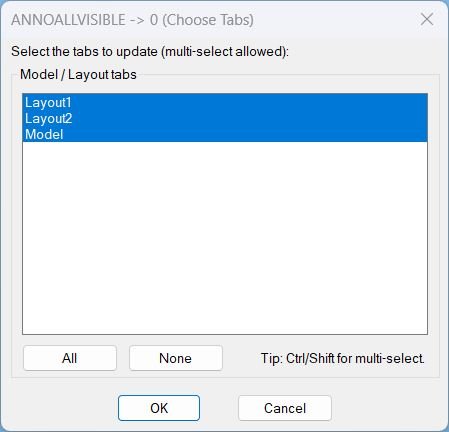
AnnoAllOff
🔇 AnnoAllOff is an AutoCAD and Civil 3D AutoLISP utility that sets ANNOALLVISIBLE to 0 for selected Model/Layout tabs through a DCL picker.
🎛️ It helps users turn off global annotative visibility per tab while keeping control over which layouts are updated.SelectLayout
📑 SelectLayout is an AutoCAD and Civil 3D AutoLISP layout selector that displays all paper space layouts in a DCL dialog. ⚡ It helps users jump directly to the required layout tab without scrolling through many tabs manually.
GoToLayout
📑 GoToLayout is an AutoCAD and Civil 3D AutoLISP navigation utility for quickly switching to layout tabs through a filtered DCL dialog.
🔍 It supports wildcard layout searches, preview switching while browsing, Previous and Next navigation, and cancel-safe restoration of the original tab.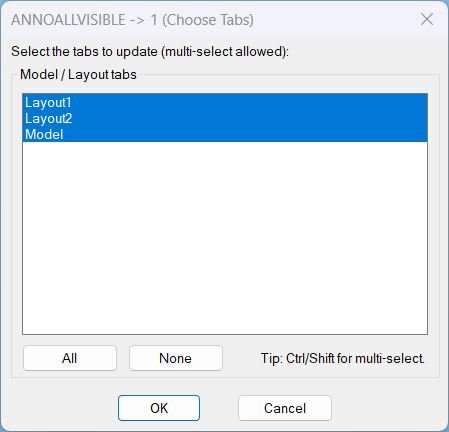
AnnoAllOn
- Opens a DCL picker to choose Model and Layout tabs, then sets ANNOALLVISIBLE to 1 on the selected tabs.
- Includes quick selection controls for All and None before applying changes.
Copy2Layouts
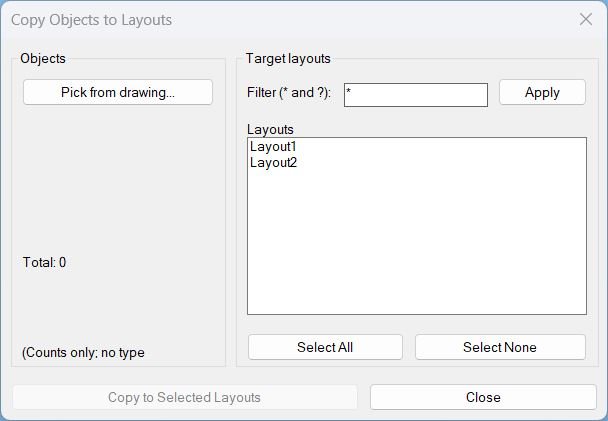
📄 Copy2Layouts is an AutoCAD and Civil 3D AutoLISP utility for copying selected objects from the current drawing to multiple paper-space layouts from one DCL dialog.
🔍 It adds a wildcard layout filter, Select All / Select None, total selected object count, and VLA CopyObjects automation for faster sheet layout replication.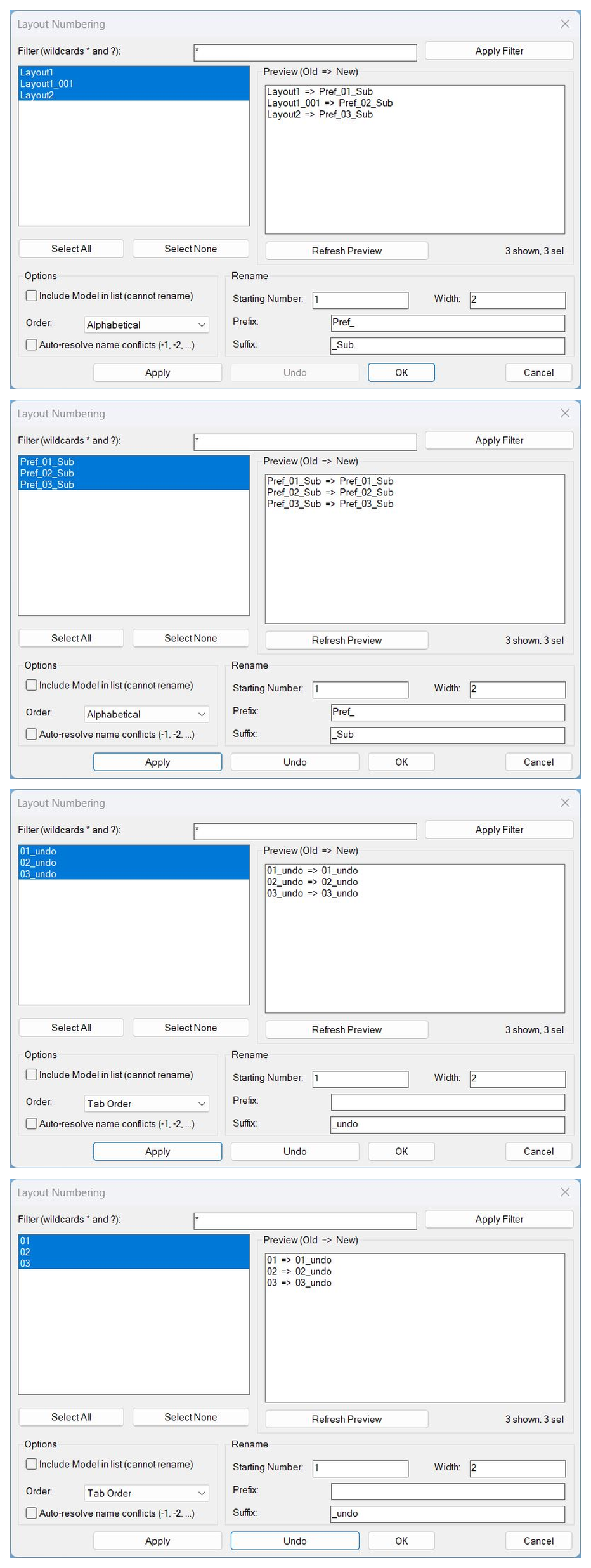
LayoutNum
🔢 LayoutNum is an AutoCAD and Civil 3D AutoLISP layout renumbering utility with a DCL interface, preview list, Apply, safe multi-level Undo, OK, and Cancel workflow.
📑 It helps rename selected layout tabs using starting numbers, padding width, prefix, suffix, order modes, filters, and automatic conflict resolution.LockAllVp
🔒 AutoCAD layout viewport lock manager for locking or unlocking PaperSpace viewports in selected layouts from a DCL dialog.
Zoom Extend
🔎 Zoom_Extend is an AutoCAD and Civil 3D AutoLISP utility for running Zoom Extents on selected layout tabs from a DCL interface. 📑 It helps clean up paper space view display across multiple sheets without manually opening every layout.
Zoom Window
🔎 ZEZW is an AutoCAD and Civil 3D AutoLISP layout zoom tool for running Zoom Extents or Zoom Window on selected paper space layouts. 📑 It includes wildcard layout filtering, multi-select, select all/none, and clipboard support.
All_Layouts_list
📋 AutoCAD layout list dialog for filtering, multi-selecting, and copying layout names from a drawing.
FreezeLayersInVP
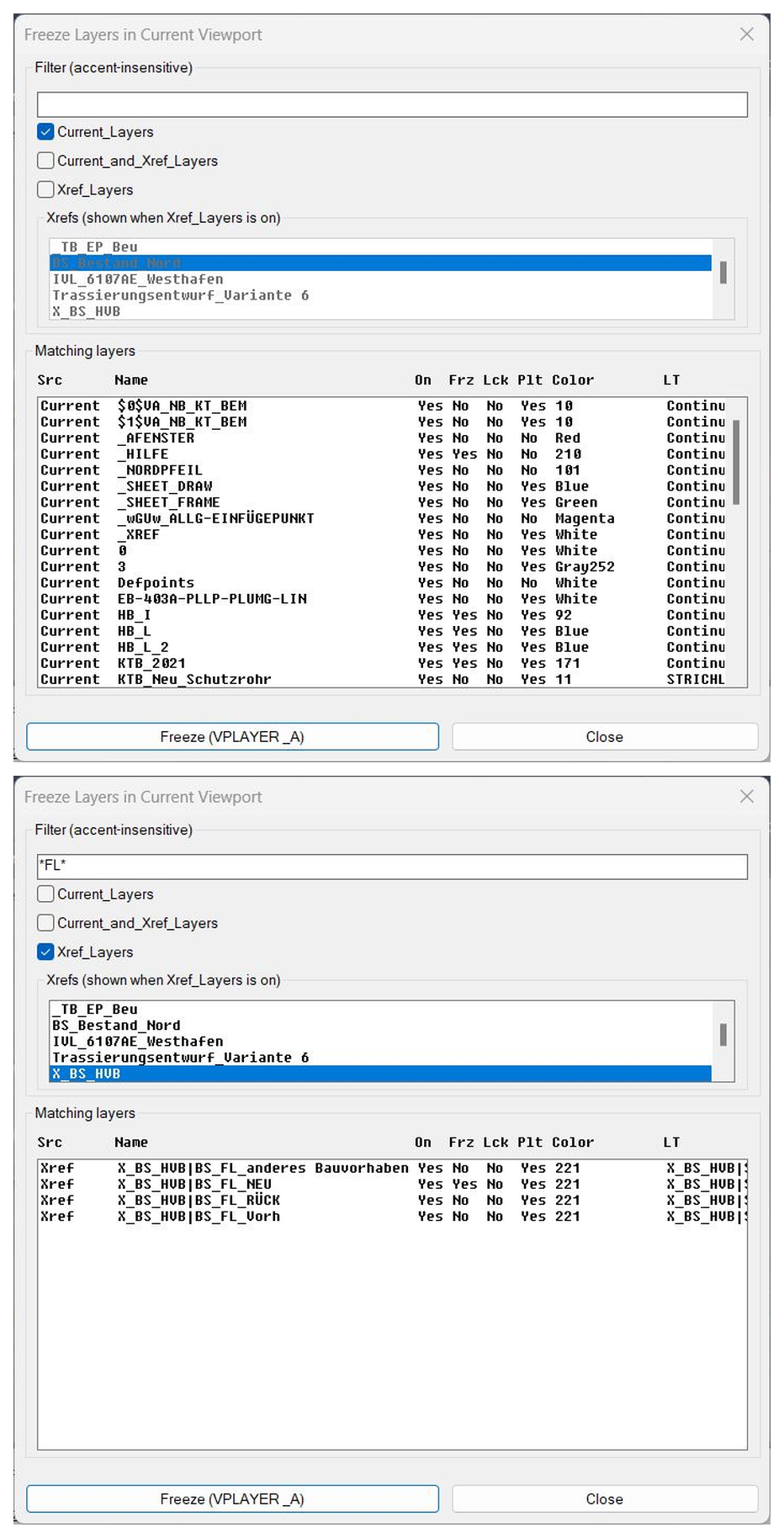
❄️ FreezeLayersInVP is an AutoCAD and Civil 3D AutoLISP layer-control utility for freezing selected current and xref layers in viewport workflows.
🧊 It provides a DCL layer browser with filters, xref selection, layer-status columns, and VPLAYER-based freezing for selected layer names.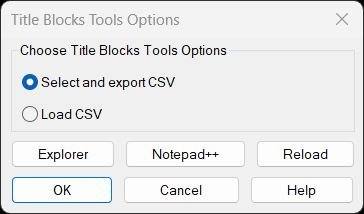
TitleBlocksTools
Title Blocks Tools – Unified Menu System Comprehensive dialog-based interface for exporting and updating titleblock attributes via CSV with integrated help, file management, and reload utilities.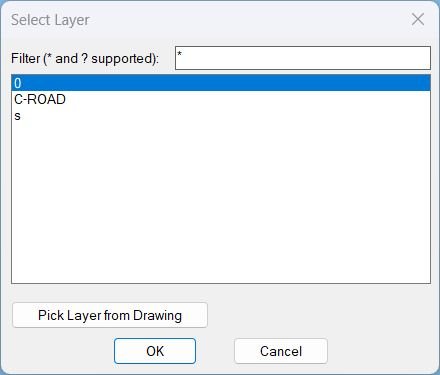
Zoom2Layer
- Displays a filterable layer selection dialog and then zooms the view to the extents of all objects on the chosen layer.
- Supports picking a layer directly from a selected object in the drawing and remembers the last filter used.
RenameLayer
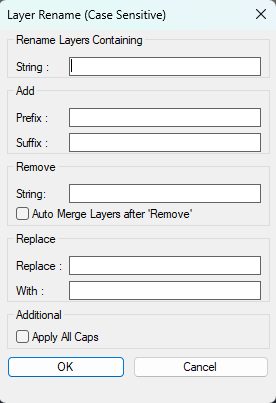
🧱 RenameLayer is an SEO-friendly AutoCAD and Civil 3D AutoLISP utility for batch renaming local drawing layers through a custom DCL dialog.
🔎 It combines layer filtering, multi-select layer processing, prefix and suffix insertion, string removal, find-and-replace logic, optional ALL CAPS conversion, and Auto Merge handling in one production-ready layer management workflow.
🛠️ The tool is useful for CAD standards cleanup, Civil 3D layer normalization, imported drawing cleanup, DWG organization, and controlled layer renaming without manually using the Layer Properties Manager one layer at a time.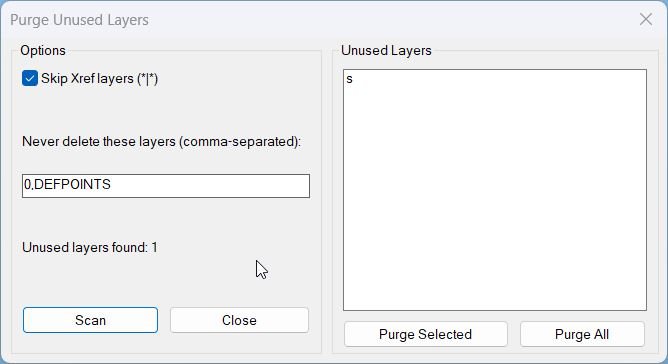
PurgeUnusedLayers
🧹 PurgeUnusedLayers is an AutoCAD AutoLISP cleanup utility with an embedded DCL dialog for scanning and deleting unused drawing layers.
🔒 It protects key layers such as 0 and DEFPOINTS, can skip Xref layers, and lets users purge selected layers or all detected unused layers.LayersNameToClipboard
📋 LayersNameToClipboard is an AutoCAD AutoLISP clipboard utility that reads the Layer property from selected objects and copies unique cleaned layer names.
🧹 It includes a simple formatting-code stripping helper and is useful for preparing layer-name lists for documentation, filters, Excel, and CAD QA workflows.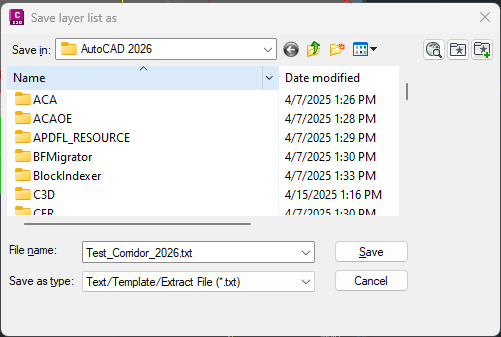
LayerList
🚀 LayerList is an AutoCAD AutoLISP layer reporting utility that exports the active drawing layer table to a clean text file for Excel review, CAD auditing, and DWG quality control. It helps AutoCAD and Civil 3D users document layer names, on or off state, freeze state, lock state, color, linetype, lineweight, plot style, plottable status, and viewport default freeze settings in one fast report.
Import_Layer_Filter
📥 Import_Layer_Filter is an AutoCAD AutoLISP layer filter transfer tool for exporting and importing property layer filters through .lft, DWG, and DWT sources.
🗂️ It adds predefined project-folder management, multi-filter export and import, and xref-style prefix/suffix handling for NAME== filter patterns.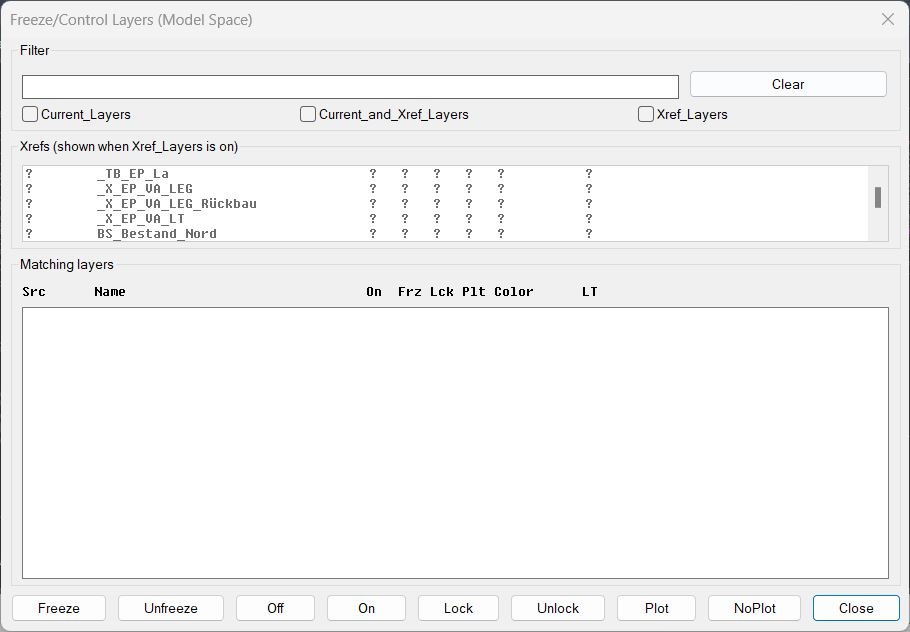
FreezeLayersInMS
❄️ FreezeLayersInMS is an AutoCAD and Civil 3D DCL layer manager for filtering current and xref layers, then freezing, thawing, locking, plotting, or switching them on and off.
🔍 It displays matching layer status in a fixed-width table and hides xref prefixes for readability while preserving the true layer names for operations.Export_Layer_Filter
📤 Export_Layer_Filter is an AutoCAD AutoLISP tool for exporting layer property filters to reusable .lft files.
🗂️ It adds a DCL interface for multi-filter selection, xref prefix handling, predefined project folders, and folder management.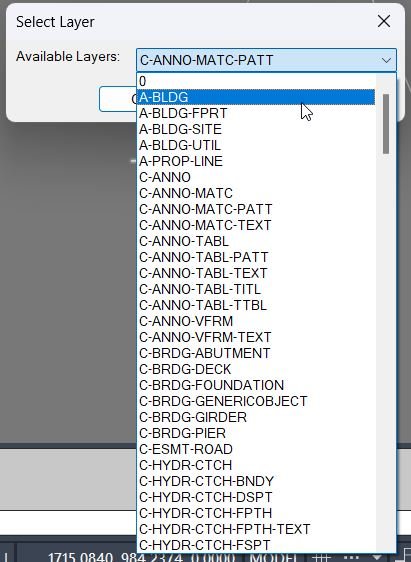
DuplicateToSelectedLayer
📋 DuplicateToSelectedLayer is an AutoCAD and Civil 3D AutoLISP utility for copying selected entities to a chosen existing local layer.
🧩 It uses a temporary DCL layer picker, ignores xref-prefixed layers, remembers the last selected target layer, and brings the copied objects to the front.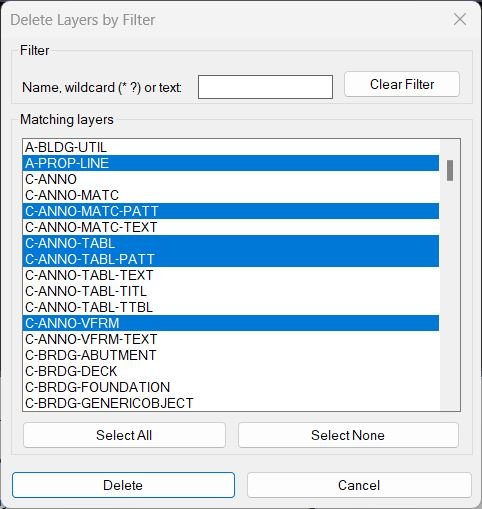
DeleteLayerByFilter
🧹 DeleteLayerByFilter is an AutoCAD and Civil 3D AutoLISP utility for finding, exporting, and deleting layers by multiple wildcard filter patterns.
🛡️ The tool uses a DCL dialog with protected layer patterns, confirmation prompts, preset filters, inverse matching, and export options so CAD users can clean drawings more safely and systematically.Color2Llayers
🎨 Color2Llayers is an AutoCAD AutoLISP Extended Layer Color Changer with a DCL list, wildcard filter, multi-select, pick color, apply, undo, clipboard export, and dialog position memory.
🧰 It edits layer color values directly and uses a reopen-after-Apply pattern so AutoCAD can regenerate and show color changes immediately.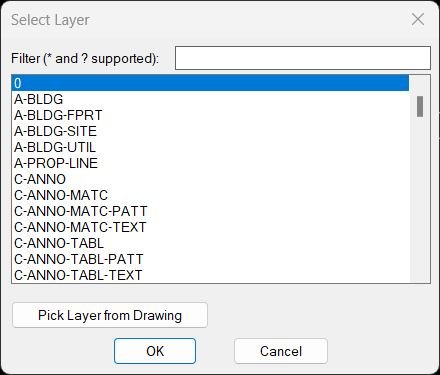
ChangeLayerToCurrent
🗂️ ChangeLayerToCurrent is an AutoCAD AutoLISP layer reassignment tool with a dynamic DCL layer selector, filtering, pick-from-object support, and clipboard helper.
🎯 It changes multiple selected objects to a chosen layer and optionally preserves original displayed linetype, linetype scale, and lineweight/width.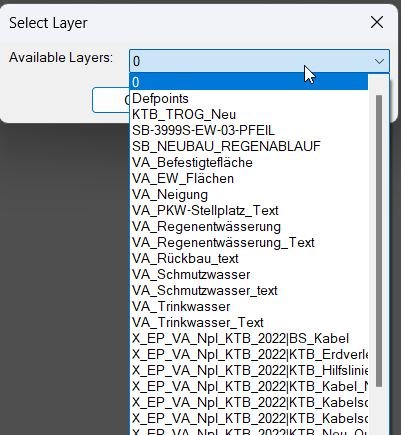
ChangeLayerToSelected
- ChangeLayerToCurrent — DCL filtered layer chooser + optional “pick layer from drawing”, then move selected objects to that layer
- Filters layer names (non-Xref only) using a substring-style match and remembers last filter + last chosen layer
- After choosing a layer, prompts for a multi-selection of objects and runs CHPROP to change their layer
All_Color2Layers
🎨 All_Color2Layers is an AutoCAD AutoLISP ByLayer cleanup utility for resetting entity color and/or linetype overrides to BYLAYER.
🧰 It adds a DCL interface with operation options, scope controls, layout filtering, layer selection, settings memory, and undo support.SplitHatch
🟧 SplitHatch is a compact AutoCAD AutoLISP command for separating selected multi-boundary hatches through HATCHEDIT.
✂️ It keeps hatch angle and scale behavior under AutoCAD’s native hatch separation workflow while applying the operation to one or more selected hatches.MleaderStraight
📐 MleaderStraight is an AutoCAD and Civil 3D AutoLISP utility for straightening selected MultiLeader leader lines into clean horizontal or vertical orthogonal segments.
🧭 The tool includes a compact DCL chooser that can process either manually selected MLeader objects or every MultiLeader in the current Model/Paper space layout.ConvertLeaderAndText2Mleader
🏷️ AutoCAD AutoLISP tool for converting old LEADER plus MTEXT annotation pairs into modern MLEADER objects while preserving text, style, layer, rotation, formatting options, and annotation workflow.
AddVertex2Mleader
🧩 AddVertex2Mleader is an AutoCAD AutoLISP utility that adds a new vertex point to a selected MULTILEADER object, helping CAD users adjust leader geometry quickly without rebuilding the annotation.
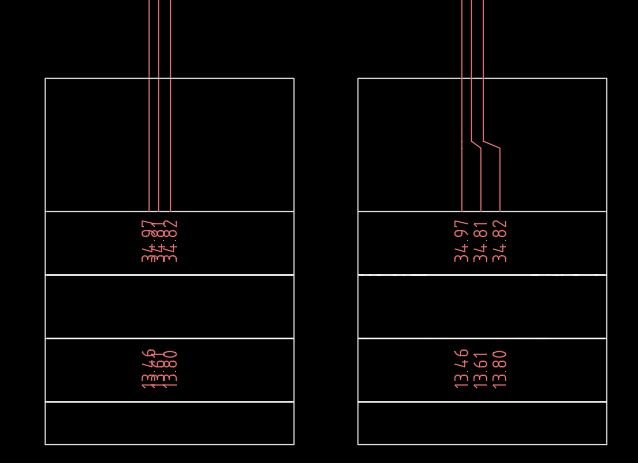
FixLineTextOverlap
🚀 FixLineTextOverlap is an AutoCAD AutoLISP utility that cleans congested drawings by spacing overlapping vertical lines and nearby TEXT or MTEXT labels along a controlled rail. It creates readable crank-style line step-outs, repositions annotations consistently, and helps CAD users improve plan clarity without manually moving every object.
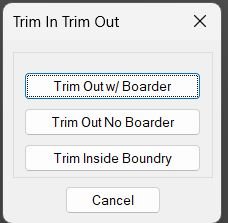
TrimIn_TrimOut_Boundary
Rectangle-based AutoLISP trim and erase utility for keeping or removing geometry inside or outside a selected boundary.
NCopyExtra
AutoCAD AutoLISP / Visual LISP tool for copying geometry from XREF drawings into the host drawing, with dialog-driven XREF selection, rectangle/window filtering, optional debug reporting, XREF layer-name cleanup, layer property transfer, and a classical nested-object copy mode.
CopyMove2MidPoint
📐 MTM2 is an AutoCAD AutoLISP midpoint move and midpoint copy utility that relocates selected drawing objects from a source midpoint to a destination midpoint using UCS-aware coordinate transformation.
CookieCutter2
CookieCutter2 is an AutoCAD and Civil 3D AutoLISP trimming and cleanup utility that uses a closed circle, polyline, ellipse, or spline as a cutting boundary to trim intersecting geometry or erase objects inside or outside the selected area.
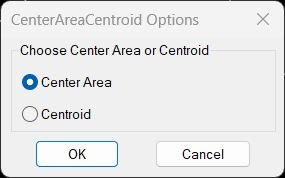
CenterAreaCentroid
📍 AutoCAD AutoLISP utility for locating an inner center point or centroid from selected geometry, using a DCL dialog to choose between Center Area and Centroid workflows.
TotalLengthPolyline
📏 TotalLengthPolyline is an AutoCAD AutoLISP utility for calculating the total length of selected drawing objects with the TLEN command. It supports lines, arcs, circles, splines, polylines, lightweight polylines, and ellipses, then displays the combined length in an AutoCAD alert box.

TotalLengthAreaDetailed_vs_01
Short description Calculates total length or area of selected objects, copies an Excel ready formula to the clipboard, and optionally places a formatted result as MText in AutoCAD using the current UCS.TotalLengthAll
📏 AutoCAD LISP utility for calculating the total length of selected lines, polylines, 3D polylines, circles, arcs, ellipses, and splines with one command.
TLength
📏 TLength is an AutoCAD AutoLISP utility that calculates the total length of selected drawing objects and copies the numeric result directly to the clipboard.
SumLengthField
📏 SumLengthField is an AutoCAD AutoLISP utility for creating live FIELD-based length and area totals from selected drawing objects.
🧮 It helps CAD users calculate combined line lengths, polyline lengths, circle circumferences, hatch areas, region areas, and object areas directly inside MText, table cells, text, attributes, or MLeader annotations.PolylineArea
📐 PolylineArea is a compact AutoCAD AutoLISP area calculator for summing the total area of selected polyline objects and copying the numeric result directly to the Windows clipboard.
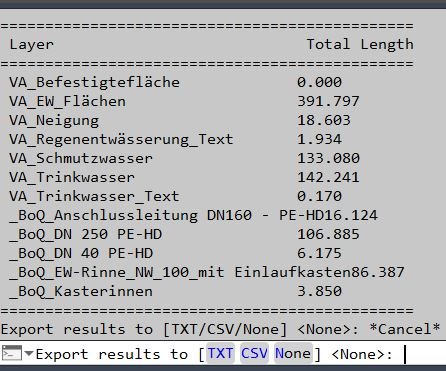
PLLengthByLayer
📏 AutoCAD LISP utility for calculating total lightweight polyline length by layer and exporting a clean TXT or CSV length report.
LenCalc
📊 Dialog-driven AutoCAD AutoLISP length calculator that summarizes geometry length by layer, linetype, or color and exports the result to AutoCAD tables, TXT, or CSV.
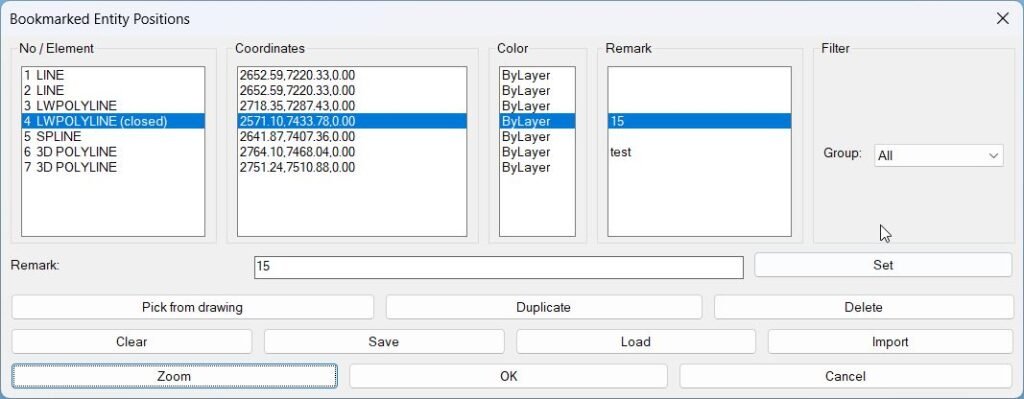
BookmarkEntities
Sort / Purpose: Bookmark entities in the current drawing and revisit them later by name, coordinates, color, and custom remarks. • Scope: Lets you pick TEXT, MTEXT, LINE, (LW)POLYLINE, CIRCLE, SPLINE, INSERT (blocks), stores their positions + color, and gives you a manager dialog to zoom to them, duplicate, delete, filter by type, and save/load the list per DWG. • Goal: Act as a “bookmark manager” for important entities: details, nodes, blocks, texts, etc., so you can quickly navigate and annotate them across work sessions.Exp_Imp_NamedViews
🧭 AutoCAD AutoLISP utility for exporting and importing Named Views and related Visual Styles through a DCL dialog, predefined project folders, TXT files, and session aware folder handling.
Add_Bookmark
Purpose: Collect and store basic positional data about selected entities into a global bookmark list for later use Scope: Works on TEXT, MTEXT, LINE, LWPOLYLINE, POLYLINE, CIRCLE, SPLINE, and INSERT (blocks) Output storage: Appends entries to global variable *textPositions* in the form (label startPoint endPoint)Clear_Bookmarks
Clears the internal **bookmark list** used by BMEntityPos for storing text/entity positions Provides a simple confirmation dialog before erasing stored data Ensures the global list *textPositions* is reset safely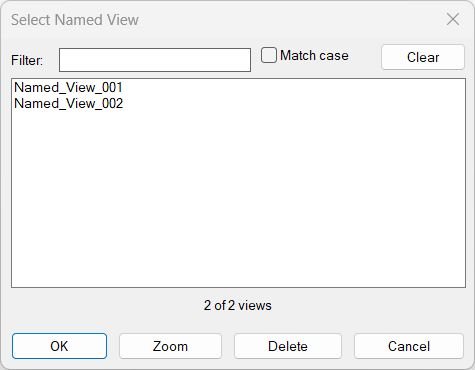
NamedViewList
🔍 NamedViewList is an AutoCAD AutoLISP named view manager that lists saved Named Views in a searchable DCL dialog, supports filtering, multi-select restore, zoom, delete, and double-click rename.
SwapBlockAssignLayer
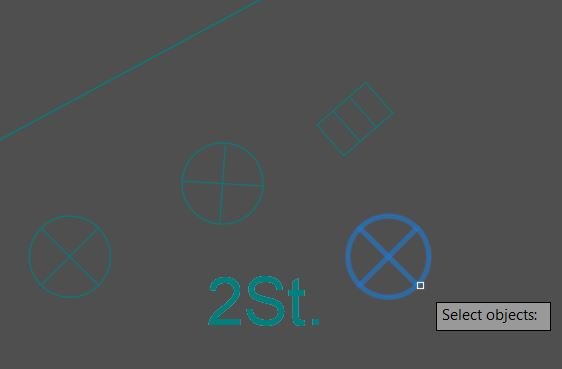
SwapBlockAssignLayer is an AutoCAD AutoLISP utility that replaces selected drawing objects with instances of an existing named block, using a DCL block selector and remembered last-used block choice.
RenameBlockPreview
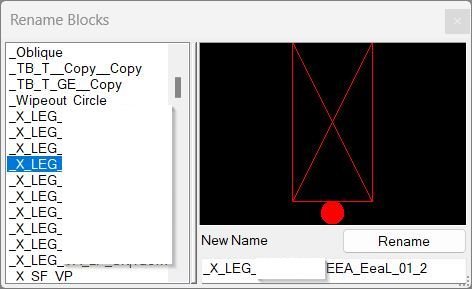
RenameBlockPreview is an AutoCAD and Civil 3D AutoLISP utility for renaming block definitions through a clean DCL dialog with live filtering, duplicate-name protection, a selected-block preview indicator, and remembered dialog settings.
RenameBlock
🚀 Rename a selected AutoCAD block definition directly from a picked block reference, without needing to manually identify the original block name in the standard RENAME command.
DynamicBlockFilter
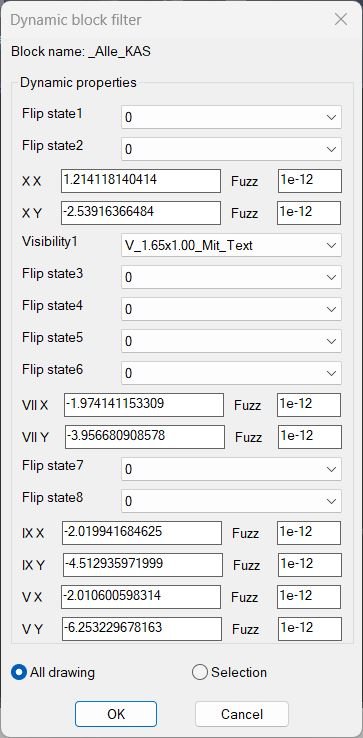
🚀 DynamicBlockFilter is an AutoCAD and Civil 3D compatible AutoLISP utility for selecting dynamic block references by their dynamic property values. It helps CAD users quickly isolate matching dynamic blocks in a DWG, reduce manual selection time, and improve drawing cleanup, block auditing, and AutoCAD production workflows.
DelUnusedBlocks
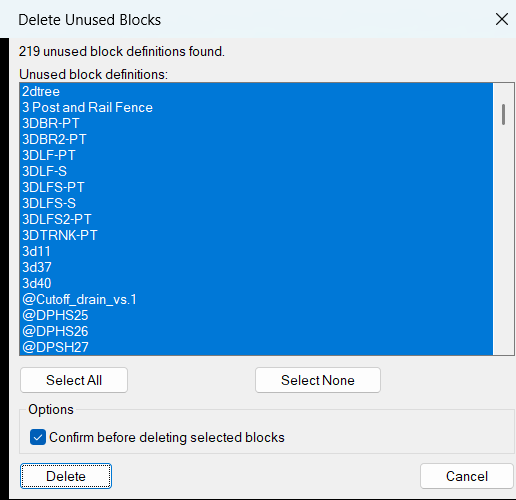
🚀 DelUnusedBlocks is an AutoCAD AutoLISP and DCL cleanup utility for finding and deleting unused block definitions from the active DWG drawing.
🧹 The tool scans the AutoCAD block table, filters out inserted blocks, xrefs, layout blocks, anonymous blocks, and dependent definitions, then displays only deletable unused block names in a multi-select dialog.
✅ It helps CAD users reduce drawing clutter, improve DWG performance, simplify block libraries, and automate safe AutoCAD block cleanup workflows.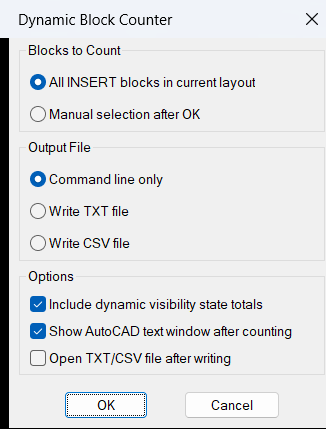
DynamicBlockCounter
🚀 DynamicBlockCounter is an AutoCAD and Civil 3D AutoLISP block counting utility for standard blocks, dynamic blocks, xrefs, and visibility-state summaries in the current drawing layout. It helps CAD users quickly audit DWG block usage, count dynamic block visibility states, and export clean TXT or CSV reports for drawing coordination, quantity checking, and CAD cleanup workflows.
DelSelectBlock
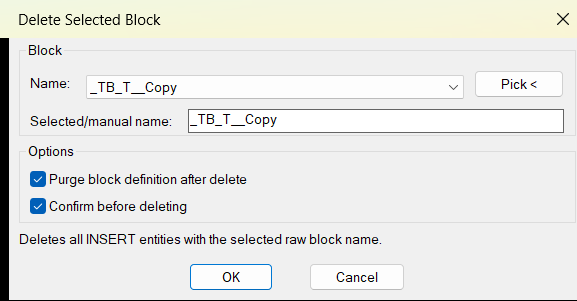
🚀 DelSelectBlock is an AutoCAD AutoLISP and DCL utility for deleting every block reference that matches a selected raw block name in the active DWG drawing. It helps CAD users quickly remove repeated block instances, manage block cleanup, optionally purge the block definition, and keep deletion settings saved between sessions.
DeleteBlocks
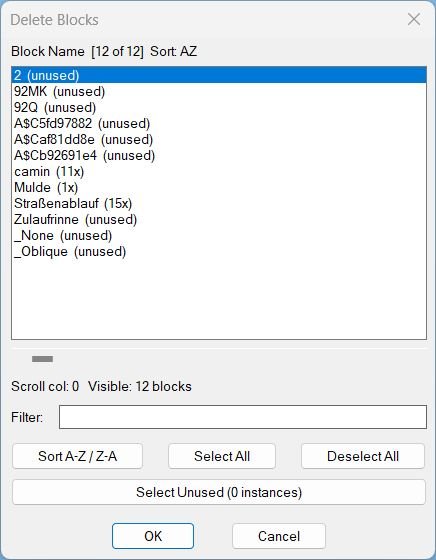
🚀 DeleteBlocks is an AutoCAD AutoLISP and DCL utility for deleting block definitions and their block references from a DWG drawing.
It helps CAD users inspect block names, review instance counts, filter block lists, select unused blocks, and remove unwanted block definitions faster.
The main benefit is cleaner AutoCAD drawings, reduced block clutter, faster DWG maintenance, and better drawing cleanup control.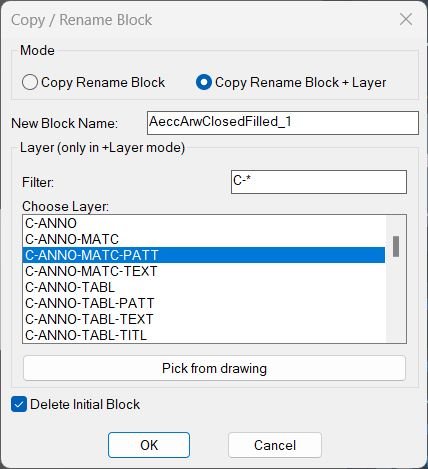
CopyBlock
Sort / Purpose: Copy a block reference, give it a new block name, and optionally force it and its contents onto a chosen layer while optionally deleting the original reference. • Scope: Works on a single selected block reference and creates a new block definition plus a retargeted (or copied) reference. • Goal: Provide an interactive way to duplicate and rename blocks, with an optional “+Layer” mode to standardize content layers and an option to remove the original block reference automatically.ChangeBlockEntitiesLayer
Sort / Purpose: Make all entities inside selected block definitions use the same layer as their block references for consistent layer control. • Scope: Works on selected INSERT block references and edits the underlying block definitions in the current drawing. • Goal: Ensure that geometry inside blocks follows the block reference layer, so changing the block layer controls all its internal entities.3D_PolyOffset
- Creates a 3D offset of a selected 3D polyline.
- Converts the original 3D polyline into a temporary 2D polyline.
- Applies a user-defined offset distance.
- Reconstructs a new 3D polyline using original Z-coordinates.
- Restores system variables and cleans up temporary entities.
SteSysVar
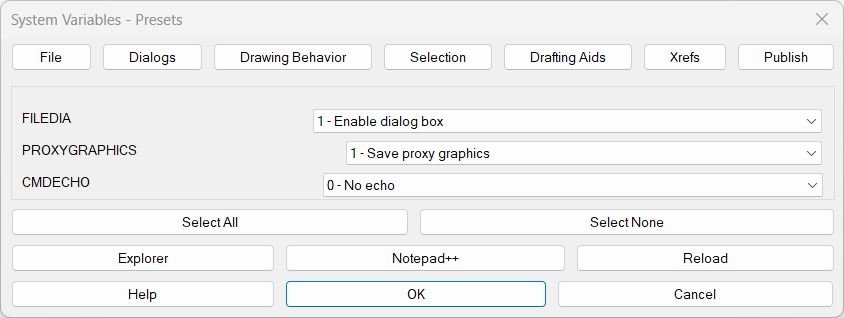
🚀 SteSysVar is an AutoCAD AutoLISP environment tuner that opens a tabbed DCL dialog for applying practical system variable presets across file handling, dialogs, drawing behavior, selection, drafting aids, xrefs, publishing, and layer isolation.

Hide / Show Objects
Provides a dialog box for controlling object visibility in AutoCAD. Lets you choose between isolating, hiding, or displaying all objects using radio buttons and confirmation controls.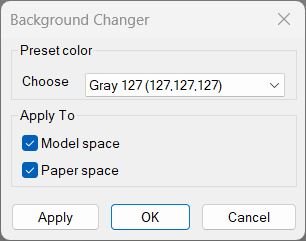
Change Background Color
Changes AutoCAD’s model/paper background color using presets and keeps cursor/track/snap colors readable. Includes a dialog (DCL) with Apply/OK/Cancel and can restore the original colors if you cancel.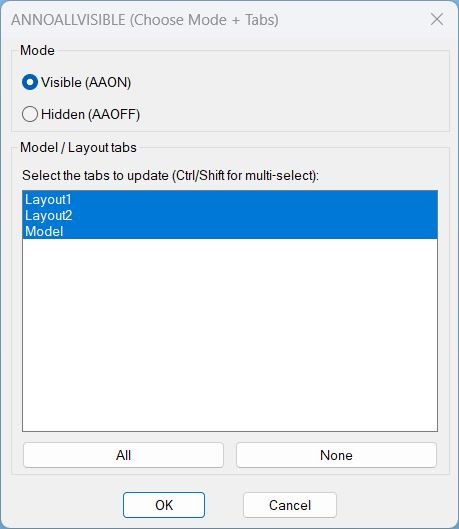
AnnoAllOnOff
🔇 AnnoAllOff is an AutoCAD and Civil 3D AutoLISP utility that sets ANNOALLVISIBLE to 0 for selected Model/Layout tabs through a DCL picker.
🎛️ It helps users turn off global annotative visibility per tab while keeping control over which layouts are updated.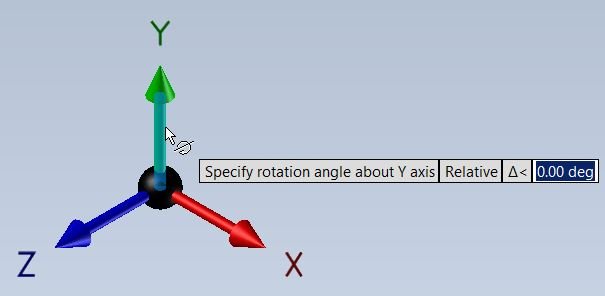
RotateUCS
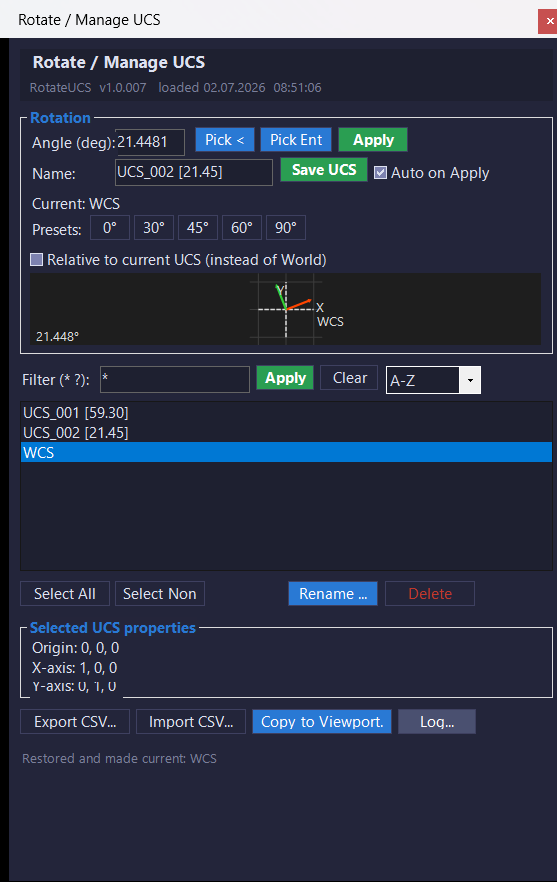
This AutoLISP routine lets the user rotate the current UCS around the Z axis by a user-specified angle, resets the snap angle, and optionally saves the new UCS under a custom name. It is useful when drafting in rotated views but still wanting a clean UCS orientation for further drawing.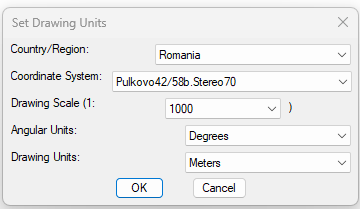
SetUpUnits
🌍 SetUpUnits is a Civil 3D AutoLISP utility for setting drawing units, coordinate systems, drawing scale, and angular units from one dialog.
🚩 It includes a country and region selector with live flag preview, making coordinate system selection faster and easier for CAD and Civil 3D production drawings.C3D_NamespaceFix
🧩 C3D_NamespaceFix is an AutoCAD and Civil 3D diagnostic AutoLISP routine for checking the state of core arithmetic symbols and Visual LISP COM support.
🔎 When loaded it checks whether the multiplication symbol is currently a normal AutoLISP SUBR and attempts vl-load-com when it is not.
📊 The routine then prints a namespace report for the multiplication addition subtraction and division symbols together with multiplication and COM tests.LayerFilterFreezeThaw
❄️ LayerFilterFreezeThaw is an AutoCAD DCL layer filter manager for applying Freeze, Thaw, On, Off, Lock, and Unlock actions to predefined layer sets.
🚆 It includes a dedicated Kable filter with 30 exact railway or utility layer names plus quick commands for normal and inverted actions.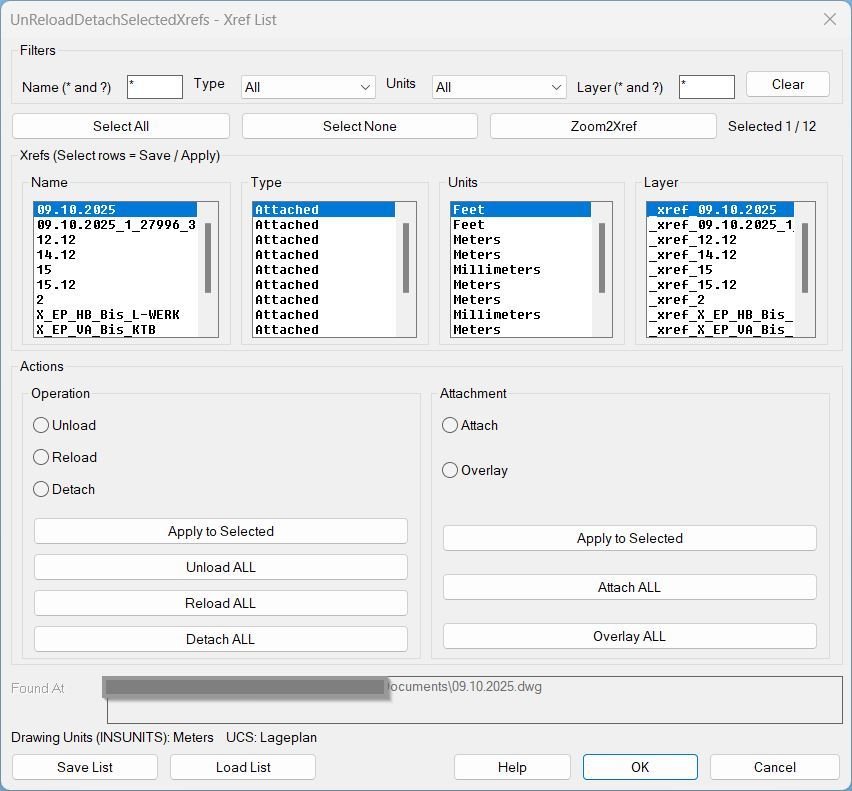
UnReloadDetachSelectedXrefs_00
Sort / Purpose: Interactive Xref management tool for AutoCAD that saves, reloads, and bulk-edits Xref state via a dialog, while preserving the current UCS and view for bulk actions. • Type of tool: Dialog-driven Xref control command with filters, selection, zoom-to-xref, save/load list, and batch operations. • Scope: Works on all Xrefs in the current drawing, or only the user-selected subset (selection defaults to all). • Goal: Quickly standardize Xref configuration (Type + Found At + Units + Layer) and reapply it reliably across sessions without disrupting the user’s working context.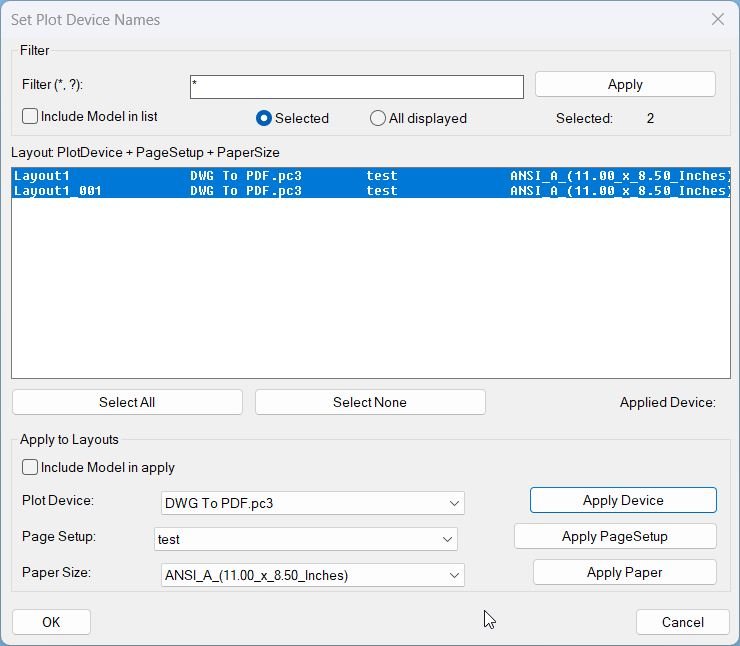
SetPlotDeviceNames_00
- SetPlotDeviceNames — set every layout’s plot device to DWG To PDF.pc3 when available
- Iterates all layouts, refreshes device info, validates availability, then assigns the plot configuration
- Prints a warning per layout when the target device is not present
ConvertPolylineAndText2Mleader
🚀 Converts selected AutoCAD polylines into leader geometry using the P2L command, copies the original polyline properties to the new leader, and removes the source polyline after conversion.
CopyPaste2BasePoint
📋 CopyPaste2BasePoint is an AutoCAD AutoLISP productivity tool for copying selected drawing objects with a fixed base point at 0,0,0 and pasting clipboard content back at the same origin-based coordinate.
RotateUcs_vs.01
🧭 RotateUcsCs is an AutoCAD and Civil 3D C# .NET plugin that replaces a traditional RotateUCS AutoLISP DCL tool with a modeless WinForms UCS management palette. It helps users rotate UCS by typed angle, picked angle, or selected entity angle, save named UCS records, restore UCS definitions, export and import UCS data, copy UCS settings to layout viewports, and manage UCS workflows with a live preview, viewport highlight, and detailed logging.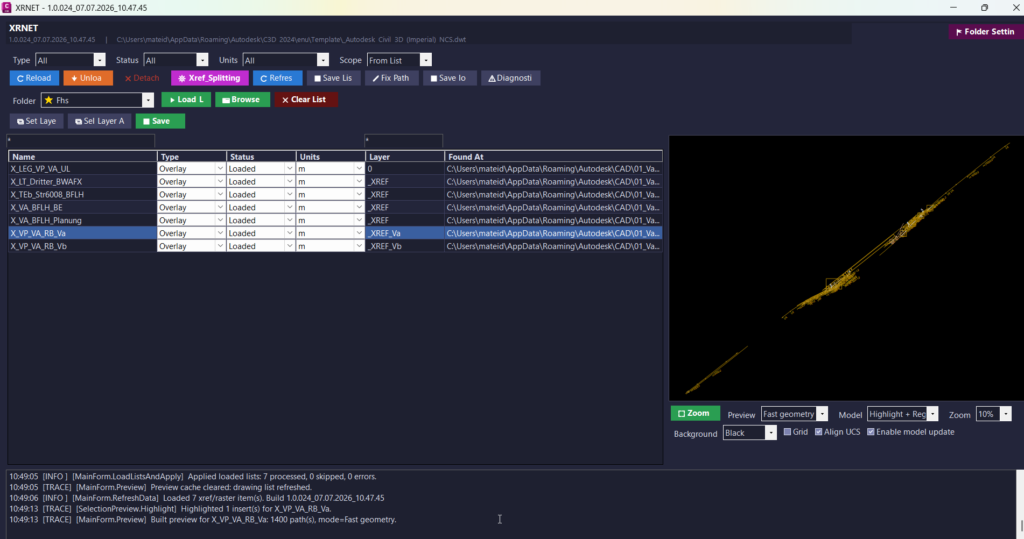
UnReloadDetachSelectedXrefs_vs.02
🚀 XRNET is an AutoCAD and Civil 3D .NET Framework plugin designed for fast DWG xref and raster image reference management. It helps CAD users inspect, reload, unload, detach, validate, preview, export, repair, and apply external references directly from the active drawing. The main benefit is faster drawing cleanup, better xref control, fewer missing reference problems, and improved AutoCAD Civil 3D production workflow.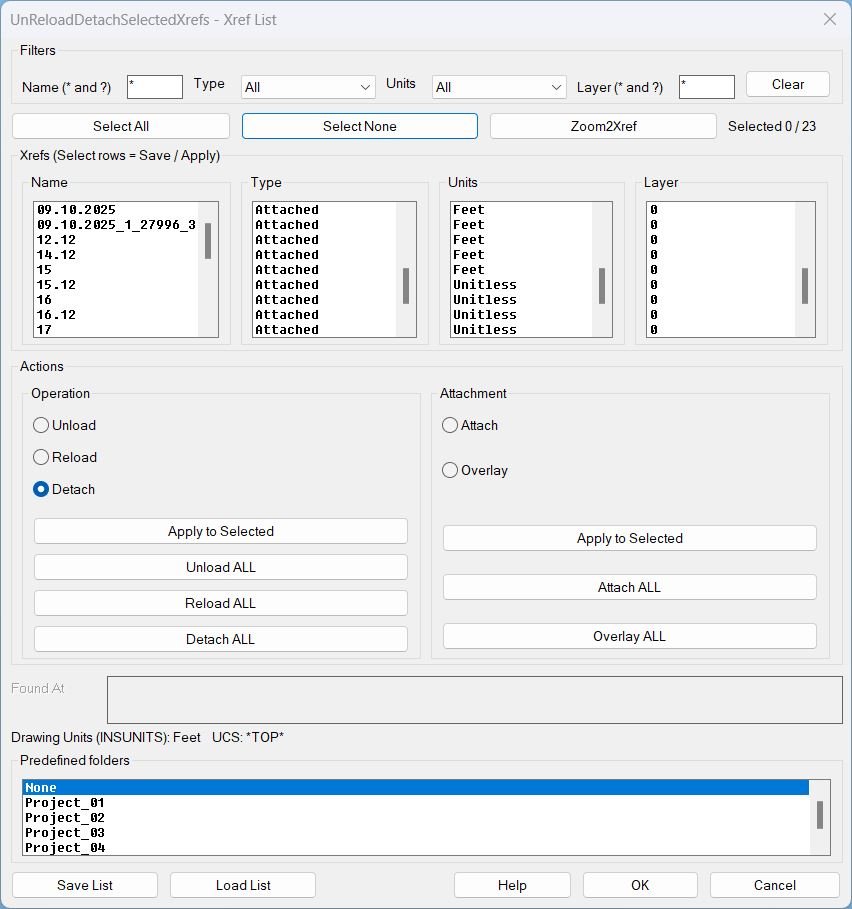
UnReloadDetachSelectedXrefs_01
UnReloadDetachSelectedXrefs Xref management dialog for filtering, selecting, zooming, saving lists, loading lists, and batch operations on xrefs in the current drawing.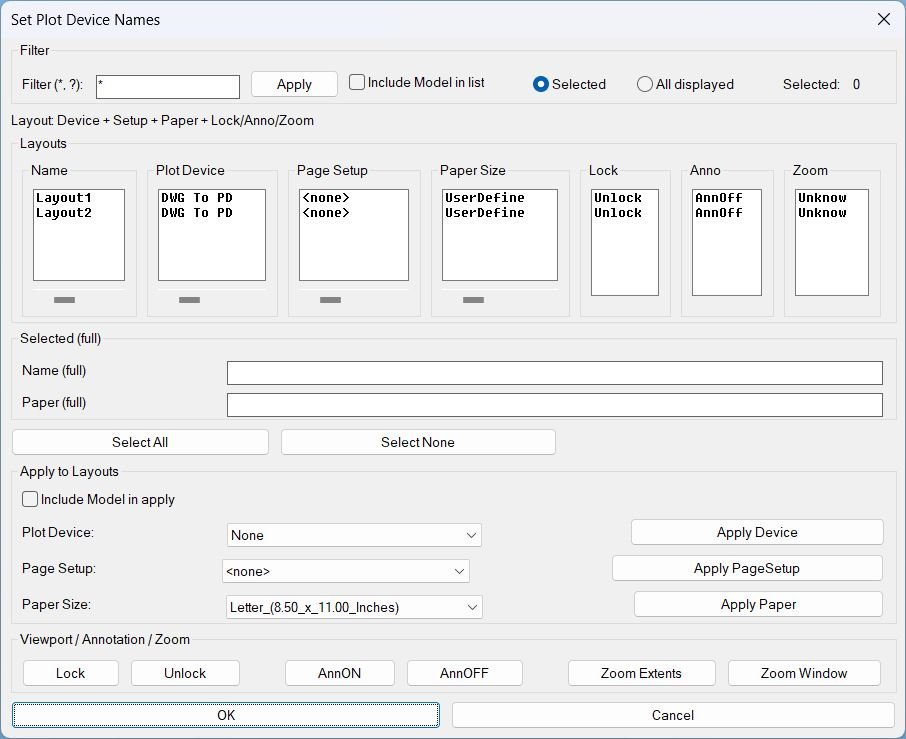
SetPublishLocation_01
Summary- This LISP provides a dialog to review and batch-edit plotting and layout settings across multiple layouts, plus viewport utilities for lock, annotation visibility, and zoom tools.
- Designed for fast QA and standardization of Plot Device, Page Setup, and Paper Size per layout.
DuplicateLayouts_01
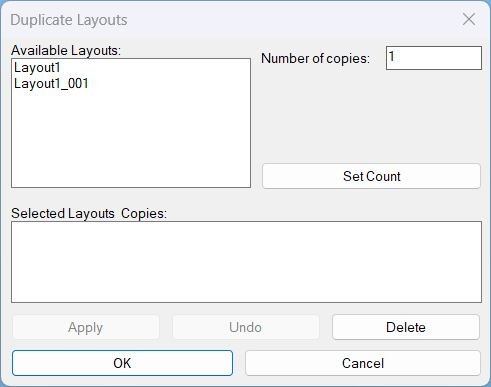
DuplicateLayouts provides a DCL Dialog_UI to queue layout tabs with copy counts, then batch duplicate them using -LAYOUT Copy with safe fallbacks and unique naming.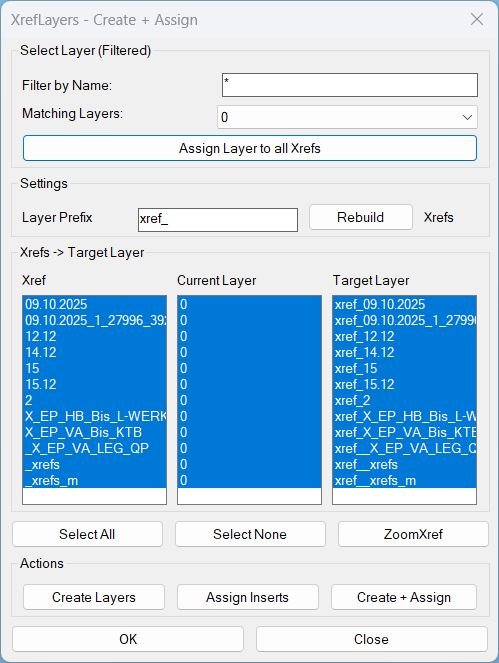
CreatesXrefsLayersAssign_01
XrefLayers is a single-window tool to manage XREF insert layers: create per-XREF target layers, assign inserts to target layers, force all XREFs onto one existing layer, and zoom to a selected XREF extents.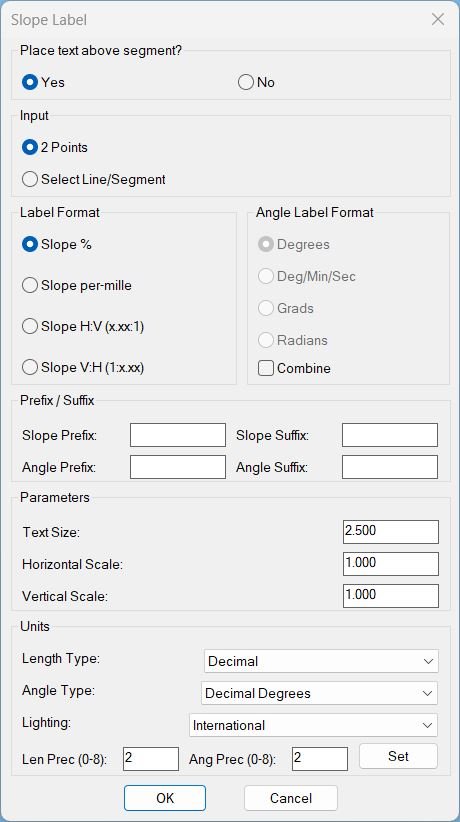
Slope_01
Sort / Purpose: Interactive slope-label placement tool for linework in Civil 3D / AutoCAD. • Type of tool: Dialog-driven annotation command that creates MTEXT labels. • Scope: Works on picked point pairs or on every segment of selected LINE / LWPOLYLINE / POLYLINE entities. • Goal: Quickly place readable slope (and optional angle) labels with user-controlled format, prefixes/suffixes and scaling.Slope_00
Purpose: Label slopes between two picked points using multiple numeric and ratio formats Scope: Works entirely in 2D, producing TEXT entities placed and rotated along the measured segment Workflow: Configure options in a dialog (DCL), then pick two points repeatedly to place slope labels Output style: Percent, H:V integers, V:H integers, H:V decimals (x.xx:1), or V:H decimals (1:x.xx) Defaults: Below=No, Height=1, H=1, V=1, Precision=2, Format=%CloseParalelPolylines
Purpose: Automatically connect two open or parallel-like entities and merge them into one continuous polyline Supported objects: LWPOLYLINE, LINE, ARC, SPLINE Usage style: Cleanup or closing gaps between two aligned open objects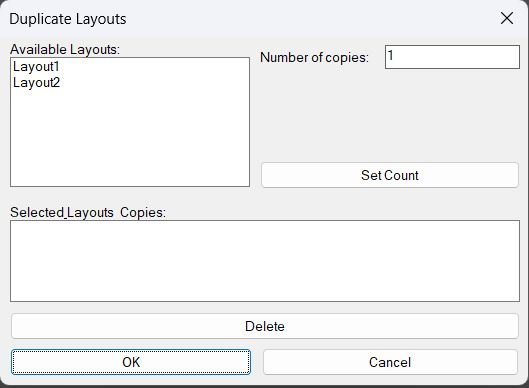
DuplicateLayouts_00
- Shows a DCL dialog to choose paper-space layouts and specify how many copies to create for each, then duplicates the selected layouts using the LAYOUT command.
- Provides a summary list where selected layouts and their copy counts can be reviewed and removed before running the duplication.
DB_Planung_Gelände
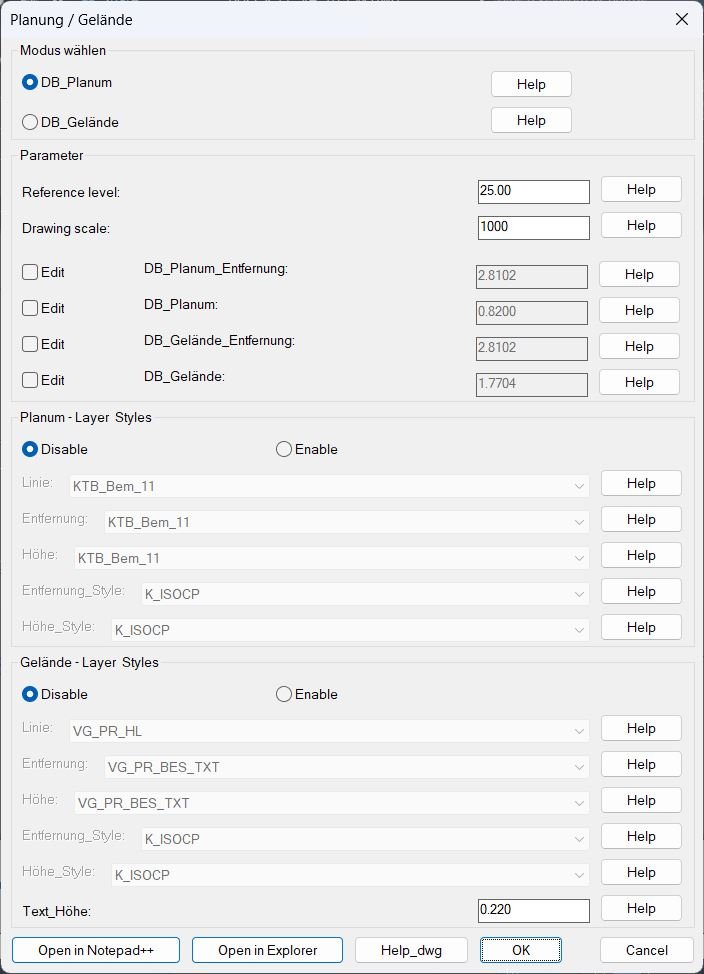
Sort / Purpose: Configure and run two profile annotation tools (Planum and Gelaende) that place distance and elevation texts along a reference band using a shared dialog and persistent settings. • Scope: Provides a full configuration user interface for reference level, drawing scale, offsets, layers, text styles, and text height, then calls either Planum or Gelaende drawing routines. • Goal: Standardize how Planum and ground profile labels are generated and formatted, with reusable settings stored per project drawing and integrated graphical help images.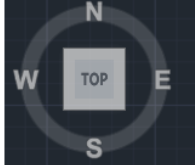
CubeDisplay_Off_On
This AutoLISP routine toggles the AutoCAD Navigation Cube (ViewCube) display by sending direct commands through the Active Document COM interface. It ensures that the cube display setting is refreshed properly by first turning it off and then immediately turning it back on.