
Short description
ToolPaletteExporter is an AutoCAD AutoLISP utility for exporting Tool Palette XTP files with their referenced source files, palette images, and a missing-file report in one organized ZIP archive.
Command:
Primary command defined in the uploaded source: ToolPaletteExporter
Diagnostic command: TPE_DIAG
Source note: the file header also mentions TPEXPORT, but this uploaded version defines C:ToolPaletteExporter and C:TPE_DIAG as command functions.
Description:
ToolPaletteExporter scans AutoCAD Tool Palette locations, discovers XTP palette files, lets the user filter and select palettes from a DCL dialog, and exports each selected palette into a structured archive. It reads the ToolPalettePath from AutoCAD preferences, searches saved custom XTP folders, scans OneDrive variants under USERPROFILE, checks Documents, and resolves source paths that contain user profile or OneDrive placeholders.
The exporter parses each selected XTP file for SourceFile entries, resolves those paths, deduplicates referenced files, copies found source files into extension-based archive folders, includes the palette XTP file, includes the matching palette image folder when present, and writes a Files_not_found.csv report. When missing files are detected, it opens a results dialog with full missing paths and a Copy to Clipboard option.
Helper function: (if any)
TPE:GetToolPalettePath reads the AutoCAD ToolPalettePath setting through COM.
TPE:GetXtpPaths discovers available XTP palettes from saved folders, OneDrive folders, AutoCAD palette paths, and Documents.
TPE:ParseXtpFiles reads SourceFile entries from XTP XML text and deduplicates resolved file paths.
TPE:ResolvePath handles USERPROFILE placeholders and OneDrive folder-name variations.
TPE:CreateZip builds the final export archive through a generated PowerShell script.
TPE:ShowResultsDcl displays missing file details in a DCL dialog and supports clipboard export.
TPE:ShowDiagDcl and C:TPE_DIAG provide diagnostic reporting for palette paths, XTP discovery, and environment variables.
TPE:SaveHistory and TPE:LoadHistory store the last output folder, filter, and palette selection in the registry.
Functionalities:
– Opens a DCL-based Tool Palette Exporter interface.
– Lists discovered XTP palettes with wildcard filtering and horizontal scrolling.
– Supports multi-selection, select all, select none, and copy palette list actions.
– Exports selected palettes to ZIP archives named PaletteName_export.zip.
– Includes the original XTP file in the archive.
– Includes the matching PaletteName_2 image folder when it exists.
– Groups found referenced source files by file extension under Source_Files.
– Writes Files_not_found.csv for missing source-file references.
– Displays a missing-file report dialog when unresolved paths are found.
– Copies missing-file and diagnostic reports to the Windows clipboard.
– Adds custom XTP folders and saves them in the registry.
– Remembers the last output folder, filter, and selected palettes.
– Provides TPE_DIAG for troubleshooting AutoCAD ToolPalettePath, OneDrive detection, and XTP discovery.
Result:
The result is a portable Tool Palette export package containing the selected XTP palette, related source files, optional palette image resources, and a clear missing-file report. The workflow helps CAD managers and AutoCAD users back up, transfer, audit, and document tool palettes without manually chasing every referenced LISP, DWG, icon, script, or support file.
Images, animations etc.
XAML code:
<ResourceDictionary
xmlns="http://schemas.microsoft.com/winfx/2006/xaml/presentation"
xmlns:x="http://schemas.microsoft.com/winfx/2006/xaml"
xmlns:src="clr-namespace:Autodesk.Windows;assembly=AdWindows">
<src:RibbonToolTip x:Key="ToolPaletteExporter">
<src:RibbonToolTip.ExpandedContent>
<StackPanel>
<TextBlock Background="AntiqueWhite" TextAlignment="Left">
<Bold>Function Syntax: TPE_DIAG / ToolPaletteExporter</Bold>
<LineBreak/>
<Bold>Version: 1.0 Date: 20.06.2026 6:39:01PM</Bold>
<LineBreak/>
<Hyperlink>WEB</Hyperlink>
<LineBreak/>
<Bold><Run Foreground="DodgerBlue">🚀 ToolPaletteExporter</Run></Bold><LineBreak/>
<Run Foreground="White">AutoCAD Tool Palette export utility for packaging XTP palettes, referenced source files, palette image folders, and missing-file reports into one clean archive.</Run><LineBreak/>
<Bold><Run Foreground="DodgerBlue">Main Command</Run></Bold><LineBreak/>
<Run Foreground="White">🧰 Run </Run><Bold><Run Foreground="Orange">ToolPaletteExporter</Run></Bold><Run Foreground="White"> in the AutoCAD command line to open the Tool Palette Exporter dialog.</Run><LineBreak/>
<Run Foreground="White">🧪 Run </Run><Bold><Run Foreground="Orange">TPE_DIAG</Run></Bold><Run Foreground="White"> to diagnose AutoCAD ToolPalettePath settings, OneDrive detection, XTP discovery, and source path resolution.</Run><LineBreak/>
<Bold><Run Foreground="LimeGreen">SEO Optimized Description</Run></Bold><LineBreak/>
<Run Foreground="White">📘 ToolPaletteExporter is an AutoCAD AutoLISP tool palette backup and export tool for CAD managers, Civil 3D users, drafting teams, and support-file administrators.</Run><LineBreak/>
<Run Foreground="White">🔍 The utility scans loaded AutoCAD tool palette locations, saved custom XTP folders, OneDrive folders, and Documents folders to locate available </Run><Bold><Run Foreground="Orange">.xtp</Run></Bold><Run Foreground="White"> palette files.</Run><LineBreak/>
<Run Foreground="White">📦 Selected palettes are exported as structured ZIP packages containing the XTP file, related source files, optional palette image folders, and a CSV report for missing references.</Run><LineBreak/>
<Run Foreground="White">🧠 This improves AutoCAD tool palette migration, CUI support workflows, CAD standards deployment, palette backup, and production environment troubleshooting.</Run><LineBreak/>
<Bold><Run Foreground="LimeGreen">Functionalities</Run></Bold><LineBreak/>
<Run Foreground="White">📂 </Run><Bold><Run Foreground="LimeGreen">XTP discovery</Run></Bold><Run Foreground="White"> - searches AutoCAD </Run><Bold><Run Foreground="Orange">ToolPalettePath</Run></Bold><Run Foreground="White">, saved registry folders, OneDrive variants, and Documents folders.</Run><LineBreak/>
<Run Foreground="White">🔍 </Run><Bold><Run Foreground="LimeGreen">Wildcard filtering</Run></Bold><Run Foreground="White"> - filters palette names with </Run><Bold><Run Foreground="Orange">*</Run></Bold><Run Foreground="White"> and </Run><Bold><Run Foreground="Orange">?</Run></Bold><Run Foreground="White"> patterns inside the DCL interface.</Run><LineBreak/>
<Run Foreground="White">✅ </Run><Bold><Run Foreground="LimeGreen">Multi-palette selection</Run></Bold><Run Foreground="White"> - supports selecting one, many, all, or no palettes before exporting.</Run><LineBreak/>
<Run Foreground="White">📦 </Run><Bold><Run Foreground="LimeGreen">ZIP archive export</Run></Bold><Run Foreground="White"> - creates </Run><Bold><Run Foreground="Orange">PaletteName_export.zip</Run></Bold><Run Foreground="White"> for each selected palette.</Run><LineBreak/>
<Run Foreground="White">🧩 </Run><Bold><Run Foreground="LimeGreen">Source file parsing</Run></Bold><Run Foreground="White"> - reads </Run><Bold><Run Foreground="Orange"><SourceFile></Run></Bold><Run Foreground="White"> entries from XTP files and deduplicates file references.</Run><LineBreak/>
<Run Foreground="White">🖼️ </Run><Bold><Run Foreground="LimeGreen">Palette image packaging</Run></Bold><Run Foreground="White"> - includes the matching </Run><Bold><Run Foreground="Orange">PaletteName_2</Run></Bold><Run Foreground="White"> image folder when it exists.</Run><LineBreak/>
<Run Foreground="White">📊 </Run><Bold><Run Foreground="LimeGreen">Missing-file report</Run></Bold><Run Foreground="White"> - writes </Run><Bold><Run Foreground="Orange">Files_not_found.csv</Run></Bold><Run Foreground="White"> and opens a results dialog when referenced files are missing.</Run><LineBreak/>
<Run Foreground="White">📋 </Run><Bold><Run Foreground="LimeGreen">Clipboard reporting</Run></Bold><Run Foreground="White"> - copies palette lists, diagnostic reports, and missing-file reports to the Windows clipboard.</Run><LineBreak/>
<Run Foreground="White">💾 </Run><Bold><Run Foreground="LimeGreen">Session history</Run></Bold><Run Foreground="White"> - remembers the last output folder, filter, custom XTP folders, and selected palettes through the registry.</Run><LineBreak/>
<Run Foreground="White">🧪 </Run><Bold><Run Foreground="LimeGreen">Diagnostic mode</Run></Bold><Run Foreground="White"> - checks OneDrive folders, AutoCAD ToolPalettePath values, XTP files found, referenced source paths, and environment variables.</Run><LineBreak/>
<Bold><Run Foreground="DodgerBlue">Helper Modules</Run></Bold><LineBreak/>
<Run Foreground="White">🧰 </Run><Bold><Run Foreground="Orange">TPE:GetXtpPaths</Run></Bold><Run Foreground="White"> discovers palettes from multiple search locations.</Run><LineBreak/>
<Run Foreground="White">🧰 </Run><Bold><Run Foreground="Orange">TPE:ParseXtpFiles</Run></Bold><Run Foreground="White"> extracts source-file references from XTP XML text.</Run><LineBreak/>
<Run Foreground="White">🧰 </Run><Bold><Run Foreground="Orange">TPE:ResolvePath</Run></Bold><Run Foreground="White"> resolves USERPROFILE and OneDrive path variants.</Run><LineBreak/>
<Run Foreground="White">🧰 </Run><Bold><Run Foreground="Orange">TPE:CreateZip</Run></Bold><Run Foreground="White"> generates the PowerShell ZIP workflow and archive layout.</Run><LineBreak/>
<Run Foreground="White">🧰 </Run><Bold><Run Foreground="Orange">TPE:ShowResultsDcl</Run></Bold><Run Foreground="White"> displays missing-file details with Copy to Clipboard support.</Run><LineBreak/>
<Bold><Run Foreground="DodgerBlue">Practical Result</Run></Bold><LineBreak/>
<Run Foreground="White">✅ The final result is a portable AutoCAD Tool Palette export package that can be used for backup, migration, troubleshooting, CAD standards deployment, and support-file auditing.</Run><LineBreak/>
<Run Foreground="LimeGreen">This makes ToolPaletteExporter useful for maintaining reliable AutoCAD and Civil 3D production environments with consistent tool palettes and traceable source dependencies.</Run><LineBreak/>
<Bold><Run Foreground="DarkRed">Important Notes</Run></Bold><LineBreak/>
<Run Foreground="White">⚠️ The uploaded source defines </Run><Bold><Run Foreground="Orange">ToolPaletteExporter</Run></Bold><Run Foreground="White"> and </Run><Bold><Run Foreground="Orange">TPE_DIAG</Run></Bold><Run Foreground="White"> as command functions. The header also mentions </Run><Bold><Run Foreground="Orange">TPEXPORT</Run></Bold><Run Foreground="White">, but that alias is not defined in this uploaded file.</Run><LineBreak/>
<Run Foreground="White">⚠️ Export quality depends on valid XTP files, accessible source-file paths, readable palette image folders, and Windows PowerShell availability.</Run><LineBreak/>
</TextBlock>
<Grid>
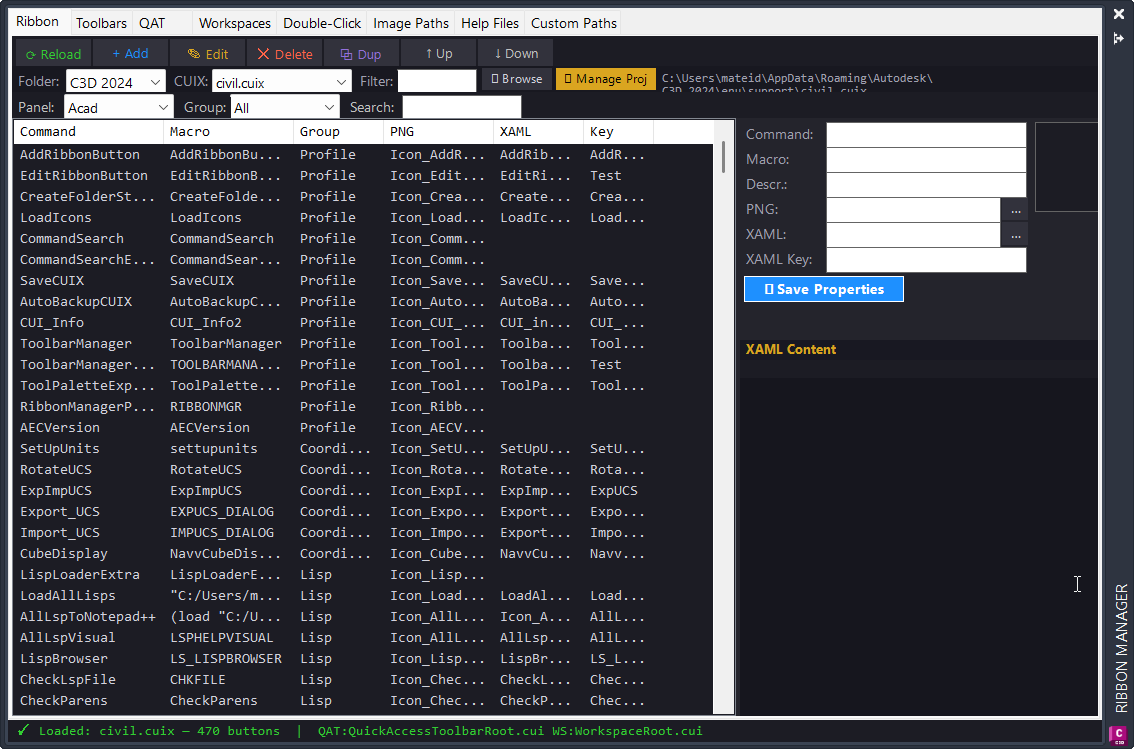
<Image Source="2026-07-19 15_06_14-Ribbon Manager.png" Stretch="Uniform"/>
</Grid>
</StackPanel>
</src:RibbonToolTip.ExpandedContent>
</src:RibbonToolTip>
</ResourceDictionary>