
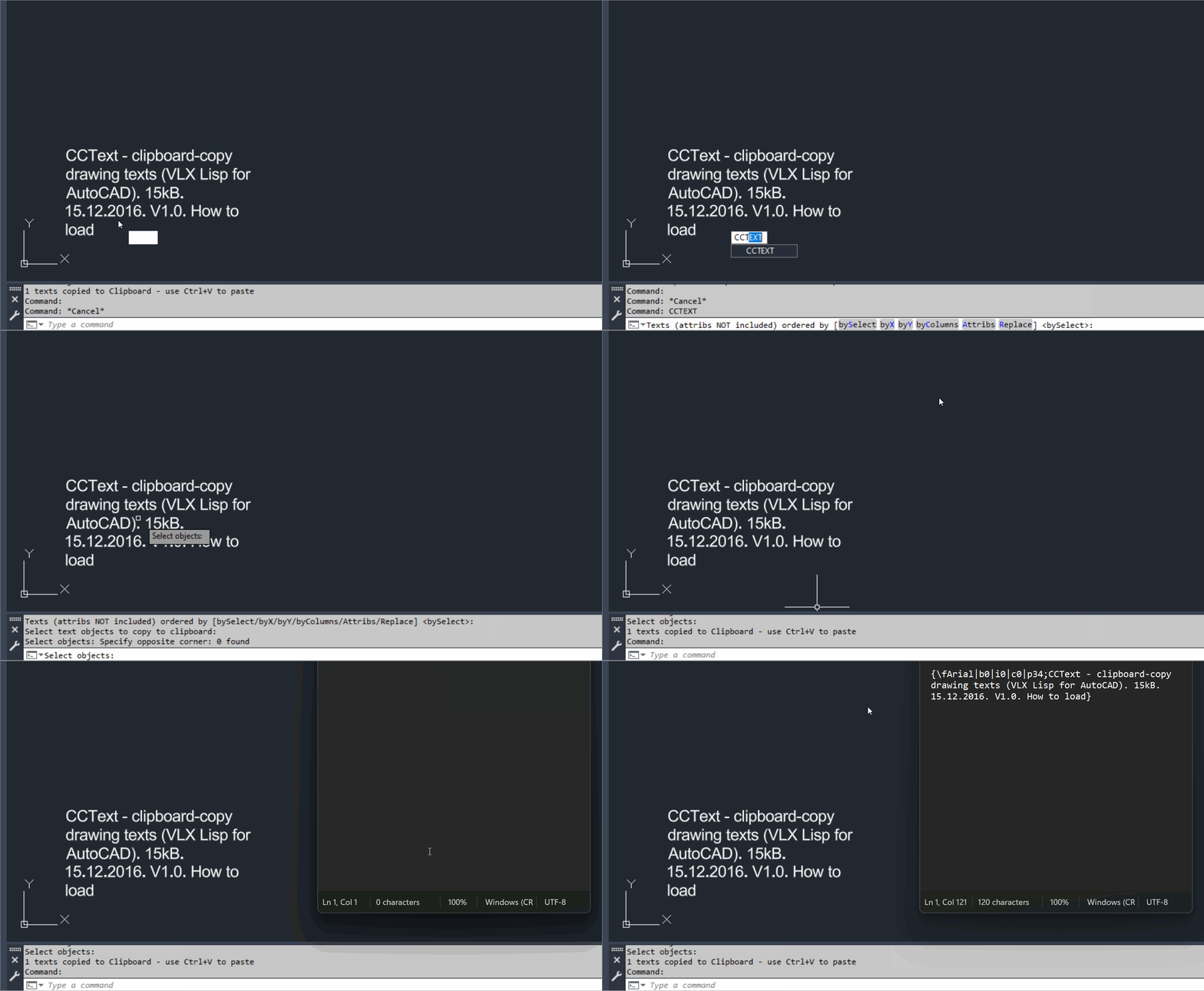
CopyClipboardText
APPLOAD loads the compiled VLX application.
_CCtextNoReformat controls whether MTEXT paragraph control codes are converted to line breaks.Spline2Poly
Spline2Poly:ConvertOneSpline performs SPLINEDIT conversion and verification.
Spline2Poly:LayerLockedOrFrozenP validates the source layer.
Spline2Poly:SetLayoutIfNeeded switches to the entity layout before conversion.Slope_Ro
gcd simplifies the calculated integer ratio.
atan calculates the angular slope from the absolute slope value.SelectStraightEntities
angle-is-ortho tests XY segment angles against orthogonal directions.
lwpline-is-ortho checks polyline bulges and segment angles.
line-is-ortho checks one LINE entity.
sssetfirst activates the resulting selection set.ParallelPolylinesOption
PPO-SS->LWPolylines converts supported close mode source entities.
PPO-CreateCenterline uses parametric point averaging between the two sides.
PPO-DoCloseParallelPolylines performs endpoint linking and PEDIT Join.
PPO-DoUncloseParallelPolylines rebuilds the two open side paths.PLTools
The suite initializes a shared active AutoCAD document object and common error and system variable helpers.
Many commands share Visual LISP curve APIs undo marks and polyline coordinate editing helpers.
PLT-LaunchDialog and PLT-RunSelected support the menu launcher.OffsetAndLayer
get-all-layers collects non Xref drawing layer names.
update-layer-list filters the DCL layer dropdown.
vla-offset creates candidate offset geometry.
Area comparison determines inward versus outward direction.MultiOffsetBothSidesWithLayer
OffsetPlan calculates pipe boundaries extras and start shift from RunSettings.
OffsetEngine generates offsets closes pairs creates centerlines and tracks changes.
OffsetRunResult stores created ids original layers and erased source state for Undo last.
ProfileStore manages built in and user saved profile configuration.
ModelSpacePreviewController manages transient preview graphics.
LayerManager creates target layers and resolves missing linetypes.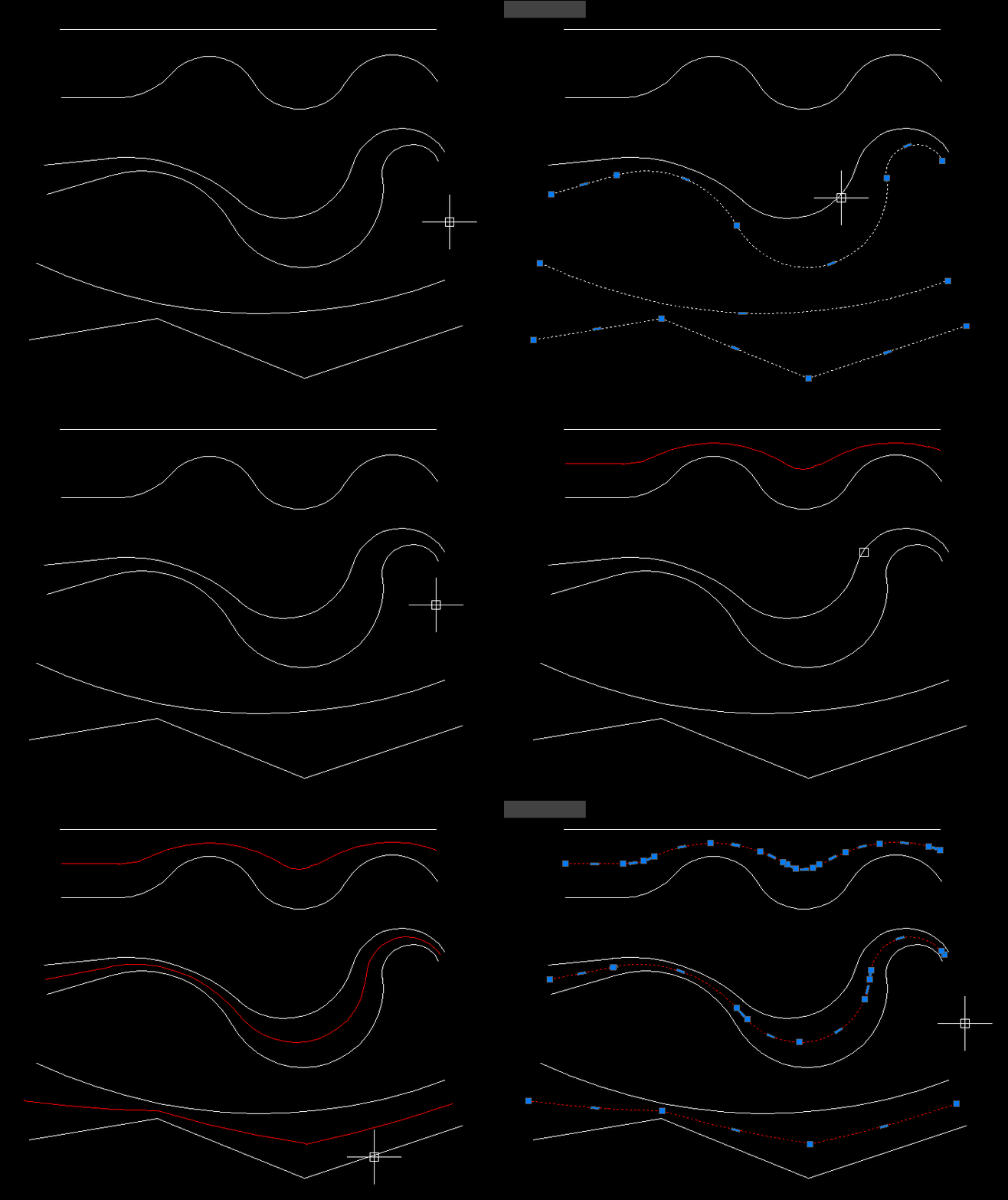
MiddleLinePolylines_2
vlax-curve-getStartPoint reads source start coordinates.
vlax-curve-getEndPoint reads source end coordinates.
vla-AddLightWeightPolyline creates the final two vertex result.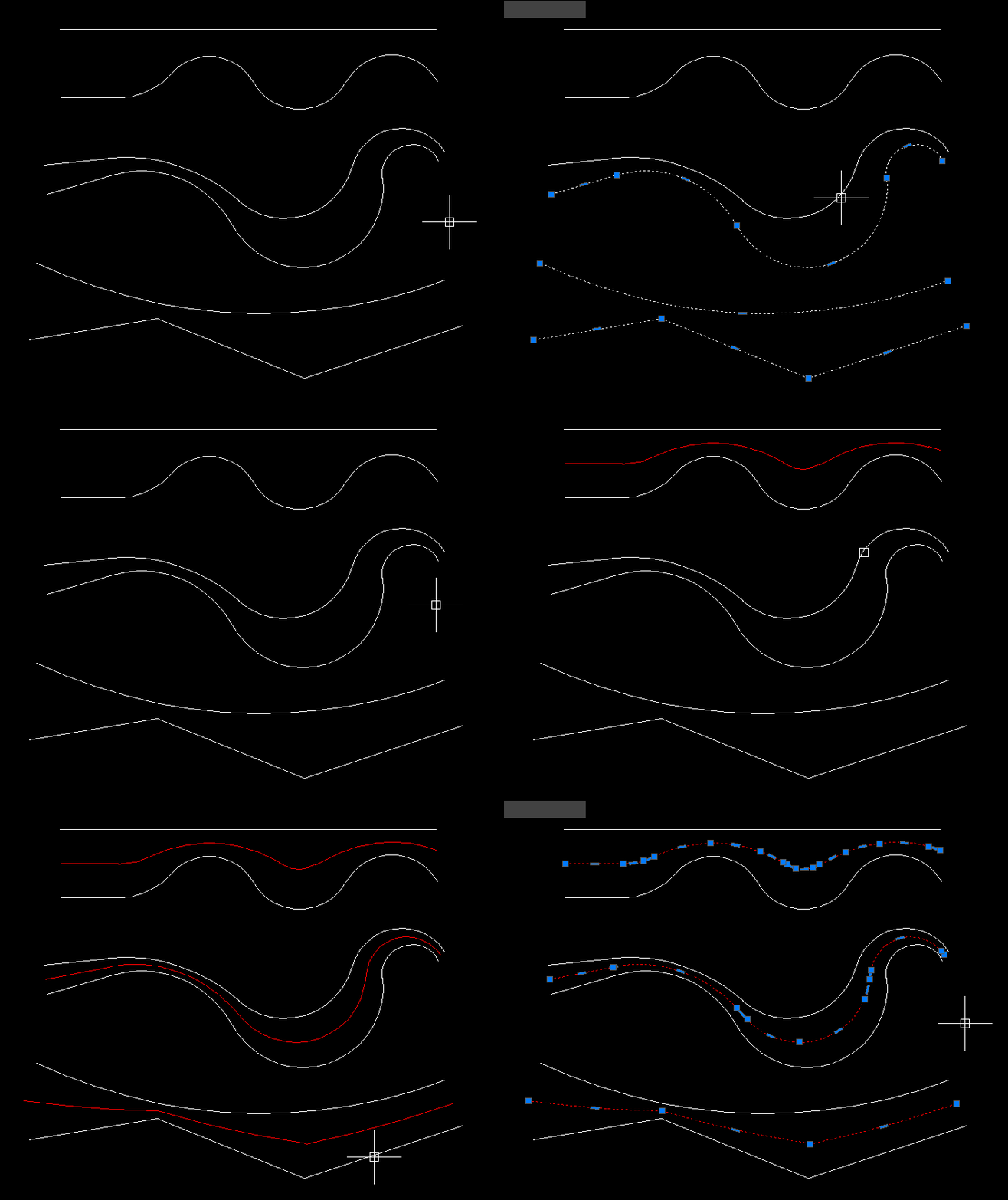
MiddleLinePolylines
MaxDist calculates separation between selected curve geometry.
check_offset validates temporary offset creation.
check_elev and check_normal validate source curve compatibility.
check_ET check_ucs check_view and check_ver perform environment checks.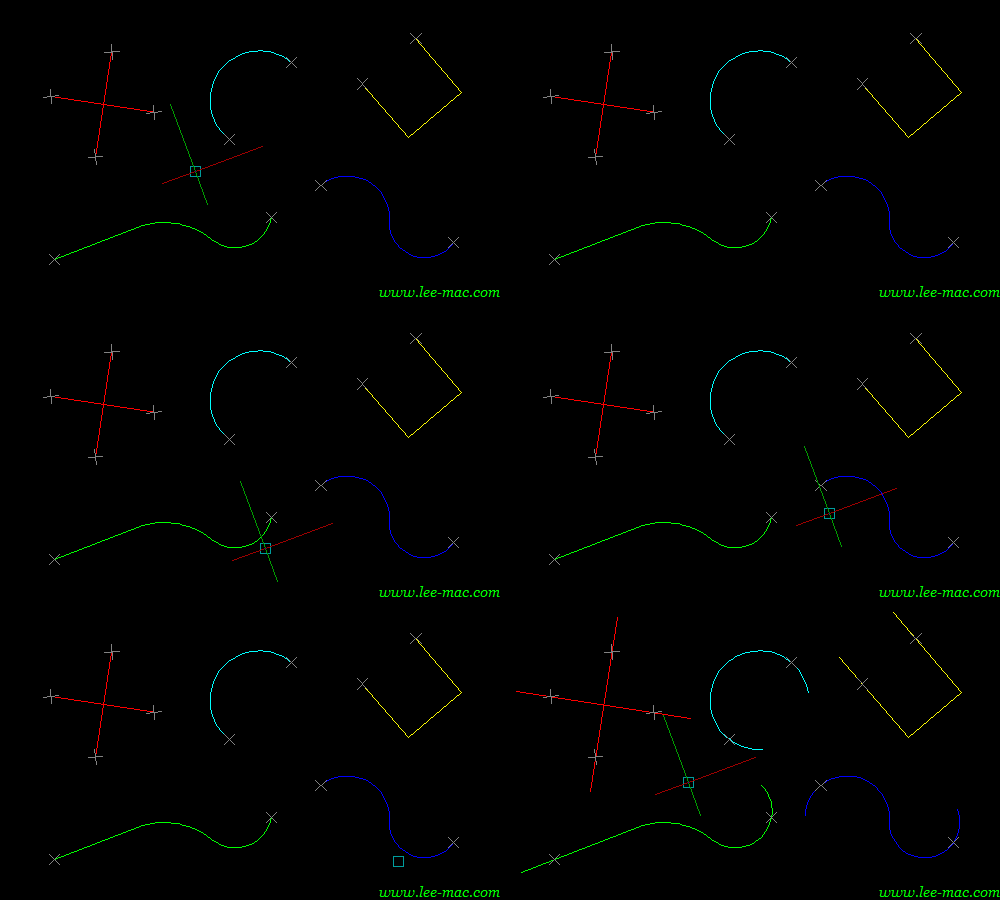
Lengthen
DEX:snapshot and DEX:restore preserve source entity state.
DEX:dynamic-both implements the interactive slot drag preview.
LM:dex:run applies the underlying endpoint extension geometry.
DEX:debug writes the diagnostic text report.InteriorPolylinesArea
GetBoundingBox and spline bounding box helpers support the boundary offset workflow.
Region2Polyline explodes region boundaries and creates closed lightweight polylines.
JoinAreas uses AddRegion ACUNION explode and PEDIT Join.
DEL_OPEN_PL tests vlax-curve-isClosed before deleting polyline geometry.ExtendStartEndMultiple
LM:dex:extendpoly calculates extended lightweight polyline endpoint geometry.
LM:dex:run applies the extension logic to the current selection.
DEX:dialog returns OK Apply Undo or Cancel state to the main loop.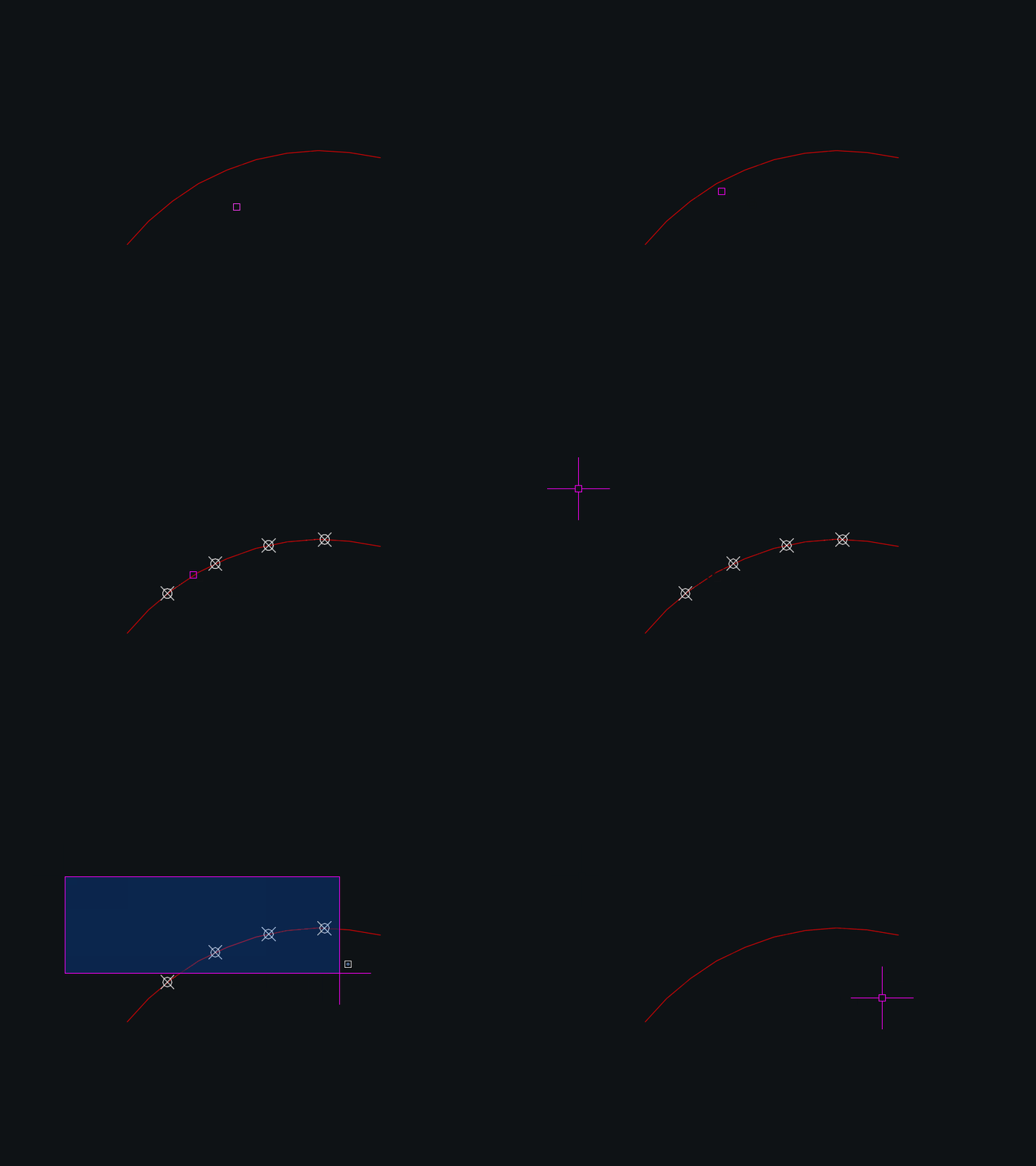
DynamicDivide
vlax-curve-getDistAtParam calculates total curve length.
vlax-curve-getPointAtDist calculates every division location.
grpoint draws temporary markers using the current AutoCAD point display style.
setenv stores the last selected DynamicDivide segment count.DuplicateToNewLayer
DTNLCPP-OffsetResult-DTNLCPP->Enames converts VLA Offset results into AutoCAD entity names.
DTNLCPP-CreateCenterlineSafe-DTNLCPP samples the offset pair and creates an averaged lightweight polyline centerline.
DTNLCPP-CloseTwoParallelEntities-DTNLCPP adds endpoint connectors and joins the offset pair.
DTNLCPP-GetAllLayers-DTNLCPP returns non Xref drawing layers.
DTNLCPP-DoOffsetOnce-DTNLCPP performs the current object selection and left and right offset processing.DoubleOffset
DoubleOffset calls the VLA Offset method with positive and negative distances.
vlax-curve-getClosestPointTo is used to calculate Through mode distance.
_StartUndo and _EndUndo manage AutoCAD undo marks.ConvertMultiplePolylines
🧩 plm:_dialog creates and manages the temporary DCL conversion options interface.
🧩 plm:_is2dpoly identifies old style 2D POLYLINE entities while excluding 3D polylines polyface meshes and polygon meshes.
🧩 OldStyle2LwPolyline rebuilds a valid old 2D POLYLINE as an LWPOLYLINE and deletes the original after successful creation.
🧩 plm:_collect_pset_from_ss prepares a working selection set containing LINE LWPOLYLINE and converted 2D POLYLINE entities.
🧩 plm:_pset_has_lines detects whether PEDIT must answer Yes to convert LINE entities into polylines.
🧩 plm:_run_pedit performs the final PEDIT conversion or conversion plus joining operation.LispLoaderExtra
Comming soon …LispLoader v1.0.000
Comming soon …LayoutVPOverrides
:layoutlistordered returns layouts in tab order.
:xreflistordered lists xref block names for layer-group filtering.
:layerlistordered lists drawing layers alphabetically.
:linetypelistordered lists loaded linetypes.
:plotstylelistordered reads available plot style table names from the active layout.
:truecolor-split-str converts AutoCAD TrueColor values into RGB text for VPLAYER input.
:DclList creates reusable temporary DCL selection lists with single or multiple selection.Dan_alldlls
🧩 *load-errors* stores DLL paths that fail during NETLOAD.
🧩 vl-catch-all-apply protects each NETLOAD command call.
🧩 The final report block writes failed paths to load_report.txt when errors exist.
🧩 The final command line message reports either complete success or the number of failed DLL loads.@Dan_acaddoc
🧩 _AcldDiag converts common load error messages into practical diagnostic hints.
🧩 *_ACLD_FAIL* records failed files and error details.
🧩 _SafeLsp safely loads LSP and FAS files and records OK SKIP or FAIL status.
🧩 _SafeVlx safely loads VLX applications while temporarily controlling FILEDIA.
🧩 _SafeCmd loads .NET assemblies with the configured AutoCAD command such as NETLOAD.
🧩 The final summary writes total attempted successful skipped and failed counts to the report.ViewportMatchOrientation
🧩 ssget with Viewport filter selects exactly the source and target viewports.
🧩 vlax-ename->vla-object converts selected viewports to ActiveX objects.
🧩 vla-get-objectname verifies that the selected object is an AcDbViewport.
🧩 vlax-get reads the source TwistAngle property.
🧩 vlax-put-property writes the TwistAngle to the target viewport.VportsPoly2Rectang
🧩 VLA layout iteration scans each layout block table record reliably.
🧩 DXF group 340 and DXF 90 bit checks detect non-rectangular clipped viewports.
🧩 Registry helpers persist user settings between sessions.
🧩 DCL builders create the two-panel layout and viewport interface.
🧩 Undo helpers group batch conversion, lock, and unlock operations safely.
🧩 Zoom helpers switch layouts and focus the selected viewport.PlotExtra
🧩 Commands.cs registers the plot dialog command and the PLOTEXTRALOG viewer command.
🧩 PlotDialogForm.cs contains the main WinForms plot interface and plot setting controls.
🧩 PreviewControl.cs renders sampled layout geometry in a reusable GDI+ preview panel.
🧩 PlotService.cs captures layout geometry and supports preview preparation.
🧩 Logger.cs records runtime messages for troubleshooting and workflow review.
🧩 PdfProjectConfig and PdfTierConfig store project output paths and file-age display tiers.
🧩 C3DTheme and ButtonIconFactory provide a consistent Civil 3D styled interface with reusable icons.PageSetupAllLayouts
🧩 vla-get-ActiveDocument retrieves the current AutoCAD drawing.
🧩 vla-get-Layouts accesses the layout collection.
🧩 vlax-for iterates over all layout objects.
🧩 vla-get-Name is used to skip the Model layout.
🧩 vla-get-ConfigName reads the current PC3 plot configuration assigned to each layout.
🧩 vla-put-ConfigName writes the replacement plot device name.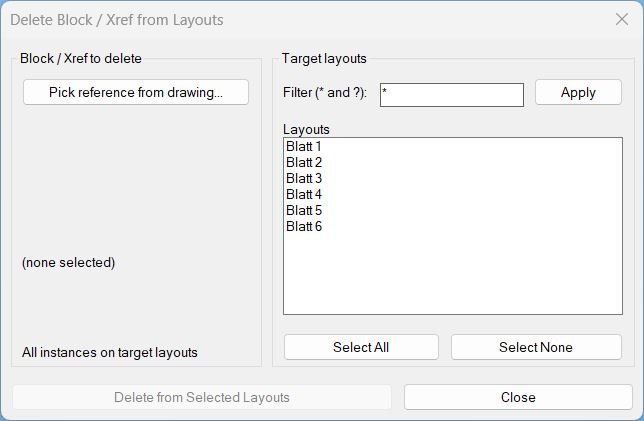
Delete2Layouts
🧩 ld:write-dcl creates the temporary DCL file used by the layout cleanup dialog.
🧩 ld:get-paper-layouts returns all layouts except Model.
🧩 ld:apply-layout-filter filters layout names using wcmatch wildcard logic.
🧩 ld:do-pick captures the selected INSERT name from a block or xref reference.
🧩 ld:delete-from-layouts scans selected layout blocks and deletes matching INSERT objects.
🧩 ld:do-delete validates selection, starts an undo group, executes deletion, and displays the final result alert.
🧩 ld:cleanup unloads the dialog and deletes the temporary DCL file.
CopyPaper2Model
🧩 cpms:write-dcl dynamically writes the temporary DCL interface for the ModelSpace-to-PaperSpace and PaperSpace-to-ModelSpace workflows.
🧩 cpms:layouts reads paper layouts from the active drawing and sorts them by layout tab order.
🧩 cpms:lay-vps collects usable viewport entities from each layout while excluding the primary paper-space viewport.
🧩 cpms:vp-lbl builds readable viewport labels with center coordinates and scale values.
🧩 cpms:vp-unlock and cpms:vp-relock preserve viewport lock states while activating a target viewport.
🧩 cpms:copy-each creates object copies through VLA copy calls before CHSPACE performs the final space conversion.SelectCreateLayerFilter
🧩 _pf:GetLayersFromSS reads the user selection set and returns the unique layer names used by the selected entities.
🧩 _pf:BuildLayerExpr converts selected layer names into an AutoCAD layer filter expression using NAME==”…” and OR conditions.
🧩 _pf:FilterByPattern applies wildcard filtering with wcmatch, supporting * and ? patterns for fast layer-name searches.
🧩 _pf:CopyToClipboard copies generated expressions, layer lists, and debug information to the Windows clipboard through an htmlfile COM object.
🧩 _pf:StoreSettings and _pf:LoadSettings save and restore the last filter name, parent filter, and dialog-position values under HKEY_CURRENT_USER\Software\LayerFilterPlus.
🧩 Runtime DCL generation creates the Layer Filter Builder dialog as a temporary file, loads it, unloads it, and deletes it during cleanup.
🧩 The SCLF alias calls the full SelectCreateLayerFilter command for faster command-line access.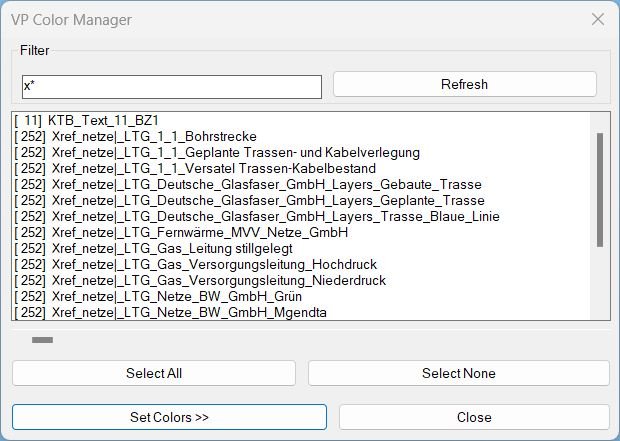
ChangeVPLayerColor
🧩 LC:S normalizes nil and symbol values into safe strings for dialog display.
🧩 LC:GetLT reads the linetype of a layer from the AutoCAD Layers collection and removes xref prefixes from linetype names when needed.
🧩 LC:BuildList scans drawing layers, applies the name filter, formats color numbers, sorts layer names, and supports horizontal text offset.
🧩 LC:ConfigDlg builds paginated preset configuration dialogs with filter, page select all/none, global select all/none, Back, Next, OK, and Cancel.
🧩 LC:ApplyBst and LC:ApplyNeu apply Bestand or Neu preset color choices while respecting the checked state from the configuration dialogs.
🧩 LC:ApplyToLayouts switches target layouts, finds viewport entities, skips paper-space viewport id 1, and runs VPLAYER Color for selected layers.
🧩 LC:Bulk opens the VP Color Assignment dialog and drives the layer-to-color mapping workflow.
🧩 LC:LayPick lets the user choose target layouts, select all layouts, or select the current layout.Reconcill_All_Layers
🧩 vlax-get-acad-object retrieves the running AutoCAD application object.
🧩 vla-get-ActiveDocument accesses the current drawing.
🧩 vla-get-Layers returns the layer collection that is processed by vlax-for.
🧩 vla-GetExtensionDictionary checks each layer for stored extension dictionary data.
🧩 vla-Remove deletes the ADSK_XREC_LAYER_RECONCILED record when available.
🧩 setvar applies the LAYEREVAL and LAYERNOTIFY system variable changes.Make_layers_linetypes_draw
🧩 dlt-write-settings-dcl writes the main Draw Linetype Layers DCL dialog.
🧩 dlt-write-page-dcl writes the paginated linetype selection dialog.
🧩 dlt-run-lt-sel runs the linetype selector with paging and selection-state memory.
🧩 dlt-apply-filter applies wildcard filtering to the linetype list.
🧩 dlt-count-selected returns the number of selected linetypes.
🧩 entmake creates the LWPOLYLINE and MTEXT entities used in the catalog.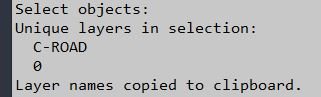
LayersName2Clipboard
🧩 ClipPut sends text to the Windows clipboard through htmlfile parentWindow clipboardData.
🧩 C:LayersName2Clipboard is the main command that collects the selection, reads entity data, removes duplicates, prints the result, and copies it.LayerImport
🧩 LI:MakeDCL dynamically writes the embedded DCL dialog to a unique temporary file for the main import interface.
🧩 LI:ParseCSV reads CSV header and data rows, trims values, and prepares layer rows for import.
🧩 LI:ParseXML reads Layer blocks from an XML layer export format and converts them into import rows.
🧩 LI:FilterRows filters loaded layer rows by wildcard patterns using * and ? matching.
🧩 LI:SaveLayerStates and LI:RestoreLayerStates provide one-step undo for imported layer changes.
🧩 LI:ApplyRow applies selected properties to each AutoCAD layer through VLA and DXF edits.
🧩 LI:SetFrozenInVP updates the viewport-freeze bit using DXF group 70 logic.
🧩 LI:SetPlot updates the layer plot flag using DXF group 290.
🧩 LI:DoImport runs the full create/update workflow and returns the created, updated, and skipped summary.
🧩 LI:CopyToClip and LI:DebugReport copy layer names and import diagnostics to the clipboard.
🧩 LI_FOLDERS opens the predefined folder manager for adding, deleting, reordering, and saving project folder presets.LayerFilterFreezeThawOnPlotVPFreeze
🧩 lfm:DclText creates the DCL interface with standard action groups, plot controls, viewport controls, invert, Select All, and Select None.
🧩 lf:filterNames reads available AutoCAD layer filters.
🧩 lf:layersFromXrecord extracts layer-name rules from filter xrecords.
🧩 lfm:chooseXrecForFilterIndex resolves the selected filter to a usable xrecord rule set.
🧩 lf:applyActions applies standard, plot, and viewport actions to the resolved layer list.
🧩 lf:plottable-activex changes the layer plottable flag using ActiveX, with command fallback.
🧩 lf:vpFreezeThaw handles viewport-specific freeze and thaw via ACAD XDATA.
🧩 lfm:saveLastSettings and lfm:restoreLastSettings preserve the last selected filter, invert flag, and toggles.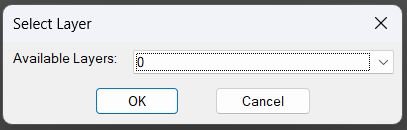
ChangeLayerToSelected_vs.01
🧩 ChangeLayerToCurrent:AddOrReplaceDxf updates entity DXF data safely for specific group codes.
🧩 ChangeLayerToCurrent:LayerLinetype resolves BYLAYER linetype from the source layer.
🧩 ChangeLayerToCurrent:LayerLineweight resolves BYLAYER lineweight from the source layer.
🧩 ChangeLayerToCurrent:GetOriginalProps captures effective visual properties before the move.
🧩 ChangeLayerToCurrent:ApplyOriginalProps reapplies captured linetype, linetype scale, and lineweight/width.
🧩 ChangeLayerToCurrent:CopySelectedLayerName writes the target layer name to the clipboard.
🧩 get-all-layers and update-layer-list populate and refresh the DCL layer selector.ChangeLayerToCurrent
🧩 ChangeLayerToCurrent:AddOrReplaceDxf updates entity DXF data safely for specific group codes.
🧩 ChangeLayerToCurrent:LayerLinetype resolves BYLAYER linetype from the source layer.
🧩 ChangeLayerToCurrent:LayerLineweight resolves BYLAYER lineweight from the source layer.
🧩 ChangeLayerToCurrent:GetOriginalProps captures effective visual properties before the move.
🧩 ChangeLayerToCurrent:ApplyOriginalProps reapplies captured linetype, linetype scale, and lineweight/width.
🧩 ChangeLayerToCurrent:CopySelectedLayerName writes the target layer name to the clipboard.
🧩 get-all-layers and update-layer-list populate and refresh the DCL layer selector.NamespaceFix
🧩 C3D-RestoreStar checks whether (type (eval ‘*)) is still SUBR.
🧩 C3D-RestoreStarCmd is the command-reactor callback wrapper.
🧩 vl-load-com is used as the first repair attempt to rebuild the Visual LISP environment.
🧩 acad_* is used as a fallback source for the multiplication SUBR when the * symbol is already corrupted.
🧩 vlr-command-reactor installs the automatic repair hook for command-ended events.ChangeBackgroundColor
🧩 _rgb->long converts RGB values to AutoCAD long color values.
🧩 _rgb->bgr converts RGB long values to BGR values for BEditBackground.
🧩 _snapshot-current records Model Space, Paper Space, Block Editor, crosshair, tracking, and AutoSnap colors before dialog changes.
🧩 _restore-snapshot restores the previous display settings when the dialog is canceled.
🧩 _apply-space applies selected background colors to the chosen drawing spaces.
🧩 _bg-dcl-source and _write-dcl-unique generate the temporary DCL interface.
🧩 _bg-sync-enable enables or disables individual color controls when Global Color is toggled.
🧩 _be-get-bg and _be-put-bg read and write the Block Editor background setting.Text2Multileader_2
🧩 rjp-getbbwdth calculates source text width from the object bounding box.
🧩 ssget with filter *TEXT collects the source TEXT and MTEXT objects.
🧩 entsel asks for the guide LINE, LWPOLYLINE, or POLYLINE object.
🧩 vlax-get reads StartPoint and EndPoint for LINE entities.
🧩 Coordinates extraction reads the first and last coordinate pair from LWPOLYLINE or POLYLINE entities.
🧩 entdel and vla-delete remove the guide object and source text objects after MLeader creation.SetupOverriteDimStyles
🧩 bugfix-count-mleaders scans MULTILEADER entities and counts objects using a specified MLeader style name through ActiveX.
🧩 entget reads the selected object DXF data to determine entity type, layer, text style, dimension style, MLeader style, and text height when available.
🧩 ssget “X” database scans count matching layers, text styles, dimension styles, and MLeader styles across the drawing.
🧩 A temporary DCL file is written at runtime to build the 4-column Property Matching Workspace Manager dialog.
🧩 getcfg and setcfg are used to persist the dialog coordinate configuration under AppData/SetupOverriteDimStyles_Command.
🧩 The custom *error* handler unloads the dialog, deletes the temporary DCL file, restores CMDECHO, and restores the previous error handler.MLeaderExtra
Core components include Commands.cs, MLeaderVertexService, PreviewCollector, MLeaderToolForm, PreviewEntity, AppLog, C3DTheme, PluginBootstrap, and BuildInfo. The vertex service uses transactions, DocumentLock, MLeader.VerticesCount, GetVertex, AddLastVertex, SetVertex, RecordGraphicsModified, Regen, and handle-to-ObjectId conversion.
Xline2Poly
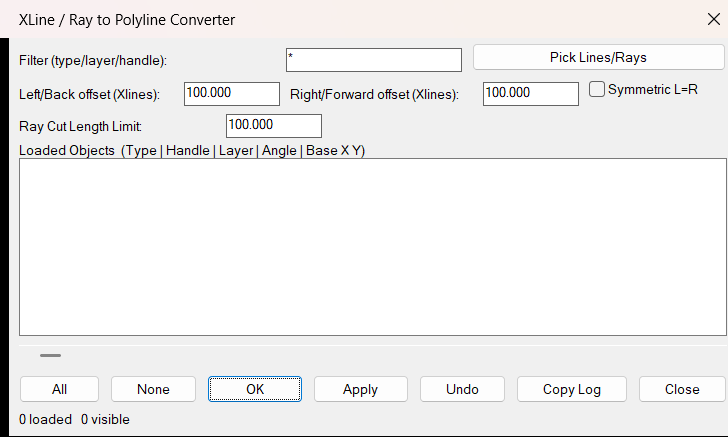
Xline2Poly:strp, Xline2Poly:nump, Xline2Poly:lstp, and Xline2Poly:entp provide AutoLISP-safe validation.
C:Xline2Poly_DEBUG reports AutoCAD version data and validates the Xline2Poly_Settings.cfg file.
_getSettings and _saveSettings manage persistent dialog settings.
_writeDCL creates the temporary DCL dialog at runtime.
_getObjDesc builds the list display using entity type, handle, layer, angle, and base coordinates.
_updateList applies wildcard filtering and horizontal scrolling.
_process creates LWPOLYLINE entities from XLINE and RAY geometry, deletes the original entities, and manages undo.
_copyToClipboard copies the last status or conversion log.
Poly2Xline
l2xl:strp, l2xl:nump, l2xl:lstp, and l2xl:entp provide AutoLISP-safe type checks.
_getSettings and _saveSettings read and write the persistent L2XL_Settings.cfg configuration file.
_getSegments extracts curve segment start/end points through the vlax-curve API.
_makeXline builds new XLINE entities with normalized direction vectors.
_processEnt converts one entity into one or more XLINE objects.
_process wraps conversion in an AutoCAD undo mark.
_getObjDesc, _updateList, and _getIndices support the DCL list, wildcard filter, and multi-selection workflow.
_copyToClipboard copies the last processing log.
C:L2XL_DEBUG creates a standalone diagnostic report for settings and AutoLISP type checks.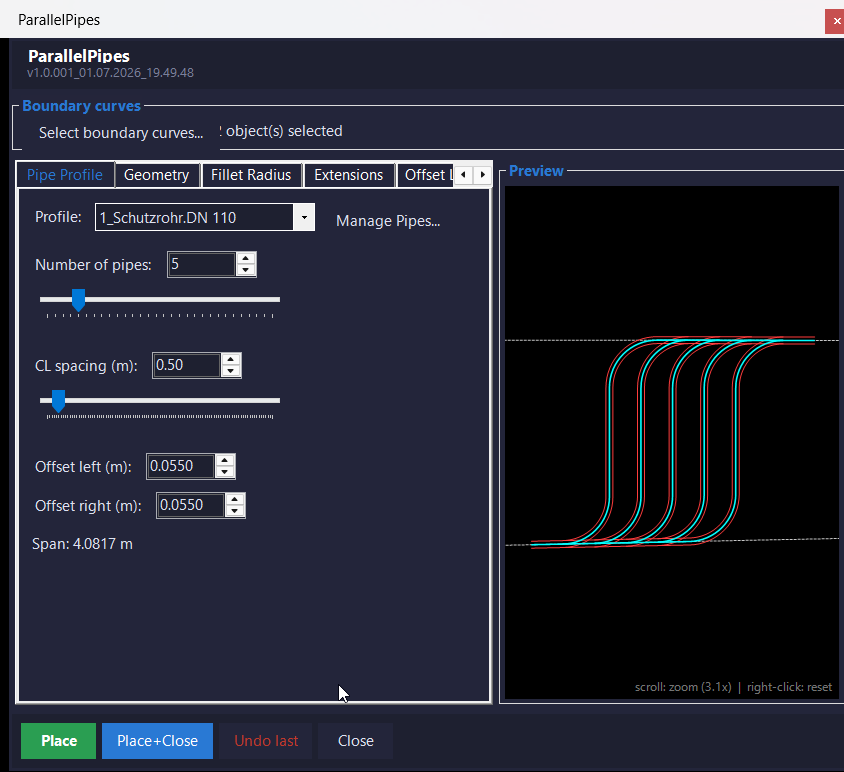
ParallelPipes.NET
Main project modules:
– Commands.cs: AutoCAD ExtensionApplication, NETLOAD banner, VTPCS command, modeless form lifecycle, boundary selection, placement, final placement, idle preview refresh, and undo callback wiring.
– Cad/MultiPipeDrawer.cs: solves the complete pipe bundle and commits the created offset entities, optional centerlines, placement history, and AutoCAD groups.
– Cad/SegmentBuilder.cs: finds bracketing intersections between the selected boundary curves and the working placement direction.
– Core/FilletEngine.cs: builds tangent-fillet route geometry using the selected radius, direction, extension, and tangent information.
– Cad/CadHelpers.cs: creates layers, builds lightweight polylines, loads linetypes, creates offsets with GetOffsetCurves, assigns layers, creates groups, and highlights placements in the viewport.
– Cad/PipeBundlePreviewSession.cs: manages live cursor preview through Editor.PointMonitor and AutoCAD TransientManager.
– Core/AppSettings.cs and Core/PipeProfile.cs: store JSON settings, default Profile_003 / Profile_003 pipe profiles, radius presets, and persistent profile/radius data under %APPDATA%\ParallelPipesNet.
– UI/MainForm.cs, ProfileManagerForm.cs, RadiusManagerForm.cs, PipeBundlePreviewControl.cs, and C3DTheme.cs: implement the dark-themed tabbed WinForms user interface, preview panel, profile manager, radius manager, placement list, and log tab.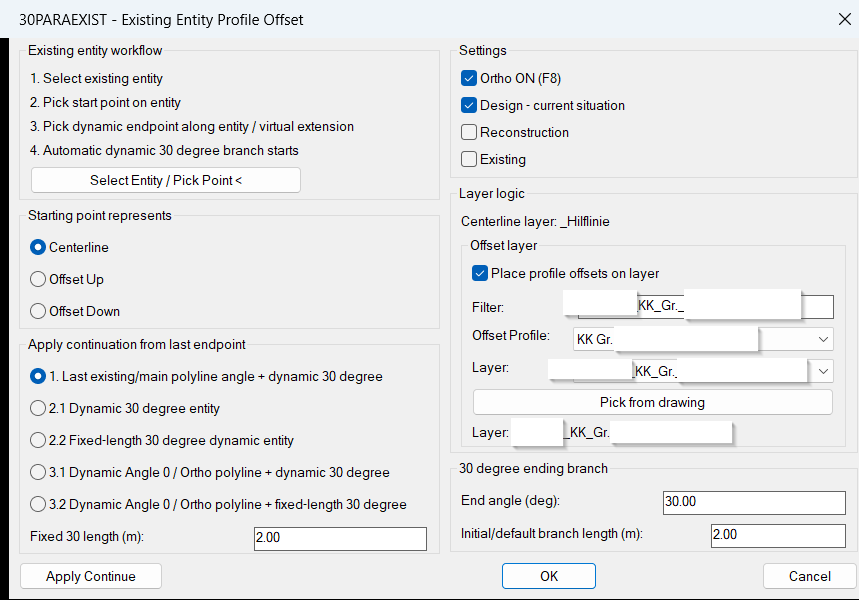
30ParallelExisting
Comming soon …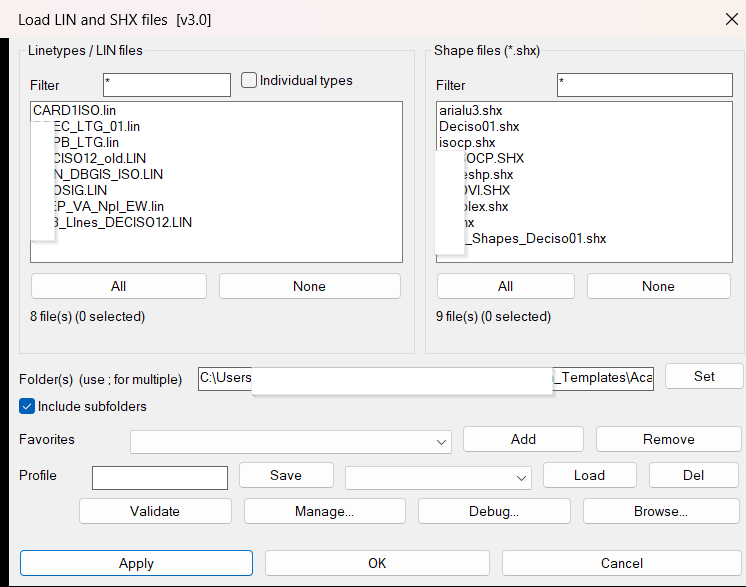
Lin_Shx_Loader
DB_LS_GetFolderList normalizes the configured folder string and supports multiple semicolon-separated folders.
DB_LS_GetFilesFromFolders collects matching LIN and SHX files from all valid folders and optionally from subfolders.
DB_LS_ParseLinFile reads LIN files and extracts individual linetype names and description strings.
DB_LS_ValidateLinFile and DB_LS_RunValidation check selected LIN files for missing pattern lines, missing A definitions, unbalanced brackets and missing referenced SHX files.
DB_LS_VLA_LoadLin loads all linetypes from a LIN file using the AutoCAD ActiveX Linetypes collection.
DB_LS_VLA_LoadLinByName loads one specific linetype name from its source LIN file.
DB_LS_LoadShx loads compiled SHX shape files with the AutoCAD LOAD command.
DB_LS_ShowManageDialog lists loaded drawing linetypes and can purge selected unused linetypes.
DB_LS_SaveSettings and DB_LS_LoadSettings persist filters, folder paths, favorites, profile data and interface state with setenv/getenv.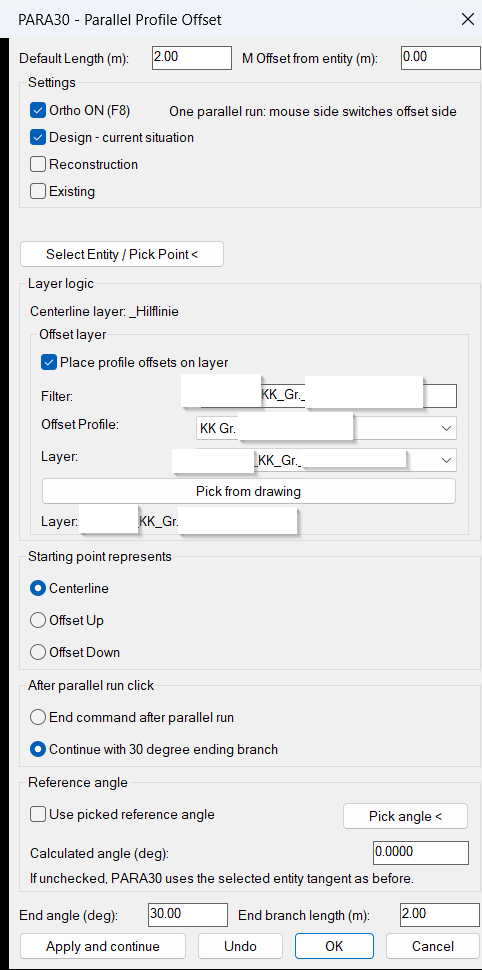
30Parallel
Comming soon …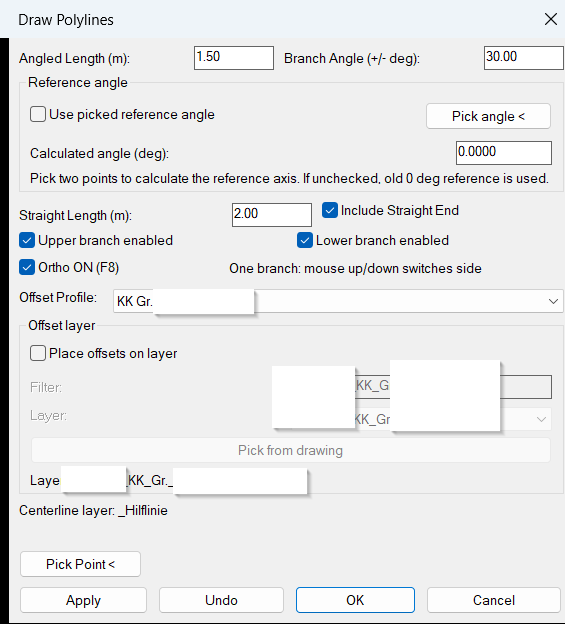
30Degree
Comming soon …ReplaceBlock
🧠 GetBlockNames collects block definitions from the active drawing block table and returns a sorted block-name list.
🔍 update_list refreshes the dialog popup list whenever the user changes the filter text.
💾 *ReplaceBlockName* stores the last selected replacement block name during the AutoCAD session.
🧹 The error handler unloads the DCL dialog, deletes the temporary DCL file, removes temporary selection-set references, and closes the undo mark when needed.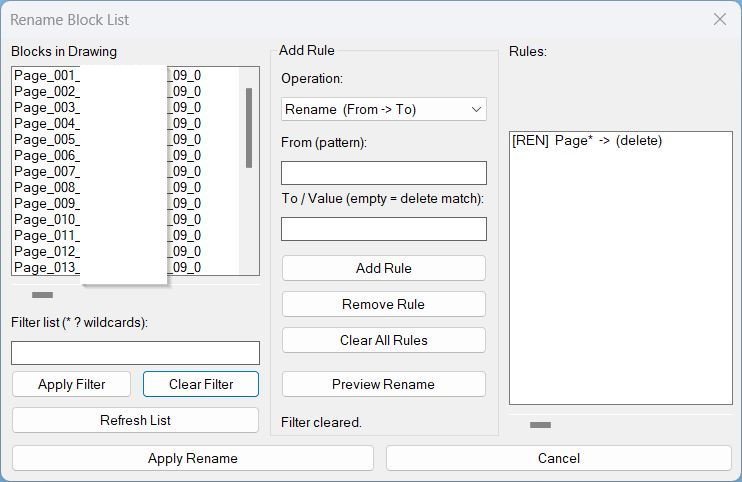
RenameBlockList
🧰 Main helper functions include RBL:GetBlockNames for collecting valid drawing block names, RBL:FilterNames for wildcard filtering, RBL:ApplyRule for rename/prefix/suffix logic, RBL:BuildPreview for proposed rename output, RBL:RenameBlock for safe block-table renaming, RBL:ShowPreview for the preview dialog, and RBL:HScroll for horizontal list scrolling in long block names.
CopyRenameBlockChangeLayer
• LM:RenameBlockReference — main copy/rename engine for the selected INSERT entity.
• LM:GetNewBlockNameAndLayer — writes and opens the temporary DCL dialog used to capture the new block name and layer choice.
• update-layer-list — filters the layer popup list using wildcard matching while the user types.
• FixBlockEntitiesLayer_Internal — updates block-definition entities to the chosen layer and normalizes Color, Linetype, and Lineweight to ByLayer.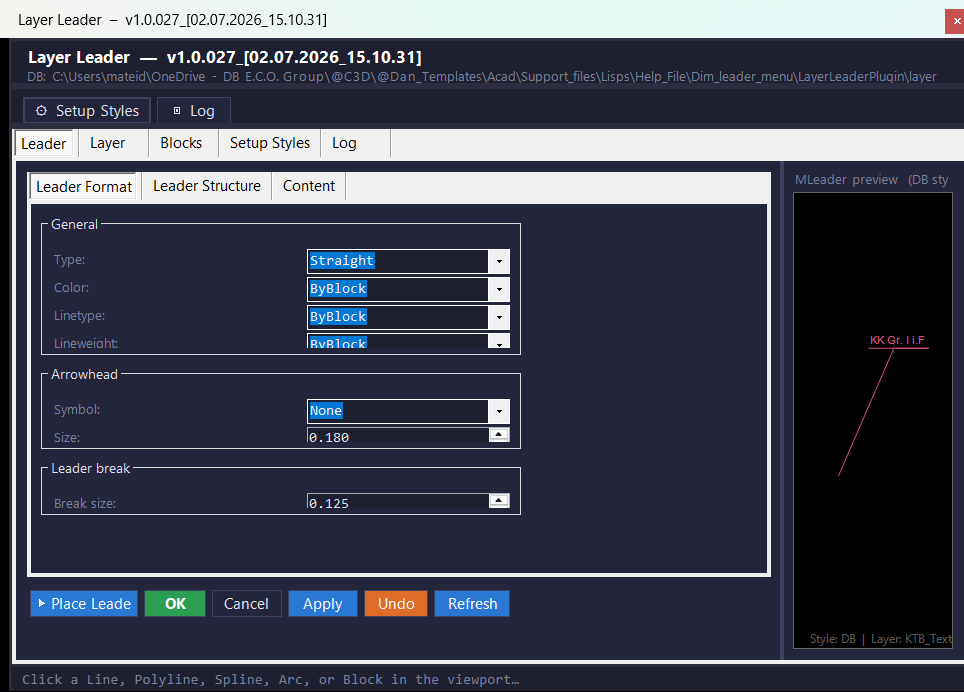
LayerLeaderPlugin
Comming soon …
NavvCubeDisplayOffOn
🧩 The routine uses vlax-get-acad-object to connect to the running AutoCAD application and vla-get-ActiveDocument to access the current drawing document.
🔧 It uses vla-sendcommand to send the NAVVCUBEDISPLAY values directly to AutoCAD from AutoLISP.
🔒 The code includes a vl-catch-all-apply check around the AutoCAD COM object call and loads Visual LISP COM support when needed.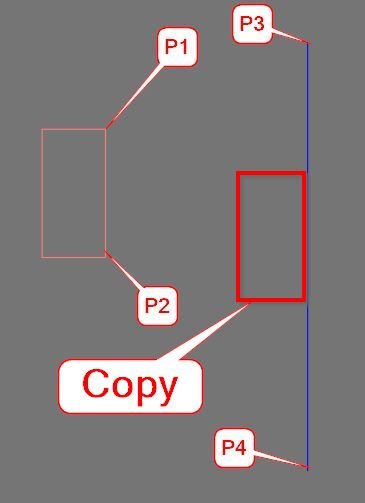
CopyMove2MidPoint_vs.01
🧩 Main internal function:
– MOVE_COPY_COMMON2 – shared move or copy routine used by MMid2 and CMid2.
🔧 Important AutoLISP and Visual LISP operations:
– ssget for object selection.
– getpoint for P1, P2, P3, and P4 reference picking.
– trans for UCS-to-WCS point and vector conversion.
– vla-move for moving objects.
– vla-copy for copy mode.
– vla-get-Layers and vla-get-Lock for locked-layer checking.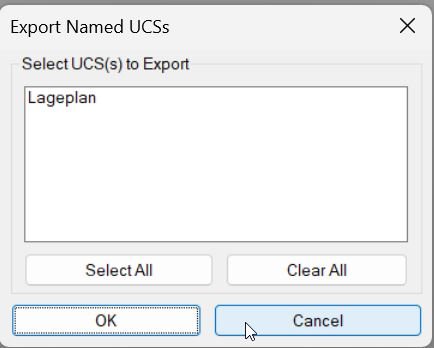
Export_Import_MS_UCS
🧩 get-persisted-ucs-folder reads the last-used UCS folder from the Windows Registry.
🧩 save-persisted-ucs-folder writes the selected UCS folder path back to the Registry.
🧩 get-default-ucs-path resolves the preferred start folder from DWGPREFIX, the persisted UCS folder, or a fallback path.
🧩 c:EXPUCS_DIALOG opens the save-file dialog and dispatches to EXPUCS.
🧩 c:IMPUCS_DIALOG opens the import-file dialog and dispatches to IMPUCS.
🧩 c:EXPUCS scans the UCS symbol table using tblnext and writes UCS records to the selected .ucs file.
🧩 c:IMPUCS reads exported UCS records from a .ucs file, validates UCS entries, resolves duplicate names, and recreates records with entmake.
🧩 vl-load-com initialization enables Visual LISP COM access when AutoCAD ActiveX is available.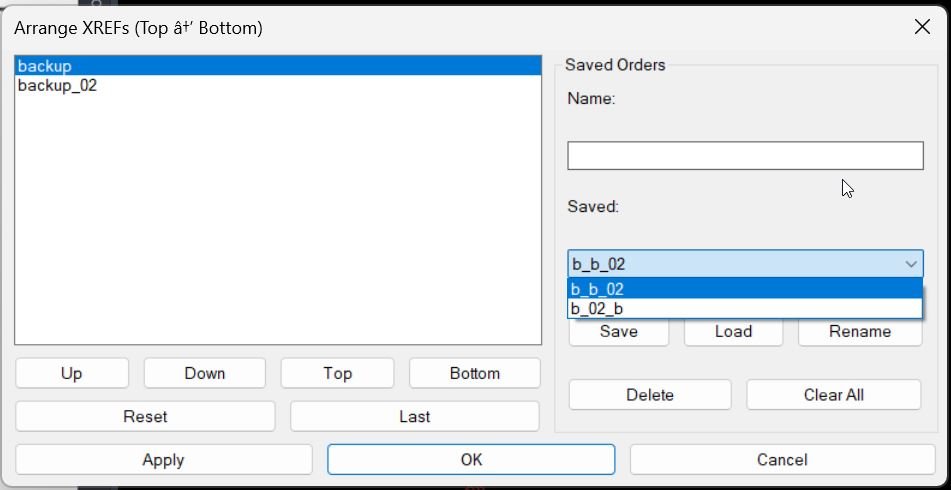
XrefDrawingOrder
🧠 Main helper routines and implementation details:
– AT:GetXrefNames collects xref block names from the active document using ActiveX Blocks iteration.
– MXR:SSXref builds selection sets for xref INSERT references by block name.
– MXR:MoveUnder applies DRAWORDER with the Under option to place one xref below another.
– MXR:ApplyOrder walks the ordered xref list and applies the stacked draw order pair by pair.
– MXR:SaveLastOrder and MXR:LoadLastOrder store and restore the last order from the drawing Named Object Dictionary.
– MXR:LoadSaved, MXR:SaveSaved, MXR:DelSaved, and MXR:FindSavedByName manage named xref order presets.
– AT:XrefOrderDialog creates the temporary DCL dialog, handles Apply, OK, Cancel, list movement, saved order actions, and cleanup.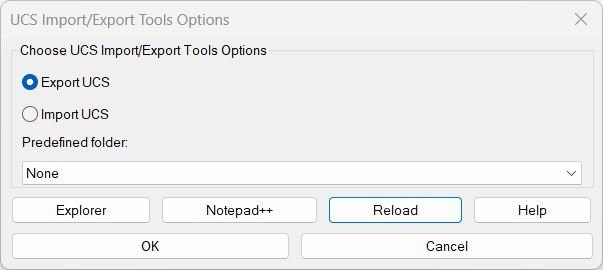
ExpImpUCS
🧩 EI-write-dcl dynamically creates the DCL interface for the main import and export dialog and the help dialog.
🧩 EI-build-predefs searches OneDrive and project paths for predefined UCS_Lageplan folders such as Beu, La, Npl, Bis, and Tp.
🧩 EI-preferred-startdir resolves the best start folder using the selected predefined folder, fixed LSP folder, last used folder, or DWGPREFIX.
🧩 EI-clipboard-put copies help text and folder paths using cmd | clip.
🧩 EI-help-dialog opens a persistent help window with copy selected, copy all, copy path, Unicode toggle, Explorer, and Notepad++ actions.
🧩 EI-open-explorer-fixed opens the fixed ExpImpUCS support folder.
🧩 EI-open-npp-fixed opens the fixed LISP file in Notepad++ when available, with Notepad fallback.
🧩 _ucs-add-or-update creates a new named UCS or updates an existing one through the AutoCAD UserCoordinateSystems collection.
🧩 _preferred-dir-from-dcl honors DCL-selected directories and then falls back through helper directory providers and the current drawing folder.AreaCalc
🧩 GetObjectID — returns the AutoCAD object ID string used for field expressions.
📊 Acv21AddTable — places a native AutoCAD table with selected area report columns.
📝 AcV21AddLtTable — creates a line and text based report table directly in model space.
📏 GetTableWidths and acwidthlist — calculate dynamic column widths for table output.
🧮 Ac_MakeUnitList — fills DCL unit popup lists from the unit list.
🪟 ac_dialog — writes the temporary Area Calc v2.1 DCL dialog file.
📤 list->string and Strlcat — format CSV rows and joined text output.
🚀 C:AC — main command that selects objects, calculates areas, opens the dialog, labels objects, and writes the selected report.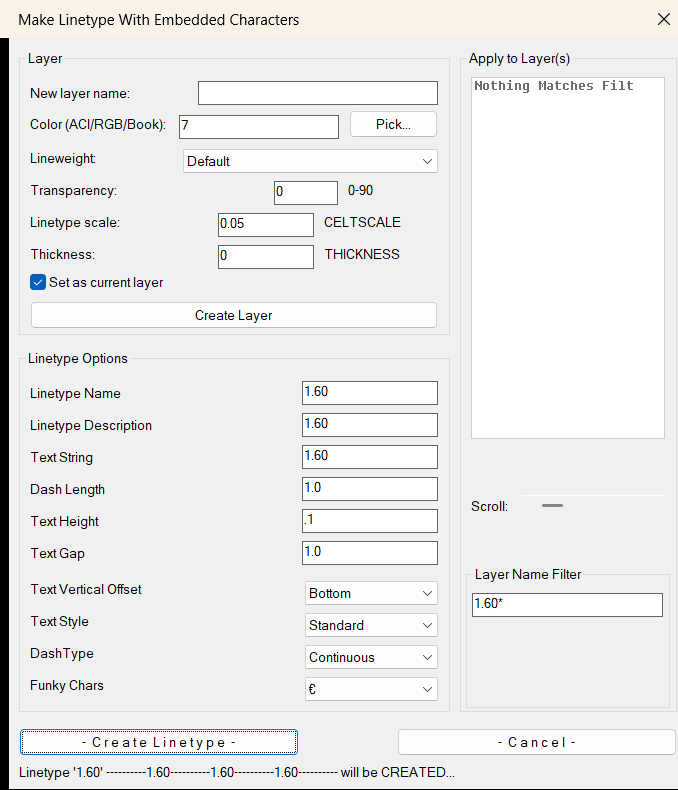
LinetypeWithCharacters2
🧩 MK2:_writeDCL writes the embedded DCL dialog to a unique temporary file.
🧹 MK2:_sanitize_ltname removes invalid AutoCAD linetype name characters.
👁️ MK2:_showlt and MK2:_ltdesc generate the linetype preview text shown in the dialog status line.
📏 rjp-txtwdth calculates text width so the embedded text segment can be positioned correctly inside the LIN definition.
🎨 MK2:_pickColorTC opens AutoCAD color selection with TrueColor support and ACI fallback.
🏷️ MK2:_create_layer_core creates or updates layer properties using DXF color, lineweight, transparency, CELTSCALE, THICKNESS, and CLAYER settings.
💾 MK2:_readreg and MK2:_writereg store reusable settings under HKEY_CURRENT_USER.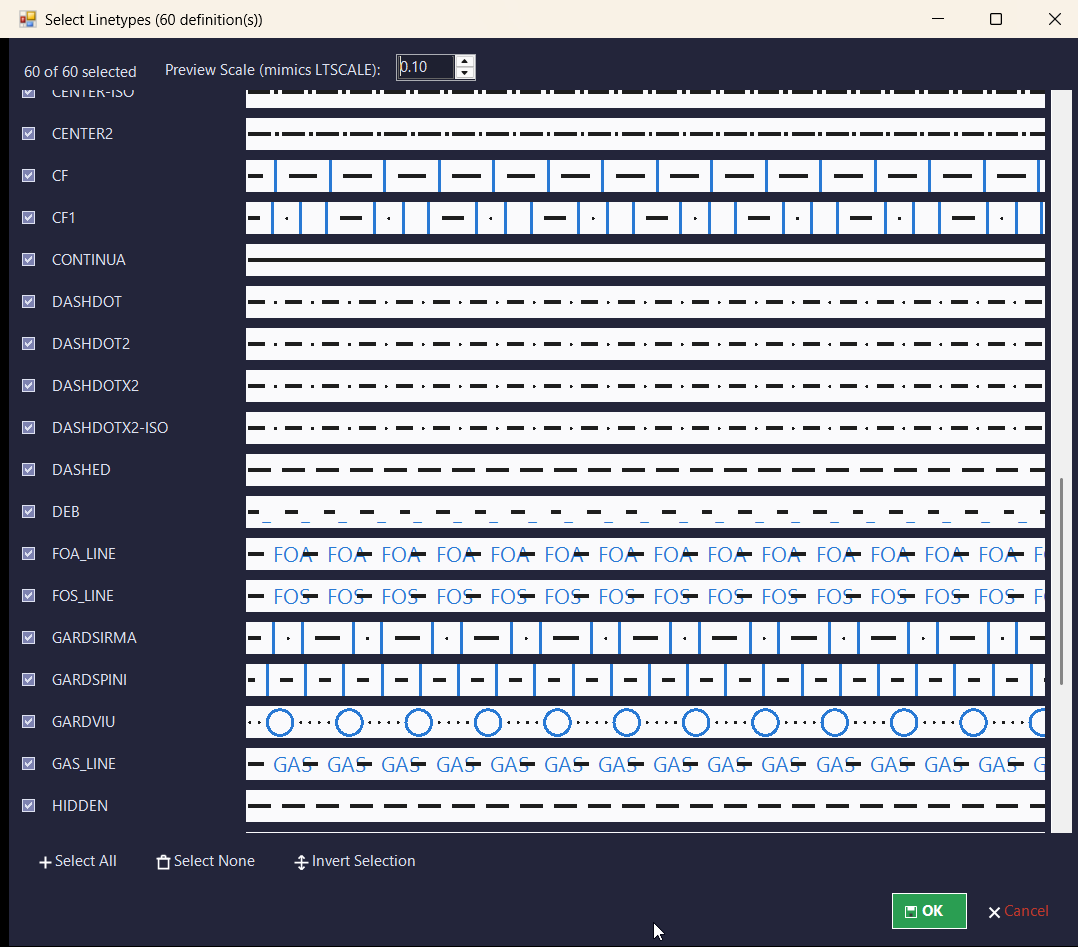
LinFileDraw_vs.01
🧩 Main internal helper groups:
– linpl:write-dcl creates a uniquely named temporary embedded DCL dialog.
– linpl:cfg-read and linpl:cfg-write persist LIN file path, geometry settings, layer options, selected linetypes, and dialog coordinates.
– linpl:read-linetypes parses linetype names from the selected *.LIN file.
– linpl:ui-load-file refreshes the linetype list and preserves valid selections.
– linpl:show-main-dialog, linpl:show-types-dialog, and linpl:show-layer-dialog manage the main settings window, linetype selection, and layer selection.
– linpl:temporarily-add-lin-folder and linpl:restore-support-path temporarily add the LIN folder to the AutoCAD support path during loading.
– linpl:load-linetype-result loads each selected linetype with safe error handling.
– linpl:draw-one-row creates the sample polyline and MText label objects.
– linpl:undo-last-batch removes the last generated sample batch during the current session.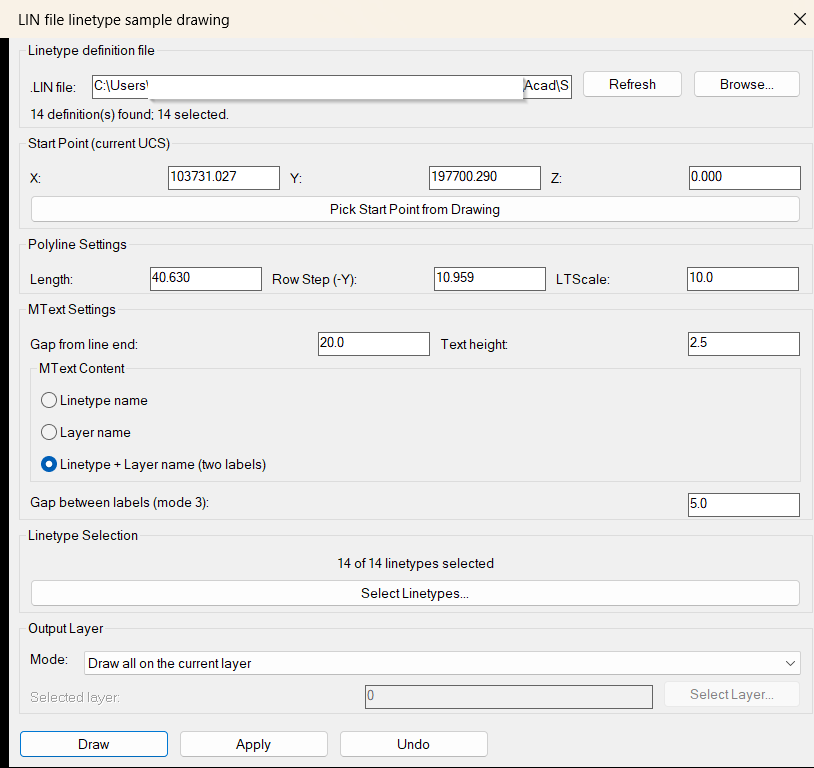
LinFileDraw
🧩 Main internal helper groups:
– linpl:write-dcl creates a uniquely named temporary embedded DCL dialog.
– linpl:cfg-read and linpl:cfg-write persist LIN file path, geometry settings, layer options, selected linetypes, and dialog coordinates.
– linpl:read-linetypes parses linetype names from the selected *.LIN file.
– linpl:ui-load-file refreshes the linetype list and preserves valid selections.
– linpl:show-main-dialog, linpl:show-types-dialog, and linpl:show-layer-dialog manage the main settings window, linetype selection, and layer selection.
– linpl:temporarily-add-lin-folder and linpl:restore-support-path temporarily add the LIN folder to the AutoCAD support path during loading.
– linpl:load-linetype-result loads each selected linetype with safe error handling.
– linpl:draw-one-row creates the sample polyline and MText label objects.
– linpl:undo-last-batch removes the last generated sample batch during the current session.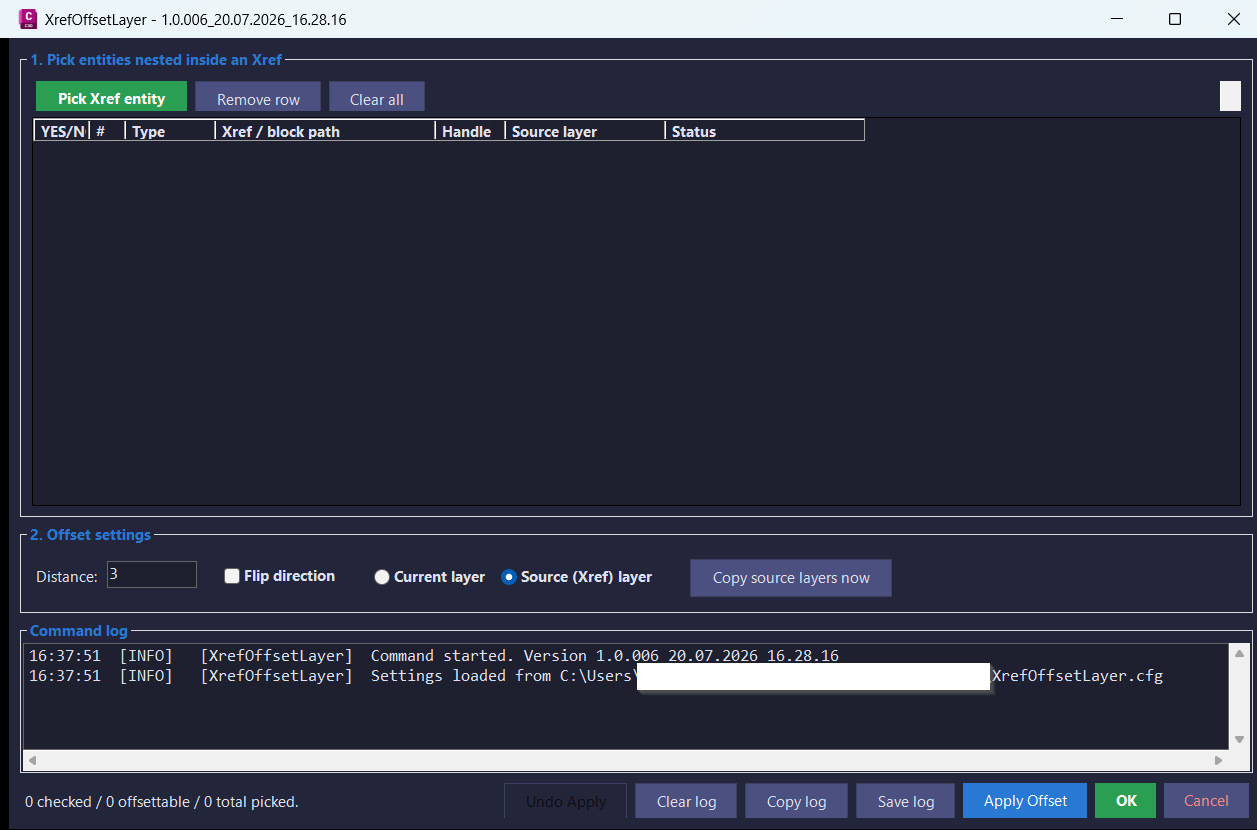
XrefOffsetLayer
- Plugin.cs defines AutoCAD command registration, load messages, versioned command aliases, and
IExtensionApplicationstartup behavior. - XolCommandRunner.cs opens the modeless offset dialog and runs the standalone Xref layer-copy command.
- XolForm.cs builds the WinForms interface, entity grid, distance controls, layer mode controls, undo button, clipboard export, and log panel.
- XolOffsetEngine.cs clones picked Xref curves into the host drawing, runs
Curve.GetOffsetCurves, transforms the results through nested containers, and appends the final offset geometry. - XolLayerCloner.cs clones source Xref layer definitions into the host drawing and repoints offset entities from dependent layers to host layers.
- XolNestedPicker.cs handles nested entity selection,
FullSubentityPathconstruction, highlighting, and Xref validation. - XolSettings.cs persists dialog position, size, offset distance, layer mode, and flip direction in
%APPDATA%\XrefOffsetLayer\XrefOffsetLayer.cfg. - XolLogger.cs records live command messages and saves diagnostic logs for troubleshooting and future improvements.
- Plugin.cs defines AutoCAD command registration, load messages, versioned command aliases, and
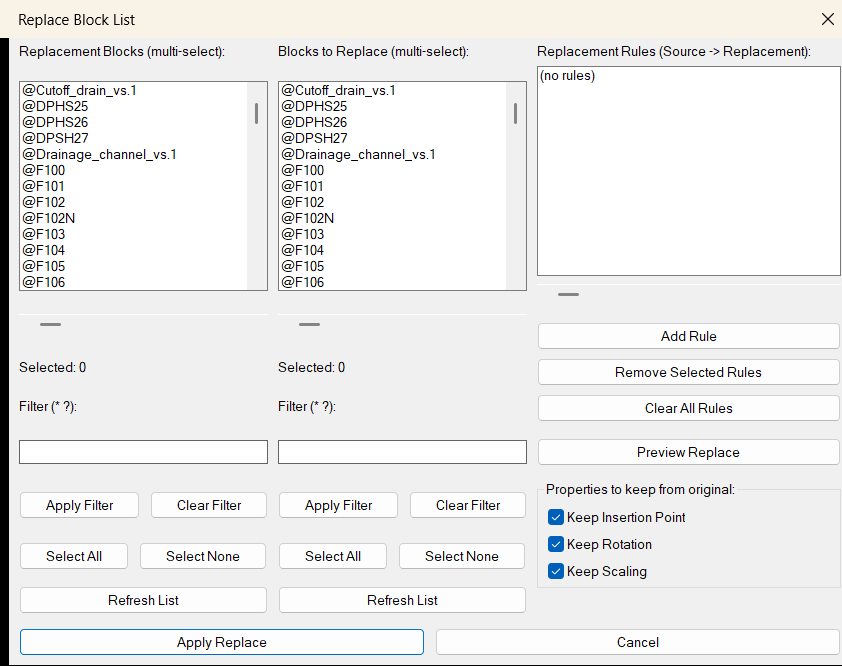
ReplaceBlockList
🧩 Important helper functions:
- 📁
REBL:CfgFilebuilds the settings file path in the system temporary folder. - 💾
REBL:SaveSettingssaves replacement filters, source filters, rules, and keep-property toggles. - 📥
REBL:LoadSettingsrestores the saved dialog state and replacement rule list. - ↔️
REBL:HScrollsupports horizontal scrolling for long block names in DCL list boxes. - 🧱
REBL:GetBlockNamesscans normal block definitions and skips xrefs, layouts, and anonymous names. - 🔍
REBL:FilterNamesfilters block names with wildcard matching. - ☑️
REBL:ParseMultiSelconverts DCL multi-select indexes into usable AutoLISP lists. - 📋
REBL:SelectedNamesreturns selected block names from the visible list. - 🪟
REBL:WriteDCLwrites the main temporary DCL dialog for the block replacement interface. - 👁️
REBL:WritePreviewDCLwrites the replacement preview dialog. - 🔢
REBL:CountInstancescounts drawing-wide instances of a source block name. - 🔎
REBL:ShowPreviewdisplays the replacement rule preview with instance counts. - 🔁
REBL:ReplaceAllperforms the actual source-to-replacement block swap.
- 📁
LayersImportExport
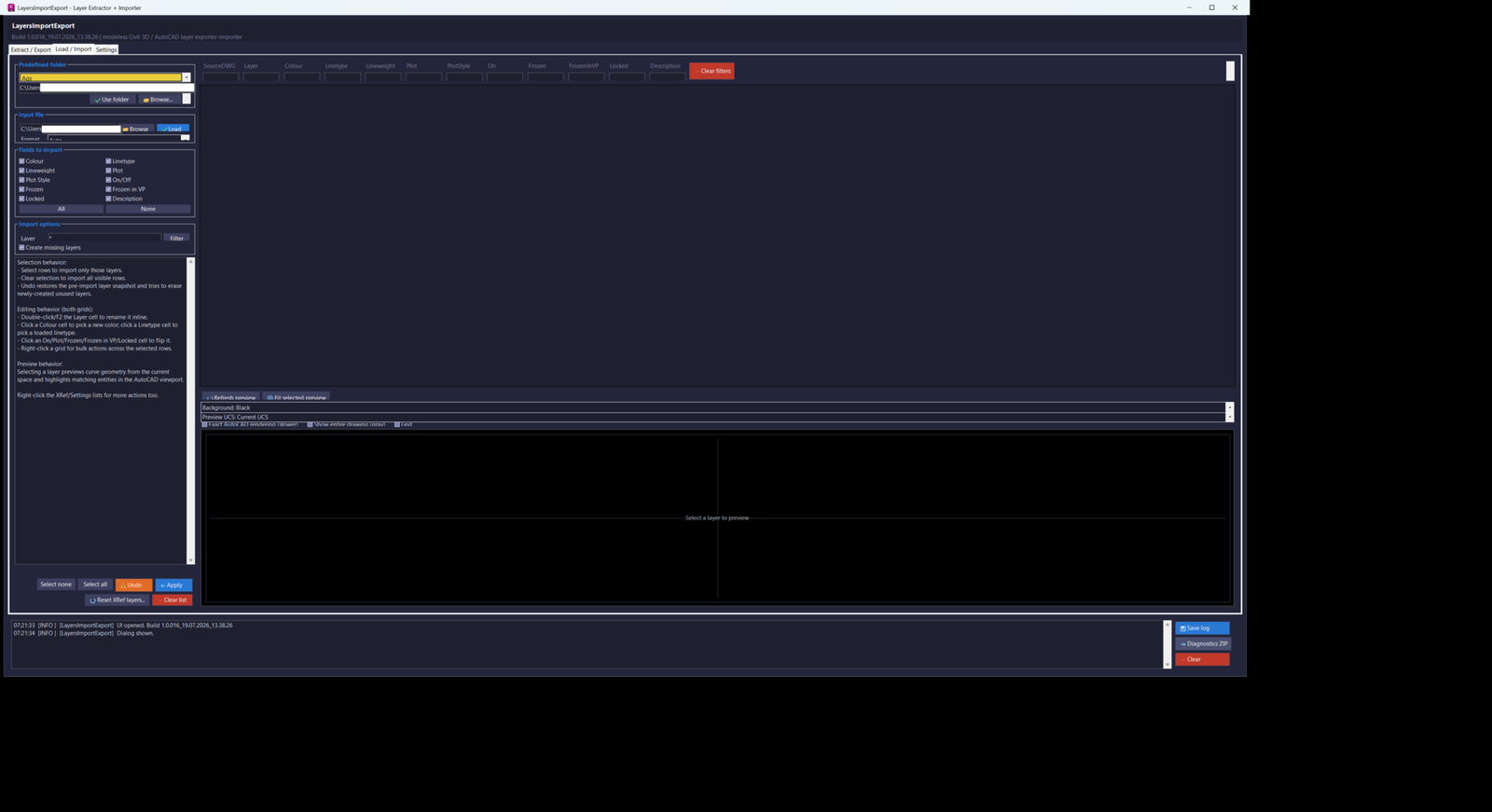
Main components include Commands for registering LAYERSIMPORTEXPORT_016, LAYEREXPORT_016, LAYERIMPORT_016, and LAYERSETTINGS_016; MainForm and its Export, Import, Settings, and ContextMenus partial classes for the modeless interface; LayerCadService for extracting current-drawing and directory layers, Xref selection, preview collection, viewport highlighting, snapshots, import application, Xref-layer reset, colour resolution, and linetype discovery; LayerFileCodec for UTF-8 CSV and XML reading and writing; LayerOptions and LayerColumns for selectable layer fields and row models; PreviewPanel and PreviewGeometry for GDI+ and AutoCAD GraphicsSystem previews; AciColorPickerDialog and ListPickerDialog for colour, linetype, and lineweight editing; ProjectFolderStore for the schema-versioned project-folder database; SettingsStore and AppSettings for persistent configuration; AppLog for live logs, saved logs, and diagnostic packages; WildcardUtil for column filters; ColourCodec for ACI and true-colour conversion; and ButtonIconFactory / C3DTheme for self-contained Civil 3D-style interface presentation.
ChangeBlockLayer
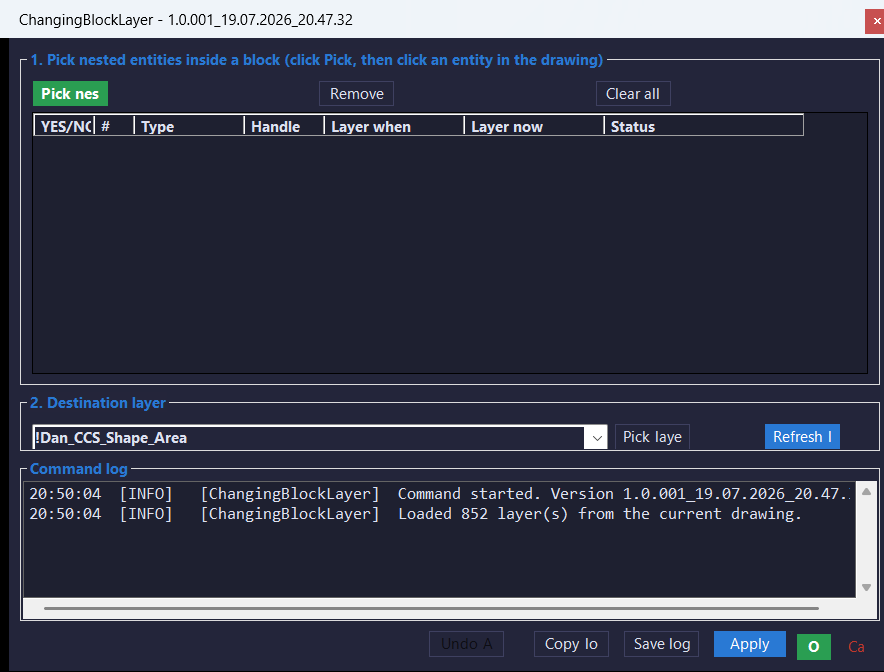
Main components include Plugin for build-version reporting and command registration, CblCommandRunner for opening and replacing the modeless form, CblForm for nested-entity picking, destination-layer selection, the candidate grid, highlighting, Apply, OK, Undo Apply, and logging, CblNestedPicker.BuildPath for constructing FullSubentityPath values, CblNestedPicker.SetHighlight for highlighting or unhighlighting only the selected nested entity, CblNestedPicker.IsInsideXref for Xref-container detection, CblLayerChanger.ApplyChecked for validating the destination layer and changing checked entity layers, CblLayerChanger.UndoApply for restoring original layers from the latest operation, CblLogger for live and saved diagnostic logs, Models for candidate and undo records, and C3DTheme for the Civil 3D-inspired Windows Forms appearance.
Entities2Layers
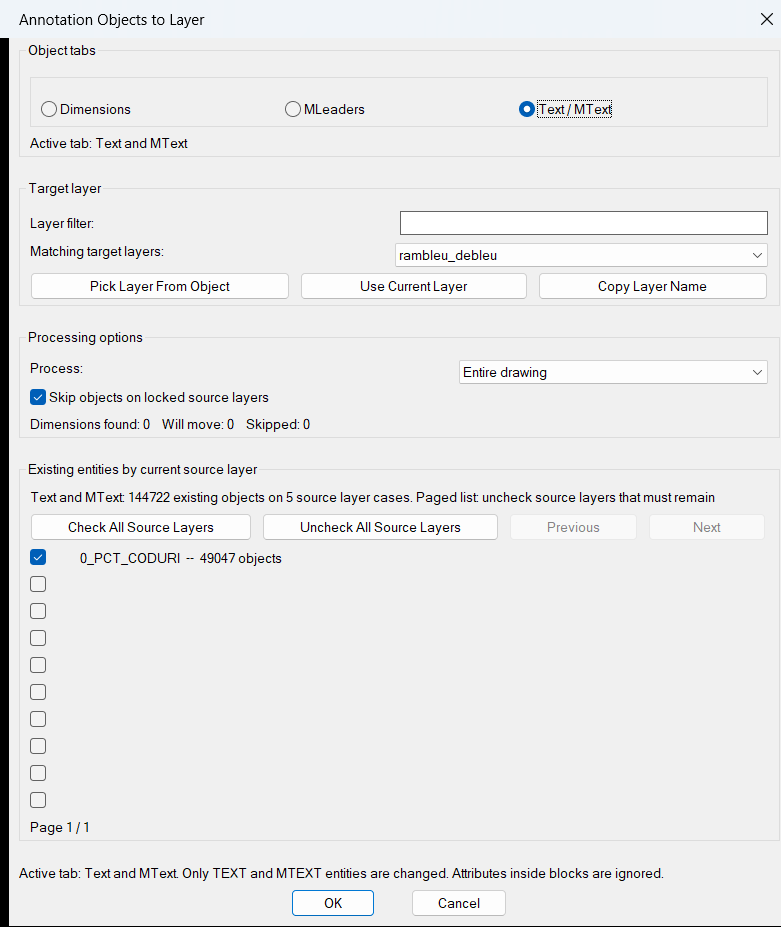
Main helper functions include E2L:run-dialog and E2L:write-dcl for the generated DCL interface, E2L:get-all-layers and E2L:update-layer-list for target-layer discovery and filtering, E2L:count-source-cases for optimized sort-and-group source-layer counting, E2L:counts-from-cases and E2L:update-count for live totals without a duplicate entity scan, E2L:update-source-panel and E2L:update-source-row for protected paged source-layer rendering, E2L:collect-entities for final category and scope filtering, E2L:move-entities for applying layer changes, E2L:entity-in-scope-p for layout filtering, E2L:layer-locked-p and E2L:layer-xref-p for layer validation, E2L:read-cfg / E2L:write-cfg / E2L:save-state for persistent settings, E2L:CopyTextToClipboard for copying a selected layer name, and E2L:safe-call / E2L:guarded for fault-tolerant initialization and callbacks.
ExplodeLinetype
Main functions include C:ExplodeLinetype as the standardized wrapper command and C:LINEXP as the underlying text-to-line conversion routine. Internal helpers acet-txtexp-grplst and acet-txtexp-getgname identify AutoCAD groups containing selected text so those references can be removed before conversion. The routine also uses Express Tools functions such as ACET-ERROR-INIT and ACET-ERROR-RESTORE for environment recovery, ACET-GEOM-TEXTBOX for text extents, ACET-GEOM-ZOOM-FOR-SELECT and ACET-GEOM-PIXEL-UNIT for view adjustment, ACET-GEOM-VIEW-POINTS and ACET-GEOM-MIDPOINT for mirror geometry, ACET-LAYER-LOCKED for current-layer handling, ACET-CURRENTVIEWPORT-ENAME and ACET-VIEWPORT-LOCK-SET for viewport protection, ACET-WMFIN for WMF import, ACET-STR-FORMAT for status output, and BNS_SS_MOD for filtering objects on locked layers.
AutoTrimExtendLines
🧩 Main helper functions and internal routines:
• Touch:LogAdd and Touch:LogClear manage the debug log.
• Touch:PopulateLog fills the dialog log list.
• Touch:CopyLogToClipboard copies the processing log to the Windows clipboard through clip.exe.
• Touch:SSValid? checks whether stored selection sets are still valid.
• Touch:CountStr builds entity-count summaries such as LINE:4 or LWPOLYLINE:2.
• Touch:HighlightSS highlights and unhighlights selected entities while the dialog is open.
• Touch:ObjPts extracts start and end points from LINE, LWPOLYLINE, POLYLINE, ARC, CIRCLE, ELLIPSE, and SPLINE objects.
• Touch:Intersect uses ActiveX IntersectWith to calculate trim and extension targets.
• Touch:MoveLine, Touch:MoveLWPoly, and Touch:MoveVLAEndpt apply geometry edits.
• Touch:Execute performs the trim and extend operation inside a named AutoCAD undo group.
• Touch:WriteDCL writes the temporary dialog definition.
• C:TTT is the main command.
• C:TTTCLEAR clears the stored debug log.
SaveCUIX
SC:FileExists checks whether a file path can be opened for reading.
SC:ReadLine reads the first line from a status file.
SC:WriteLines writes generated DCL, VBS, and PowerShell script content to disk.
SC:RunID creates a run identifier from the AutoCAD DATE system variable.
SC:Wait and SC:WaitForFile provide simple asynchronous wait logic while the external process runs.
SC:LaunchViaVBS starts PowerShell through a temporary VBS file without showing a console window.
SC:Timestamp creates the default dd.mm.yyyy_hh.mm.ss file suffix.
SC:DCLPath returns the temporary DCL dialog path.
SC:WriteDCL creates the Save CUI Package dialog definition.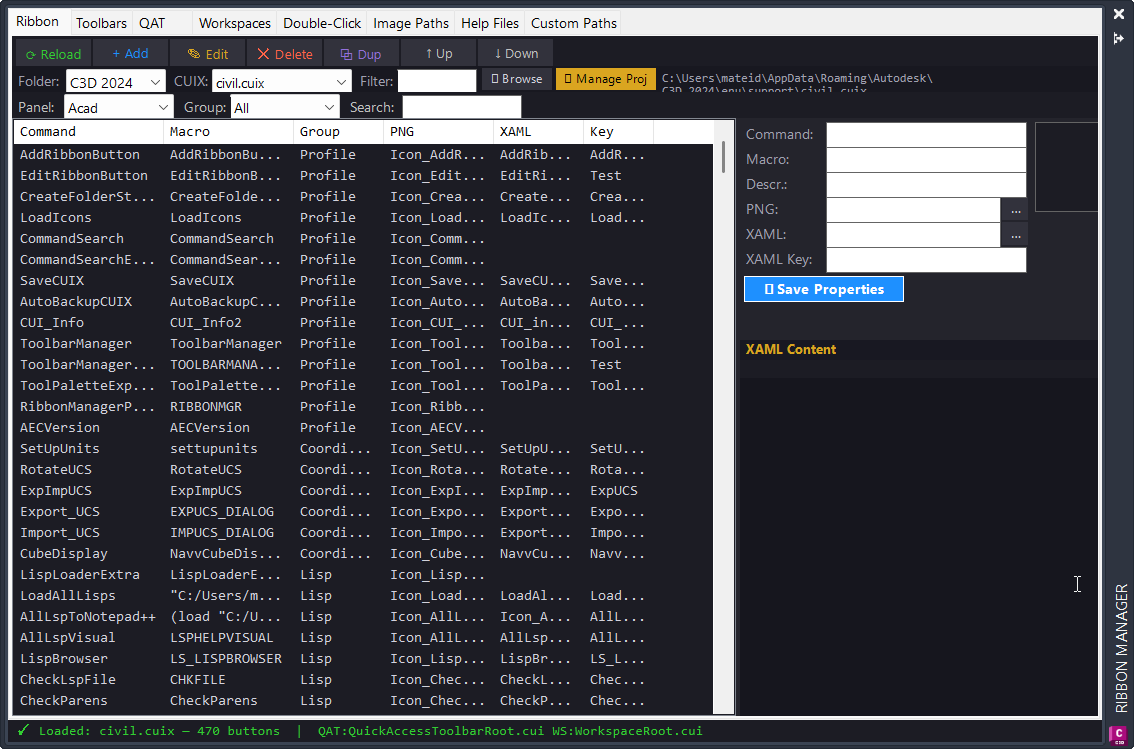
ToolPaletteExporter
TPE:GetToolPalettePath reads the AutoCAD ToolPalettePath setting through COM.
TPE:GetXtpPaths discovers available XTP palettes from saved folders, OneDrive folders, AutoCAD palette paths, and Documents.
TPE:ParseXtpFiles reads SourceFile entries from XTP XML text and deduplicates resolved file paths.
TPE:ResolvePath handles USERPROFILE placeholders and OneDrive folder-name variations.
TPE:CreateZip builds the final export archive through a generated PowerShell script.
TPE:ShowResultsDcl displays missing file details in a DCL dialog and supports clipboard export.
TPE:ShowDiagDcl and C:TPE_DIAG provide diagnostic reporting for palette paths, XTP discovery, and environment variables.
TPE:SaveHistory and TPE:LoadHistory store the last output folder, filter, and palette selection in the registry.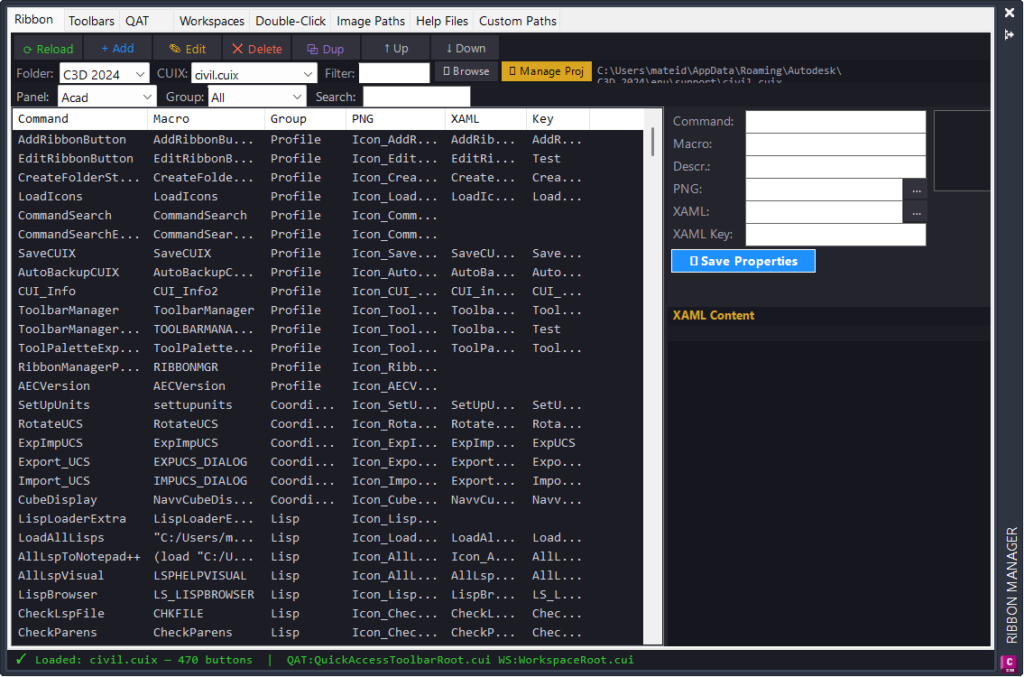
RibbonManagerPlugin
PluginApp.Initialize initializes the AutoCAD extension and prints the v5.0 load message.
RibbonManagerCommands exposes RIBBONMGR and RIBBONMGRCLOSE command methods.
CuixEngine provides CUIX ZIP/XML loading, panel/group/button discovery, add/edit/delete/reorder operations, QAT reading, workspace reading, double-click action discovery, XML writing, backup creation, and menu reload support.
ButtonData stores command, macro, group, image, help, tooltip, keytip, style, and menu macro metadata.
RibbonManagerPalette builds the modeless AutoCAD palette with Ribbon, Toolbars, QAT, Workspaces, Double-Click, Image Paths, Help Files, and Custom Paths tabs.
AddButtonDialog provides the add/edit form with command auto-fill, macro generation, image browser, XAML help browser, and button metadata editing.LoadIcons
LI:CopyIconsrecursively copies matching PNG icon files from the source folder to the destination Icons folder.LI:Rootstores the hard-coded Help_File source path.LI:Deststores the hard-coded Civil 3D support icon destination path.findfile,CUIUNLOAD, andCUILOADare used to locate and reloadCIVIL.cuix.
EditRibbonButton
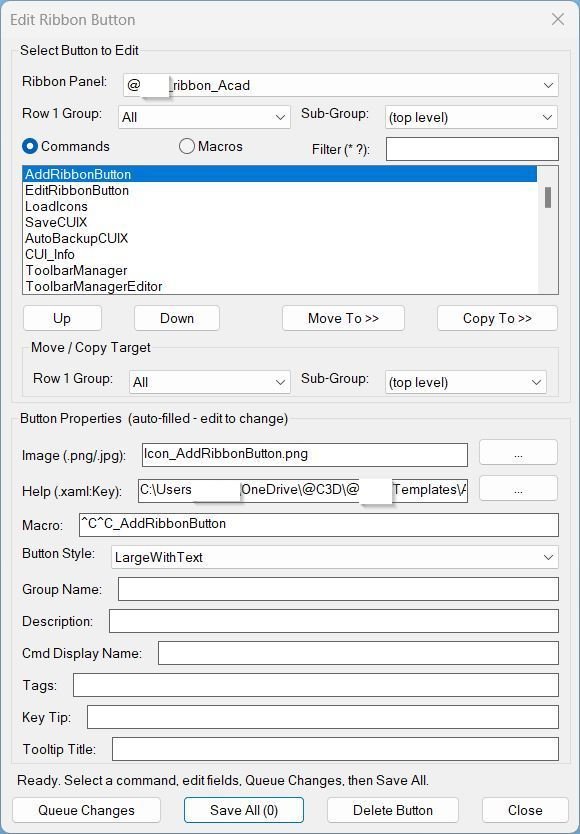
ERB:Find[username] locates the best custom CUIX file by scanning support-directory CUIX files for[username]_ribbon_*definitions.ERB:ReadAllextracts ribbon panels, groups, subgroups, commands, macro links, and editable properties from CUIX XML.ERB:SaveAllapplies queued edits toRibbonRoot.cuiandMenuGroup.cui, then rebuilds the CUIX archive.ERB:DeleteCmdremoves a selected ribbon command button and deletes generated ARB menu macro entries when applicable.ERB:ReorderCmdmoves a command to top, up, down, or bottom inside the selected ribbon row.ERB:MoveCopyCmdmoves or copies command buttons between groups and subgroups, including cloned macro UID support for copied buttons.ERB:XamlKeyPickerreads XAML tooltip keys and lets the user select the correctSourceKeyfor extended help.ERB:DebugInfoandERB_Debugprovide troubleshooting information for CUIX discovery, structure cache, and reload behavior.
CreateFolderStructure
Important internal helper groups:
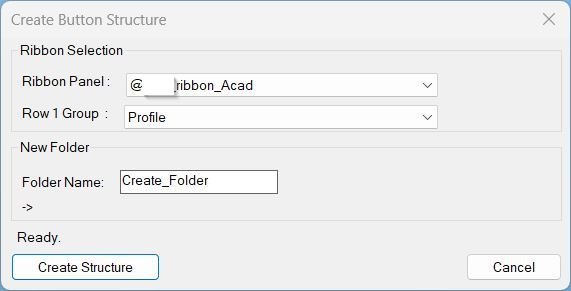
- CBS:ReadCUIX reads CIVIL.cuix by extracting RibbonRoot.cui through PowerShell and collecting [username]_ribbon_* panels and Row 1 groups.
- CBS:RibbonBase, CBS:GroupDir, and CBS:TargetDir calculate the final Help_File destination path.
- CBS:BuildStructure creates the root folder, blank icon, blank LISP file, XAML copy, screenshot folders, and VLX/FAS folders.
- CBS:WriteDCL, CBS:FillList, CBS:GroupsFor, and CBS:RefPath support the runtime DCL dialog and live path preview.
- CBS:SaveHistory and CBS:LoadHistory persist the last selected ribbon, group, and folder name in the TEMP history file.
- CBS_Diag writes a support report containing environment, path, template, CUIX, cached ribbon, and path-computation details.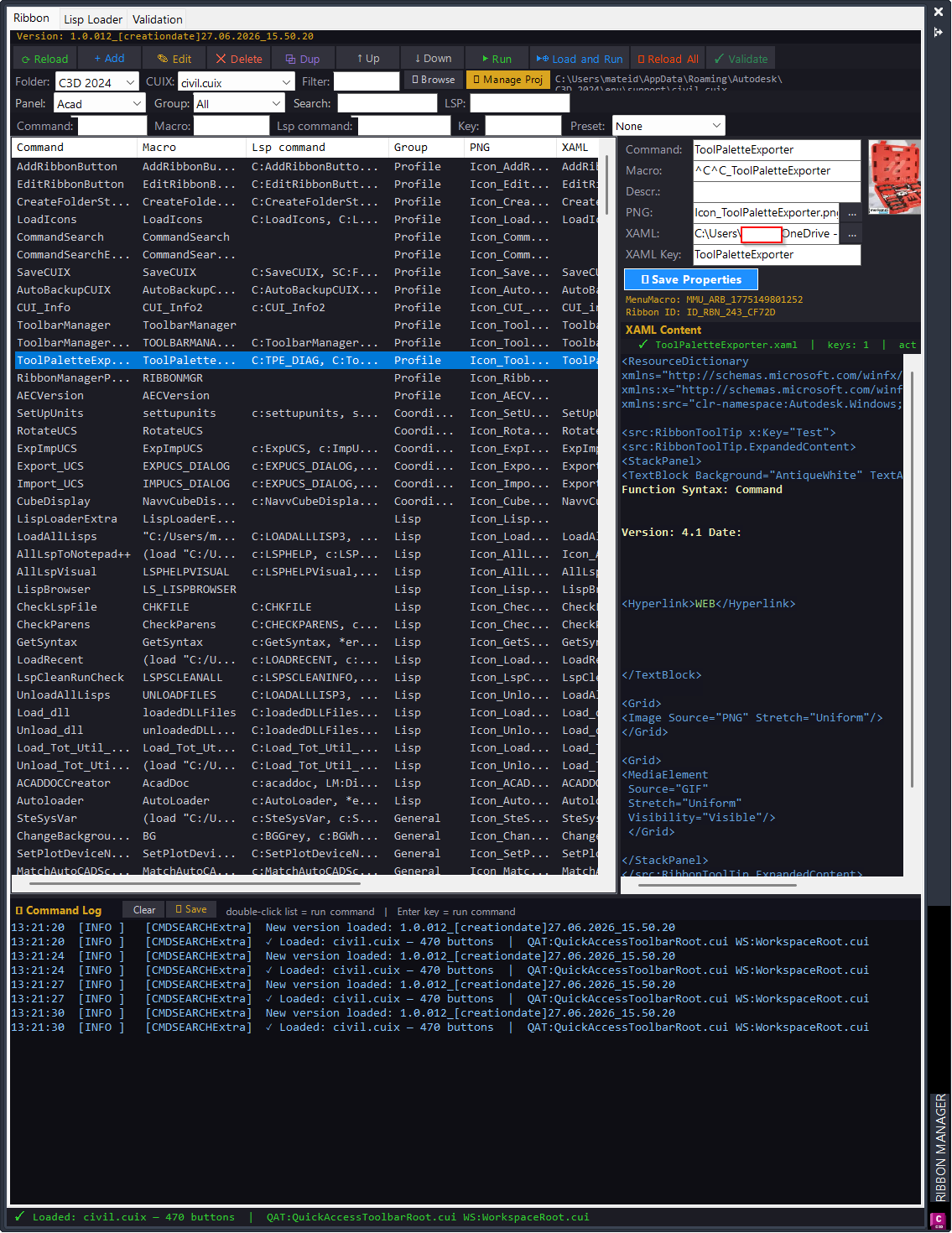
CommandSearchExtra
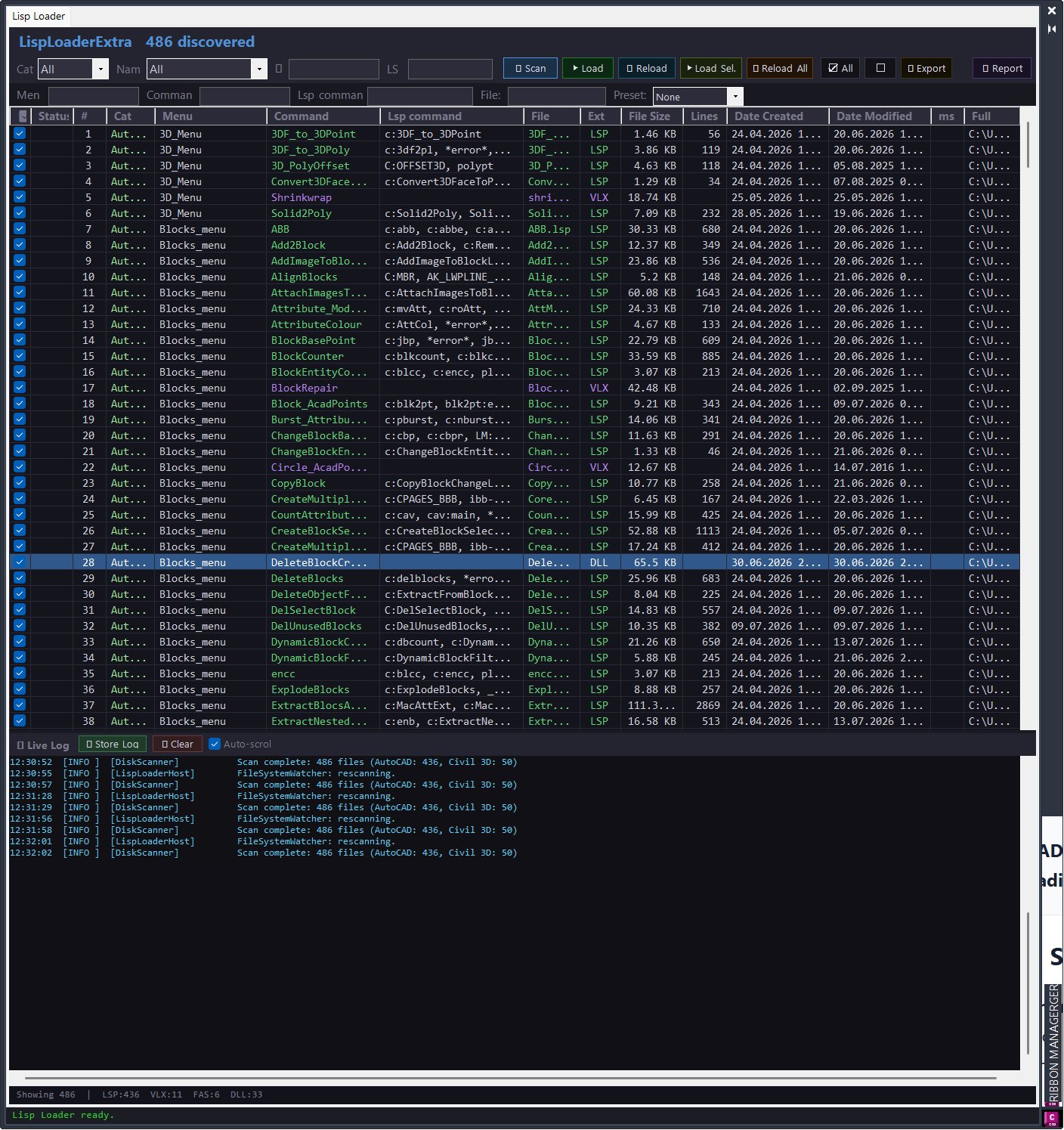
Key helper modules include CommandSearchPalette for the modeless UI, CuixEngine for CUIX XML and ZIP editing, ButtonData for Ribbon command records, LispLoaderHost and LoaderWindow for embedded and standalone loader interfaces, DiskScanner for folder discovery, FileLoader for LSP/VLX/FAS/DLL loading, LspCommandExtractor and LspAnalyzer for AutoLISP parsing, AdvancedFilter for wildcard and numeric filters, CommandValidationService for audit rules, ReportExportService for CSV/HTML export, DocumentationGenerator for command catalog output, FileMetadataService for date/size/backup metadata, and LogManager for live diagnostics.
CommandSearch Lisp Loader Only
Key project modules:
- PluginApp.cs initializes the AutoCAD extension, prints the version banner, and hides the palette on terminate.
- Commands/CommandSearchCommands.cs registers CMDSEARCH, CMDSEARCHCLOSE, LISPLOADEXTRA, LISPLOADREPORT, CMDSEARCHTESTS, and LISPLOADDIAG.
- UI/CommandSearchPalette.cs builds the modeless ribbon command search and maintenance palette.
- UI/AddButtonDialog.cs provides Add and Edit button dialogs for ribbon command metadata.
- Engine/CuixEngine.cs reads and writes CUIX XML data from RibbonRoot.cui, MenuGroup.cui, QuickAccessToolbarRoot.cui, and workspace data.
- Engine/ButtonData.cs stores ribbon button, macro, image, XAML, and command metadata.
- Lisp/LispLoaderHost.cs provides the embedded Lisp Loader user control.
- Lisp/LoaderWindow.cs provides the standalone loader window launched by LISPLOADEXTRA.
- Lisp/DiskScanner.cs scans Help_File folders for loadable LSP, VLX, FAS, and DLL files.
- Lisp/FileLoader.cs loads support files safely through AutoCAD application context, batch loading, SendStringToExecute, and acedInvoke fallback logic.
- Lisp/LspAnalyzer.cs and Lisp/LspCommandExtractor.cs extract AutoLISP defun command data while avoiding comments and strings.
- Lisp/CommandValidationService.cs detects duplicate commands, missing images, missing XAML files, macro-to-defun mismatches, missing dependencies, and hard-coded path warnings.
- Lisp/ReportWindow.cs, ReportExportService.cs, LoadSession.cs, LoadResult.cs, and LogManager.cs handle reporting, export, history, and live logging.
- Lisp/AdvancedFilter.cs provides wildcard, exclude, empty, missing, duplicate, and numeric filter logic.
- Lisp/FileMetadataService.cs, LayoutSettingsStore.cs, ConfigReader.cs, EditorLauncher.cs, DocumentationGenerator.cs, VersionStamp.cs, and CoreLogicSelfTests.cs support metadata, persistence, configuration, editing, documentation, versioning, and tests.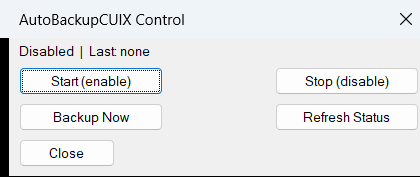
AutoBackupCUIX
Main helper functions:
- ABC:FileExists - checks whether a path can be opened for reading.
- ABC:ReadLine - reads one status line from a text file.
- ABC:WriteLines - writes generated VBS, PowerShell, and DCL files.
- ABC:RunID - creates a numeric run identifier from the AutoCAD DATE variable.
- ABC:WaitForFile - waits for the PowerShell done file with a timeout.
- ABC:LaunchViaVBS - launches PowerShell hidden by using a temporary VBS wrapper.
- ABC:DateOnly - returns the current date as dd.mm.yyyy.
- ABC:Timestamp - returns the current timestamp as dd.mm.yyyy_hh.mm.ss.
- ABC:CurrentHour - converts the current AutoCAD CDATE time to decimal hours.
- ABC:DoBackup - performs the complete CUIX backup and filter workflow.
- ABC:CommandEndedCallback - checks the schedule after completed commands and triggers one daily backup when due.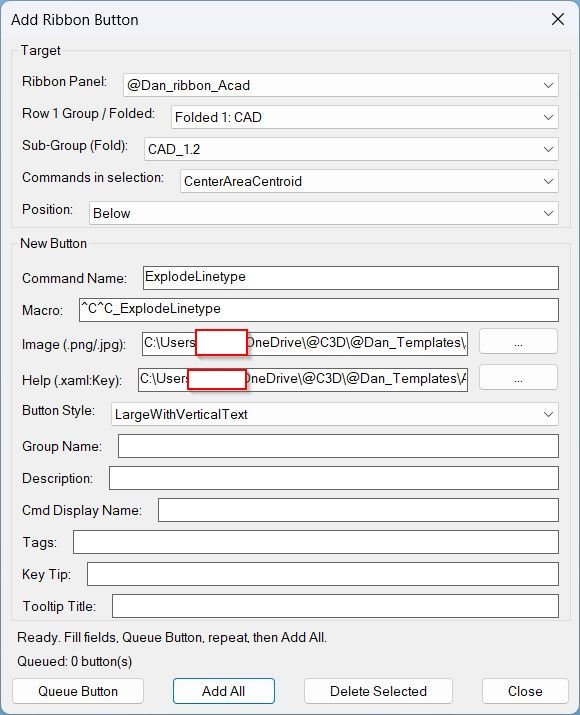
AddRibbonButton
Key helpers include ARB:ReadStructure for scanning RibbonRoot.cui and MenuGroup.cui, ARB:ReadXamlKeys and ARB:XamlKeyPicker for help key selection, ARB:PatchAll for queued ribbon button insertion, ARB:DeleteCmd for removing an existing command button, ARB:ReadCmdPaths for copying image and help paths from a reference command, ARB:SaveSettings and ARB:LoadSettings for APPDATA persistence, and ARB:RibbonBase and ARB:GroupPath for automatic help folder path resolution.
AECVersionPlugin
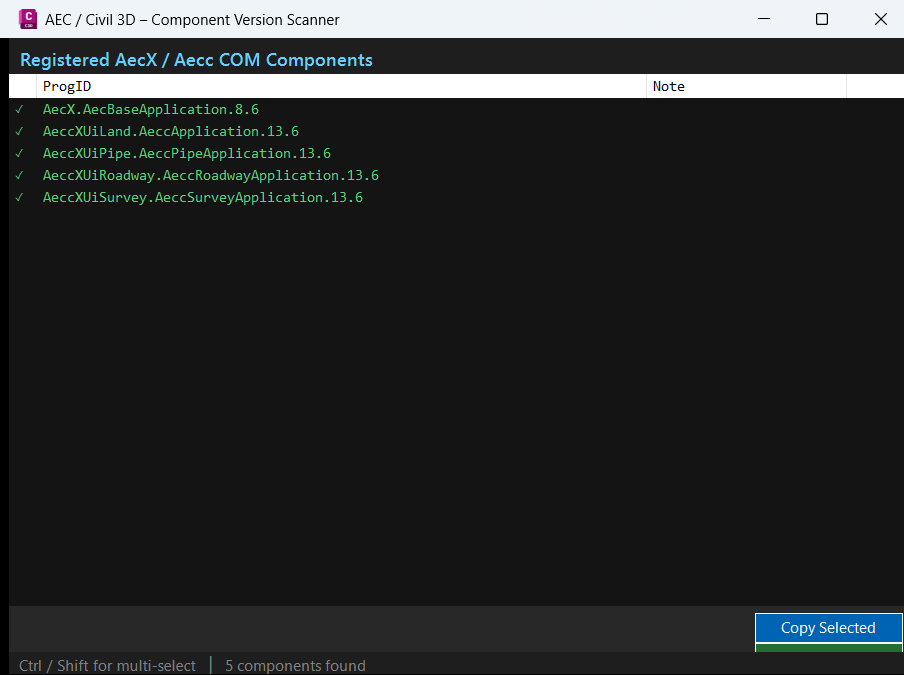
Microsoft.NET.Sdk- SDK-style project format for modern Visual Studio builds.net48- targets .NET Framework 4.8 for AutoCAD managed plugin compatibility.Library- builds a DLL that can be loaded into AutoCAD withNETLOAD.x64- matches the 64-bit AutoCAD and Civil 3D runtime requirement.UseWindowsForms- enables WinForms-based dialogs for plugin UI workflows.accoremgd.dll- AutoCAD command registration and runtime API reference.acdbmgd.dll- AutoCAD database managed API reference.acmgd.dll- AutoCAD application and document manager API reference.
ToolbarManager_vs.01
- 🧩 Command registration -
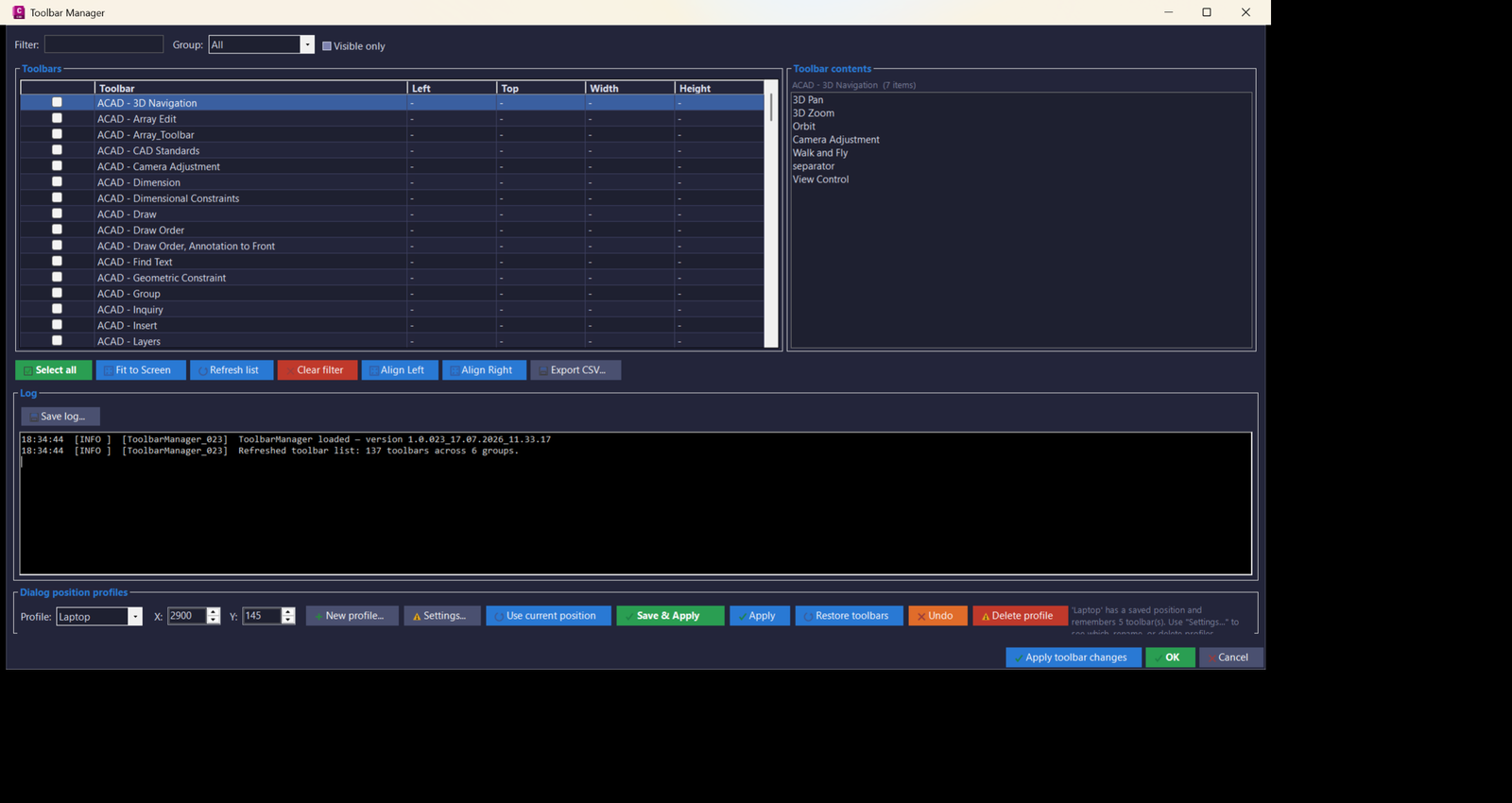
Commands.csregistersRunToolbarManager()with[CommandMethod(BuildConstants.CommandName)], making the build-specific AutoCAD command available afterNETLOAD. - 🔍 Toolbar enumeration engine -
ToolbarService.Refresh()scansAcadApplication.MenuGroupsandAcadToolbarcollections to collect toolbar labels, groups, visibility, Left, Top, Width, and Height. - 📋 Toolbar contents reader -
ToolbarService.GetToolbarItems()reads toolbar button names and command macros with late-bound COM access and caches the result for faster row selection. - 🟢 Visibility apply logic -
ApplySelectionand the toolbar grid let users turn selected AutoCAD toolbars on or off without opening multiple AutoCAD CUI or toolbar dialogs. - 📐 Fit-to-screen layout -
ToolbarService.FitToScreen()computes visible toolbar bounds and shifts floating toolbar groups back inside the real AutoCAD monitor area. - 🖥️ Monitor-aware bounds -
ScreenHelper.GetAcadWindowBounds()uses the AutoCAD main window handle,GetWindowRect, andScreen.FromHandle()to detect the actual monitor instead of guessing from viewport size. - 💾 Profile persistence -
WindowSettings.csstores named profiles, dialog positions, toolbar sets, toolbar geometry, order, and last-used profile in a plain text settings file under the user application data folder. - 🔄 Profile restore workflow -
ToolbarService.RestoreToolbarSet()turns saved toolbars on and repositions them to their stored Left and Top values when those values are available. - 📊 CSV import and export -
CsvUtil.csandWindowSettings.ExportDetailedCsv()create Excel-friendly profile and toolbar-set reports for backup, review, or transfer to another workstation. - 📌 Toolbar profile editor -
ProfileSettingsForm.csprovides profile reorder, rename, duplicate, delete, apply, export, import, toolbar move, copy, paste, distribute, align, and refresh-size actions. - 🧰 Profile panel -
ProfilePanel.csembeds the day-to-day profile save/apply controls in the main form and delegates advanced editing to the settings dialog. - 🎨 Civil 3D style UI theme -
C3DTheme.cs,Theme.cs, andButtonIconFactory.csapply a dark CAD-style palette, role-colored buttons, and generated GDI icons without relying on external image resources. - 📝 Prompt and selection dialogs -
PromptDialog.csandChooseProfileDialog.csprovide reusable text input and profile selection dialogs for rename, duplicate, import, and copy workflows. - 🔒 Logging and diagnostics -
Logger.cswrites timestamped info, warning, and error messages to the UI log and a persisted log file for troubleshooting Civil 3D toolbar behavior.
- 🧩 Command registration -
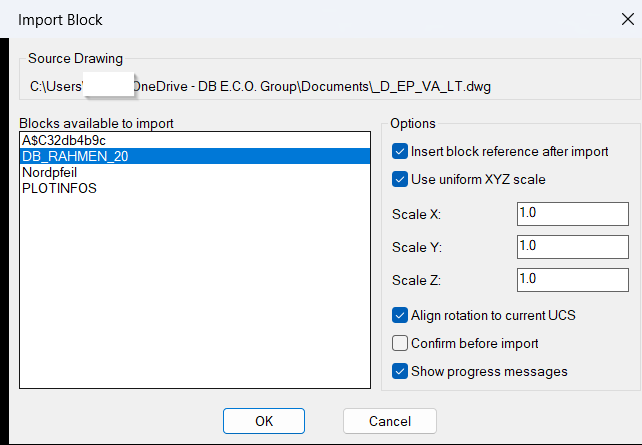
ImportBlock
- 🧠 Safe string and type guards -
ib:strp,ib:string,ib:nonblank-str-p,ib:num-p, and related helpers prevent BooleanTorNILvalues from being passed into string-only AutoLISP calls. - 📁 Configuration persistence -
ib:read-cfg,ib:save-cfg,ib:cfg-path, andImportBlock.cfgstore the last source drawing, selected block, scale options, insert option, UCS rotation option, confirmation setting, message setting, and dialog position. - 🧩 Generated DCL interface -
ib:write-dclbuilds a temporary DCL dialog with a unique dialog name each run, reducing dialog-name collisions and supporting repeatable UI loading. - 📌 Dialog position memory -
ib:done-dialog,ib:normalize-dlgpt, and the savedDLGX/DLGYvalues preserve dialog placement across command runs and AutoCAD sessions. - 🔍 External drawing scan -
LM:GetDocumentObjectopens the selected drawing through an existing document reference or ObjectDBX so block definitions can be read without manually opening the source DWG. - 🧹 Importable block filtering -
ib:list-importable-blocksexcludes xrefs, layout blocks, anonymous blocks, externally referenced names, and block names that already exist in the active drawing. - 📤 Block definition copy -
ib:import-block-definitiondeep-copies the selected block definition from the ObjectDBX drawing into the active drawingBlockscollection. - 📐 UCS-aware insertion -
ib:ucs-rotation,trans,ib:current-space, andvla-insertblocksupport insertion in the current model space or paper space context while respecting current UCS orientation when requested. - 🔒 Runtime cleanup - The local
*error*handler releases ObjectDBX objects, unloads DCL resources, deletes temporary DCL files, and reports non-cancel errors safely.
- 🧠 Safe string and type guards -
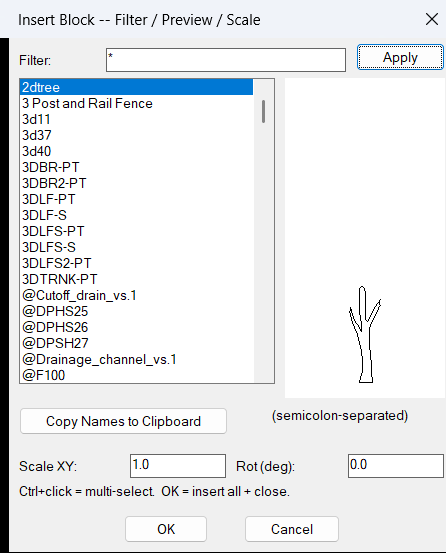
InsertBlockFilterScale
- 🚀 Command entry point -
c:InsertBlockFilterScaleloads settings, builds the block list, writes the temporary DCL file, opens the dialog, and processes insert or copy actions. - 🔍 Block filter engine -
ibb:filtersupports normal text filtering, wildcard patterns with*and?, and comma-basedwcmatchOR-style filtering. - 📌 Block list collector - the routine scans
vla-get-blocksand excludes anonymous blocks, xref definitions, and pipe-named external reference blocks. - 📐 Preview bounding box builder -
ibb:block-bboxcalculates a simple preview extent from block definition geometry before drawing the tile preview. - 🎨 DCL preview renderer -
ibb:preview-block,ibb:draw-entity,ibb:map-pt, andibb:vidraw block geometry inside the DCL image tile usingstart_image,fill_image,vector_image, andend_image. - 🔢 Multi-select support -
ibb:parse-sel,ibb:sel-names-from-raw,ibb:names->str, andibb:restore-selpreserve selected block names across filter changes. - 📝 Clipboard helper -
ibb:copy-to-clipboarduses a multi-tier strategy withhtmlfileCOM, PowerShellSet-Clipboard, andclip.exefallback. - 📍 UCS-aware insertion -
ibb:do-inserttransforms the user-picked point withtrans, adjusts rotation by the current UCS angle, and inserts the block usingvla-insertblock. - 🔐 Persistent settings -
ibb:cfg-read,ibb:cfg-write, andibb:savestore the filter, scale, rotation, selected names, and dialog position inInsertBlockFilterScale.cfg. - 🧰 Debug logging -
ibb:log,ibb:log-clear,ibb:log-print, andIBB-DEBUGhelp diagnose preview, selection, clipboard, and insert behavior.
- 🚀 Command entry point -
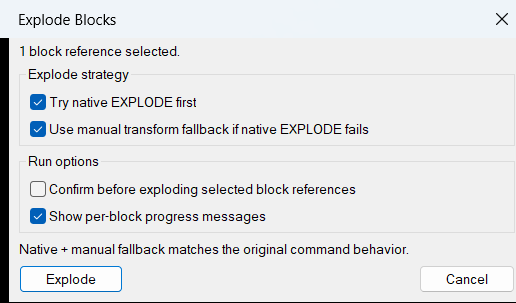
ExplodeBlocks
- 🚀 Command entry point -
c:ExplodeBlocksstarts the workflow, prompts for block references, counts successful and failed operations, and reports the final result. - 🔍 Block-only selection filter -
ssgetwith((0 . "INSERT"))keeps the operation focused on block references and avoids processing unrelated entities. - 🔒 Explodable property override -
_try-native-explodeopens the block definition, temporarily setsExplodableto true, runs._EXPLODE, and restores the previous setting. - 🧠 Fallback transform workflow -
_manual-explodeis used when native explode fails, especially for non-uniformly scaled block references. - 📐 Insertion matrix builder -
_blkref-matrixcreates a 4x4 transform from insertion point, X scale, Y scale, Z scale, and rotation. - 🧩 Block definition lookup -
_blkdef-from-refgets the source block table record from the selected block reference name. - 🔄 Manual object copying - the routine attempts to copy entities from the block definition and applies
vla-TransformBywithvlax-tmatrix. - 🧹 Reference cleanup - after the manual copy and transform succeeds, the original block reference is deleted with
vla-delete. - 📊 Processing feedback - the command prints per-block messages and final totals for exploded and failed block references.
- 🚀 Command entry point -
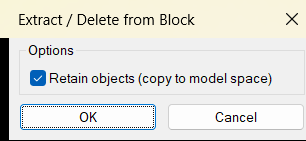
DeleteObjectFromBlock
- 🧩 Shared DCL dialog builder -
EFB:WriteDCLwrites a temporary DCL file for the extraction and delete options, so the tool can run without a permanent external DCL dependency. - 🧰 Dialog control workflow -
EFB:ShowDialogloads the generated dialog, sets Retain objects on by default, returns1for copy and remove, returns0for delete only, and returnsnilon cancel. - 🔍 Nested entity picker -
EFB:PickLoopusesnentselpso the user can pick objects inside a block reference instead of selecting only the outerINSERT. - 🔒 Block safety checks - the pick loop rejects attributes, xrefs, layout blocks, non-nested picks, and invalid nested block paths before changing the drawing.
- 📐 Matrix-based extraction -
EFB:ProcessEntityrecreates the selected nested object withentmakexand usesvla-transformbywith thenentselptransformation matrix so the copied geometry lands in the correct world position. - 🏷️ Layer cleanup logic - the code strips xref-style layer prefixes containing
|, creates a local layer when needed, and copies layer properties from the original layer when available. - 🧹 Source object removal - after extraction or delete-only processing, the original nested object is removed with
vla-Delete, which updates the block definition. - 🔄 Undo grouping and regeneration -
vla-StartUndoMark,vla-EndUndoMark, andvla-Regengroup the operation and refresh the AutoCAD viewport after each processed object.
- 🧩 Shared DCL dialog builder -
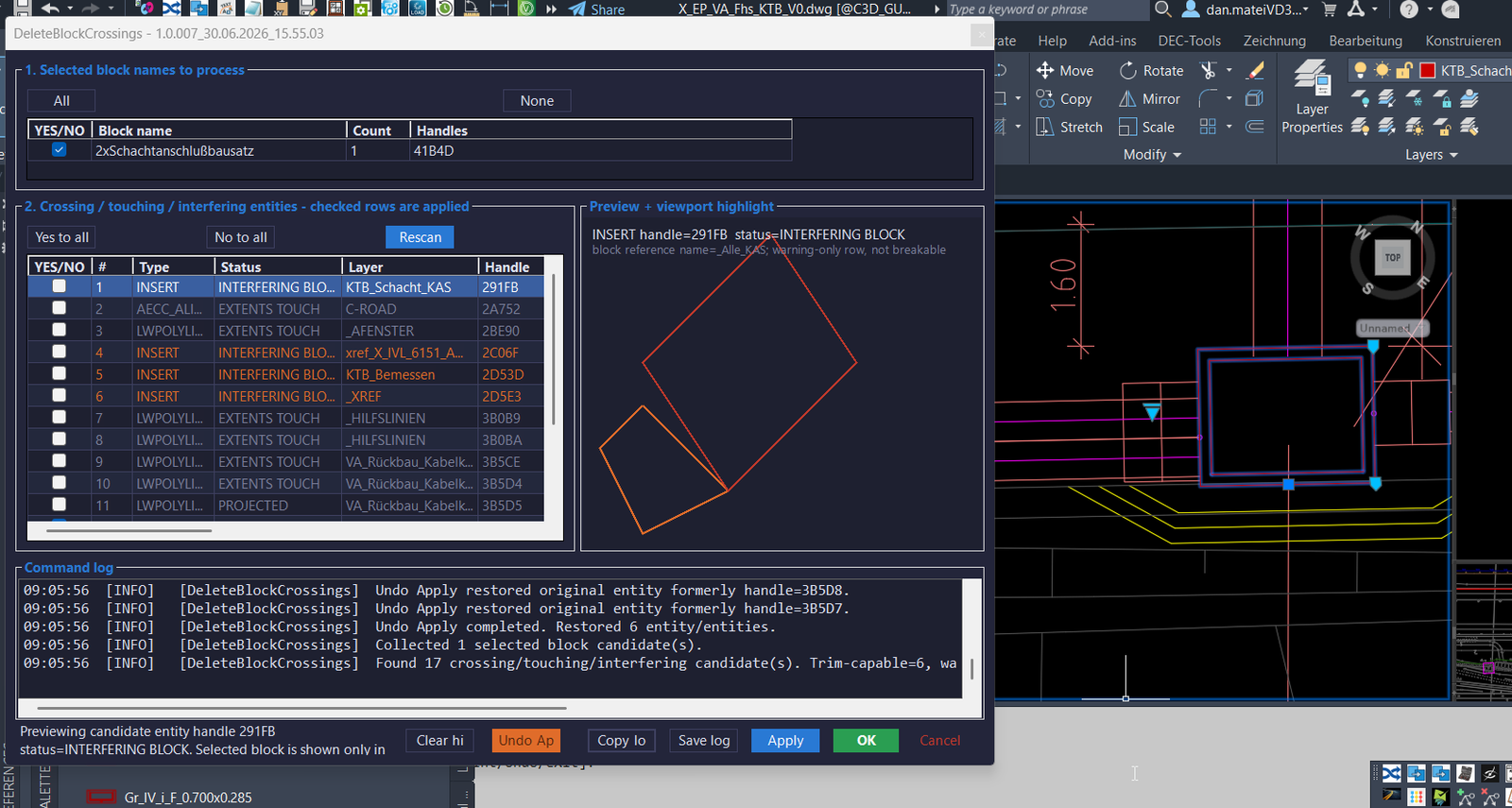
DeleteBlockCrossings
- 🚀 Command registration -
Plugin.csregistersDELETEBLOCKCROSSINGS,DBC, andABBSthrough AutoCADCommandMethodattributes. - 🧩 Command runner -
DeleteBlockCrossingsCommandRunner.Run()collects the pickfirst selection or prompts forINSERTentities, clears the implied selection, loads persisted settings, and opens the modeless form. - 🔍 Block candidate collector -
DbcScanner.CollectBlocks()reads selectedBlockReferenceobjects, resolves effective dynamic block names, stores handles, layers, owner spaces, and calculated block frames. - 📐 Crossing scanner -
DbcScanner.ScanCrossings()scans entities in the block owner space, detects curves and nearby block references, and creates practical diagnostics for trimming and review. - 🧠 Intersection and sampling logic -
GeometryUtil.Intersections(),PolylineSamplesTouchOrEnterPolygon(), andApproximateSamplePolygonIntersections()improve detection when AutoCADIntersectWithreturns incomplete points for splines or polylines. - 📊 Status classification - candidate rows are classified as
CROSSING,TOUCHING,CROSSING - CHECK,PROJECTED,EXTENTS TOUCH, orINTERFERING BLOCKto separate safe trim rows from review-only diagnostics. - ✂️ Trim engine -
DbcTrimmer.TrimChecked()processes checked trim-capable rows, splits curves at calculated break points withCurve.GetSplitCurves(), keeps outside pieces, and erases the original curve. - ↩️ Undo apply system -
TrimApplyRecordandUndoApply()store original entity clones and created object IDs so the last apply operation can be reverted. - 🎨 Preview and highlight -
PreviewSampler.Sample()and the WinForms preview panel display the selected block frame and candidate geometry while AutoCAD viewport highlighting helps identify the active row. - 🔐 Settings and diagnostics -
DbcSettingsstores form bounds and enabled block names, whileDbcLoggerrecords operation history and exports diagnostic reports. - 🧰 Build lock workaround - the project uses timestamped output folders and timestamped DLL names so AutoCAD does not block rebuilding the original DLL after
NETLOAD.
- 🚀 Command registration -
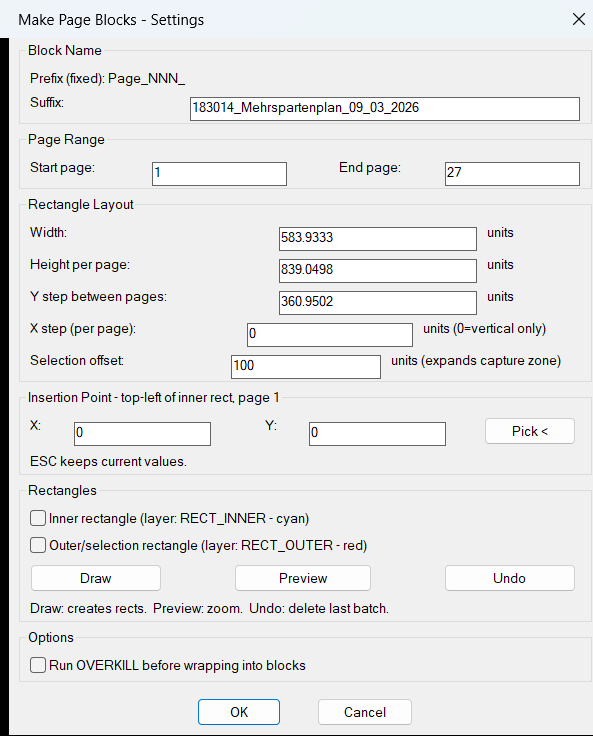
CreateMultipleRectangleBlocks
- 🧠 Dialog value parser -
MPB:parse-real,MPB:parse-int,MPB:read-tiles, andMPB:restore-tilesread and restore DCL input values for page ranges, rectangle sizes, spacing, offsets, insertion points, and checkbox options. - 🏷️ Block naming system -
MPB:zpadformats page numbers as three digits so generated block names follow the predictable formatPage_001_suffix,Page_002_suffix, and higher values. - 🎨 Layer automation -
MPB:ensure-layercreatesRECT_INNERandRECT_OUTERlayers with predefined AutoCAD color indexes when preview rectangles are drawn. - 📐 Rectangle builder -
MPB:entmake-rectcreates closedLWPOLYLINErectangles usingentmake, placing them on the selected inner or outer rectangle layer. - 🔍 Zoom and preview logic -
MPB:do-zoomandMPB:do-previewusevla-ZoomWindowwith a small padding factor to zoom to the last drawn rectangle batch. - ↩️ Undo-safe drawing batch -
MPB:exec-drawcreates an AutoCADUNDO MARKbefore drawing rectangles, whileMPB:exec-undocallsUNDO BACKto remove the last rectangle batch. - 📊 Entity collection engine -
MPB:collect-allbuilds page zones from calculated origins, scans drawing entities withentnext, ignoresVIEWPORTandSEQEND, and assigns entities to pages using their first Y coordinate. - 🧹 Optional cleanup -
MPB:make-blockcan run AutoCAD-OVERKILLon the selected page entity set before the objects are wrapped into a block definition. - 🧩 Block creation workflow -
MPB:make-blockcreates theBLOCKrecord, copies source entity DXF data while removing database-specific handles and owner data, createsENDBLK, inserts the new block, and erases the original entities. - 🔐 DCL loop control - the main command uses
action_tilereturn codes so Pick, Draw, and Undo can dismiss and reopen the dialog safely while preserving user settings.
- 🧠 Dialog value parser -
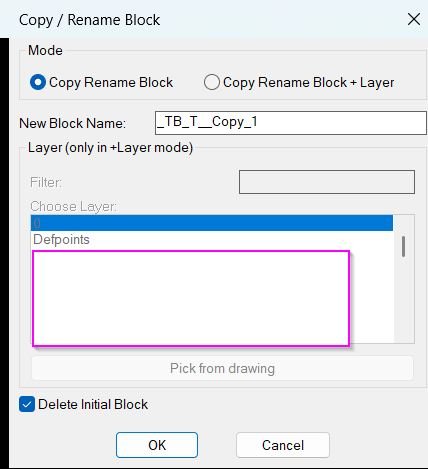
CopyBlock_vs.01
- 🚀 Command wrapper -
c:CopyBlockChangeLayerstarts the tool and callsLM:RenameBlockReferencewith copy behavior enabled. - 🧠 AutoCAD version helper -
LM:AcadMajorVersionreadsACADVERto build the correctObjectDBX.AxDbDocumentinterface name. - 🧩 Object copy engine -
LM:CopyObjectscreates a Visual LISP safe array and usesvla-CopyObjectsto transfer block definitions between the active document and the ObjectDBX database. - 🎨 Block content layer cleanup -
LM:ForceBlockContentsByLayeriterates through the new block definition and sets internal entities to the chosen layer, color256ByLayer, linetypeByLayer, and lineweight ByLayer. - 📝 DCL dialog builder -
LM:BuildDialogAndGetwrites a temporary DCL file with mode radio buttons, a new-name edit box, layer filter, layer list, pick-layer button, and delete-original toggle. - 🔍 Layer collection and filtering - the dialog reads the drawing layer table, excludes xref-dependent layers containing
|, sorts layer names, and filters the list withwcmatch. - 📌 Pick layer from drawing - the
Pick from drawingbutton temporarily closes the dialog, lets the user select an object withentsel, reads its layer from DXF group code8, and reopens the dialog. - 🔒 Selection safety checks -
LM:RenameBlockReferenceaccepts onlyINSERTentities and warns if the selected block reference is on a locked layer. - 🏷️ Unique name suggestion - the routine proposes a new block name by appending increasing suffixes such as
_1,_2, and higher values until the name is free. - 🔴 Original reference deletion - when
Delete Initial Blockis enabled, the routine deletes the original selected reference after creating and retargeting the copied block reference.
- 🚀 Command wrapper -
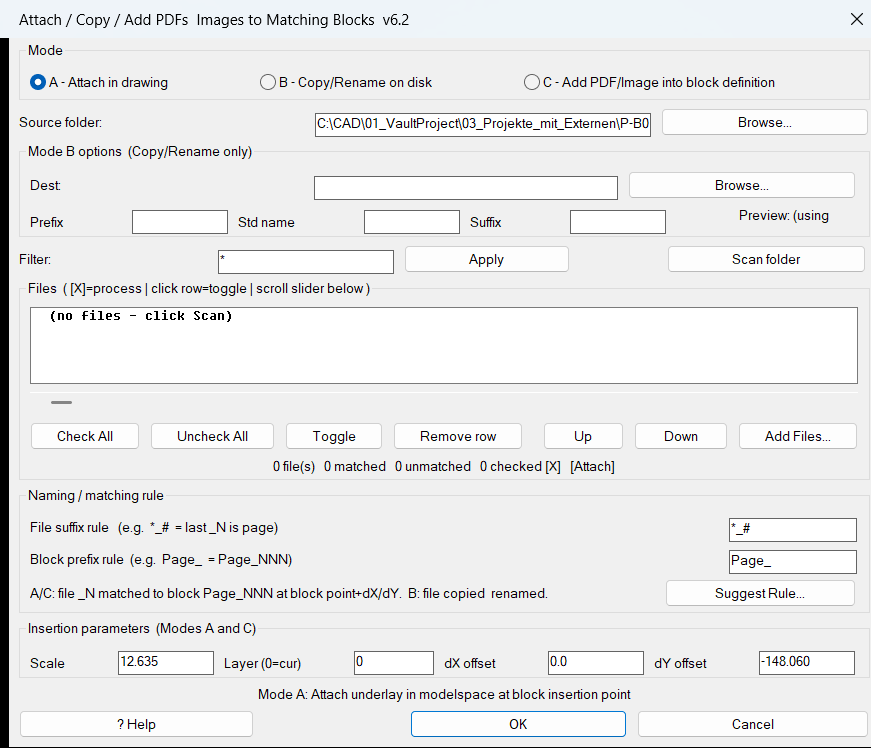
AttachImagesToBlocks
- 🚀 Command entry points -
c:AttachImagesToBlocks,c:CopyPDFsToBlocks, andc:AddPDFsToBlockDefsstart the three user workflows while sharing the same DCL dialog and matching engine. - 🔍 Folder scan engine -
AIB:scan-foldersearches forpdf,jpg,jpeg,png,tif,tiff, andbmpfiles and supports wildcard filtering throughwcmatch. - 📌 Page-number extraction -
AIB:image-page-numreads either leading digits before the first underscore with##_*or trailing digits after the last underscore with*_#. - 🏷️ Block-name matching -
AIB:block-page-numextracts the digit run after a configured block prefix such asPage_, allowing files and blocks to match by page number. - 🧩 Match table builder -
AIB:build-matchescreates row records containing file path, base name, page number, selection state, matched block name, block reference object, block entity handle, and block insertion point. - 🎨 DCL interface generator -
AIB:write-dclwrites the runtime DCL layout, including the mode radio buttons, folder fields, matching rules, offsets, layer input, rename pattern, list box, help dialog, and suggestion dialog. - 🧠 Rule suggestion system -
AIB:suggest-rulesscores file-rule and block-prefix combinations and suggests the best matching pattern based on real files and block names in the drawing. - 📘 Help and live examples -
AIB:show-help-dlgexplains the matching rules and shows examples from the currently scanned files and model space blocks. - 📐 Attachment executor -
AIB:attach-and-captureruns the unified AutoCAD-ATTACHcommand, supports PDFs and raster images, and detects the newly created entity by comparing the drawing selection set before and after attachment. - 🧹 Layer preparation -
AIB:ensure-layercreates or activates the configured layer before attachment so generated underlays can be organized consistently. - 📤 Copy and rename workflow -
AIB:exec-copycopies files with WindowsScripting.FileSystemObjectand can name outputs from the matched block name or from a pattern using prefix, standard name, suffix, and three-digit page number. - 🔄 Block-definition embedding -
AIB:ref->def,AIB:add-obj-to-blkdef, andAIB:exec-add2blktransform the attached underlay from model space into block-definition coordinates, copy it into the block table record, and delete the temporary model space object. - 🔒 Configuration persistence -
AIB:run-dialogreads and writesAIB_settings.cfgin the DWG folder to preserve scale, offsets, layer, folders, matching rules, filter, and rename settings.
- 🚀 Command entry points -
Convert3DFaceToPolyline
- 🚀 Command description resource -
Convert3DFaceToPolyline.xamldefines the ribbon tooltip content that explains the AutoLISP command workflow. - 🔍 Selection logic -
ssgetis used by the described routine to let the user select one or more3D Faceentities from the active DWG. - 📐 Entity data extraction -
entgetretrieves the DXF data for each selected 3D face so vertex coordinates can be read from the entity definition. - 🧩 Vertex handling - the routine stores the four face corners in
pt1,pt2,pt3, andpt4before drawing the polyline. - 🟢 Polyline creation -
PLINEcreates the replacement outline from the extracted vertices. - 🔒 Closed boundary output -
_CLOSEcloses the generated polyline so the result represents the original 3D face boundary. - 🔴 Invalid face handling - if a selected 3D face does not contain the expected four vertex points, the routine reports the problem and skips the invalid object.
- 📘 Ribbon tooltip integration -
Autodesk.Windows.RibbonToolTip,StackPanel, andTextBlockare used in the XAML file to present command help inside an AutoCAD ribbon environment.
- 🚀 Command description resource -
3DF_to_3DPoly
- 🚀 Command entry point -
c:3df2pldefines the user command that starts the 3DFACE to 3D polyline conversion workflow. - 🔍 3DFACE selection filter -
ssgetuses the filter((0 . "3DFACE"))so only valid 3DFACE objects are selected for conversion. - 📐 DXF vertex extraction -
entgetreads the selected entity data, andLI_itemretrieves vertex codes10,11,12, and13. - 🧩 3D polyline creation - the AutoCAD
._3dpolycommand is called with all four source face vertices and then closed with_Close. - 🧠 Elevation preservation - the routine passes full 3D point lists to
3DPOLY, so the converted geometry keeps the original X, Y, and Z coordinates. - 🔒 System variable protection -
CMDECHOandOSMODEare saved before processing and restored through the local*error*handler. - 🧹 Civil 3D compatibility guard - the header avoids unsafe top-level COM behavior and uses a guarded Visual LISP COM-loading pattern.
- 📌 Small helper function -
LI_itemreturns the value of a requested DXF dotted pair from an association list, keeping the conversion logic concise and readable.
- 🚀 Command entry point -
BookmarkEntities
- 🚀 Command entry point -
c:BMEntityPosstarts the DCL-based bookmark manager and controls the dialog loop. - 🎨 Runtime DCL writer -
bm-write-dclcreates the temporary dialog definition usingvl-filename-mktempand loads it withload_dialog. - 🔍 Selection and bookmark capture -
bm-pick-and-storeusesssgetto collect supported AutoCAD entities and append bookmark records to*bm-list*. - 📐 Bounding box detection -
bm-get-bboxusesvla-getboundingboxfirst, then falls back to DXF coordinate data when bounding boxes are unavailable. - 📌 Zoom window generation -
bm-make-window,bm-zoom-ll-ur, andbm-apply-zoomcreate padded zoom windows and callvla-ZoomWindow. - 🔐 Handle recovery logic -
handentattempts to find the original drawing object so zoom operations can update extents after object edits. - 📊 Synchronized list-box refresh -
bm-update-listkeeps the No or Element, Coordinates, Color, and Remark list boxes aligned. - 🧠 Filtered index mapping -
*bm-index-map*maps visible rows back to original bookmark positions so duplicate, delete, zoom, and remark updates remain correct under filters. - 🏷️ Group filter builder -
bm-build-groups,bm-update-group-popup, andbm-pass-filterclassify bookmarks into All, Text, Lines, Polylines, Circles, Splines, Blocks, and Other. - 📝 Remark management -
bm-update-remark-fieldandbm-set-remarkdisplay and update user notes for the selected bookmark. - 🧩 List manipulation helpers -
bm-replace-nth,bm-remove-nth, andbm-insert-after-nthupdate the bookmark list safely. - 📤 Save, load, and import workflow -
bm-save-list,bm-load-list,bm-import-list,bm-write-list-to-file,bm-read-list-from-file, andbm-file-pathmanage persistent list files in the drawing folder.
- 🚀 Command entry point -
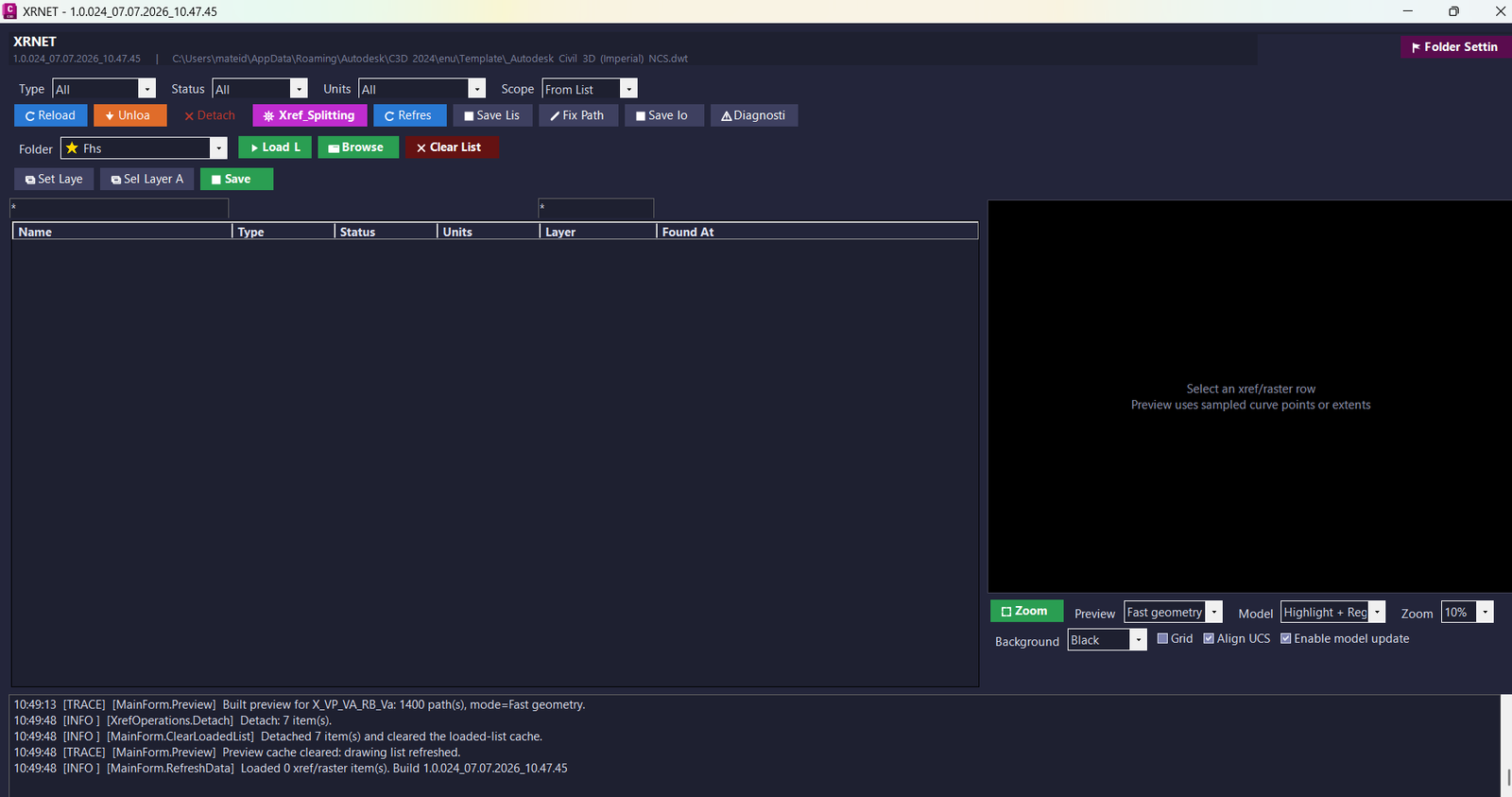
XrNet
- 🚀 Command registration system -
Commands.csregistersXRNET,XRSPLIT,XRPREDEFINEDFOLDERS, andXRSAVELOGas AutoCAD commands. - 🔍 Xref scanning engine -
XrefRepository.CollectAll()scans the active drawing database and collects DWG xrefs, raster images, status, units, layer, type, and path data. - 🔄 Reload and unload logic -
XrefOperations.Reload()andXrefOperations.Unload()refresh or unload selected references. - 🔴 Detach logic -
XrefOperations.Detach()removes selected DWG xrefs or raster image references from the drawing. - 📌 Apply list workflow -
XrefOperations.ApplyEntries()applies prepared xref records to the current DWG and restores important AutoCAD system variables. - 🧩 Attach and type conversion -
ApplyDwgEntry(),AttachXrefAtOrigin(), andChangeTypeIfNeeded()attach missing references and convert Overlay or Attached xref type where supported. - 🧹 Layer automation -
LayerUtil.EnsureLayer()andXrefOperations.SetLayer()create or reuse clean layers and move references onto organized xref layers. - 📊 List file input and output -
XrefListIO.ReadFile(),XrefListIO.SaveFile(),XrefListIO.ScanFile(), andXrefListIO.MergeByName()support repeatable xref list workflows. - 🧠 Xref splitter engine -
XrefSplitterEnginevalidates, merges, scans, abbreviates, re-paths, exports, and applies xref splitter entries. - 📐 Preview builder -
PreviewBuilder.Build()andPreviewBuilder.BuildExternalDwgFile()generate CAD-style preview geometry. - 🎨 Preview display control -
XrefPreviewControldisplays geometry, labels, filled areas, grid lines, backgrounds, zoom, pan, and fit view. - 🔐 Settings and diagnostics -
AppSettings,UiSettingsStore,RuntimeInfo, andAppLogstore folders, UI options, startup information, logs, and diagnostics.
- 🚀 Command registration system -
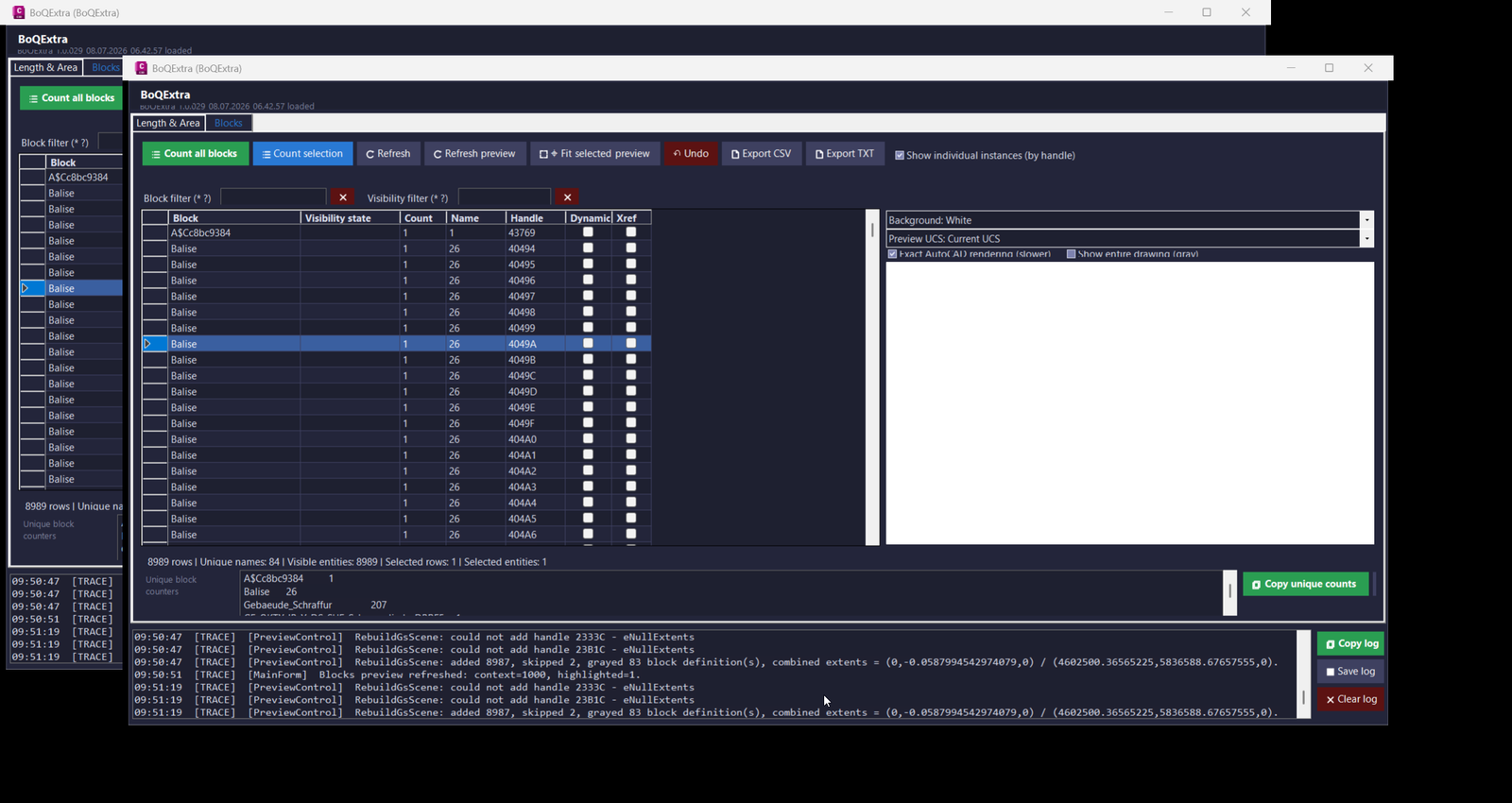
BoQExtra
- 🧠 Command registration -
Commands.csregisters the AutoCAD commandBoQExtraand opens a modeless WinForms interface so the user can continue working in the DWG while the quantity tool remains active. - 📐 Length and area extraction -
LengthAreaEngine.BuildRowsreads selected entities, resolves object handles, detects layers and entity types, calculates length and area values, and prepares preview geometry for CAD quantity takeoff. - 📊 Per-entity dimension logic - the length engine calculates per-object Min L, Max L, Min V, and closed polyline state so the table shows object-level geometry data instead of only global totals.
- 🧩 Block counter system -
BlockCounterEnginecounts block references by effective block name, visibility state, handle, dynamic flag, and xref flag, then builds robust preview footprints for dynamic and nested block workflows. - 🔢 Unique block counters - the Blocks tab builds a bottom summary grouped by effective block name, making repeated CAD symbols easier to review, copy, export, and verify for BoQ schedules.
- 🏷️ Profile manager -
ProfileManagerstores editable BoQ formula profiles under%APPDATA%\BoQExtra, including decimal rules, formula formatting, CEILING rules, and automatic Profile_002 layer detection. - 📌 Automatic Profile_002 profile detection -
Profile.TryCreateKkProfileFromLayerdetects layer tokens such as220X275,400X275,515X275, and700X285, then applies the matching divisor for area-based formulas. - 📝 AutoCAD object-field builder -
AcadFieldBuildercreates object-field formula terms when possible, allowing placed MTEXT results to reference drawing object properties instead of becoming only disconnected static text. - 🧹 Selection editing tools -
SelectionEntityToolssupports selected entity deletion, layer changes, closed-polyline toggling, polyline closing, polyline joining, and parallel polyline closure without launching an extra DCL dialog. - 🔍 Preview control -
PreviewControldraws highlighted selected entities, gray context entities, block footprints, insertion markers, UCS-oriented geometry, fit selected, fit all, zoom, and pan while protecting against GDI overflow from extreme drawing coordinates. - 📤 Export and clipboard logic - the plugin copies selected formulas, table data, unique block counters, and log data to the clipboard and exports CSV or TXT files for Excel, QA review, WordPress documentation, and project quantity records.
- 🔐 Runtime diagnostics -
RuntimeInfoandAppLogrecord build version, loaded DLL path, AutoCAD version, Civil 3D assembly availability, active drawing path, warnings, errors, and user actions for troubleshooting.
- 🧠 Command registration -
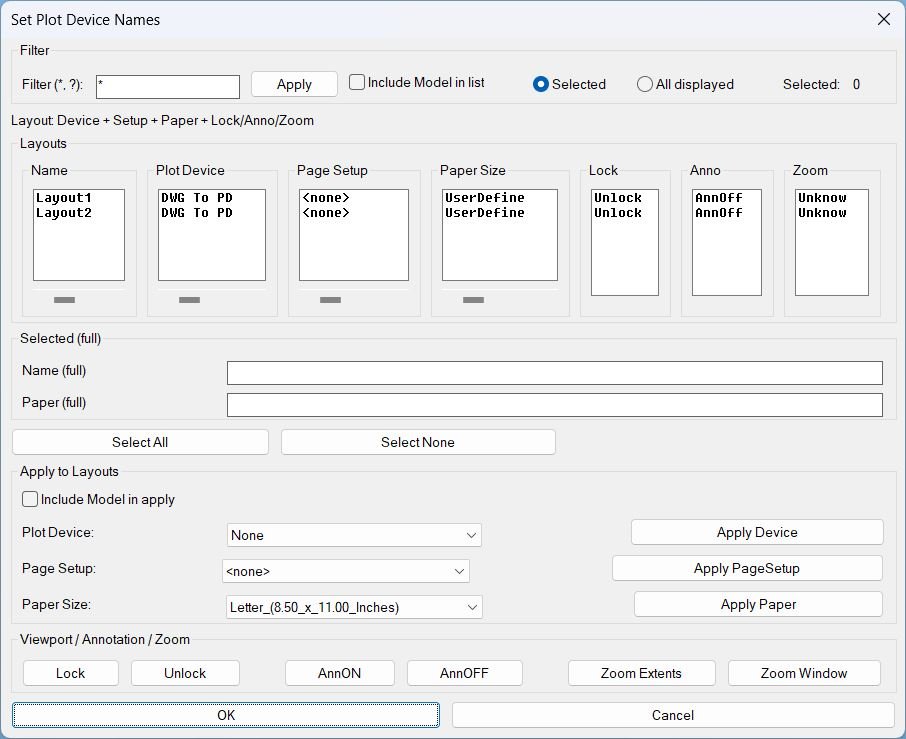
SetPlotDeviceNames
🧩 spdn:filter-layouts builds the working layout list from the current drawing and wildcard filter.
🧩 spdn:fill-device-popup, spdn:fill-pagesetup-popup, and spdn:fill-paper-popup populate the DCL dropdown controls.
🧩 spdn:apply-device-to-layouts and spdn:apply-paper-to-layouts perform the batch plotting updates.
🧩 spdn:set-locked-for-layouts changes paper-space viewport lock states.
🧩 spdn:set-anno manages ANNOALLVISIBLE behavior per selected layouts.
🧩 spdn:zoom-layout-viewports, spdn:do-zoom-extents, and spdn:do-zoom-window-execute handle viewport zoom actions.
🧩 spdn:ensure-nod-dict and xrecords store persistent zoom-state flags in the drawing database.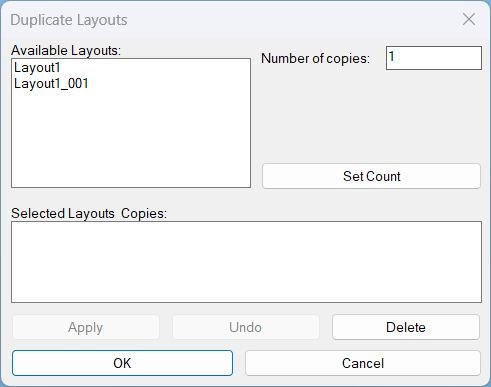
DuplicateLayouts
🧩 DL_WriteDCL dynamically writes the temporary dup_layouts.dcl dialog file.
🧩 DL_GetLayoutNames collects all drawing layouts except Model for the available layout list.
🧩 DL_Pad3 formats generated layout suffixes with three digits.
🧩 DL_LayoutExistsP verifies whether a proposed layout name already exists in the Layouts collection.
🧩 DL_NextUniqueName creates the next available unique destination layout name.
🧩 DL_CopyLayoutSafe runs -LAYOUT Copy with fallback option names to duplicate source tabs.
🧩 DL_DoDuplicate processes the selected layout and copy-count map inside an AutoCAD undo mark.
🧩 DL_DeleteLayoutFromDrawing deletes a selected layout tab safely and moves CTAB to Model when needed.
🧩 DL_DoUndo performs a single AutoCAD UNDO step for the latest Apply or Delete action.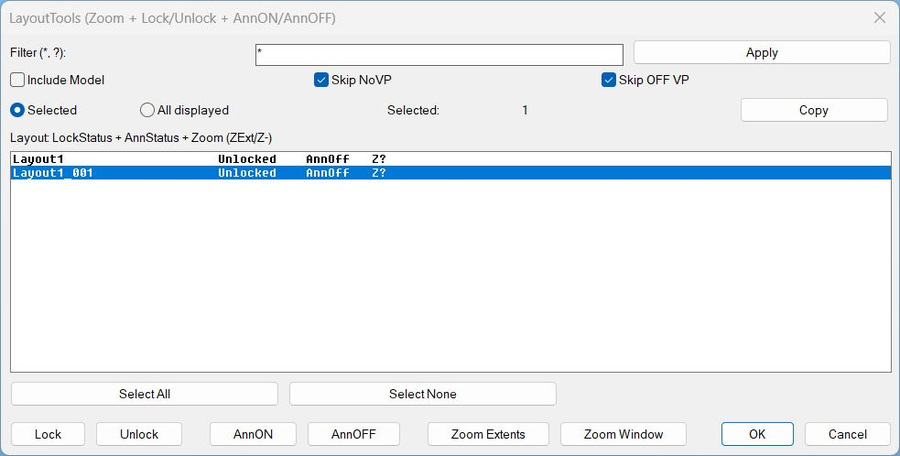
LayoutTools
🧩 LayoutTools:WriteDCL dynamically creates the multi-action DCL interface.
🧩 LayoutTools:GetLayouts collects layout names and supports Model inclusion.
🧩 LayoutTools:FilterLayouts applies wildcard filtering to the layout list.
🧩 LayoutTools:GetLayoutViewports finds usable paper-space viewports in each layout.
🧩 LayoutTools:LayoutLockStatus reports viewport lock state per layout.
🧩 LayoutTools:SetAnnoAllVisible applies ANNOALLVISIBLE while preserving CTAB, TILEMODE, and MSPACE state.
🧩 LayoutTools:_SetLockedForLayouts locks or unlocks viewport DisplayLocked values in an undo mark.
🧩 LayoutTools:ZoomExtentsLayouts applies Zoom Extents to target layouts and records ZExt status.
🧩 LayoutTools:ZoomWindowLayouts applies the picked window to multiple layouts and records Z- status.
🧩 LayoutTools:CopyClipboard copies selected layout/status information using the Windows clipboard.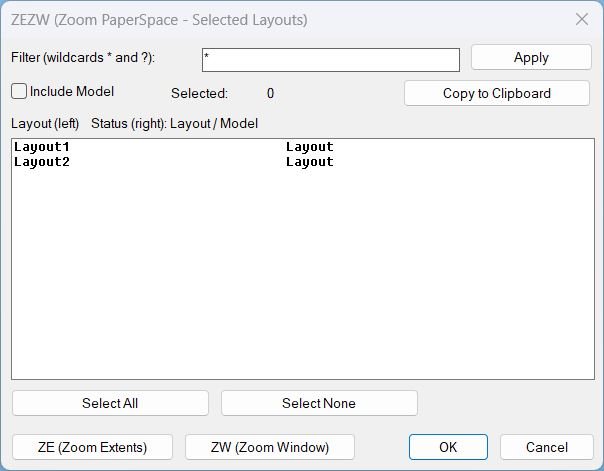
Zoom Extend Window
Notable helper functions and internal mechanisms- LV:GetLayouts Collects layout names using layoutlist for reliability.
- LV:FilterLayouts Applies wildcard filtering via wcmatch and optionally excludes MODEL.
- LV:MakeTempDCL Creates a robust temporary DCL path (mktemp with fallback to TEMP or DWGPREFIX).
- LV:WriteDCL Writes the dialog definition with a unique dialog name each run.
- LV:CopyClipboard Copies text via MSHTML clipboardData, with fallback to PowerShell Set-Clipboard and cmd clip.
- LV:ZoomExtentsLayouts Iterates layouts and runs COM zoom extents with command fallback ZOOM E.
- LV:ZoomWindowLayouts Prompts for a window once and applies it to all selected layouts with COM and command fallback ZOOM W.
- LV:Cleanup Unloads the dialog and deletes the temporary DCL file to avoid residue and lock issues.
- *error* handler ensures cleanup runs on unexpected failures and suppresses noise on normal cancel events.
LayerCreation
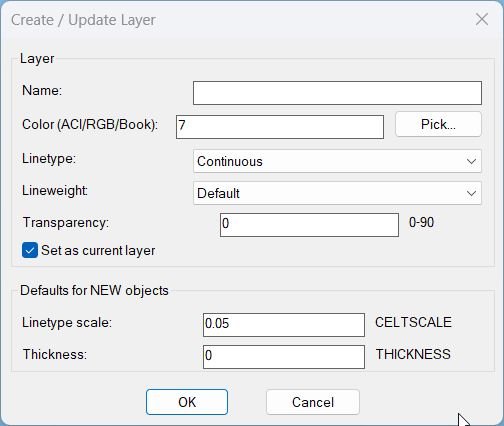
🧩 NL:_illegalLayerNameP validates layer names against AutoCAD-invalid characters.
🧩 NL:_getLinetypes reads available linetypes for the dialog list.
🧩 NL:_pickColor launches AutoCAD color selection and stores ACI, RGB, or color book information.
🧩 NL:_applyColorToLayer applies ACI, true color, or color book selections to the layer object.
🧩 NL:_makeOrUpdateLayer creates a new layer or updates the existing layer with selected properties.
🧩 NL:_applyDefaultsAndMaybeSetCurrent applies CELTSCALE, CETRANSPARENCY, THICKNESS, and CLAYER behavior.
🧩 NL:_runDialog builds and runs the DCL interface.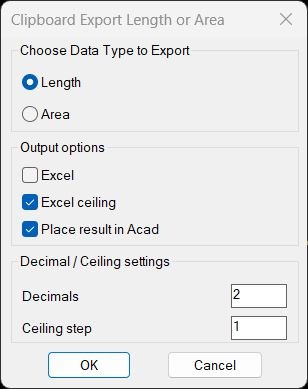
TotalLengthAreaDetailed
🧩 Important helper functions:
- writeLengthAreaDCL: creates the temporary DCL dialog.
- radioLengthAreaDCL: handles dialog options, saved settings, toggles, precision, ceiling step, result mode, and Profile_002 profile selection.
- TotalLengthDetailed: processes length-capable entities and builds length expressions.
- TotalAreaDetailed: processes area-capable entities and builds area expressions.
- copy-to-clipboard: writes the final expression or Excel formula to the clipboard using htmlfile COM.
- format-excel-expr: creates plain, Excel, CEILING, or Profile_002 formulas.
- ctc-make-object-field and ctc-build-field-mtext: generate dynamic AutoCAD field text for supported source objects.
- insert-result-text: inserts UCS-aware MTEXT in the active drawing space and places it on the first selected entity layer.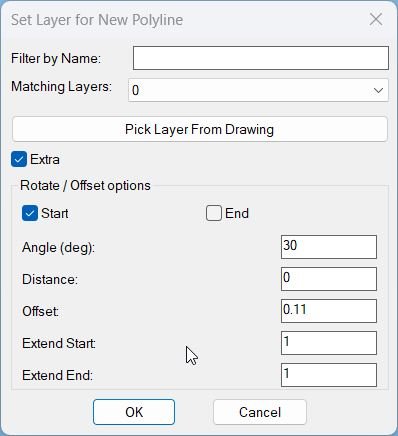
CopySelection_vs.01
Geometry helpers: • tan: Simple tangent function used when computing bulge values for polyline vertex reconstruction. • LM:LWVertices: Extracts vertices of a lightweight polyline into a structured list containing position, start width, end width, and bulge for each vertex, used by the PLDUPE style segment slicing logic. • extend-ends: Uses VLA coordinates to extend the first and last segments of the new LWPOLYLINE by extS and extE along their unit direction vectors, handling both two vertex and multi vertex polylines. Segment creation core: • CS:MakeGeometry: Main builder that slices the original LWPOLYLINE between two curve parameters, builds a new open polyline on the chosen layer, then applies optional extension, rotation, distance move, and offset copy generation when Extra is enabled. Dialog and state helpers: • get-all-layers: Iterates over the drawing’s layer table via COM, collects all non xref layers into a sorted list for the layer popup. • update-layer-list: Filters the layer list by the current filter string, rebuilds the popup content, and selects either the picked layer, last used layer, or the first match as current choice. • set-extra-mode: Enables or disables all Extra related tiles (rotation, distance, offsets, extension values) depending on the Extra toggle, greying them out when Extra is off. • CS:read-values: Reads all current dialog fields (filter, layer, Extra flag, rotation choice, angle, distance, offset, offset count, and extension values), converts them to numbers, clamps offset count to non negative integers, and updates environment variables for filter and layer. • Offset presets: The offset type popup selects among DN110 and KK variants, and an action tile maps each choice to a predefined numeric offset value written back into the offset edit box. Undo session control: • applyCount and flags: Tracks how many times Apply has been used, whether there is any applied geometry present, and whether the user has interacted with Apply or Undo, to decide how OK and Cancel should behave regarding undoing or keeping changes.3DPolyVertex2Table
Extract_3DPoly_Vertexes reads the AcDb3dPolyline Coordinates property.
Alph_Num generates alphabetical marker values when letter mode is enabled.
vla-AddTable creates the coordinate table.
vlax-curve-GetPointAtParam supports placement of the vertex labels.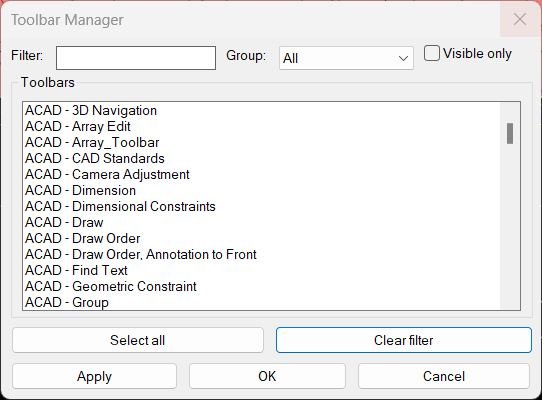
ToolbarManager
Filter & group helpers: • tbm-match: Performs case insensitive wildcard matching between the filter pattern and toolbar label, treating an empty pattern as a match for everything. • tbm-get-toolbars: Walks through all menu groups and their toolbars via COM, building and sorting the master list *tbm-all* with label, object handle, visibility flag, and group name. • tbm-build-groups: Extracts unique group names from the master toolbar list, initializes *tbm-groups* with "All", and appends group names as they are found. DCL / UI helpers: • tbm-write-dcl: Creates and writes the temporary DCL file that defines the Toolbar Manager dialog layout, ready to be loaded with load_dialog. • tbm-refresh-list: Rebuilds the visible list of toolbars according to the current filter, group, and visible only flags, fills the list box, and preselects currently visible toolbars in that view. • tbm-select-all: Selects all rows in the current list view by generating a space separated index string for the list box selection tile. Apply helper: • tbm-apply-from-sel: Interprets the list box index string, maps it back to indices in *tbm-all* via *tbm-view*, and for each toolbar in the view sets Visible true if selected, false if not, updating *tbm-all* to reflect the new visibility state.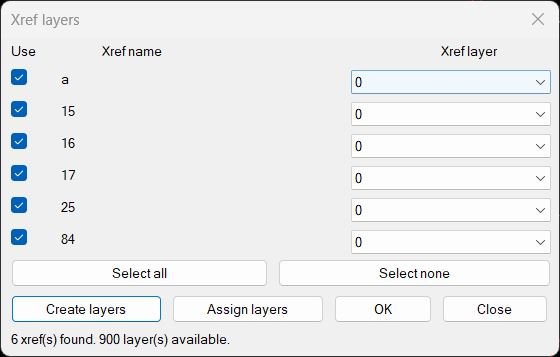
CreatesXrefsLayersAssign_vs.00
Helper Functions: • XRL-GetXrefs gets all xref block names from the drawing. • XRL-GetLayers collects all layer names, sorts them, and caps the count so the DCL does not overload. • XRL-GetFirstInsertLayer tries to find on which layer a given xref is inserted, in model space and then in paper space. • XRL-EnsureLayer creates a layer if it does not exist and sets its color to 7 (white). • XRL-MoveInsertsToLayer actually reassigns all inserts of an xref to the chosen layer. • XRL-WriteDCL builds the dialog definition text on the fly with one row per xref. These helpers make the dialog flexible and let it match whatever xrefs are present in the current file.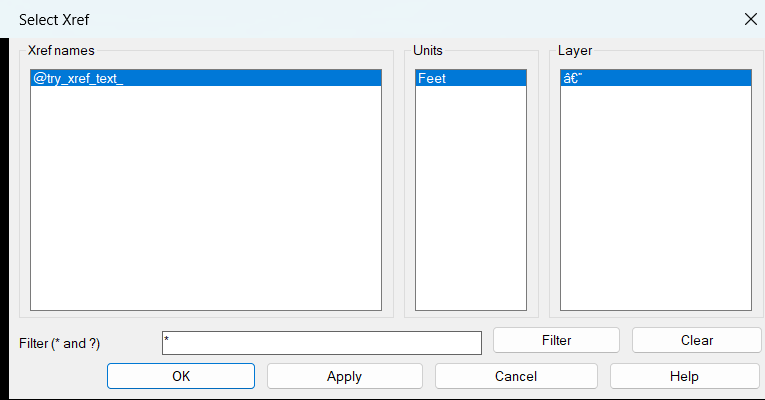
ZoomXref
zx:pair, zx:pt3, zx:nth, zx:parse-int, zx:up, zx:wmatch, zx:unit-str, zx:safe-get-units, zx:ss-xref-refs, zx:xref-layer-summary, zx:make-dcl-file, zx:alert-help, zx:get-xref-items, zx:filter-items, zx:ss-bbox, zx:zoom-ll-ur, zx:fill-lists, zx:filter-apply, zx:apply-zoom
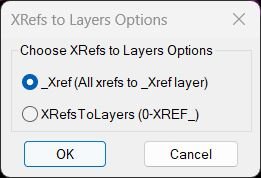
XRefs2Layers
🪟 writeX2LDCL — writes the temporary DCL dialog for the two XREF layer options.
🔘 radioX2LDCL — loads the DCL, remembers the last selected option, and returns the selected workflow.
🧭 XRefs2LayersOptions — main option selector that launches the selected XREF layer command.
📂 XRefsToLayers / X2L — creates or uses 0-XREF_ layers and moves each XREF to its matching named layer.
🔗 XRefsTo_Xref / X2_XREF — creates or uses the shared _XREF layer and moves all XREF inserts there.
🛡️ Error handlers — close undo marks safely and report unexpected errors without interrupting normal cancel behavior.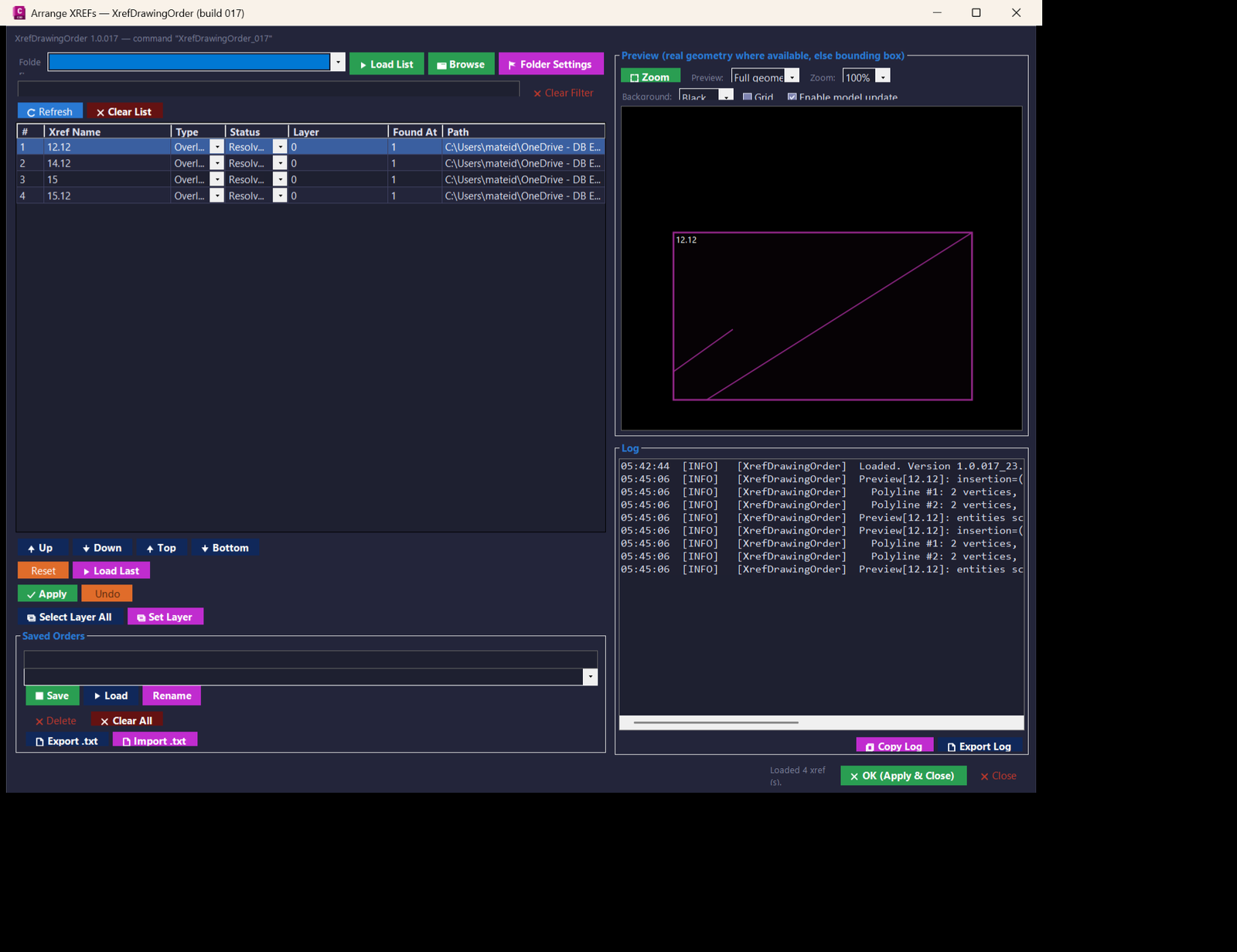
XrefsDrawingOrder
📦 Main project modules:
- Commands.cs — AutoCAD plugin entry point, initialization banner, NETLOAD command registration, command aliases XrefDrawingOrder_017 and XRDO_017.
- MainForm.cs — dialog behavior, refresh logic, filtering, xref status operations, Apply, Undo, saved orders, folder favorites, preview coordination, logging, copy actions, and selected xref tools.
- MainForm.Layout.cs — responsive WinForms layout, themed controls, grid setup, context menu wiring, drag and drop ordering, preview toolbar, saved order controls, and log panel.
- XrefOrderService.cs — AutoCAD database access, xref enumeration, metadata collection, reload, unload, detach, attach or overlay conversion, layer updates, draw order application, NOD persistence, preview segment extraction, and AppData file persistence.
- PreviewPanel.cs — custom double-buffered drawing preview for xref bounding boxes and extracted geometry segments with zoom, focus, grid, and black or white background support.
- ListReorder.cs — pure list manipulation helper for Up, Down, Top, Bottom, and drag-to-index multi-selection movement.
- FolderFavoritesDialog.cs — folder favorite editor for import/export starting directories.
- TextPromptDialog.cs — compact prompt dialog used for renamed saved orders and layer edits.
- ButtonIconFactory.cs — generated 16 by 16 button icons without external image dependencies.
- C3DTheme.cs — dark AutoCAD/Civil 3D style theme, button roles, and control styling.
- Logger.cs — timestamped session log plus persistent log file under %APPDATA%\XrefDrawingOrder.
- XrefDrawingOrder_017.csproj — .NET Framework 4.8 x64 project file, AutoCAD 2024 managed references, and build-number generated command naming.Multiple_text_mtext_2
Local helper functions inside the routine: • *error*: Custom error handler that cleans up the created MTEXT object and any stored entities if an error or user cancel occurs. • align_Mt: Determines a compatible MTEXT attachment point from either an existing MTEXT or a TEXT alignment setting so the new MTEXT aligns like the source. • Get_MTOffset_pt: Computes a vertical offset point based on MTEXT height, bounding box, and attachment point, prepared for possible alignment offset logic. • GetTextWidth: Calculates an appropriate text width for the new MTEXT, using TEXTBOX on TEXT entities or the Width property on MTEXT objects. • ReplaceUnderline: Walks through each text string, converting "%%U" underline markers into MTEXT underline on and off codes L and l, ensuring open underlines are properly closed at the end if needed. Used system and VLA calls: • vl-load-com: Enables use of ActiveX and VLA functions within the routine. • vla-get-ActiveDocument: Gets the current drawing document object. • vla-get-ModelSpace / Paperspace: Chooses the correct space object depending on where the user is working. • vla-AddMText: Creates the final MTEXT entity containing the combined text.Copy_to_Clipboard_Xref
Internal helper functions: • c:GetTextFromEntity: Extracts readable text depending on entity type (TEXT, MTEXT, DIMENSION, LEADER, BLOCK_REFERENCE). • CTCCOPY: Collects all stored copied entities, extracts text, pushes it to clipboard, and deletes temp entities. Key AutoLISP / COM functions: • nentselp: Picks nested references inside blocks. • entmakex / entdel: Creates and deletes temporary entities. • vlax-tmatrix / transformBy: Applies nested transformation matrices. • vlax-ename->vla-object: Required for dimension & leader text access. • htmlfile COM object: Writes the cleaned result directly to Windows clipboard.
Copy_to_Clipboard
Internal helper procedures used: • writeCTCDCL: Generates a temporary DCL file containing the radio button dialog layout. • radioCTCDCL: Loads, displays, and manages the dialog interaction and stores the user’s chosen option. Text-cleaning functions: • StripMTextCodes_1: Produces one-line output by removing formatting, Unicode codes, and replacing line breaks with spaces. • StripMTextCodes_2: Produces paragraph-friendly multi-line output with cleaner break insertion rules. System / COM functions: • vlax-create-object: Creates an HTMLfile object to write cleaned text into the clipboard. • vlax-release-object: Ensures clean memory cleanup and prevents COM object leaks. • ssget / entget / vlax-ename->vla-object: Collects and analyzes selected entities to extract readable text.RotateMtextVport
Helper Functions:- vl-load-com - Loads Visual LISP COM support
- angle - Calculates viewport rotation angle
- trans - Transforms coordinates from UCS to WCS
- vlax-ename->vla-object - Converts entity name to VLA object
- vlax-put - Sets object properties
Lower
Used AutoLISP / AutoCAD built-ins: • getvar / setvar: Save and restore CMDECHO and LUPREC values. • ssget / ssname / sslength: Build and iterate through the selection set of text entities. • entget / entmod: Read and rewrite DXF data of each text entity. • assoc / subst: Extract and replace group code 1 (text string). • strcase: Convert existing text to upper or lower case. • initget / getkword: Provide and enforce the “Upper/Lower” option selection. • prompt / princ: Display clean messages and terminate silently.Upper
No additional helper functions; uses AutoLISP built-ins: – ssget – vlax-ename->vla-object – vla-get-textstring – vla-put-textstring – strcase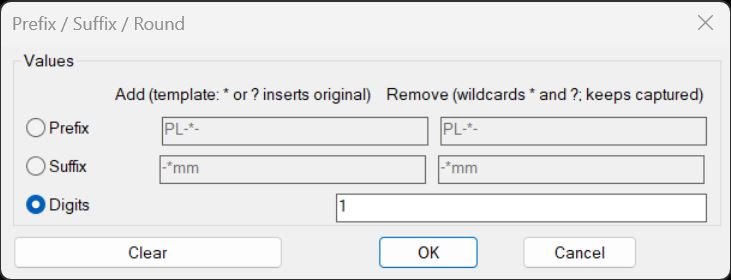
PrefixSuffixRound
• PSOT-Get / PSOT-Put — Read and write persistent settings (PSOT_ACT, PSOT_PFX_ADD, PSOT_PFX_REM, PSOT_SFX_ADD, PSOT_SFX_REM, PSOT_DIG) via environment variables • PSOT-Starts-With / PSOT-Ends-With — Simple string prefix/suffix checks for non-wildcard patterns • PSOT-Reverse — Reverses a string to help implement suffix wildcard matching via prefix logic • PSOT-Pattern-All-Stars — Verifies if the rest of the wildcard pattern consists only of “*” characters • PSOT-WC-Match-CAP-Core — Core recursive wildcard matcher with capture, handling “*” and “?” and returning match length and captured substring • PSOT-WC-Prefix-Match-CAP / PSOT-WC-Suffix-Match-CAP — Anchored wildcard matching at start or end of a string, with capture support • PSOT-Has-Wild — Detects whether a string contains “*” or “?” wildcards • PSOT-ReplaceAllChar — Replaces all occurrences of a single character in a string with a replacement substring • PSOT-Template-Apply — Applies a template string to a source text by replacing “?” and “*” with the original text • PSOT-AddPrefix / PSOT-AddSuffix — Adds fixed or wildcard-templated prefix/suffix to the text • PSOT-RemovePrefix / PSOT-RemoveSuffix — Removes fixed or wildcard-templated prefix/suffix, keeping captured wildcard portions where appropriate • PSOT-RoundNumberString — Parses a numeric string with distof and formats it with rtos to a given number of decimal digits • PSOT-EntType / PSOT-ReadText / PSOT-WriteText — Small wrappers for reading/writing DXF group 1 text content based on entity type • PSOT-FirstAttribOfInsert — Finds the first ATTRIB under an INSERT by walking entnext links until ATTRIB or SEQEND is found • PSOT-Transform — Dispatches text through the appropriate transform operation (prefix add/remove, suffix add/remove, or rounding) • PSOT-ProcessOne-Op — Applies the chosen transform to a single entity, including first attribute of a block insert when applicable • PSOT-Iterate-Selection-Op — Prompts selection and loops through the selection set, calling PSOT-ProcessOne-Op for each entity • PSOT-TempDclFile / PSOT-RunDialog — Build, load, and manage the temporary DCL dialog, including enabling/disabling inputs based on selected radio button and saving the user’s last choicesPlusMinusNumericValue
• _endUndo — Ends the active UNDO mark safely when the command completes or errors • _unloadDCL — Unloads the temporary DCL dialog resource if it is loaded • Custom *error* — Restores the previous *error*, prints messages for real errors, unloads the DCL, ends UNDO, and exits cleanly • PlusMinusNumericValue-Get / -Set — Read and write registry values under HKEY_CURRENT_USERSoftwarePlusMinusNumericValue for AddValue and LocValue • PlusMinusNumericValue-WriteDCL — Creates a temporary DCL file in the temp folder defining the “Plus / Minus” dialog with value and location fields and OK/Cancel buttons • PlusMinusNumericValue-ShowDCL — Loads the DCL, initializes tiles from registry or global defaults, handles OK/Cancel actions, updates registry and globals, and returns (value location) or nil • isPositionNumber — Tests whether a character at a given position is part of a number (digit, decimal point, optional leading minus when allowed) • parseString — Splits a string into a list of numeric and non-numeric substrings, with special handling for MTEXT control codes so they are kept as single tokens • adjustString — Core numeric modifier: chooses which numeric segments to change (by index, All, or interactive List), modifies them as integer or real, and rebuilds the final string while returning updated location default • myItoa — Helper inside adjustString that adjusts integer-like numbers while preserving leading zeros and sign where appropriateRegion2Polyline
• *error* Handles unexpected termination, prints an error message unless canceled, and ends the undo mark • arcbulge Calculates bulge from an ARC’s total angle → sin(a/4) ÷ cos(a/4) • Explode logic Uses vlax-invoke reg 'Explode to decompose REGION into lines and arcs • Segment ordering scan Reassembles segments by repeatedly finding the next segment whose start or end matches the current chain endpoint • Bulge recording Stores bulge values at the correct vertex indices for each ARC encountered during reconstruction • Polyline builder Constructs an LWPOLYLINE using addLightWeightPolyline with transformed planar coordinates • Clean-up Deletes original REGION and exploded segments after building the new polylineCopySelection
• tan Computes tangent of an angle while avoiding division by near-zero cosine values • LM:LWVertices Extracts LWPolyline vertex data such as point, widths, and bulge • get-all-layers Collects all non-xref layers, sorts them, and prepares them for the layer picker • update-layer-list Updates layer popup list in the dialog according to the typed filter • DCL builder Creates a temporary dialog file containing filter input, layer list, pick-layer button, and OK/Cancel controlsCopySelection_vs.03
CS:MakeTempLW converts supported source geometry into temporary lightweight polyline form.
CS:MakeGeometry reconstructs and transforms the requested segment.
CS:MakeAllGeometry applies the same operation to every selected curve.
CS:CloseParFromList closes created polyline pairs and optionally generates a centerline.
PPO-CreateCenterline contains the centerline construction logic.
LM:LWVertices and bulge helpers preserve straight and curved lightweight polyline segment geometry.All_inside
SELECT with the WP option performs the inside selection.
polar generates circle boundary points.
ssget and ssadd build and combine selection sets.
.-GROUP creates the optional final group.LoadRecent
Comming soon ...loadedDLLFiles
Comming soon ...CheckParens
Comming soon ...CheckLspFile
Comming soon ...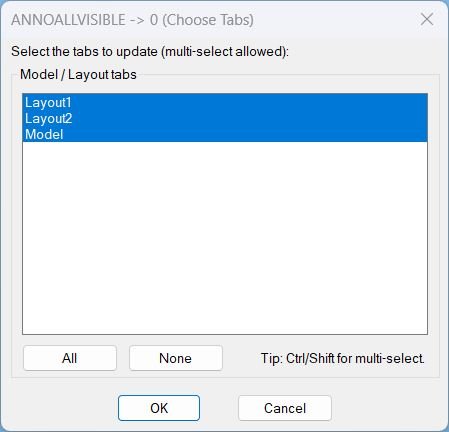
AnnoAllOff
🧩 AAOFF:WriteDcl writes the temporary DCL picker for selecting Model/Layout tabs.
🧩 AAOFF:GetTabNames reads the active drawing Layouts collection and returns the available tab names.
🧩 AAOFF:MakeAllIndexString builds the DCL list-box selection string for selecting every tab by default.
🧩 AAOFF:IdxList->Names converts selected DCL list-box indices into layout tab names.
🧩 AAOFF:SetAnnoAllVisible0 switches through selected tabs, sets ANNOALLVISIBLE to 0, and restores the previous drawing tab state.
🧩 c:AAOFF loads the DCL dialog, fills the tab list, handles All/None/OK/Cancel actions, applies the setting, unloads the dialog, and deletes the temporary DCL file.SelectLayout
🧩 vla-get-Layouts reads the layouts collection from the active document.
🧩 vlax-for collects layout names while skipping Model space.
🧩 vl-filename-mktemp creates the temporary DCL dialog file.
🧩 start_list and add_list populate the layout list box.
🧩 action_tile captures the selected layout when OK is pressed.GoToLayout
🧩 _gtl:temp-dcl-path creates a unique temporary DCL file path for each run.
🧩 _gtl:write-dcl writes the Go To Layout dialog definition at runtime.
🧩 _gtl:layouts-raw collects Model plus all layout names for browsing.
🧩 _gtl:sort-ci sorts layout names case-insensitively.
🧩 _gtl:filter-layouts applies wildcard filtering to layout names.
🧩 _gtl:fill-list repopulates the DCL list box.
🧩 gtl:update rebuilds the matches list, updates the counter, and manages OK and navigation button states.
🧩 gtl:on-list, gtl:prev, and gtl:next handle direct selection and cyclic navigation.
🧩 gtl:_set-ctab-if-preview switches the active tab when preview mode is enabled.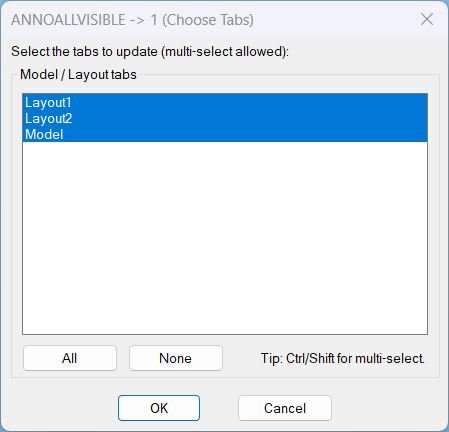
AnnoAllOn
- AAON:WriteDcl writes the dialog definition to a temporary .dcl file used for the session.
- AAON:GetTabNames collects tab names from the document layouts via ActiveX and returns them in display order, including Model.
- AAON:MakeAllIndexString creates the list box index string needed to select every item by default and via the All button.
- AAON:IdxList->Names converts the list box selection index string into a list of tab names to process.
- AAON:SetAnnoAllVisible1 iterates selected tabs, forces paperspace on layout tabs when applicable, runs ANNOALLVISIBLE to set it to 1, then restores previous state.
- c:AAON orchestrates the workflow: builds the tab list, loads the dialog, handles All and None actions, applies updates, and performs cleanup.
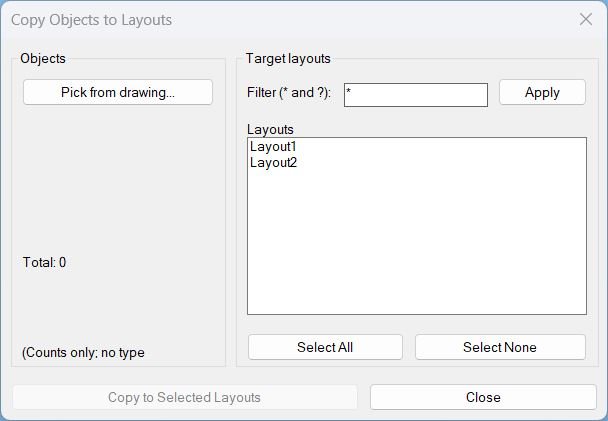
Copy2Layouts
🧩 lc:unique-dialog-name generates a unique DCL dialog name per run to avoid dialog naming conflicts.
🧩 lc:_dcl-text creates the dialog definition for object picking, total count, layout filtering, selection, and copy actions.
🧩 lc:get-paper-layouts returns Paper Space layouts and excludes Model.
🧩 lc:apply-layout-filter applies case-insensitive wildcard filtering to the layout list.
🧩 lc:do-pick prompts for source objects and stores the selection set for the dialog workflow.
🧩 lc:copy-to-layouts converts selected entities to VLA objects, creates a safe array, and copies objects to target layout blocks.
🧩 lc:do-copy validates selected objects and target layouts, starts an UNDO group, performs the copy, and reports completion.
🧩 c:_Copy2Layouts provides a macro-friendly alias for toolbar/ribbon command macros.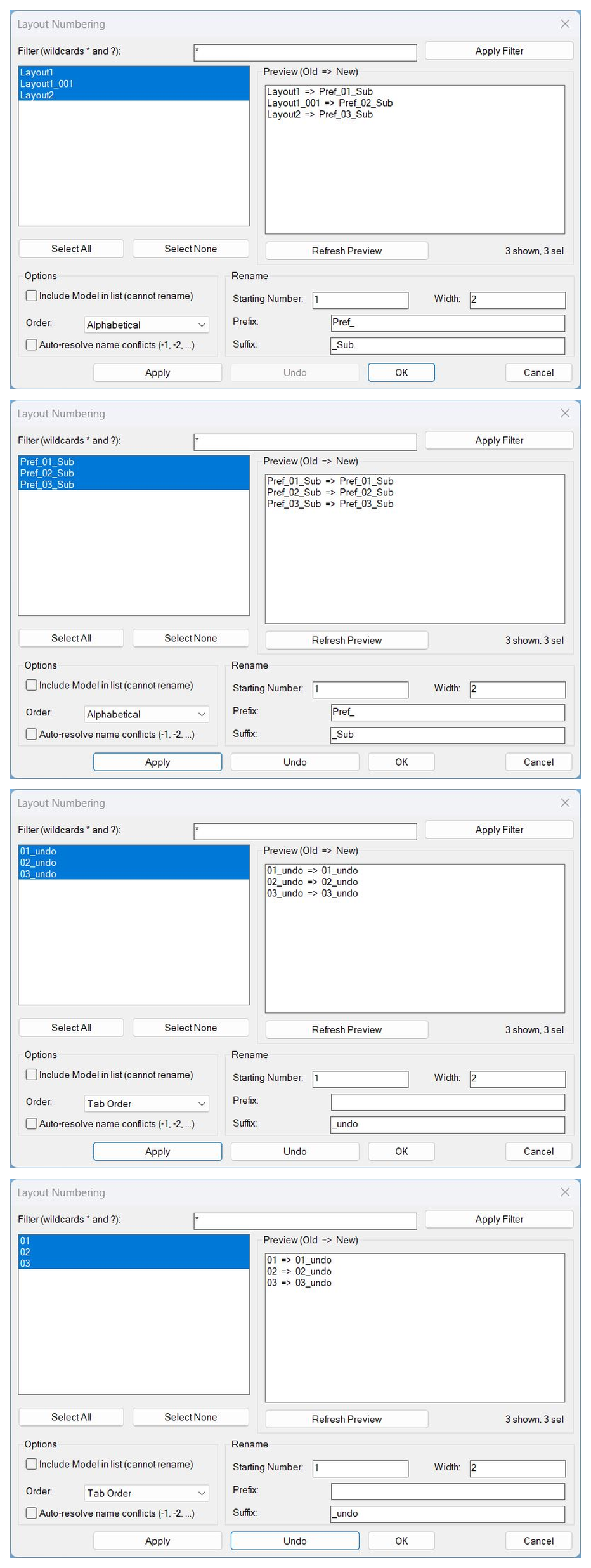
LayoutNum
🧩 LayoutNum:WriteDCL dynamically creates the Layout Numbering dialog.
🧩 LayoutNum:LayoutsTabOrder collects layout objects in tab order with optional Model inclusion.
🧩 LayoutNum:SortByName sorts layout rows alphabetically when Alpha order is selected.
🧩 LayoutNum:PadNumber formats layout numbers with the requested numeric width.
🧩 LayoutNum:ComputeRenamePlan builds the Old to New preview plan from selected layouts.
🧩 LayoutNum:ResolveConflict creates an alternate name when Auto-resolve is enabled.
🧩 LayoutNum:ValidateBeforeRename prevents Model renaming, duplicate names, invalid numbers, and name conflicts.
🧩 LayoutNum:ApplyRename performs the layout renaming through vla-put-Name and records undo frames.
🧩 LayoutNum:DoUndo restores renamed layouts from the manual undo stack.
🧩 LayoutNum:Cleanup unloads the temporary dialog and deletes the DCL file.LockAllVp
LV:GetLayoutsTabOrder lists layouts by tab order.
LV:GetLayoutViewports traverses each layout block and collects AcDbViewport entities.
LV:_IsOverallPSViewport skips the overall PaperSpace viewport when Number = 1.
LV:LayoutStatus reports Locked, Unlocked, Mixed, NoVP, or Model.
LV:_SetLockedForLayouts applies DisplayLocked values and stores undo frames.
LV:CopyClipboard sends selected layout/status rows to the Windows clipboard using MSHTML or PowerShell/clip fallback.Zoom Extend
🧩 DCL temp file helpers generate the layout selector dialog.
🧩 Safe conversion helpers handle list indices and selected layout values.
🧩 Layout processing helpers switch to selected layouts and execute zoom actions.
🧩 Clipboard helper exports selected layout names for documentation.
🧩 Error handling guards dialog and temp file cleanup.Zoom Window
🧩 Unique DCL name and temporary file creation reduce dialog naming conflicts.
🧩 Wildcard filter helpers show only matching layout tabs.
🧩 Multi-select helpers track selected layout indices.
🧩 Clipboard helpers copy selected layout names.
🧩 Zoom action helpers run after dialog close to improve AutoCAD stability.All_Layouts_list
ALLLAY:Run builds the temporary DCL dialog and collects layouts from the active document.
ALLLAY:rebuild applies wildcard filtering and refreshes the visible list.
ALLLAY:get-selected-names returns selected layout names from the dialog list.
ALLLAY:copy-selected copies the selected layout names one per line.
ALLLAY:copy-clipboard uses MSHTML clipboardData first, then PowerShell Set-Clipboard and clip.exe fallback.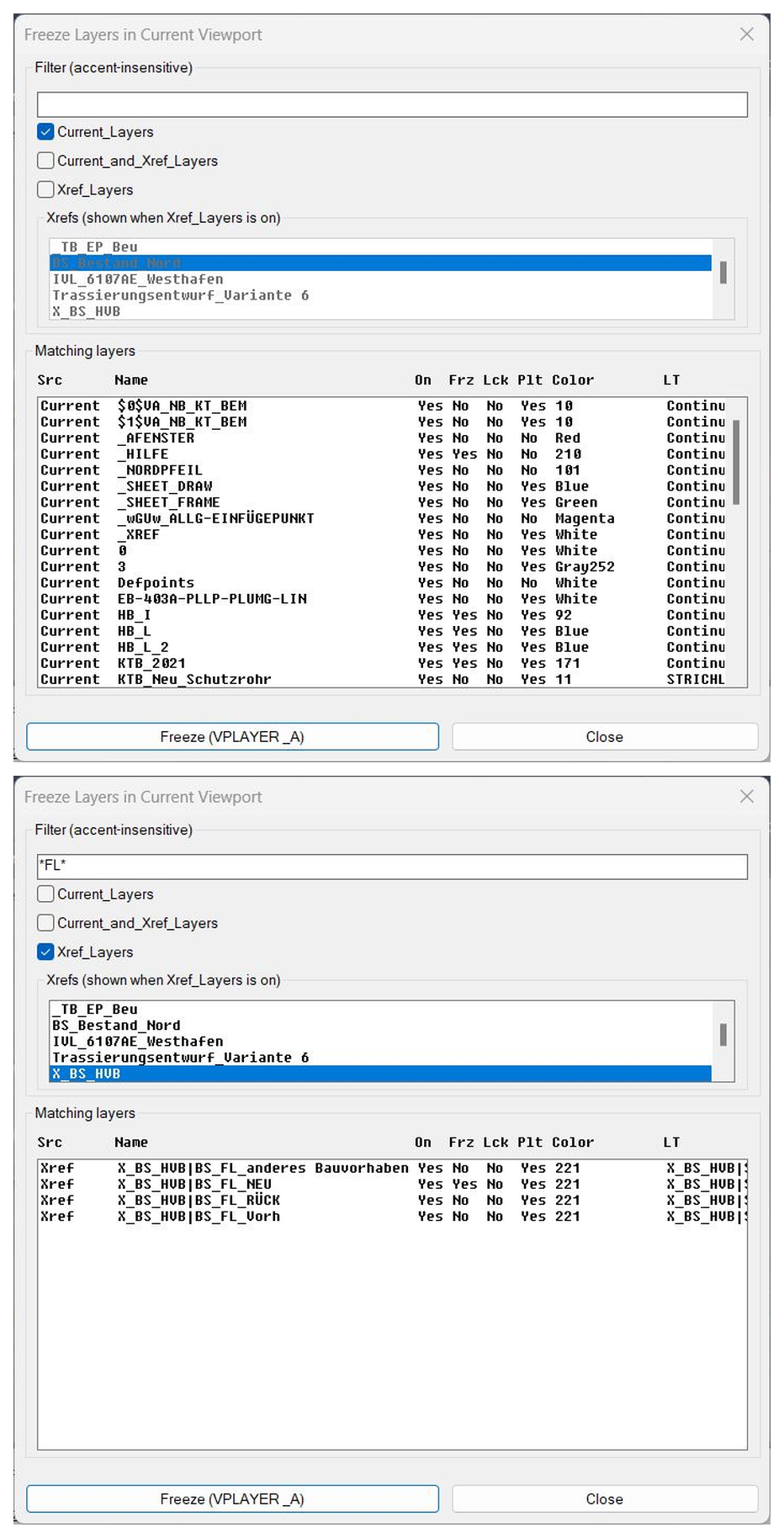
FreezeLayersInVP
🧩 str-join joins selected layer or xref names for messages and environment storage.
🧩 split and parse-indexes convert DCL list-box selection strings into numeric row indexes.
🧩 deaccent normalizes accented characters to make layer filtering more reliable.
🧩 has-wildcards detects whether the filter pattern contains wildcard characters.
🧩 get-all-xrefs collects xref names used for the xref picker.
🧩 layer-xref-name extracts the xref prefix from layer names that contain the vertical-bar separator.
🧩 get-all-layers scans the drawing layer table and builds layer records.
🧩 filter-layers applies source toggles, selected xrefs, and the user filter pattern.
🧩 get-layer-props reads layer state values such as On, Freeze, Lock, Plot, Color, Linetype, and Description.
🧩 fill-layers-list rebuilds the fixed-width DCL layer table.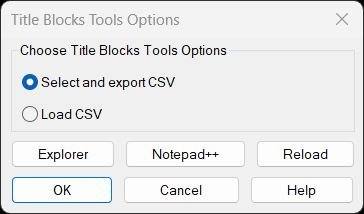
TitleBlocksTools
Helper Functions:- tbt:set-path - Resolves LISP file path from USERPROFILE environment variable
- tbt:quote - Wraps strings in double quotes for shell commands
- tbt:isStr / tbt:slen - String type checking and safe length calculation
- tbt:clipboard-put - Copies text to clipboard via MSHTML object
- tbt:join - Joins string list with separator
- tbt:get-selected-lines - Retrieves selected items from DCL list box
- tbt:open-lsp-folder - Opens Explorer with LISP file selected
- tbt:open-with-npp - Launches Notepad++ or fallback editor
- tbt:open-this-in-npp - Opens current LISP file in Notepad++
- tbt:reload-self - Reloads LISP file from disk
- tbt:copy-path - Copies LISP file path to clipboard
- tbt:help-make - Builds help text with Unicode or ASCII formatting
- tbt:help-build-display - Constructs help list with path header
- tbt:help-refresh-list - Updates DCL list box with help content
- writetbtDCL - Generates temporary DCL file with both dialogs
- tbt-help-local - Displays help dialog with action handlers
- radiotbtDCL - Main dialog runner with option selection
- csvEscape - Escapes commas, quotes, newlines for CSV format
- needsQuote / maybeExcelSafe - Detects and prefixes Excel formula values
- dwgBaseName - Extracts drawing filename without extension
- push-uniq - Adds item to list if not already present
- collectAttribs - Extracts attributes from INSERT entity
- rowsForBlockAllLayouts - Collects block data from all paper space layouts
- unionTags - Aggregates all unique attribute tags from rows
- valForTag - Retrieves attribute value for specific tag
- writeCSV-withTags - Writes CSV file with selected columns
- guess-excel-paths - Detects Excel installation locations
- try-open-excel - Attempts to open CSV in Excel via multiple methods
- pickBlockNames - Interactive block selection loop
- collectRowsForBlockNames - Aggregates rows for multiple block names
- parse-range - Parses range syntax (1,3,5-7) into index list
- LM:al-effectivename - Resolves dynamic block effective name
- LM:readcsv - Parses CSV file into matrix list
- LM:csv->lst - Parses CSV line handling quotes and separators
- LM:csv-replacequotes - Converts double quotes to single
- LM:massoc - Returns all associations of key in list
- LM:remove1st - Removes first occurrence from list
- LM:startundo / LM:endundo - Undo group management
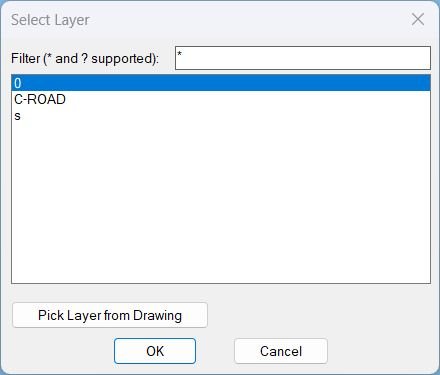
Zoom2Layer
- LayerList-popup creates and manages the layer selection dialog and returns the chosen layer name when confirmed.
- Drawing-Visible-Layers-lst iterates layer records via tblnext and keeps only layers that are not off and not frozen by checking flag bits in group code 70.
- Update-List filters the full layer list using wcmatch against the current filter pattern and repopulates the list box.
- Highlight-Layer attempts to locate a layer inside the filtered list and sets the list box selection to it.
- Show-Dialog loads the temporary DCL file, wires dialog actions, returns the dialog exit code, and supports a special return value for the pick-from-drawing workflow.
- c:Zoom2Layer selects all entities on the chosen layer, aggregates bounding boxes via ActiveX GetBoundingBox, and executes ZoomWindow.
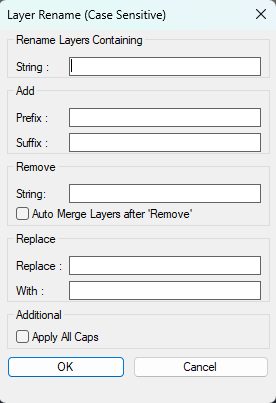
RenameLayer
🧩 RL:SafeStr converts nil values and empty states into safe strings so dialog fields and rename operations do not crash when a box is blank.
🧩 RL:BuildList reads the active drawing Layers collection, excludes layer 0 and xref layers, applies the Search filter, sorts the results alphabetically, and returns the layer names for the DCL list box.
🧩 RL:IdxToNames converts the selected DCL list indices back into real layer names so multi-select layer processing can be executed reliably.
🧩 RL:Replace applies the Old/New replacement logic and supports wildcard-based patterns with * so parts of the original layer name can be preserved while prefixes or suffixes are changed.
🧩 RL:ExecuteRename performs the actual rename workflow: remove string, replace string, add prefix, add suffix, optionally convert to ALL CAPS, optionally merge into an existing target layer, or rename to a new target layer.
🧩 RL:WriteDCL writes the temporary DCL dialog definition with the filter area, layer list, Add group, Remove group, Replace group, toggle options, Apply button, OK button, and Cancel button.
🧩 C:RenameLayer controls the main dialog loop, stores current field values between filter/apply refreshes, cleans placeholder items, executes the rename pass, unloads the dialog, and deletes the temporary DCL file at the end.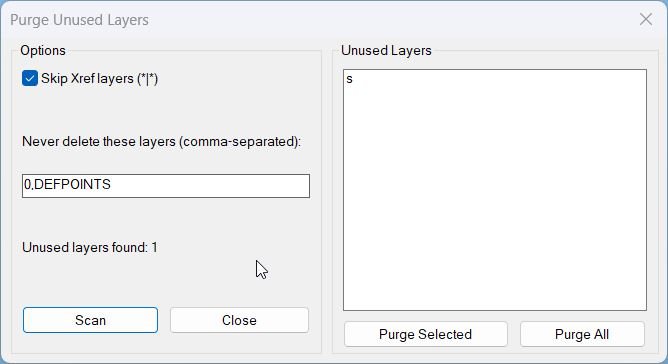
PurgeUnusedLayers
🧩 PUL:_DCLLines returns the embedded DCL layout for the Purge Unused Layers dialog.
🧩 PUL:_EnsureDCL writes purgeunusedlayers.dcl to the AutoCAD temporary folder.
🧩 PUL:_AllLayers reads all layer names from the LAYER table.
🧩 PUL:_ScanUnusedLayers detects unused layers while respecting current layer, protected names, and xref skip rules.
🧩 PUL:_ParseIdxList converts list_box selection indexes into a usable AutoLISP list.
🧩 PUL:_TryLayDel calls -LAYDEL safely for one layer.
🧩 PUL:_PurgeLayers deletes selected layers and counts deleted versus failed results.
🧩 PUL:_UpdateFromDialog refreshes the scan result based on the current dialog options.LayersNameToClipboard
🧩 StripSimpleCodes removes simple AutoCAD formatting fragments such as \A1;, \C256;, and \fArial; from a text string.
🧩 C:LayersNameToClipboard runs the selection, VLA property reading, unique-list creation, clipboard copy, and command-line output.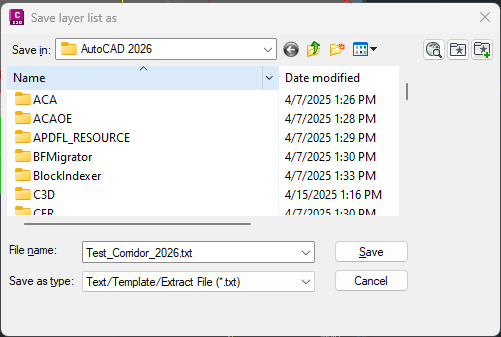
LayerList
- 🚀 Command entry point —
c:llfpstarts the export workflow, asks the user where to save the report, and confirms whether the layer list was created. - 🔍 Layer scanning engine —
ax:layer-listloops throughvla-get-Layersfrom the active document and collects each layer record. - 📊 Layer property extraction — The routine reads name, on/off, frozen/thawed, locked/not locked, color, linetype, lineweight, plot style, plottable status, and viewport default freeze state.
- 🎨 Color formatting — AutoCAD color indexes 1 to 7 are converted to readable names such as Red, Yellow, Green, Cyan, Blue, Magenta, and White; higher color indexes are written as numbers.
- 📐 Lineweight formatting — The code converts AutoCAD lineweight values to readable decimal values and writes
Defaultwhen the layer uses default lineweight. - 🧠 Sorted output — The layer list is sorted alphabetically using
vl-sortandstrcase, making the exported report easier to review. - 📤 Text file writer —
layer-list-fprintwrites the header row and layer records to the selected.txtfile. - 🔐 COM startup check — The code verifies Visual LISP COM availability and loads COM support when needed before accessing the AutoCAD ActiveX API.
- 🚀 Command entry point —
Import_Layer_Filter
🧩 LfPredefinedFolders opens a DCL manager for project folder shortcuts.
🧩 lf:pf-default-dir resolves the active predefined folder into a usable import or export directory.
🧩 _EF_WriteExpDCL builds the multi-filter export dialog dynamically.
🧩 _EF_ApplyPrefixSuffix modifies NAME== patterns for xref and naming-standard workflows.
🧩 getFilterDatas extracts layer filter xrecord data from a source drawing.
🧩 addLayerFilter writes layer filter xrecord data back into the target drawing.
🧩 OpenDrawingDBX reads filters from DWG and DWT files without fully opening them in the editor.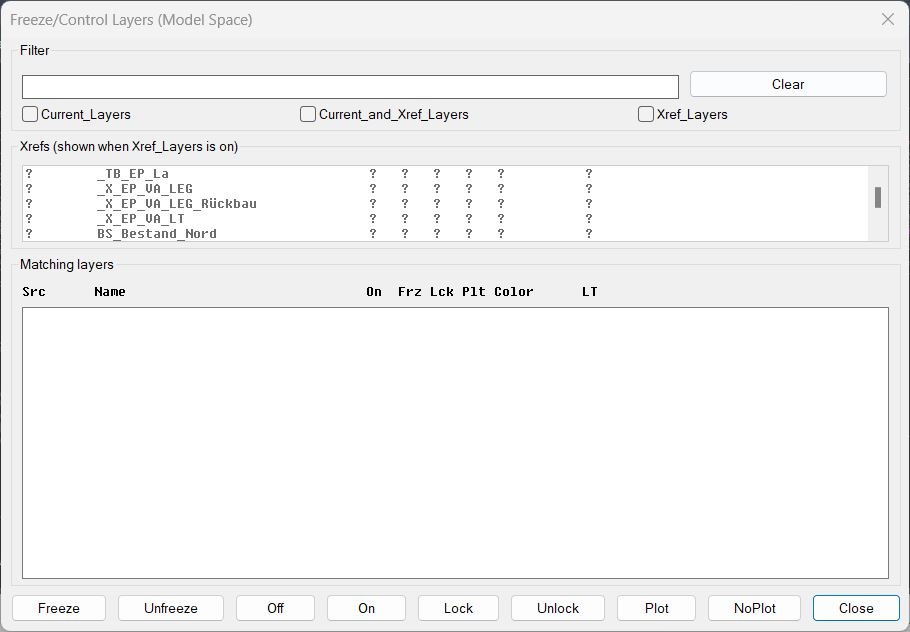
FreezeLayersInMS
🧩 flms3-get-all-xrefs enumerates xref block definitions available in the drawing.
🧩 flms3-get-layers builds the filtered current, xref, or combined layer list.
🧩 flms3-disp-line formats layer status columns for the DCL list box.
🧩 flms3-refresh-xrefs and flms3-refresh-layers keep the xref and layer lists synchronized with filters.
🧩 flms3-apply runs the selected layer-state action on selected layers.
🧩 flms3-snapshot and flms3-restore remember dialog state during the session.Export_Layer_Filter
🧩 EF_str->lst and EF_JoinStr handle list string parsing for multi-selection and export data preparation.
🧩 EF_ApplyPrefix and EF_ApplyPrefixSuffix modify NAME== rules before writing the .lft export.
🧩 EF_LoadPFOpts and EF_SavePFOpts persist predefined folder options.
🧩 EF_ManageFolders opens a dedicated DCL manager for adding, updating, removing, and saving folder shortcuts.
🧩 getFilterDatas reads ACAD_LAYERFILTERS and ACLYDICTIONARY xrecord data from the active drawing.
🧩 addLayerFilter can rebuild exported layer-filter data in a target drawing.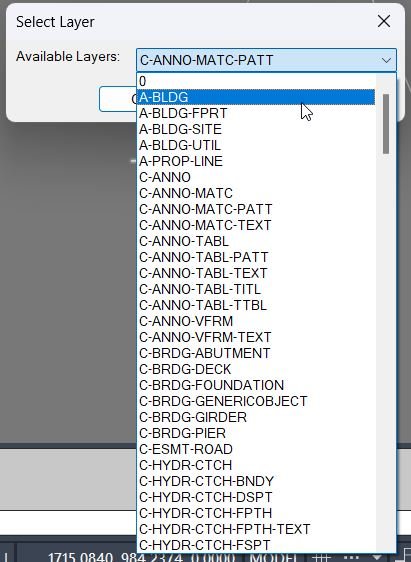
DuplicateToSelectedLayer
🧩 Temporary DCL generation creates the Select Target Layer dialog at runtime and deletes the DCL file after use.
🧩 The layer enumeration loop reads the AutoCAD Layers collection and filters out names containing the xref separator |.
🧩 getenv and setenv remember the previous target layer across command runs.
🧩 ssget, COPY, CHPROP, DRAWORDER, and sssetfirst are combined into one repeatable production workflow.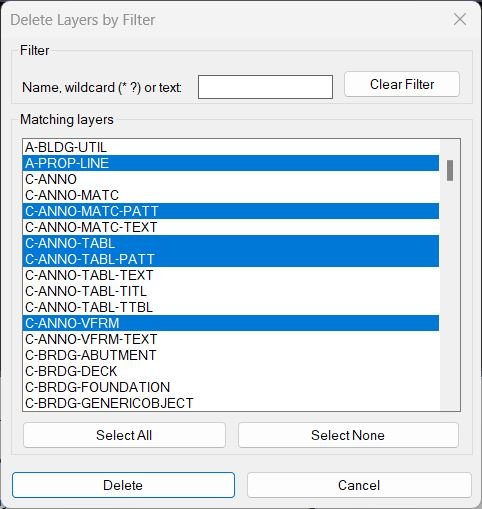
DeleteLayerByFilter
🧩 DLBF-WriteDcl writes the embedded DeleteLayerByFilter dialog to a temporary DCL file at runtime.
🧩 DLBF-GetAllLayers reads all layer names from the active drawing Layers collection.
🧩 DLBF-Patternize prepares filter input so plain text and wildcard patterns can both be used.
🧩 DLBF-BuildPatList builds the active pattern list from the five DCL filter boxes.
🧩 DLBF-FilterLayersOR filters drawing layers using OR logic and optional inverse matching.
🧩 DLBF-TakeForDclList limits the displayed list by maximum item count and character count to protect DCL list capacity.
🧩 DLBF-IsProtectedLayer checks layer names against protected wildcard patterns before deletion.
🧩 DLBF-WriteLayerListToFile exports selected, displayed, or all matching layer names to a TXT report.
🧩 DLBF-WritePresetFile and DLBF-ReadPresetFile save and load .dlbf layer filter presets.
🧩 DLBF-LayDel deletes layers using the AutoCAD -LAYDEL command with international and fallback option strings.
🧩 DLBF-VLA-Delete attempts layer deletion through the AutoCAD ActiveX Layers collection when command-based deletion is not enough.
🧩 DLBF-DeleteLayers coordinates protected layer skipping, deletion attempts, failed layer tracking, and final result reporting.
🧩 DLBF-ShowDialog opens the filter manager, connects DCL action tiles, and controls export or delete workflow modes.Color2Llayers
🧩 xcc:all-layers builds the layer list from the drawing table.
🧩 xcc:build-list and xcc:build-disp prepare filtered layer rows for the DCL list box.
🧩 xcc:on-filter, xcc:on-hscroll, xcc:select-all, and xcc:select-none manage dialog interaction.
🧩 xcc:pick-color calls the AutoCAD color dialog and stores the selected color.
🧩 xcc:apply-snap and xcc:apply-write capture undo data and write new layer colors.
🧩 xcc:undo-last restores the previous color snapshot.
🧩 xcc:copy-clipboard writes selected rows to a temp file and pushes them to the clipboard.
🧩 xcc:dialog-loop implements the reopen-after-Apply pattern for safe REGENALL updates.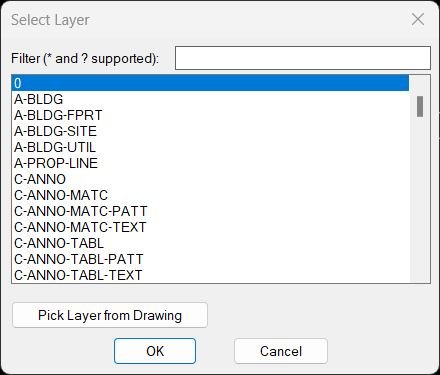
ChangeLayerToCurrent
🧩 ChangeLayerToCurrent:AddOrReplaceDxf updates entity DXF data safely for specific group codes.
🧩 ChangeLayerToCurrent:LayerLinetype resolves BYLAYER linetype from the source layer.
🧩 ChangeLayerToCurrent:LayerLineweight resolves BYLAYER lineweight from the source layer.
🧩 ChangeLayerToCurrent:GetOriginalProps captures effective visual properties before the move.
🧩 ChangeLayerToCurrent:ApplyOriginalProps reapplies captured linetype, linetype scale, and lineweight/width.
🧩 ChangeLayerToCurrent:CopySelectedLayerName writes the target layer name to the clipboard.
🧩 get-all-layers and update-layer-list populate and refresh the DCL layer selector.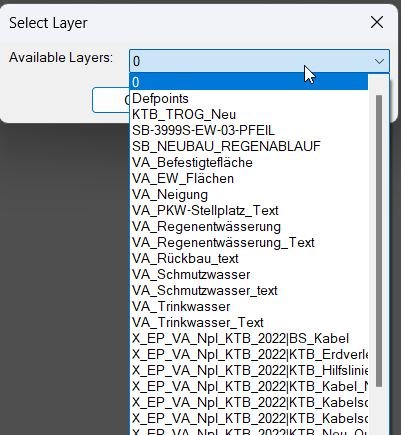
ChangeLayerToSelected
- • get-all-layers — collects all non-Xref layer names from the document’s Layers collection and sorts them alphabetically.
- • update-layer-list — filters the layer list using a case-insensitive “contains” match (*filter*), repopulates the popup list, and sets a preselection (picked layer, else last layer, else first item).
- • Environment persistence — uses setenv / getenv to remember last filter and last selected layer between runs.
All_Color2Layers
🧩 BL:Get and BL:Set read and write persistent dialog settings through the AutoCAD configuration store.
🧩 BL:WriteDcl creates a fresh temporary DCL file to avoid stale or locked dialog files.
🧩 BL:Process applies the original ByLayer logic across selected scope areas and restores locked layers.
🧩 BL:Filter, BL:FillList, and BL:UpdSel manage the layer/layout list and selection count.
🧩 BL:OnApply wraps processing in a document undo mark and updates the status text.
🧩 BLDEBUG writes an environment and DCL diagnostic log for troubleshooting.SplitHatch
🧩 c:SplitHatch is the single command function that selects hatch objects and loops through them.
🧩 ssget collects the selected HATCH entities.
🧩 HATCHEDIT performs the native AutoCAD separation operation.
🧩 The repeat loop applies the same operation to every selected hatch.MleaderStraight
🧩 rh:sammlung_n groups raw vertex coordinate lists into 3D point chunks.
🧩 MleaderStraightTools:get-space-obj returns the active ModelSpace or PaperSpace VLA object.
🧩 MleaderStraightTools:get-all-mleaders-current-space builds a selection set of all MULTILEADER entities on the current CTAB layout.
🧩 MleaderStraightTools:process-ss performs the leader vertex recalculation, temporary XLINE construction, closest-point calculation, vertex update, and viewport regeneration.
🧩 MleaderStraightTools:write-dcl-to-temp writes the embedded DCL definition to a temporary dialog file.
🧩 The local *error* handler unloads the DCL and deletes the temporary DCL file on cancellation or error.ConvertLeaderAndText2Mleader
Comming soon ...AddVertex2Mleader
🔧 Internal helper: ip
The helper function processes the flat coordinate list returned by getleaderlinevertices, groups coordinates into 3D points, measures the distance from the picked point to existing leader vertices, determines the insertion position, then returns a rebuilt vertex coordinate list for setleaderlinevertices.
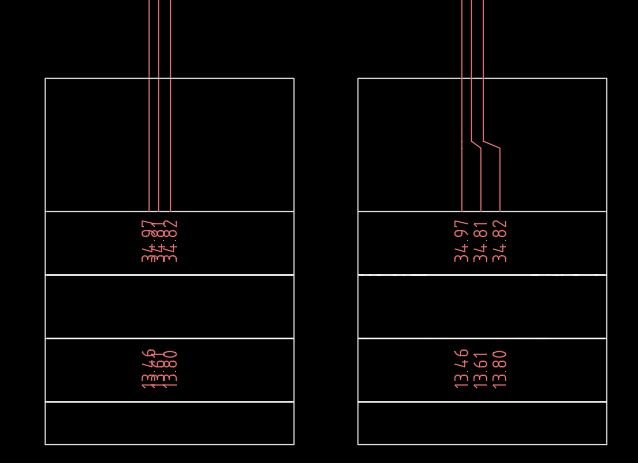
FixLineTextOverlap
🔧 Key helper logic:
• ++rarify enforces minimum spacing between consecutive X positions while preserving order.
• getRec extracts TEXT and MTEXT insertion data and detects left or right justification.
• setIP writes updated insertion points back to TEXT or MTEXT using OCS and WCS transformation.
• group-by-y groups text by horizontal row using a tolerance based on TEXTSIZE.
• order-side identifies the nearest item to the rail and orders the remaining labels outward.
• place-side moves text in controlled spacing increments on the left or right side of the rail.
• _RunLine_Overlap_Text_Overlap runs the line cleanup and text cleanup as a combined command.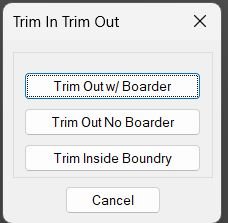
TrimIn_TrimOut_Boundary
c:cut launches the dialog-based workflow and routes the chosen option.
c:scb runs section with a retained rectangular border.
c:sc runs section without retaining the border.
c:scd deletes/trims entities inside the selected rectangle.
section builds the rectangular boundary, computes trim-fence points, performs erase and trim command calls, and restores system variables.
newerr restores CMDECHO and HIGHLIGHT after cancellation or error.
cut_x loads cut.dcl, reads the selected option, and executes the matching command.NCopyExtra
Core helper functions include NCE:run, NCE:write-dcl, NCE:get-all-xrefs, NCE:filter-xrefs, NCE:pick-window-xref, NCE:find-xref-chain, NCE:make-dbx, NCE:open-doc, NCE:scan-xref, NCE:do-copy, NCE:strip-prefix, NCE:ensure-layer, NCE:ensure-hilfslinien-layer, NCE:get-uscale, NCE:world-to-local, NCE:make-fmat, NCE:rpt, and NCE:rpt-save.
Public commands are c:NCopyExtra, c:NCopyExtraD, c:NCopyExtraW, c:NCopyExtraI, and c:ClassicalNCopy.
CopyMove2MidPoint
🧩 Main internal function:
- MOVE_COPY_COMMON2 - shared move or copy routine used by MMid2 and CMid2.
🔧 Important AutoLISP and Visual LISP operations:
- ssget for object selection.
- getpoint for P1, P2, P3, and P4 reference picking.
- trans for UCS-to-WCS point and vector conversion.
- vla-move for moving objects.
- vla-copy for copy mode.
- vla-get-Layers and vla-get-Lock for locked-layer checking.CookieCutter2
Main helper functions include CC:TraceObject, CC:TracePline, CC:TraceCE, and CC:TraceSpline for boundary tracing; CC:GetInters for ActiveX intersection detection; CC:Inside for point-in-polygon testing; CC:CommandExplode and CC:ExpNestedBlock for block processing; CC:AttributesToText for attribute conversion; CC:UnlockLayers and CC:RelockLayers for layer-state handling; CC:ZoomToPointList and Extents for view control; SortInterPoints for ordered trim points; and the CC2M:TraceObject family for multi-boundary outside-erasing support.
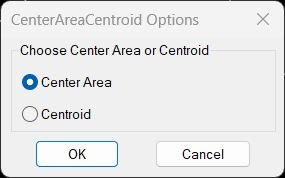
CenterAreaCentroid
🧩 writeCACDCL creates the temporary DCL dialog file.
🧩 radioCACDCL loads the dialog, stores the selected radio option, and remembers the last option during the session.
🧩 MostInnerPoint calculates an internal point for closed planar polyline or spline objects using offset and binary-search style refinement.
🧩 MostInnerPoint2 selects the source entity and creates the final POINT entity.
🧩 get_centroid converts the selected polyline to a region, reads the centroid, and places a TEXT label.TotalLengthPolyline
🧩 C:TLEN - Main AutoCAD command definition for selection, length calculation, total summation, and result display.
📌 ssget - Collects the user selection set.
📐 distance - Calculates LINE entity length from start point to end point.
🔢 getvar perimeter - Reads the perimeter result after using the AutoCAD AREA command object option.
📝 rtos - Formats the final total length for the AutoCAD alert message.
TotalLengthAreaDetailed_vs_01
Helper functions • writeLengthAreaDCL Dynamically writes the DCL file that defines the dialog with radio buttons, toggles, and precision edit box. • radioLengthAreaDCL Loads the DCL, initializes default values, captures user choices, and stores them in global variables. • copy-to-clipboard Uses a hidden htmlfile object to copy plain text or Excel formulas to the Windows clipboard. • format-excel-expr Wraps the raw expression as =expression or =ceiling(expression,5) depending on the Excel and Excel ceiling toggles. • insert-result-text Converts the picked point from UCS to WCS, then inserts MText containing either only the total (for one entity) or expression equals total (for multiple entities). • TotalLengthDetailed Computes per entity length values, accumulates the total, builds the expression, calls helper functions, and prints a summary for length mode. • TotalAreaDetailed Similar to TotalLengthDetailed but for area, using only suitable closed or area capable entities.TotalLengthAll
🧠 The routine uses AutoCAD Visual LISP curve functions to convert selected entity names to VLA objects and calculate each object length with vlax-curve-getDistAtParam and vlax-curve-getEndParam.
🔎 It uses a selection filter for curve-style entities and excludes MLINE objects from the calculation workflow.
TLength
🧩 c:TLENGTH is the main AutoCAD command function.
📋 copy-to-clipboard creates an htmlfile COM object and writes the measured numeric result to the Windows clipboard.
🔄 vl-load-com support is guarded with a validator-safe COM availability check.SumLengthField
🧰 Important helper functions included in the project:
- lengthfield - builds the total length or perimeter field expression.
- areafield - builds the total area field expression.
- LM:outputtext - places the field into MText, a table cell, text, attributes, attributed blocks, or MLeader content.
- LM:ssget - wraps AutoCAD selection with a custom prompt.
- LM:getcell - detects table cells from picked points.
- LM:listbox - displays a temporary DCL attribute selector when multiple attributes are available.
- LM:getmleaderattributes and LM:setmleaderattributevalue - read and update MLeader block attributes.
- LM:objectid and LM:intobjectid - generate ObjectID strings used inside AutoCAD FIELD expressions.
- LM:startundo and LM:endundo - manage undo grouping.PolylineArea
📋 copy-to-clipboard - creates an htmlfile COM object and writes the final numeric area value to the Windows clipboard.
🧮 _.AREA Object mode - reads each selected polyline area through the native AutoCAD command system.
📏 DIMUNIT check - detects imperial dimension settings and formats the result accordingly.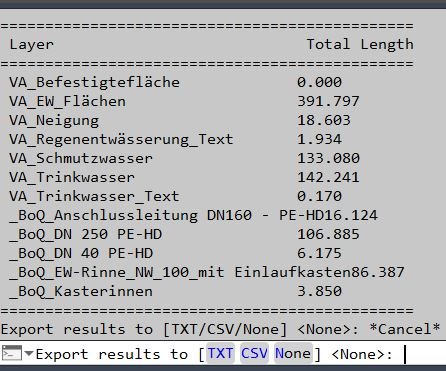
PLLengthByLayer
🧩 Helper functions:
- vl-string-pad-right pads layer names in the command-line table for readable alignment.
- LM:uniquefilename creates a safe TXT or CSV output path without overwriting an existing report.
- The error handler closes the export file handle if an error occurs during report writing.
- ActiveX object access is used to read each lightweight polyline length.LenCalc
🧩 GetObjString builds the DXF object filter from the selected entity type toggles.
🧩 List_Upd collects available layers, linetypes, or colours and applies wildcard filtering for the dialog list.
🧩 Get_Tbl_Styl reads AutoCAD table styles so the user can place a formatted CAD table.
🧩 Smart_Tbl_Default chooses a practical initial table style when possible.
🧩 OpenFile launches exported TXT or CSV files in Excel, Notepad, or leaves them closed depending on the selected option.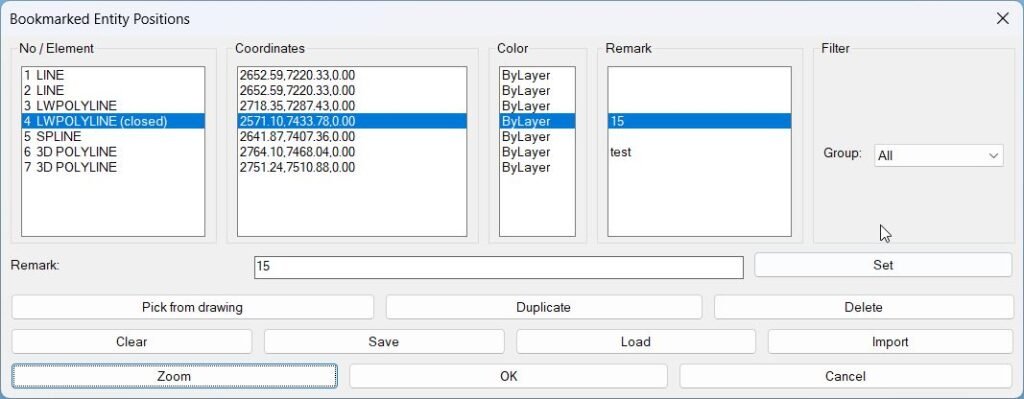
BookmarkEntities
Short description Sort / Purpose: Bookmark entities in the current drawing and revisit them later by name, coordinates, color, and custom remarks. • Scope: Lets…
Exp_Imp_NamedViews
NV-isStr, NV-path-join, NV-trim, NV-last-dir, NV-set-last-dir, NV-dir-exists-p, NV-unique, NV-split, NV-to-str, NV-ascii-only, NV-for-copy, NV-clipboard-put, NV-persisted-is-predef-p, NV-get-export-startdir, NV-onedrive-roots, NV-resolve-under-any-root, NV-build-predefs, NV-pick-startdir, NV-open-explorer-fixed, NV-find-notepadpp, NV-open-npp-fixed, NV-reload-fixed, NV-write-dcl, NV-help-lines, NV-help-dialog, NVUI_show, NV-on-accept, NV-write-viewsIO-startdir, NV-dispatch, get-persisted-folder, save-persisted-folder, get-default-views-path, ExportViews, ImportViews, dropCodes
Add_Bookmark
• Global list initializer — If *textPositions* is nil, initializes it to an empty list before use • Entity type read — Uses entget and (assoc 0 …) to determine the DXF type of each entity • getboundingbox — Helper that converts an entity name to a VLA object, calls vla-getboundingbox, and returns lower-left and upper-right corners as 3D point lists • Label selection — Determines a short label string per entity type (real text for TEXT/MTEXT, type names like “LINE”, “POLYLINE”, “CIRCLE”, “SPLINE”, or “BLOCK: name”) • Bookmark builder — For each entity builds a list (txt startPt endPt) and conses it onto *textPositions*Clear_Bookmarks
• Uses the built-in alert dialog to prompt the user • Checks the returned value (=1 for OK) to determine whether clearing should proceed • Modifies the global variable *textPositions* only after confirmation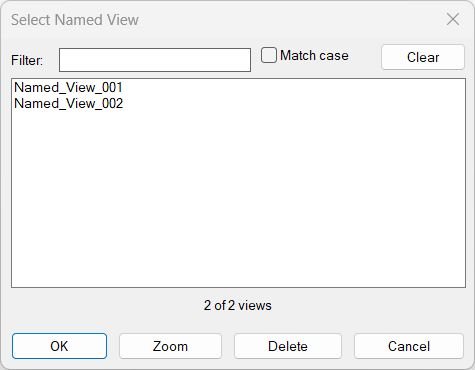
NamedViewList
🧠 The program includes a portable helper set designed to avoid non-portable string helpers and keep the routine robust across AutoCAD environments:
- NVL-trim: trims spaces from view names and rename inputs.
- NVL-strcmp and NVL-cicmp: compare names for sorting and duplicate checks.
- NVL-sort: insertion-sort implementation for predictable view ordering.
- NVL-filter: filters view names by wildcard-style matching.
- NVL-parse-indexes: converts DCL list_box index strings into integer lists.
- NVL-del-view: deletes a Named View with ActiveX error protection.
- NVL-zoom-view: applies a Named View to the active viewport without closing the dialog.
- NVL-rename-at-index: validates and renames a selected Named View.
SwapBlockAssignLayer
LM-style helper logic is not used here; the routine relies on AutoLISP, Visual LISP COM calls, a temporary DCL dialog, block-table scanning with tblnext, object property checks, bounding-box fallback, and vla-InsertBlock.
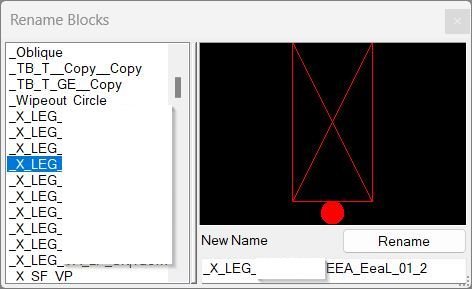
RenameBlockPreview
RB:CfgGet and RB:CfgSet read and write persistent settings under AppData/RenBlocks.
RB:WriteDCL generates the temporary Rename Block DCL dialog.
RB:Keep-p filters invalid or unwanted block names.
RB:Names collects and sorts matching block definitions.
RB:Fill populates the list box.
RB:ImgClear and RB:ImgShow control the DCL image-tile selection indicator.
RB:OnSearch updates the block list when the filter changes.
RB:OnSelect writes the selected block name into the rename field.
RB:OnRename validates and applies the new block definition name.RenameBlock
• C:RenameBlock — main user command for selecting and renaming a block reference.
• getblk — repeated selection helper that prompts until a block selection is supplied.
• *error* — restores highlighting, closes the undo mark, and reports non-cancel errors safely.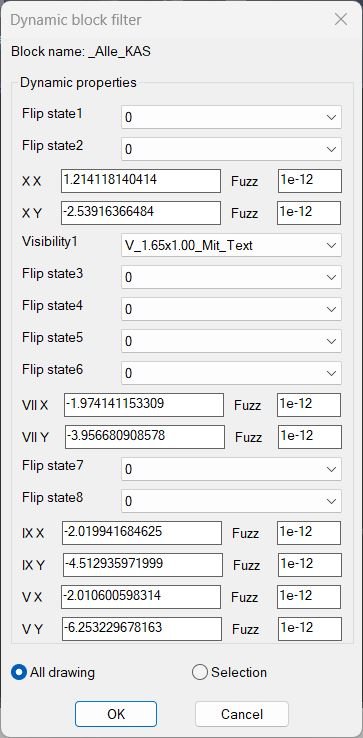
DynamicBlockFilter
- 🚀 Command wrapper -
c:DynamicBlockFilterruns the filter and applies the returned selection set withsssetfirst. - 🧠 Reusable selection function -
DynamicBlockFilterreturns a real AutoCAD selection set, so it can be called from another LISP routine or from an active command selection prompt. - 🔍 Dynamic block validation - the code checks
vla-get-ObjectNameforAcDbBlockReferenceand checksvla-get-IsDynamicBlockbefore reading dynamic properties. - 🧩 Effective name matching -
vla-get-EffectiveNameis used so dynamic anonymous block references can still be matched to the original dynamic block definition. - 📊 DCL property dialog -
DynBlkPropValuewrites a temporary DCL file with popup lists, edit boxes, radio buttons, and OK or Cancel controls. - 🏷️ Allowed value handling - dynamic properties with
AllowedValuesbecome popup filters and include*as a match-all option. - 📐 Numeric tolerance support - free numeric properties include a Fuzz field and compare values with
equal, reducing false mismatches caused by floating-point precision. - 🧮 Unit-aware conversion -
ToString,angtos,rtos,angtof, anddistofhelp compare angle, distance, and text-like dynamic property values. - 🔄 Selection scope control - the dialog lets the user filter either All drawing or a user-picked Selection set.
- 🔒 System variable restoration - the routine stores
DIMZIN, temporarily changes it for cleaner numeric formatting, and restores it in the error handler.
- 🚀 Command wrapper -
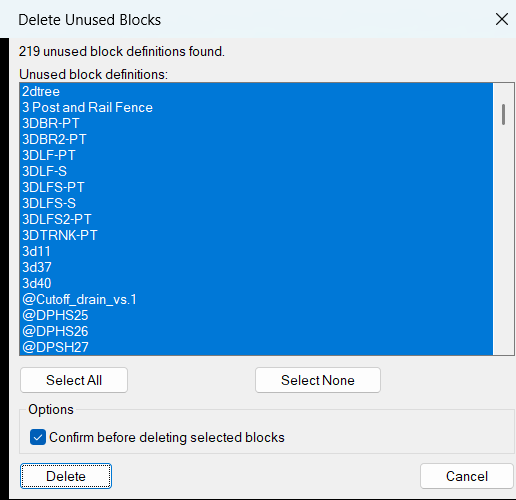
DelUnusedBlocks
- 🚀 Command entry point —
c:DelUnusedBlocksstarts the AutoCAD block cleanup workflow, scans unused definitions, builds the DCL dialog, reads settings, and launches deletion. - 🔍 Unused block detection — the code uses
tblnext "BLOCK", DXF group code70, andDUB:block-inserted-pto find block definitions that are not currently inserted in the drawing. - 🔒 Protected block filtering — anonymous blocks, xrefs, externally dependent blocks, xref-dependent definitions, resolved xrefs, and layout block records are skipped using the block table flag mask.
- 📋 DCL dialog generation —
DUB:write-dclandDUB:dcl-textcreate a temporary DCL file at runtime with a multi-select list box, Select All, Select None, confirmation toggle, Delete, and Cancel buttons. - 🧠 Selection state mapping —
DUB:all-index-string,DUB:names->index-string, andDUB:index-string->namesconvert between DCL list indexes and real block names so saved selections can be restored. - 🧹 Deletion engine —
DUB:delete-selectedloops through selected unused block names and callsDUB:delete-blockto remove each definition withvla-delete. - ⚠️ Confirmation safety —
DUB:yes-pasks for Yes or No confirmation before deleting selected definitions when the confirmation toggle is enabled. - 💾 Persistent settings —
DUB:read-cfg,DUB:write-state,DUB:write-cfg, andDUB:cfg-pathstore confirmation preference, last selected names, and dialog position inDelUnusedBlocks.cfg. - 📌 Dialog position restore —
DUB:restore-dialog-pointandDUB:valid-point-premember the previous DCL window position using the Lee Mac dialog-position pattern. - 🔐 Safe COM wrapper —
LM:catchapplywraps ActiveX calls withvl-catch-all-apply, helping the tool avoid hard failures when a block cannot be accessed or deleted.
- 🚀 Command entry point —
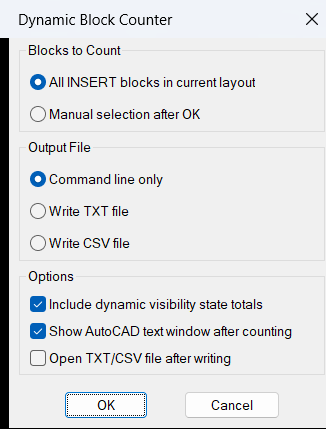
DynamicBlockCounter
- 🚀 Command entry point -
c:dbcountstarts the block counting workflow and controls selection, counting, command-line reporting, and optional file export. - 🔍 Current layout scan -
ssget "_X"searches forINSERTobjects in the current layout, usingCTABwhen in paper space andModelwhen in model space. - 🧩 Effective block name detection -
LM:blocknameusesEffectiveNamewhen available, which gives clearer results for dynamic blocks that normally use anonymous internal names. - 🔢 Nested count accumulator -
LM:nassoc++builds and increments a nested association list so each block name and optional visibility state is counted reliably. - 👁️ Visibility parameter lookup -
LM:getvisibilityparameternamereads theACAD_ENHANCEDBLOCKextension dictionary and finds theBLOCKVISIBILITYPARAMETERdefinition when a dynamic block supports visibility states. - 📐 Dynamic property reading -
vlax-invokewithgetdynamicblockpropertiesextracts the current visibility value from each dynamic block reference. - 📝 Command-line formatting -
LM:padbetweencreates aligned block count output using separator lines and padded columns for easy reading in AutoCAD text history. - 📤 TXT and CSV export -
LM:uniquefilenameprevents file overwrite by creating a unique report filename in the drawing folder before writing the block count data. - 🔐 Error-safe cleanup - the local
*error*handler closes open files, restoresNOMUTT, and avoids noisy messages when the user cancels the command.
- 🚀 Command entry point -
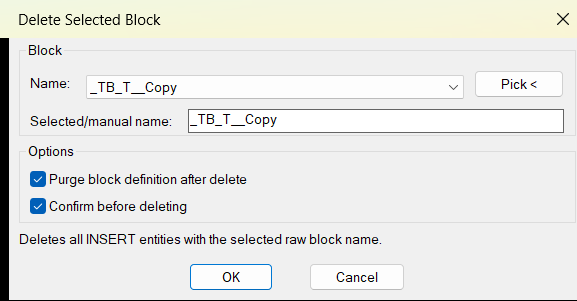
DelSelectBlock
- 🚀 Command entry point -
C:DelSelectBlockloads settings, opens the dialog, counts matching block references, asks for confirmation when enabled, deletes matching references, and reports the result. - 🧩 Dynamic DCL generation -
DSB:DclLines,DSB:WriteDcl, andDSB:UniqueDialogNamecreate a temporary DCL dialog file at runtime, so no external DCL file is required. - 📋 Block name collection -
DSB:InsertBlockNamesscans the drawing withssget "_X"and theINSERTfilter to collect unique raw block names. - 🧠 History and settings logic -
DSB:AddHistory,DSB:LoadSettings, andDSB:SaveSettingspreserve the last used block name, recent block names, options, and dialog position. - 🔍 Pick from drawing workflow -
DSB:PickBlockNamelets the user select a block reference, validates that the object type isINSERT, and returns the selected raw block name. - 🔐 Wildcard-safe block matching -
DSB:EscapeWildcardsescapes wildcard characters such as*,?,#, brackets, commas, and backticks so anonymous block names can be matched literally. - 🧹 Deletion engine -
DSB:DeleteByNamebuilds a selection set by name, converts each entity to a VLA object withvlax-ename->vla-object, and deletes it withvla-delete. - 🔴 Optional purge logic -
DSB:PurgeBlockByNameattempts to delete the block definition from theBlockscollection after matching instances are deleted. - 📌 Confirmation safety -
DSB:ConfirmDeleteasks the user whether to delete the detected number of instances when the confirmation toggle is enabled. - 📘 Failure reporting - locked layers, protected entities, or other deletion failures are counted and reported to the AutoCAD command line.
- 🚀 Command entry point -
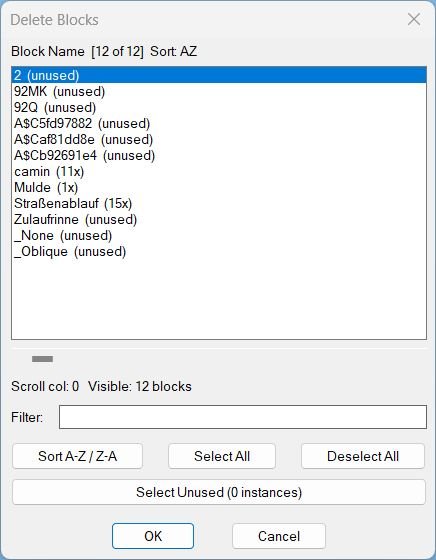
DeleteBlocks
- 🚀 Command entry point -
c:delblocksbuilds the block list and launches the DCL dialog immediately. - 🔍 Block data scanner -
LM:delblocks:buildblockdatareads the block table and countsINSERTreferences for each block name. - 🧩 Effective block name support -
LM:blocknameusesEffectiveNamewhere available, which improves dynamic block name handling. - 📊 Instance count display - each row is formatted as a block name plus count, such as
BOLT (12x)orBOLT (unused). - 🔍 Filter logic -
_applyfilterfilters the block list by name usingwcmatchand case-insensitive comparison. - 🔄 Sort logic -
_checksortdirswitches the block list betweenAZandZAordering. - 📌 DCL dialog generator -
LM:delblocks:listboxwrites a temporary DCL file with a unique filename to avoid stale dialog file conflicts. - 🧠 Registry persistence -
LM:delblocks:regreadandLM:delblocks:regsavestore filter text, horizontal scroll position, sort direction, dialog width, and dialog height underHKCU\Software\LM_DelBlocks. - 🟧 Select unused helper -
_purgeunusedselects block definitions with a zero instance count so they can be removed more quickly. - 🔴 Nested block warning -
LM:delblocks:nestedmapdetects block names used inside other block definitions and prompts before deletion. - 🔒 Layer lock handling -
LM:deleteblockstemporarily unlocks locked layers, deletes matching references, deletes block definitions where possible, and restores the previous lock state. - 🧹 Undo grouping -
LM:startundoandLM:endundowrap deletion operations in an AutoCAD undo mark.
- 🚀 Command entry point -
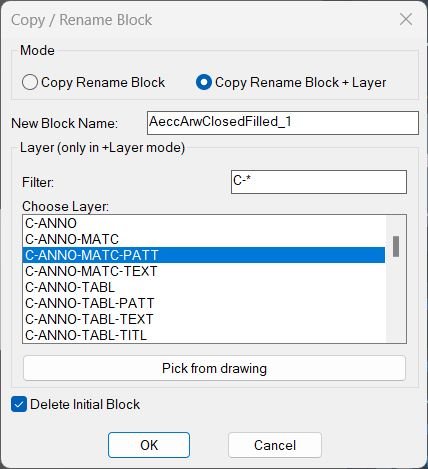
CopyBlock
Helper functions: • LM:AcadMajorVersion: Returns the major AutoCAD version number to construct the correct ObjectDBX interface string. • LM:CopyObjects: Wraps VLA CopyObjects to copy block definitions between the active drawing and the temporary ObjectDBX document. • LM:ForceBlockContentsByLayer: For a given block name and layer, sets all entities in that block definition to that layer, color ByLayer, linetype ByLayer, and lineweight ByLayer. • LM:BuildDialogAndGet: Dynamically builds the DCL file, populates the layer list, manages filter and selection, handles “Pick from drawing”, reads all user choices, and returns new name, layer, mode, and delete flag. • LM:RenameBlockReference: Core engine called by the command; handles selection, ObjectDBX cloning and renaming, retargeting block reference, applying layer mode, and optionally deleting the original reference. Key system and VLA calls: • vla-get-ActiveDocument / vla-get-Blocks: Access the active drawing and its block table. • vla-getInterfaceObject: Creates the ObjectDBX AxDbDocument used to clone and rename block definitions safely. • vla-Copy / vla-Delete: Duplicates and optionally removes the original block reference depending on user choices. • vlax-get-or-create-object / vlax-release-object: Manage external COM objects and ensure they are properly released.ChangeBlockEntitiesLayer
Used AutoLISP and VLA functions: • vl-load-com: Enables ActiveX or VLA functions required to work with document and block objects. • ssget: Builds a selection set containing only INSERT entities which represent block references. • vlax-ename->vla-object: Converts entity names into VLA objects to access their properties through ActiveX. • vla-get-Name: Retrieves the block name from the selected block reference. • vla-get-Layer: Reads the layer name of the block reference or of entities inside the block definition. • vla-get-Blocks: Accesses the Blocks collection in the active document to search for the block definition by name. • vla-Item: Fetches a specific block definition object from the Blocks collection using the block name. • vlax-for: Iterates through each entity contained in the block definition. • vlax-property-available-p: Verifies that a given object supports a Layer property before trying to modify it. • vla-put-Layer: Writes the new layer name to each entity inside the block definition.3D_PolyOffset
- Function name: polypt
- Validates whether the selected entity is a POLYLINE.
- Iterates through all vertices until SEQEND is reached.
- Extracts X, Y, and Z coordinates (group code 10).
- Stores vertex coordinates in the global list ppt_list.
- Displays an error message if the entity is not a polyline.
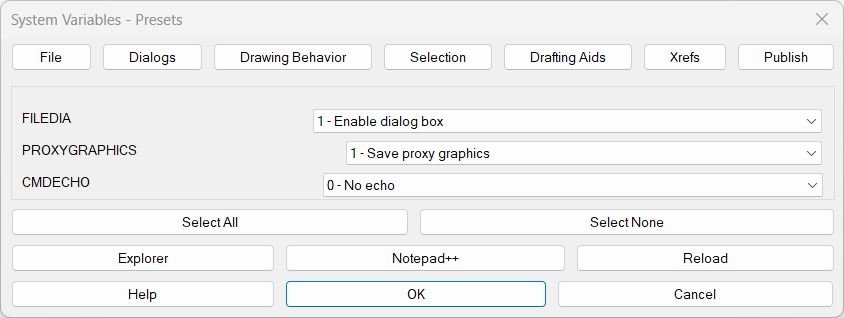
SteSysVar
Comming soon ...
Hide / Show Objects
Helper Functions Used: • writeHSDCL — Creates the DCL dialog definition dynamically and writes it to a temp file. • radioHSDCL — Loads and displays the dialog, handles user input, and sets the selected option variable. • to_ob_izol — Isolates the selected entities by hiding all others (sets entity visibility attribute 60 = 1 for all non-selected). • to_ob_hight — Hides only the selected entities by setting their visibility to 1. • to_ob_show — Restores visibility of all entities by setting attribute 60 = 0 for all.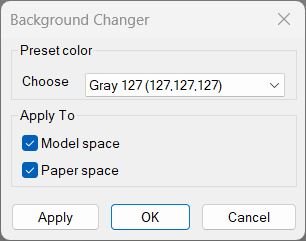
Change Background Color
Helper Functions Used: • _pref-display / _pref-drafting — Access AutoCAD’s preference objects for reading and setting UI color data. • _rgb->long — Converts RGB values to AutoCAD’s long integer color format. • _bg-color-by-index — Retrieves the correct color value from the preset index. • _cursorColorForBg — Determines whether the cursor should be black or white for good visibility. • _snapshot-current / _restore-snapshot — Saves and restores the current color scheme so Cancel reverts changes. • _apply-bg — Sets background and related colors for Model/Paper spaces based on the selection. • _bg-dcl-source / _write-dcl-to-temp — Creates and writes a temporary DCL dialog file for the UI.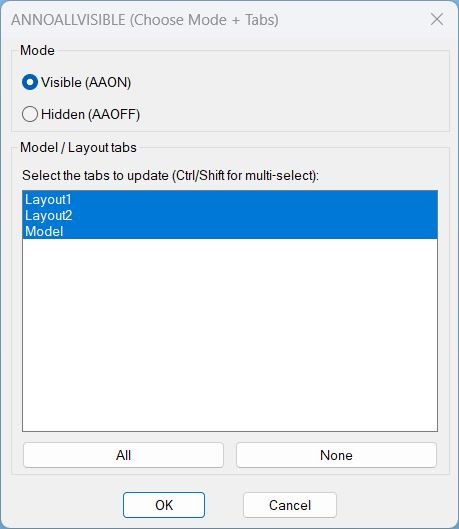
AnnoAllOnOff
🧩 AAOFF:WriteDcl writes the temporary DCL picker for selecting Model/Layout tabs.
🧩 AAOFF:GetTabNames reads the active drawing Layouts collection and returns the available tab names.
🧩 AAOFF:MakeAllIndexString builds the DCL list-box selection string for selecting every tab by default.
🧩 AAOFF:IdxList->Names converts selected DCL list-box indices into layout tab names.
🧩 AAOFF:SetAnnoAllVisible0 switches through selected tabs, sets ANNOALLVISIBLE to 0, and restores the previous drawing tab state.
🧩 c:AAOFF loads the DCL dialog, fills the tab list, handles All/None/OK/Cancel actions, applies the setting, unloads the dialog, and deletes the temporary DCL file.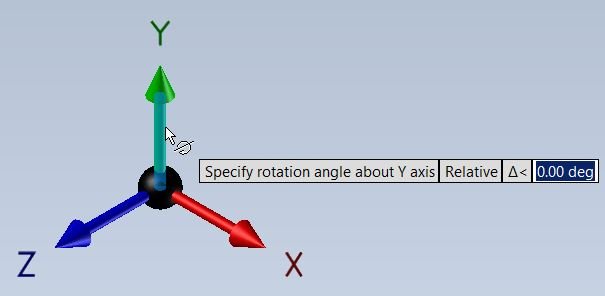
RotateUCS
Helper / important calls in the code: • (command "_UCS" "_W") — ensures the rotation starts from World UCS. • (command "_snapang" 0) — resets SNAPANG so draft aids are aligned. • (getangle ...) — prompts the user for an angle in radians. • (* angle (/ 180 pi)) — conversion from radians to degrees. • (command "_UCS" "_Z" ang1) — rotates the UCS around Z by the given degrees. • (command "_UCS" "_Save" ucsname) — optional UCS save under the entered name.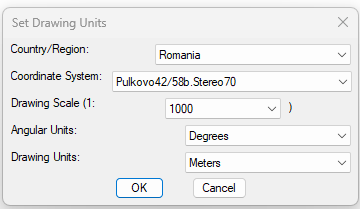
SetUpUnits
🧩 setunits writes Civil 3D drawing settings using AeccXUiLand application automation, ActiveDocument, DrawingSettings, UnitZoneSettings, and CoordinateSystem properties.
🔎 getaeccApp reads the installed Civil 3D release from the AutoCAD registry product key and creates the correct Aecc application interface object.
🎨 rgb->aci converts external RGB flag pixel values to the nearest AutoCAD Color Index so the DCL preview can be rendered with AutoCAD image tile colors.
📁 flag-data-file builds the external path to the matching flag _data.lsp file using FLAGS_ROOT and the first letter subfolder.
🚩 draw_flag loads the country pixel list on demand, scales it to the DCL image tile, and uses run-length grouping to reduce fill_image calls.
🔄 update_zones refreshes the coordinate system list and the flag preview whenever the country or region selection changes.C3D_NamespaceFix
🧩 type and eval are used to inspect the current symbol definitions.
🧩 vl-load-com attempts to initialize Visual LISP COM functionality.
🧩 vl-catch-all-apply protects the multiplication and COM diagnostic tests.
🧩 vl-catch-all-error-p identifies whether the protected COM test returned an error.
🧩 atoms-family and member verify whether vl-load-com is present in the current atom table.LayerFilterFreezeThaw
🧩 _lf:DclText builds the Layer Filters dialog as embedded DCL text.
🧩 _lf:GetAllFilterNames returns the available standard filter names.
🧩 _lf:GetLayersByFilter resolves filter names to actual layer names or hardcoded project layer sets.
🧩 _lf:SetLayerState applies Freeze, Thaw, On, Off, Lock, or Unlock to one layer object.
🧩 _lf:ApplyToLayerNames processes the layer list and reports changed versus skipped layers.
🧩 LFM-Kable provides command-line shortcut execution for the Kable group.
🧩 VERIFYKABLE checks whether all 30 Kable layers exist in the current drawing.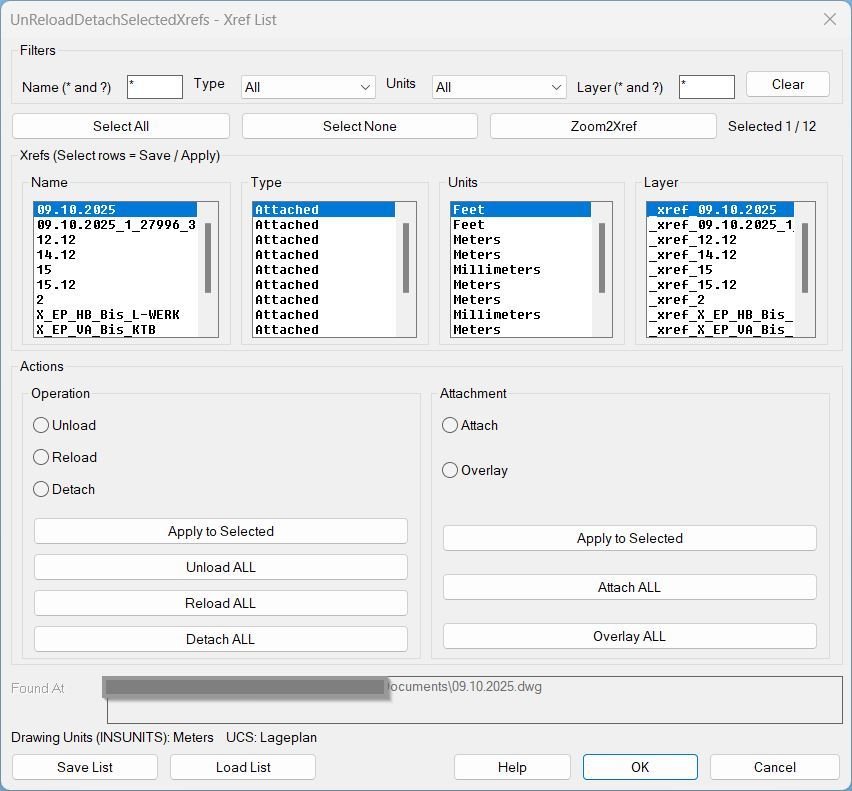
UnReloadDetachSelectedXrefs_00
Helper function (if any):- Xref scanning: Collects Xrefs from the block table and reads Name, Type, Units, Path, and primary insert Layer.
- Path resolve (Found At): Resolves stored/relative xref paths into absolute file paths when possible (DWGPREFIX + findfile logic).
- Selection map: Maintains per-xref selection state across filter changes and UI refreshes (default all selected).
- UCS + view wrapper: Saves and restores UCS and VIEW around disruptive commands so the user’s context is preserved for bulk actions.
- Ensure xref exists: If an xref name is missing from the drawing, attaches it from Found At using the saved Type before reloading.
- Change Type (Attach/Overlay): Converts type via detach + reattach while preserving transforms; restores layer placement afterward.
- Layer enforcement: Forces all inserts of an xref onto the layer recorded in the list file; creates the layer if it does not exist.
- Zoom2Xref: Zooms to the bounding extents of the selected xref inserts in Model space.
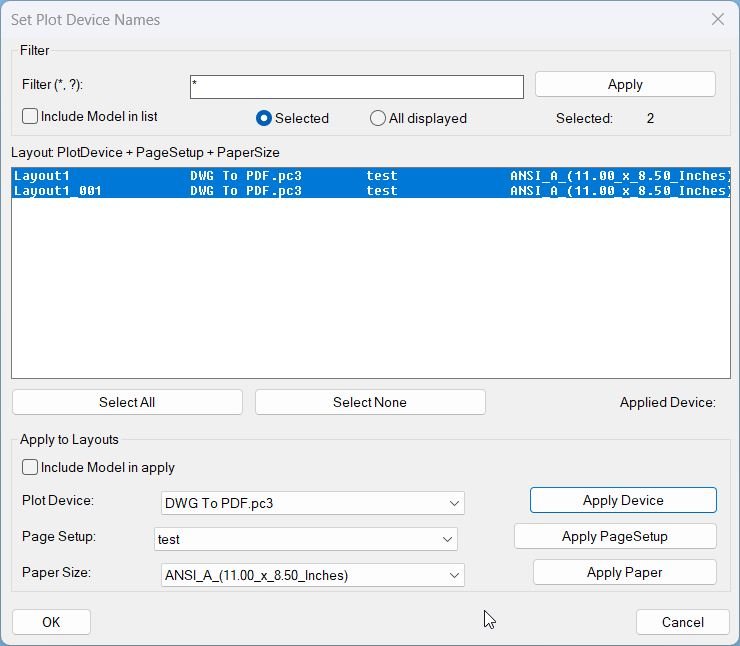
SetPlotDeviceNames_00
- • vla-RefreshPlotDeviceInfo — forces the layout to refresh its list of available plot devices/configurations before querying them.
- • GetPlotDeviceNames — returns the layout’s available plot device names; these are uppercased via strcase for case-insensitive matching.
- • vl-position — checks whether the target device name exists in the normalized list of devices.
ConvertPolylineAndText2Mleader
Comming soon ...CopyPaste2BasePoint
🧰 CB_PB_COMMON_SETVAR: starts an undo mark, stores current drafting variables, disables OSMODE, disables 3DOSMODE when available, suppresses CMDECHO, and optionally sets AECBOSMODE to zero.
🔁 CB_PB_COMMON_RESTORE: restores OSMODE, AECBOSMODE, 3DOSMODE, and CMDECHO, then closes the undo mark and clears temporary global values.
🧠 GET_AECBOSMODE: checks whether AECBOSMODE exists and extracts its current value from the AutoCAD command prompt so the previous setting can be restored safely.
🔌 vl-load-com handling: ensures Visual LISP COM access is available before ActiveDocument and undo mark operations are used.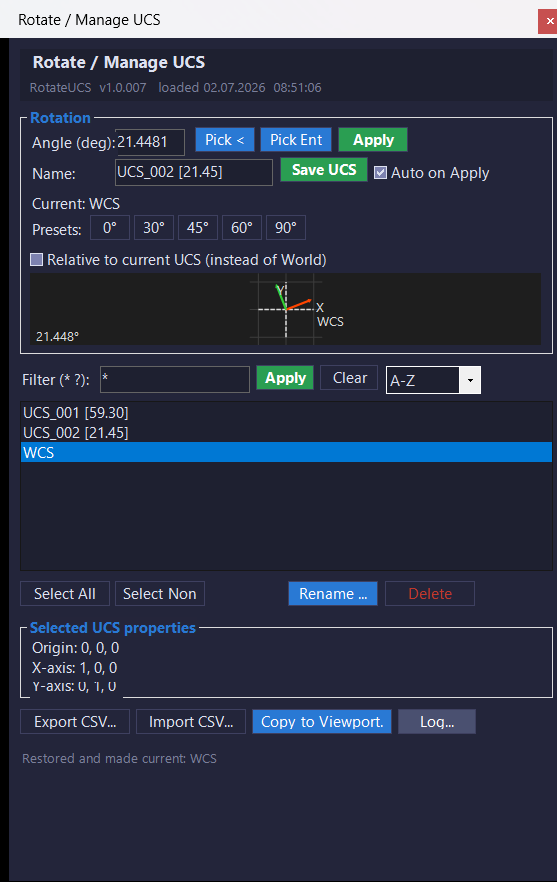
RotateUcs_vs.01
- 🚀 Plugin initialization —
RotateUcsApp.Initializeprints the load banner, build stamp, and available commands when the DLL is loaded. - 🧩 Palette instance manager —
RotateUcsPaletteHostkeeps a single modelessRotateUcsPaletteinstance alive and activates it when the command is run again. - 📌 Command registration — the
Commandsclass exposesROTATEUCS,RUCS,RU1, andRUEthrough AutoCADCommandMethodattributes. - 🧠 UCS service layer —
UcsServicemanages UCS enumeration, filtering, sorting, rotation, save, restore, rename, delete, CSV import, CSV export, and viewport UCS transfer. - 🔢 Angle normalization —
NormalizeAnglekeeps rotation values inside the 0 to 360 degree range. - 📐 Entity angle extraction —
EntityAngleExtractor.GetAngleDegreesreads supported AutoCAD geometry and returns the most useful angle for UCS rotation. - 🧩 Polyline segment logic — the entity extractor uses nearest segment midpoint logic so picked polyline angles come from the segment closest to the pick point.
- 🎯 Arc tangent logic — arc angle extraction calculates the radius angle from the arc center to the picked point, then adds 90 degrees to obtain the tangent direction.
- 🔍 Wildcard filter helper —
WildcardMatch.IsMatchsupports simple*and?wildcard matching for UCS list filtering. - 📘 2D preview control —
UcsPreviewControldraws WCS reference axes and rotated UCS X and Y axes using GDI drawing. - 🎯 Viewport highlight helper —
UcsHighlighterusesTransientManagerto draw temporary X-axis, Y-axis, and origin marker graphics in the AutoCAD viewport. - 💾 Registry settings —
Settings.LoadandSettings.Savepersist user options underHKCU\Software\RotateUCS. - 📋 Logging system —
Loggerwrites timestamped log lines to memory and to daily log files under%AppData%\RotateUCS\Logs. - 🪟 Detached log viewer —
LogWindowdisplays the session log, saves logs to a chosen file, and opens the log folder in Windows Explorer. - 🎨 Dark UI theme —
C3DThemeapplies the project’s dark CAD interface styling to WinForms controls. - ✏️ Rename prompt —
InputBox.Showprovides a small modal text prompt used when renaming a UCS record. - 📘 Build metadata —
BuildInfo.VersionandBuildInfo.BuildStampstore the plugin version and load banner stamp.
- 🚀 Plugin initialization —
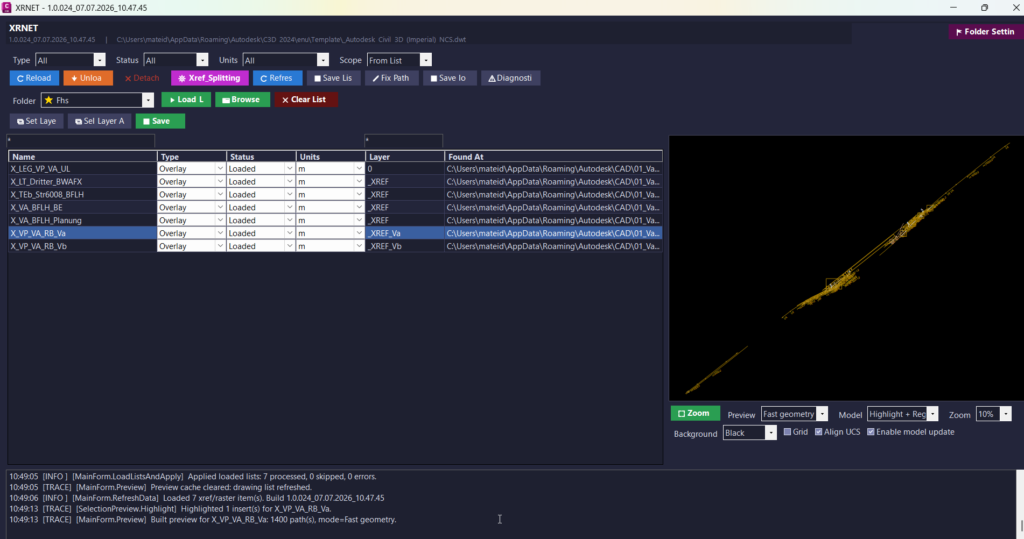
UnReloadDetachSelectedXrefs_vs.02
- 🚀 Command registration system -
Commands.csregistersXRNET,XRSPLIT,XRPREDEFINEDFOLDERS, andXRSAVELOGas AutoCAD commands for direct command-line access. - 🔍 Xref scanning engine -
XrefRepository.CollectAll()scans the active drawing database and collects DWG xrefs, raster images, reference status, type, units, layer, path, and related object data. - 🔄 Reload and unload logic -
XrefOperations.Reload()andXrefOperations.Unload()update selected drawing references or temporarily unload them to improve drawing performance and reference control. - 🔴 Detach logic -
XrefOperations.Detach()removes selected DWG xrefs or raster image references when the drawing needs cleanup or dependency reduction. - 📌 Apply list workflow -
XrefOperations.ApplyEntries()applies prepared xref records to the active drawing and restores important AutoCAD system variables after processing. - 🧩 Attach and type conversion -
ApplyDwgEntry(),AttachXrefAtOrigin(), andChangeTypeIfNeeded()attach missing references and convert xrefs betweenOverlayandAttachedwhere supported. - 🧹 Layer automation -
LayerUtil.EnsureLayer()andXrefOperations.SetLayer()create or reuse organized layers and move selected references onto clean xref layers. - 📊 List file input and output -
XrefListIO.ReadFile(),XrefListIO.SaveFile(),XrefListIO.ScanFile(), andXrefListIO.MergeByName()support repeatable xref list workflows. - 🧠 Xref splitter engine -
XrefSplitterEnginevalidates, merges, scans, abbreviates, re-paths, exports, and applies xref splitter entries for structured project reference management. - 📐 Preview builder -
PreviewBuilder.Build()andPreviewBuilder.BuildExternalDwgFile()generate CAD-style preview geometry from the active drawing or an external DWG file. - 🎨 Preview display control -
XrefPreviewControldisplays geometry, labels, filled areas, grid lines, background presets, zoom, pan, fit view, and empty-preview messages. - 🏷️ Preview color and visibility logic -
PreviewColorUtil.ResolveColor(),PreviewColorUtil.ResolveLineWeight100mm(), andPreviewColorUtil.IsVisible()improve CAD-like preview display behavior. - 🔐 Settings and diagnostics -
AppSettings,UiSettingsStore,RuntimeInfo, andAppLogstore predefined folders, UI settings, startup information, logs, and diagnostics under%APPDATA%\XRNET\. - 🟧 WinForms icon system -
ButtonIconFactory.csandC3DTheme.StyleButton()assign real bitmap icons throughButton.Imagefor reliable button icons in WinForms.
- 🚀 Command registration system -
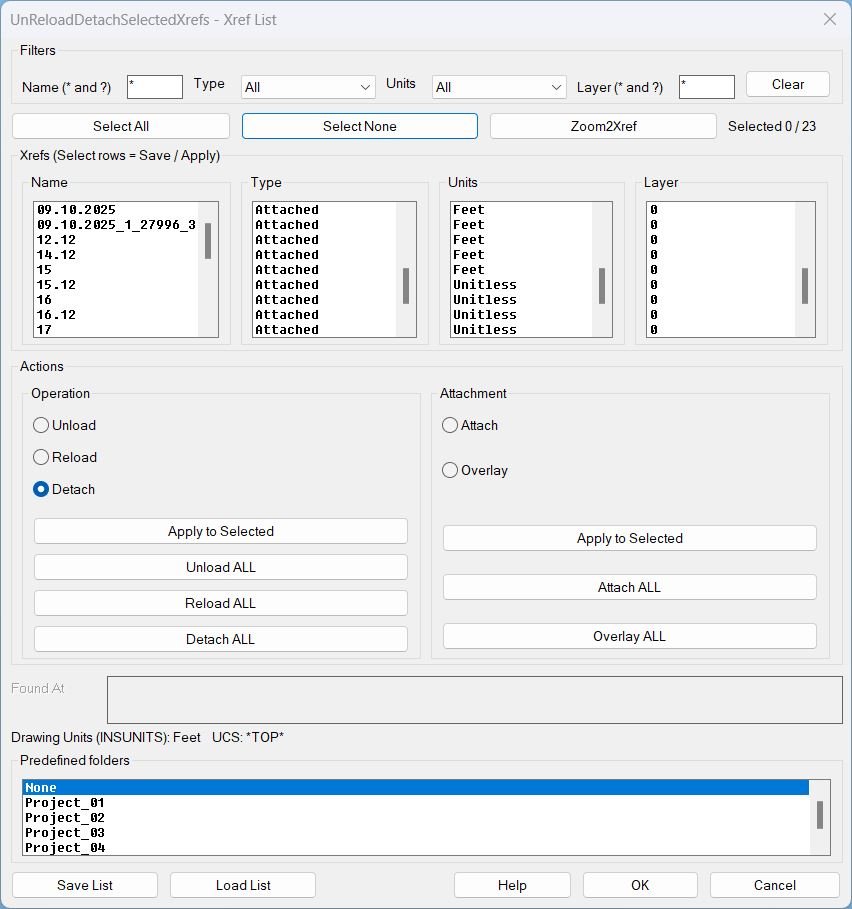
UnReloadDetachSelectedXrefs_01
Helper logic and protections- Discovery reads xrefs from the drawing Blocks table and builds the list with Name, Type (Attached or Overlay), Units, Found At, and Layer.
- Filtering supports wildcard patterns for name and layer, plus Type and Units dropdown filters.
- Selection map stores selection state by xref name and keeps it consistent while filters change.
- UCS and view preservation wraps actions to restore UCS and view after each operation.
- Layer robustness sanitizes illegal layer characters, creates missing layers, and can move all xref inserts to the stored layer.
- Zoom2Xref computes the Model Space bounding box of selected xref inserts and zooms to it without closing the dialog.
- Predefined folder resolution uses the selected list entry to set the default start directory for Save List and Load List dialogs.
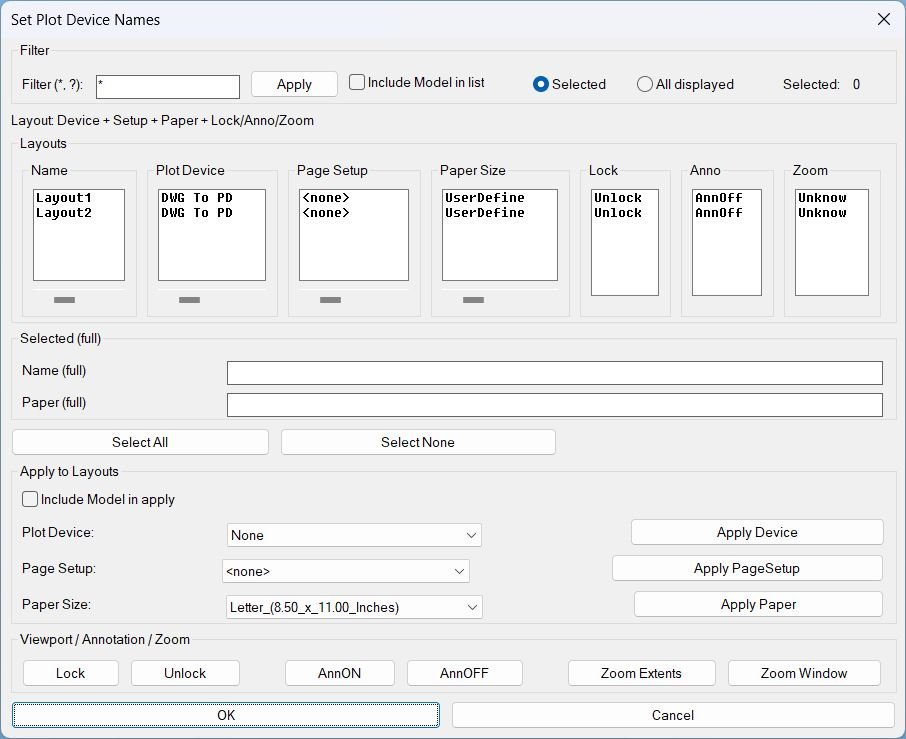
SetPublishLocation_01
Helper functions and internal logic- Layout filtering using wildcard match and optional Model exclusion.
- Synchronized selection across list boxes so row selection stays consistent across all columns.
- Horizontal scroll clipping implemented by caching full strings per column and re-filling list boxes with substring windows based on slider offsets.
- Media mapping cache translates canonical media names to display names per plot device, minimizing repeated device queries.
- Viewport discovery collects paper-space viewports excluding the overall viewport and ignores viewports that are off.
- Zoom status persistence stores only the extents marker in a named object dictionary entry so the Zoom column can show ZExt only when explicitly applied by this tool.
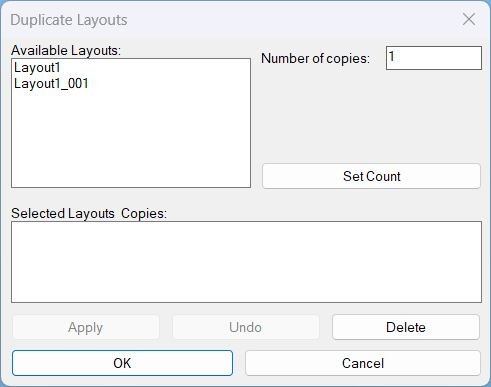
DuplicateLayouts_01
Key helper behavior- Builds the available layout list by iterating the Layouts collection and excluding Model.
- Maintains stable session state using globals for selected layouts, delete target, and undo availability.
- Generates unique destination names using BaseName_### with zero padded numbering and an existence check before each creation.
- Copies layouts using -LAYOUT Copy with multiple fallback variants to handle command localization or option differences.
- Wraps duplication and deletion in StartUndoMark and EndUndoMark so each operation can be reverted cleanly.
- Implements session undo by issuing UNDO 1 and tracking a session counter to enable or disable the Undo button.
- Writes a temporary DCL file, loads it, runs the dialog loop, then unloads the dialog and deletes the temp file on exit.
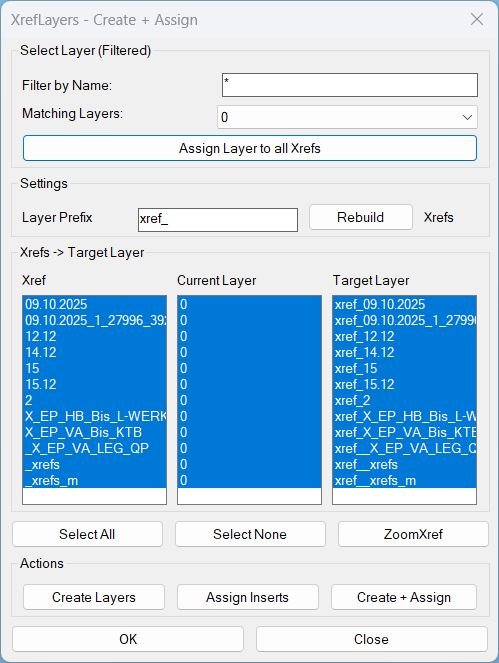
CreatesXrefsLayersAssign_01
Key Helpers and What They Do- XRL-GetXrefs Collects XREF block names from the Blocks collection.
- XRL-EnsureLayer Creates a layer if missing and enforces color 7 (white).
- XRL-PutLayerSafe Moves an entity to a layer and safely handles locked source layers (temporary unlock and restore).
- XRL-BuildXrefLayerMap Builds the Current Layer summary per XREF by scanning INSERT entities and tracking their layers.
- XRL-UpdateLayerList Filters non-Xref layers and populates the Matching Layers dropdown using the typed filter text.
- XRL-FillLists Refreshes the three list columns and preserves selection when possible.
- XRL-ZoomXrefCB Zooms to the selected XREF Model Space inserts using a merged bounding box and ActiveX ZoomWindow.
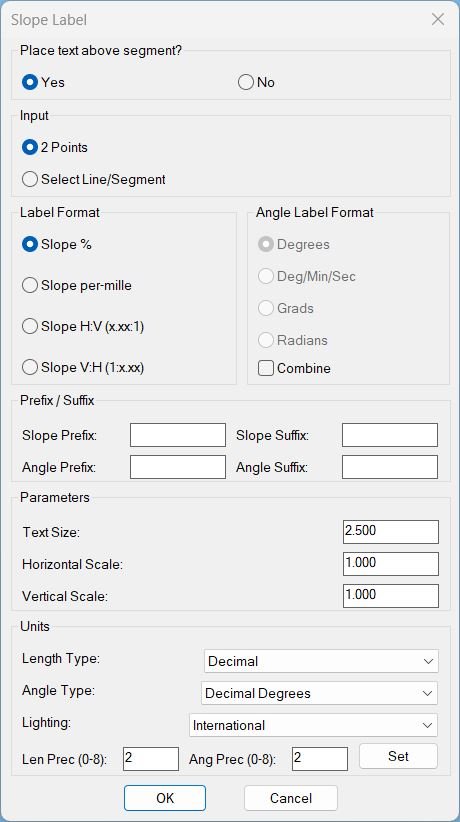
Slope_01
Main helper functions used by c:slope_p: • PLTXT-MAKE-DCL – Builds the temporary DCL dialog definition file for the Slope Label UI. • SPU-ParseInt / SPU-GetLightingUnits / SPU-SetLightingUnits – Small utilities to read integers safely and sync dialog “Units / Lighting” with drawing variables. • SPU_UpdateAngEnable – Enables/disables the angle-format radio buttons when “Combine” is toggled. • SPU_SetUnits – Applies all unit-related settings (LUNITS, AUNITS, LIGHTINGUNITS, precisions) from the dialog to the drawing. • PLTXT-GetVertices / PLTXT-GetSegListFromEntity – Extract vertices and build per-segment (p0,p1) lists from LINE / LWPOLYLINE / POLYLINE entities. • PLTXT-READ-VALUES – Reads text height, H-scale, V-scale and all prefix/suffix strings from the dialog and stores them in globals. • PLTXT-AngToString – Converts an angle (radians) into formatted text according to the chosen angle format (deg, dms, grad, rad) and AUPREC. • PLTXT-SHOW-DIALOG – Drives the dialog lifecycle: initializes tiles from current globals, wires all actions, and returns OK/Cancel result. • PLTXT-CREATE-MTEXT – Core geometry/annotation engine: computes slope, text content, offset direction, and creates the MTEXT entity for one segment. • PLTXT-Loop-2Pts – Implements the “2 Points” picking loop and calls PLTXT-CREATE-MTEXT for each pair. • PLTXT-Loop-Ent – Implements the “Select Line/Segment” loop; for each selected entity it builds segment lists and calls PLTXT-CREATE-MTEXT on each.Slope_00
• SLP-ParseReal — Converts string to real, returns default if empty • SLP-ParseInt — Converts string to integer, returns default if empty • SLP-S — Ensures non-nil safe string • SLP-Round — Sym metric rounding for positive/negative values • SLP-AbsInt — Returns absolute integer for slope math • SLP-GCD — Computes greatest common divisor to reduce ratios • SLP-ReduceRounded — Rounds run & rise, reduces them to smallest integers H,V • SLP-Fixed — Fixed-decimal formatter enforcing trailing zeros • SLP_Place — Core slope creation: computes geometry, formats text, offsets below/above, creates TEXT entityCloseParalelPolylines
• System variable handling Saves CMDECHO and PEDITACCEPT, forces silent and auto-accept mode, restores afterward • Entity type validator Converts each selection into a VLA object and verifies type (Polyline, Line, Arc, Spline) • Polyline opener Closed LWPOLYLINE objects are automatically set to open before processing • get-pts helper Returns start and end points of any supported object type • Selection set builder Collects both main entities and the two connector lines for a final PEDIT join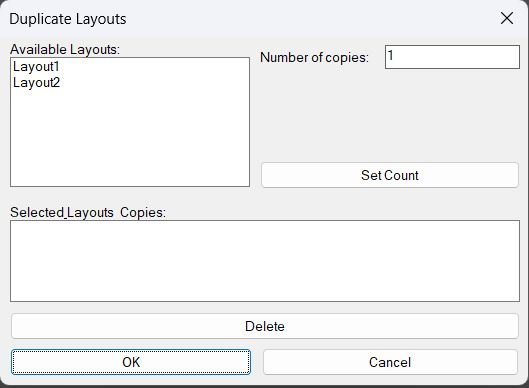
DuplicateLayouts_00
- writeDCL writes the dialog definition to a temporary .dcl file used for the session.
- getLayoutNames enumerates document layouts via ActiveX, excluding Model, and builds the available layout list displayed in the dialog.
- updateSummary repopulates the summary list box from the internal layoutMap so the UI reflects current selections and counts.
- action_tile \"set\" reads the selected layout index and copy count, then inserts or replaces the layout entry inside layoutMap.
- action_tile \"delete\" removes the highlighted summary entry from layoutMap and refreshes the summary list.
- c:DuplicateLayouts controls the full lifecycle: DCL creation, list population, dialog execution, cleanup, and layout copy execution.
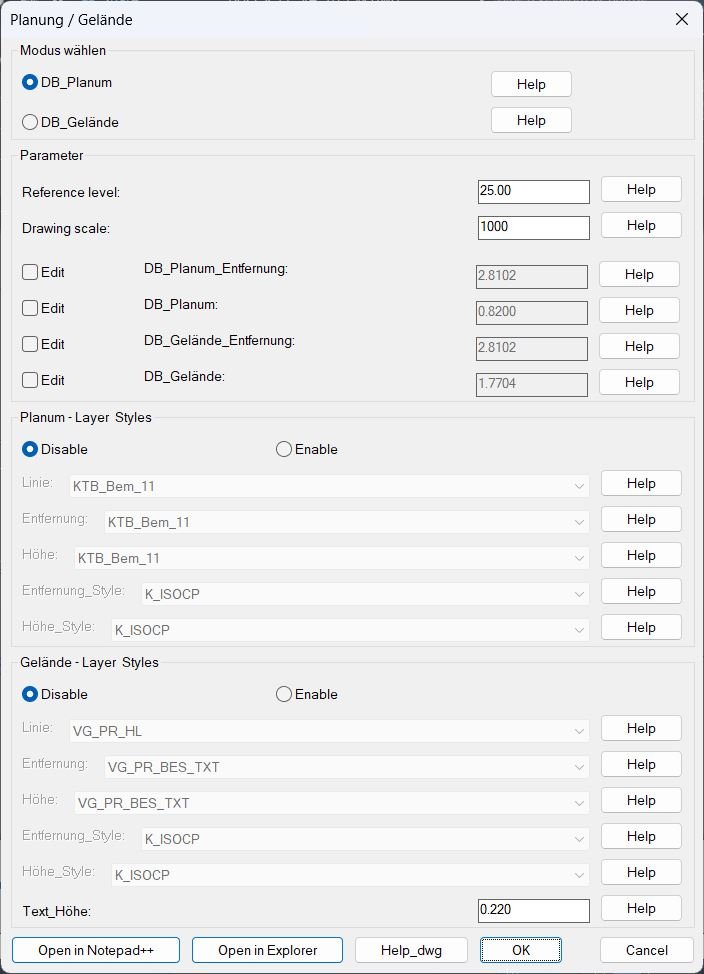
DB_Planung_Gelände
Groups of helper functions: • Path and help handling: DB-PG-abs-path-p, DB-PG-resolve, DB-PG-open-file, DB-PG-open-help, and DB-PG-open-dwg resolve help image and DWG paths and open them via Explorer or associated viewer. • Compatibility helpers: DB-PG-stringp, DB-PG-atof, DB-PG-atoi, and DB-PG-pos safely convert string tile values to numeric types with defaults and minimum bounds. • List builders: DB-PG-layer-names and DB-PG-style-names collect and case sort existing layers and styles, while DB-PG-uniq, DB-PG-filter-nil, DB-PG-ensure-nonempty, and DB-PG-build-lists produce unique, non empty global lists for the popup controls. • UI mapping helpers: DB-PG-index-of, DB-PG-maybe-style, and DB-PG-get-popup handle mapping between string values and popup indices, and optional style overrides. • INI helpers: DB-PG-ini-path, DB-PG-write-ini, DB-PG-parse-line, and DB-PG-read-ini create, parse, and apply configuration from a simple key equal value text file in the drawing folder. • Dialog state helpers: writeDB_P_GDCL writes the DCL, DB-PG-mode-tiles, DB-PG-set-pl-styles-enabled, and DB-PG-set-ge-styles-enabled enable or gray related tiles, and DB-PG-toggle, DB-PG-enforce-all keep offset edit toggles and fields synchronized. • Accept and dialog driver: DB-PG-accept reads the final tile values back into global variables and computes dependent fields like scale factor, while radioDB_P_GDCL builds the DCL, loads it, initializes tiles, sets action tiles, and runs the dialog loop until the user accepts or cancels. • Geometry helper: verteximos extracts ordered vertex lists from LINE, LWPOLYLINE, and POLYLINE entities so the routines can find band endpoints and reference points along cartridges. • Error handlers: Each main routine and the launcher temporarily overrides *error* with a local handler that restores system variables, view, and previous error handler on exceptions or user cancel.
CubeDisplay_Off_On
Helper Functions and Commands Used: • (vl-load-com) — enables the Visual LISP COM interface for ActiveX communication. • (vla-get-activedocument (vlax-get-acad-object)) — retrieves the active drawing object. • (vla-sendcommand acadDoc "_.NAVVCUBEDISPLAY 1 ") — disables the ViewCube display. • (vla-sendcommand acadDoc "_.NAVVCUBEDISPLAY 3 ") — re-enables and refreshes the cube display.