
Add_Bookmark
Purpose: Collect and store basic positional data about selected entities into a global bookmark list for later use Scope: Works on TEXT, MTEXT, LINE, LWPOLYLINE, POLYLINE, CIRCLE, SPLINE, and INSERT (blocks) Output storage: Appends entries to global variable *textPositions* in the form (label startPoint endPoint)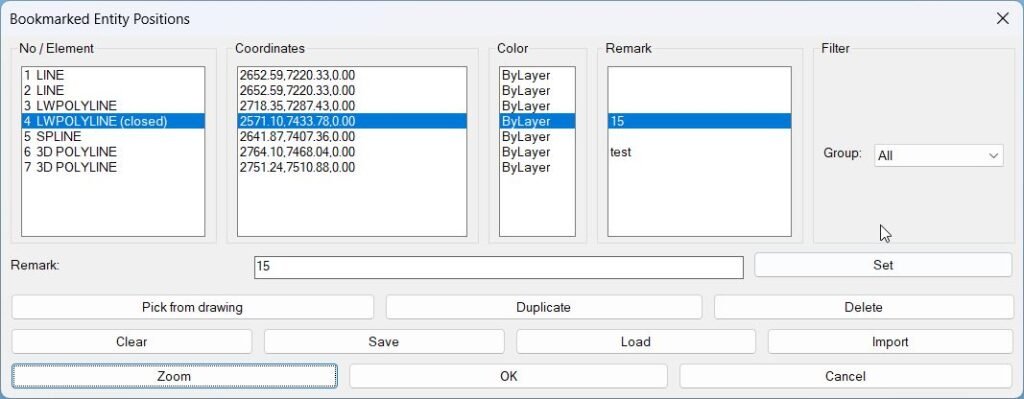
BookmarkEntities
Sort / Purpose: Bookmark entities in the current drawing and revisit them later by name, coordinates, color, and custom remarks. • Scope: Lets you pick TEXT, MTEXT, LINE, (LW)POLYLINE, CIRCLE, SPLINE, INSERT (blocks), stores their positions + color, and gives you a manager dialog to zoom to them, duplicate, delete, filter by type, and save/load the list per DWG. • Goal: Act as a “bookmark manager” for important entities: details, nodes, blocks, texts, etc., so you can quickly navigate and annotate them across work sessions.BookmarkEntities
🔖 BMEntityPos is an SEO-friendly AutoCAD AutoLISP and DCL bookmark manager for saving, filtering, and revisiting important drawing entity positions.
It helps CAD users pick drawing objects, store their bounding box coordinates, add remarks, organize bookmarks by entity group, and zoom back to saved locations inside the DWG.
The main benefit is faster drawing navigation, better object tracking, cleaner review workflows, and improved AutoCAD and Civil 3D productivity for large production drawings.Clear_Bookmarks
Clears the internal **bookmark list** used by BMEntityPos for storing text/entity positions Provides a simple confirmation dialog before erasing stored data Ensures the global list *textPositions* is reset safelyExp_Imp_NamedViews
🧭 AutoCAD AutoLISP utility for exporting and importing Named Views and related Visual Styles through a DCL dialog, predefined project folders, TXT files, and session aware folder handling.
NamedViewList
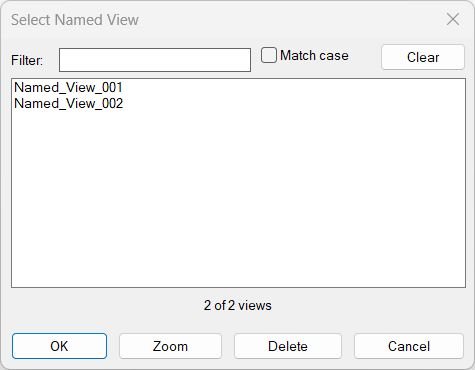
🔍 NamedViewList is an AutoCAD AutoLISP named view manager that lists saved Named Views in a searchable DCL dialog, supports filtering, multi-select restore, zoom, delete, and double-click rename.
ToolbarManager_vs.01
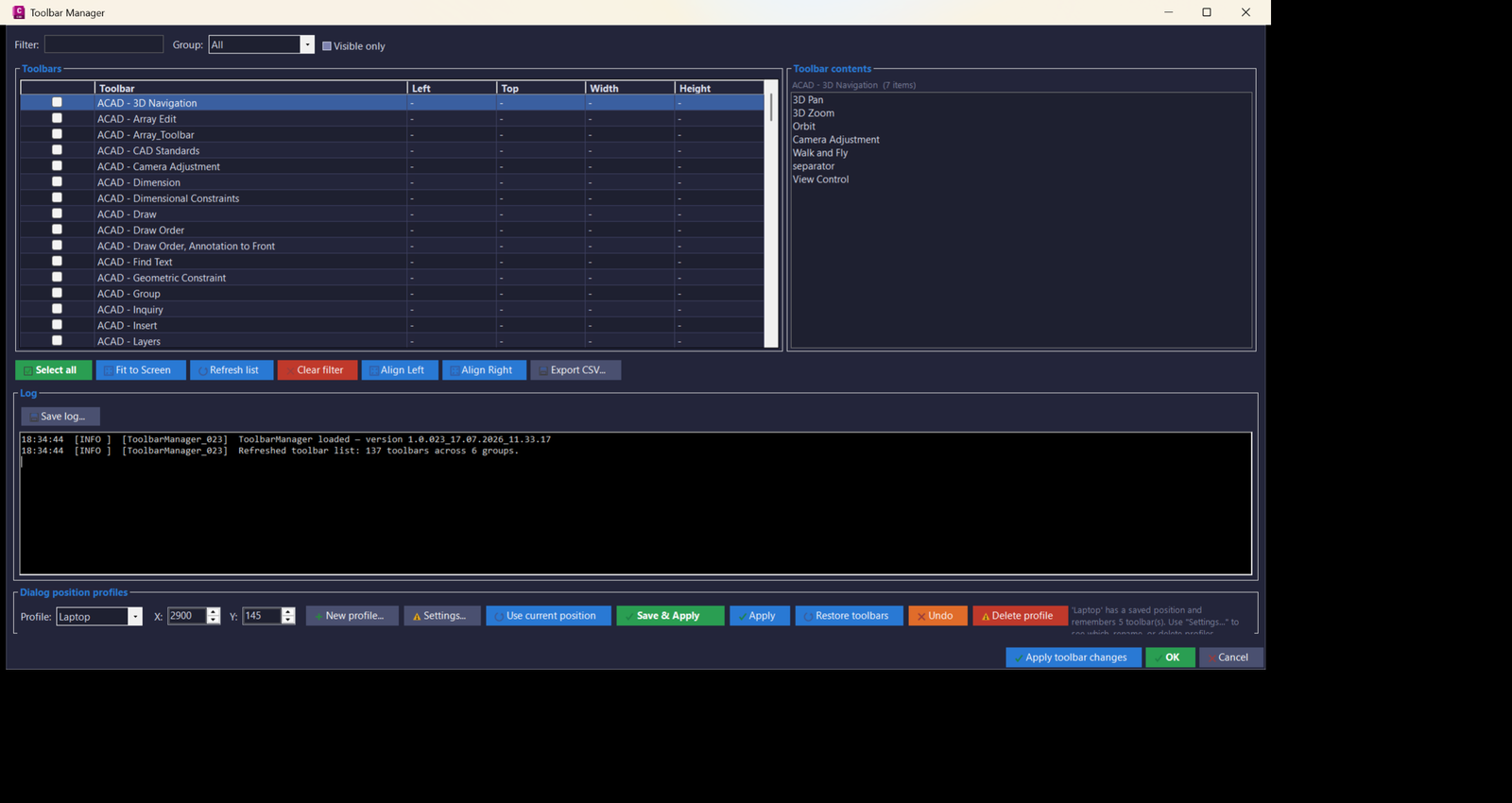
🚀 ToolbarManager is an AutoCAD Civil 3D .NET Framework 4.8 plugin for managing, filtering, saving, restoring, exporting, and repositioning AutoCAD toolbars across monitor setups. It helps CAD users create repeatable toolbar profiles, fix floating toolbar positions, audit toolbar contents, and improve productivity in multi-monitor Civil 3D production environments.
Categories: AutoCAD_Lips
Tags: 🏷️ Autocad Lisps, 🏷️ Bookmark_menu
Categories: AutoCAD_Lips
Tags: 🏷️ Autocad Lisps, 🏷️ Bookmark_menu