
Short description
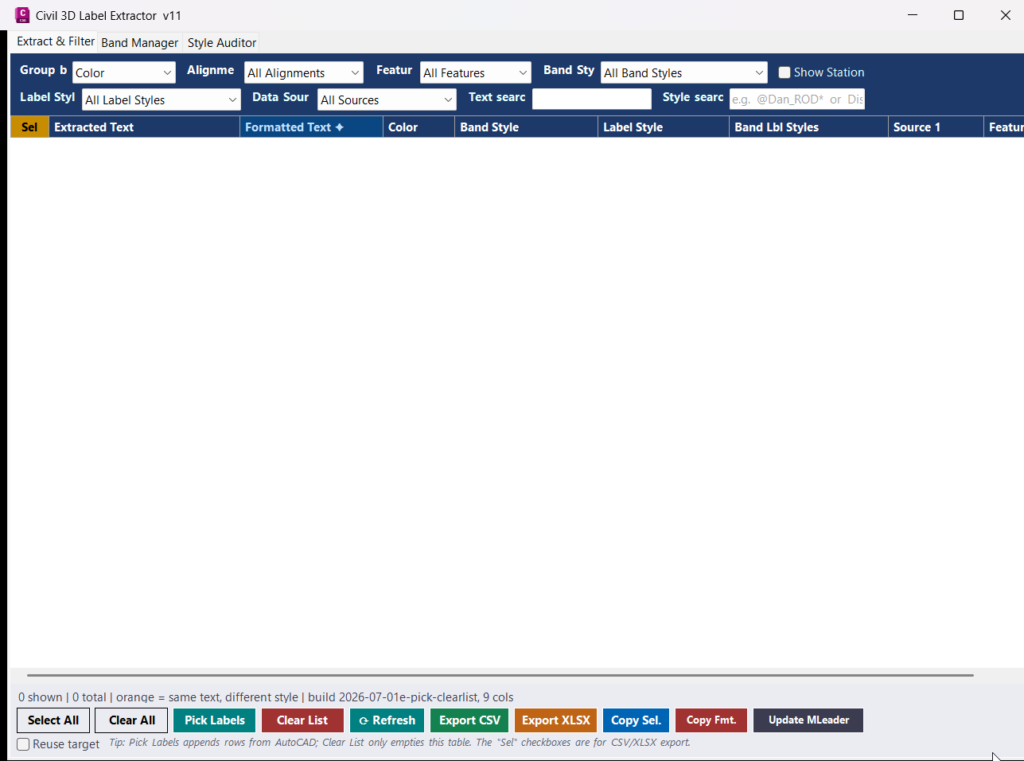
The GetLabelText project is an AutoCAD Civil 3D .NET plugin designed to extract, review, filter, export, and reuse label text from Civil 3D profile views, section views, bands, labels, and annotation objects. The plugin adds the GETLABELTEXT command, which opens a modeless Civil 3D Label Extractor window with tools for label extraction, band management, style auditing, station formatting, MLeader updates, CSV export, and XLSX export.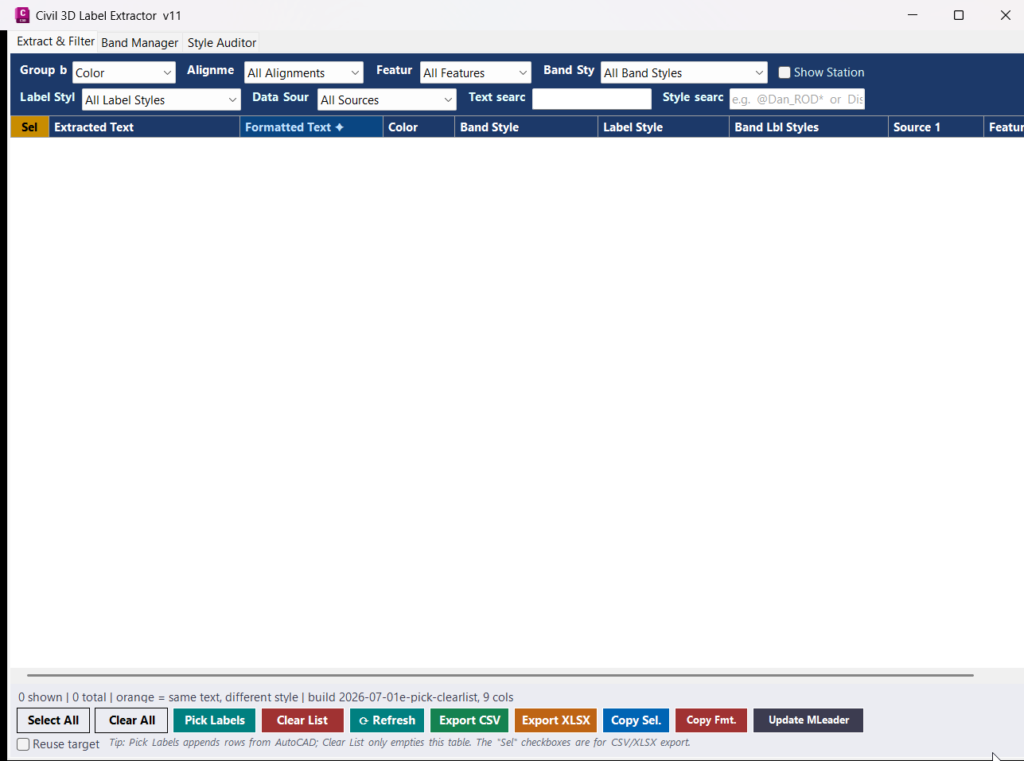
Command:
Main command: GETLABELTEXT
Loading method: Load GetLabelText.dll in AutoCAD Civil 3D using NETLOAD, then run GETLABELTEXT from the AutoCAD command line.
Main window tabs: Extract and Filter, Band Manager, Style Auditor.
Target platform: AutoCAD Civil 3D, .NET Framework 4.8, x64, C# 7.3.
Loading method: Load GetLabelText.dll in AutoCAD Civil 3D using NETLOAD, then run GETLABELTEXT from the AutoCAD command line.
Main window tabs: Extract and Filter, Band Manager, Style Auditor.
Target platform: AutoCAD Civil 3D, .NET Framework 4.8, x64, C# 7.3.
Description:
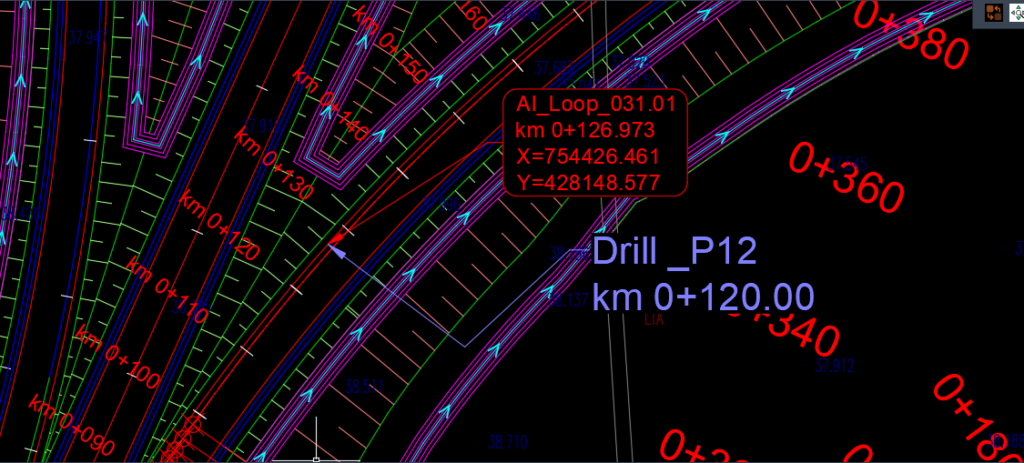
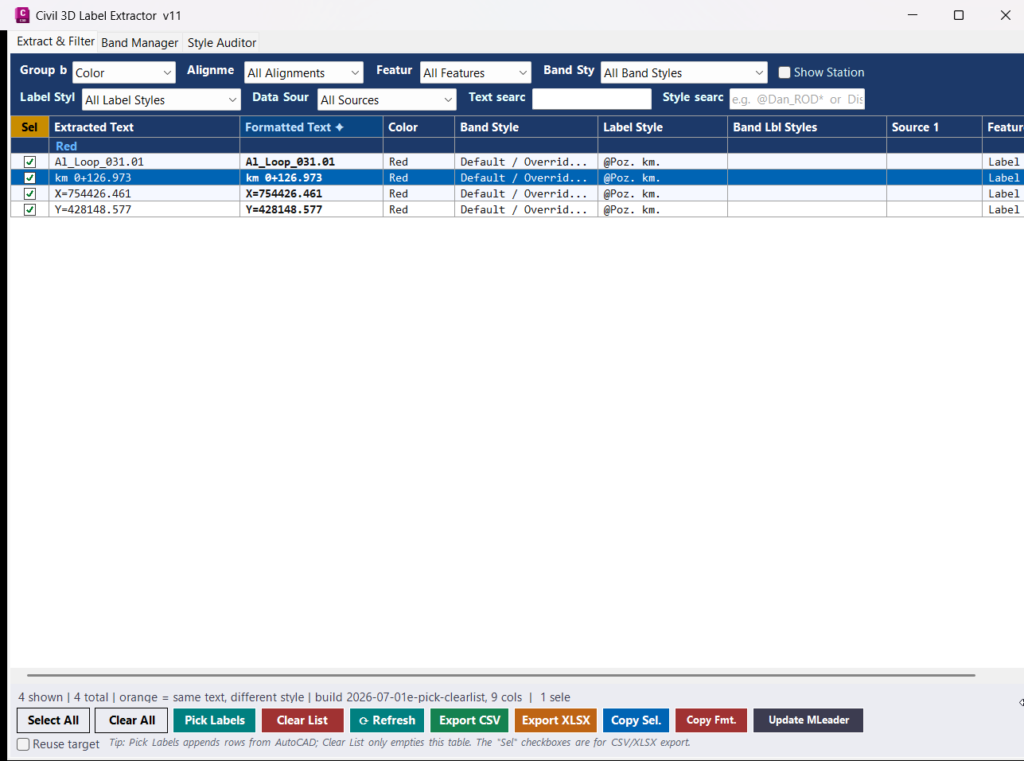
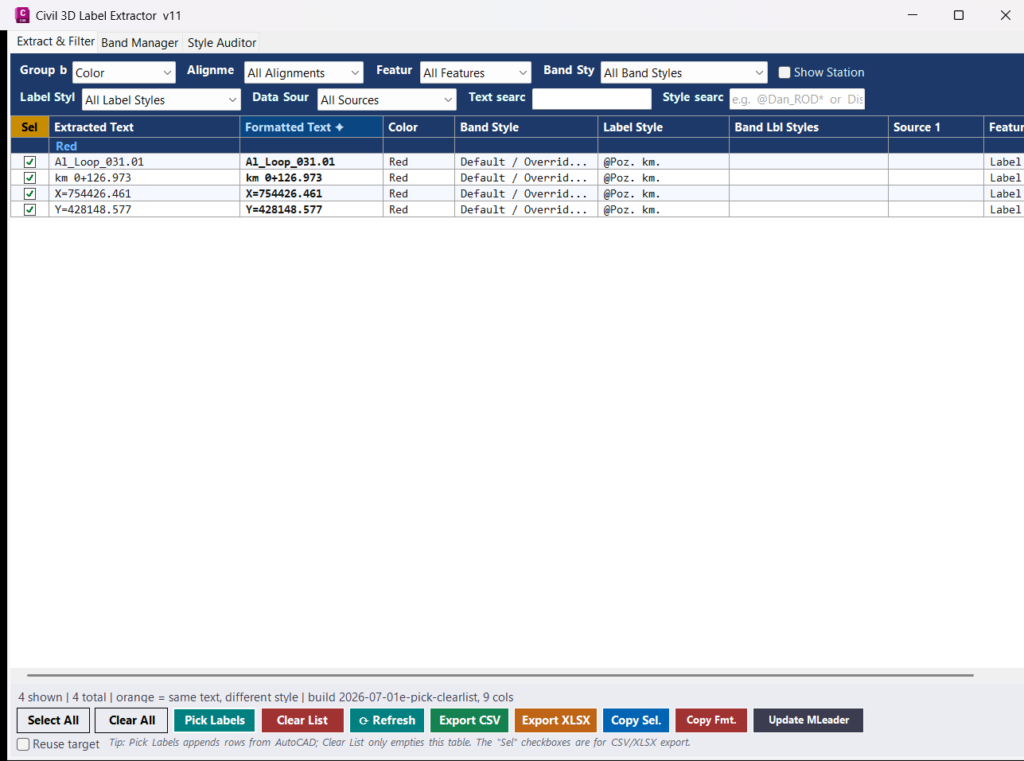
This Civil 3D label extraction plugin opens a modeless dialog first, without requiring the user to select objects before the command starts. After the window is open, the user clicks Pick Labels to select Civil 3D labels, profile views, section views, or related drawing objects. The plugin extracts visible text, detects style information, identifies feature type, records alignment and view names, reads band sources, formats station text, and displays the result in a structured grid.
The tool is especially useful for checking Civil 3D profile and section annotation data because it can show extracted text together with band style, label style, data source, station, feature type, alignment, and view information. It also highlights duplicated text that appears under different styles, which helps detect inconsistent label or band configuration in Civil 3D drawings.
The tool is especially useful for checking Civil 3D profile and section annotation data because it can show extracted text together with band style, label style, data source, station, feature type, alignment, and view information. It also highlights duplicated text that appears under different styles, which helps detect inconsistent label or band configuration in Civil 3D drawings.
Helper function: (if any)
- 🧠 Typed Civil 3D extraction engine — reads ProfileView and SectionView data using Civil 3D API objects such as
ProfileView,SectionView, band collections, band items, profile sources, and section sources. - 📊 ProfileView band reader — extracts bottom and top profile view band items, band style names, data source 1, data source 2, alignment name, view name, label style information, and visible band text.
- 📐 SectionView band reader — extracts section view band rows, section data sources, sample line station values, band styles, alignment name, view name, and graph text.
- 📝 Generic text extractor — explodes supported AutoCAD entities and collects visible
DBTextandMTextcontent when the selected object is not a direct Civil 3D band object. - 🧹 MText cleanup helper — removes formatting codes from MText so exported rows contain clean readable text instead of raw AutoCAD formatting syntax.
- 🏷️ Style detection helpers — identifies band style, label style, grouped label style information, feature type, object type, alignment, and related view data.
- 🧭 Feature type classifier — recognizes Civil 3D objects such as Alignment, Profile View, Section View, Profile, Section, Corridor, Feature Line, CoGo Point, Pipe, Structure, Parcel, Surface, Label, Annotation, and General Label.
- 🔢 Station formatter — converts raw station text such as
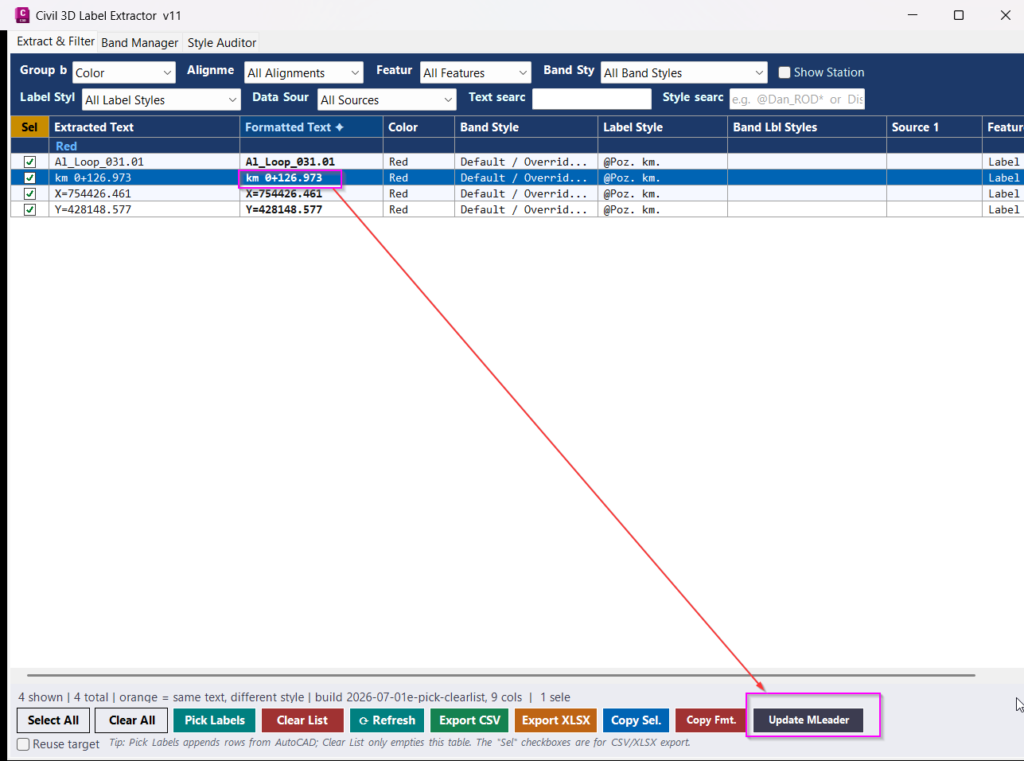
km112+69.381into a cleaner formatted value such askm 11,2+69.381. - 📌 MLeader updater — replaces the first matching
kmstation pattern inside a selected MLeader using the formatted station value from the active grid row. - 🟧 Duplicate detector — highlights identical extracted text when it appears under different band styles, helping identify Civil 3D annotation inconsistencies.
- 💾 Registry persistence — saves filter settings and restores them on the next launch so repeated QA sessions start with the same working configuration.
- 📦 Built-in XLSX writer — generates Excel-compatible XLSX files using Open XML and PKZIP logic without requiring Microsoft Excel or third-party Excel libraries.
- ⏳ Cancellable progress dialog — shows extraction progress on large selections and allows the user to cancel long operations safely.
Functionalities:
- 🚀 Window-first workflow — run
GETLABELTEXTfirst, then select labels, views, bands, or annotation objects from inside the plugin window. - 🎯 Pick Labels tool — select Civil 3D labels, ProfileViews, SectionViews, MText, DBText, and supported drawing entities directly from AutoCAD Civil 3D.
- ➕ Append extraction mode — pick additional objects multiple times and append the results to the existing table without restarting the command.
- 📋 Structured extraction table — displays Extracted Text, Formatted Text, Station, Color, Band Style, Label Style, Band Label Styles, Data Source 1, Data Source 2, Feature Type, Alignment, View, and checked status.
- 🏗️ ProfileView text extraction — extracts Civil 3D profile view band text, graph text, band style data, label style data, profile sources, alignment name, and view name.
- 📏 SectionView text extraction — extracts Civil 3D section view band text, graph text, sample line station, section source names, alignment name, view name, and band style data.
- 🔍 Multi-level filters — filter by Alignment, Feature Type, Band Style, Label Style, Data Source, extracted text search, and style search.
- ⭐ Wildcard style search — search style fields using wildcard patterns such as
@Dan_ROD*, making it easier to isolate project-specific Civil 3D styles. - 🧩 Group-by options — group rows by Color, Band Style, Label Style, Feature Type, or Alignment to View hierarchy.
- 🟧 Duplicate inconsistency warning — identical text appearing under different band styles is highlighted in orange to flag possible copy-paste errors or wrong style assignments.
- 🔢 Station column toggle — shows station values such as
SampleLine.Stationin F3 format and includes them in CSV and XLSX exports. - 🧾 Formatted station text — converts recognized
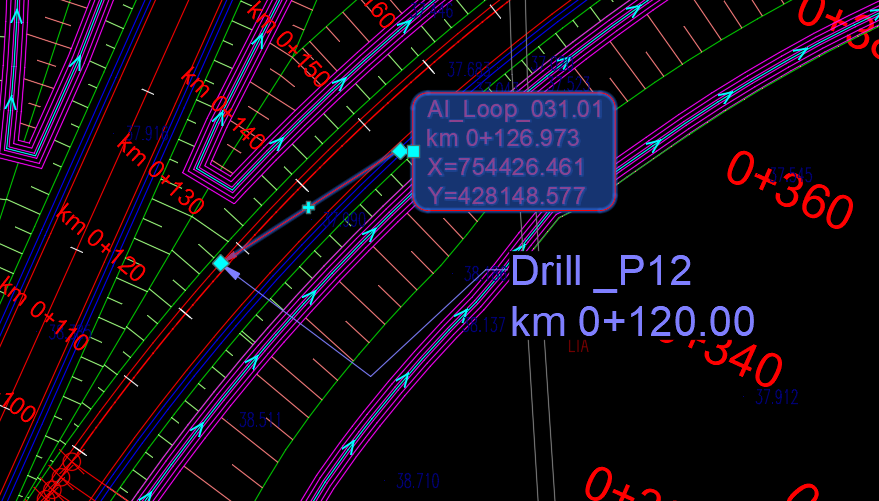
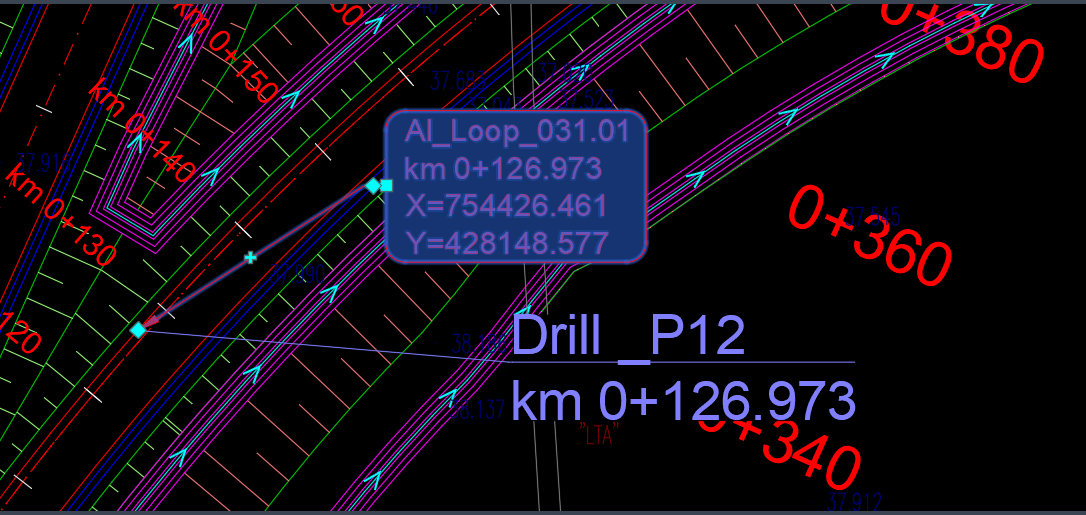
kmstation values into cleaner formatted text for easier use in drawings and reports. - 📌 Update MLeader text — select a row, pick an MLeader, and replace its station value with the selected formatted station text.
- 🔁 Reuse MLeader target — update the same MLeader repeatedly with different selected rows for faster annotation correction.
- 📤 Export CSV — exports visible rows to UTF-8 CSV with the main extracted fields, including formatted text and Civil 3D style metadata.
- 📘 Export XLSX — creates an Excel-compatible workbook with a Label Data sheet and a Summary sheet for band style and label style frequency counts.
- 📎 Copy tools — copy selected rows, copy formatted station text, double-click cells to copy individual values, use
Ctrl+C, and useCtrl+Afor visible row selection. - 🧰 Band Manager tab — list ProfileView and SectionView bands, inspect bottom and top band rows, change band styles, update data sources, and apply changes back to the drawing.
- 🎨 Style Auditor tab — scan Civil 3D band styles, show which styles are used or unused, count style usage, and replace one band style with another across profile views and section views.
- 🟢 Used style highlighting — used band styles are shown in green so active production styles are easy to identify.
- 🔴 Unused style highlighting — unused band styles are shown in red so cleanup candidates can be reviewed quickly.
- 🔐 Safe database access — uses AutoCAD document locks and Civil 3D transactions when reading or modifying drawing data.
- 🧬 Civil 3D version tolerance — includes fallback logic for API differences between Civil 3D versions where some properties or members may not be available.
Result:
The result is a productivity and quality-control tool for AutoCAD Civil 3D users who need to inspect and manage label text from profile views, section views, bands, and annotation objects. Instead of manually checking each Civil 3D label, the user can extract labels into a table, filter by style or source, detect duplicated text with inconsistent styles, format station values, export the results, update MLeader text, audit band style usage, and apply band changes directly to the drawing. This makes Civil 3D label review, station annotation correction, and band style management faster, more consistent, and easier to document.
Images, animations etc.
Additional info:
Learn more:
Open Website
Share this page:
Subscribe
Login
0 Comments
Oldest
Tags: 🏷️ C3D_extra_menu, 🏷️ C3D_tools
Tags: 🏷️ C3D_extra_menu, 🏷️ C3D_tools