
Short description
Summary
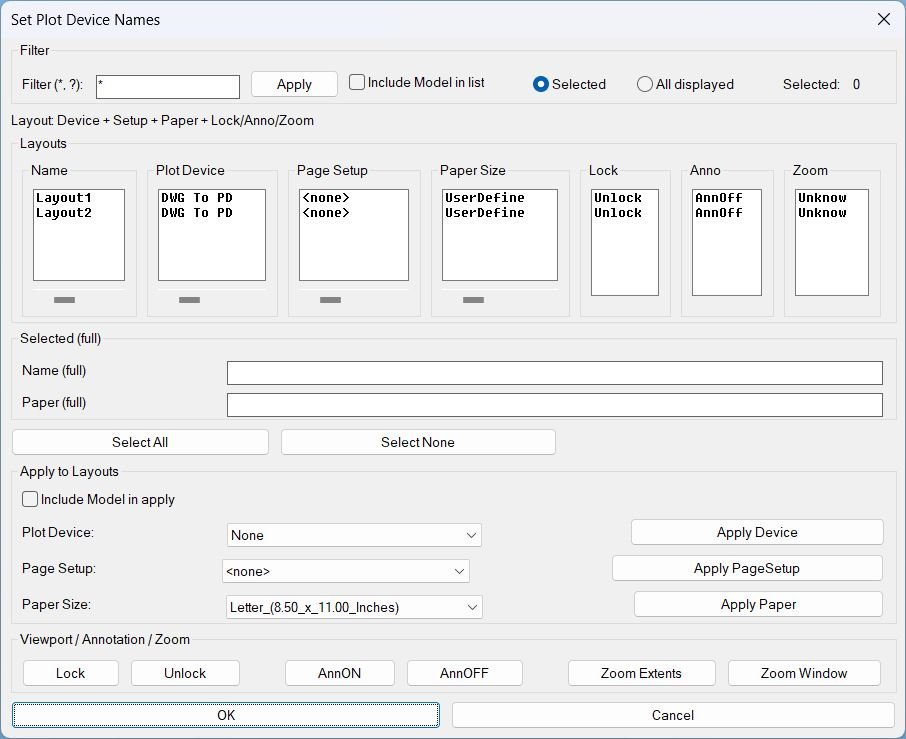
- This LISP provides a dialog to review and batch-edit plotting and layout settings across multiple layouts, plus viewport utilities for lock, annotation visibility, and zoom tools.
- Designed for fast QA and standardization of Plot Device, Page Setup, and Paper Size per layout.
Command:
Command
- Run: SetPlotDeviceNames
- Opens the DCL dialog for layout review and batch actions.
Description:
Description
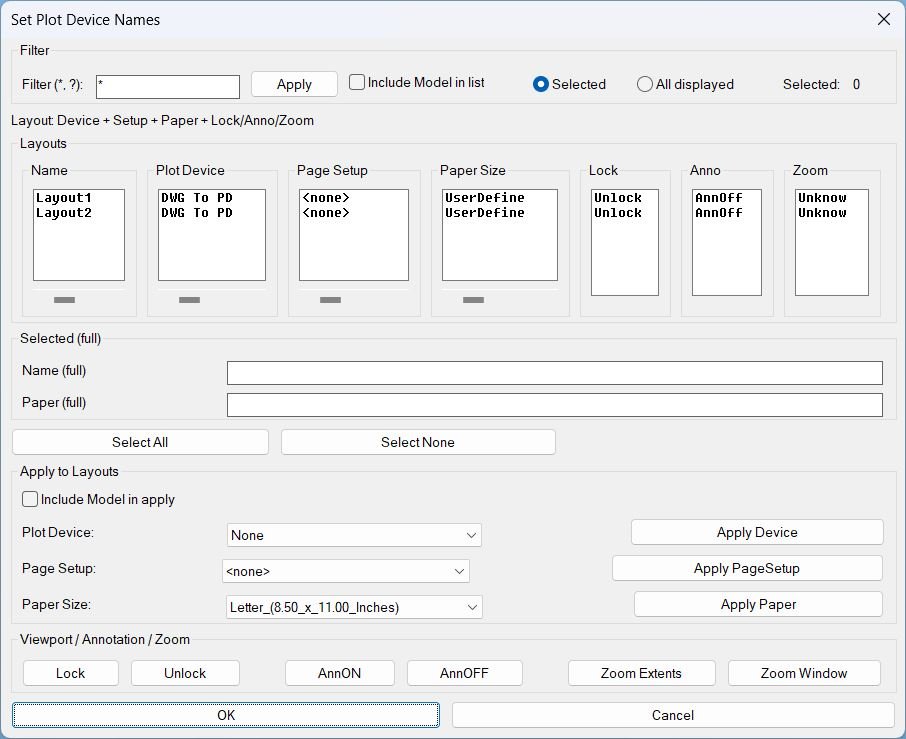
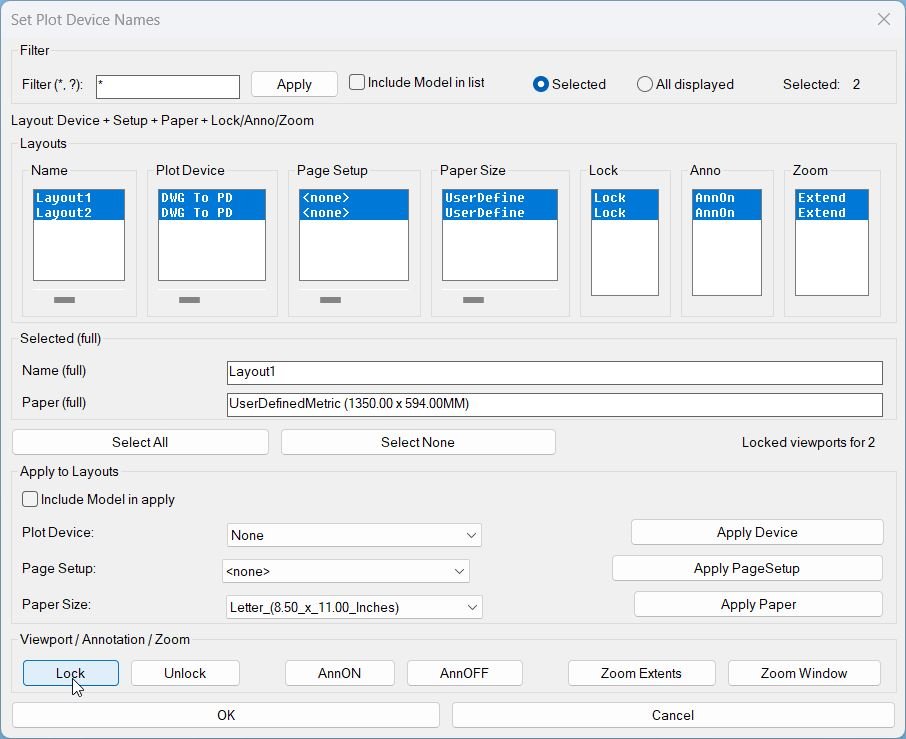
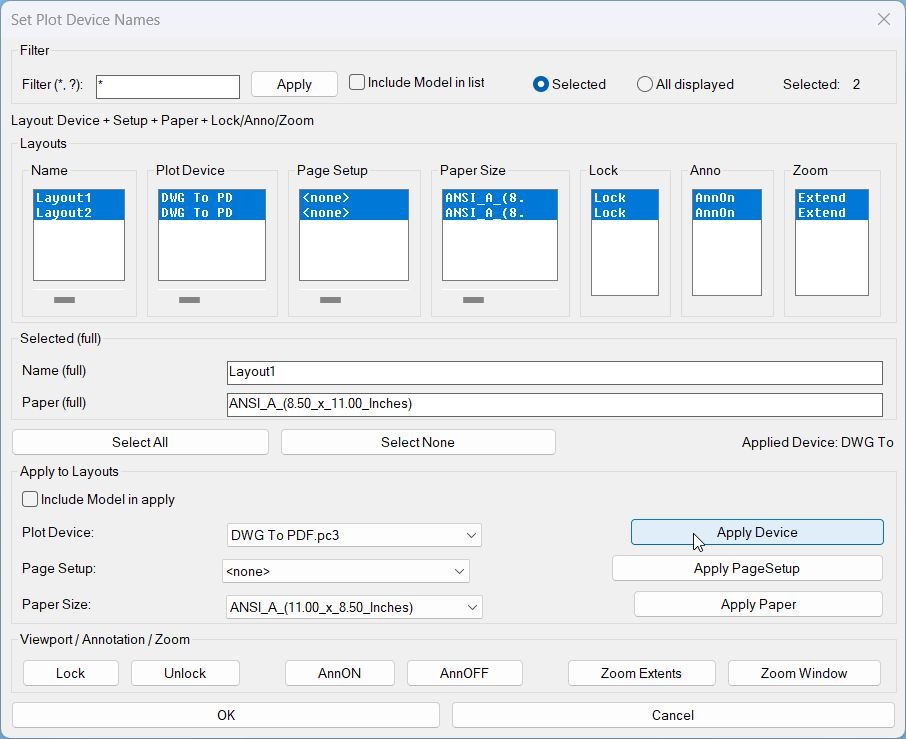
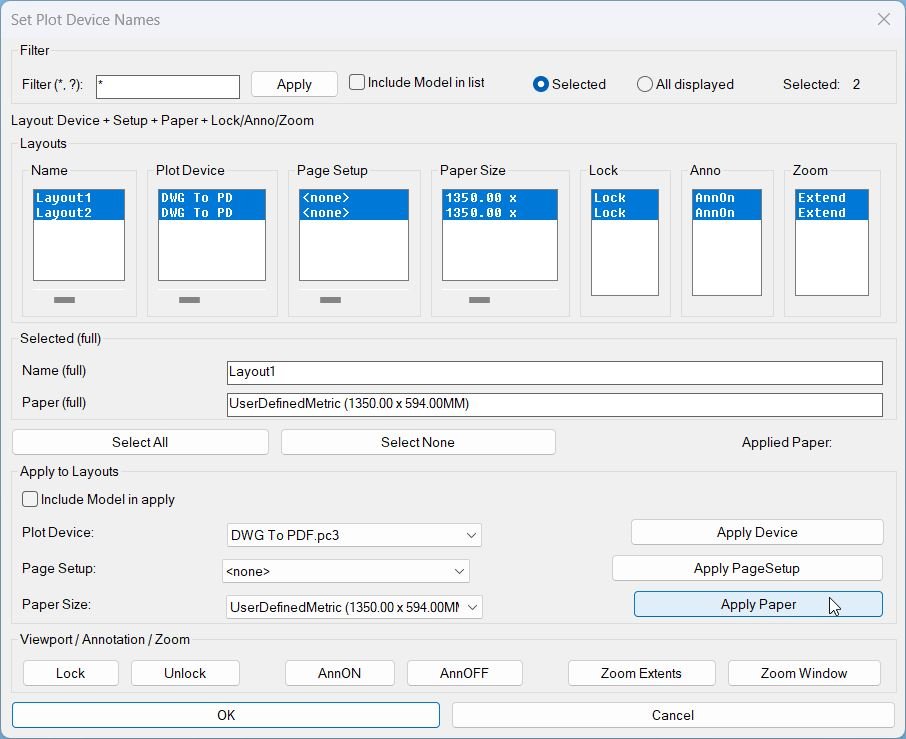
- Displays layouts in synchronized columns: Name, Plot Device, Page Setup, Paper Size, Lock, Anno, Zoom.
- Supports wildcard filtering and scope control: Selected or All displayed, with optional inclusion of Model in list and apply actions.
- Provides per-column horizontal scrolling for the main text columns using sliders that shift the visible substring left or right without changing stored values.
- Shows full values for the first selected layout in the Selected full area: Name full and Paper full.
- Performs safe context switching when needed by temporarily controlling TILEMODE, CTAB, and MSPACE, then restoring the prior state to avoid disrupting the user environment.
Helper function: (if any)
Helper functions and internal logic
- Layout filtering using wildcard match and optional Model exclusion.
- Synchronized selection across list boxes so row selection stays consistent across all columns.
- Horizontal scroll clipping implemented by caching full strings per column and re-filling list boxes with substring windows based on slider offsets.
- Media mapping cache translates canonical media names to display names per plot device, minimizing repeated device queries.
- Viewport discovery collects paper-space viewports excluding the overall viewport and ignores viewports that are off.
- Zoom status persistence stores only the extents marker in a named object dictionary entry so the Zoom column can show ZExt only when explicitly applied by this tool.
Functionalities:
Functionalities
- Apply Device sets the plot device for targeted layouts and refreshes plot device info.
- Apply PageSetup copies a selected page setup into targeted layouts, or clears it when none is chosen.
- Apply Paper sets the canonical media name based on the selected device and selected paper display name.
- Lock locks all applicable paper-space viewports for targeted layouts.
- Unlock unlocks all applicable paper-space viewports for targeted layouts.
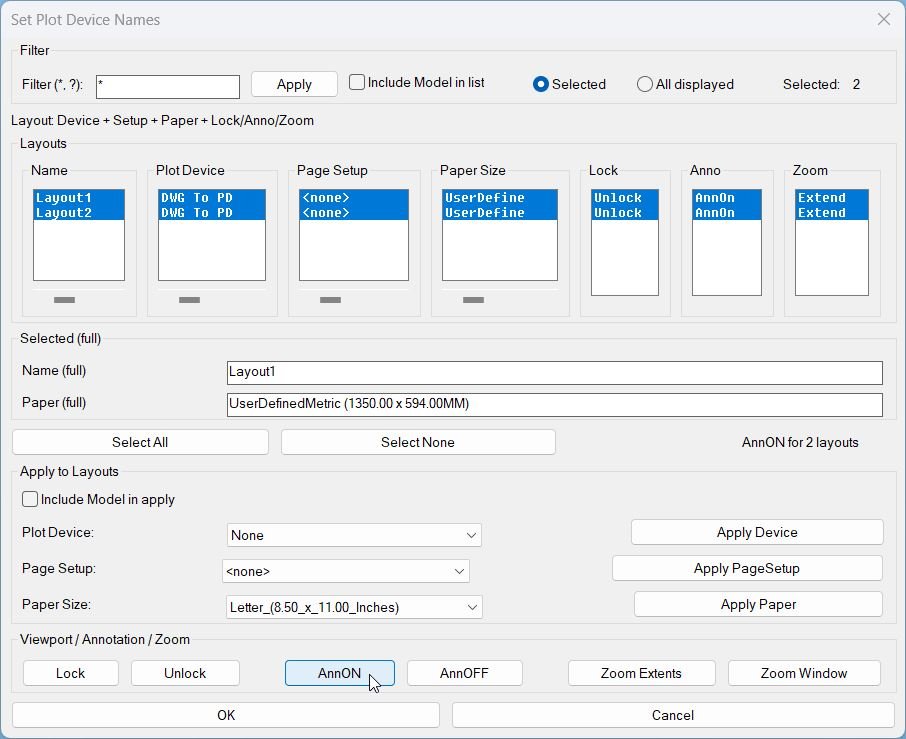
- AnnON turns ANNOALLVISIBLE on for targeted paper-space layouts.
- AnnOFF turns ANNOALLVISIBLE off for targeted paper-space layouts.
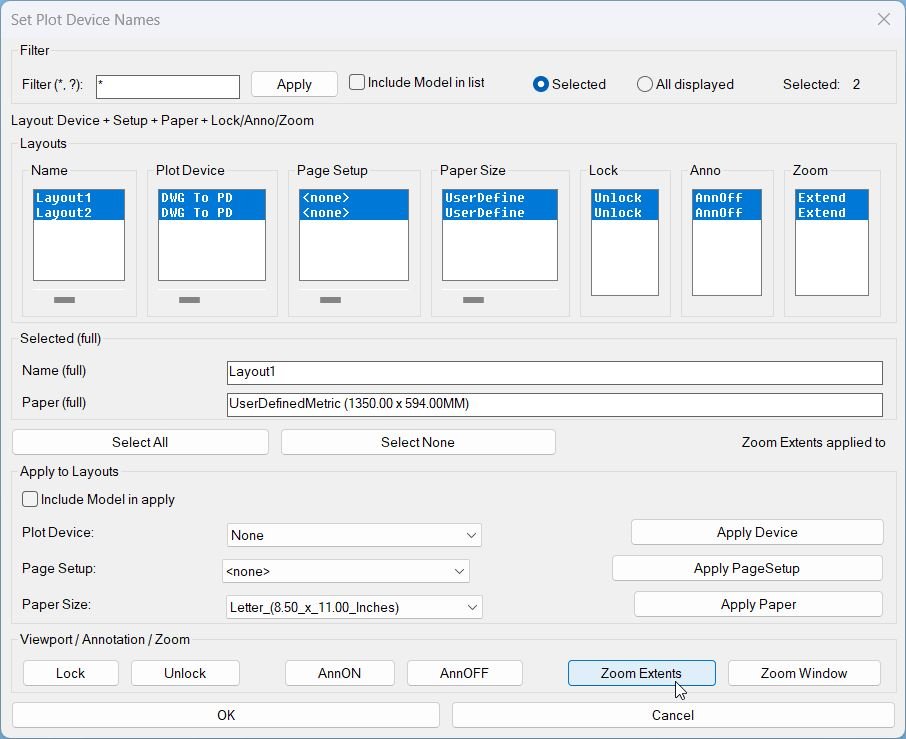
- Zoom Extents zooms extents inside each viewport for targeted layouts and marks those layouts to display ZExt in the Zoom column.
- Zoom Window prompts for two corners inside a viewport on the first targeted layout, then applies the same window zoom across targeted layouts without marking ZExt.
Result:
Result
- User can quickly standardize plotting configuration per layout, then verify lock, annotation visibility, and zoom status at a glance inside one dialog.
- Important behavior: Zoom status shows ZExt only when applied by Zoom Extents, otherwise it shows Z question mark.
- Tags: CAD, Lisp, Plot, Layouts, Paper Space, Viewports, DCL, Dialog_UI, Plot_Device, Page_Setup, Paper_Size, General_AutoCAD.
- Suggested tags not in provided list: Batch_Apply, Viewport_Lock, Annotation_Visibility, Zoom_Tools, Plot_Standardization.
Images, animations etc.
Log in to download.
Log in
Log in
Additional info:
Based on / Source code:
Open Website
Share this page:
Subscribe
Login
0 Comments
Oldest
Tags: CAD, DCL, Dialog_UI, Extra_AutoCAD, General_AutoCAD, Layouts, Lisp, Model Space, Page_Setup, Paper Space, Paper_Size, Plot, Plot_Device, Viewports
Tags: CAD, DCL, Dialog_UI, Extra_AutoCAD, General_AutoCAD, Layouts, Lisp, Model Space, Page_Setup, Paper Space, Paper_Size, Plot, Plot_Device, Viewports