Short description
🧭 Export_Import_MS_UCS is an AutoCAD AutoLISP utility for exporting and importing named UCS definitions through portable .ucs files.
📤 It helps CAD users transfer model-space UCS setups between drawings, preserve project coordinate systems, and reuse named UCS standards in AutoCAD and Civil 3D production workflows.
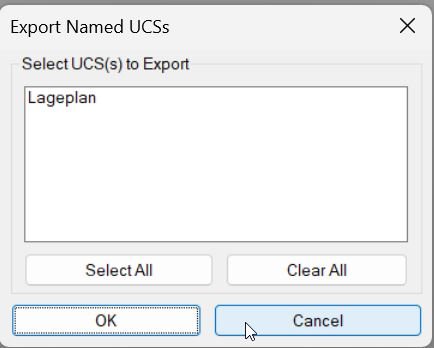
Command:
🚀 Main export dialog command: EXPUCS_DIALOG
🚀 Main import dialog command: IMPUCS_DIALOG
📤 Raw export command: EXPUCS
📥 Raw import command: IMPUCS
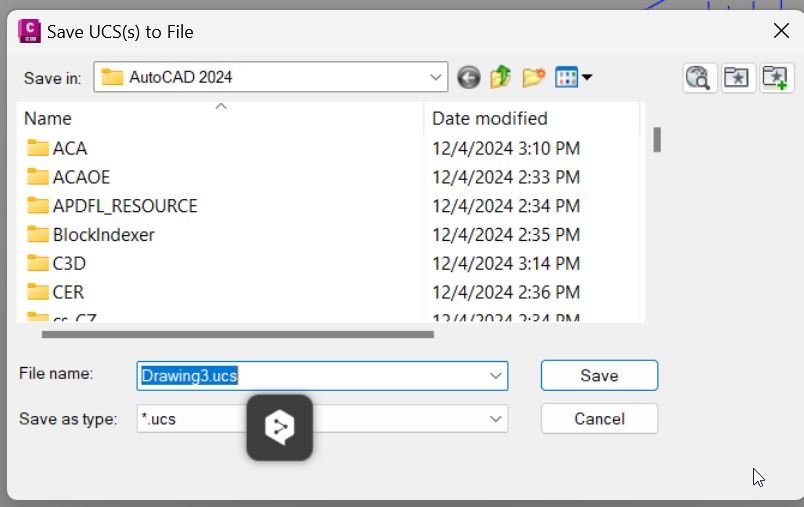
🧰 EXPUCS_DIALOG opens a save-file dialog for writing named UCS data to a .ucs file.
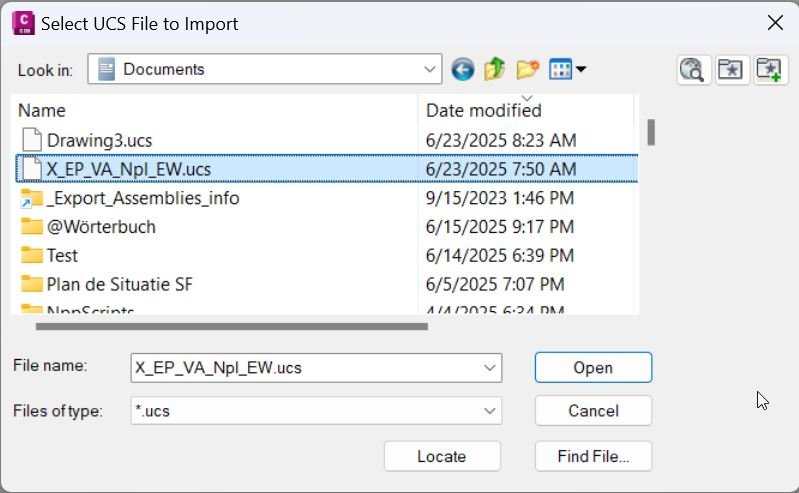
🧰 IMPUCS_DIALOG opens a file-selection dialog for importing UCS definitions from an existing .ucs file.
🔧 EXPUCS and IMPUCS are lower-level routines that receive a file path and perform the actual UCS write or read operation.
Description:
📘 Export_Import_MS_UCS is an SEO-friendly AutoCAD UCS export and import tool for managing named User Coordinate Systems in model-space drawings.
📤 The export workflow collects named UCS records from the current drawing and writes them to a portable .ucs text file. This allows project UCS definitions to be reused in another DWG without rebuilding coordinate systems manually.
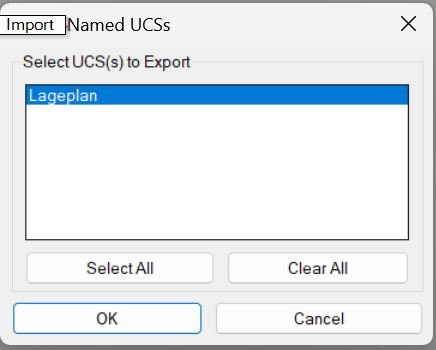
📥 The import workflow reads UCS definitions from a previously exported .ucs file and recreates them in the active drawing. If an imported UCS name already exists, the routine creates a unique name by appending underscores to avoid overwriting the existing UCS definition.
🗂️ The tool remembers the last-used UCS folder through the Windows Registry and defaults to the current drawing folder when no previous UCS folder is available. This keeps repeated export and import operations faster in project folders.
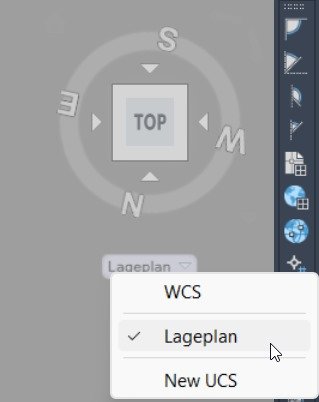
🧭 The workflow is useful for Civil 3D layouts, coordinate control drawings, UCS_Lageplan management, model-space orientation transfer, xref coordination, plan production, and CAD standardization between project files.
Helper function: (if any)
🧩 get-persisted-ucs-folder reads the last-used UCS folder from the Windows Registry.
🧩 save-persisted-ucs-folder writes the selected UCS folder path back to the Registry.
🧩 get-default-ucs-path resolves the preferred start folder from DWGPREFIX, the persisted UCS folder, or a fallback path.
🧩 c:EXPUCS_DIALOG opens the save-file dialog and dispatches to EXPUCS.
🧩 c:IMPUCS_DIALOG opens the import-file dialog and dispatches to IMPUCS.
🧩 c:EXPUCS scans the UCS symbol table using tblnext and writes UCS records to the selected .ucs file.
🧩 c:IMPUCS reads exported UCS records from a .ucs file, validates UCS entries, resolves duplicate names, and recreates records with entmake.
🧩 vl-load-com initialization enables Visual LISP COM access when AutoCAD ActiveX is available.
Functionalities:
✅ 📤 Export named UCS definitions from the active AutoCAD drawing to a portable .ucs file.
✅ 📥 Import named UCS definitions from a previously exported .ucs file into the current drawing.
✅ 🧭 Transfer model-space coordinate systems between DWG files without manually recreating UCS origin and axis settings.
✅ 🗂️ Use AutoCAD file dialogs for selecting save and import locations.
✅ 💾 Remember the last-used folder path across sessions through the Windows Registry.
✅ 🏗️ Default to the current drawing folder when no previous UCS export/import folder exists.
✅ 🔁 Handle duplicate UCS names on import by generating unique names instead of overwriting existing UCS records.
✅ 🧱 Use UCS table records, entmake, tblnext, tblsearch, open, read-line, write-line, and Visual LISP file operations.
✅ 📐 Support CAD production workflows where UCS definitions must be reused across project drawings, xrefs, Civil 3D sheets, and model-space layouts.
✅ 🧰 Keep export and import workflows simple with dedicated command aliases for dialog-based and raw file-path execution.
Result:
🎯 The result is a faster AutoCAD UCS management workflow where named User Coordinate Systems can be exported, archived, shared, imported, and reused between drawings.
✅ CAD users can preserve project UCS standards, improve drawing setup consistency, and reduce manual UCS recreation during Civil 3D and AutoCAD production work.
Images, animations etc.