
Short description
🧭 NavvCubeDisplayOffOn is a compact AutoCAD AutoLISP utility for resetting the Navigation Cube display state with one command.
🔄 It runs the AutoCAD NAVVCUBEDISPLAY command sequence automatically, helping CAD users restore the ViewCube or NavVCube display without searching through interface settings.
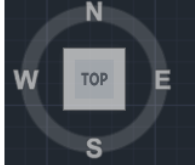
Command:
🚀 Main command: NavvCubeDisplayOffOn
🧰 AutoCAD system command used internally: NAVVCUBEDISPLAY
🔄 Internal sequence: NAVVCUBEDISPLAY 1, then NAVVCUBEDISPLAY 3
Description:
📘 NavvCubeDisplayOffOn is an SEO-friendly AutoCAD AutoLISP command for quickly refreshing or restoring the Navigation Cube display in the active drawing session.
🧭 The routine gets the active AutoCAD document through Visual LISP COM automation, then sends two NAVVCUBEDISPLAY command calls to AutoCAD. This creates a simple one-command workflow for users who need to bring the navigation cube display back into the desired visible state.
🔄 The uploaded code performs a two-step display reset by sending value 1 and then value 3 to the NAVVCUBEDISPLAY command. This is useful when the navigation widget visibility or screen state needs a fast manual reset from the command line.
🧰 The tool is intentionally lightweight. It does not open a dialog, does not ask for object selection, and does not modify drawing geometry. It only targets the AutoCAD navigation cube display setting.
📌 This utility is useful for AutoCAD and Civil 3D users who frequently switch workspaces, clean up screen layouts, prepare screenshots, or need quick access to the navigation cube display controls.
Helper function: (if any)
🧩 The routine uses vlax-get-acad-object to connect to the running AutoCAD application and vla-get-ActiveDocument to access the current drawing document.
🔧 It uses vla-sendcommand to send the NAVVCUBEDISPLAY values directly to AutoCAD from AutoLISP.
🔒 The code includes a vl-catch-all-apply check around the AutoCAD COM object call and loads Visual LISP COM support when needed.
Functionalities:
[‘🚀 Provides one command-line entry point named NavvCubeDisplayOffOn.’, ‘🧭 Controls the AutoCAD navigation cube display state through NAVVCUBEDISPLAY.’, ‘🔄 Sends NAVVCUBEDISPLAY 1 followed by NAVVCUBEDISPLAY 3 to reset the display state.’, ‘🧰 Uses the active AutoCAD document and vla-sendcommand for command execution.’, ‘⚡ Runs without a dialog, without selection prompts, and without drawing geometry edits.’, ‘🖥️ Helps restore navigation cube visibility after workspace changes, display issues, or screen setup adjustments.’, ‘📌 Keeps the workflow simple for CAD production users who need a fast visual navigation reset.’, ‘🔒 Leaves model-space entities, layers, blocks, xrefs, and Civil 3D objects unchanged.’]
Result:
✅ The result is a quick AutoCAD display utility that refreshes the Navigation Cube or NavVCube state from a single command, making it easier to restore visual navigation controls during drafting and Civil 3D production work.
Images, animations etc.