Short description
🧩 AutoCAD XrefDrawingOrder is a dialog-driven AutoLISP tool for arranging XREF draw order directly from a clear DCL interface.
📐 It helps CAD users, Civil 3D designers, BIM coordinators, and CAD managers control which external references appear above or below other xrefs in complex drawings.
Command:
🚀 Main commands:
– MXR
– MXR_DCL
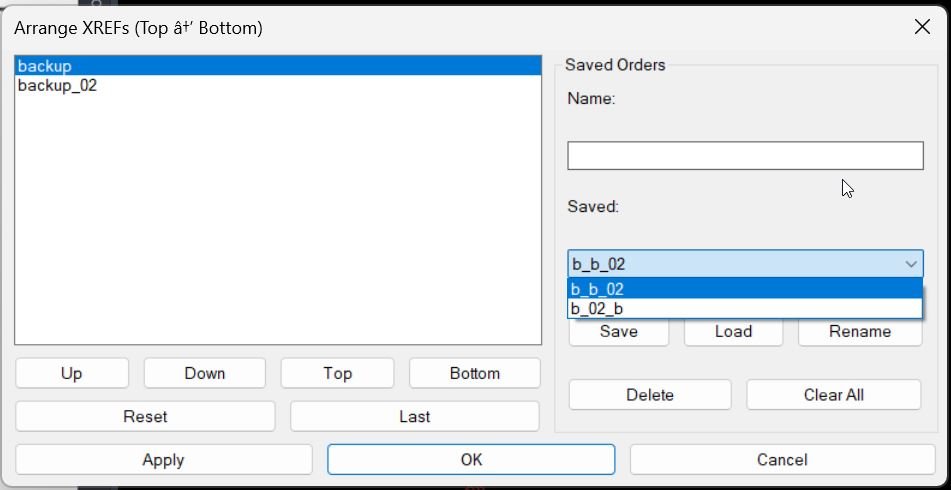
🧰 Run MXR or MXR_DCL in the AutoCAD command line to open the Arrange XREFs dialog.
Description:
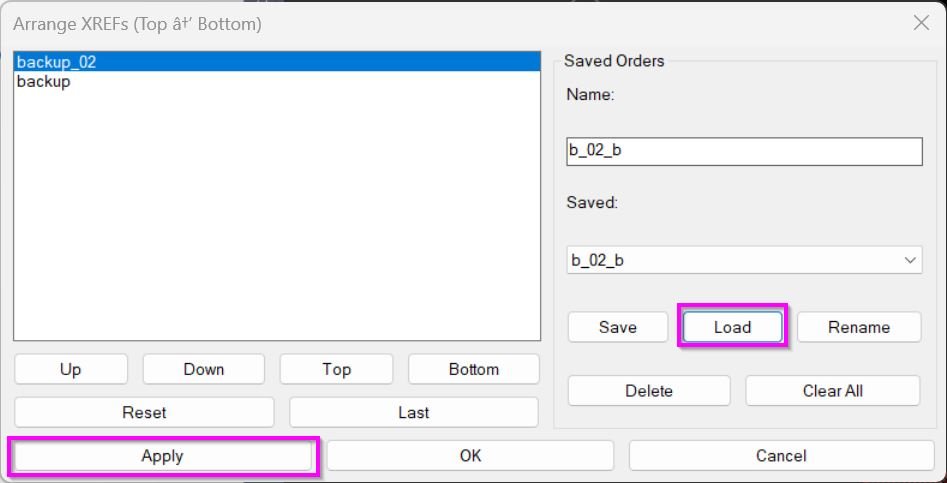
🧩 XrefDrawingOrder scans the active AutoCAD drawing for loaded XREF block definitions and presents them in an ordered list titled Arrange XREFs Top to Bottom.
🔄 The user can move xrefs Up, Down, Top, or Bottom, then apply the selected draw order without manually selecting every xref reference in model space.
📌 The command uses AutoCAD DRAWORDER logic to move each xref underneath the previous xref in the ordered list, creating a controlled stacked xref display.
💾 The utility also stores the last applied order inside the drawing with a Named Object Dictionary XRECORD, making the previous order available again with the Last button.
🗂️ Named saved orders can also be stored in MXR_XrefOrders.txt, making it possible to save, load, rename, delete, and clear reusable xref ordering presets.
Helper function: (if any)
🧠 Main helper routines and implementation details:
– AT:GetXrefNames collects xref block names from the active document using ActiveX Blocks iteration.
– MXR:SSXref builds selection sets for xref INSERT references by block name.
– MXR:MoveUnder applies DRAWORDER with the Under option to place one xref below another.
– MXR:ApplyOrder walks the ordered xref list and applies the stacked draw order pair by pair.
– MXR:SaveLastOrder and MXR:LoadLastOrder store and restore the last order from the drawing Named Object Dictionary.
– MXR:LoadSaved, MXR:SaveSaved, MXR:DelSaved, and MXR:FindSavedByName manage named xref order presets.
– AT:XrefOrderDialog creates the temporary DCL dialog, handles Apply, OK, Cancel, list movement, saved order actions, and cleanup.
Functionalities:
🚀 Open a dedicated XREF ordering dialog with MXR or MXR_DCL.
📋 Automatically list xrefs found in the active drawing.
⬆️ Move selected xrefs upward in the display order.
⬇️ Move selected xrefs downward in the display order.
🔝 Send an xref to the top of the ordering list.
🔻 Send an xref to the bottom of the ordering list.
🔄 Reset the list to the current xref collection.
🕘 Reload the last applied xref order stored in the drawing.
💾 Save named xref order presets for repeated use.
📂 Load saved order presets and fill missing current xrefs automatically.
✏️ Rename saved presets from the DCL dialog.
🗑️ Delete selected saved presets or clear all saved presets.
✅ Apply the draw order while keeping the dialog open for iterative testing.
🟢 Use OK to apply the order and close the dialog.
🔴 Use Cancel to close without applying changes.
Result:
✅ The result is a faster AutoCAD xref draw order workflow for large reference-based drawings.
🧭 Users can control background surveys, layout sheets, design xrefs, utilities, corridors, alignments, basemaps, and annotation references with a reusable visual ordering workflow.
📐 The command reduces repetitive manual DRAWORDER operations and makes xref stacking more predictable in AutoCAD and Civil 3D production drawings.
Images, animations etc.