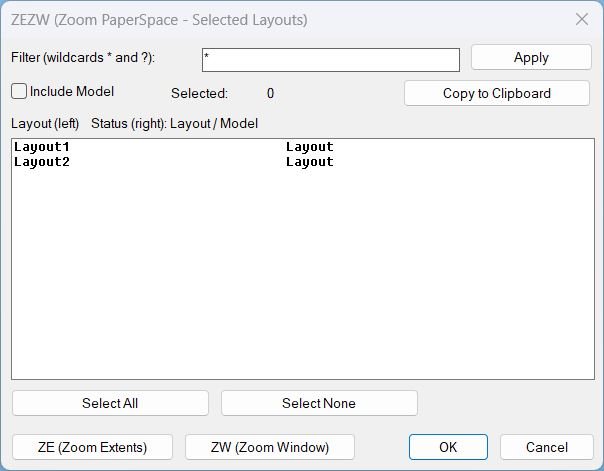
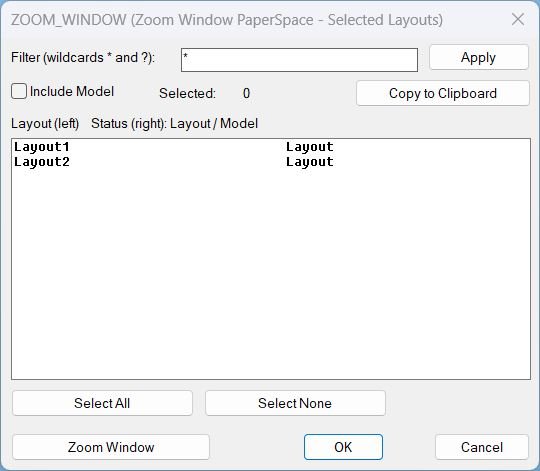
ZoomExtendWindow_sub-menu

Page Category: AutoCAD_Lips

  • CreatesXrefsLayersAssign_vs.00

    Short description Xref → Own Layer Manager This AutoLISP routine scans the current drawing for attached xrefs, shows them in a dialog with a checkbox and a per xref layer popup, and lets the user create or assign layers for those xrefs in one place. The dialog is generated dynamically so it always shows the…

  • ZoomXref

    Short description Command: Description: Helper function: (if any)​ Functionalities: Result: Images, animations etc. XAML code: Expand Code ↓ Select Code Copy Code <ResourceDictionary xmlns="http://schemas.microsoft.com/winfx/2006/xaml/presentation" xmlns:x="http://schemas.microsoft.com/winfx/2006/xaml" xmlns:src="clr-namespace:Autodesk.Windows;assembly=AdWindows"> <src:RibbonToolTip x:Key="ZoomXref"> <src:RibbonToolTip.ExpandedContent> <StackPanel> <TextBlock Background="AntiqueWhite" TextAlignment="Left"> <Bold>Function Syntax: ZOOMXREF / SELECTXREF</Bold> <LineBreak/> <Bold>Version: 1.0 Date: 20.06.2026 6:39:04PM</Bold> <LineBreak/> <Hyperlink>N/A</Hyperlink> <LineBreak/> <Bold><Run Foreground="DodgerBlue">Function Syntax: ZoomXref</Run></Bold><LineBreak/> <Bold><Run Foreground="Orange">Command Name:</Run></Bold> <Bold><Run…

  • DuplicateLayouts_00

    Short description Shows a DCL dialog to choose paper-space layouts and specify how many copies to create for each, then duplicates the selected layouts using the LAYOUT command. Provides a summary list where selected layouts and their copy counts can be reviewed and removed before running the duplication. Command: Command: DuplicateLayouts Description: Creates a temporary…

  • 3D_PolyOffset

    Short description Creates a 3D offset of a selected 3D polyline. Converts the original 3D polyline into a temporary 2D polyline. Applies a user-defined offset distance. Reconstructs a new 3D polyline using original Z-coordinates. Restores system variables and cleans up temporary entities. Command: Command name: OFFSET3D Select a 3D polyline when prompted. Enter the offset…

  • Text_menu

    Lisp code: Expand Code ↓ Select Code Copy Code ; — auto-generated by LispLoader — ; Menu: Text_menu ; Generated: 2026-06-09 07:42:20 (setq base "C:\\Users\\mateid\\OneDrive – DB E.C.O. Group\\@C3D\\@Dan_Templates\\Acad\\Support_files\\Lisps\\Help_File\\") (load (strcat base "Text_menu\\AlignText\\AlignText.lsp")) (load (strcat base "Text_menu\\AlignTextCurve\\AlignTextCurve.lsp")) (load (strcat base "Text_menu\\AreaText\\AreaText.lsp")) (load (strcat base "Text_menu\\Associative_Textbox\\Associative_Textbox.lsp")) (load (strcat base "Text_menu\\Background_Mask\\Background_Mask.lsp")) (load (strcat base "Text_menu\\BFindV2-0\\BFindV2-0.lsp")) (load (strcat…