
Short description
XrefLayers is a single-window tool to manage XREF insert layers: create per-XREF target layers, assign inserts to target layers, force all XREFs onto one existing layer, and zoom to a selected XREF extents.
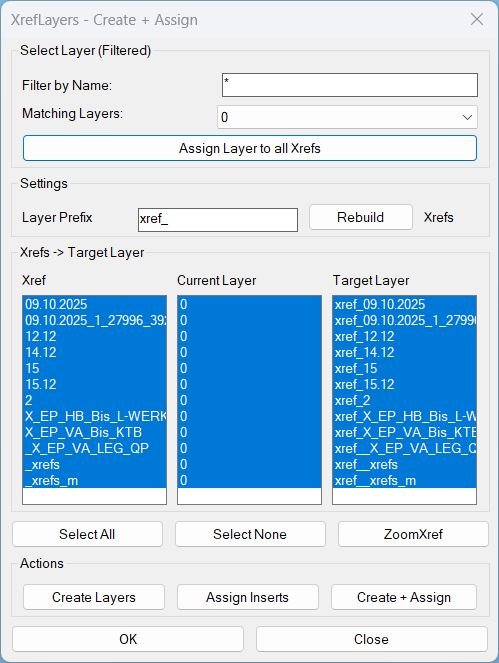
Command:
- XrefLayers Opens the dialog window.
- CreatesXrefsLayersAssign Alias that opens the same dialog window.
Description:
Main Purpose
- Scans the drawing and lists all XREF block definitions found in the Blocks table.
- Displays three synchronized columns: Xref, Current Layer, and Target Layer (built from the Layer Prefix).
- Provides two assignment modes: per-XREF target assignment and assign one layer to all XREFs via a filtered layer selector.
- Includes ZoomXref to zoom the view to the selected XREF inserts bounding box in Model Space using ActiveX ZoomWindow.
- Option 1: Choose an existing layer from the filtered list and click Assign Layer to all Xrefs.
- Option 2: Set Layer Prefix, then use Create Layers, Assign Inserts, or Create + Assign for per-XREF management.
- Use ZoomXref to zoom to the first selected XREF in the list.
- Press OK or Close to exit (no extra actions on OK).
Helper function: (if any)
Key Helpers and What They Do
- XRL-GetXrefs Collects XREF block names from the Blocks collection.
- XRL-EnsureLayer Creates a layer if missing and enforces color 7 (white).
- XRL-PutLayerSafe Moves an entity to a layer and safely handles locked source layers (temporary unlock and restore).
- XRL-BuildXrefLayerMap Builds the Current Layer summary per XREF by scanning INSERT entities and tracking their layers.
- XRL-UpdateLayerList Filters non-Xref layers and populates the Matching Layers dropdown using the typed filter text.
- XRL-FillLists Refreshes the three list columns and preserves selection when possible.
- XRL-ZoomXrefCB Zooms to the selected XREF Model Space inserts using a merged bounding box and ActiveX ZoomWindow.
Functionalities:
Dialog Controls and Actions
- Filter by Name Filters the Matching Layers dropdown (non-Xref layers only).
- Assign Layer to all Xrefs Moves all XREF inserts in the drawing to the selected Matching Layer and sets it current.
- Layer Prefix Controls how Target Layer names are generated (Prefix + XrefName).
- Rebuild Re-scans XREFs and refreshes all lists and the layer filter results.
- Xref List shows detected XREF names and supports multi-select.
- Current Layer List shows where each XREF insert currently resides: single layer name, <varies>, or <none>.
- Target Layer List previews the computed target layer per XREF using the current prefix.
- Select All Selects every XREF row in all three columns.
- ZoomXref Zooms to the first selected XREF inserts extents in Model Space without closing the dialog.
- Select None Clears selection in all three columns.
- Create Layers Creates missing per-XREF target layers (color 7) for the selected XREFs (or all if none selected).
- Assign Inserts Moves selected XREF inserts onto their computed target layers (Prefix + XrefName) with locked-layer safety.
- Create + Assign Runs Create Layers then Assign Inserts in one step for the selected XREFs (or all if none selected).
- OK Closes the dialog only.
- Close Closes the dialog only.
Result:
Result
- Standardizes XREF organization by enabling consistent per-XREF target layers using a prefix strategy.
- Provides a fast way to force all XREFs onto a single existing layer for audits, plotting, or temporary coordination workflows.
- Improves visibility with a live Current Layer column and synchronized selections across all lists.
- Prevents silent failures by safely handling locked layers during reassignment.
- Accelerates navigation with ZoomXref using precise ActiveX ZoomWindow extents.
Images, animations etc.
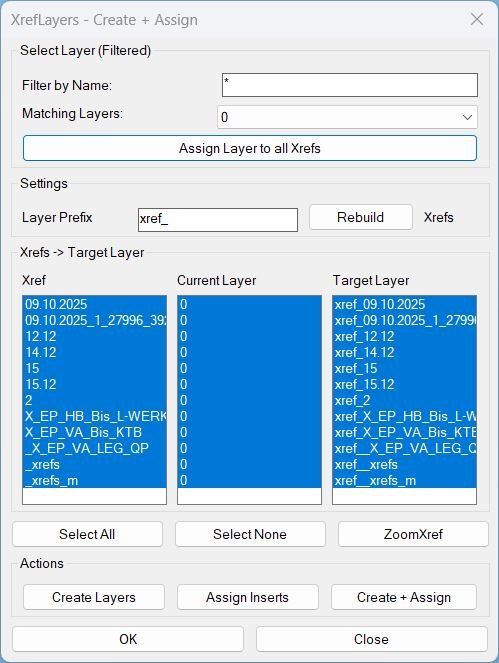
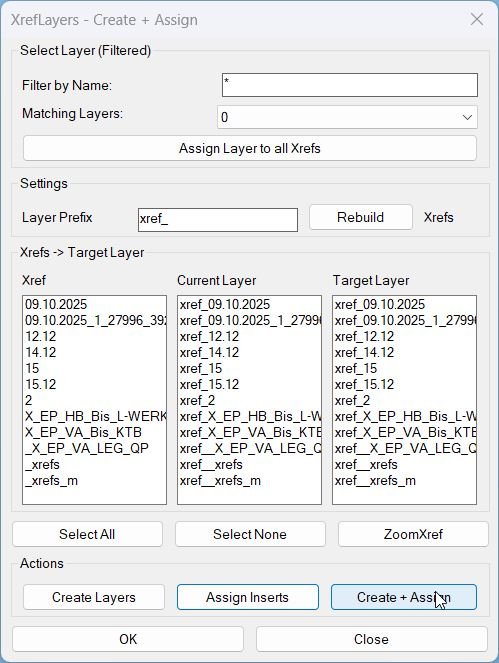
Log in to download.
Log in
Log in
Additional info:
Based on / Source code:
Open Website
Share this page:
Subscribe
Login
0 Comments
Oldest
Tags: 🏷️ Autocad Lisps, 🏷️ Xref_menu
Tags: 🏷️ Autocad Lisps, 🏷️ Xref_menu