
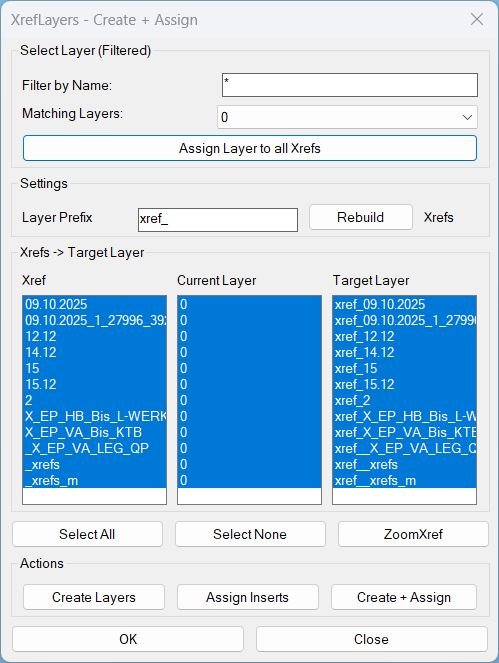
CreatesXrefsLayersAssign_01
XrefLayers is a single-window tool to manage XREF insert layers: create per-XREF target layers, assign inserts to target layers, force all XREFs onto one existing layer, and zoom to a selected XREF extents.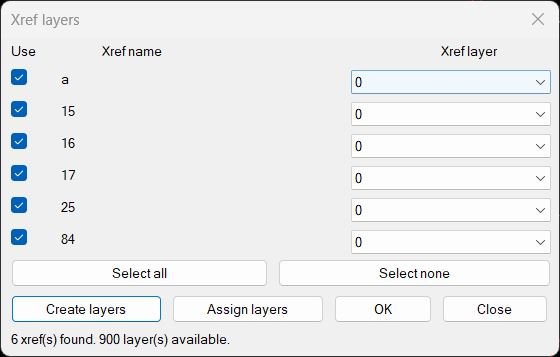
CreatesXrefsLayersAssign_vs.00
Xref → Own Layer Manager This AutoLISP routine scans the current drawing for attached xrefs, shows them in a dialog with a checkbox and a per xref layer popup, and lets the user create or assign layers for those xrefs in one place. The dialog is generated dynamically so it always shows the exact xrefs that exist in the drawing at that moment.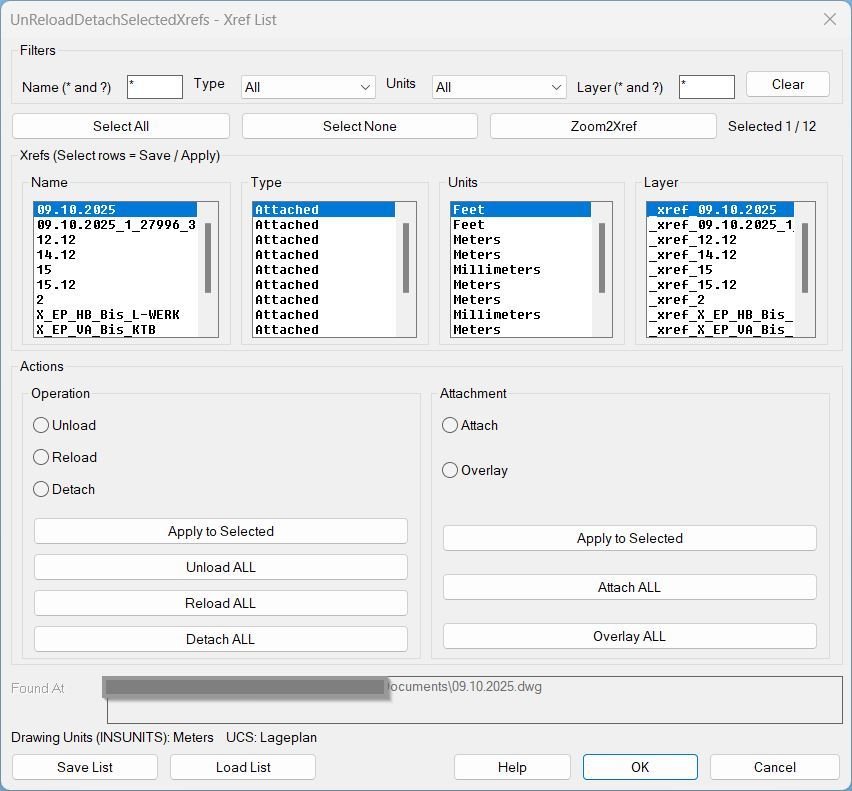
UnReloadDetachSelectedXrefs_00
Sort / Purpose: Interactive Xref management tool for AutoCAD that saves, reloads, and bulk-edits Xref state via a dialog, while preserving the current UCS and view for bulk actions. • Type of tool: Dialog-driven Xref control command with filters, selection, zoom-to-xref, save/load list, and batch operations. • Scope: Works on all Xrefs in the current drawing, or only the user-selected subset (selection defaults to all). • Goal: Quickly standardize Xref configuration (Type + Found At + Units + Layer) and reapply it reliably across sessions without disrupting the user’s working context.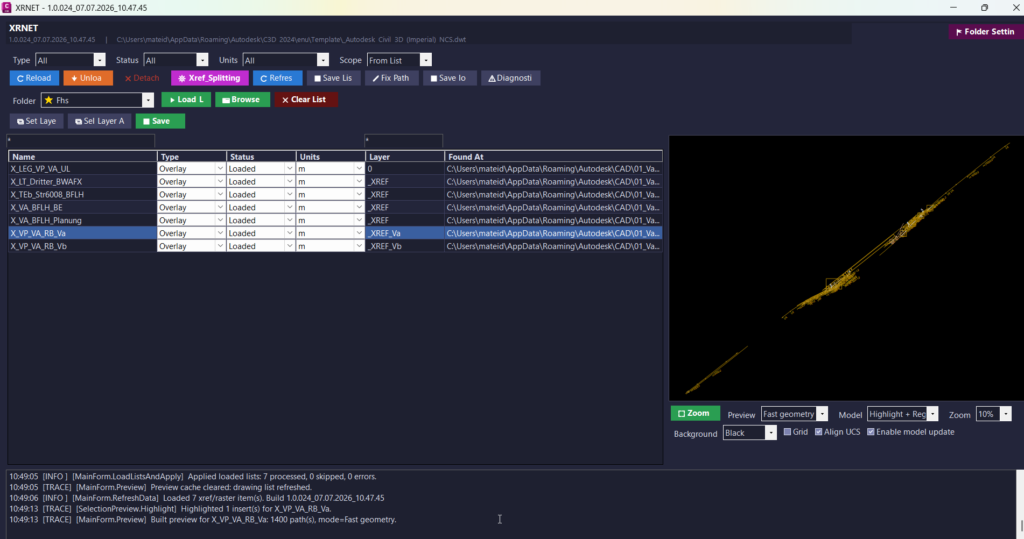
UnReloadDetachSelectedXrefs_vs.02
🚀 XRNET is an AutoCAD and Civil 3D .NET Framework plugin designed for fast DWG xref and raster image reference management. It helps CAD users inspect, reload, unload, detach, validate, preview, export, repair, and apply external references directly from the active drawing. The main benefit is faster drawing cleanup, better xref control, fewer missing reference problems, and improved AutoCAD Civil 3D production workflow.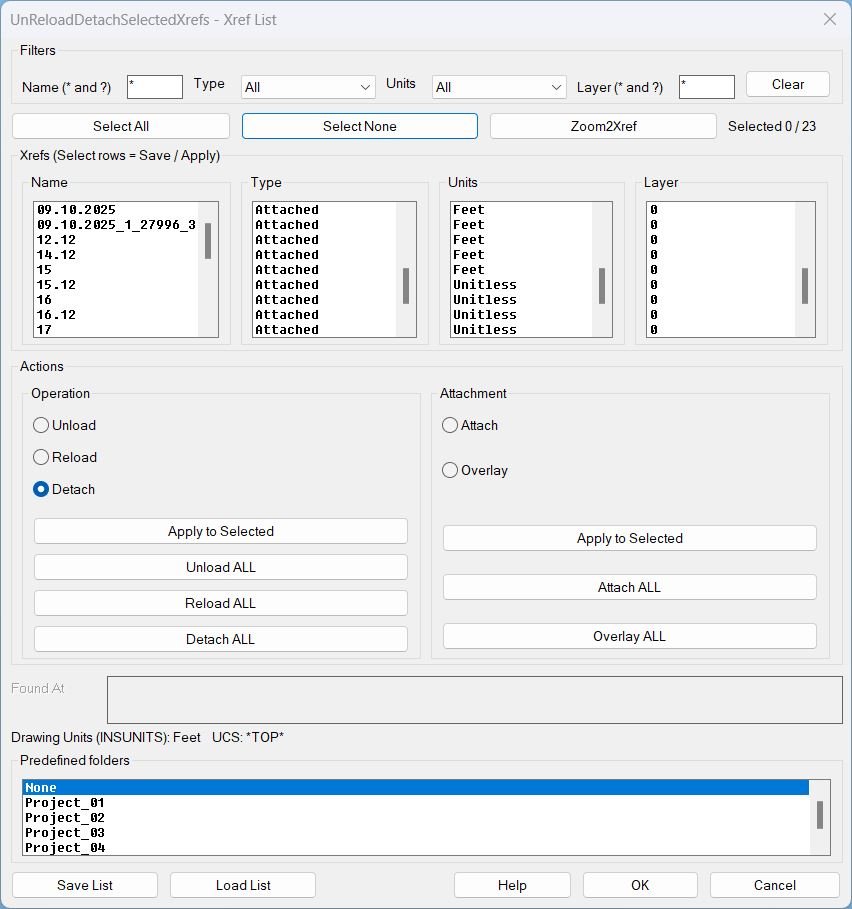
UnReloadDetachSelectedXrefs_01
UnReloadDetachSelectedXrefs Xref management dialog for filtering, selecting, zooming, saving lists, loading lists, and batch operations on xrefs in the current drawing.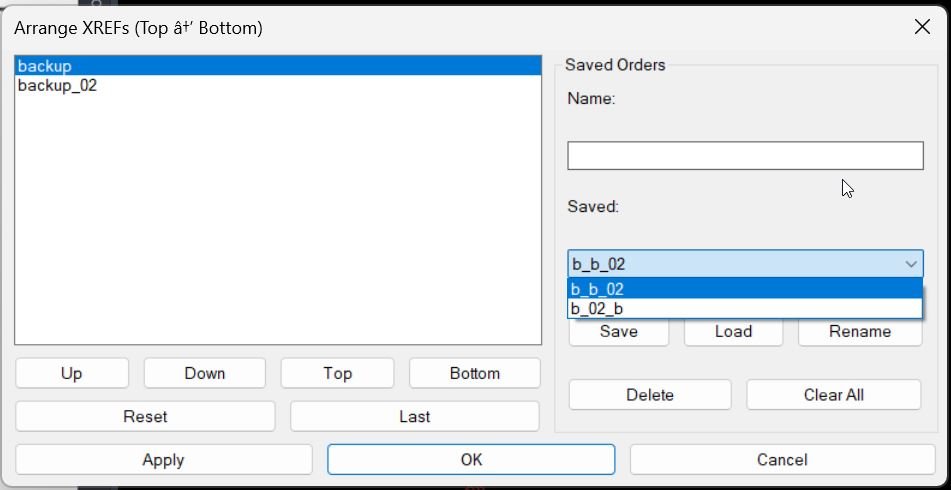
XrefDrawingOrder
🧩 AutoCAD XrefDrawingOrder is a dialog-driven AutoLISP tool for arranging XREF draw order directly from a clear DCL interface.
📐 It helps CAD users, Civil 3D designers, BIM coordinators, and CAD managers control which external references appear above or below other xrefs in complex drawings.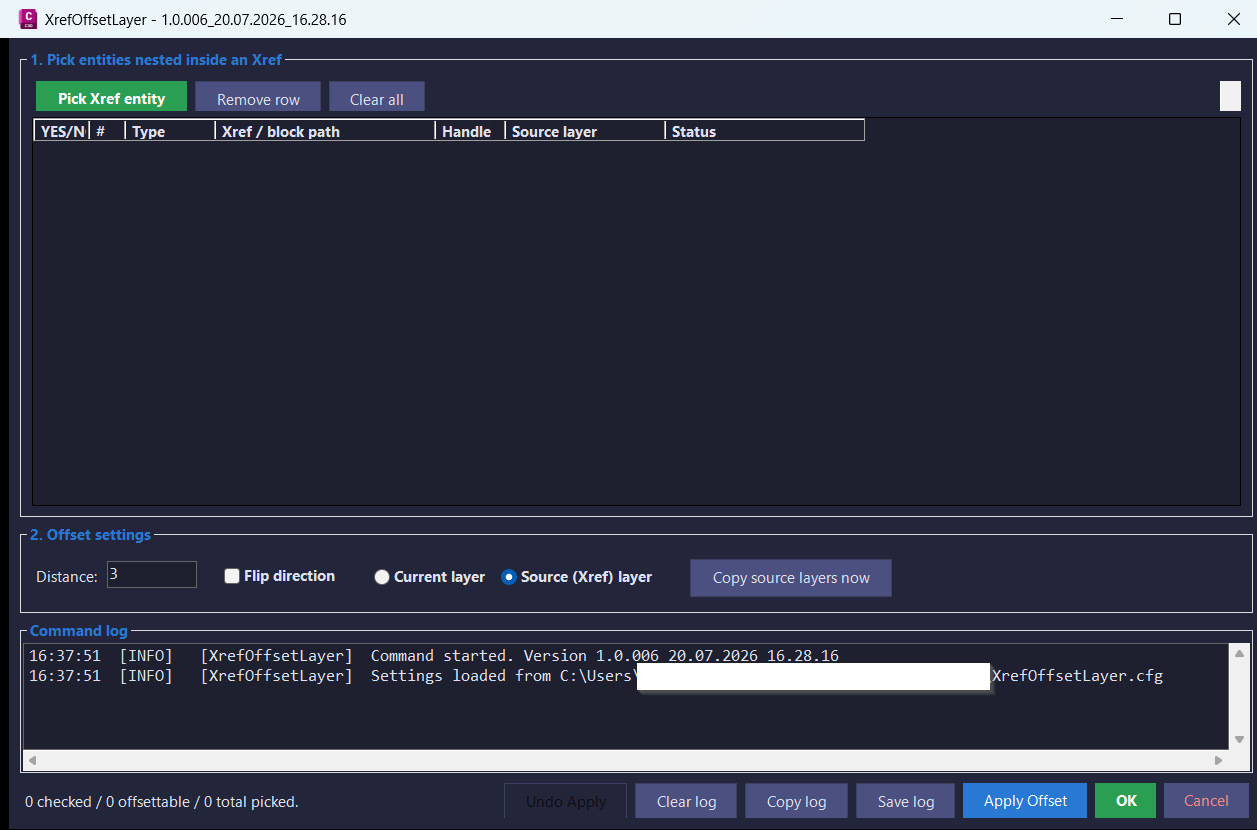
XrefOffsetLayer
Offset supported curve geometry nested inside AutoCAD and Civil 3D Xrefs into the host drawing with a modeless picker dialog, layer-copy support, flip direction control, undo, and diagnostic logging.
XRefs2Layers
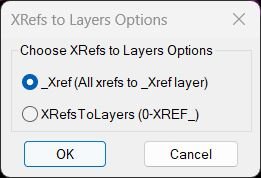
🔗📂 Move all AutoCAD XREF block references onto clean XREF layers using either one shared _XREF layer or individual 0-XREF_ layers.
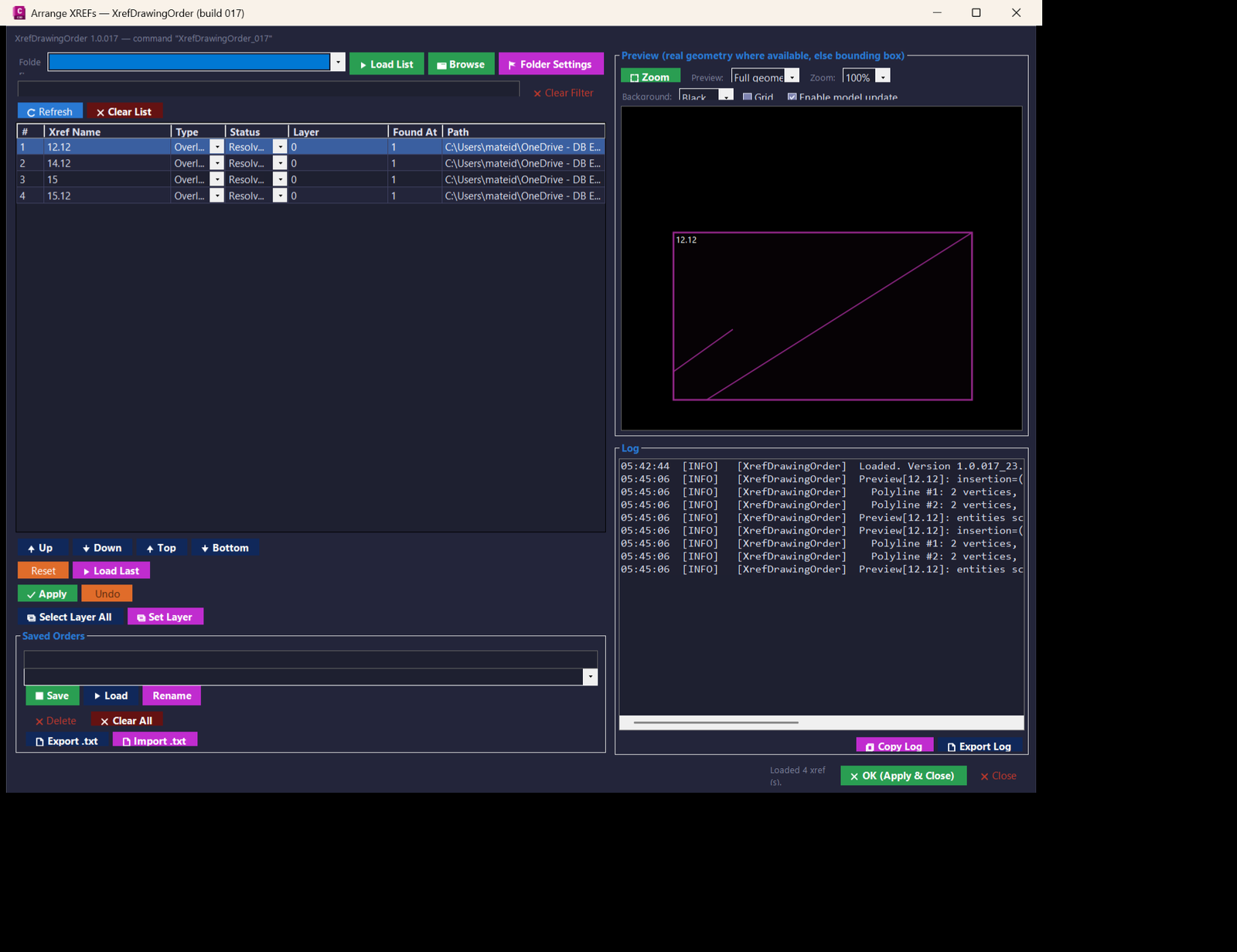
XrefsDrawingOrder
🧭 AutoCAD and Civil 3D .NET tool for managing XREF draw order with a modeless WinForms dialog, live preview, Apply and Undo, saved xref order presets, folder favorites, xref reload/unload controls, layer updates, and diagnostic logging.
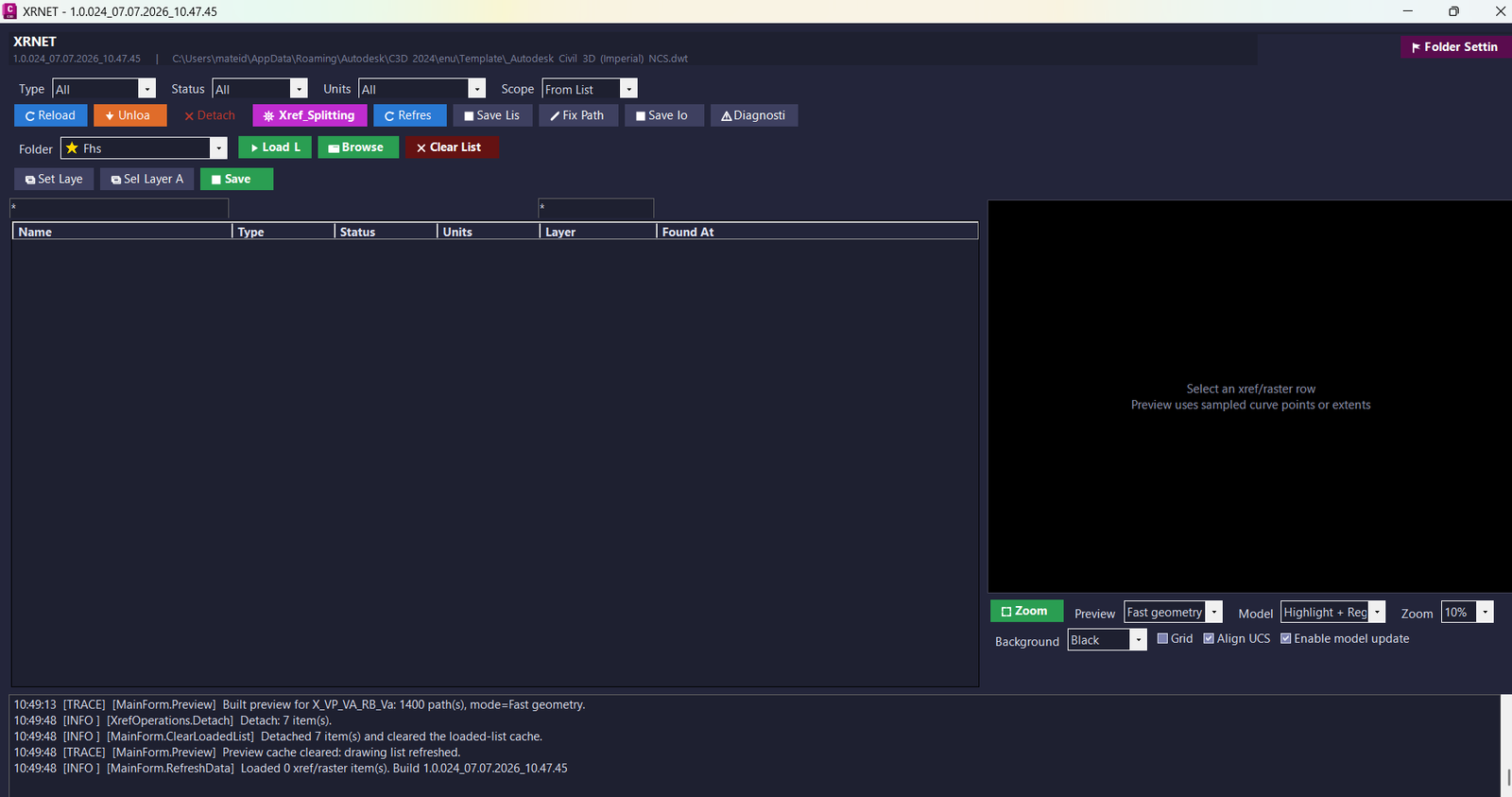
XrNet
🚀 XRNET is an SEO-friendly AutoCAD and Civil 3D .NET Framework plugin for fast DWG xref and raster image reference management. [username]
It helps CAD users inspect, reload, unload, detach, validate, preview, export, repair, and apply external references from the active drawing.
The main benefit is faster drawing cleanup, better xref control, fewer missing reference issues, and improved AutoCAD Civil 3D productivity.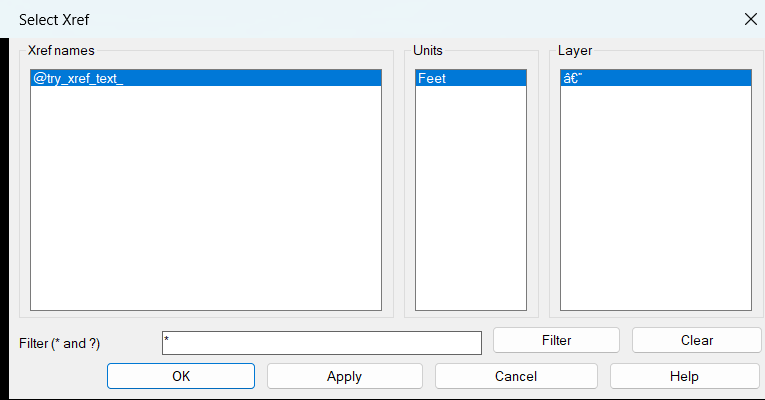
ZoomXref
AutoCAD LISP utility for listing loaded Xrefs in a dialog, filtering them with wildcards, and zooming directly to the selected Xref extents.
Tags: 🏷️ Autocad Lisps, 🏷️ Xref_menu
Tags: 🏷️ Autocad Lisps, 🏷️ Xref_menu