
3DPolyVertex2Table
🧩 3DPolyVertex2Table creates an AutoCAD table containing the X Y and Z coordinates of every vertex from a selected 3DPolyline.
🔢 The selected polyline vertices are marked in the drawing with matching numeric labels and small red circles.
📋 After the coordinate table is generated the user places it at the required drawing location.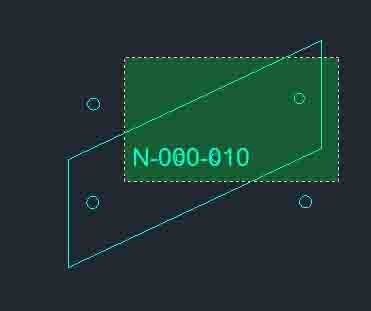
All_inside
🧩 All_inside provides the WPS command for selecting drawing objects located inside selected circles and lightweight polylines.
🪟 The routine builds Window Polygon selection boundaries from each selected bounding object and combines the detected interior objects into the final selection set.
📦 After selection the user can optionally create an AutoCAD group containing the bounding objects and the objects found inside them.CloseParalelPolylines
Purpose: Automatically connect two open or parallel-like entities and merge them into one continuous polyline Supported objects: LWPOLYLINE, LINE, ARC, SPLINE Usage style: Cleanup or closing gaps between two aligned open objects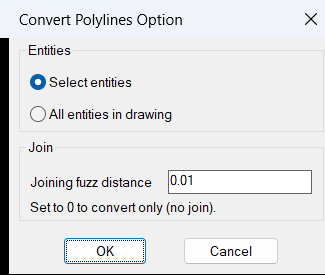
ConvertMultiplePolylines
🧩 ConvertMultiplePolylines is an AutoCAD AutoLISP utility for converting LINE and legacy 2D POLYLINE geometry into a modern lightweight polyline workflow.
🎛️ The embedded DCL dialog lets the user process selected entities or all compatible entities in the drawing and define a joining fuzz distance.
🔗 A positive fuzz distance activates PEDIT joining with Extend jointype while a value of 0 performs conversion without joining.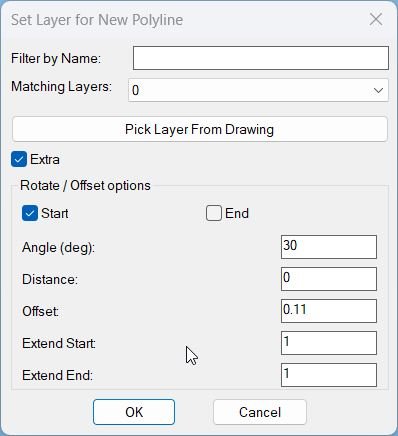
CopySelection_vs.01
Sort / Purpose: Create a new polyline segment copied between two picked points on an existing LWPOLYLINE, place it on a chosen layer, and optionally extend, rotate, move, and generate multiple offset copies via an interactive dialog with Apply and Undo. • Scope: Works only on a selected LWPOLYLINE, extracting the portion between two points along the polyline and building a new, separate polyline from that segment. • Goal: Speed up creation of repeated pipe or band segments with controlled layer assignment, geometric extension at ends, rotation, perpendicular distance, and multiple parallel offsets using presets.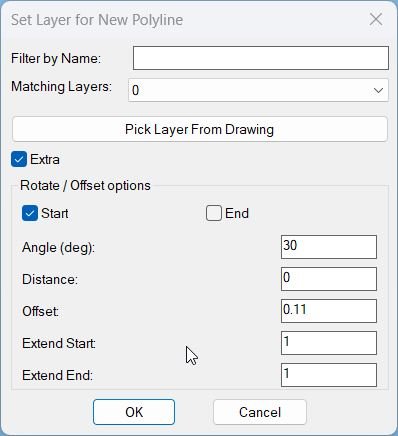
CopySelection_vs.03
🧩 CopySelection v8 is an AutoCAD and Civil 3D AutoLISP curve duplication and transformation utility for creating new polyline geometry from selected portions of one or multiple source curves.
🎛️ Its DCL interface combines curve selection layer assignment rotation translation repeated offsets endpoint extension optional parallel closing optional centerline creation Apply Undo OK Cancel and model space interaction.
📐 Supported source curves include LWPOLYLINE LINE ARC and legacy POLYLINE entities.DoubleOffset
🧩 Double Offset is a Lee Mac AutoLISP utility that offsets a selected curve to both sides using one offset distance or a through point.
🎛️ The command includes options for deleting the source object and placing the new offsets on the current layer or the source layer.
📐 Supported objects include ARC CIRCLE ELLIPSE SPLINE LWPOLYLINE XLINE and LINE.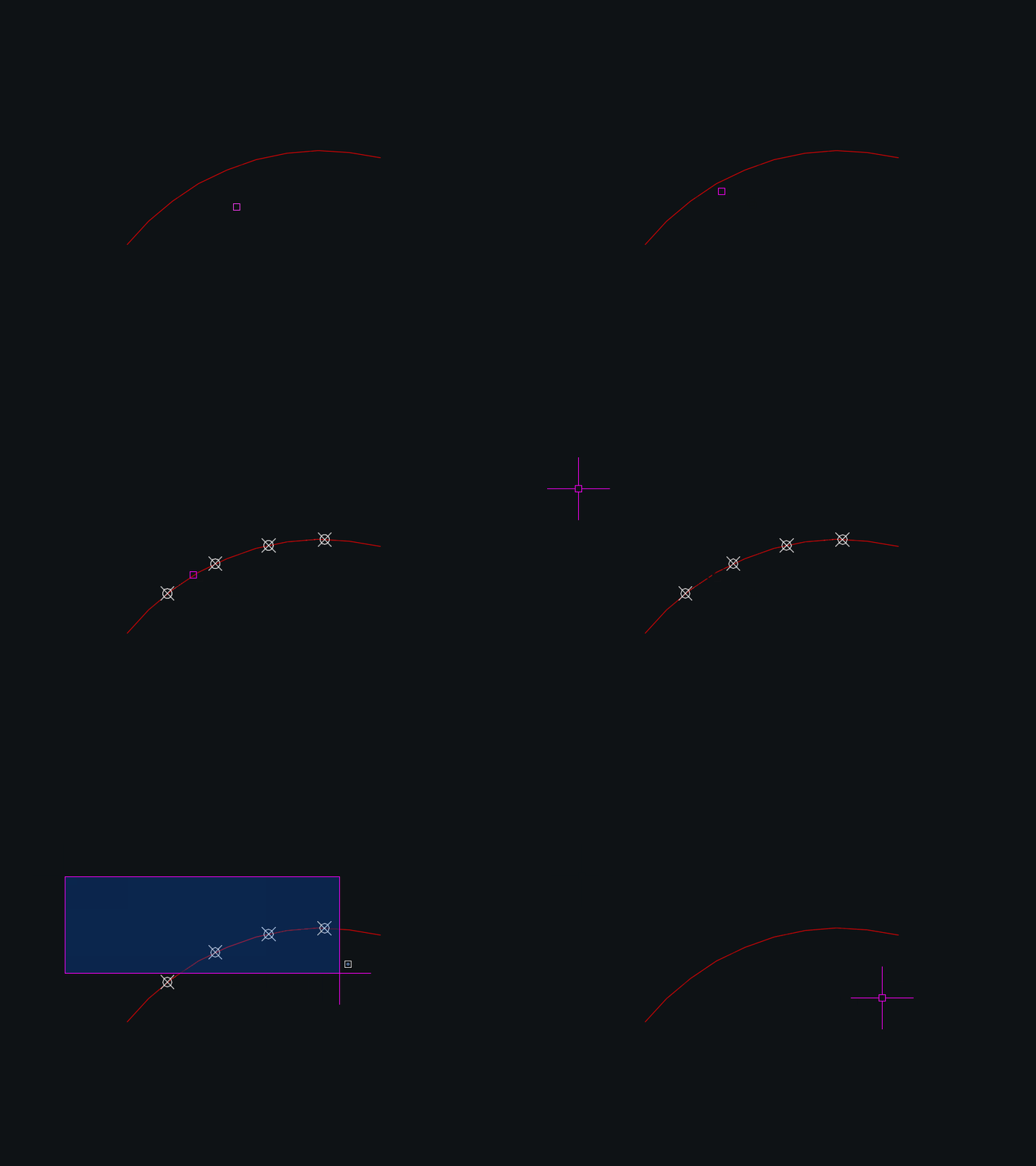
DynamicDivide
🧩 DynamicDivide is an AutoCAD AutoLISP utility that dynamically divides a LINE ARC or LWPOLYLINE into equal segments using POINT entities.
👁️ Moving the cursor over a supported object displays temporary division points before the user commits the operation.
⌨️ The number of divisions can be changed interactively with plus and minus keys or entered directly from the keyboard.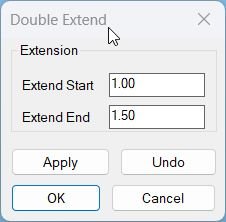
ExtendStartEndMultiple
🧩 ExtendStartEndMultiple extends the start and end of multiple selected LINE ARC LWPOLYLINE and POLYLINE objects using independent extension values.
🎛️ The DCL interface provides separate Start and End values together with Apply Undo OK and Cancel.
↩️ Apply can be tested repeatedly and Undo reverses the most recent Apply while Cancel restores the geometry changed during the current run.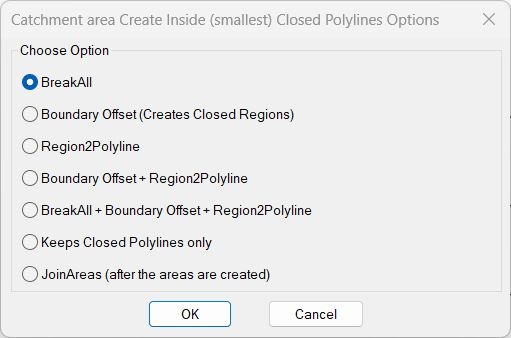
InteriorPolylinesArea
🧩 InteriorPolylinesArea is a DCL catchment area and closed polyline generation suite combining seven boundary cleanup and area creation workflows.
🎛️ The BR2P launcher can run BreakAll Boundary Offset Region2Polyline combined sequences closed polyline cleanup or JoinAreas.
🗺️ The toolset is intended for creating the smallest useful closed areas from intersecting planar curve networks.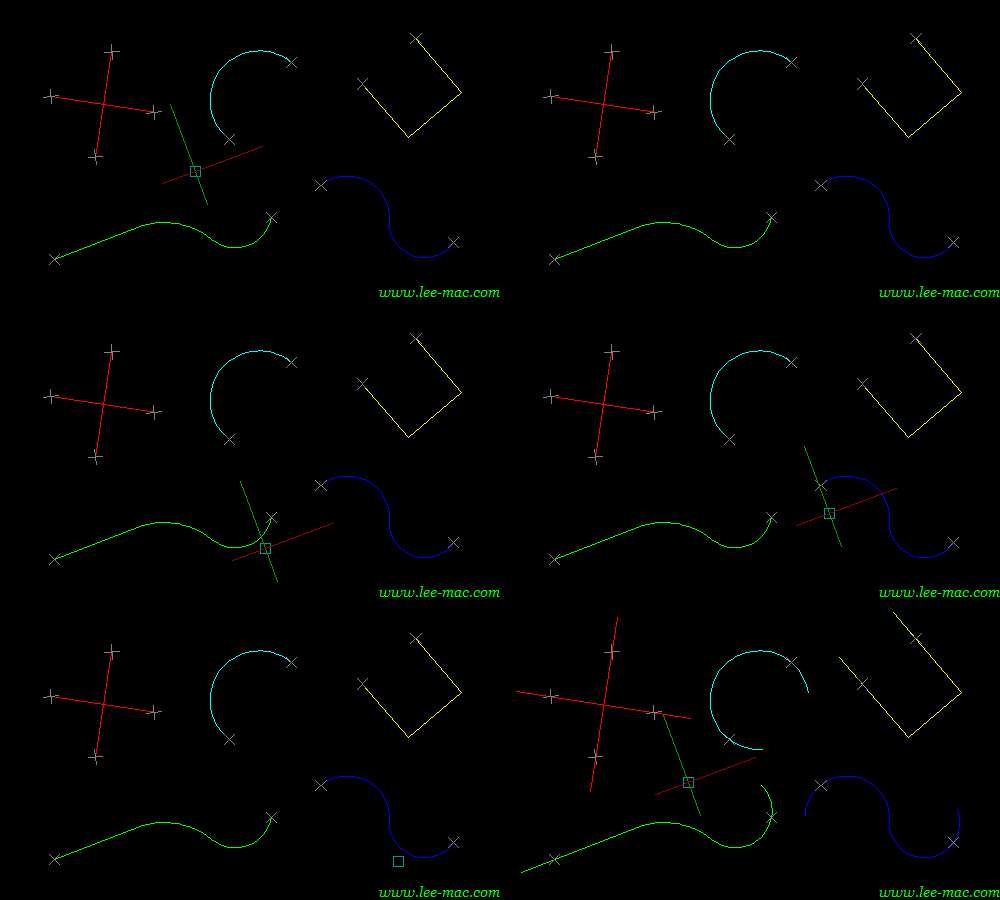
Lengthen
🧩 Lengthen is an enhanced Double Extend style AutoLISP tool for extending multiple selected LINE ARC LWPOLYLINE and POLYLINE entities at both ends.
🎛️ The DCL first workflow includes object picking highlighting separate Start and End extension values a Both Ends Slot option dynamic drag preview Apply Undo Debug OK and Cancel.
🧪 The file also provides DEX and DEXDEBUG aliases for the main tool and its diagnostic report.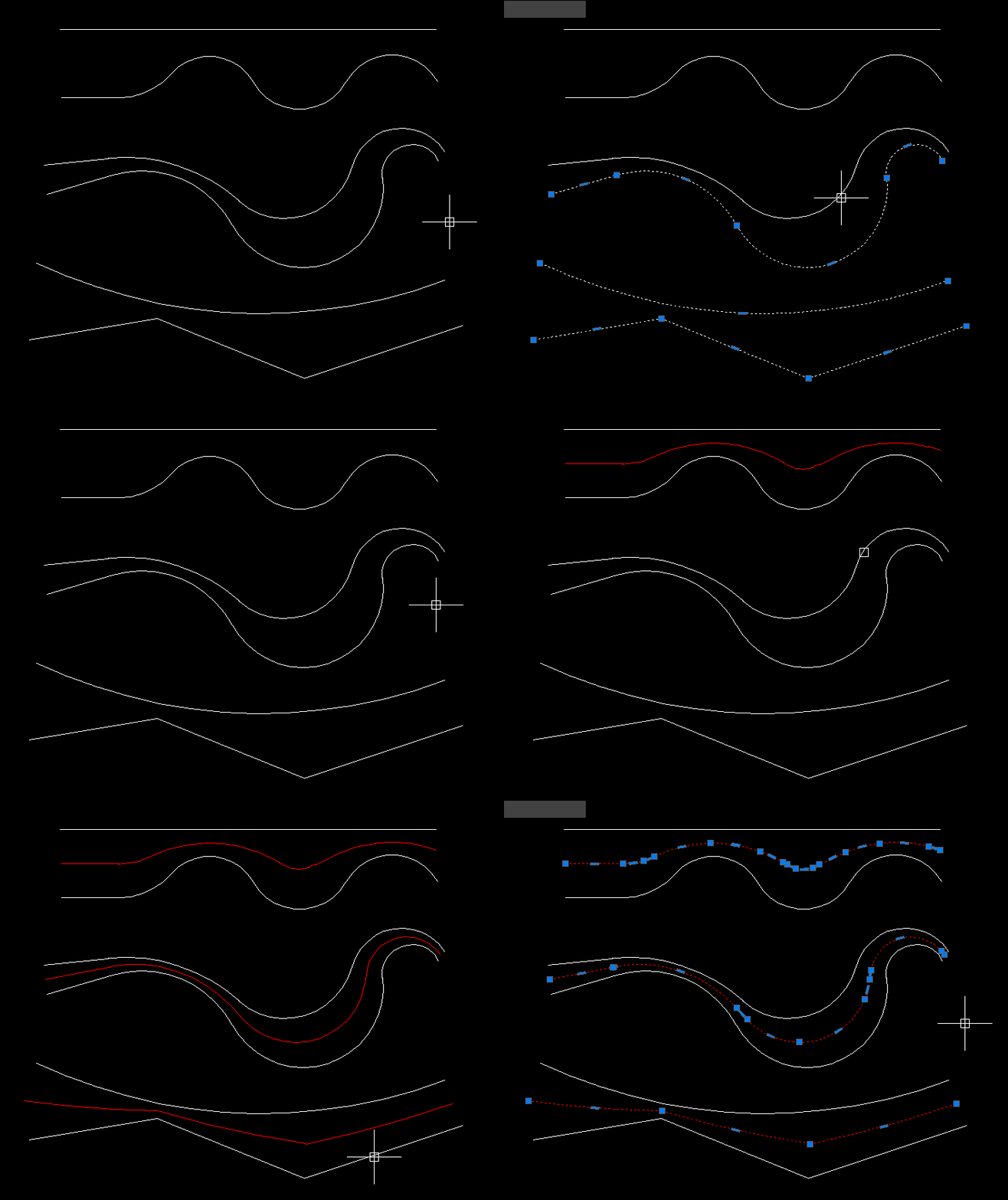
MiddleLinePolylines
🧩 MiddleLinePolylines provides the CPL command for creating a centerline between two selected open AutoCAD curves.
📐 The current version accepts general open vlax curve objects such as LINE LWPOLYLINE POLYLINE SPLINE and ARC rather than only polylines.
🧠 The algorithm uses temporary curve copies offsets lofted geometry and geometric intersection processing to derive the middle path.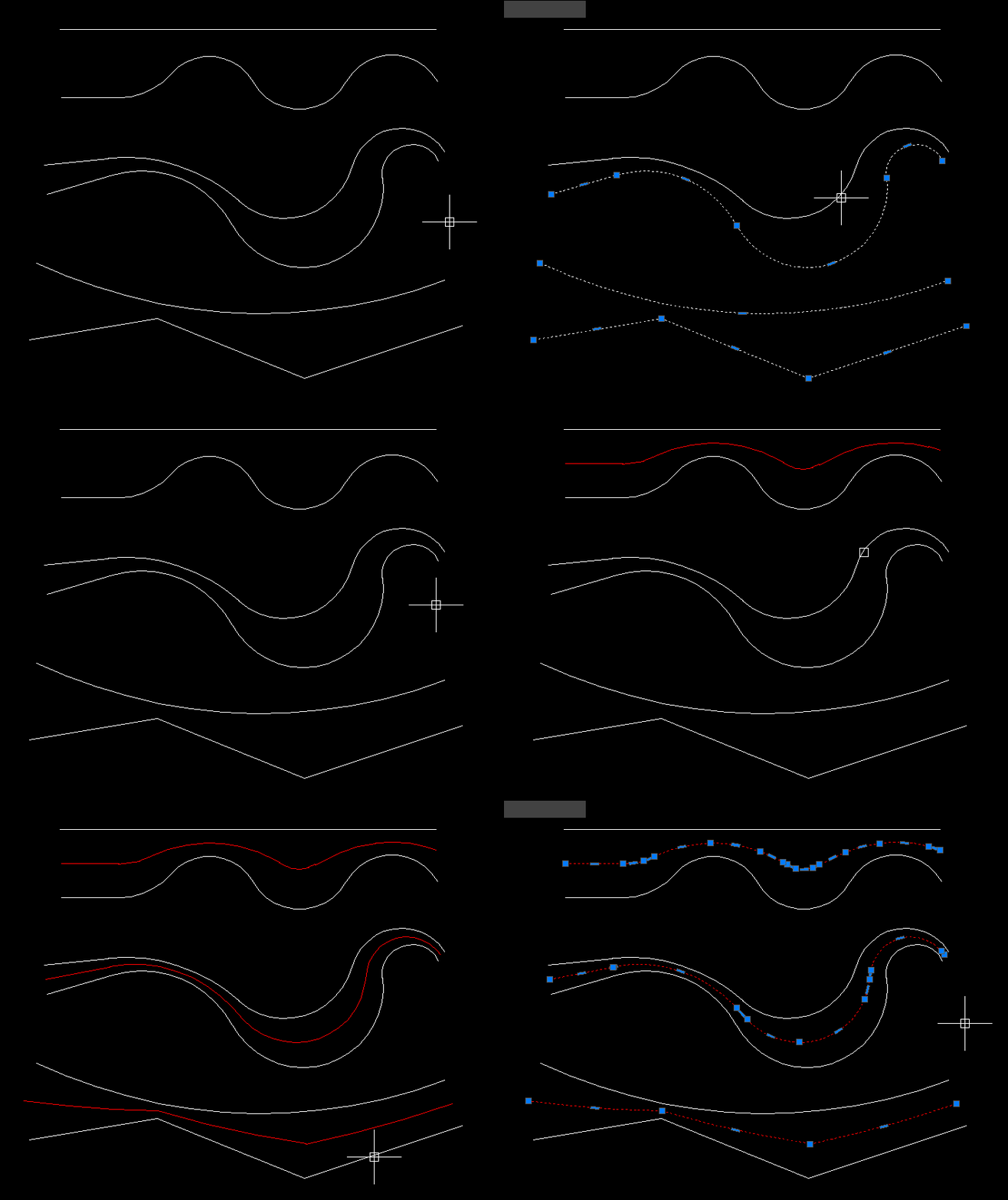
MiddleLinePolylines_2
🧩 MiddleLinePolylines_2 provides the CPL_2 command for generating a simple two vertex centerline between two open curves.
📍 The routine averages the start points of the first and last selected curve and averages their end points.
📐 A new two vertex LWPOLYLINE is created in ModelSpace from those two midpoint positions.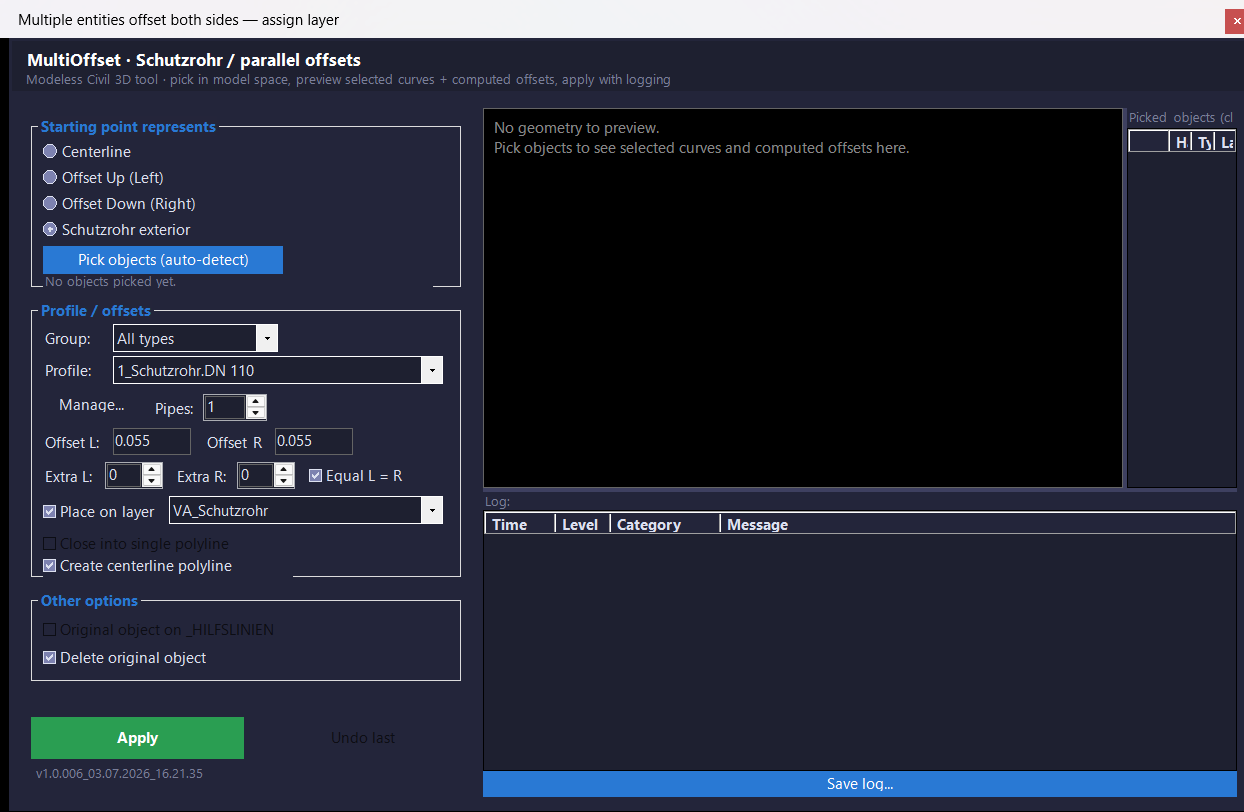
MultiOffsetBothSidesWithLayer
🧩 MultiOffsetBothSidesWithLayer is the M_07 C# AutoCAD and Civil 3D offset project for generating structured left and right parallel geometry from selected centerline objects.
🎛️ The current project uses a modeless WinForms interface with profiles pipe counts left and right offsets extra ducts target layers closing centerline source handling live preview Apply and Undo last controls.
📦 The current source build number is 1.0.006 and the physical Visual Studio project name is shortened to MOBSWLE.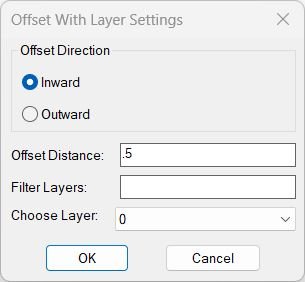
OffsetAndLayer
🧩 OffsetAndLayer offsets selected planar curve objects inward or outward by a chosen distance and assigns the new offset geometry to a selected drawing layer.
🎛️ A DCL dialog provides Inward or Outward direction offset distance layer name filtering and a layer dropdown.
💾 The last offset value selected layer and direction are stored in the AutoCAD environment for reuse.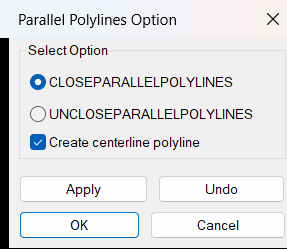
ParallelPolylinesOption
🧩 ParallelPolylinesOption is a DCL utility for closing two parallel open curves into one joined polyline or reopening a closed lightweight polyline into two parallel open sides.
➗ Both close and unclose workflows can automatically generate a midpoint centerline polyline on layer _HILFSLINIEN.
🎛️ The dialog provides Close Unclose Centerline Apply Undo OK and Cancel controls.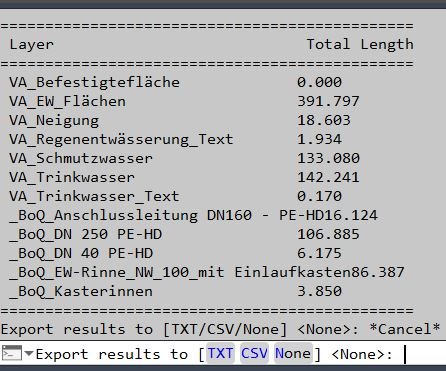
PLLengthByLayer
📏 AutoCAD LISP utility for calculating total lightweight polyline length by layer and exporting a clean TXT or CSV length report.
PLTools
🧩 PLTools is a large AutoCAD and Civil 3D AutoLISP polyline editing toolbox containing more than thirty callable commands.
🧰 The suite covers vertex insertion reduction deletion and movement segment conversion polyline joining reversing 2D and 3D conversion chain selection segment information centerline style geometry and other advanced polyline operations.
🎛️ PL-MENU and PLTOOLS-MENU provide a launcher for commands from the combined toolbox.Region2Polyline
Purpose: Convert REGION objects into closed LWPOLYLINEs while preserving curve continuity and arc bulges Typical use: Cleanup of Boolean-created geometry or boundary extractions that output REGION entities Input object: REGION only — all selected REGIONs are processed Output format: Clean, closed LWPOLYLINE with correct bulges and segment ordering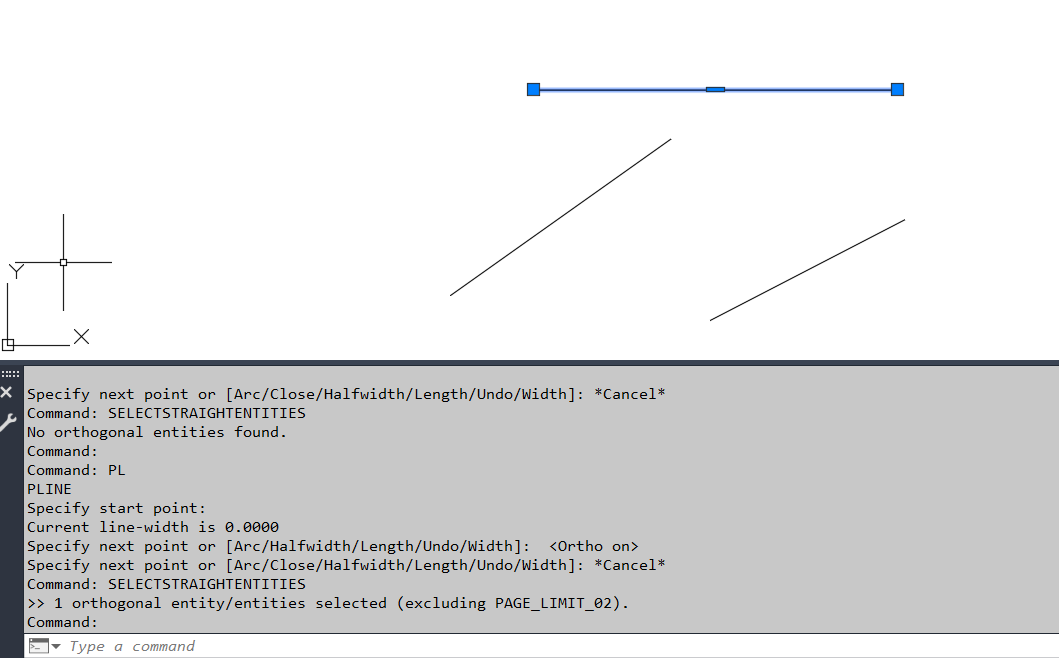
SelectStraightEntities
🧩 SelectStraightEntities automatically finds and selects orthogonal LINE LWPOLYLINE and POLYLINE geometry in the current AutoCAD layout.
📐 Accepted segments must run at approximately 0 90 180 or 270 degrees and lightweight polylines must contain no bulged arc segments.
🚫 Geometry on layer PAGE_LIMIT_02 is explicitly excluded.Slope_00
Purpose: Label slopes between two picked points using multiple numeric and ratio formats Scope: Works entirely in 2D, producing TEXT entities placed and rotated along the measured segment Workflow: Configure options in a dialog (DCL), then pick two points repeatedly to place slope labels Output style: Percent, H:V integers, V:H integers, H:V decimals (x.xx:1), or V:H decimals (1:x.xx) Defaults: Below=No, Height=1, H=1, V=1, Precision=2, Format=%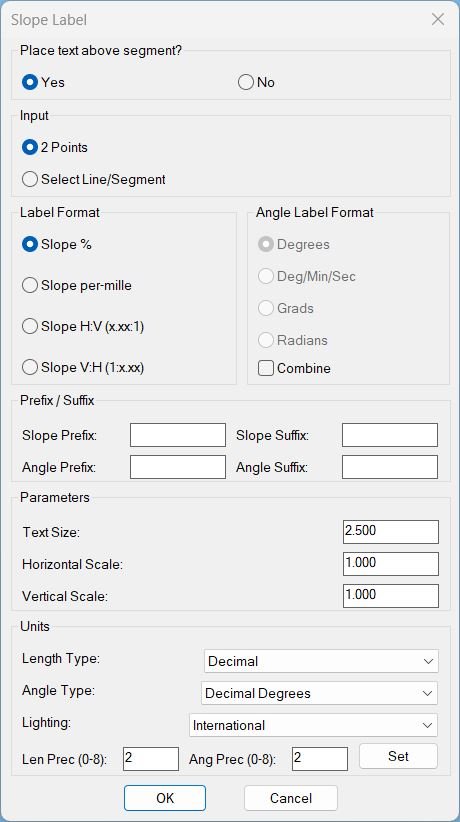
Slope_01
Sort / Purpose: Interactive slope-label placement tool for linework in Civil 3D / AutoCAD. • Type of tool: Dialog-driven annotation command that creates MTEXT labels. • Scope: Works on picked point pairs or on every segment of selected LINE / LWPOLYLINE / POLYLINE entities. • Goal: Quickly place readable slope (and optional angle) labels with user-controlled format, prefixes/suffixes and scaling.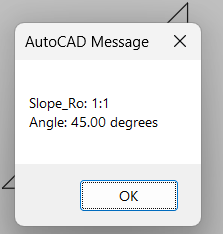
Slope_Ro
🧩 Slope_Ro calculates a slope ratio and angle from two user picked points.
📏 The current routine uses a fixed vertical run reference of 12 and reduces the calculated integer ratio using the greatest common divisor.
📢 The computed slope ratio and angle in degrees are displayed in an AutoCAD alert dialog.Spline2Poly
🧩 Spline2Poly converts AutoCAD SPLINE entities to polylines using SPLINEDIT Convert to Polyline with precision 1.
🎛️ A dynamically generated DCL lets the user choose manual spline selection or conversion of all splines in the entire drawing.
💾 Selection mode and dialog position are remembered in the AutoCAD configuration and during the current session.
Categories: AutoCAD_Lips
Tags: 🏷️ Autocad Lisps, 🏷️ Polyline menu
Categories: AutoCAD_Lips
Tags: 🏷️ Autocad Lisps, 🏷️ Polyline menu