
All_Color2Layers
🎨 All_Color2Layers is an AutoCAD AutoLISP ByLayer cleanup utility for resetting entity color and/or linetype overrides to BYLAYER.
🧰 It adds a DCL interface with operation options, scope controls, layout filtering, layer selection, settings memory, and undo support.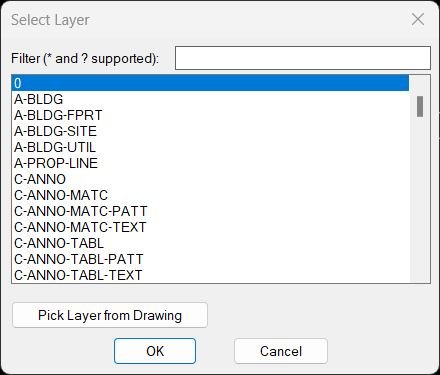
ChangeLayerToCurrent
🗂️ ChangeLayerToCurrent is an AutoCAD AutoLISP layer reassignment tool with a dynamic DCL layer selector, filtering, pick-from-object support, and clipboard helper.
🎯 It changes multiple selected objects to a chosen layer and optionally preserves original displayed linetype, linetype scale, and lineweight/width.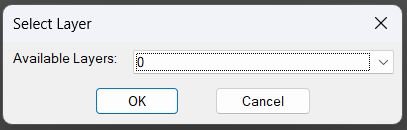
ChangeLayerToSelected_vs.01
🗂️ ChangeLayerToCurrent is an AutoCAD AutoLISP layer reassignment tool with a dynamic DCL layer selector, filtering, pick-from-object support, and clipboard helper.
🎯 It changes multiple selected objects to a chosen layer and optionally preserves original displayed linetype, linetype scale, and lineweight/width.Color2Llayers
🎨 Color2Llayers is an AutoCAD AutoLISP Extended Layer Color Changer with a DCL list, wildcard filter, multi-select, pick color, apply, undo, clipboard export, and dialog position memory.
🧰 It edits layer color values directly and uses a reopen-after-Apply pattern so AutoCAD can regenerate and show color changes immediately.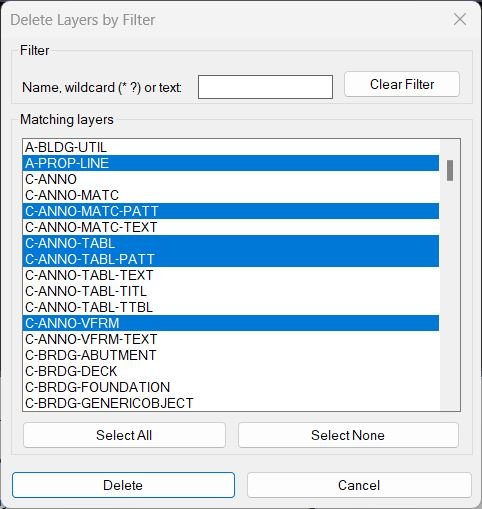
DeleteLayerByFilter
🧹 DeleteLayerByFilter is an AutoCAD and Civil 3D AutoLISP utility for finding, exporting, and deleting layers by multiple wildcard filter patterns.
🛡️ The tool uses a DCL dialog with protected layer patterns, confirmation prompts, preset filters, inverse matching, and export options so CAD users can clean drawings more safely and systematically.DuplicateToNewLayer
🧩 DuplicateToNewLayer and CloseParallelPolylines is an AutoCAD and Civil 3D DCL offset utility for creating left and right offsets from selected LINE LWPOLYLINE POLYLINE SPLINE and ARC geometry.
🎛️ The interface combines offset profiles independent left and right distances target layer controls optional source deletion parallel closing optional centerline generation Apply Undo OK and Cancel.
📚 Built in profiles cover Profile_000 cable channel sizes and Profile_003 through Profile_003 duct bundle configurations.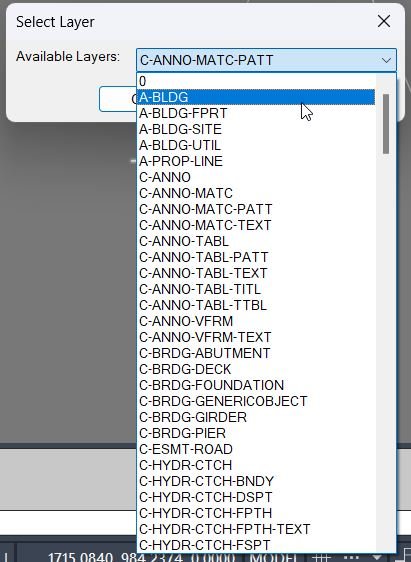
DuplicateToSelectedLayer
📋 DuplicateToSelectedLayer is an AutoCAD and Civil 3D AutoLISP utility for copying selected entities to a chosen existing local layer.
🧩 It uses a temporary DCL layer picker, ignores xref-prefixed layers, remembers the last selected target layer, and brings the copied objects to the front.Export_Layer_Filter
📤 Export_Layer_Filter is an AutoCAD AutoLISP tool for exporting layer property filters to reusable .lft files.
🗂️ It adds a DCL interface for multi-filter selection, xref prefix handling, predefined project folders, and folder management.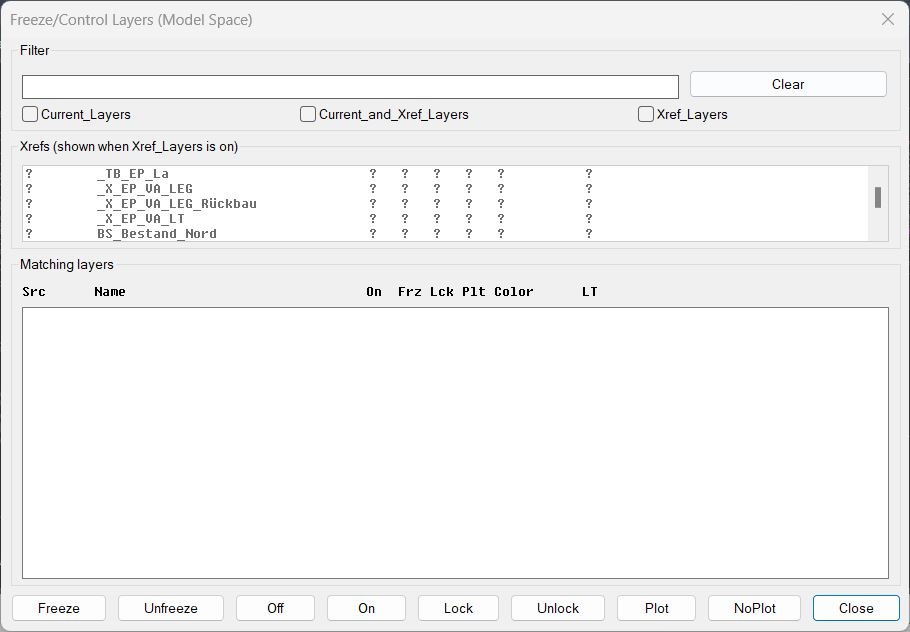
FreezeLayersInMS
❄️ FreezeLayersInMS is an AutoCAD and Civil 3D DCL layer manager for filtering current and xref layers, then freezing, thawing, locking, plotting, or switching them on and off.
🔍 It displays matching layer status in a fixed-width table and hides xref prefixes for readability while preserving the true layer names for operations.Import_Layer_Filter
📥 Import_Layer_Filter is an AutoCAD AutoLISP layer filter transfer tool for exporting and importing property layer filters through .lft, DWG, and DWT sources.
🗂️ It adds predefined project-folder management, multi-filter export and import, and xref-style prefix/suffix handling for NAME== filter patterns.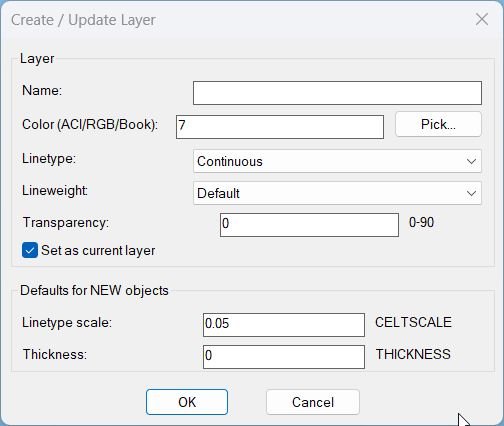
LayerCreation
🧱 LayerCreation is an AutoCAD and Civil 3D AutoLISP tool for creating or updating layers with color, linetype, lineweight, transparency, and default object settings.
🎨 It supports ACI colors, RGB true color, color books, a DCL dialog, and a reliable command-line fallback.LayerFilterFreezeThaw
❄️ LayerFilterFreezeThaw is an AutoCAD DCL layer filter manager for applying Freeze, Thaw, On, Off, Lock, and Unlock actions to predefined layer sets.
🚆 It includes a dedicated Kable filter with 30 exact railway or utility layer names plus quick commands for normal and inverted actions.LayerFilterFreezeThawOnPlotVPFreeze
❄️ LayerFilterFreezeThawOnPlotVPFreeze is an advanced AutoCAD DCL layer filter manager for Freeze, Thaw, On, Off, Lock, Unlock, Plot, No Plot, VP Freeze, and VP Thaw.
🖼️ It reads AutoCAD layer filter xrecords, supports inverted filter logic, remembers last settings, and applies viewport freeze or thaw through ACAD XDATA.LayerImport
🧩 LayerImport is an AutoCAD and Civil 3D AutoLISP layer standards importer for restoring layer properties from CSV or XML files through a production-friendly DCL interface.
📥 It is designed for CAD template recovery, layer-state transfer, project standardization, and Civil 3D drawing cleanup where layer properties must be copied accurately between drawings.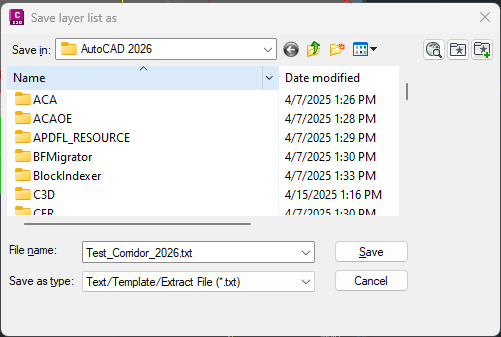
LayerList
🚀 LayerList is an AutoCAD AutoLISP layer reporting utility that exports the active drawing layer table to a clean text file for Excel review, CAD auditing, and DWG quality control. It helps AutoCAD and Civil 3D users document layer names, on or off state, freeze state, lock state, color, linetype, lineweight, plot style, plottable status, and viewport default freeze settings in one fast report.
LayersImportExport
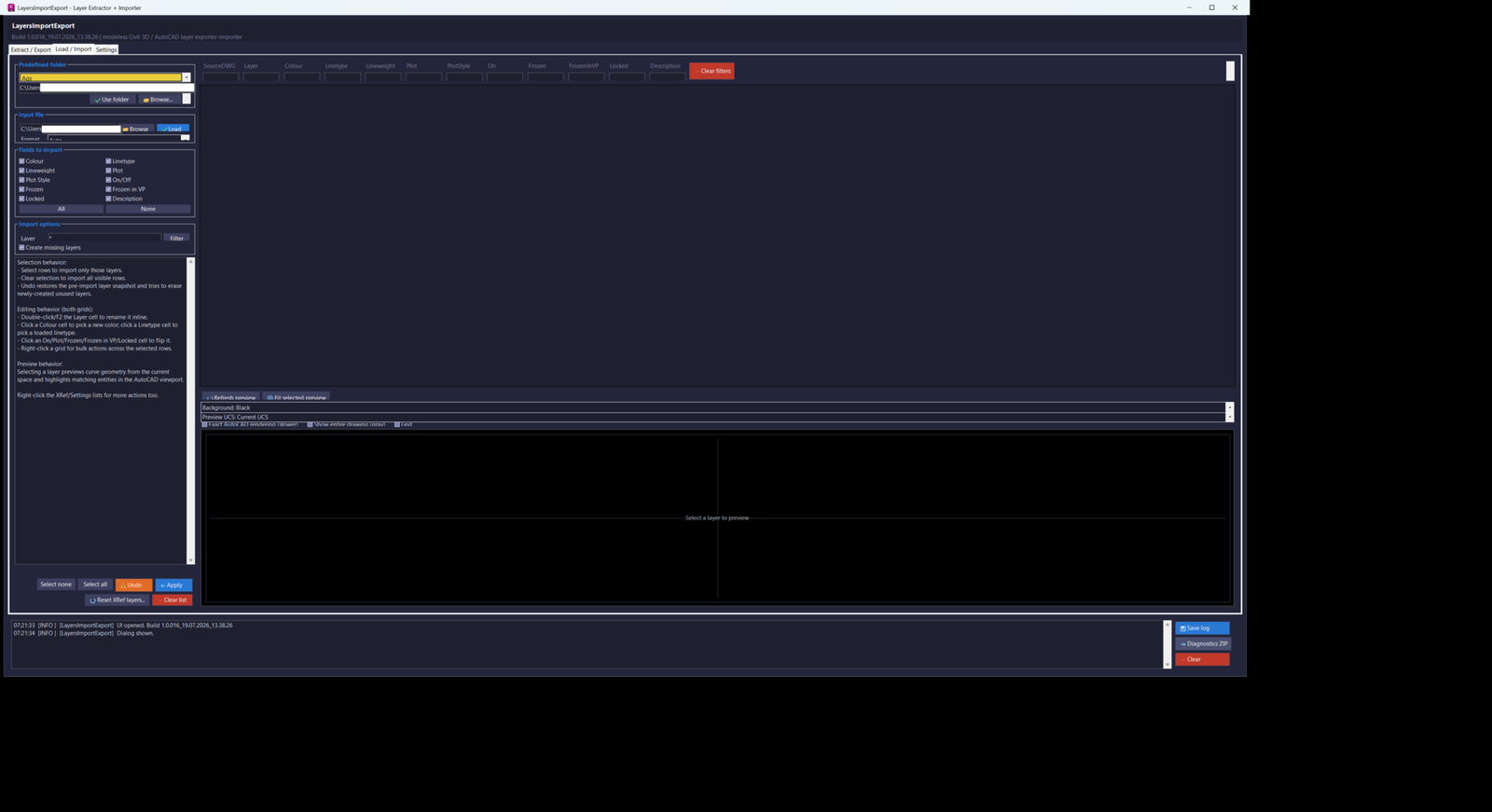
LayersImportExport_016 is an AutoCAD and Civil 3D 2024 .NET layer-management utility with a modeless C# interface for extracting, editing, exporting, importing, previewing, applying, and restoring drawing and Xref layer properties through CSV or XML workflows.
LayersName2Clipboard
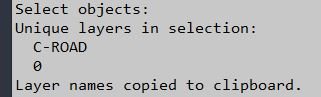
📋 LayersName2Clipboard is an AutoCAD AutoLISP utility that extracts unique layer names from selected entities and copies them to the Windows clipboard.
🔎 It is useful for quick layer reporting, documentation, filters, QA lists, and transferring selected layer names into Excel, Notepad, scripts, or CAD management tools.LayersNameToClipboard
📋 LayersNameToClipboard is an AutoCAD AutoLISP clipboard utility that reads the Layer property from selected objects and copies unique cleaned layer names.
🧹 It includes a simple formatting-code stripping helper and is useful for preparing layer-name lists for documentation, filters, Excel, and CAD QA workflows.Make_layers_linetypes_draw
🧾 Make_layers_linetypes_draw is an AutoCAD AutoLISP linetype catalog generator that draws sample polylines and MTEXT labels for loaded linetypes.
🎛️ It uses DCL dialogs for start point, length, row spacing, linetype scale, label content, wildcard filtering, paging, and linetype selection.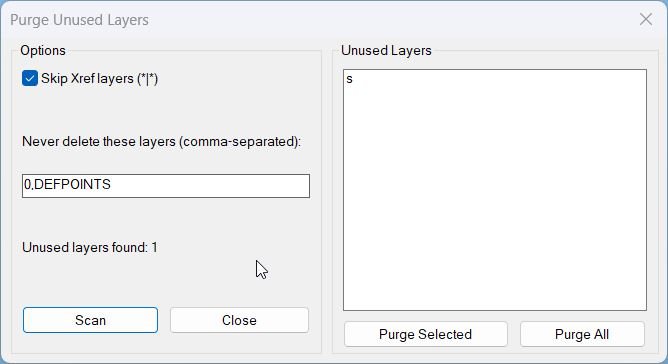
PurgeUnusedLayers
🧹 PurgeUnusedLayers is an AutoCAD AutoLISP cleanup utility with an embedded DCL dialog for scanning and deleting unused drawing layers.
🔒 It protects key layers such as 0 and DEFPOINTS, can skip Xref layers, and lets users purge selected layers or all detected unused layers.Reconcill_All_Layers
🧹 Reconcill_All_Layers is an AutoCAD and Civil 3D AutoLISP utility for clearing unreconciled-layer data from the active DWG.
🔕 It removes AutoCAD layer reconciliation markers and disables new-layer evaluation warnings by setting LAYEREVAL and LAYERNOTIFY to 0.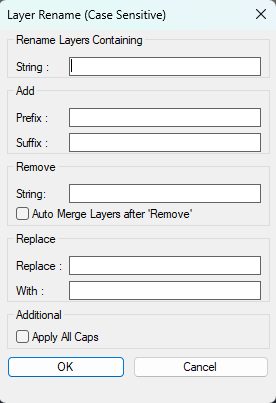
RenameLayer
🧱 RenameLayer is an SEO-friendly AutoCAD and Civil 3D AutoLISP utility for batch renaming local drawing layers through a custom DCL dialog.
🔎 It combines layer filtering, multi-select layer processing, prefix and suffix insertion, string removal, find-and-replace logic, optional ALL CAPS conversion, and Auto Merge handling in one production-ready layer management workflow.
🛠️ The tool is useful for CAD standards cleanup, Civil 3D layer normalization, imported drawing cleanup, DWG organization, and controlled layer renaming without manually using the Layer Properties Manager one layer at a time.SelectCreateLayerFilter
🔎 SelectCreateLayerFilter is an AutoCAD and Civil 3D AutoLISP tool that builds a layer Properties Filter from the layers found in a selected set of drawing objects.
🧰 It adds a practical DCL interface for naming the filter, choosing the parent filter, filtering layer names with wildcards, selecting layers, copying the expression, and applying the result directly through the AutoCAD LAYER filter command.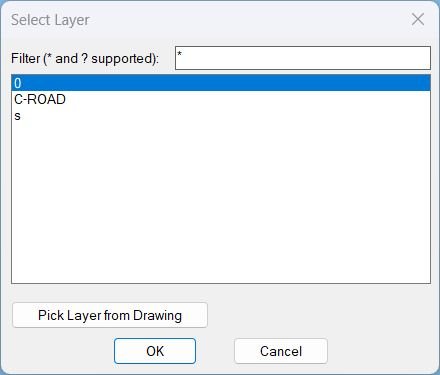
Zoom2Layer
- Displays a filterable layer selection dialog and then zooms the view to the extents of all objects on the chosen layer.
- Supports picking a layer directly from a selected object in the drawing and remembers the last filter used.
ChangeLayerToCurrent
🗂️ ChangeLayerToCurrent is an AutoCAD AutoLISP layer reassignment tool with a dynamic DCL layer selector, filtering, pick-from-object support, and clipboard helper.
🎯 It changes multiple selected objects to a chosen layer and optionally preserves original displayed linetype, linetype scale, and lineweight/width.
Categories: AutoCAD_Lips
Tags: 🏷️ Autocad Lisps, 🏷️ Layers_menu
Categories: AutoCAD_Lips
Tags: 🏷️ Autocad Lisps, 🏷️ Layers_menu