
Short description
- SetPlotDeviceNames — set every layout’s plot device to DWG To PDF.pc3 when available
- Iterates all layouts, refreshes device info, validates availability, then assigns the plot configuration
- Prints a warning per layout when the target device is not present
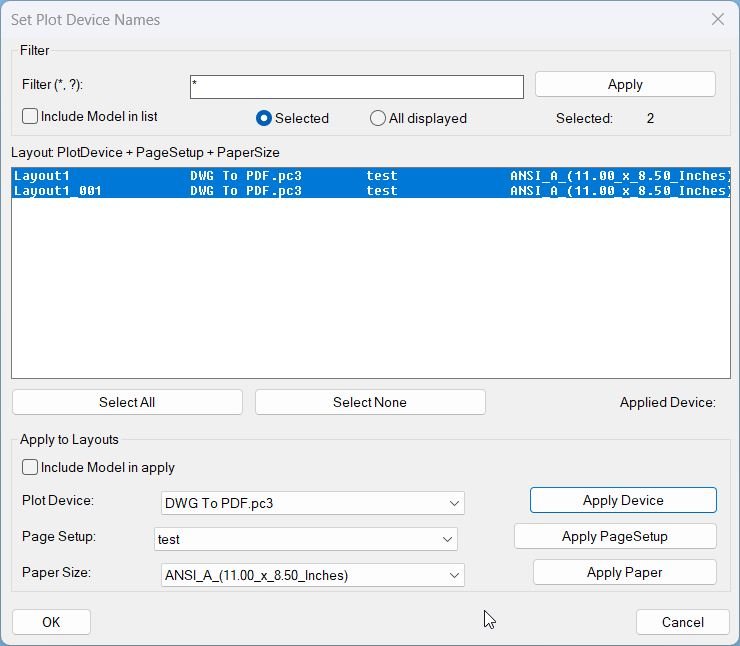
Command:
- • SetPlotDeviceNames
Description:
- Loads COM and targets a single plot configuration name: DWG To PDF.pc3.
- Gets the active document and its Layouts collection, then loops through each layout.
- For each layout, refreshes plot device information, retrieves the list of available plot devices, and checks whether the target device exists.
- If available, sets the layout’s ConfigName to the target device; otherwise, prints a message naming the layout that lacks the device.
Helper function: (if any)
- • vla-RefreshPlotDeviceInfo — forces the layout to refresh its list of available plot devices/configurations before querying them.
- • GetPlotDeviceNames — returns the layout’s available plot device names; these are uppercased via strcase for case-insensitive matching.
- • vl-position — checks whether the target device name exists in the normalized list of devices.
Functionalities:
- • Target device selection — sets desired device string to DWG To PDF.pc3.
- • Enumerate layouts — iterates all layouts in the active drawing using vlax-for over the Layouts collection.
- • Refresh device info — calls vla-RefreshPlotDeviceInfo to ensure device list is current.
- • Case-insensitive validation — uppercases both the target device and the returned device list for reliable matching.
- • Assign plot config — if present, sets ConfigName for the layout to the target device.
- • Per-layout warning — if missing, prints Plot device ‘DWG To PDF.pc3’ not available for layout: <layout name>.
Result:
- All layouts that have DWG To PDF.pc3 available will have their plot device/configuration set to it.
- Any layout that does not list the device remains unchanged and is reported in the command line output.
Images, animations etc.
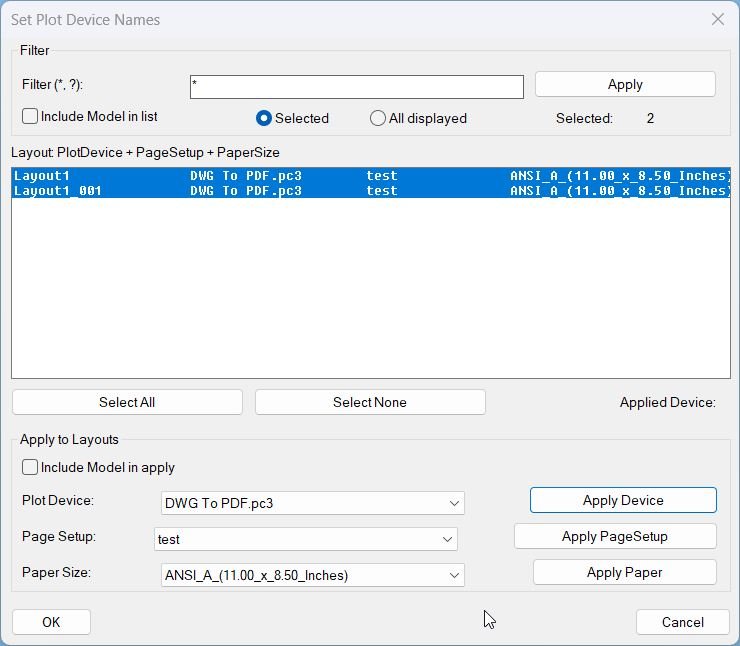
Log in to download.
Log in
Log in
Additional info:
Based on / Source code:
Open Website
Share this page:
Subscribe
Login
0 Comments
Oldest