
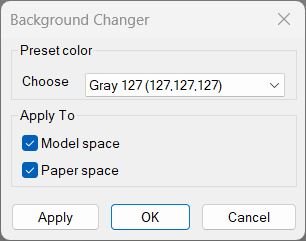
Change Background Color
Changes AutoCAD’s model/paper background color using presets and keeps cursor/track/snap colors readable. Includes a dialog (DCL) with Apply/OK/Cancel and can restore the original colors if you cancel.ChangeBackgroundColor
🎨 ChangeBackgroundColor is an AutoCAD and Civil 3D AutoLISP utility for changing Model Space, Paper Space, and Block Editor background colors from commands or a DCL dialog.
🖱️ It also adjusts crosshair, AutoTracking vector, and AutoSnap marker colors so the interface remains readable after the background change.
Hide / Show Objects
Provides a dialog box for controlling object visibility in AutoCAD. Lets you choose between isolating, hiding, or displaying all objects using radio buttons and confirmation controls.NamespaceFix
🛠️ NamespaceFix is an AutoCAD/Civil 3D AutoLISP repair utility that restores the built-in multiplication operator * when another LISP routine overwrites it.
🔄 It installs a command reactor so the repair is checked automatically after SAVE or QSAVE workflows.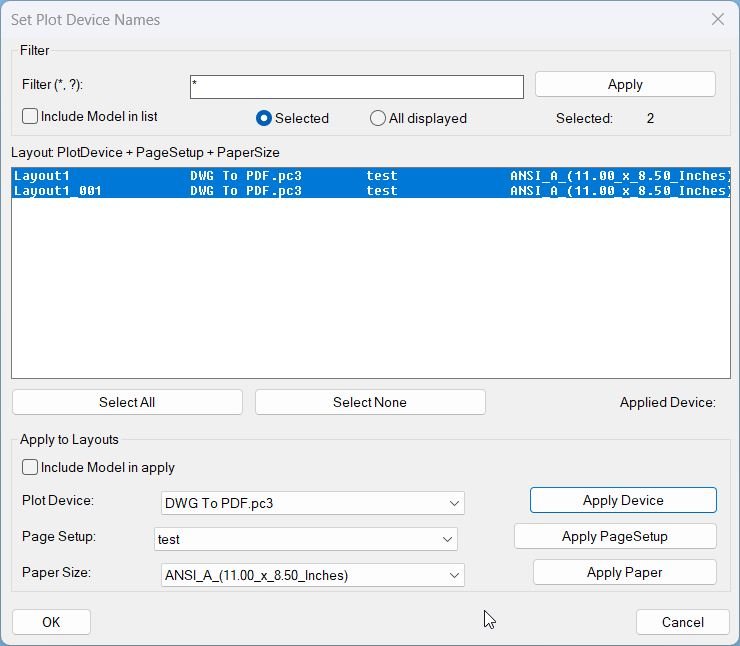
SetPlotDeviceNames_00
- SetPlotDeviceNames — set every layout’s plot device to DWG To PDF.pc3 when available
- Iterates all layouts, refreshes device info, validates availability, then assigns the plot configuration
- Prints a warning per layout when the target device is not present
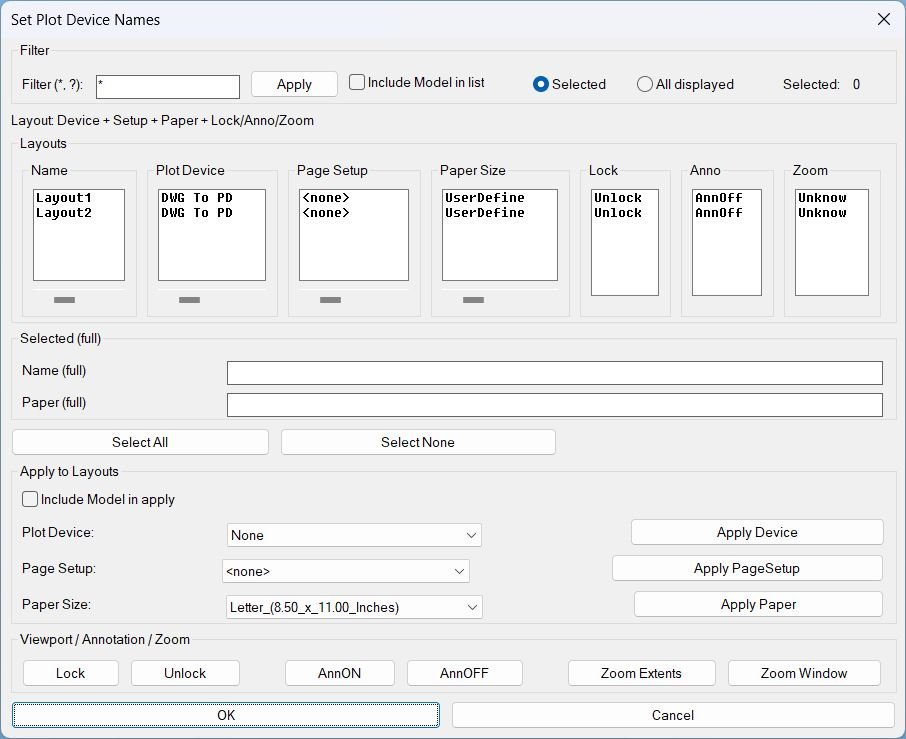
SetPublishLocation_01
Summary- This LISP provides a dialog to review and batch-edit plotting and layout settings across multiple layouts, plus viewport utilities for lock, annotation visibility, and zoom tools.
- Designed for fast QA and standardization of Plot Device, Page Setup, and Paper Size per layout.
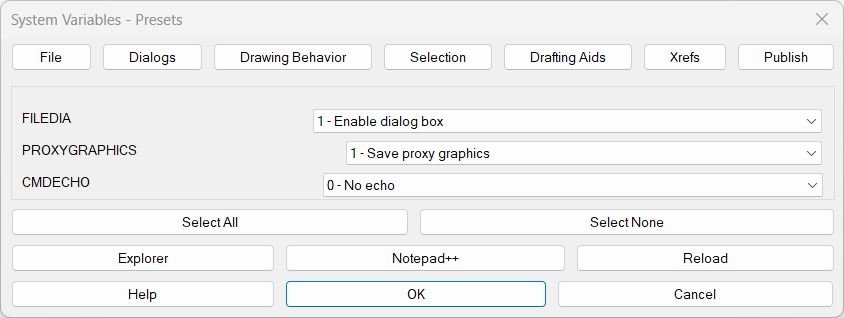
SteSysVar
🚀 SteSysVar is an AutoCAD AutoLISP environment tuner that opens a tabbed DCL dialog for applying practical system variable presets across file handling, dialogs, drawing behavior, selection, drafting aids, xrefs, publishing, and layer isolation.
Categories: AutoCAD_Lips
Tags: 🏷️ Autocad Lisps, 🏷️ General menu
Categories: AutoCAD_Lips
Tags: 🏷️ Autocad Lisps, 🏷️ General menu