Bookmark_menu

Page Tag: 🏷️ Autocad Lisps

  • Bookmark_menu

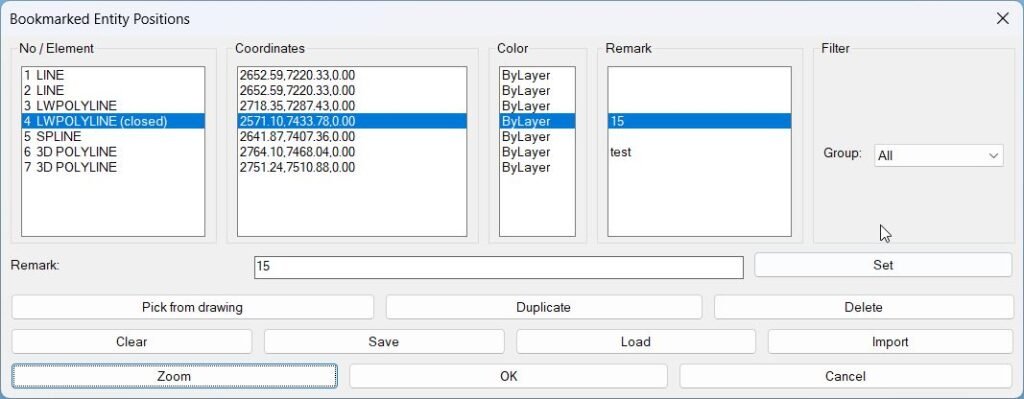
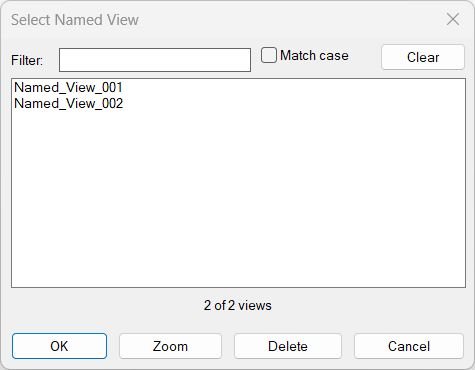
    Lisp code: Expand Code ↓ Select Code Copy Code ; — auto-generated by LispLoader — ; Menu: Bookmark_menu ; Generated: 2026-06-09 07:28:31 (setq base "C:\\Users\\mateid\\OneDrive – DB E.C.O. Group\\@C3D\\@Dan_Templates\\Acad\\Support_files\\Lisps\\Help_File\\") (load (strcat base "Bookmark_menu\\BookmarkEntities\\BookmarkEntities.lsp")) (load (strcat base "Bookmark_menu\\Exp_Imp_NamedViews\\Exp_Imp_NamedViews.lsp")) (load (strcat base "Bookmark_menu\\NamedViewList\\NamedViewList.lsp")) (princ)

  • Blocks_menu

    Lisp code: Expand Code ↓ Select Code Copy Code ; — auto-generated by LispLoader — ; Menu: Blocks_menu ; Generated: 2026-06-09 07:28:13 (setq base "C:\\Users\\mateid\\OneDrive – DB E.C.O. Group\\@C3D\\@Dan_Templates\\Acad\\Support_files\\Lisps\\Help_File\\") (load (strcat base "Blocks_menu\\ABB\\ABB.lsp")) (load (strcat base "Blocks_menu\\Add2Block\\12\\12.lsp")) (load (strcat base "Blocks_menu\\Add2Block\\Add2Block .lsp")) (load (strcat base "Blocks_menu\\AddImageToBlockList\\AddImageToBlockList (37).lsp")) (load (strcat base "Blocks_menu\\AddImageToBlockList\\ImageIn – multiple selection.lsp")) (load…

  • 3D_Menu

    Lisp code: Expand Code ↓ Select Code Copy Code ; — auto-generated by LispLoader — ; Menu: 3D_Menu ; Generated: 2026-06-12 10:07:54 (setq base "C:\\Users\\mateid\\OneDrive – DB E.C.O. Group\\@C3D\\@Dan_Templates\\Acad\\Support_files\\Lisps\\Help_File\\") (load (strcat base "3D_Menu\\3D_PolyOffset\\3D_PolyOffset.lsp")) (load (strcat base "3D_Menu\\3DF_to_3DPoint\\3DF_to_3DPoint.lsp")) (load (strcat base "3D_Menu\\3DF_to_3DPoly\\3DF_to_3DPoly.lsp")) (load (strcat base "3D_Menu\\Convert3DFaceToPolyline\\Convert3DFaceToPolyline.lsp")) (load (strcat base "3D_Menu\\Shrinkwrap\\shrinkwrap.vlx")) (load (strcat base "3D_Menu\\Solid2Poly\\Solid2Poly.lsp")) (princ)

  • Slope

    XAML code: Expand Code ↓ Select Code Copy Code <ResourceDictionary xmlns="http://schemas.microsoft.com/winfx/2006/xaml/presentation" xmlns:x="http://schemas.microsoft.com/winfx/2006/xaml" xmlns:src="clr-namespace:Autodesk.Windows;assembly=AdWindows"> <src:RibbonToolTip x:Key="Test"> <src:RibbonToolTip.ExpandedContent> <StackPanel> <TextBlock Background="AntiqueWhite" TextAlignment="Left"> <Bold>Function Syntax: Command</Bold> <LineBreak/> <Bold>Version: 1 Date: 09.12.2025</Bold> <LineBreak/> <LineBreak/> <Hyperlink>AI+Hyperlinkhttpsforums.augi.comshowthread.php107096-Slopes-and-angles-of-a-polyline-in-2d-autocadHyperlink</Hyperlink> <LineBreak/> <Bold>Description</Bold><LineBreak/> This LISP implements a “slope label placer” with a DCL dialog. After the dialog, it runs in one of two input modes:<LineBreak/>…

  • MultiOffsetBothSidesWithLayer

    Short description This AutoLISP routine automates the process of offsetting multiple lines on both sides with customizable distances, profiles, and layer management. It is designed to simplify symmetrical drafting operations by providing an interactive dialog for user control and configuration. Command: Command: c:MultiOffsetBothSidesWithLayer This command allows the user to select multiple line objects, define offset…

  • Polyline menu

    Lisp code: Expand Code ↓ Select Code Copy Code ; — auto-generated by LispLoader — ; Menu: Polyline_menu ; Generated: 2026-06-09 07:39:13 (setq base "C:\\Users\\mateid\\OneDrive – DB E.C.O. Group\\@C3D\\@Dan_Templates\\Acad\\Support_files\\Lisps\\Help_File\\") (load (strcat base "Polyline_menu\\2DPL_LW\\2DTOLW.lsp")) (load (strcat base "Polyline_menu\\2DPolyVertexExport\\2DPolyVertexExport.LSP")) (load (strcat base "Polyline_menu\\3DPolyVertex2Table\\3DPolyVertex2Table.lsp")) (load (strcat base "Polyline_menu\\AdvancedPolylineOutline\\AdvancedPolylineOutline.lsp")) (load (strcat base "Polyline_menu\\All_inside\\All_inside.lsp")) (load (strcat base "Polyline_menu\\BreakObjects\\BreakObjects.lsp")) (load (strcat…

  • SteSysVar

    Short description Tabbed “system variables tuner” for AutoCAD that lets you set common SYSVARs from dropdowns instead of typing SETVAR. Builds its own DCL with tabs (File, Dialogs, Drawing Behavior, Selection, Drafting Aids, Xrefs, Publish) and applies all chosen values at once. Command: Command: c:SteSysVar Opens the main tabbed dialog starting on the “File” tab,…

  • SetPlotDeviceNames_00

    Short description SetPlotDeviceNames — set every layout’s plot device to DWG To PDF.pc3 when available Iterates all layouts, refreshes device info, validates availability, then assigns the plot configuration Prints a warning per layout when the target device is not present Command: • SetPlotDeviceNames Description: Loads COM and targets a single plot configuration name: DWG To…

  • Hide / Show Objects

    Short description Provides a dialog box for controlling object visibility in AutoCAD. Lets you choose between isolating, hiding, or displaying all objects using radio buttons and confirmation controls. Command: Command: c:HS Opens the “Display Objects Options” dialog where you can select whether to isolate selected objects, hide them, or show all objects again. Description: When…

  • Change Background Color

    Short description Changes AutoCAD’s model/paper background color using presets and keeps cursor/track/snap colors readable. Includes a dialog (DCL) with Apply/OK/Cancel and can restore the original colors if you cancel. Command: Command: c:BG Opens a DCL-based “Background Changer” dialog allowing you to pick a background color preset and apply it to Model and/or Paper space. Description:…