SetPublishLocation_01

Short description

Summary
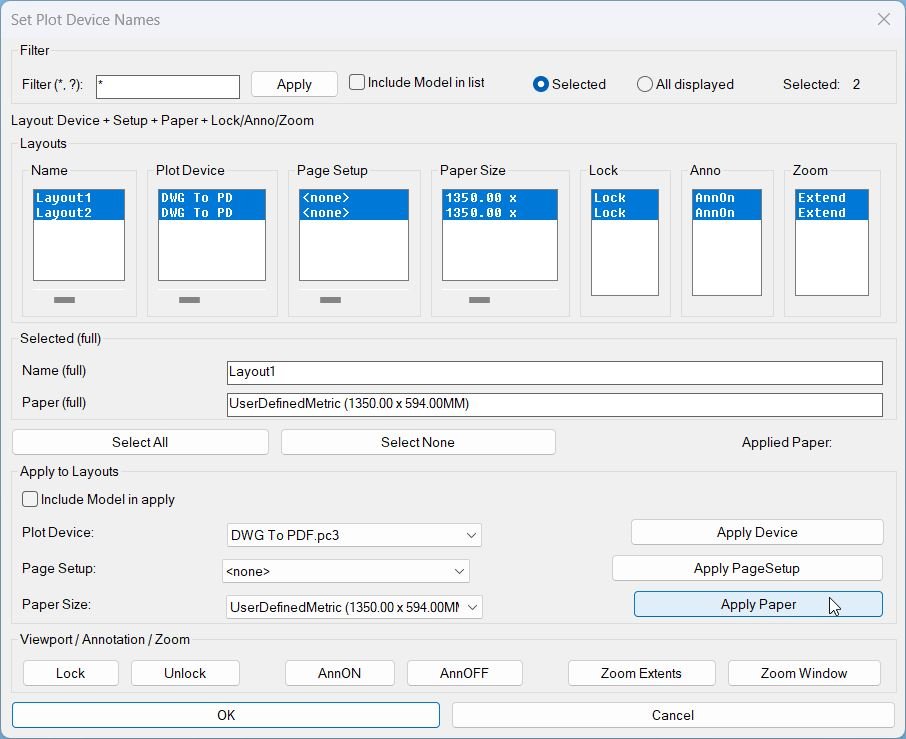
  • This LISP provides a dialog to review and batch-edit plotting and layout settings across multiple layouts, plus viewport utilities for lock, annotation visibility, and zoom tools.
  • Designed for fast QA and standardization of Plot Device, Page Setup, and Paper Size per layout.
setplotdevicenames 000

Command:

Command
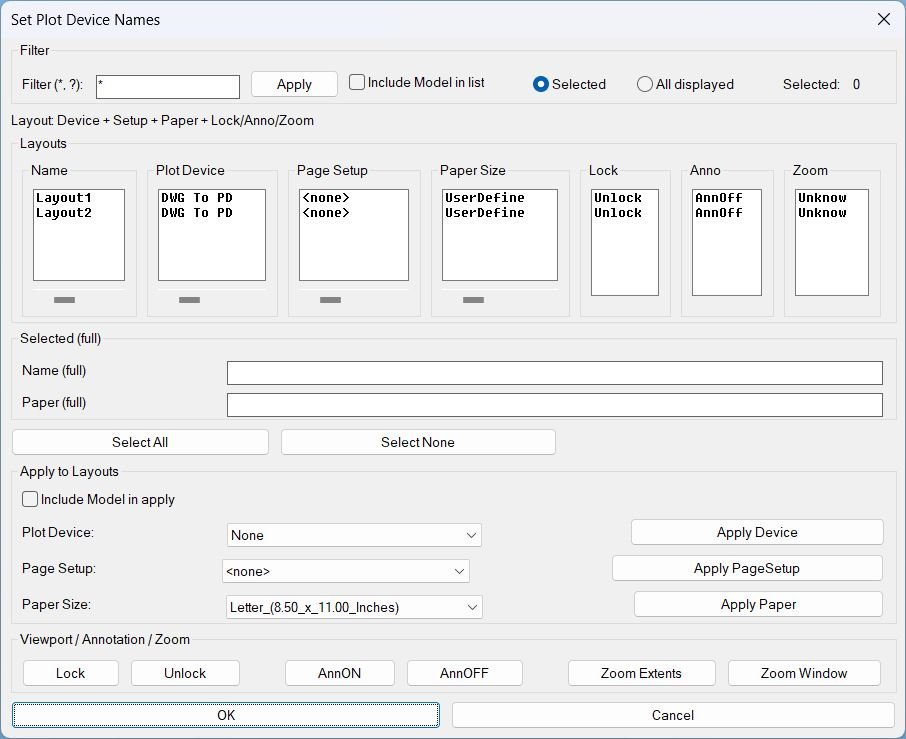
  • Run: SetPlotDeviceNames
  • Opens the DCL dialog for layout review and batch actions.

Description:

Description
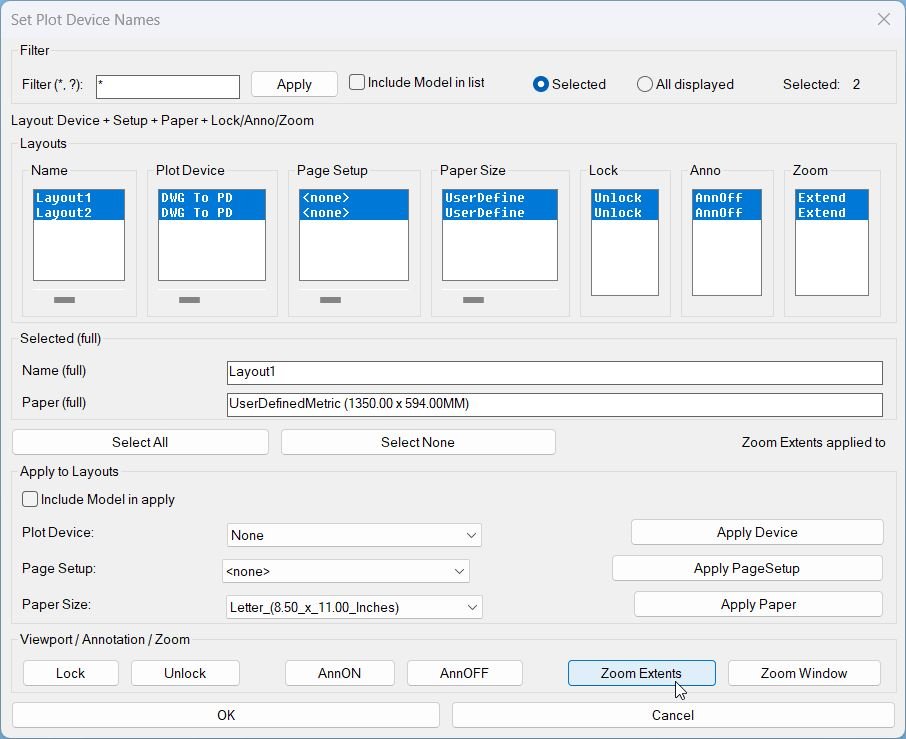
  • Displays layouts in synchronized columns: Name, Plot Device, Page Setup, Paper Size, Lock, Anno, Zoom.
  • Supports wildcard filtering and scope control: Selected or All displayed, with optional inclusion of Model in list and apply actions.
  • Provides per-column horizontal scrolling for the main text columns using sliders that shift the visible substring left or right without changing stored values.
  • Shows full values for the first selected layout in the Selected full area: Name full and Paper full.
  • Performs safe context switching when needed by temporarily controlling TILEMODE, CTAB, and MSPACE, then restoring the prior state to avoid disrupting the user environment.

Helper function: (if any)​

Helper functions and internal logic
  • Layout filtering using wildcard match and optional Model exclusion.
  • Synchronized selection across list boxes so row selection stays consistent across all columns.
  • Horizontal scroll clipping implemented by caching full strings per column and re-filling list boxes with substring windows based on slider offsets.
  • Media mapping cache translates canonical media names to display names per plot device, minimizing repeated device queries.
  • Viewport discovery collects paper-space viewports excluding the overall viewport and ignores viewports that are off.
  • Zoom status persistence stores only the extents marker in a named object dictionary entry so the Zoom column can show ZExt only when explicitly applied by this tool.

Functionalities:

Functionalities
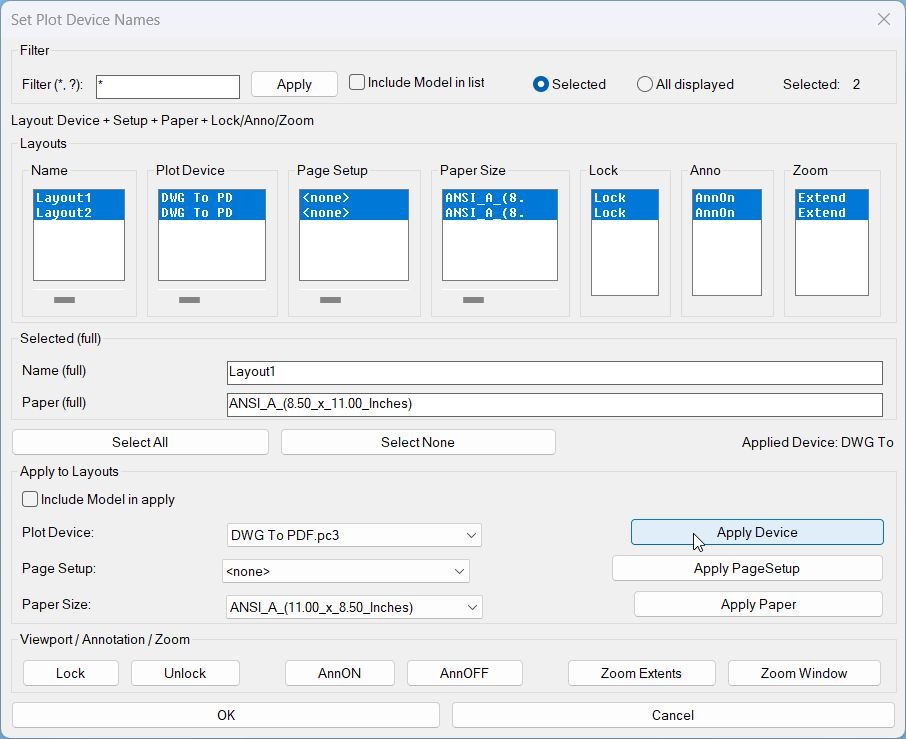
  • Apply Device sets the plot device for targeted layouts and refreshes plot device info.
  • Apply PageSetup copies a selected page setup into targeted layouts, or clears it when none is chosen.
  • Apply Paper sets the canonical media name based on the selected device and selected paper display name.
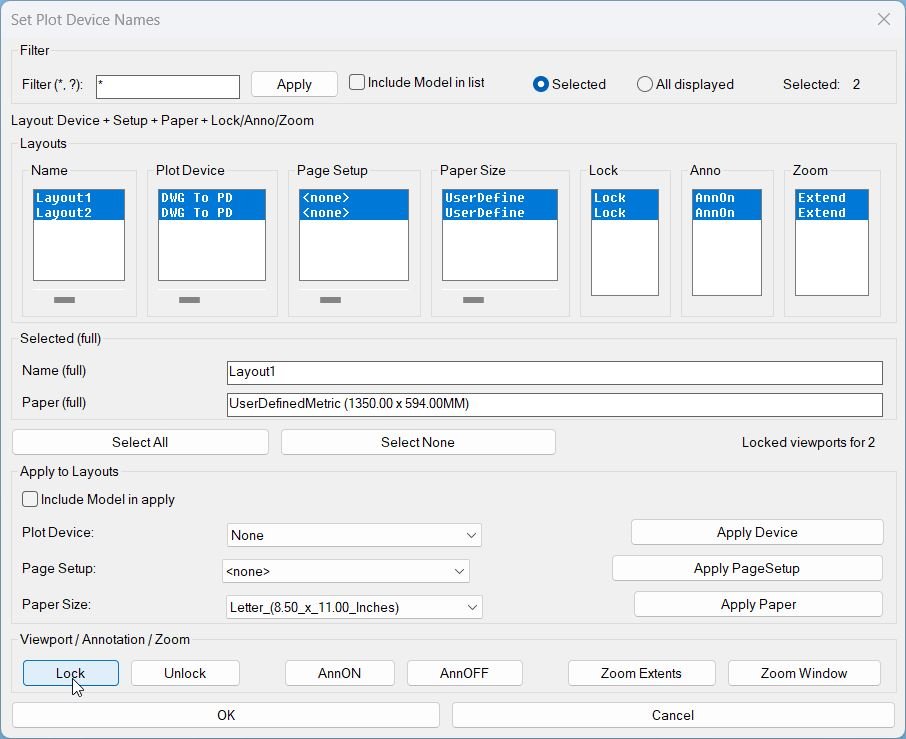
  • Lock locks all applicable paper-space viewports for targeted layouts.
  • Unlock unlocks all applicable paper-space viewports for targeted layouts.
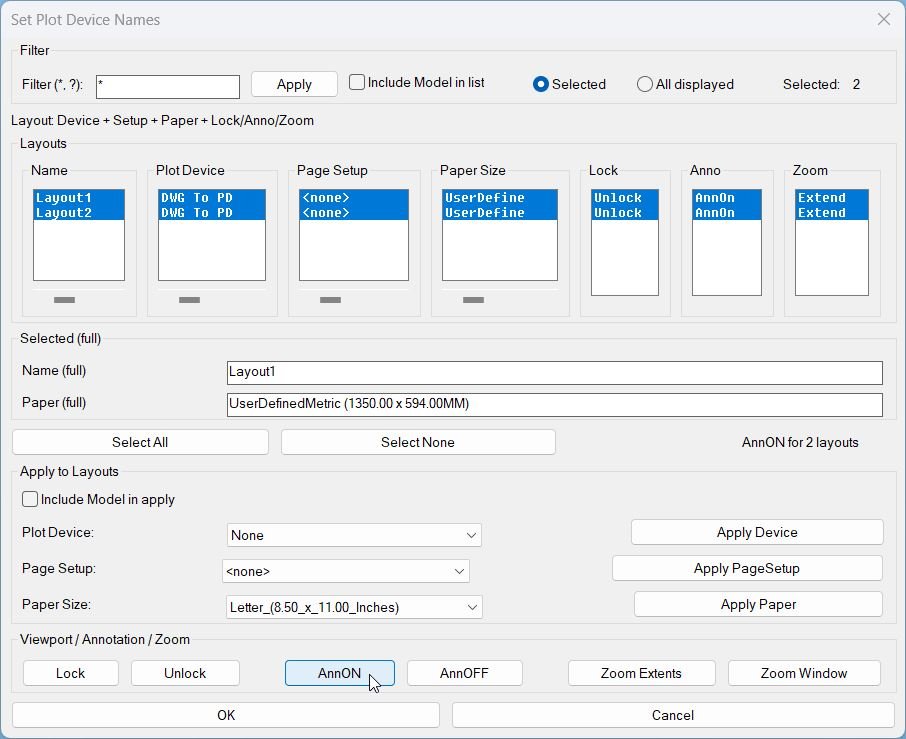
  • AnnON turns ANNOALLVISIBLE on for targeted paper-space layouts.
  • AnnOFF turns ANNOALLVISIBLE off for targeted paper-space layouts.
  • Zoom Extents zooms extents inside each viewport for targeted layouts and marks those layouts to display ZExt in the Zoom column.
  • Zoom Window prompts for two corners inside a viewport on the first targeted layout, then applies the same window zoom across targeted layouts without marking ZExt.

Result:

Result
  • User can quickly standardize plotting configuration per layout, then verify lock, annotation visibility, and zoom status at a glance inside one dialog.
  • Important behavior: Zoom status shows ZExt only when applied by Zoom Extents, otherwise it shows Z question mark.
  • Tags: CAD, Lisp, Plot, Layouts, Paper Space, Viewports, DCL, Dialog_UI, Plot_Device, Page_Setup, Paper_Size, General_AutoCAD.
  • Suggested tags not in provided list: Batch_Apply, Viewport_Lock, Annotation_Visibility, Zoom_Tools, Plot_Standardization.

Images, animations etc.
setplotdevicenames 000
setplotdevicenames 001
setplotdevicenames 002
setplotdevicenames 003
setplotdevicenames 004
setplotdevicenames 005
Pixel

Additional info:

Share this page:

Page Tag: Paper Space

  • SetPublishLocation_01

    Short description Summary This LISP provides a dialog to review and batch-edit plotting and layout settings across multiple layouts, plus viewport utilities for lock, annotation visibility, and zoom tools. Designed for fast QA and standardization of Plot Device, Page Setup, and Paper Size per layout. Command: Command Run: SetPlotDeviceNames Opens the DCL dialog for layout…

  • LayoutTools

    Short description LayoutTools manages layout tabs to batch Lock or Unlock viewports, toggle AnnON or AnnOFF, and apply Zoom Extents or Zoom Window in Paper Space across selected or displayed layouts, with status tracking stored in the DWG. Command: Commands and aliases LayoutTools opens the main dialog. LayoutTools is an alias that runs the same…

  • Zoom Extend Window

    Short description What this LISP does ZEZW opens a DCL dialog to multi-select layouts and then applies Zoom Extents or Zoom Window in Paper Space on the selected layouts. Key concept The zoom action runs after the dialog closes for stability and predictable execution. Command: Commands ZEZW Main command that launches the selection dialog and…

  • AnnoAllOnOff

    Short description Single dialog that sets ANNOALLVISIBLE to 1 or 0 for a chosen set of Model/Layout tabs. Combines the functionality of AAON and AAOFF with mode radio buttons and tab multi-select in one UI. Command: Command: AAVIS Description: Generates an embedded DCL dialog at runtime that provides a Mode selector and a multi-select list…

  • AnnoAllOff

    Short description Opens a DCL picker to choose Model/Layout tabs, then sets ANNOALLVISIBLE to 0 on the selected tabs. Provides quick selection controls for All or None before applying the change. Command: Command: AAOFF Description: Builds a temporary DCL dialog at runtime that lists all tabs (including Model) and allows multi-selection. After the user confirms…

  • SelectLayout

    Short description Select Layout from Dialog Displays a dialog box listing all paper space layouts for quick selection and activation. Command: Command: SelectLayout Description: This command creates an interactive dialog box to switch between layouts: Retrieves all paper space layouts from the current drawing (excludes Model space) Generates a temporary DCL dialog file with a…

  • Rame

    Short description Comming soon … Command: Comming soon … Description: Comming soon … Helper function: (if any)​ Comming soon … Functionalities: Comming soon … Result: Comming soon … Images, animations etc. Additional info: Based on / Source code: Open Website Share this page:

  • GoToLayout

    Short description Opens a DCL dialog to filter layout names with wildcards and quickly switch the current tab to the selected match. Includes optional preview switching while browsing and remembers the last used filter pattern across runs. Command: Command: GoToLayout Description: Builds a unique temporary DCL file each run and launches a dialog titled Go…

  • DuplicateLayouts_00

    Short description Shows a DCL dialog to choose paper-space layouts and specify how many copies to create for each, then duplicates the selected layouts using the LAYOUT command. Provides a summary list where selected layouts and their copy counts can be reviewed and removed before running the duplication. Command: Command: DuplicateLayouts Description: Creates a temporary…

  • AnnoAllOn

    Short description Opens a DCL picker to choose Model and Layout tabs, then sets ANNOALLVISIBLE to 1 on the selected tabs. Includes quick selection controls for All and None before applying changes. Command: Command: AAON Description: Generates a temporary DCL dialog at runtime listing all tabs, including Model, with multi-select enabled. On confirmation, switches to…