
Short description
- Provides a DCL dialog to batch rename layouts using sequential numbering with optional prefix, suffix, and zero-padding, with filtering and preview.
- Supports in-dialog Apply and multi-level Undo without calling AutoCAD UNDO from DCL callbacks, to avoid stability issues.
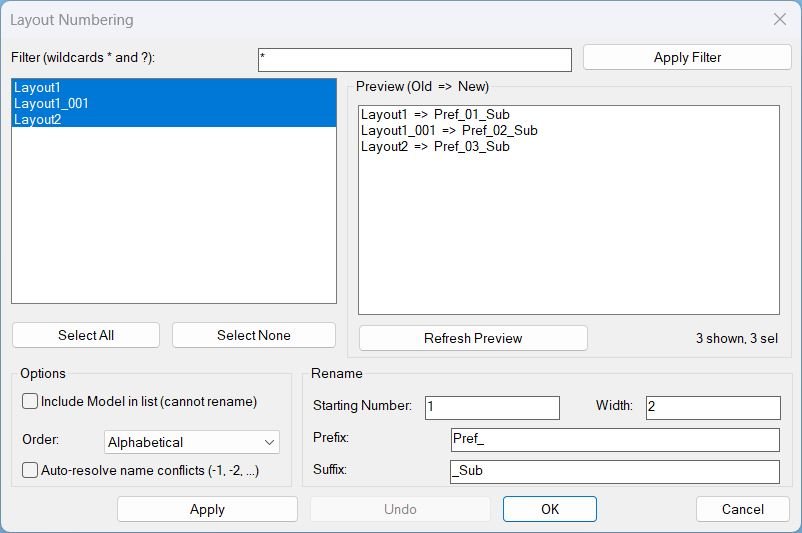
Command:
- Commands: LAYOUTNUM, _LAYOUTNUM, LayoutNum
Description:
- Builds a unique DCL dialog definition at runtime and lists layouts with a wildcard filter, optionally including Model in the list as a non-renamable entry.
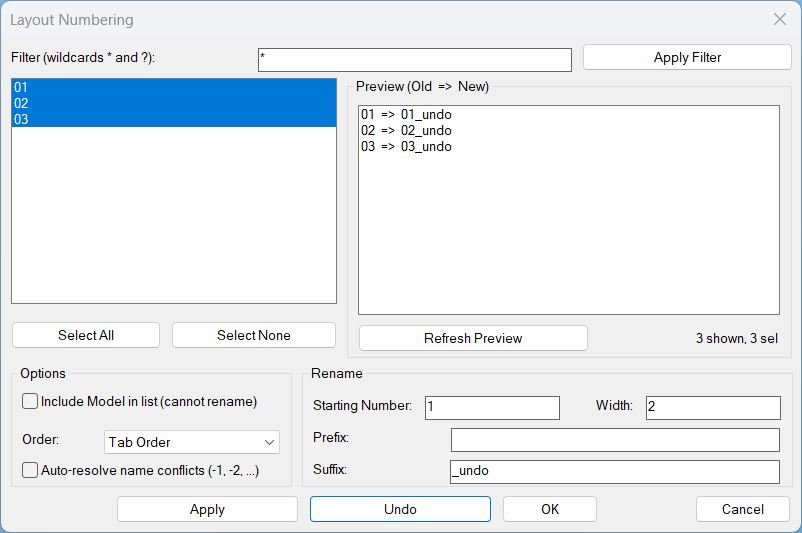
- Allows selecting multiple layouts, choosing ordering by tab order or alphabetical, and defining rename parameters: starting number, width (zero-padding), prefix, suffix, and optional auto-resolve for name conflicts.
- Displays a preview list showing Old => New names before applying changes; preview refreshes when selection or options change.
- Applies renaming using ActiveX by setting each layout object name, wrapped in a safe undo mark for editor-level undo grouping, while also recording rename frames for the dialog’s own manual undo stack.
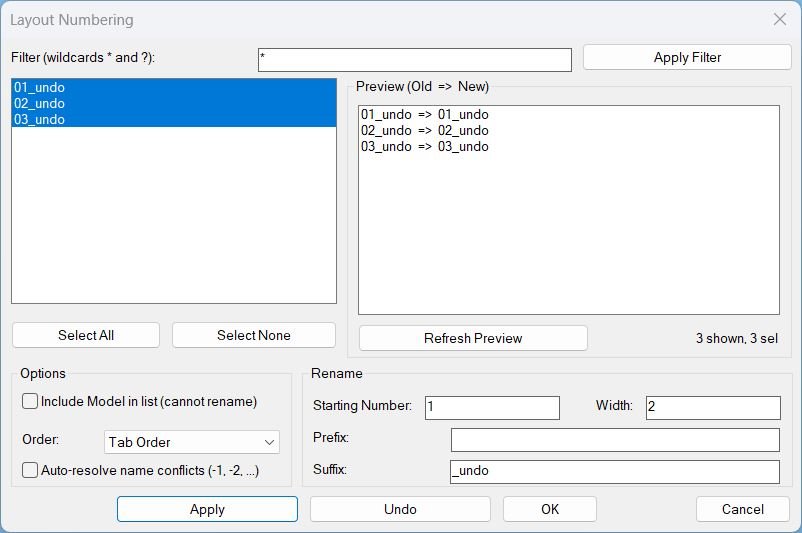
- Implements Undo inside the dialog by replaying stored rename frames in reverse to restore old names, avoiding the AutoCAD UNDO command inside DCL callbacks.
- Persists the last-used UI values (filter, numbering, prefix/suffix, order, auto-resolve, include model) so the next run starts with the prior settings.
Helper function: (if any)
- LayoutNum:WriteDCL builds a unique dialog name and writes the full DCL string to a temporary file, returning the file path and dialog name.
- LayoutNum:LayoutsTabOrder collects layout objects with their tab order and returns a sorted list used for display and renaming sequence.
- LayoutNum:RebuildDisplay applies the filter and ordering, rebuilds the layout list, preserves selection, and refreshes the preview.
- LayoutNum:GetSelectedItems maps list box indices to the underlying layout entries for consistent selection handling.
- LayoutNum:ComputeRenamePlan generates the proposed new names based on start, pad, prefix, suffix, order, and conflict policy, marking Model as non-renamable.
- LayoutNum:ValidateBeforeRename validates selection and numeric inputs and checks name uniqueness and conflicts when auto-resolve is disabled.
- LayoutNum:ApplyRename performs renames, records a frame of (object old new) for manual undo, refreshes lists, and updates defaults for convenience.
- LayoutNum:DoUndo restores the last rename frame in reverse order to avoid collisions and keeps selection on restored names after refresh.
- _StartUndo and _EndUndo manage VLA undo marks safely without invoking the UNDO command inside DCL callbacks.
- LayoutNum:Cleanup unloads the dialog and deletes the temporary DCL file to prevent leftovers across runs.
- c:LAYOUTNUM, c:_LAYOUTNUM, c:LayoutNum are safe command entry points calling LayoutNum:Run.
Functionalities:
- Wildcard filter with a dedicated Apply Filter action that rebuilds the displayed list without renaming anything.
- Multi-select layouts with Select All and Select None shortcuts and a live status indicator showing shown and selected counts.
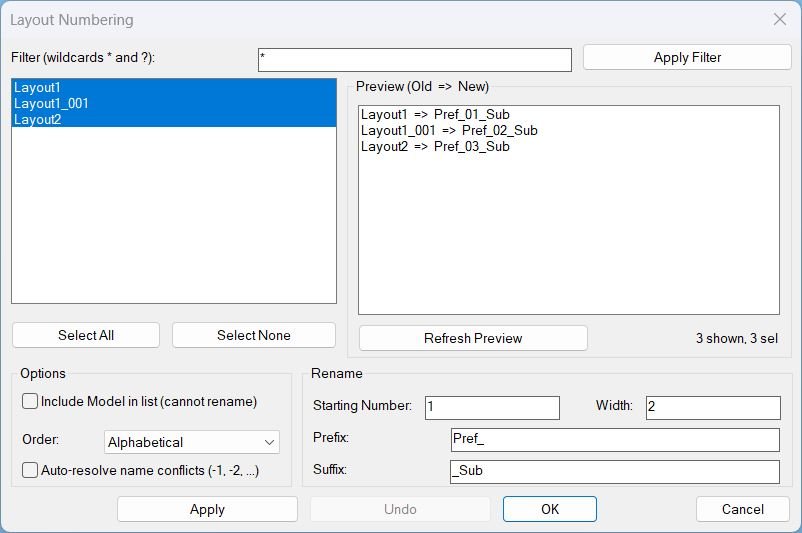
- Preview panel showing proposed renames as Old => New, with a Refresh Preview button and auto-refresh on option changes.
- Renaming options including starting number, zero-padding width, prefix, suffix, order mode (tab order or alphabetical), and auto-resolve for conflicts by appending -1, -2, and so on.
- Non-destructive handling of Model when included: it can be listed but is blocked from renaming and triggers validation alerts if selected for rename.
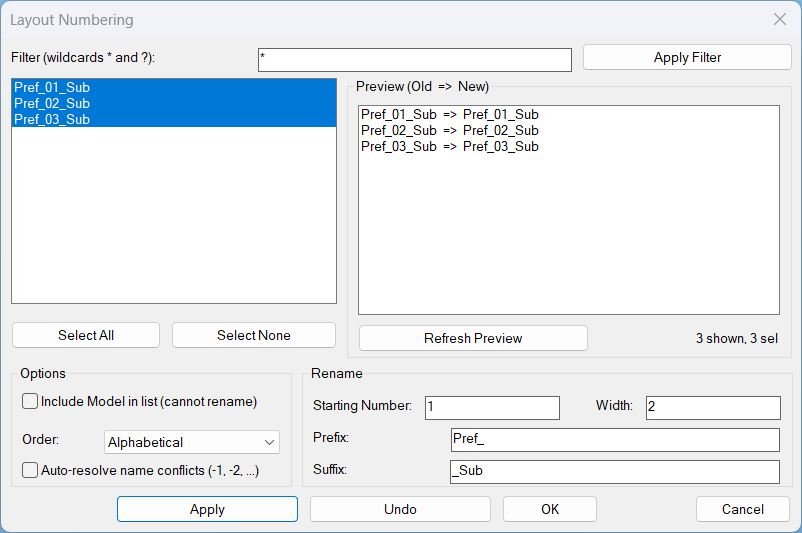
- Bottom controls: Apply renames and keeps dialog open, Undo restores prior rename sets, OK renames and closes, Cancel closes without applying a new rename.
- Safety rule avoids calling AutoCAD UNDO from DCL callbacks and instead uses a manual undo stack, while still grouping changes with VLA undo marks.
- Persists last-used settings across runs for faster repeat usage.
Result:
- On Apply, selected layouts are renamed immediately according to the preview plan, the dialog stays open, and Undo becomes available for rollback of the last rename operation.
- On Undo, the most recent rename frame is reverted and the selection is restored to the reverted layout names; supports multi-level undo until the stack is empty.
- On OK, performs the rename then closes the dialog, persisting the current UI settings for the next run.
- On Cancel or close, no new rename is applied by this action and the dialog exits after capturing settings and cleaning up the temporary DCL file.
- If validation fails, shows an alert explaining the issue and prevents renaming until corrected.
- If no paper-space layouts exist, prints a message and exits without opening the dialog.
Images, animations etc.
Log in to download.
Log in
Log in
Additional info:
Based on / Source code:
Open Website