
Short description
Tabbed “system variables tuner” for AutoCAD that lets you set common SYSVARs from dropdowns instead of typing SETVAR. Builds its own DCL with tabs (File, Dialogs, Drawing Behavior, Selection, Drafting Aids, Xrefs, Publish) and applies all chosen values at once.
Command:
Command: c:SteSysVar Opens the main tabbed dialog starting on the “File” tab, lets you pick values from dropdowns, and on OK it writes the chosen system-variable values to AutoCAD.
Description:
When executed, the program: It builds a tabbed dialog with seven sections grouping related AutoCAD system variables. Each variable appears as a dropdown showing its possible values and human-readable meanings.
🔹 File Tab
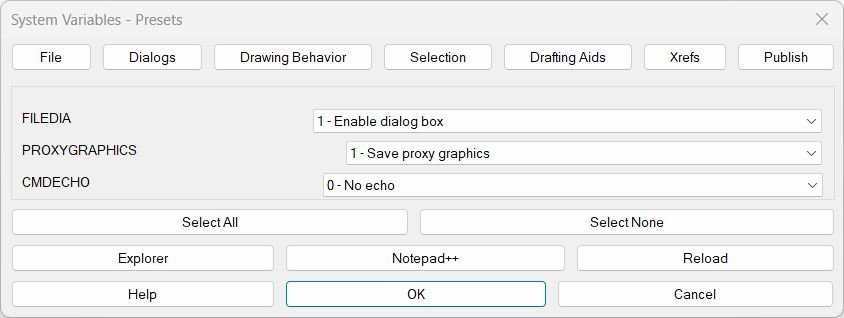
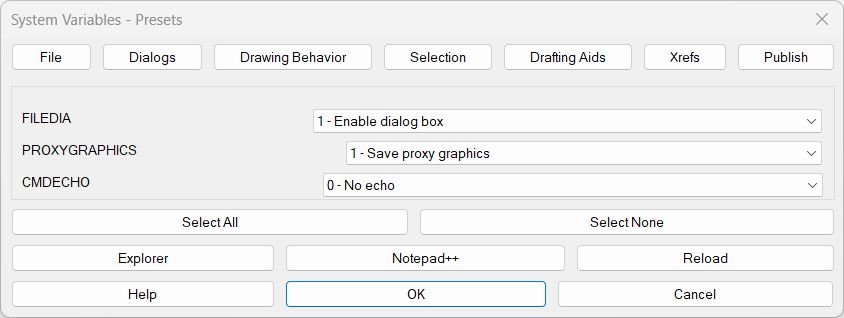
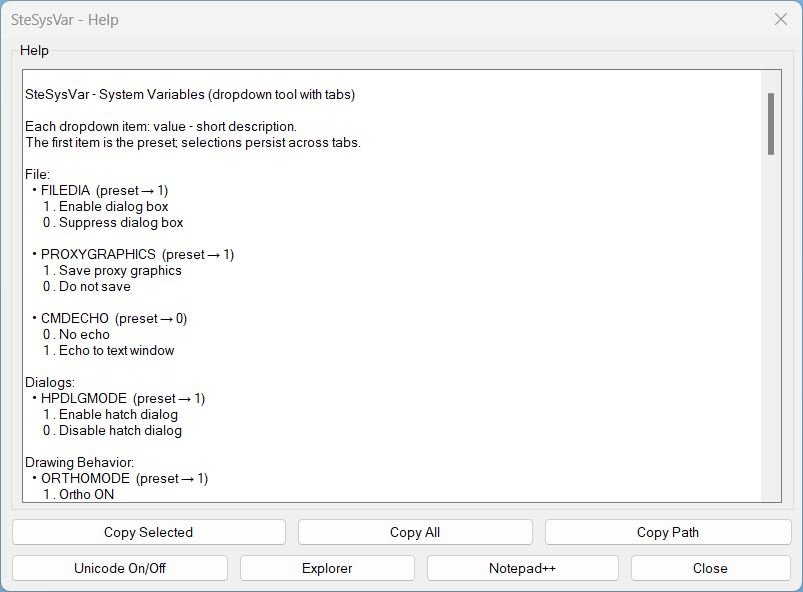
• FILEDIA (preset → 1)
1 . Enable dialog box
0 . Suppress dialog box
• PROXYGRAPHICS (preset → 1)
1 . Save proxy graphics
0 . Do not save
• CMDECHO (preset → 0)
0 . No echo to command line
1 . Echo command input/output
🔹 Dialogs Tab
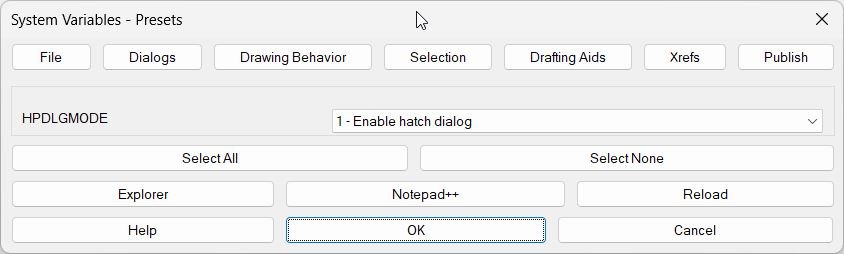
• HPDLGMODE (preset → 1)
1 . Enable hatch dialog
0 . Disable hatch dialog (command-line mode)
🔹 Drawing Behavior Tab
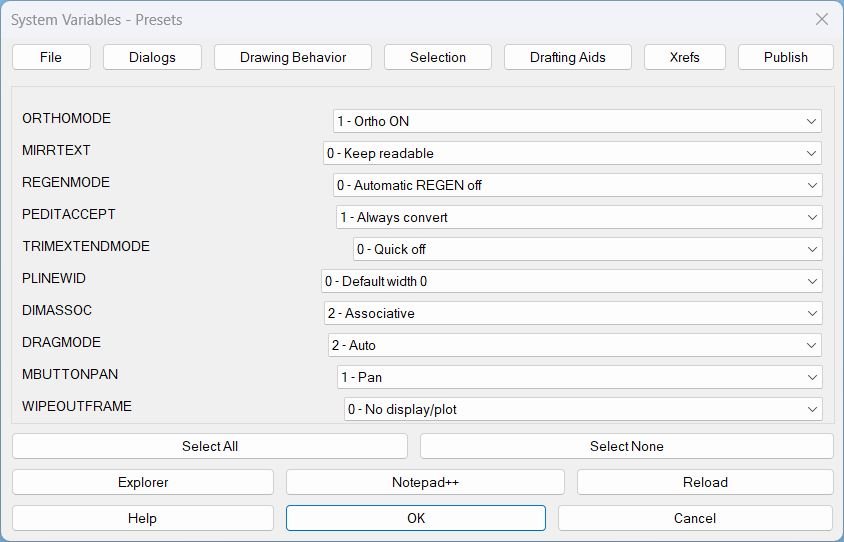
• ORTHOMODE (preset → 1)
1 . Ortho ON
0 . Ortho OFF
• MIRRTEXT (preset → 0)
0 . Keep text readable (do not mirror)
1 . Mirror text objects
• REGENMODE (preset → 0)
0 . Automatic REGEN off
1 . Automatic REGEN on
• PEDITACCEPT (preset → 1)
1 . Always convert lines to polylines
0 . Prompt before converting
• TRIMEXTENDMODE (preset → 0)
0 . Quick mode off
1 . Quick mode on
• PLINEWID (preset → 0)
0 . Default width = 0
• DIMASSOC (preset → 2)
2 . Associative dimensions
1 . Non-associative
0 . Exploded
• DRAGMODE (preset → 2)
2 . Auto (automatic preview)
1 . On (always drag)
0 . Off (no preview)
• MBUTTONPAN (preset → 1)
1 . Middle mouse button = Pan
0 . Middle button opens menu
• WIPEOUTFRAME (preset → 0)
0 . No display/no plot
2 . Display only (no plot)
1 . Display and plot frame
🔹 Selection Tab
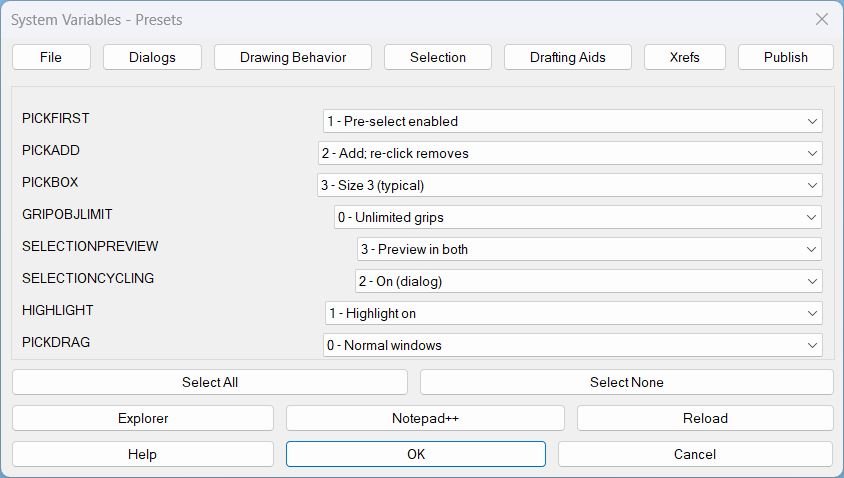
• PICKFIRST (preset → 1)
1 . Preselect enabled
0 . Preselect disabled
• PICKADD (preset → 2)
2 . Add mode (re-click removes)
1 . Add mode (Shift removes)
0 . Single selection only
• PICKBOX (preset → 3)
3 . Standard pickbox size
• GRIPOBJLIMIT (preset → 0)
0 . Unlimited grip display
• SELECTIONPREVIEW (preset → 3)
3 . Preview when idle and active
2 . Preview when command active
1 . Preview when idle
0 . No preview
• SELECTIONCYCLING (preset → 2)
2 . On (dialog appears)
1 . On (no dialog)
0 . Off
• HIGHLIGHT (preset → 1)
1 . Highlight ON
0 . Highlight OFF
• PICKDRAG (preset → 0)
0 . Normal window selection
1 . Press-drag toggle mode
🔹 Drafting Aids Tab
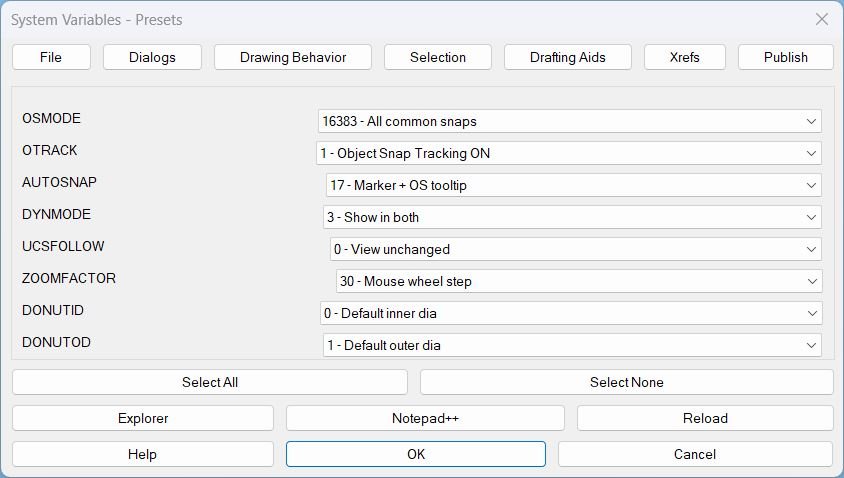
• OSMODE (preset → 16383)
16383 . All common object snaps
16384 . Suppress running snaps
1 . Endpoint 2 . Midpoint 4 . Center 8 . Node
16 . Quadrant 32 . Intersection 64 . Insertion 128 . Perpendicular
256 . Tangent 512 . Nearest 1024 . Geometric Center 2048 . Apparent Intersection
4096 . Extension 8192 . Parallel
• OTRACK (preset → 1)
1 . Object Snap Tracking ON
0 . OFF
• AUTOSNAP (preset → 17)
17 . Marker + Tooltip
1 . Marker 2 . Magnet 4 . Tooltip 8 . Aperture box
16 . Object Snap tooltip 32 . Cursor badge 0 . Off
• DYNMODE (preset → 3)
3 . Show dynamic input in both states
2 . Show when idle 1 . During commands 4 . Dimension input 0 . Off
• UCSFOLLOW (preset → 0)
0 . View unchanged
1 . View follows UCS changes
• ZOOMFACTOR (preset → 30)
30 . Default mouse wheel zoom step
• DONUTID (preset → 0)
0 . Default inner diameter
• DONUTOD (preset → 1)
1 . Default outer diameter
🔹 Xrefs Tab
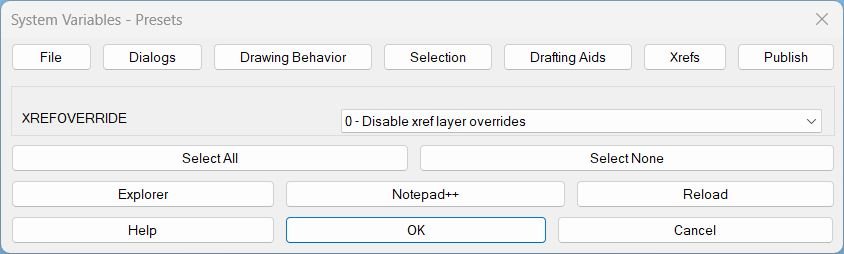
• XREFOVERRIDE (preset → 0)
0 . Disable xref layer overrides
1 . Enable xref layer overrides
🔹 Publish Tab
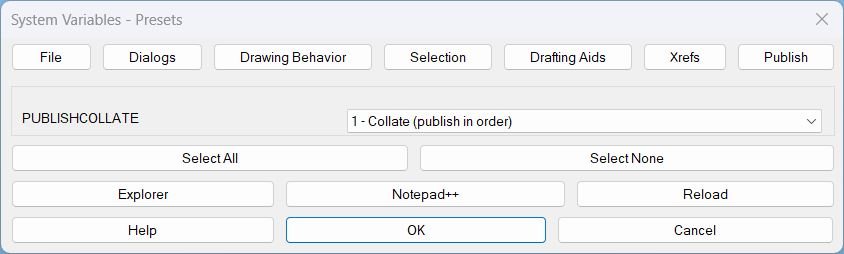
• PUBLISHCOLLATE (preset → 1)
1 . Collate — publish sheets in order
0 . Do not collate — publish separately
Each dropdown reflects these values, with the top entry being the preset (default). Selections persist across tabs until OK or Cancel.
Helper function: (if any)
Helper Functions Used: • SSV:set-path — builds and stores the LISP’s own disk path so the UI can open Explorer / Notepad++ or reload itself. • writeSSVDCL — generates the full multi-tab DCL file on the fly (all 7 tabs + Help). • SSV:write-one-page — creates the dialog definition for a single tab with rows of “label + popup_list”. • SSV:open-page — displays one tab, populates its dropdowns, and wires the tab-switching buttons. • SSV:choices-for-dropdown — builds the dropdown items from the meanings/presets list (value → description). • SSV:save-index / SSV:get-saved-index — remembers what the user picked for each variable across tab switches. • SteSysVar:apply-all — after OK, iterates all variables and actually calls SETVAR with the corresponding numeric value. • SSV-help-local + SSV:help-make — build and show a help window with all tabs/variables and let user copy it to clipboard. • SSV:open-lsp-folder / SSV:open-this-in-npp / SSV:reload-self — convenience actions for opening or reloading the LISP file from the dialog.
Functionalities:
Main Functionalities: • Tabbed SYSVAR editor — variables are grouped by use (File, Dialogs, Drawing Behavior, Selection, Drafting Aids, Xrefs, Publish). • Dropdown-based presets — each system variable shows the recommended / preset value first, followed by documented alternatives (e.g. DIMASSOC, AUTOSNAP, SELECTIONPREVIEW). • Select All / Select None per tab — set all vars on the current tab to preset (index 0) or to 0 when available, with one click. • Integrated Help panel — shows a generated list of all variables with their meanings; user can copy selected or all to clipboard. • Path-aware tools — buttons to open the folder, open the LISP in Notepad++, or reload the LISP without restarting AutoCAD. • Publish tab — extra tab specifically for
PUBLISHCOLLATE to control publish collation from the same UI. • Dedicated publish entry point — command c:SteSysVarPublish jumps directly to the Publish tab. Result:
Result: User ends up with multiple key AutoCAD system variables set in one go, from one dialog, grouped by task (file/dialogs/selection/drafting/xrefs/publish). Settings persist during the session, the dialog can be reloaded from disk, and even publish behavior (PUBLISHCOLLATE) can be tuned from the same tool.
Images, animations etc.
Log in to download.
Log in
Log in
Additional info:
Learn more:
Open Website