
Short description
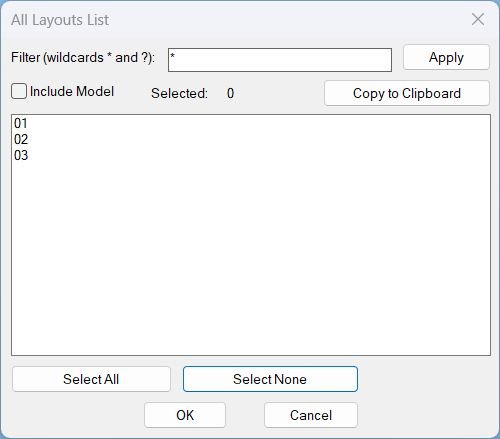
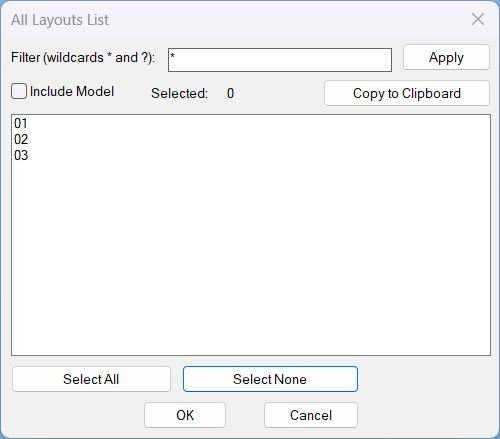
- Shows a DCL dialog listing all layouts with wildcard filtering and multi-select, then copies the selected layout names to the Windows clipboard (one per line).
- Includes optional Model tab inclusion, selection count display, and Select All or Select None shortcuts.
Command:
- Commands: ALL_LAYOUTS_LIST, All_Layouts_list
Description:
- Collects layout names from the active drawing using tab order for consistent ordering, and builds a unique DCL dialog (written to a temporary file) each run.
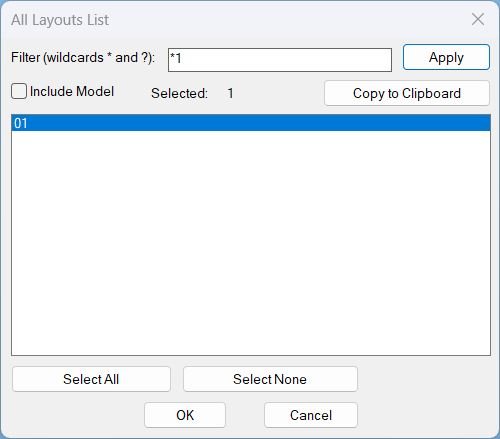
- Applies a case-insensitive wildcard filter using wcmatch with support for * and ?, and optionally excludes or includes Model.
- Displays the filtered list in a multi-select list box, maintains selection by name when rebuilding the list, and keeps a live Selected counter.
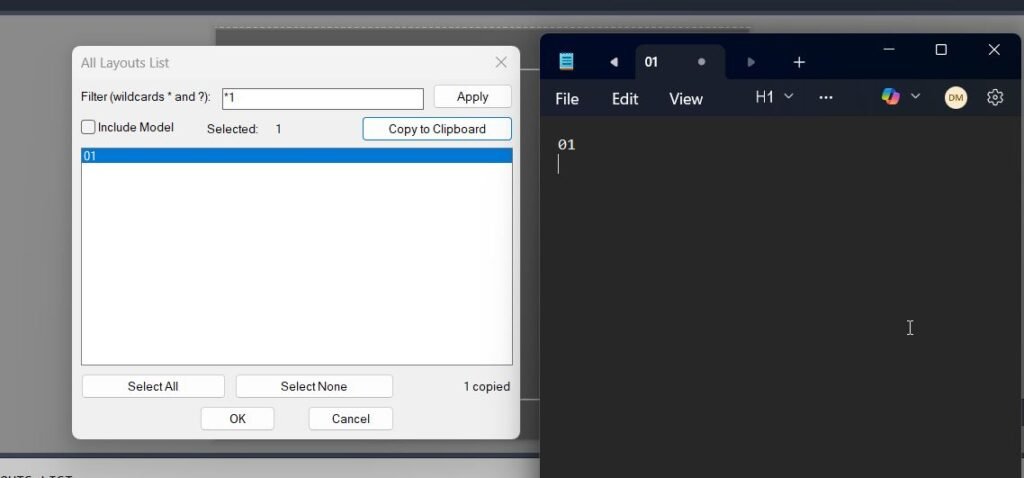
- On Copy to Clipboard, formats the selected layout names with CRLF line breaks and copies them to Windows clipboard using an MSHTML clipboard method with PowerShell and clip.exe fallbacks.
- Closes cleanly by unloading the dialog and deleting the temporary DCL file after use or on error.
Helper function: (if any)
- ALLLAY:copy-clipboard copies text to the Windows clipboard, first attempting MSHTML clipboardData and then falling back to PowerShell Set-Clipboard and clip.exe using a temp file.
- ALLLAY:parse-indexes and ALLLAY:index-string convert list box selection strings to and from index lists for multi-select handling.
- ALLLAY:get-selected-names maps selected indices to the displayed layout names safely with bounds checks.
- ALLLAY:update-count updates the selected count field based on current list selection.
- ALLLAY:select-all and ALLLAY:select-none implement Select All and Select None behavior for the filtered list.
- ALLLAY:fill-list fills the list box and reselects items by name when the list is rebuilt.
- ALLLAY:rebuild rebuilds the display list by applying the filter and Model inclusion toggle, preserving selection by name.
- ALLLAY:copy-selected assembles the selected names into a line-delimited payload, copies to clipboard, and updates a message label with the copy count.
- ALLLAY:cleanup unloads the dialog and deletes the temporary DCL file; *error* ensures cleanup on exceptions.
- ALLLAY:Run coordinates layout collection, dialog creation, UI actions, and cleanup, and the commands call this runner without recursion.
Functionalities:
- Wildcard layout filtering with an explicit Apply button that rebuilds the displayed list only.
- Optional Include Model toggle controlling whether Model appears in the list.
- Multi-select list with live selected count and selection preservation when the filter changes.
- Select All and Select None for rapid selection management.
- Copy to Clipboard that outputs one layout name per line to the Windows clipboard, with multiple copy mechanisms for robustness.
- DCL is embedded in the LSP, written to a temp file with a unique dialog name per run, then removed on exit.
Result:
- Copies the selected layout names to the Windows clipboard (CRLF separated) and reports completion in the command line and via a dialog message field.
- If nothing is selected, shows an alert requesting selection and displays Nothing selected without copying.
- If clipboard copy succeeds, prints Copied to clipboard; if it fails, prints a failure message and no clipboard update is guaranteed.
- Always unloads the dialog and deletes the temporary DCL file on close or error.
Images, animations etc.
Log in to download.
Log in
Log in
Additional info:
Based on / Source code:
Open Website