
3D_PolyOffset
- Creates a 3D offset of a selected 3D polyline.
- Converts the original 3D polyline into a temporary 2D polyline.
- Applies a user-defined offset distance.
- Reconstructs a new 3D polyline using original Z-coordinates.
- Restores system variables and cleans up temporary entities.
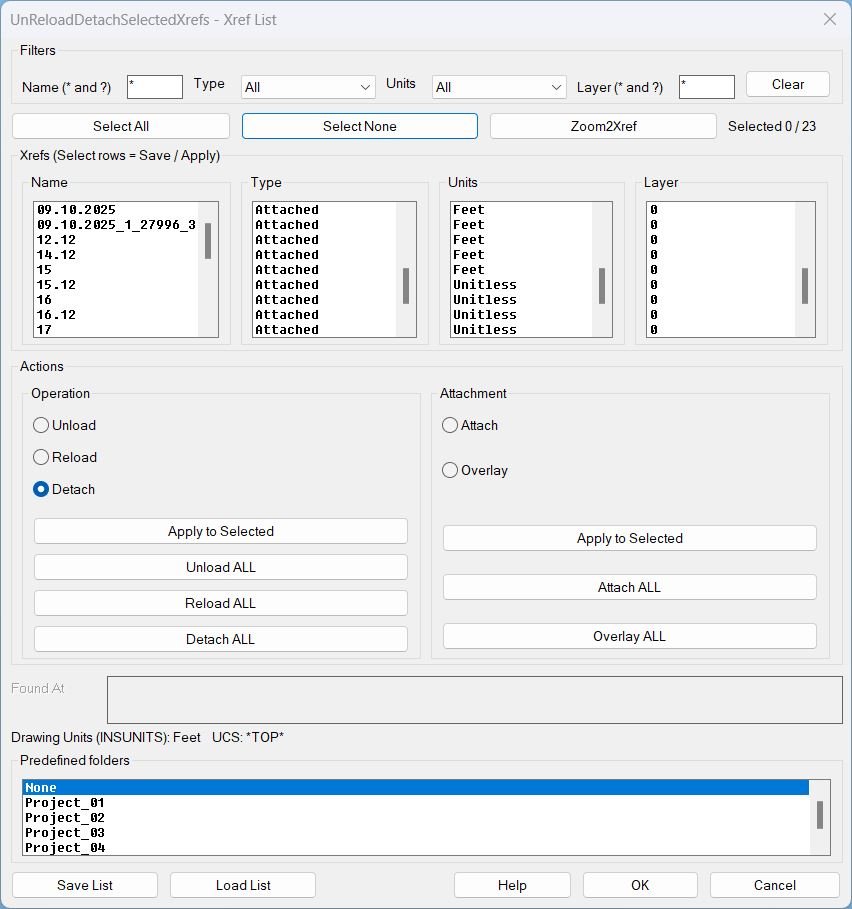
UnReloadDetachSelectedXrefs_01
UnReloadDetachSelectedXrefs Xref management dialog for filtering, selecting, zooming, saving lists, loading lists, and batch operations on xrefs in the current drawing.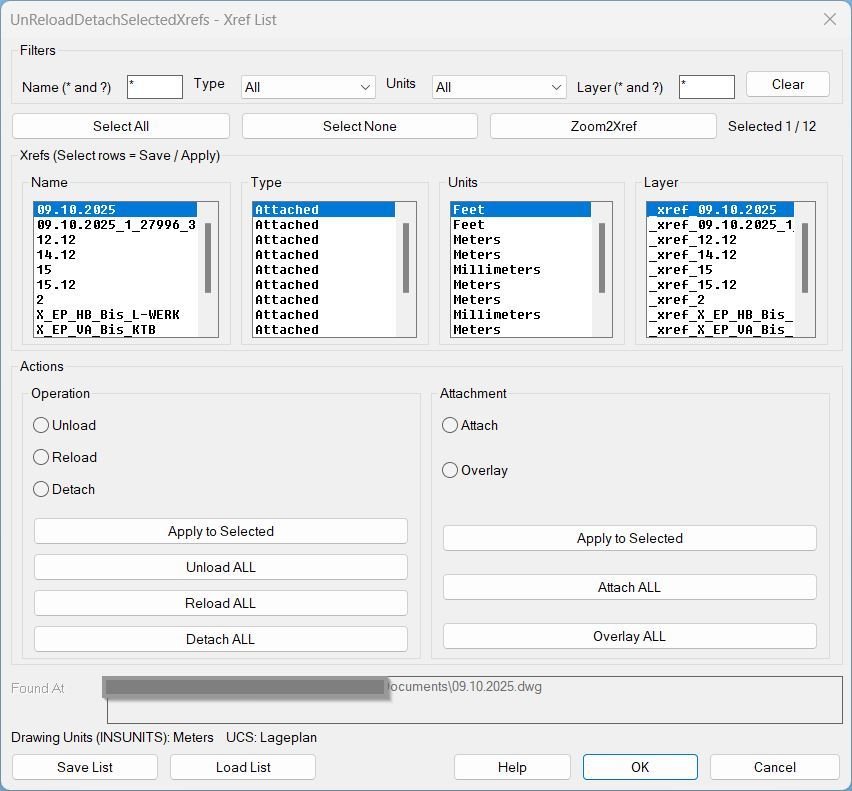
UnReloadDetachSelectedXrefs_00
Sort / Purpose: Interactive Xref management tool for AutoCAD that saves, reloads, and bulk-edits Xref state via a dialog, while preserving the current UCS and view for bulk actions. • Type of tool: Dialog-driven Xref control command with filters, selection, zoom-to-xref, save/load list, and batch operations. • Scope: Works on all Xrefs in the current drawing, or only the user-selected subset (selection defaults to all). • Goal: Quickly standardize Xref configuration (Type + Found At + Units + Layer) and reapply it reliably across sessions without disrupting the user’s working context.CopySelection
Purpose: Duplicate only a chosen segment of a LWPolyline between two picked points and generate it on a selected layer Supported objects: Single LWPOLYLINE only Usage style: Extract partial polyline segments and place them on a different layer using a filterable layer picker dialog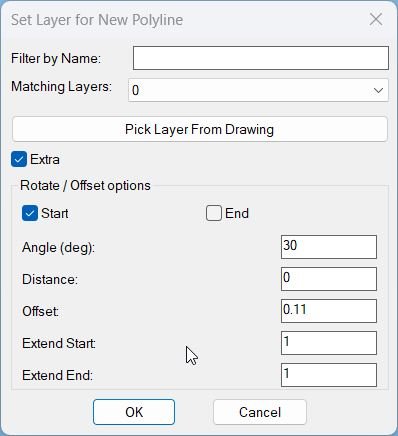
CopySelection_vs.01
Sort / Purpose: Create a new polyline segment copied between two picked points on an existing LWPOLYLINE, place it on a chosen layer, and optionally extend, rotate, move, and generate multiple offset copies via an interactive dialog with Apply and Undo. • Scope: Works only on a selected LWPOLYLINE, extracting the portion between two points along the polyline and building a new, separate polyline from that segment. • Goal: Speed up creation of repeated pipe or band segments with controlled layer assignment, geometric extension at ends, rotation, perpendicular distance, and multiple parallel offsets using presets.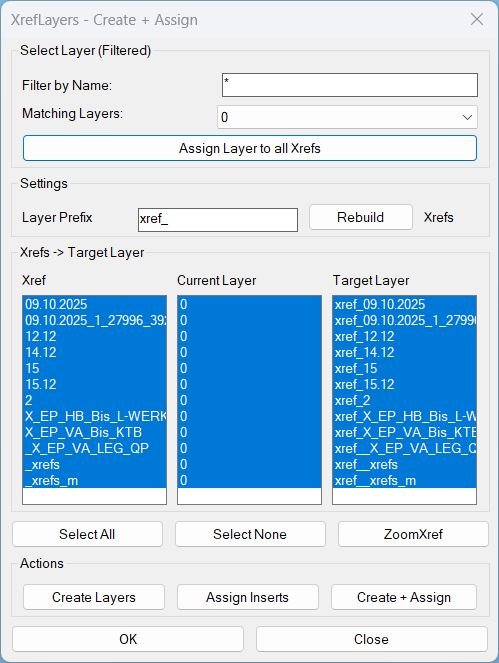
CreatesXrefsLayersAssign_01
XrefLayers is a single-window tool to manage XREF insert layers: create per-XREF target layers, assign inserts to target layers, force all XREFs onto one existing layer, and zoom to a selected XREF extents.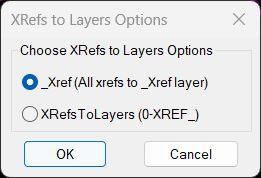
XRefs2Layers
- Goal: Manage how external references (XRefs) are reassigned to layers in the current drawing.
- Modes: Either move all XRefs to a single _XREF layer or move each XRef to its own 0-XREF_<XRefName> layer.
- User experience: Presents a DCL dialog with radio buttons and remembers the last selected option for the next run.
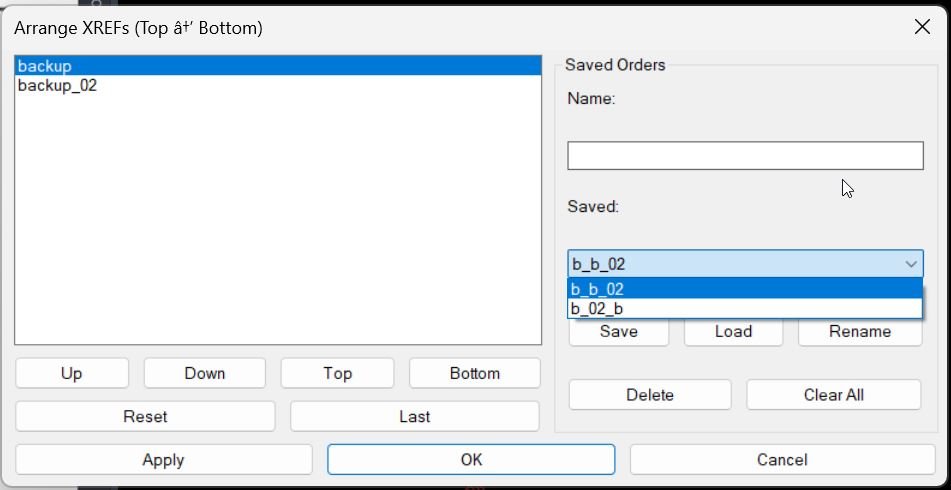
XrefDrawingOrder
- Purpose: Provides a DCL dialog to reorder XREF draw order from Top to Bottom, then applies that order safely using the DRAWORDER command.
- Persistence: Remembers the last applied order per drawing and supports named saved orders stored on disk.
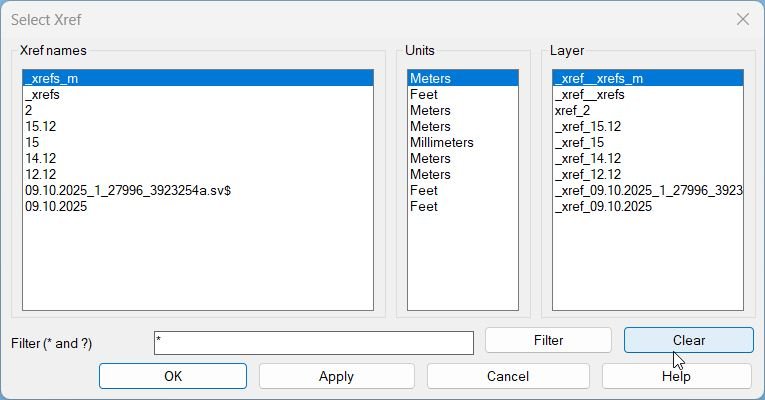
ZoomXref
ZoomXref.lsp summary- • Purpose: Display a dialog listing Xrefs and zoom the view to the combined bounding box of the selected Xref inserts in Model Space.
- • Key idea: LIVE wildcard filtering updates the list while typing, then ActiveX ZoomWindow zooms precisely to the Xref LL and UR corners.
Multiple_text_mtext_2
Sort / Purpose: Convert multiple selected TEXT and MTEXT entities into a single MTEXT object while keeping each original line as a separate paragraph. • Scope: Works on standard text objects in the current space and merges them into one formatted MTEXT container. • Goal: Simplify editing and formatting by replacing several separate text items with one unified MTEXT that preserves visual layout and underlines.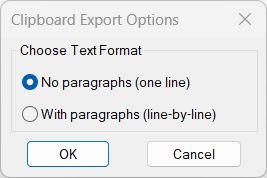
Copy_to_Clipboard
Sort / Purpose: Export cleaned text from selected drawing annotations directly to the Windows clipboard in a copy ready format. • Clipboard Export: Gathers text from TEXT, MTEXT, attributes, dimensions, multileaders, and blocks, then sends the processed result to the clipboard. • Two Output Styles: Lets you choose between one line concatenated text without paragraphs or line by line text keeping logical paragraphs. • Formatting Cleanup: Strips MText formatting codes and Unicode markers so that the clipboard content is clean, readable, and ready for pasting into external applications.Lower
Sort / Purpose: Convert selected TEXT and MTEXT entities to either all upper case or all lower case in a single operation. • Scope: Operates only on existing TEXT and MTEXT objects that you select in the drawing. • Goal: Standardize the letter case of annotations quickly for consistent drawing documentation.Upper
Short LISP to convert selected TEXT and MTEXT objects to uppercase.Region2Polyline
Purpose: Convert REGION objects into closed LWPOLYLINEs while preserving curve continuity and arc bulges Typical use: Cleanup of Boolean-created geometry or boundary extractions that output REGION entities Input object: REGION only — all selected REGIONs are processed Output format: Clean, closed LWPOLYLINE with correct bulges and segment ordering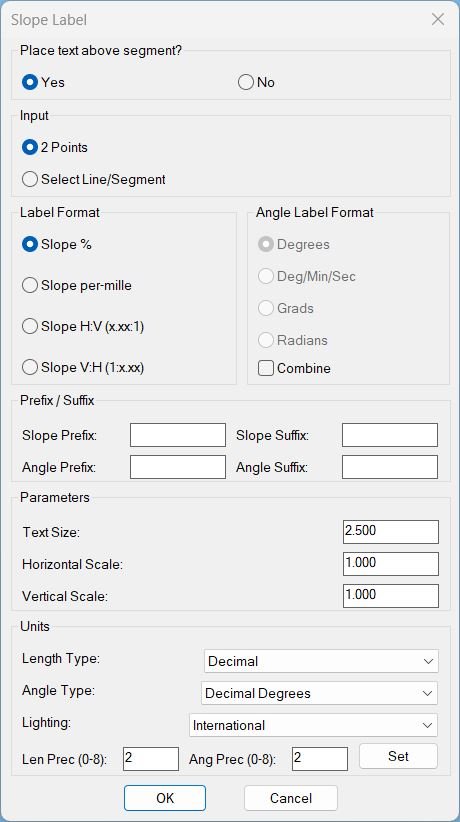
Slope_01
Sort / Purpose: Interactive slope-label placement tool for linework in Civil 3D / AutoCAD. • Type of tool: Dialog-driven annotation command that creates MTEXT labels. • Scope: Works on picked point pairs or on every segment of selected LINE / LWPOLYLINE / POLYLINE entities. • Goal: Quickly place readable slope (and optional angle) labels with user-controlled format, prefixes/suffixes and scaling.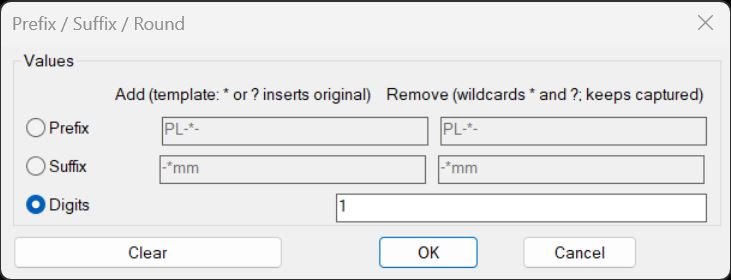
PrefixSuffixRound
Purpose: Add or remove prefixes and suffixes (with wildcard patterns) and round numeric text content for TEXT/MTEXT/ATTRIB/INSERT attributes Core idea: Use fixed-string and wildcard-based string comparisons to strip or template-rebuild text, plus optional rounding of numeric strings Persistence: Remembers last-used settings in environment variables (PSOT_*) for fast reuse across sessions and commands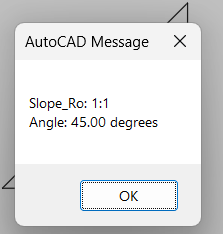
Slope_Ro
Purpose: Compute and report a simplified slope ratio and angle between two user-picked points Run style: Interactive two-point measurement with no drawing modifications Standard: Uses a fixed 12-unit horizontal run for imperial slope representation Output: Displays slope ratio and angle through an alert dialog only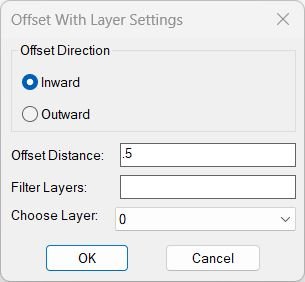
OffsetAndLayer
Purpose: Offset curves inward or outward and assign the results to a selected layer Supported geometry: *POLYLINE, ARC, CIRCLE, ELLIPSE, SPLINE (planar only) Session memory: Remembers last offset distance, last chosen layer, and last direction for faster repetitive usage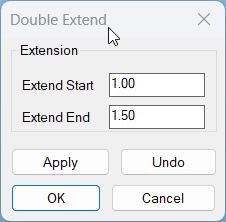
Lengthen
Sort / Purpose: Interactively extend lines, arcs and polylines at both start and end by user defined distances, using a dialog with separate values for each side and safe Apply or Undo control. • Scope: Works on LINE, ARC, LWPOLYLINE and classic POLYLINE entities, handling straight and bulged segments at both ends. • Goal: Provide a flexible Double Extend tool where you can tweak start and end extension, preview the result with Apply, step back with Undo, and only confirm when you are satisfied.MiddleLinePolylines_2
Purpose: Create a simple two vertex centerline between two selected open curves using only their endpoints Supported objects: LINE, LWPOLYLINE, POLYLINE, ARC, SPLINE, ELLIPSE when they are open curves Usage style: Quick central axis between two roughly parallel edges selected as first and last items in a selection set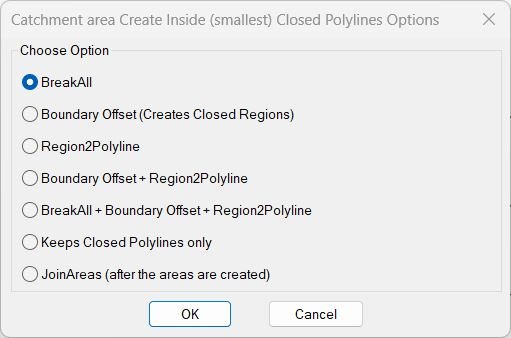
InteriorPolylinesArea
Purpose: Provide a unified dialog interface for running multiple area-processing operations inside closed polylines Use cases: Creating inside boundaries, breaking curves, converting regions to polylines, filtering out open polylines, or joining areas Memory: Stores last chosen option in *BR2P-last-option* and auto-selects it next runCloseParalelPolylines
Purpose: Automatically connect two open or parallel-like entities and merge them into one continuous polyline Supported objects: LWPOLYLINE, LINE, ARC, SPLINE Usage style: Cleanup or closing gaps between two aligned open objects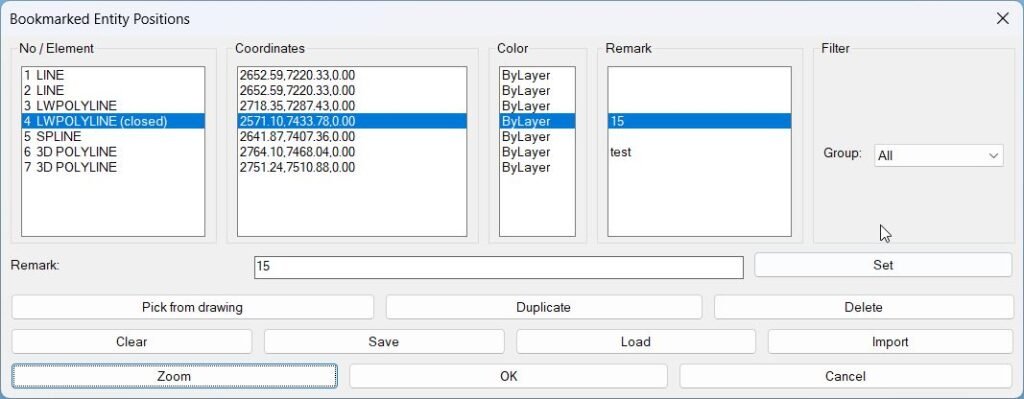
BookmarkEntities
Sort / Purpose: Bookmark entities in the current drawing and revisit them later by name, coordinates, color, and custom remarks. • Scope: Lets you pick TEXT, MTEXT, LINE, (LW)POLYLINE, CIRCLE, SPLINE, INSERT (blocks), stores their positions + color, and gives you a manager dialog to zoom to them, duplicate, delete, filter by type, and save/load the list per DWG. • Goal: Act as a “bookmark manager” for important entities: details, nodes, blocks, texts, etc., so you can quickly navigate and annotate them across work sessions.PlusMinusNumericValue
Purpose: Increment or decrement numeric values inside TEXT, MTEXT, ATTDEF, and ATTRIB strings using a dialog-driven plus/minus value and target position Scope: Works on selected text-based entities, parsing each string to find embedded numbers, then modifies one or more of those numbers according to user settings Persistence: Stores last used increment value and location in the Windows registry under HKCUSoftwarePlusMinusNumericValue for reuse across sessions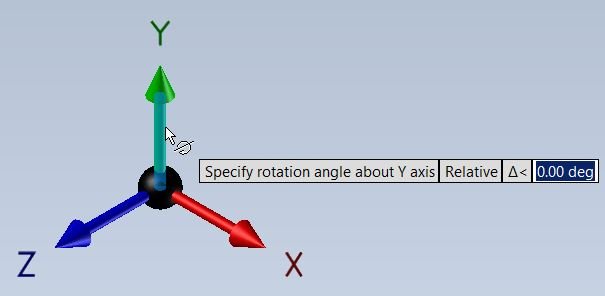
RotateUCS
This AutoLISP routine lets the user rotate the current UCS around the Z axis by a user-specified angle, resets the snap angle, and optionally saves the new UCS under a custom name. It is useful when drafting in rotated views but still wanting a clean UCS orientation for further drawing.ChangeBlockEntitiesLayer
Sort / Purpose: Make all entities inside selected block definitions use the same layer as their block references for consistent layer control. • Scope: Works on selected INSERT block references and edits the underlying block definitions in the current drawing. • Goal: Ensure that geometry inside blocks follows the block reference layer, so changing the block layer controls all its internal entities.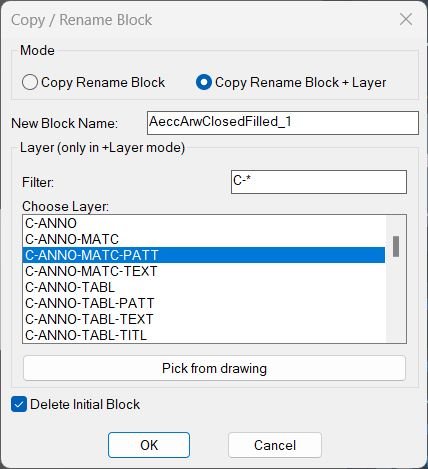
CopyBlock
Sort / Purpose: Copy a block reference, give it a new block name, and optionally force it and its contents onto a chosen layer while optionally deleting the original reference. • Scope: Works on a single selected block reference and creates a new block definition plus a retargeted (or copied) reference. • Goal: Provide an interactive way to duplicate and rename blocks, with an optional “+Layer” mode to standardize content layers and an option to remove the original block reference automatically.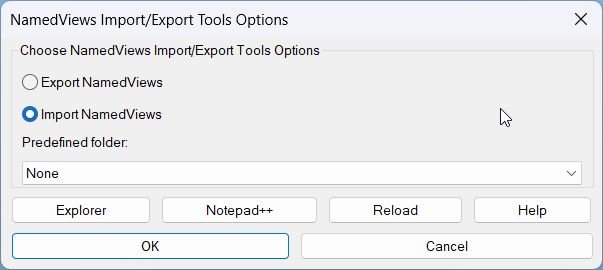
Exp_Imp_NamedViews
Sort / Purpose: Named Views Import/Export front-end with presets, OneDrive-aware folders, and integrated help + clipboard utilities. • Scope: Wraps the core ExportViews / ImportViews engine with a DCL UI, predefined project folders, Notepad++ / Explorer shortcuts, and rich help text copyable to clipboard. • Goal: Make handling AutoCAD Named Views (and their Visual Styles) easy and repeatable across multiple projects and sessions, with minimal manual path browsing.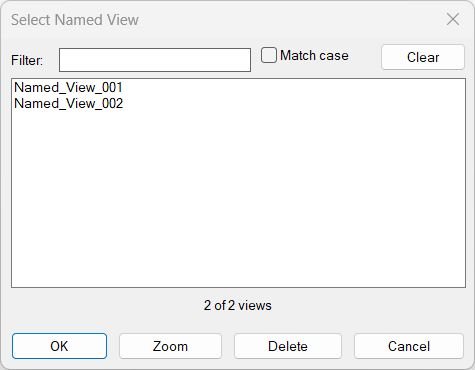
NamedViewList
Purpose: Provide a portable, dialog-based manager for AutoCAD named views with filtering, zoom, rename, delete, and restore capabilities Scope: Works entirely on named views in the current drawing using only basic AutoLISP, ActiveX, and a temporary DCL file Interaction style: Single dialog with live filter, match-case toggle, multi-select list, and action buttons that keep the dialog open for iterative operations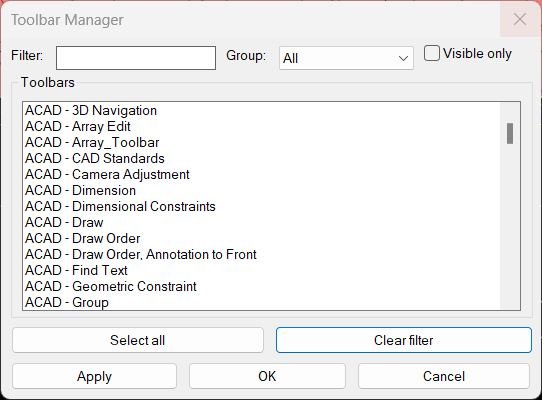
ToolbarManager
Sort / Purpose: Interactive manager for showing and hiding AutoCAD toolbars using a filterable, grouped list dialog. • Scope: Reads all toolbars from all menu groups, displays them with their group names, and lets you control visibility in bulk. • Goal: Quickly create, recall, and adjust toolbar layouts without hunting through CUI, using saved filter and group selections between runs.
TotalLengthAreaDetailed_vs_01
Short description Calculates total length or area of selected objects, copies an Excel ready formula to the clipboard, and optionally places a formatted result as MText in AutoCAD using the current UCS.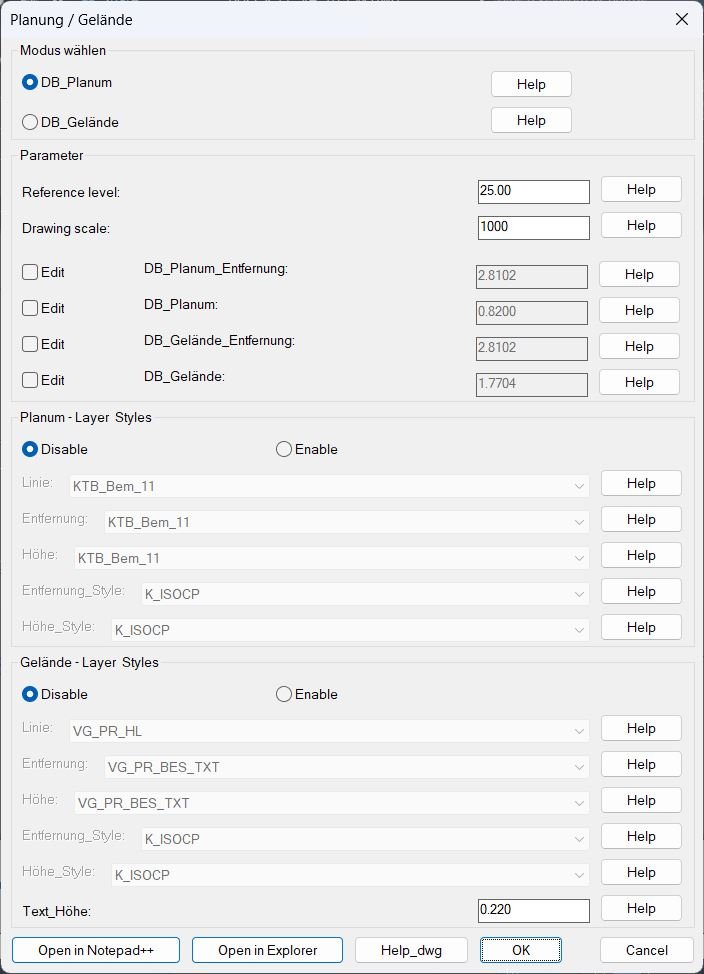
DB_Planung_Gelände
Sort / Purpose: Configure and run two profile annotation tools (Planum and Gelaende) that place distance and elevation texts along a reference band using a shared dialog and persistent settings. • Scope: Provides a full configuration user interface for reference level, drawing scale, offsets, layers, text styles, and text height, then calls either Planum or Gelaende drawing routines. • Goal: Standardize how Planum and ground profile labels are generated and formatted, with reusable settings stored per project drawing and integrated graphical help images.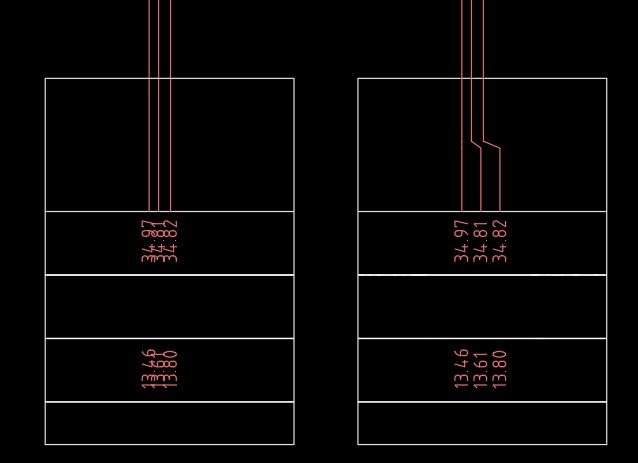
FixLineTextOverlap
Sort / Purpose: Detect and fix overlaps between vertical lines and their related TEXT or MTEXT labels by converting lines into crank polylines and then horizontally spreading texts around a vertical rail with controlled spacing. • Scope: Works on vertical LINE objects and nearby TEXT or MTEXT annotations that share similar Y levels, using a shared spacing value and rail X coordinate. • Goal: Quickly clean up cluttered profile or detail drawings where many lines and texts sit on top of each other, giving each line and label a readable separation without manual nudging.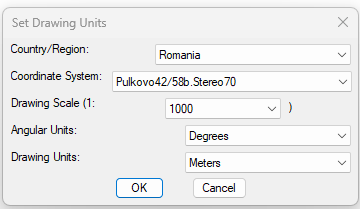
SetUpUnits
This AutoLISP routine is made for AutoCAD Civil 3D and is used to quickly set the drawing’s coordinate system, drawing scale, angular units and linear drawing units from one dialog. It reads the Civil 3D COM objects and applies the settings directly to the active document, so the drawing is ready for civil work after one configuration step.MleaderStraight
- MLeader Perp Align + DCL chooser (Model or Paper space aware)
- Aligns MLeader landing by projecting the first vertex to a perpendicular reference through the end vertex
- Scope chooser: interactive selection or all MLeaders in current space/layout
- Works in ModelSpace or PaperSpace based on current active space
CubeDisplay_Off_On
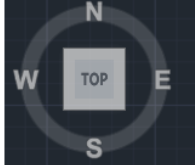
This AutoLISP routine toggles the AutoCAD Navigation Cube (ViewCube) display by sending direct commands through the Active Document COM interface. It ensures that the cube display setting is refreshed properly by first turning it off and then immediately turning it back on.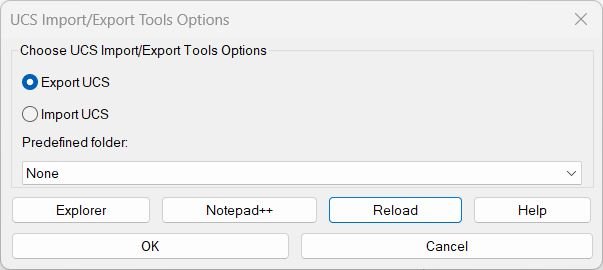
Export Import Custom MS_UCS
This AutoLISP package provides a full workflow for exporting and importing named UCS definitions using dialogs, predefined OneDrive folders, clipboard helpers, and a help window that stays open. It is designed to work in an environment where UCS files are stored in shared/network/OneDrive folders and where users need to switch between ExpUCS, ImpUCS and a combined ExpImpUCS dialog. It also includes an enhanced COM-only UCS importer at the end, so importing UCS does not freeze or prompt, and it can overwrite/update UCS definitions silently.
MLeaderWidthFix
- MLeaderWidthFix — normalize MTEXT / MLeader (MText-content) widths using a user-specified value with an average-width default
- Computes an average width from the current selection to propose as the default input
- Applies the chosen width to MTEXT and MLeaders that use MTEXT content; TEXT is reported as not directly settable
Text2Multileader_01
Sort description Creates a new MLEADER from selected TEXT or MTEXT, using a selected LINE or POLYLINE as leader geometry, then deletes the source objects.Text2Multileader_00
- AM — convert selected TEXT/MTEXT into a single MLeader with combined text and preserved max width
- Sorts text by insertion point (Y order) and concatenates into one string
- Creates an MLeader by picking arrowhead and landing points, then applies TextString and TextWidth
- Deletes the original text entities after building the combined content
Change Background Color
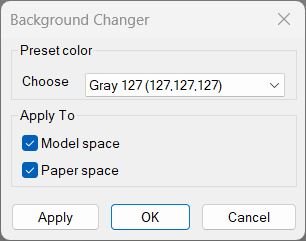
Changes AutoCAD’s model/paper background color using presets and keeps cursor/track/snap colors readable. Includes a dialog (DCL) with Apply/OK/Cancel and can restore the original colors if you cancel.
Hide / Show Objects
Provides a dialog box for controlling object visibility in AutoCAD. Lets you choose between isolating, hiding, or displaying all objects using radio buttons and confirmation controls.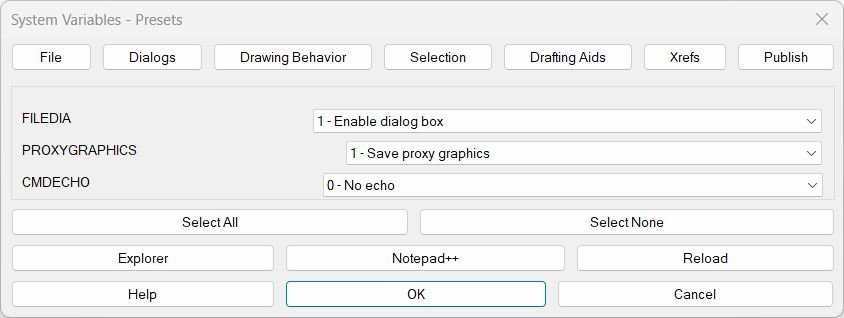
SteSysVar
Tabbed “system variables tuner” for AutoCAD that lets you set common SYSVARs from dropdowns instead of typing SETVAR. Builds its own DCL with tabs (File, Dialogs, Drawing Behavior, Selection, Drafting Aids, Xrefs, Publish) and applies all chosen values at once.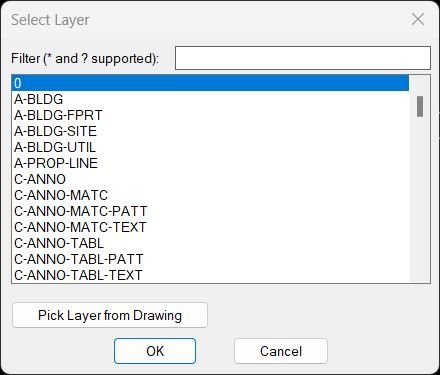
ChangeLayer
- ChangeLayer — DCL layer picker with wildcard filter and “pick from drawing” option
- Lists only visible layers (not off, not frozen) and supports * / ? pattern matching
- Remembers the last filter via environment variable and can auto-filter based on an object’s layer
ChangeLayerToSelected
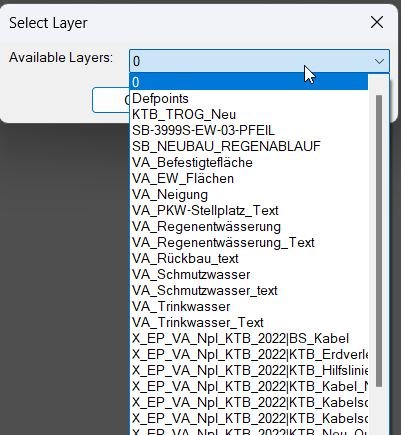
- ChangeLayerToCurrent — DCL filtered layer chooser + optional “pick layer from drawing”, then move selected objects to that layer
- Filters layer names (non-Xref only) using a substring-style match and remembers last filter + last chosen layer
- After choosing a layer, prompts for a multi-selection of objects and runs CHPROP to change their layer
DeleteLayerByFilter
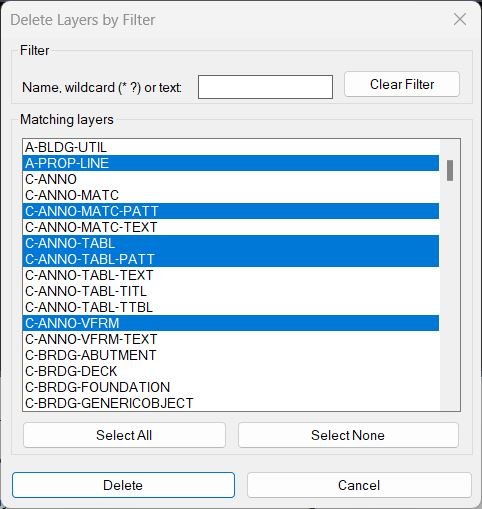
- DeleteLayerByFilter — embedded DCL layer deleter with filter + multi-select, using -LAYDEL scripted sequence with VLA fallback
- v10 change: fixes the -LAYDEL command sequence to mirror manual steps: ._-LAYDEL → _N → <name> → "" → _Y (plus localized fallback)
- Excludes Xref layers and reserved layers (0, DEFPOINTS) and reports deleted vs failed
DuplicateToSelectedLayer
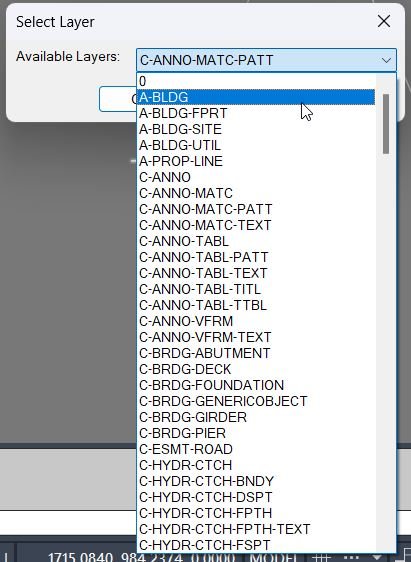
- DuplicateToSelectedLayer — duplicate selected entities onto a chosen target layer via a simple DCL layer picker, then bring the copies to front and preselect them
- Remembers the last chosen layer and defaults the dialog selection accordingly
- Uses COPY with zero displacement to create duplicates in place, then CHPROP + DRAWORDER on the new entities
DuplicateToNewLayer
- DUPLICATELAYER / DUPLICATELAYERCURRENT — duplicate a layer’s properties into a new layer name via DCL, then set it current (optionally move the selected object).
- Copies common layer properties (Color, Linetype, Lineweight, Description) and PlotStyleName when available (STB-aware).
- DCL dialog asks for the new layer name and includes an “assign selected object” checkbox (used by DUPLICATELAYER).
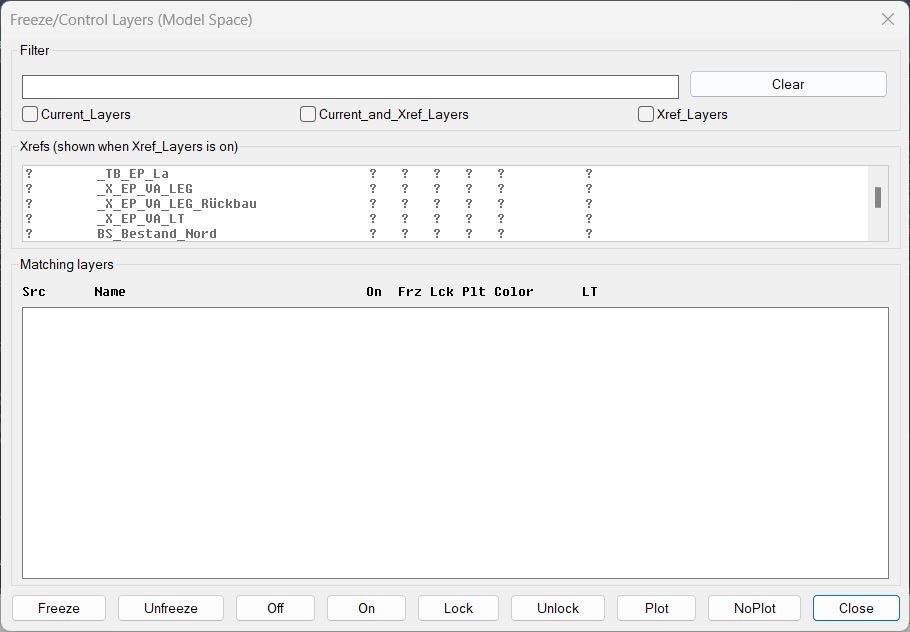
FreezeLayersInMS
- FLMS3 — Model Space layer control dialog: filter + multi-select + batch actions (Freeze/Off/Lock/Plot, etc.) with optional Xref scoping
- Fixes: filters never show stray “T”; Xref layer names are displayed without the xref| prefix while operations still use full names internally
- Persists filter/toggle/xref selections between runs via environment variables
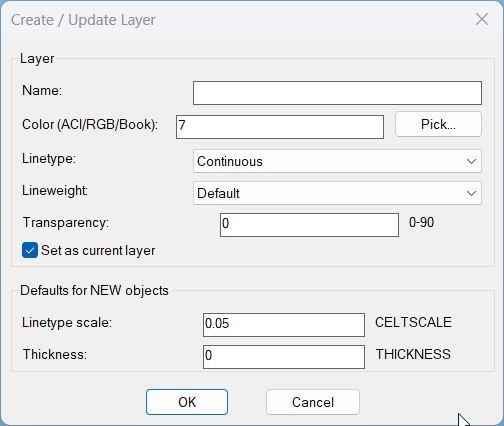
LayerCreation
- LayerCreation — create/update a layer with True Color + Color Books support, plus a “Set as current layer” toggle (DCL with CLI fallback).
- Fields: Name, Color (ACI / RGB / ColorBook), Linetype, Lineweight, Transparency; also sets defaults for NEW objects (CELTSCALE, CETRANSPARENCY, THICKNESS).
- Runs a DCL dialog when the DCL core is healthy; otherwise runs NEWLAYERCLI (always works).
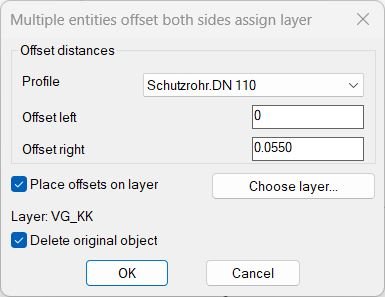
MultiOffsetBothSidesWithLayer
This AutoLISP routine automates the process of offsetting multiple lines on both sides with customizable distances, profiles, and layer management. It is designed to simplify symmetrical drafting operations by providing an interactive dialog for user control and configuration.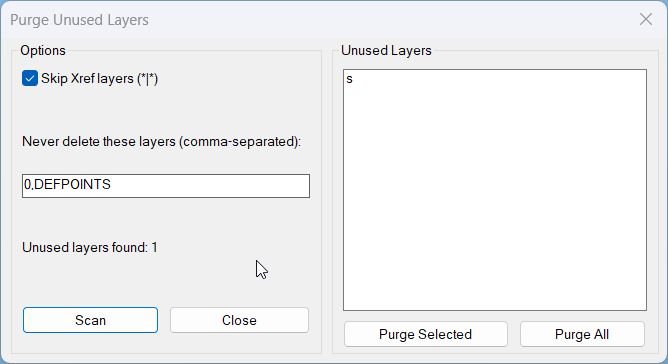
PurgeUnusedLayers
- Purges unused layers using a dialog that scans the drawing and deletes layers with no entities on them.
- Protects critical layers and the current layer and optionally skips Xref layers.
RenameLayer
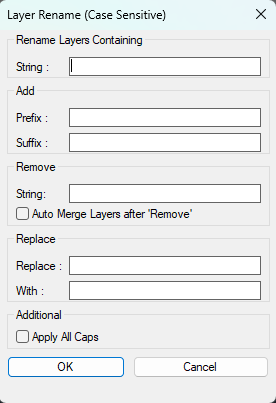
- LRN — DCL-driven batch layer renamer with search filter, add prefix/suffix, remove substring, replace text, optional ALL CAPS, and optional auto-merge after remove
- Builds a matching layer list (excluding layer 0), then renames each layer via command-line -RENAME and optionally merges via -LAYMRG
- Wraps operation in an Undo mark and shows an Express Tools progress meter
Zoom2Layer
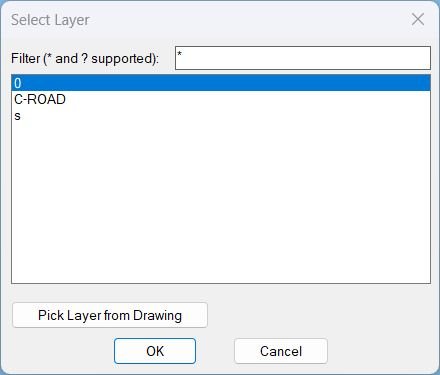
- Displays a filterable layer selection dialog and then zooms the view to the extents of all objects on the chosen layer.
- Supports picking a layer directly from a selected object in the drawing and remembers the last filter used.
LayersNameToClipboard
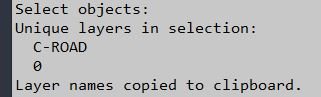
- LayersName2Clipboard — collect unique layer names from a user selection and copy them to the Windows clipboard as a newline-separated list
- Uses an HTMLFile COM object to access clipboardData and write text directly to the clipboard
NCopyExtra
Sort / Purpose: Copy nested objects from xrefs or blocks into the current drawing so they become local entities on local layers that mirror the xref layer properties. • Scope: Works on objects selected with NENTSEL / NENTSELp, including items on xref layers like “_XREF|VG_KK”. • Goal: Quickly “detach” geometry from xrefs by copying it out onto new local layers that inherit color, linetype, and lineweight from the original xref layer.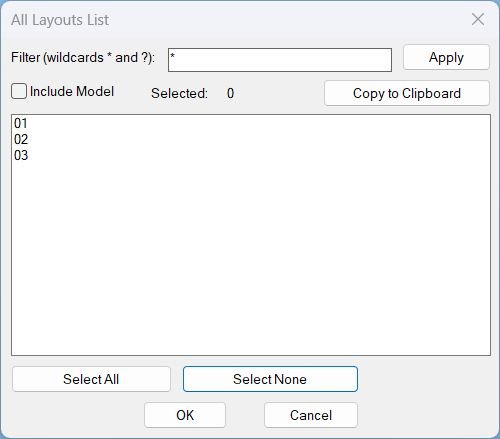
Layouts_list
- Shows a DCL dialog listing all layouts with wildcard filtering and multi-select, then copies the selected layout names to the Windows clipboard (one per line).
- Includes optional Model tab inclusion, selection count display, and Select All or Select None shortcuts.
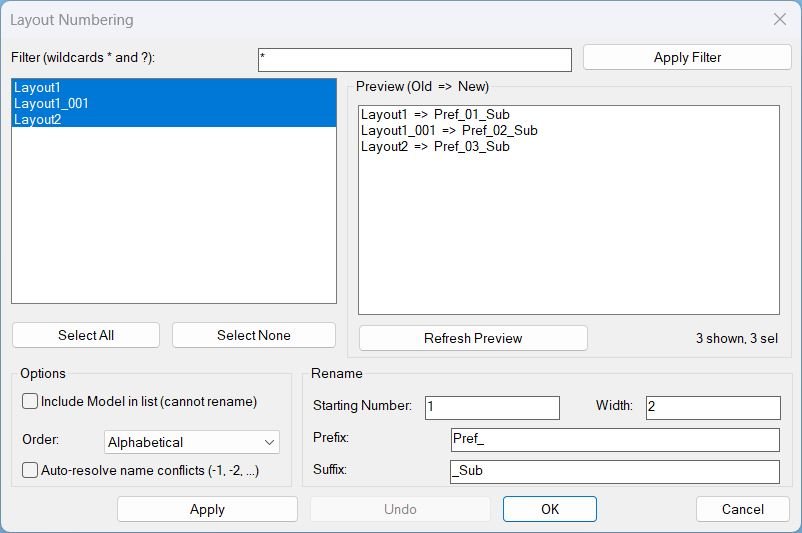
LayoutNum
- Provides a DCL dialog to batch rename layouts using sequential numbering with optional prefix, suffix, and zero-padding, with filtering and preview.
- Supports in-dialog Apply and multi-level Undo without calling AutoCAD UNDO from DCL callbacks, to avoid stability issues.
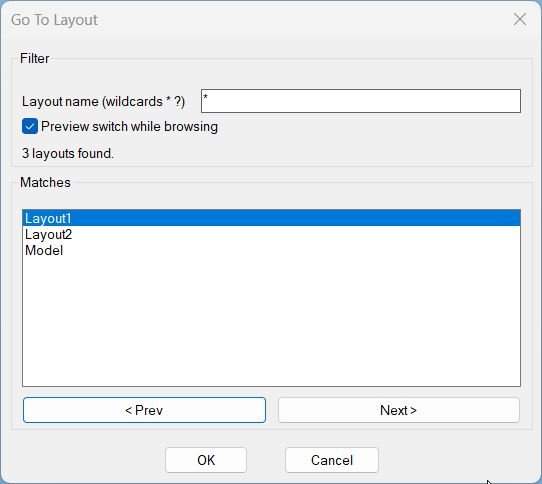
GoToLayout
- Opens a DCL dialog to filter layout names with wildcards and quickly switch the current tab to the selected match.
- Includes optional preview switching while browsing and remembers the last used filter pattern across runs.
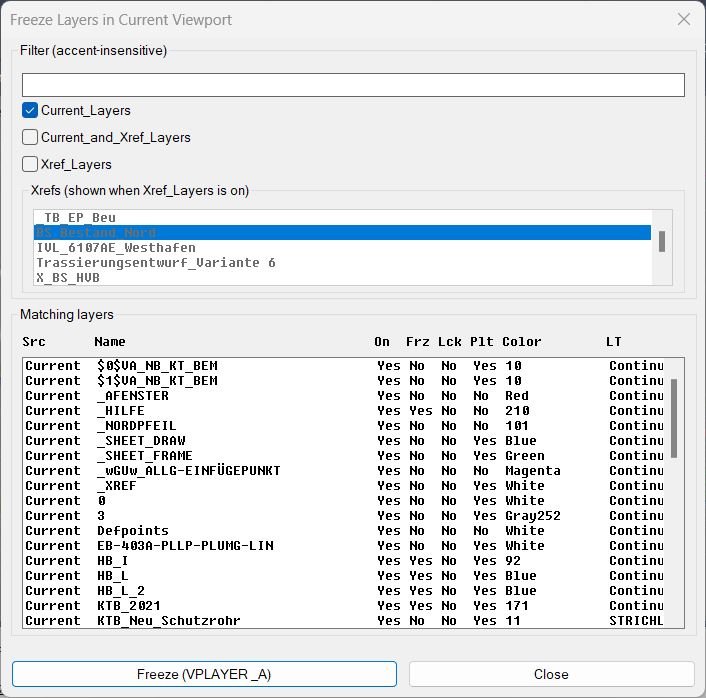
FreezeLayersInVP
- Shows a DCL dialog to filter and multi-select layers, then freezes the selected layers in the current viewport using VPLAYER.
- Supports filtering by Current layers, Xref layers, or Current_and_Xref, with an optional Xref picker and a fixed-width “faux columns” layer list.

Copy2Layouts
- Opens a dialog to pick objects once, then copies them to multiple selected paper-space layouts, showing only the total selected object count.
- Includes a wildcard layout filter and multi-select layout targeting with Select All and Select None actions.
RotateMtextVport
Rotate Text and Mtext in Viewport Aligns TEXT objects to viewport rotation while resetting MTEXT to horizontal orientation.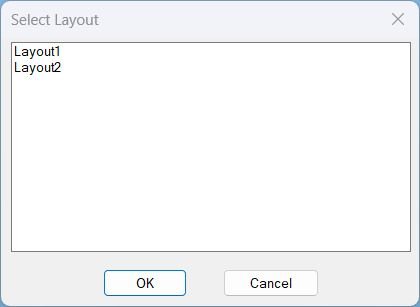
SelectLayout
Select Layout from Dialog Displays a dialog box listing all paper space layouts for quick selection and activation.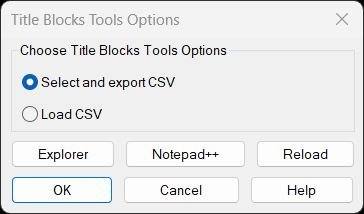
TitleBlocksTools
Title Blocks Tools – Unified Menu System Comprehensive dialog-based interface for exporting and updating titleblock attributes via CSV with integrated help, file management, and reload utilities.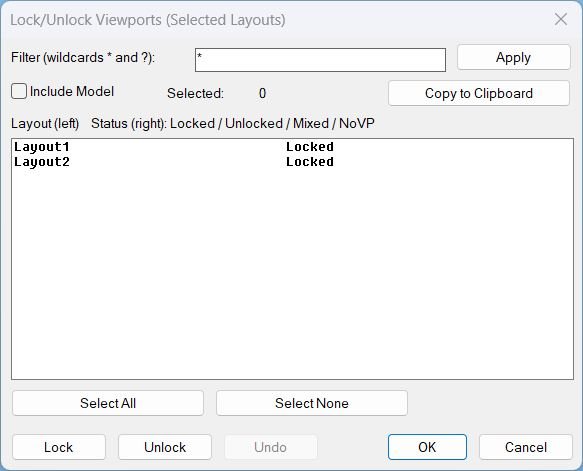
LockAllVp
Tags: Layouts, Paper Space, Viewports, DCL, Dialog_UI, Lisp, CAD, Clipboard Suggested tags not in list: ObjectARX, COM_Automation, Stability, Undo_Stack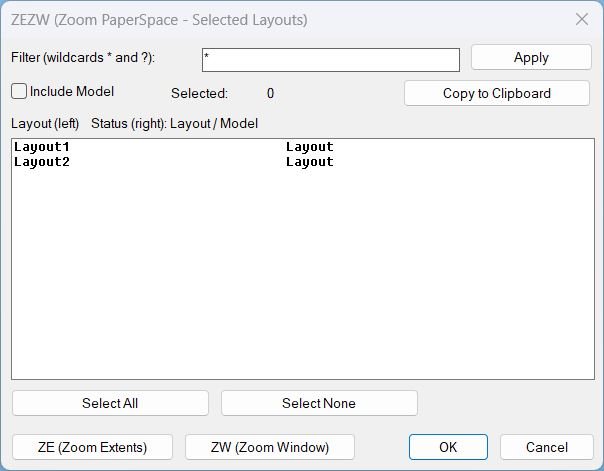
Zoom Extend Window
What this LISP does ZEZW opens a DCL dialog to multi-select layouts and then applies Zoom Extents or Zoom Window in Paper Space on the selected layouts. Key concept The zoom action runs after the dialog closes for stability and predictable execution.
Zoom Extend
LZE summary LZE opens a DCL selection dialog for Layouts, then runs Zoom Extents in Paper Space on the selected layouts after the dialog closes. Key stability rule The zoom action is executed after the dialog closes to avoid UI timing issues.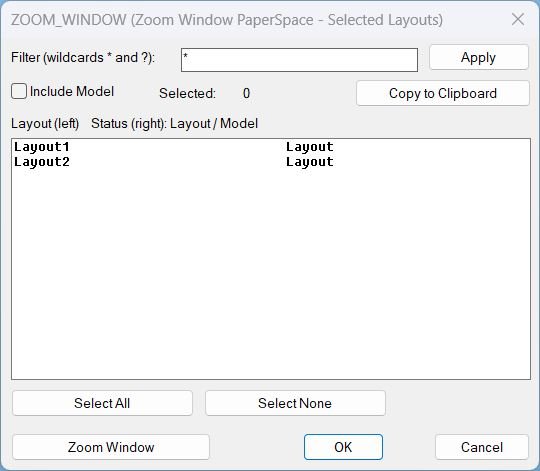
Zoom Window
LZW summary LZW opens a DCL selection dialog for Layouts, then prompts for a window and runs Zoom Window in Paper Space on the selected layouts after the dialog closes. Key stability rule The zoom action is executed after the dialog closes to avoid UI timing issues.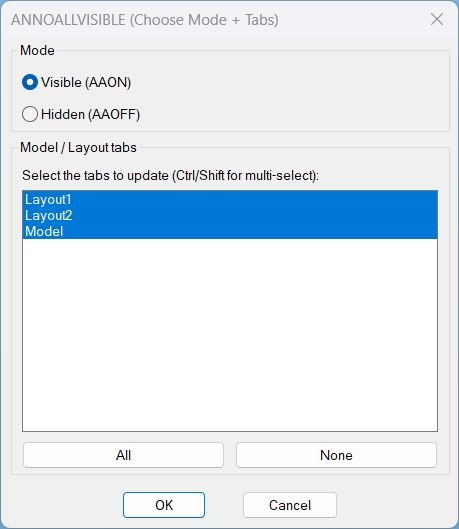
AnnoAllOnOff
- Single dialog that sets ANNOALLVISIBLE to 1 or 0 for a chosen set of Model/Layout tabs.
- Combines the functionality of AAON and AAOFF with mode radio buttons and tab multi-select in one UI.
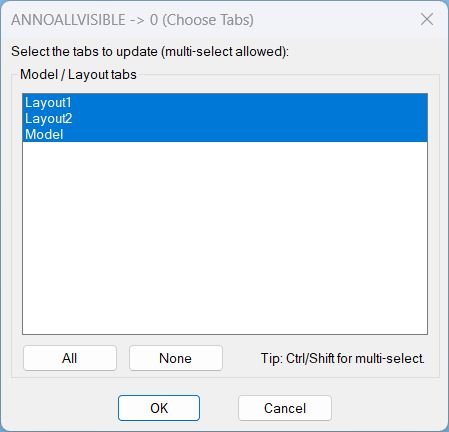
AnnoAllOff
- Opens a DCL picker to choose Model/Layout tabs, then sets ANNOALLVISIBLE to 0 on the selected tabs.
- Provides quick selection controls for All or None before applying the change.
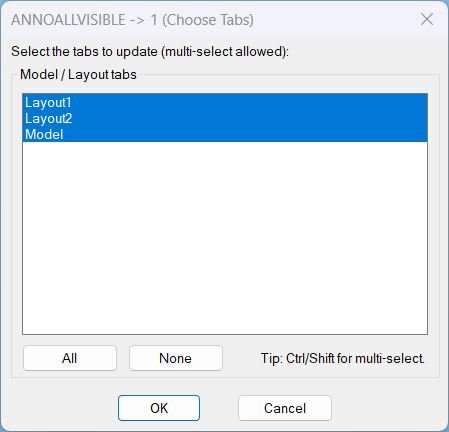
AnnoAllOn
- Opens a DCL picker to choose Model and Layout tabs, then sets ANNOALLVISIBLE to 1 on the selected tabs.
- Includes quick selection controls for All and None before applying changes.
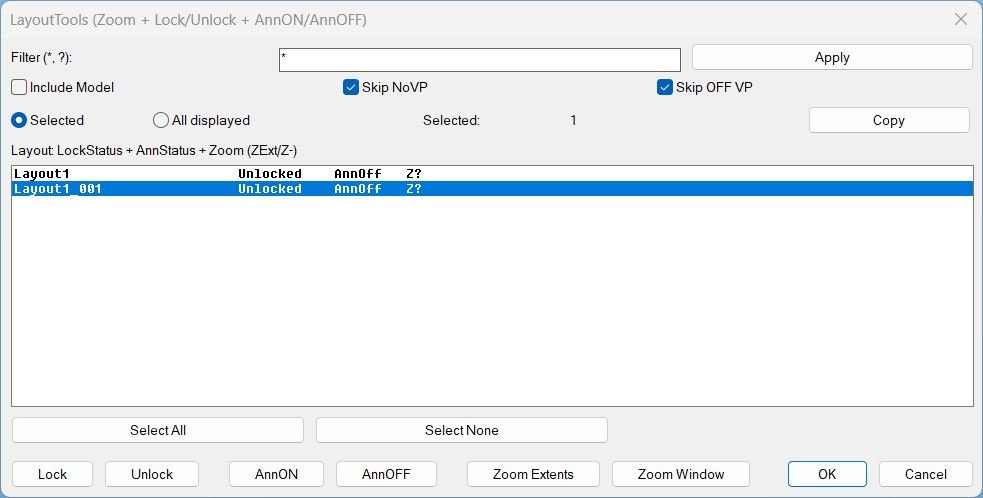
LayoutTools
LayoutTools manages layout tabs to batch Lock or Unlock viewports, toggle AnnON or AnnOFF, and apply Zoom Extents or Zoom Window in Paper Space across selected or displayed layouts, with status tracking stored in the DWG.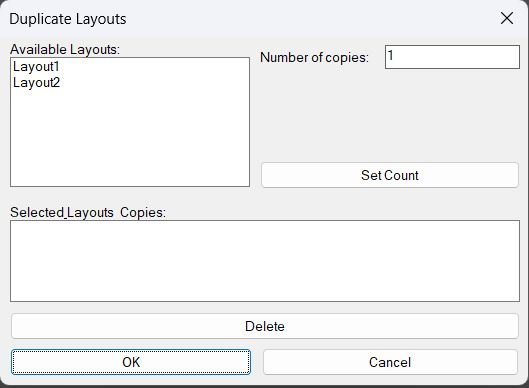
DuplicateLayouts_00
- Shows a DCL dialog to choose paper-space layouts and specify how many copies to create for each, then duplicates the selected layouts using the LAYOUT command.
- Provides a summary list where selected layouts and their copy counts can be reviewed and removed before running the duplication.
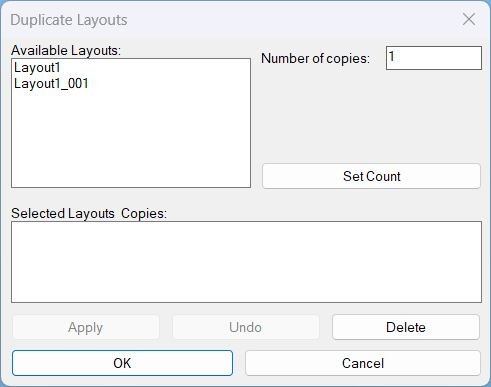
DuplicateLayouts_01
DuplicateLayouts provides a DCL Dialog_UI to queue layout tabs with copy counts, then batch duplicate them using -LAYOUT Copy with safe fallbacks and unique naming.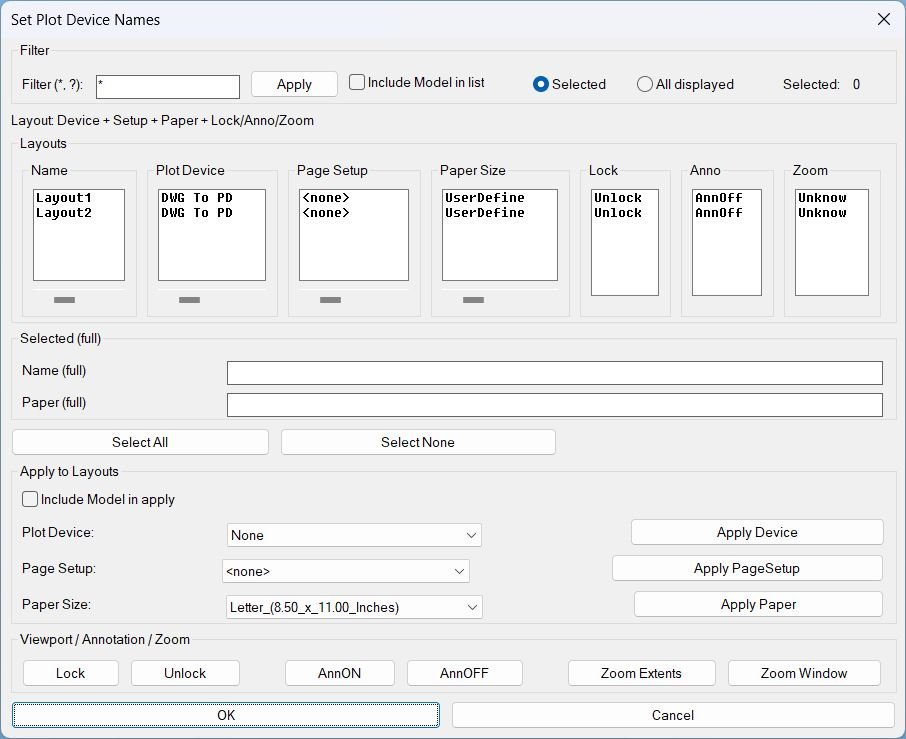
SetPublishLocation_01
Summary- This LISP provides a dialog to review and batch-edit plotting and layout settings across multiple layouts, plus viewport utilities for lock, annotation visibility, and zoom tools.
- Designed for fast QA and standardization of Plot Device, Page Setup, and Paper Size per layout.
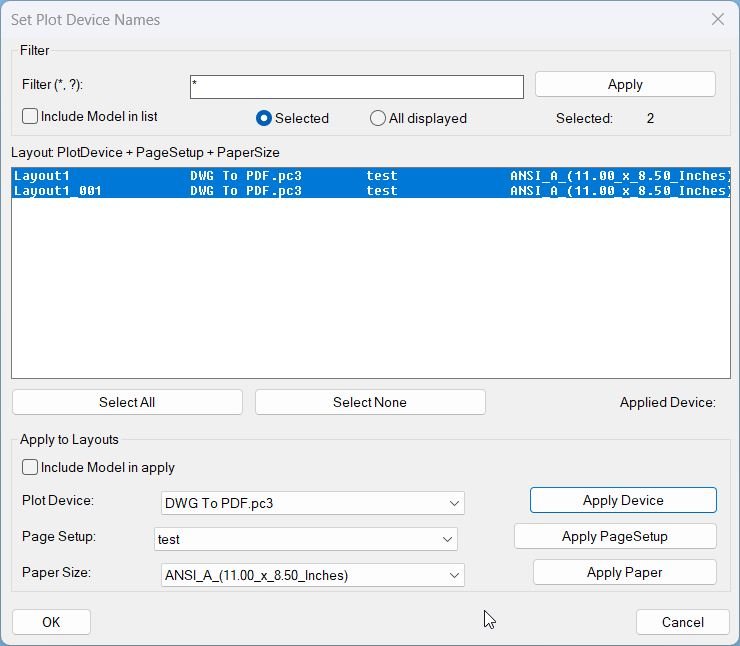
SetPlotDeviceNames_00
- SetPlotDeviceNames — set every layout’s plot device to DWG To PDF.pc3 when available
- Iterates all layouts, refreshes device info, validates availability, then assigns the plot configuration
- Prints a warning per layout when the target device is not present
Clear_Bookmarks
Clears the internal **bookmark list** used by BMEntityPos for storing text/entity positions Provides a simple confirmation dialog before erasing stored data Ensures the global list *textPositions* is reset safelyAdd_Bookmark
Purpose: Collect and store basic positional data about selected entities into a global bookmark list for later use Scope: Works on TEXT, MTEXT, LINE, LWPOLYLINE, POLYLINE, CIRCLE, SPLINE, and INSERT (blocks) Output storage: Appends entries to global variable *textPositions* in the form (label startPoint endPoint)Slope_00
Purpose: Label slopes between two picked points using multiple numeric and ratio formats Scope: Works entirely in 2D, producing TEXT entities placed and rotated along the measured segment Workflow: Configure options in a dialog (DCL), then pick two points repeatedly to place slope labels Output style: Percent, H:V integers, V:H integers, H:V decimals (x.xx:1), or V:H decimals (1:x.xx) Defaults: Below=No, Height=1, H=1, V=1, Precision=2, Format=%Copy_to_Clipboard_Xref
Sort / Purpose: Interactively pick nested TEXT, MTEXT, DIMENSION, LEADER, and BLOCK entities, extract their text and send it to the clipboard, then clean up temporary copies. • Scope: Works on nested entities inside blocks or references using CTC3 as a “pick-through” text exporter. • Goal: Quickly grab text content from visually picked nested items, copy that text to the Windows clipboard, and automatically delete the intermediate copied entities from the drawing.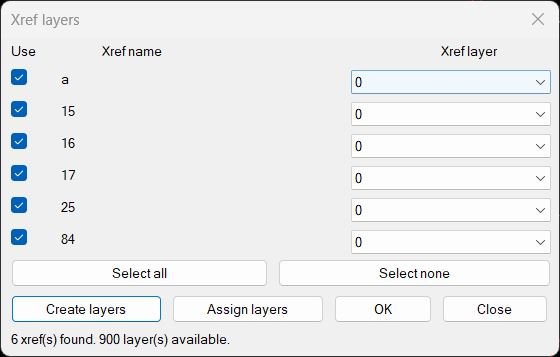
CreatesXrefsLayersAssign_vs.00
Xref → Own Layer Manager This AutoLISP routine scans the current drawing for attached xrefs, shows them in a dialog with a checkbox and a per xref layer popup, and lets the user create or assign layers for those xrefs in one place. The dialog is generated dynamically so it always shows the exact xrefs that exist in the drawing at that moment.