
Short description
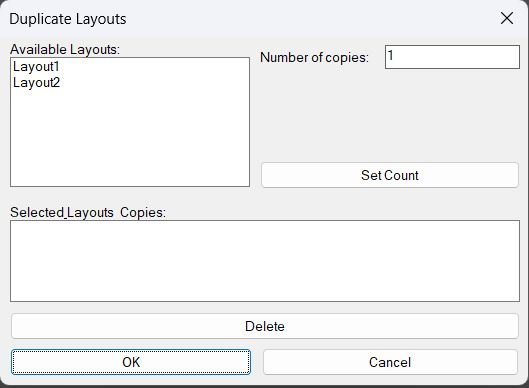
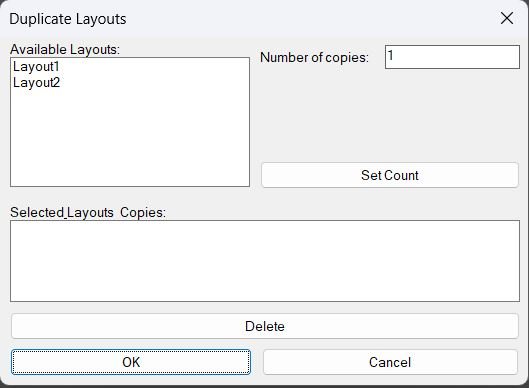
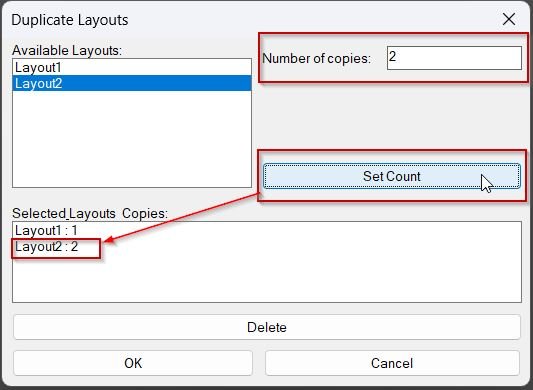
- Shows a DCL dialog to choose paper-space layouts and specify how many copies to create for each, then duplicates the selected layouts using the LAYOUT command.
- Provides a summary list where selected layouts and their copy counts can be reviewed and removed before running the duplication.
Command:
- Command: DuplicateLayouts
Description:
- Creates a temporary DCL file at runtime and opens a dialog listing available layouts (excluding Model).
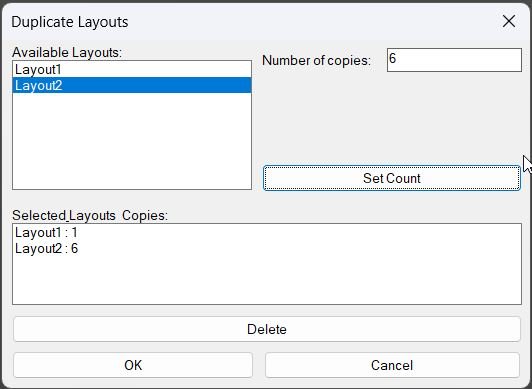
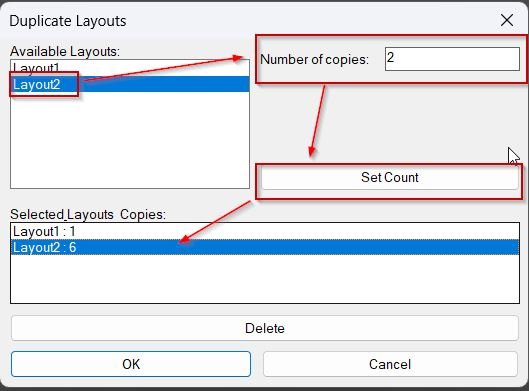
- Allows the user to assign a Number of copies to the currently highlighted layout using Set Count, building an internal map of LayoutName → CopyCount.
- Shows the chosen layouts and counts in a summary list; the user can remove entries via Delete prior to execution.
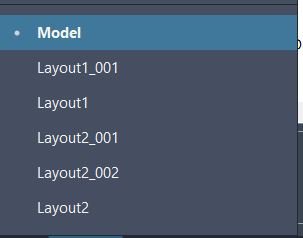
- On OK, duplicates each selected layout the requested number of times by calling ._layout _copy and naming copies with an incremented numeric suffix (e.g., Layout_01, Layout_02).
Helper function: (if any)
- writeDCL writes the dialog definition to a temporary .dcl file used for the session.
- getLayoutNames enumerates document layouts via ActiveX, excluding Model, and builds the available layout list displayed in the dialog.
- updateSummary repopulates the summary list box from the internal layoutMap so the UI reflects current selections and counts.
- action_tile \”set\” reads the selected layout index and copy count, then inserts or replaces the layout entry inside layoutMap.
- action_tile \”delete\” removes the highlighted summary entry from layoutMap and refreshes the summary list.
- c:DuplicateLayouts controls the full lifecycle: DCL creation, list population, dialog execution, cleanup, and layout copy execution.
Functionalities:
- • Runtime DCL generation creates and deletes a temporary dialog file automatically.
- • Layout list shows available paper-space layouts and excludes Model from duplication choices.
- • Per-layout copy counts lets the user assign different copy quantities per selected layout using the Set Count workflow.
- • Summary management displays the configured list of layouts and counts and allows removal via Delete prior to running copies.
- • Automated naming generates new layout names by appending a two-digit sequence suffix to the source layout name.
- • Command-based duplication performs duplication using ._layout _copy for each requested copy instance.
Result:
- If the user clicks OK, each selected layout is duplicated the specified number of times and new layouts are created with incremented suffix names.
- If the user cancels, no layouts are duplicated and the routine exits after removing the temporary DCL file.
- Always unloads the dialog and deletes the generated DCL file after closing the UI.
- If the dialog fails to load, prints DCL failed. and exits without changes.
Images, animations etc.
Log in to download.
Log in
Log in
Additional info:
Based on / Source code:
Open Website
Share this page:
Subscribe
Login
0 Comments
Oldest
Categories: AutoCAD_Lips
Categories: AutoCAD_Lips