
Short description
Changes AutoCAD’s model/paper background color using presets and keeps cursor/track/snap colors readable. Includes a dialog (DCL) with Apply/OK/Cancel and can restore the original colors if you cancel.
Command:
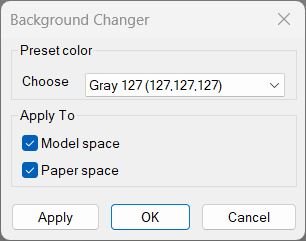
Command: c:BG Opens a DCL-based “Background Changer” dialog allowing you to pick a background color preset and apply it to Model and/or Paper space.
Description:
When executed, the program: • Step 1 Loads AutoCAD’s display and drafting preferences and builds a list of predefined gray/black/white color options. • Step 2 Displays a dialog with a dropdown list of color presets and toggles for Model and Paper space. • Step 3 Applies the selected color to the chosen workspace(s), adjusting crosshair, tracking, and snap marker colors for contrast. • Step 4 If Cancel is pressed, restores the previous colors using a saved snapshot.
Helper function: (if any)
Helper Functions Used: • _pref-display / _pref-drafting — Access AutoCAD’s preference objects for reading and setting UI color data. • _rgb->long — Converts RGB values to AutoCAD’s long integer color format. • _bg-color-by-index — Retrieves the correct color value from the preset index. • _cursorColorForBg — Determines whether the cursor should be black or white for good visibility. • _snapshot-current / _restore-snapshot — Saves and restores the current color scheme so Cancel reverts changes. • _apply-bg — Sets background and related colors for Model/Paper spaces based on the selection. • _bg-dcl-source / _write-dcl-to-temp — Creates and writes a temporary DCL dialog file for the UI.
Functionalities:
Main Functionalities: • Dialog UI (c:BG / c:BGDCL) — Interactive color picker with Apply, OK, and Cancel buttons. • Quick Commands — Includes c:BGGrey, c:BGWhite, c:BGBlack for instant background changes. • Toggle Command — c:bgt switches Model space background between black and white. • Contrast Adjustment — Automatically sets cursor, tracking vector, and snap marker colors based on background brightness. • Snapshot & Restore — Keeps original color settings safe until the user confirms changes.
Result:
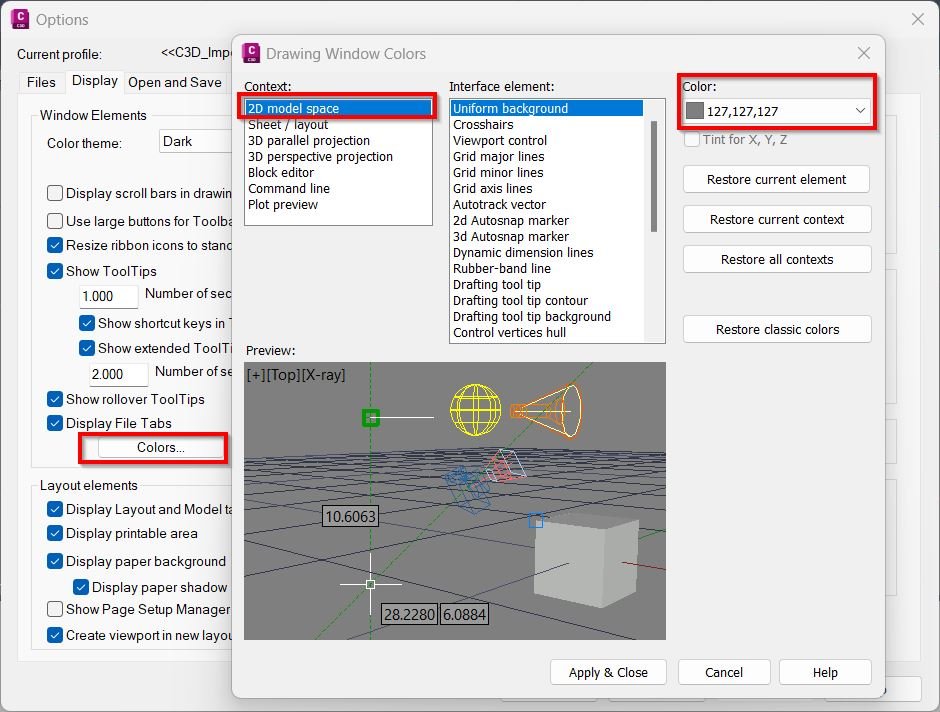
Result: Model and/or Paper space background changes to the selected color preset (black, white, or gray). Cursor, tracking, and snap marker colors adjust for readability, and previous colors are restored if the dialog is canceled.
Images, animations etc.
Log in to download.
Log in
Log in
Additional info:
Learn more:
Open Website
Share this page:
Subscribe
Login
0 Comments
Oldest