
Short description
Sort / Purpose: Configure and run two profile annotation tools (Planum and Gelaende) that place distance and elevation texts along a reference band using a shared dialog and persistent settings.
• Scope: Provides a full configuration user interface for reference level, drawing scale, offsets, layers, text styles, and text height, then calls either Planum or Gelaende drawing routines.
• Goal: Standardize how Planum and ground profile labels are generated and formatted, with reusable settings stored per project drawing and integrated graphical help images.
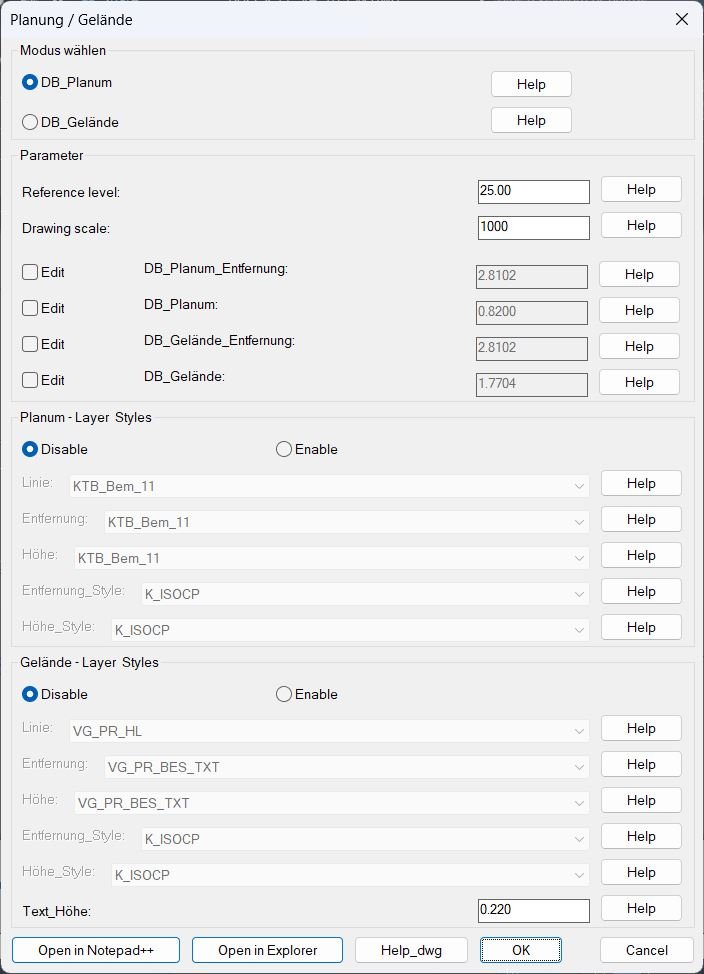
Command:
Main commands: DB_P_G, _DB_P_G, DBPG
• How to run: Load the LISP file, then type DB_P_G (or DBPG) and press Enter to open the configuration dialog.
• Mode selection: Inside the dialog choose between DB_Planum (radio rb01) or DB_Gelaende (radio rb02).
• Geometry commands: The dialog launcher calls C:DB_Planum or C:DB_Gelaende to actually draw leader lines and text labels after the settings are accepted.
Description:
• Defaults and globals: Initializes default mode, reference level, drawing scale, offsets for Planum and Gelaende labels, layer names, text styles, text height, and flags for which fields can be edited or which style popups are enabled.
• Help file mapping: Stores file names for help images and a sample DWG, and resolves them via support paths, LSP folder, and DWG folder so that context sensitive Help buttons can open the correct reference graphics.
• Dialog writer: Dynamically writes a DCL file defining the “Planung / Gelaende” dialog with radio buttons for mode, parameter edit boxes, offset toggles, Planum and Gelaende layer and style popups, text height control, and bottom buttons for Notepad plus plus, Explorer, and help DWG.
• Parameter editing: The dialog allows editing of reference level, drawing scale, four offsets (Planum distance and elevation, Gelaende distance and elevation), and main text height, with edit toggles that gray or enable individual numeric fields.
• Layer and style selection: Builds sorted lists of all drawing layers and text styles, merges them with pre defined defaults, and exposes them as popup lists for Planum and Gelaende line, distance, and elevation layers and styles, with separate enable or disable radio controls per group.
• INI persistence: Reads and writes an INI file in the drawing folder (ScTrMoss.ini), storing mode, numeric parameters, layer and style selections, edit toggles, and enable style flags so the dialog remembers the previous configuration between sessions.
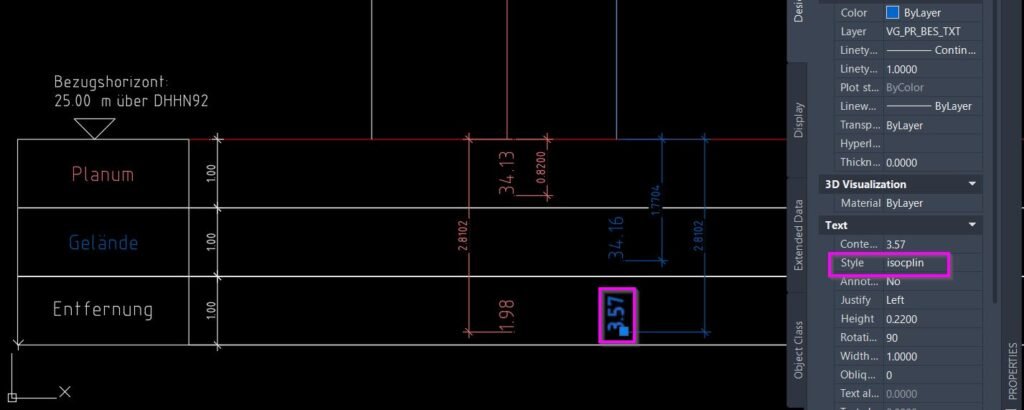
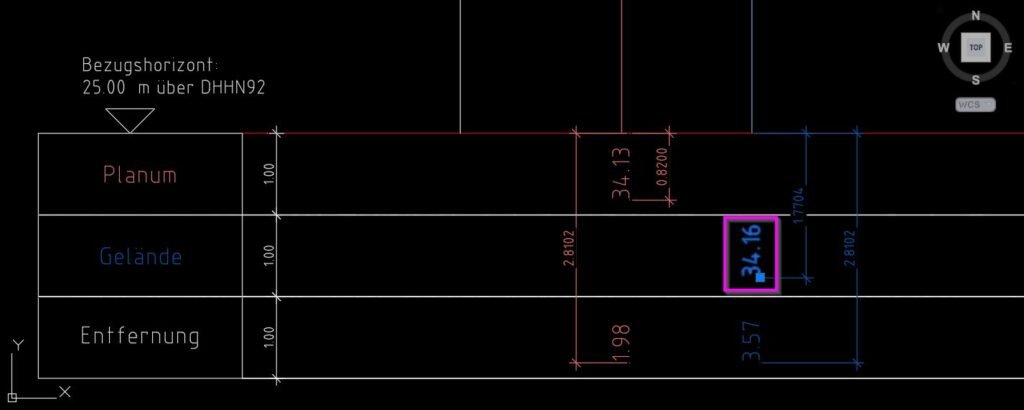
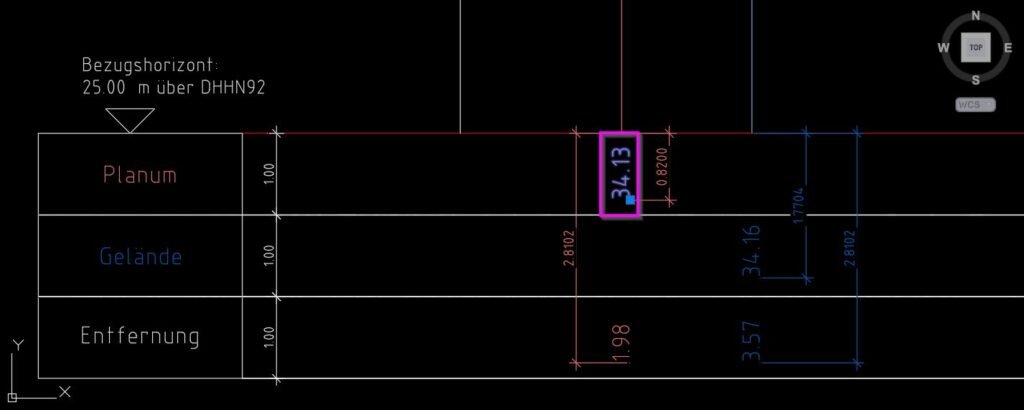
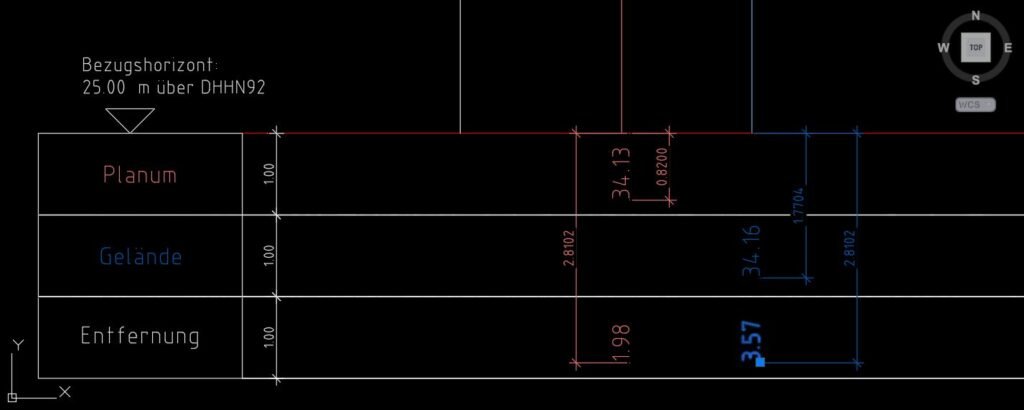
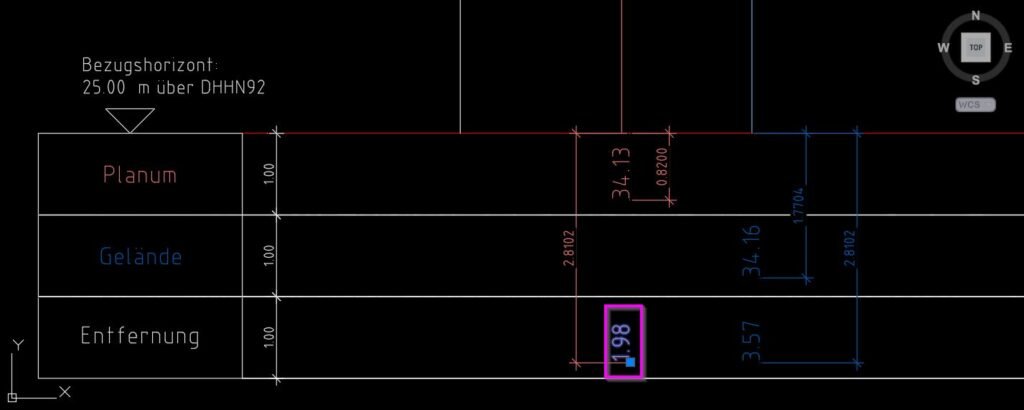
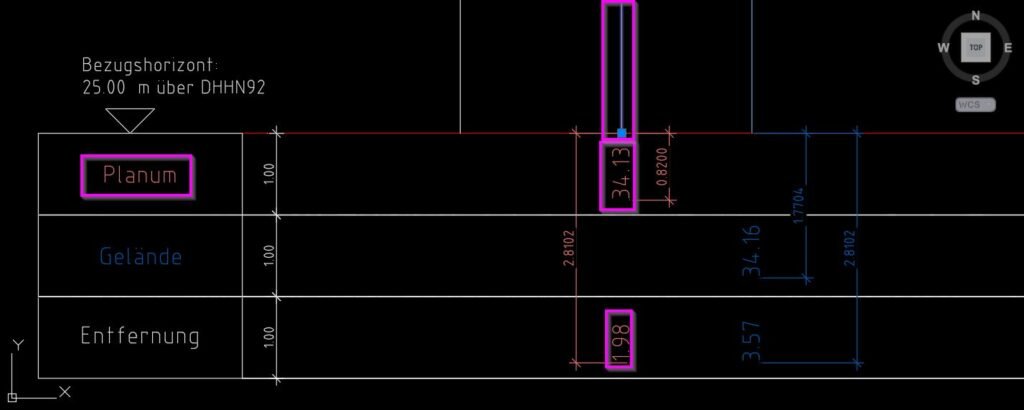
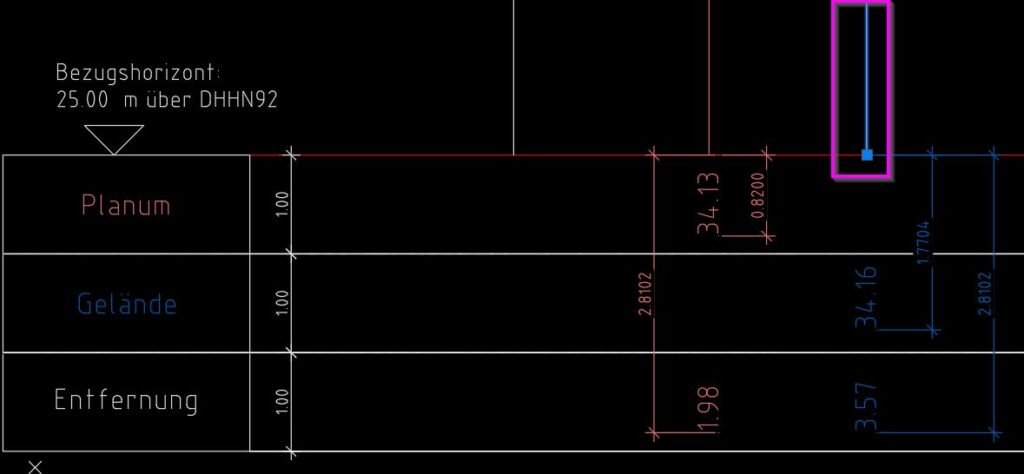
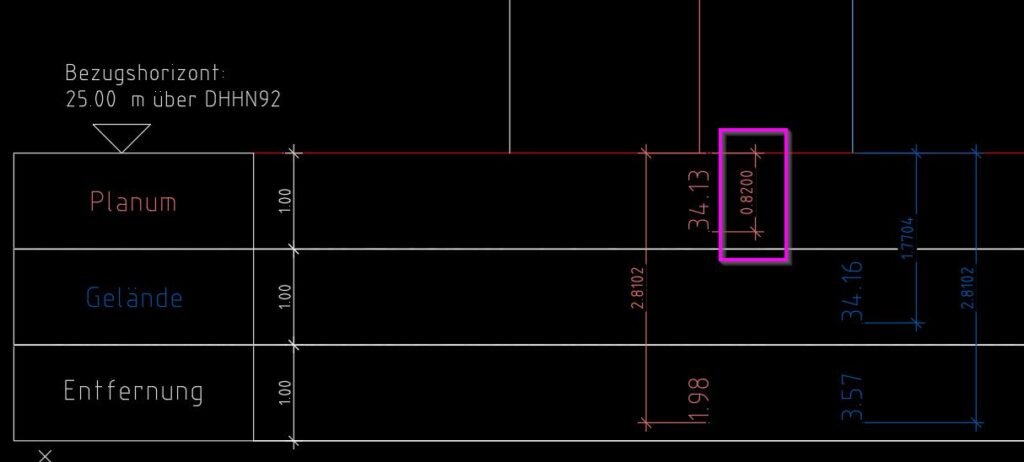
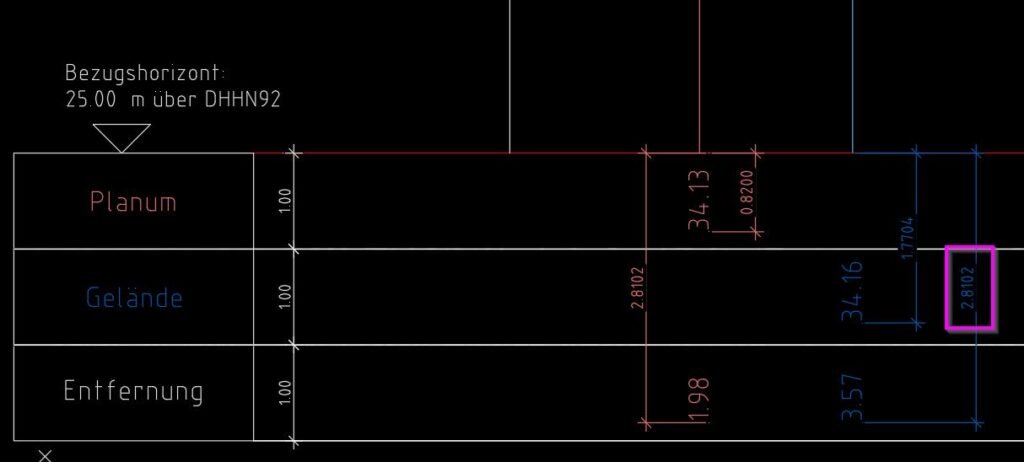
• Planum drawing routine: The C:DB_Planum command asks for the intersection point between center line and band, finds cartridge and profile reference lines, sets up temporary layers for visual guidance, then repeatedly asks for quotation points and places leader lines plus Planum distance and elevation texts using Planum offsets and layers.
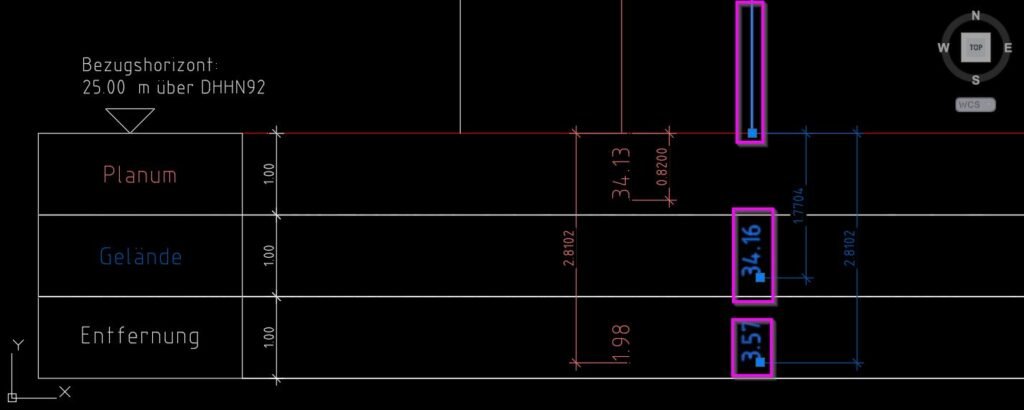
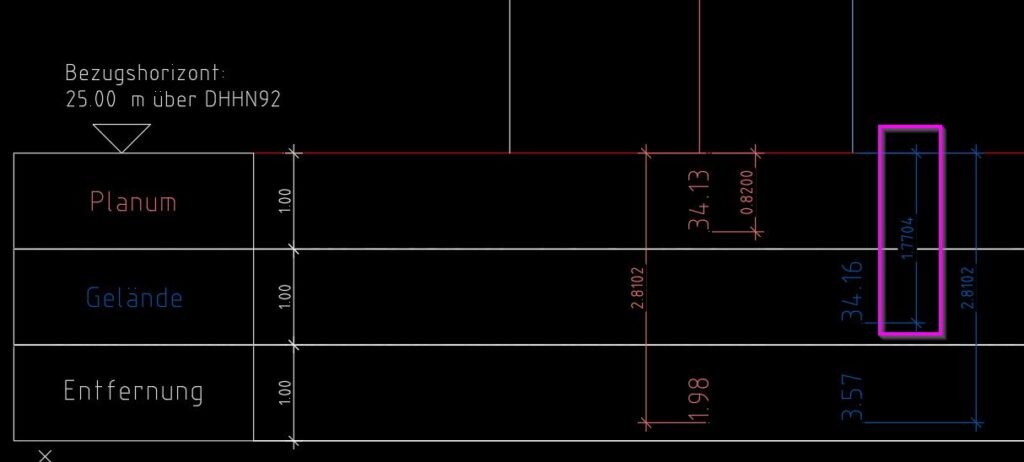
• Gelaende drawing routine: The C:DB_Gelaende command performs a similar workflow but uses the Gelaende offsets, layers, and styles, placing ground profile distance and elevation texts relative to the same reference point and band geometry.
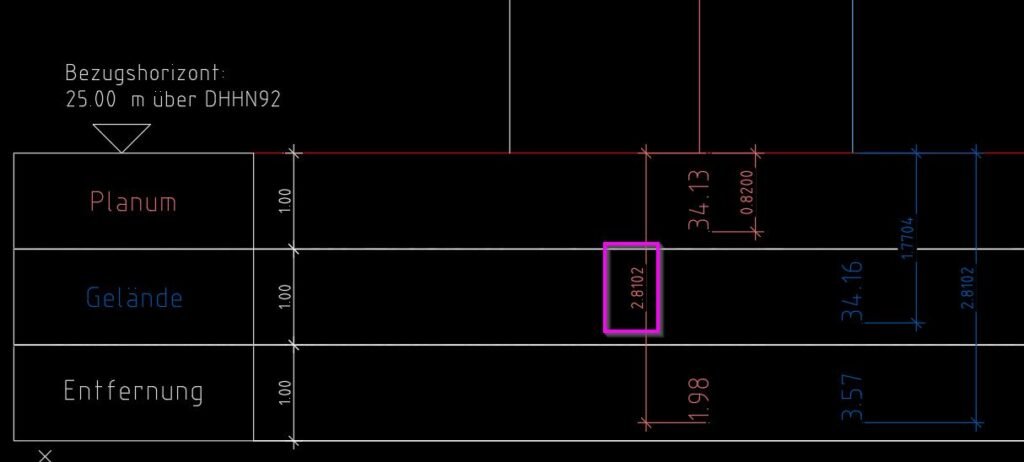
• Numeric calculations: For each picked quotation point it computes the horizontal distance and vertical delta from the intersection point, scales them by drawing scale, adds the reference level to vertical difference to get elevation, and formats both values as text with configured precision.
• System state management: Both Planum and Gelaende routines store and restore osmode, clayer, ucsview, dimzin, expert settings, and view “orig” state, optionally wrap operations in an undo group, and clean up temporary color changes to guiding layers.
• Launcher flow: The DB_P_G launcher runs the dialog, processes the user choice and settings, writes the INI if accepted, then calls either Planum or Gelaende routine; on cancel it prints a simple cancel message and exits cleanly.
Helper function: (if any)
Groups of helper functions:
• Path and help handling: DB-PG-abs-path-p, DB-PG-resolve, DB-PG-open-file, DB-PG-open-help, and DB-PG-open-dwg resolve help image and DWG paths and open them via Explorer or associated viewer.
• Compatibility helpers: DB-PG-stringp, DB-PG-atof, DB-PG-atoi, and DB-PG-pos safely convert string tile values to numeric types with defaults and minimum bounds.
• List builders: DB-PG-layer-names and DB-PG-style-names collect and case sort existing layers and styles, while DB-PG-uniq, DB-PG-filter-nil, DB-PG-ensure-nonempty, and DB-PG-build-lists produce unique, non empty global lists for the popup controls.
• UI mapping helpers: DB-PG-index-of, DB-PG-maybe-style, and DB-PG-get-popup handle mapping between string values and popup indices, and optional style overrides.
• INI helpers: DB-PG-ini-path, DB-PG-write-ini, DB-PG-parse-line, and DB-PG-read-ini create, parse, and apply configuration from a simple key equal value text file in the drawing folder.
• Dialog state helpers: writeDB_P_GDCL writes the DCL, DB-PG-mode-tiles, DB-PG-set-pl-styles-enabled, and DB-PG-set-ge-styles-enabled enable or gray related tiles, and DB-PG-toggle, DB-PG-enforce-all keep offset edit toggles and fields synchronized.
• Accept and dialog driver: DB-PG-accept reads the final tile values back into global variables and computes dependent fields like scale factor, while radioDB_P_GDCL builds the DCL, loads it, initializes tiles, sets action tiles, and runs the dialog loop until the user accepts or cancels.
• Geometry helper: verteximos extracts ordered vertex lists from LINE, LWPOLYLINE, and POLYLINE entities so the routines can find band endpoints and reference points along cartridges.
• Error handlers: Each main routine and the launcher temporarily overrides *error* with a local handler that restores system variables, view, and previous error handler on exceptions or user cancel.
Functionalities:
• Two main modes: Supports separate Planum and Gelaende workflows that share the same configuration dialog but use different layers, styles, and offsets for drawn labels.
• Persistent configuration: Saves and reloads mode, reference level, scale, offsets, layers, styles, and edit flags so that each drawing remembers its last annotation settings automatically.
• Interactive geometry picking: Asks the user to pick the intersection between center line and band, then finds cartridge and profile reference lines and repeatedly prompts for quotation points along the profile to place labels.
• Automatic layer creation: Ensures all required Planum and Gelaende layers exist before drawing, and temporarily uses auxiliary layers for highlighting while restoring their colors after finishing.
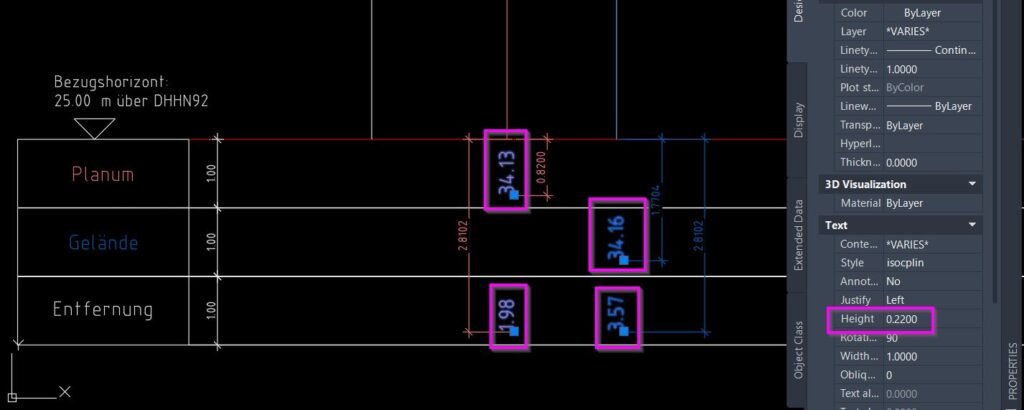
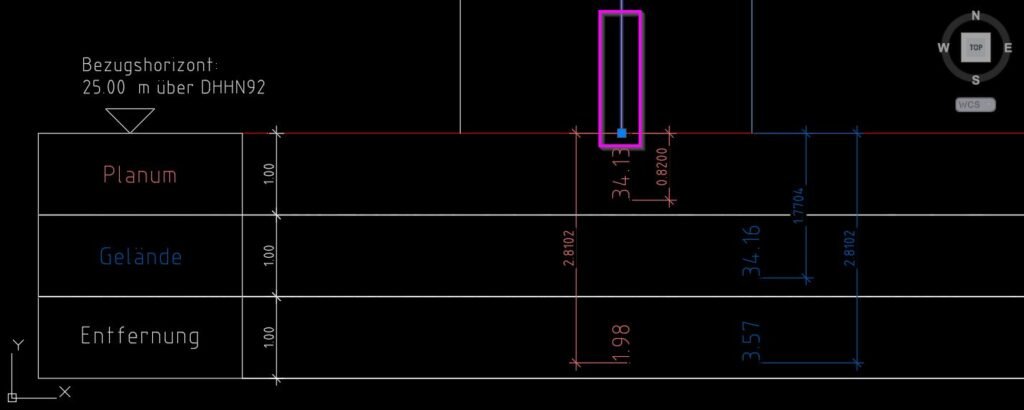
• Leader and label generation: For each picked quotation point it creates a vertical leader line from the point to the band, and places one distance text and one elevation text at configurable offsets below the band on their dedicated layers and styles.
• Scale aware values: Converts drawing distances to real world distances using the configured drawing scale, and adds the reference elevation to the vertical difference to compute absolute heights.
• Style enable options: Allows disabling or enabling layer and style dropdowns for Planum and Gelaende groups, which can lock them to configuration values or let the user freely choose from layer and style lists.
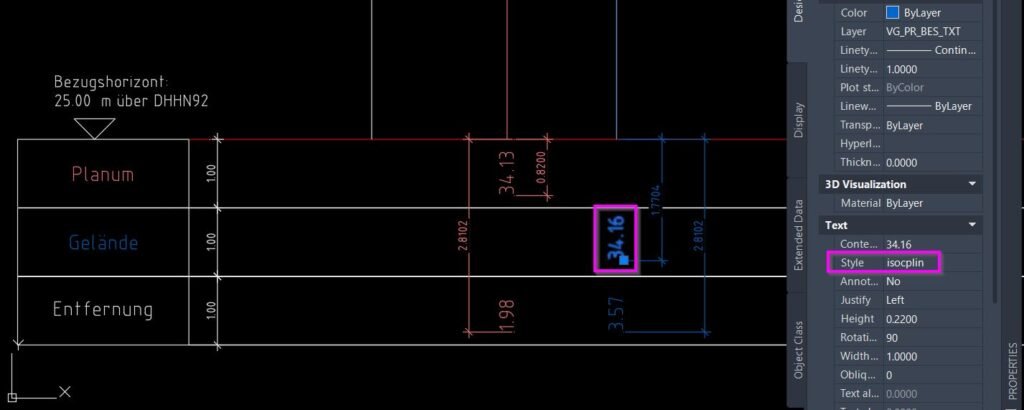
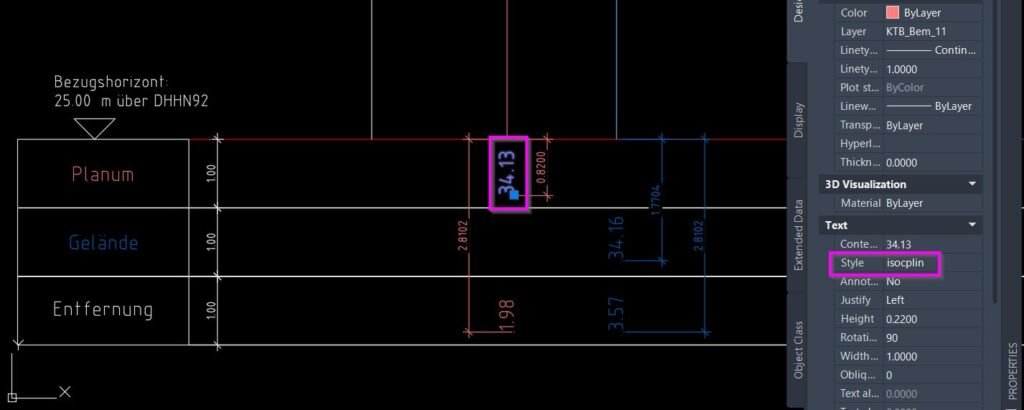
• Context sensitive help: Multiple Help buttons open image files or a sample DWG showing what each parameter, layer, style, or mode represents, assisting the user in configuring complex settings.
• Undo friendly: When undo is enabled, wraps the geometry operations into an undo group so the created labels and temporary changes can be reverted in a single step if needed.
Result:
Result: After configuring and running the tool, your drawing gains Planum or Gelaende profile labels that show distance and elevation at chosen points along the band, using consistent layers, text styles, and offsets defined in the dialog.
• Consistent annotation: All generated leader lines and texts follow a unified standard for layers, styles, color, text height, and numeric formatting across the project.
• Saved project settings: The INI file keeps the last used mode and values so subsequent runs in the same drawing start with familiar, project specific defaults instead of factory defaults.
• Guided workflow: Users see graphical help and clear dialog structure, making it easier to configure complex Planum and Gelaende labeling without manually editing many system variables or layer properties.
• Clean environment: System variables, view states, and temporary layer color changes are restored at the end, and the tool leaves the drawing in a predictable state ready for further work.
Copy code:
Images, animations etc.

Log in to download.
Log in
Log in
Additional info:
Based on / Source code:
Open Website
Share this page:
Subscribe
Login
0 Comments
Oldest
Tags: Section, Section View
Tags: Section, Section View